How to Add a Full-Page Background in wkhtmltopdf
Enable background printing, control page geometry, and size CSS backgrounds correctly in wkhtmltopdf, including multi-page and print-media fixes.
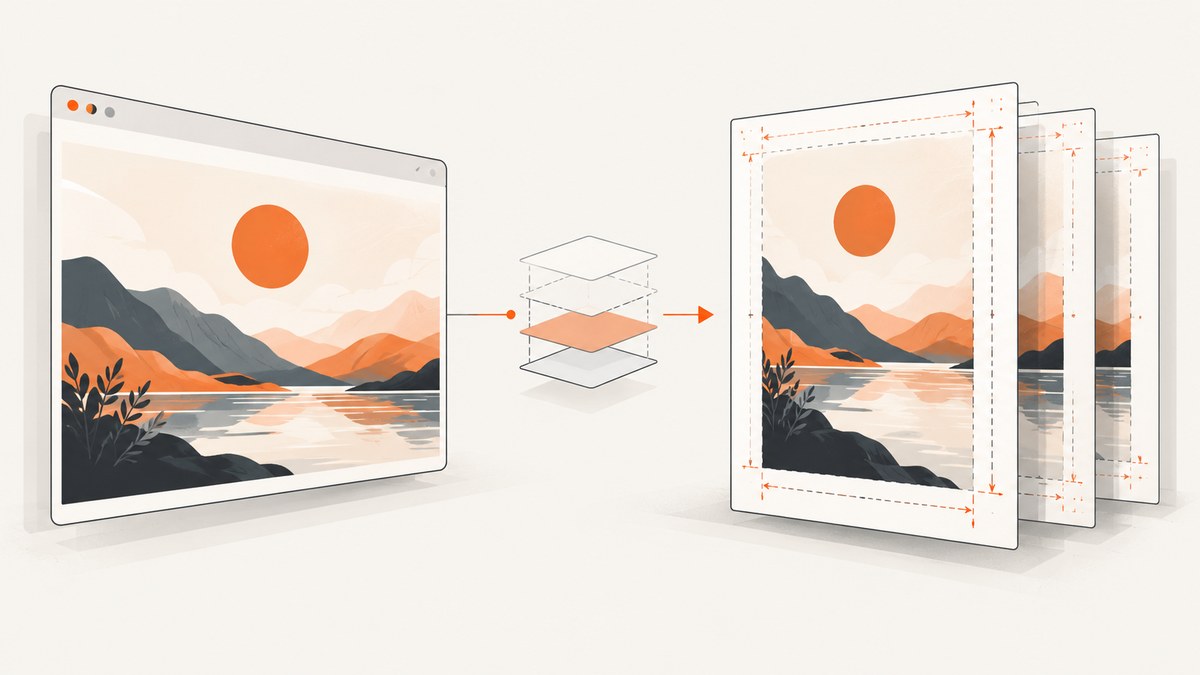
To add a full-page background in wkhtmltopdf, enable background printing, set the paper size and margins explicitly, and size the background for the page area you actually want to cover. The basic command is:
wkhtmltopdf --background --page-size A4 --margin-top 0 --margin-right 0 --margin-bottom 0 --margin-left 0 input.html output.pdf--background is the documented default, but a wrapper, configuration file, or library setting can disable it. Check for --no-background and, when using the C API or a binding, verify that web.background is true. The command-line options are documented in the wkhtmltopdf command reference; library settings are listed in the libwkhtmltox settings reference.
1. Understand which area the background must cover
“Full page” can mean three different areas:
| Target | What it covers | Typical implementation |
|---|---|---|
| Content area | The space inside the margins | Background on body or a content wrapper |
| Page area | The physical sheet, subject to renderer behavior | Explicit page geometry plus a page-sized element |
| Edge to edge | Paper edges, including areas normally reserved for margins | Zero margins or a carefully sized fixed page element |
CSS backgrounds on html or body do not automatically guarantee ink in the margin area. wkhtmltopdf renders through its Qt/WebKit engine, so the CSS page canvas and the converter’s native paper and margin settings must be considered together. If the background is intended only for the usable content region, leave margins in place and size the artwork to that region. If it should reach the paper edges, set the margins to zero or deliberately extend a fixed element beyond the content box, then inspect the PDF on the exact build used in production.
2. Start with a minimal HTML and CSS example
This example applies a background image to every flowed page and keeps the content readable with a translucent panel. The image URL can be local or remote; local assets are usually easier to make reproducible.
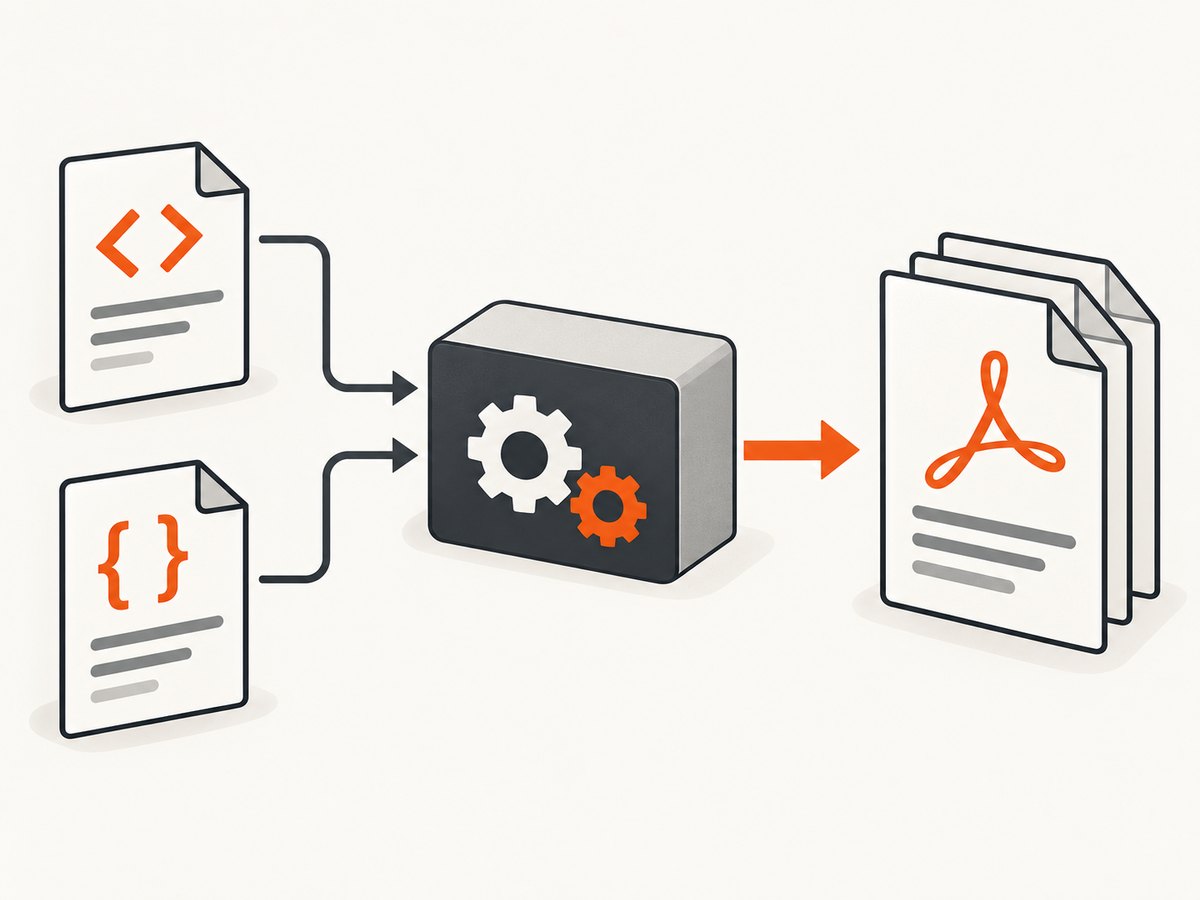
<!doctype html>
<html>
<head>
  <meta charset="utf-8">
  <title>Background test</title>
  <style>
    @page {
      size: A4 portrait;
      margin: 18mm;
    }

    html, body {
      margin: 0;
      padding: 0;
      min-height: 100%;
    }

    body {
      color: #172033;
      font: 12pt/1.45 Arial, sans-serif;
      background: #dce7f5 url("background.jpg") center top / cover no-repeat;
      -webkit-print-color-adjust: exact;
      print-color-adjust: exact;
    }

    .page-content {
      background: rgba(255, 255, 255, 0.9);
      padding: 12mm;
      min-height: 240mm;
      box-sizing: border-box;
    }

    h1, h2 { page-break-after: avoid; }
    .keep-together { page-break-inside: avoid; }
  </style>
</head>
<body>
  <main class="page-content">
    <h1>A document with a full-page background</h1>
    <p>Replace this text with your report, invoice, or brochure content.</p>
    <div class="keep-together">
      <h2>A section that should stay together</h2>
      <p>Use page-break rules sparingly; long content must still be allowed to flow.</p>
    </div>
  </main>
</body>
</html>
Convert it with:
wkhtmltopdf \
  --background \
  --page-size A4 \
  --orientation Portrait \
  --margin-top 18mm \
  --margin-right 18mm \
  --margin-bottom 18mm \
  --margin-left 18mm \
  --enable-local-file-access \
  input.html output.pdf
--enable-local-file-access is needed by builds that restrict local files. Use an absolute file URL or a permitted directory when the image is local. For a remote image, confirm that the converter can reach the host and that the image URL does not require browser-only authentication.
3. Choose the page geometry before sizing the artwork
Paper size, orientation, and all four margins determine the available content box. A4 portrait is 210mm × 297mm. With 18mm margins on each side, the usable width is 174mm and the usable height is 261mm. If your background is designed only for the content box, use that aspect ratio rather than the full A4 ratio.
For an edge-to-edge background, use zero margins:
wkhtmltopdf --background \
  --page-size A4 \
  --margin-top 0 --margin-right 0 \
  --margin-bottom 0 --margin-left 0 \
  input.html edge-to-edge.pdf
Then use a fixed page element when exact placement matters:
@page { size: A4; margin: 0; }
html, body { margin: 0; padding: 0; }
.sheet {
  width: 210mm;
  min-height: 297mm;
  position: relative;
  overflow: hidden;
}
.sheet::before {
  content: "";
  position: absolute;
  inset: 0;
  background: url("background.jpg") center center / cover no-repeat;
  z-index: -1;
}
This fixed-sheet pattern is appropriate for a deliberately paginated document. For naturally flowing reports, a single element may span several pages and its background behavior can vary at page breaks. Test every page, not just page one.
4. Print media, colors, and image loading
wkhtmltopdf normally uses screen styles unless you pass --print-media-type. If the background exists only in an @media print rule, enable that mode:
wkhtmltopdf --background --print-media-type input.html output.pdfA reported wkhtmltopdf 0.12.5 case missed an image referenced only inside print CSS. In that environment, making the resource available from default media helped it load. Treat this as a version-specific diagnostic clue, not a universal fix: first inspect the URL, permissions, and converter version.
For solid colors and CSS backgrounds, include:
body {
  background-color: #dce7f5;
  -webkit-print-color-adjust: exact;
  print-color-adjust: exact;
}
Use a file path that the converter can resolve, avoid JavaScript-generated background URLs unless necessary, and wait for asynchronous content before conversion. A remote image that redirects, requires cookies, or is blocked by TLS settings can make the background appear to be a CSS failure when the resource never loaded.
5. Reusable command-line patterns
Content-sized background with margins
wkhtmltopdf --background --page-size Letter \
  --margin-top 0.7in --margin-right 0.7in \
  --margin-bottom 0.7in --margin-left 0.7in \
  input.html letter.pdf
Landscape page
wkhtmltopdf --background --page-size A4 --orientation Landscape \
  --margin-top 0 --margin-right 0 --margin-bottom 0 --margin-left 0 \
  input.html landscape.pdf
Download HTML, then convert it with cURL and the CLI
curl --fail --location https://example.com/report.html --output report.html
wkhtmltopdf --background --enable-local-file-access report.html report.pdf
cURL only retrieves the source; wkhtmltopdf performs the rendering. Authentication headers, cookies, and JavaScript-dependent pages may require a browser session or a pre-rendered local file.
6. Automate conversion with Python
from pathlib import Path
import subprocess

source = Path("input.html").resolve()
output = Path("output.pdf").resolve()

command = [
    "wkhtmltopdf",
    "--background",
    "--page-size", "A4",
    "--margin-top", "18mm",
    "--margin-right", "18mm",
    "--margin-bottom", "18mm",
    "--margin-left", "18mm",
    "--enable-local-file-access",
    str(source),
    str(output),
]

result = subprocess.run(command, text=True, capture_output=True)
if result.returncode != 0:
    raise RuntimeError(result.stderr or "wkhtmltopdf failed")
print(output)
Keep the command as an argument list so paths containing spaces are handled safely. Log the converter version with wkhtmltopdf --version alongside the input and options.
7. Automate conversion with Node.js
import { execFile } from "node:child_process";
import { promisify } from "node:util";

const execFileAsync = promisify(execFile);
const args = [
  "--background",
  "--page-size", "A4",
  "--margin-top", "18mm",
  "--margin-right", "18mm",
  "--margin-bottom", "18mm",
  "--margin-left", "18mm",
  "--enable-local-file-access",
  "input.html",
  "output.pdf"
];

try {
  const { stderr } = await execFileAsync("wkhtmltopdf", args);
  if (stderr) console.error(stderr);
  console.log("Created output.pdf");
} catch (error) {
  console.error(error.stderr || error.message);
  process.exitCode = 1;
}
8. Troubleshooting checklist
| Symptom | Likely cause | Fix |
|---|---|---|
| No background color or image | Background output disabled | Remove --no-background; add --background; set web.background=true in bindings. |
| Image is missing | Bad URL, blocked local file, redirect, or inaccessible resource | Open the URL independently, use an absolute path, add --enable-local-file-access, and inspect stderr. |
| Works on screen but not PDF | Print media rules or color adjustment | Try --print-media-type and add -webkit-print-color-adjust: exact. |
| Background stops at the margin | Element paints only the content box | Set margins deliberately, use a zero-margin page, or size a fixed page element to the paper. |
| Only page one looks correct | Flowing background or page-break interaction | Render a multi-page fixture; use repeated page wrappers or a fixed layout and inspect every page. |
| Content is clipped | Fixed height, oversized padding, or forced page break | Prefer min-height, verify box sizing, and remove unnecessary fixed heights. |
| Different machines produce different output | Different wkhtmltopdf/Qt builds, fonts, or network resources | Pin the binary, install the same fonts, record the version, and make assets local. |
When reporting a bug, include the exact wkhtmltopdf version, operating system, Qt build if known, complete command, input HTML/CSS, and a minimal reproduction. This makes renderer-specific behavior distinguishable from a CSS mistake.
9. Reliability, performance, and cost considerations
- Reliability: deterministic local assets, pinned binaries, explicit paper settings, and representative multi-page fixtures reduce surprises.
- Performance: large background images increase decoding and PDF size. Use an image sized for the output resolution, compress it, and avoid needless animation or JavaScript.
- Fonts: missing fonts change line wrapping, which changes page breaks and can expose or hide background defects. Install and pin the fonts used in production.
- Networking: remote CSS and images make conversion dependent on DNS, TLS, redirects, and authentication. Download assets first when reproducibility matters.
- Cost: wkhtmltopdf itself is a local command-line renderer; your practical costs are compute, storage, and maintenance of the rendering environment.

Or skip the browser setup
If your goal is a clean screenshot or PDF of a URL rather than maintaining a wkhtmltopdf environment, ScreenshotNeo provides a single request. See the API documentation for all options.
curl -G "https://api.screenshotneo.com/v1/shot" -d access_key=YOUR_API_KEY --data-urlencode url=https://stripe.com -o shot.webpimport requests
r = requests.get("https://api.screenshotneo.com/v1/shot", params={"access_key": "YOUR_API_KEY", "url": "https://stripe.com"}, timeout=90)
open("shot.webp", "wb").write(r.content)const q = new URLSearchParams({ access_key: 'YOUR_API_KEY', url: 'https://stripe.com' }); const res = await fetch(`https://api.screenshotneo.com/v1/shot?${q}`);ScreenshotNeo accepts cookie and consent banners before capture and removes more than 60 known consent platforms, newsletter popups, and chat widgets. Bot checks, blank pages, failed loads, timeouts, and cache hits are not billed, and the response identifies the result with X-Page-Verdict and X-Billed headers. Its MCP server gives AI agents tools for screenshots, page information, and PDFs. The free plan includes 1,000 screenshots per month with no card; paid plans start at $5 for 3,000 shots.
Create a free ScreenshotNeo account.
FAQ
Does wkhtmltopdf print CSS backgrounds by default?
The CLI documents background printing as enabled by default. Explicitly pass --background so scripts remain clear, and check that no configuration disables it.
Should I use background-size: cover?
Use it when cropping is acceptable and the artwork should fill the box. Use explicit dimensions or contain when preserving the entire image matters.
Why does @page not solve every margin problem?
@page declares page geometry, but wkhtmltopdf also applies native command-line settings and its renderer has implementation-specific behavior. Set both deliberately and inspect the output.
How do I repeat a background on every page?
Use a background on a flowing element only after testing page breaks. For exact repetition, create explicit page-sized wrappers with the background on each wrapper.
Can I convert a page that requires login?
Only if the renderer receives the required cookies, headers, or an authenticated local source. Otherwise download or pre-render the page first.


