How to Generate a Full-Page PDF with PHP cURL
PHP cURL can request a PDF, but a browser engine must render the page. Compare hosted conversion, wkhtmltopdf, and headless Chrome, with complete PHP examples.
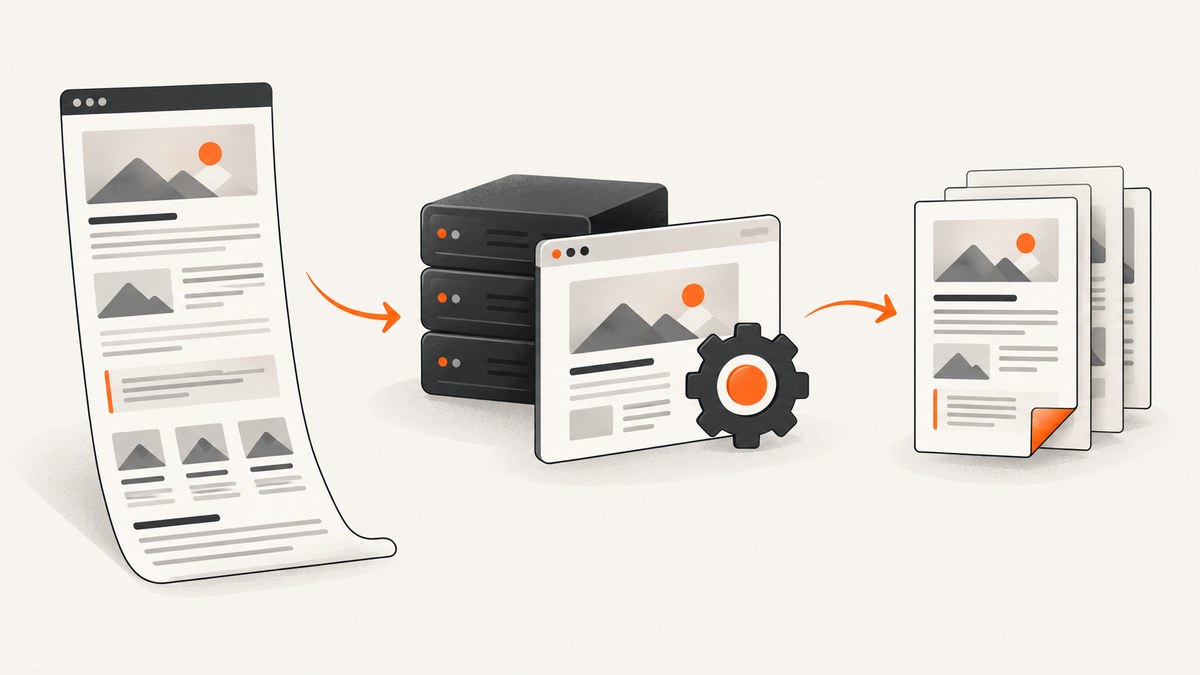
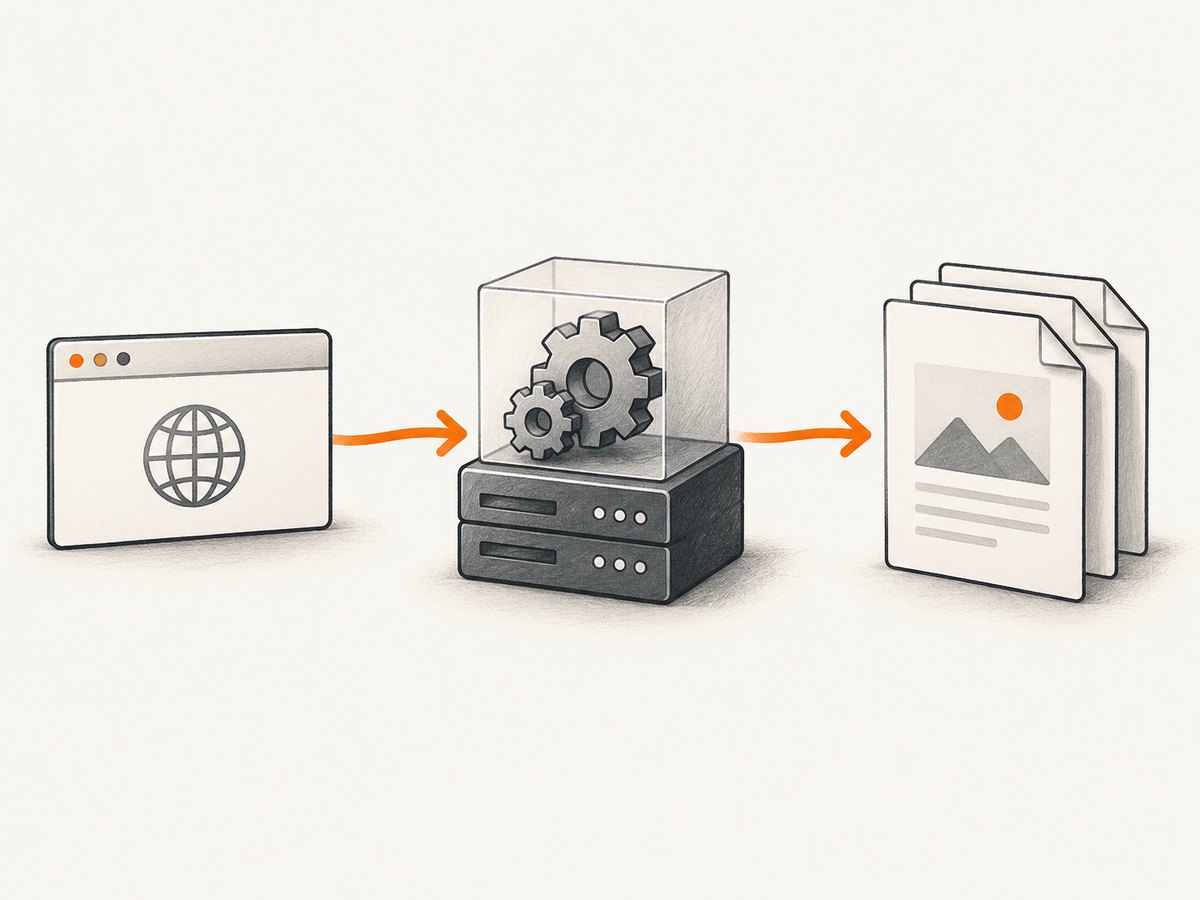
PHP cURL can send a URL or HTML to a PDF service and save the binary response. cURL itself does not render HTML: a rendering engine such as Chromium or wkhtmltopdf must create the pages. For a hosted service, PHP sends the request and receives a PDF; for a local approach, PHP starts the renderer as a process or controls a headless browser.
This guide shows a hosted conversion request, a local wkhtmltopdf process, and headless Chrome. It covers timing, print CSS, binary handling, deployment, troubleshooting, and when a managed API is simpler. If the goal is a screenshot rather than a paginated document, ScreenshotNeo also offers PDF capture through its screenshot API.
1. Choose how to render the page
Start by deciding where the rendering engine should run. The right option depends on how much control you need over the browser and how much infrastructure you want to maintain.
| Approach | Rendering location | Best fit | Main tradeoff |
|---|---|---|---|
| Hosted PDF API | Provider’s service | Quick integration, low server operations | Provider-specific fields, authentication, network dependency, and service cost |
| wkhtmltopdf | Your server or worker | Existing workflows that suit its WebKit-based renderer | You package, monitor, and upgrade a binary; browser behavior may differ from current Chrome |
| Headless Chrome | Your server or managed browser | Pages relying on modern browser rendering and JavaScript | Browser process management, memory, startup, and concurrency need care |
There is no shared benchmark in the available project documentation that establishes which route is fastest or most faithful for every site. Compare the actual page types you need to render, including fonts, charts, long tables, and client-rendered content.
2. Hosted PDF conversion with PHP cURL
A hosted renderer is often the shortest path from URL to PDF. The following example uses HTMLPDFAPI’s documented endpoint and authentication format. It posts a public URL, asks for a viewport and background graphics, then writes the returned bytes to a file. Check the provider’s current documentation for exact fields and authentication requirements before deploying.
<?php
$token = getenv('HTMLPDFAPI_TOKEN');
$pageUrl = 'https://example.com/report';
$outputPath = __DIR__ . '/report.pdf';

if (!$token) {
    throw new RuntimeException('Set HTMLPDFAPI_TOKEN first.');
}

$ch = curl_init('https://htmlpdfapi.com/api/v1/pdf');
curl_setopt_array($ch, [
    CURLOPT_POST => true,
    CURLOPT_HTTPHEADER => [
        'Authentication: Token ' . $token,
        'Content-Type: application/x-www-form-urlencoded',
        'Accept: application/pdf',
    ],
    CURLOPT_POSTFIELDS => http_build_query([
        'url' => $pageUrl,
        'background' => 'true',
        'viewport_size' => '1280x900',
    ]),
    CURLOPT_RETURNTRANSFER => true,
    CURLOPT_FOLLOWLOCATION => true,
    CURLOPT_CONNECTTIMEOUT => 10,
    CURLOPT_TIMEOUT => 60,
]);

$pdf = curl_exec($ch);
$curlError = curl_error($ch);
$status = (int) curl_getinfo($ch, CURLINFO_HTTP_CODE);
$contentType = (string) curl_getinfo($ch, CURLINFO_CONTENT_TYPE);
curl_close($ch);

if ($pdf === false) {
    throw new RuntimeException('Request failed: ' . $curlError);
}
if ($status < 200 || $status >= 300) {
    throw new RuntimeException('PDF service returned HTTP ' . $status . ': ' . substr($pdf, 0, 500));
}
if (stripos($contentType, 'application/pdf') === false || strlen($pdf) < 5 || substr($pdf, 0, 5) !== '%PDF-') {
    throw new RuntimeException('Response was not a valid PDF. Content-Type: ' . $contentType);
}

if (file_put_contents($outputPath, $pdf) === false) {
    throw new RuntimeException('Could not write PDF to ' . $outputPath);
}
echo 'Saved ' . strlen($pdf) . ' bytes to ' . $outputPath . PHP_EOL;
Run it from a CLI PHP installation with the cURL extension enabled and the token in the environment. Keep credentials out of source control. For large documents, consider a streaming response or provider-supported asynchronous job instead of holding the entire PDF string in PHP memory.
Requesting HTML instead of a URL
Some services accept exactly one of a URL, uploaded file, or raw HTML field. If the page is generated by your application, sending HTML can avoid making a private route publicly reachable. It also means you must make linked CSS, images, and fonts accessible to the renderer. Relative paths need a base URL if the provider supports one; otherwise convert assets to absolute URLs or inline them when appropriate. Never assume a service can reach localhost or your private network.
PDF configuration to set deliberately
Hosted tools may expose options for page size, orientation, margins, print media, background graphics, links, headers, footers, and page numbers. Set the options your output requires instead of relying on defaults. Wide dashboards may need landscape orientation or a reduced scale; reports with colored panels need background printing. Validate provider field names and accepted values in its documentation.
3. Local wkhtmltopdf from PHP
wkhtmltopdf is an open-source command-line tool that renders HTML into PDF and image formats using Qt WebKit, and it can run headlessly. Install and pin a known binary in your deployment environment, then invoke it with argument arrays so user-controlled URLs or paths are not interpolated into a shell command.
<?php
$url = 'https://example.com/report';
$output = __DIR__ . '/report.pdf';
$binary = '/usr/bin/wkhtmltopdf';

$command = [$binary, '--print-media-type', $url, $output];
$spec = [
    0 => ['pipe', 'r'],
    1 => ['pipe', 'w'],
    2 => ['pipe', 'w'],
];
$process = proc_open($command, $spec, $pipes);
if (!is_resource($process)) {
    throw new RuntimeException('Could not start wkhtmltopdf.');
}
fclose($pipes[0]);
$stdout = stream_get_contents($pipes[1]);
fclose($pipes[1]);
$stderr = stream_get_contents($pipes[2]);
fclose($pipes[2]);
$exitCode = proc_close($process);

if ($exitCode !== 0 || !is_file($output) || filesize($output) === 0) {
    throw new RuntimeException("wkhtmltopdf failed (exit $exitCode): $stderr $stdout");
}
echo 'Created ' . $output . PHP_EOL;
Use an absolute binary path and verify it exists during deployment. The process exit code and stderr are part of the result: a file path alone does not prove conversion succeeded. Wrapper libraries can simplify configuration, but confirm their binary path and feature assumptions; some rendering features may depend on an X server, which headless servers often lack.
For detailed page controls, pass documented wkhtmltopdf arguments or configure a maintained PHP wrapper. Common needs include page size, orientation, margins, header/footer content, and print media styles. Be cautious with arbitrary input: converting untrusted URLs can expose internal services from your server. Restrict destinations and run the renderer with limited permissions.
4. Headless Chrome and PHP
Chrome’s command line can print a URL directly. For a basic one-off conversion, the command looks like this:
chrome --headless --no-pdf-header-footer --timeout=10000 --print-to-pdf=/tmp/page.pdf https://developer.chrome.com/The exact executable name varies by installation. In PHP, launch it using proc_open() with an argument array and check the exit status as in the wkhtmltopdf example. The --no-pdf-header-footer option suppresses browser-generated decorations; --timeout bounds how long Chrome waits for page loading. A timeout is not a guarantee that every application has finished rendering, so choose it based on the page and validate output.
For applications needing browser interaction, a PHP Chrome client can navigate, wait for navigation, set HTML, and save PDFs to a file or stream. PDF options commonly include paper dimensions, margins, scale, background printing, and header/footer templates. A managed headless Chrome service can take over browser process operations while keeping a browser automation API; verify its own documented options and limits.
Wait for the right page state
A page’s initial load event may happen before client-side data, charts, or lazy content is ready. Browser services may allow readiness conditions such as domcontentloaded, load, or network-idle variants. Network idle can be inappropriate on pages that maintain long polling, analytics, or websocket connections. Prefer an application-specific ready selector when available; otherwise use a bounded wait and test representative slow cases.
5. Print CSS and full-page pagination
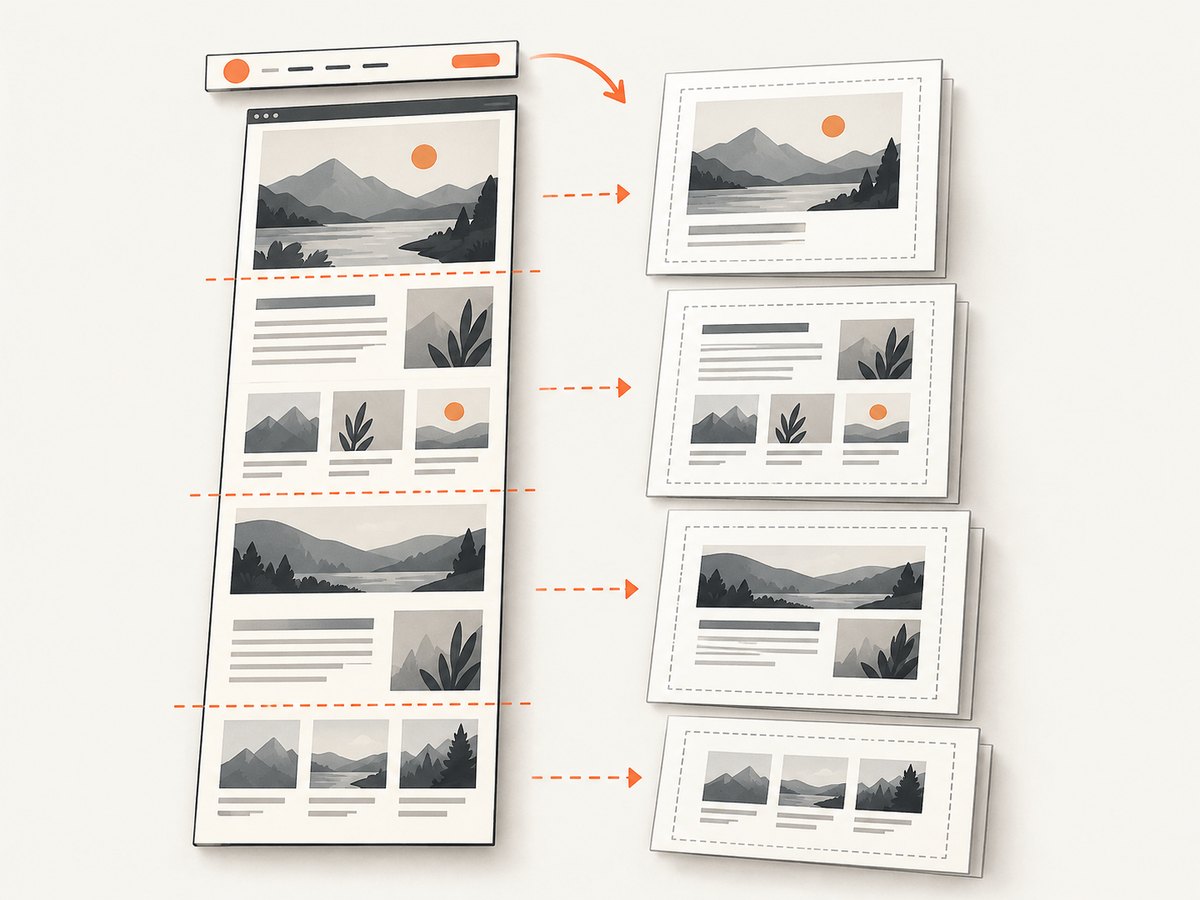
A PDF is paginated output, not simply a tall screenshot. The browser’s print layout can differ from its screen layout. Add print-specific CSS to control paper size, margins, colors, and page breaks:
@media print {
  @page {
    size: A4 portrait;
    margin: 14mm 12mm;
  }

  html, body {
    print-color-adjust: exact;
    -webkit-print-color-adjust: exact;
  }

  nav, .screen-only, .cookie-banner {
    display: none !important;
  }

  .report-section {
    break-inside: avoid;
  }

  .new-page {
    break-before: page;
  }
}
Use CSS break rules selectively: forcing every card to stay together can create large blank areas. Long tables, sticky headers, fixed-position elements, and oversized images deserve direct inspection. Some sites lazy-load images only while scrolling; a print renderer may not trigger that behavior. For pages you control, make print content available without scroll-triggered loading or add an explicit preparation step before capture.
Fonts and assets must be reachable from the renderer. Cross-origin restrictions, authentication, expired signed asset URLs, and blocked outbound requests can cause missing styles or images. Prefer stable absolute asset URLs. If the page uses a web font, allow time for fonts to load; browser automation libraries may expose font readiness or page evaluation hooks.
6. Stream a PDF to a browser
If PHP should return the generated file directly, send PDF headers and the bytes only after successful generation. Any whitespace, warning, or debug output before the headers can corrupt the download.
<?php
$pdfPath = __DIR__ . '/report.pdf';
if (!is_file($pdfPath) || filesize($pdfPath) === 0) {
    http_response_code(500);
    exit('PDF is unavailable');
}

header('Content-Type: application/pdf');
header('Content-Disposition: attachment; filename="report.pdf"');
header('Content-Length: ' . filesize($pdfPath));
readfile($pdfPath);
For an inline preview, use inline in the disposition. For large files, stream from a temporary file and remove it after delivery according to your application’s lifecycle. Do not expose predictable temporary paths or let a request parameter choose an arbitrary output filename.
7. Reliability, performance, and cost
- Bound the work: set connection and overall timeouts on cURL. For local renderers, enforce process time limits and clean up orphaned browser processes.
- Control concurrency: each browser process consumes memory and CPU. Use a queue or worker pool for bursts; avoid launching unbounded Chrome instances inside web requests.
- Reuse where practical: a managed browser process or worker can reduce repeated startup overhead, but isolate jobs and reset browser state to avoid leaking cookies or data between users.
- Reduce unnecessary bytes: use suitable image quality and page settings, avoid repeatedly converting identical inputs when caching is safe, and set cache invalidation rules based on content freshness.
- Observe the result: log duration, exit code/status, output size, and failure category without logging secrets or sensitive page content.
Local binaries avoid a per-request rendering-provider fee but create packaging, patching, scaling, and monitoring work. Hosted services reduce operations work but add provider charges, authentication management, and network dependency. Compare total cost at your expected volume, including worker capacity and engineering time. No common speed or fidelity benchmark is available from the cited primary documentation, so test your own representative pages before choosing.
8. Troubleshooting common failures
| Symptom | Likely cause | What to do |
|---|---|---|
| PDF is an HTML error page | Non-2xx service response or wrong endpoint/authentication | Check HTTP status and response body before saving; confirm token format and request fields. |
| Saved file is empty or corrupt | cURL failure, failed renderer, or output path permissions | Check cURL error, HTTP status, renderer exit code, content type, PDF signature, and writable path. |
| Styles or images are missing | Relative or inaccessible assets, blocked network, font not ready | Use absolute reachable URLs, configure the base URL where supported, and wait for required resources. |
| PDF shows loading placeholders | Capture ran at navigation load before app rendering completed | Wait for a ready selector, a suitable network-idle condition, or a bounded delay. |
| Background colors disappear | Background printing disabled or print CSS suppresses color | Enable the renderer’s background option and set print color adjustment in CSS. |
| Content is clipped or tiny | Paper, orientation, margins, viewport, or scale mismatch | Set page geometry explicitly; test landscape or adjust print CSS for wide elements. |
| Chrome/wkhtmltopdf cannot start | Wrong binary path, missing dependencies, permissions, or unavailable display requirement | Pin and verify the executable, inspect stderr, install required dependencies, and check headless compatibility. |
| Browser download is unreadable | PHP warning or output preceded PDF bytes | Generate first, suppress accidental output, then send headers and stream only the binary. |
9. Or skip the browser setup
If your goal is a screenshot-style PDF capture without maintaining a browser process, ScreenshotNeo’s API documentation describes its request options. Its API supports PDF output along with image captures. A request uses one GET call; the following PHP example saves the response bytes, following the API’s documented base and access-key parameter pattern:
<?php
$endpoint = 'https://api.screenshotneo.com/v1/shot';
$params = [
    'access_key' => getenv('SCREENSHOTNEO_API_KEY'),
    'url' => 'https://example.com/report',
    'format' => 'pdf',
];
if (!$params['access_key']) {
    throw new RuntimeException('Set SCREENSHOTNEO_API_KEY first.');
}

$ch = curl_init($endpoint . '?' . http_build_query($params));
curl_setopt_array($ch, [
    CURLOPT_RETURNTRANSFER => true,
    CURLOPT_FOLLOWLOCATION => true,
    CURLOPT_CONNECTTIMEOUT => 10,
    CURLOPT_TIMEOUT => 90,
]);
$bytes = curl_exec($ch);
$error = curl_error($ch);
$status = (int) curl_getinfo($ch, CURLINFO_HTTP_CODE);
$type = (string) curl_getinfo($ch, CURLINFO_CONTENT_TYPE);
curl_close($ch);

if ($bytes === false || $status < 200 || $status >= 300) {
    throw new RuntimeException($error ?: 'ScreenshotNeo returned HTTP ' . $status);
}
if (stripos($type, 'application/pdf') === false || substr($bytes, 0, 5) !== '%PDF-') {
    throw new RuntimeException('Response was not a PDF; Content-Type: ' . $type);
}
file_put_contents(__DIR__ . '/report.pdf', $bytes);
The API also accepts common screenshot options including full-page capture, CSS selectors, viewport and device choices, wait conditions, custom CSS, cookies, headers, and PDF settings. Cookie/consent banners, newsletter popups, and chat widgets are removed before capture; those cleanup steps can be turned off. Bot checks, blank pages, failed loads, timeouts, and cache hits are not billed, and response headers identify the page verdict and billing status. An MCP server exposes screenshot and PDF tools to AI agents. The free plan includes 1,000 screenshots per month without a card; paid plans start at $5 for 3,000. Sign up for the free plan.
10. FAQ
Can PHP cURL convert HTML to PDF by itself?
No. It handles HTTP transport. A hosted service or local rendering engine must create the PDF.
Can I render a page that requires login?
Yes, if the renderer can receive the HTML or authenticate to the page using a supported cookie or header mechanism. Keep credentials scoped and avoid exposing private pages to third-party services without approval.
Why does the result differ from the browser screen?
Print media rules, paper dimensions, font availability, asynchronous rendering, and browser engine differences can all change layout. Add print CSS and compare output in the same rendering engine you deploy.
Should I choose a screenshot or a PDF?
Choose PDF when users need pages, selectable text, printing, or a document download. Choose an image capture for a visual snapshot; a full-page image does not behave like paginated paper output.


