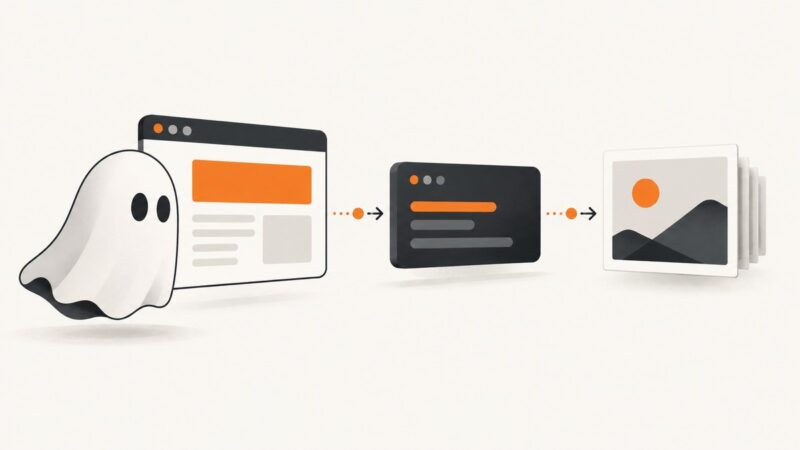
How to Add a Full-Page Screenshot Button to a Website
Add a button that saves a full-page image with html2canvas. Learn its rendering limits, troubleshoot missing content, and see when a screenshot API fits better.
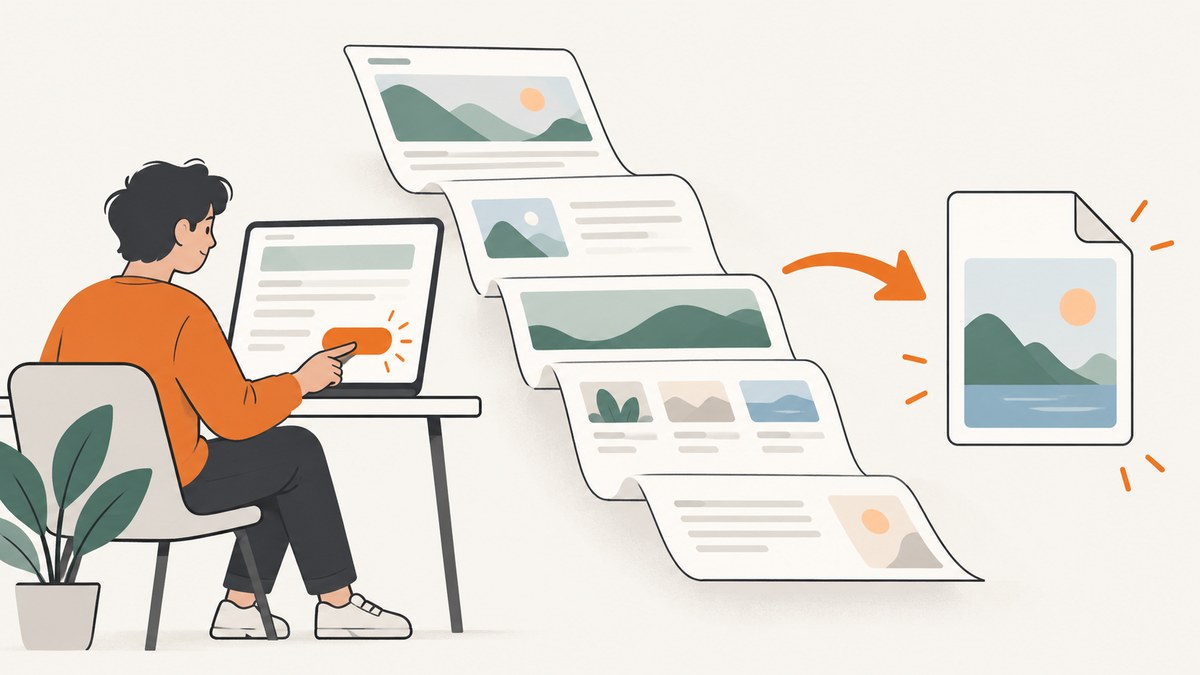
If you control the website and want visitors to save the page they are viewing, add an in-page button that uses a DOM-to-image library such as html2canvas. It reconstructs an image from readable DOM and CSS; it does not photograph the browser’s actual rendered pixels. That distinction affects CSS fidelity, cross-origin images, and embedded frames, so describe the result as a page image rather than a guaranteed pixel-perfect screenshot. html2canvas documentation
This guide builds a download button for the current page, explains its edge cases, and shows when a hosted screenshot API is a better fit. If you only need personal screenshots, Firefox already provides a “Save full page” control; a site feature is a separate use case. Firefox Screenshots
1. Choose the right kind of screenshot button
First decide where the control should live and what it should capture. These approaches are not interchangeable:
| Need | Approach | Key constraint |
|---|---|---|
| A visitor clicks a button on your site to save the current page | DOM reconstruction with html2canvas | Only supported, readable page content can be rendered faithfully. |
| A visitor chooses a tab, window, or display to share | Screen Capture API | The browser asks the user to confirm and choose a source; it is not a silent full-document export. |
| A browser-level toolbar button or privileged automation | Browser extension APIs | Requires extension architecture and permissions; enterprise policy can restrict capture. |
| A personal full-page screenshot | Browser screenshot controls | This is a browser feature for the person using it, not a feature embedded in your site. |
For the first row, html2canvas is the direct client-side route. Its renderer reads DOM information and draws a representation of the page. It only understands a subset of CSS properties, and browser security rules restrict cross-origin resources. Test representative pages in the browsers you support before presenting the button to visitors. html2canvas rendering and limitations
2. Add a download button with html2canvas
The example below captures the document, renders a PNG, and triggers a download. It loads the library from a CDN for brevity; for production, pin and serve a reviewed dependency according to your site’s normal asset policy. The function waits for images to finish loading where possible, then asks html2canvas to render at the document’s scroll dimensions.

<button id="save-page" type="button">Save full-page image</button>
<p id="capture-status" role="status" aria-live="polite"></p>

<script src="https://cdn.jsdelivr.net/npm/html2canvas@1.4.1/dist/html2canvas.min.js"></script>
<script>
  const button = document.querySelector('#save-page');
  const status = document.querySelector('#capture-status');

  button.addEventListener('click', async () => {
    button.disabled = true;
    status.textContent = 'Preparing page image…';

    try {
      // Give layout a frame to settle after the click/status update.
      await new Promise(requestAnimationFrame);

      const canvas = await html2canvas(document.documentElement, {
        backgroundColor: getComputedStyle(document.body).backgroundColor || '#fff',
        scale: Math.min(window.devicePixelRatio || 1, 2),
        useCORS: true,
        logging: false,
        windowWidth: document.documentElement.scrollWidth,
        windowHeight: document.documentElement.scrollHeight,
        scrollX: 0,
        scrollY: 0
      });

      const blob = await new Promise((resolve, reject) => {
        canvas.toBlob(result => result ? resolve(result) : reject(new Error('Image encoding failed')), 'image/png');
      });
      const link = document.createElement('a');
      link.href = URL.createObjectURL(blob);
      link.download = 'full-page.png';
      link.click();
      URL.revokeObjectURL(link.href);
      status.textContent = 'Image downloaded.';
    } catch (error) {
      console.error(error);
      status.textContent = 'Could not create the image. Try again or use your browser screenshot tool.';
    } finally {
      button.disabled = false;
    }
  });
</script>
The full-page target here is document.documentElement. If your site has a main content region and you want to exclude navigation or a fixed support widget, capture a specific container instead, such as document.querySelector('main'). Ensure the selector exists before passing it to html2canvas; a missing target should produce a clear user-facing error.
What the main options do
scalecontrols output pixel density. A higher value creates a larger image and may increase memory and encoding time. The example caps it at 2 instead of blindly using a high device pixel ratio.useCORS: trueasks the renderer to load cross-origin images in a CORS-enabled way. The image host still has to permit that access; this option cannot bypass browser security.backgroundColorsupplies a background for transparent areas. Usenullif transparency is wanted and supported by the page content and output path.windowWidthandwindowHeightset the viewport dimensions used for rendering. Matching the document’s scroll dimensions can help capture a long page, but responsive layouts may differ from the visitor’s actual viewport.scrollXandscrollYset the render scroll position. Zero is useful for a page-top capture; test pages with sticky or fixed-position elements.loggingcontrols diagnostic logging. Turn it on while debugging renderer warnings, then keep production console output deliberate.
html2canvas also supports rendering controls such as ignoreElements and onclone. Use them when the image needs to omit the button itself or adjust a cloned document for capture. For example, a CSS class can mark controls to omit:
const canvas = await html2canvas(document.documentElement, {
  ignoreElements: element => element.matches('[data-no-capture]')
});
Add data-no-capture to the save button, transient status, or other elements that should not appear in the result. Review the library’s options for the version you pin, because supported settings are library-specific. html2canvas configuration
Production details to decide
- PNG or JPEG: PNG keeps sharp text and supports transparency; JPEG can be smaller for photographic content but is lossy. Choose the MIME type and filename together.
- Filename: Use a stable, sanitized name. Avoid placing private page data in filenames.
- Loading state: Disable repeated clicks and announce progress through an accessible status element. Restore the button even after an error.
- Capture target: The document includes headers and footers; a main-region capture is often easier to read. Clarify this in the button label.
- Privacy: A client-side capture runs in the visitor’s browser, but the page may include personal or account data. Tell users what is included and avoid sending the resulting image to your server unless the feature requires it.
- Content readiness: Lazy images may not have loaded below the fold. A single animation frame does not force them to load. If full content is required, use a deliberate page-specific readiness strategy and explain that it can take longer.
3. Set expectations for fidelity and content
DOM reconstruction is not the same as a screenshot of the browser framebuffer. The library traverses the document and paints a representation using the properties it can read and render. Unsupported CSS can look different or be absent. Validate complex layouts, transforms, filters, fonts, gradients, and effects in the actual target pages rather than assuming visual parity. html2canvas documentation
Cross-origin images need special attention. The browser normally prevents page scripts from reading image pixels from another origin unless that server grants access through CORS. useCORS does not grant permission by itself. A canvas can also become “tainted” by an unreadable image, preventing image export. html2canvas documents same-origin images or a proxy as the ways to make images readable; do not route user traffic through an improvised proxy without assessing security, privacy, and abuse implications. Cross-origin iframes cannot be rendered because their document contents are inaccessible to the page script. Same-origin frames can be recursively rendered. Images, canvases, and iframe limits
Sticky headers and fixed widgets can be repeated, overlap content, or appear at an unexpected position when rendering a document-height viewport. Animations may be captured mid-transition. For a more predictable image, consider using the library’s cloned-document hook to freeze animations or hide elements, then compare the result with the live page. That changes the rendered representation; it does not make unsupported content capturable.
4. Or skip the browser setup
If you need screenshots of arbitrary URLs, scheduled captures, or a server-side workflow, ScreenshotNeo is a website screenshot API and MCP server. A single GET request returns PNG, JPEG, WebP, or PDF. It can load lazy images for full-page captures. Use the API key from your account and see the ScreenshotNeo API documentation.

curl -G "https://api.screenshotneo.com/v1/shot" -d access_key=YOUR_API_KEY --data-urlencode url=https://stripe.com -o shot.webpimport requests
r = requests.get(
"https://api.screenshotneo.com/v1/shot",
params={"access_key": "YOUR_API_KEY", "url": "https://stripe.com"},
timeout=90,
)
open("shot.webp", "wb").write(r.content)const q = new URLSearchParams({ access_key: 'YOUR_API_KEY', url: 'https://stripe.com' });
const res = await fetch(`https://api.screenshotneo.com/v1/shot?${q}`);
if (!res.ok) throw new Error(`Screenshot request failed: ${res.status}`);
await Bun.write('shot.webp', res);The Node.js example uses Bun’s file writer. With Node.js, save the response body using the built-in filesystem module:
import { writeFile } from 'node:fs/promises';

const q = new URLSearchParams({ access_key: 'YOUR_API_KEY', url: 'https://stripe.com' });
const res = await fetch(`https://api.screenshotneo.com/v1/shot?${q}`);
if (!res.ok) throw new Error(`Screenshot request failed: ${res.status}`);
await writeFile('shot.webp', Buffer.from(await res.arrayBuffer()));
In the Node.js snippet, keep the API key on a server you control. Do not embed a secret key in browser JavaScript shipped to visitors. Also check response headers and the returned content type in your integration so error responses are not saved as image files.
ScreenshotNeo removes cookie and consent banners, newsletter popups, and chat widgets before capture; each cleanup step can be turned off. Bot checks, blank pages, failed loads, timeouts, and cache hits are not billed, with X-Page-Verdict and X-Billed response headers indicating the result. Its MCP server provides take_screenshot, get_page_info, and capture_pdf for AI agents. The free plan includes 1,000 shots per month with no card; paid plans start at $5 for 3,000 shots. Every feature is on every plan. Sign up for 1,000 free screenshots a month, with no card required.
5. Alternative browser features and permissions
The Screen Capture API is for sharing user-selected display content. Calling getDisplayMedia() prompts the visitor to confirm and select what to share; the page receives a stream, usually shown through a video element. That permission flow is appropriate for a screen-sharing feature, not a one-click export of the entire document. If a Permissions Policy restricts display capture, the site may need to allow the display-capture feature through its HTTP header or an iframe’s allow attribute. MDN Screen Capture API
A browser extension is a different product surface. Chrome’s debugger API requires the debugger manifest permission, and enterprise restrictions can deny attachment or screenshot capture. Mozilla documents tabs.captureVisibleTab() as capturing an area of the active tab; the reviewed documentation does not establish that this call alone captures an entire document. Firefox’s built-in screenshot interface and Developer Tools can save full-page captures for the person using the browser. Chrome debugger API, MDN captureVisibleTab, Firefox full-page screenshots
6. Troubleshooting
| Symptom | Likely cause | What to do |
|---|---|---|
| Images are missing | The image is cross-origin and its server does not allow CORS, or it is not loaded yet. | Check the image request and response CORS headers; wait for required images before capture. Use same-origin assets or a correctly configured proxy where appropriate. |
| Export throws a security or tainted-canvas error | Unreadable cross-origin image or canvas content entered the render. | Fix the asset host’s CORS policy, exclude the problematic element, or remove that asset from the capture target. A client option cannot override browser security. |
| An iframe is blank | It is cross-origin, so the page cannot read its document. | Capture the frame separately with an authorized server-side workflow, or explain that it is excluded. |
| Styles or effects look wrong | The renderer does not support or interpret every CSS property like the browser. | Reduce the capture to supported content, provide a capture-specific style, or choose another capture architecture if pixel fidelity is required. |
| The page is clipped | The wrong root or dimensions were supplied, or a nested scrolling container holds the content. | Capture the intended element; inspect scrollWidth and scrollHeight; capture a scrollable content container if that is the true page body. |
| Footer or repeated content appears oddly | Sticky or fixed elements are laid out differently in a tall render viewport. | Test scroll positions and use a cloned-document hook to hide or restyle fixed elements for export. |
| Download is blank or corrupt | Capture or encoding failed, or the URL was revoked too soon in a browser that has not started the download. | Check that the blob exists and inspect console errors. If needed, revoke the object URL after a short delay or after the download lifecycle is handled. |
| Browser becomes slow or tab runs out of memory | A tall page at a high scale creates a large canvas and image buffer. | Reduce scale, capture a smaller region, or move capture to a server-side service. Avoid retry loops that render repeatedly. |
7. Performance, reliability, and cost
A long page means a large output surface. Increasing scale raises pixel count quickly, while image encoding also consumes time and memory. Keep the default scale modest, capture only the content users need, and disable repeated submissions during work. There is no universal page-height or memory threshold to promise: device memory, browser, content, and target dimensions all affect the result. The research documentation does not provide a common maximum size or performance benchmark.
Client-side capture depends on the visitor’s browser, loaded assets, and the renderer’s supported CSS. It avoids sending the page to a capture service as part of the example, but it also cannot read protected cross-origin content. Treat it as a best-effort export and offer an accessible fallback, such as the page’s print view or browser screenshot tools. Test on representative pages and browsers; documentation listing evergreen browser families does not mean every property renders identically.
There is no separate capture-service charge for the in-page example, though it does use the visitor’s device resources and the library adds an asset dependency to your site. If you use ScreenshotNeo for hosted captures, the published plans are Free: 1,000 shots/month; Starter: $5 for 3,000; Growth: $15 for 15,000; Pro: $39 for 60,000; Scale: $99 for 250,000; Business: $249 for 1,000,000. Yearly billing gives two months free. Only clean shots are billed; the API identifies outcomes in response headers. Check the docs for request options and usage details.
8. Launch checklist
- Confirm the button captures the intended root or content region.
- Test cross-origin images, frames, lazy content, sticky elements, and long pages.
- Set an output format, filename, background, and scale that suit your users.
- Show progress, prevent duplicate clicks, report failures accessibly, and offer a fallback.
- Tell users which content may be included and where the image is created or sent.
- Verify rendering in each supported browser and disclose any known omissions.
FAQ
Can a website take a full-page screenshot without asking the visitor?
A DOM-to-image library can render readable page content after a click without a display-sharing prompt. It is not a capture of the browser’s actual pixels and remains subject to DOM, CSS, and origin restrictions. Display capture requires user confirmation and source selection.
Will the image be pixel-perfect?
No such guarantee follows from DOM reconstruction. The result depends on supported CSS, accessible assets, and page layout. If exact rendered pixels are a requirement, validate a suitable browser-based capture architecture against your pages.
Can I make the button capture another website?
A page script cannot freely read another origin’s document or its protected image pixels. For arbitrary URLs, use a server-side screenshot workflow with appropriate authorization and access controls.
Should I use this for a browser extension?
Use extension APIs when the control belongs in browser chrome or needs extension privileges. That requires a separate extension design and permissions; it is not ordinary site JavaScript.