How to Capture a Full-Page Screenshot With html2canvas
Capture an entire page with html2canvas, including sizing, lazy content, CORS images, canvas limits, exports, troubleshooting, and alternatives.
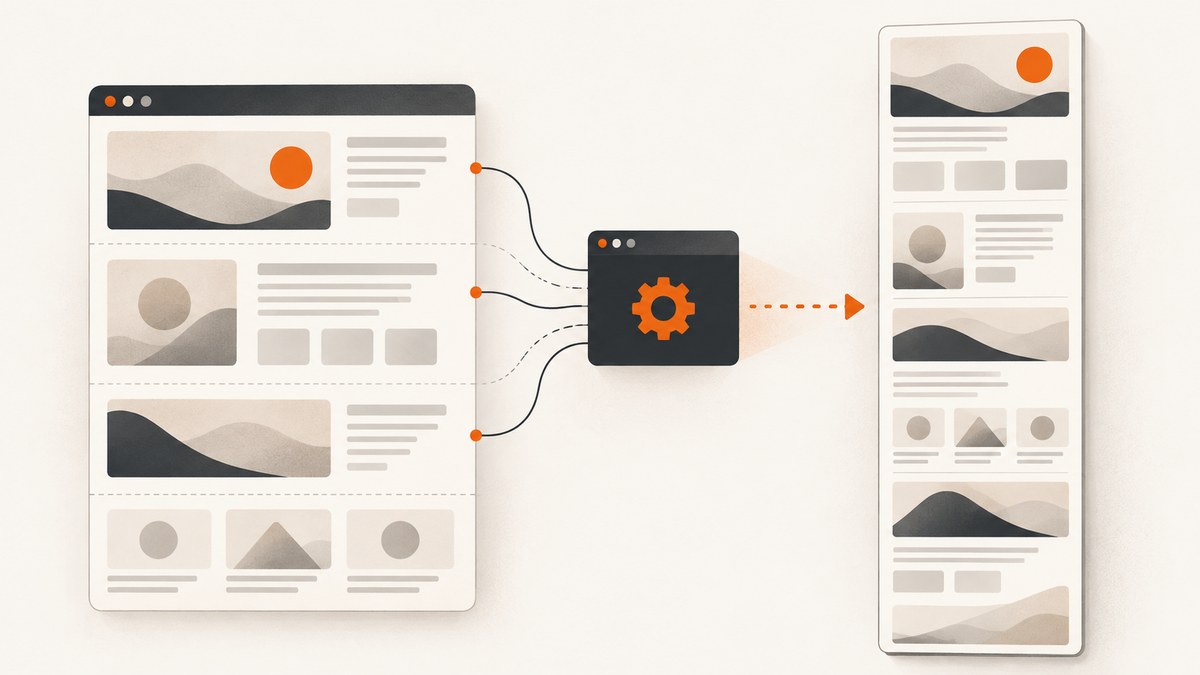
Direct answer: pass the element you want to capture to html2canvas, then set windowWidth and windowHeight to that element’s scrollWidth and scrollHeight. Export the returned canvas as PNG, JPEG, WebP, or a Blob.
const element = document.documentElement;
const canvas = await html2canvas(element, {
  windowWidth: element.scrollWidth,
  windowHeight: element.scrollHeight,
});

const link = document.createElement('a');
link.download = 'page.png';
link.href = canvas.toDataURL('image/png');
link.click();
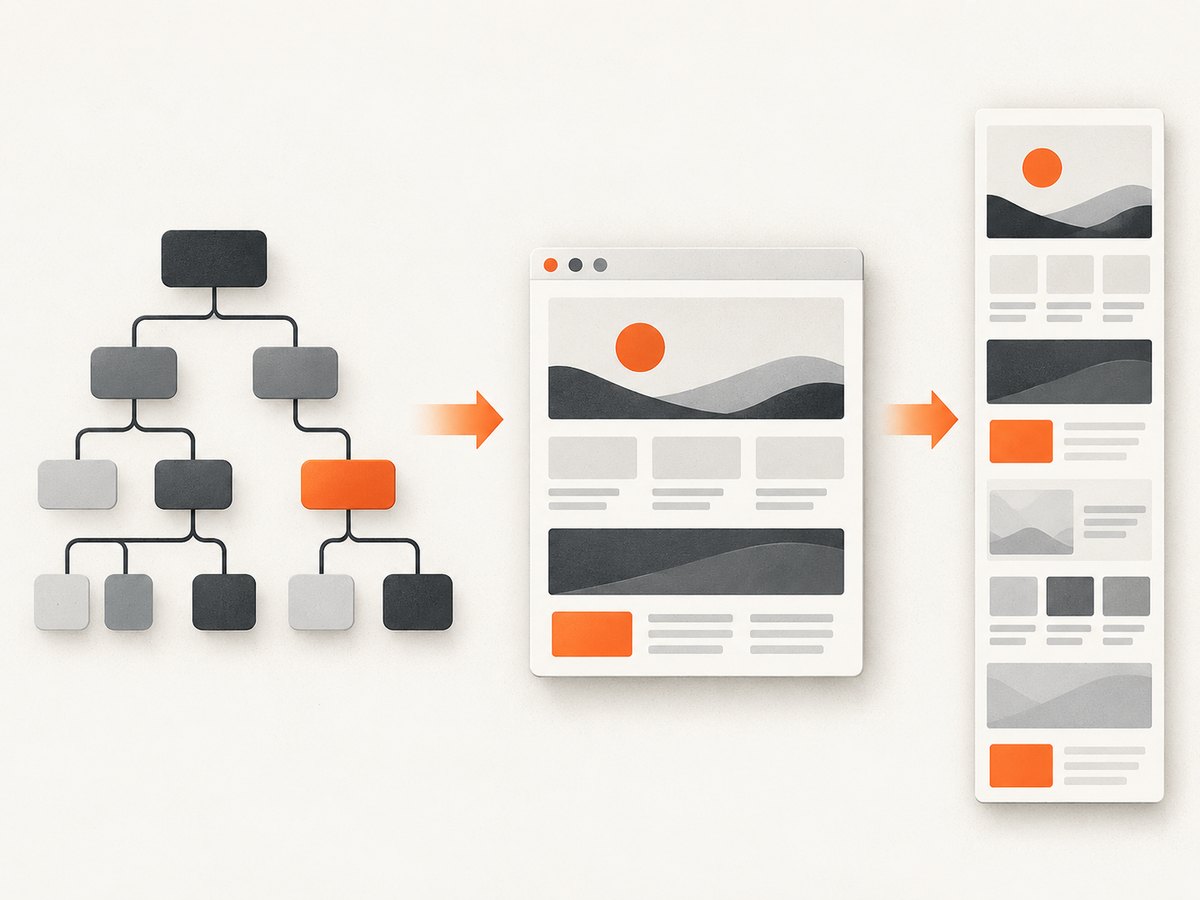
This makes the cloned document lay out at the full document dimensions. It does not remove browser canvas dimension or memory limits, and html2canvas reconstructs the page from DOM and CSS rather than capturing the browser’s actual pixels. See the project’s FAQ and documentation.
1. Complete runnable example
The following page loads html2canvas from a CDN, waits for fonts and images, captures the document, and downloads a PNG. Replace document.documentElement with a specific container when you only need part of the page.
<!doctype html>
<html>
<head>
  <meta charset="utf-8">
  <title>Full-page html2canvas capture</title>
  <script src="https://cdn.jsdelivr.net/npm/html2canvas@1.4.1/dist/html2canvas.min.js"></script>
</head>
<body>
  <main id="capture">
    <h1>A page to capture</h1>
    <p>Add your real page content here.</p>
  </main>
  <button id="capture-button">Download screenshot</button>

  <script>
    async function waitForImages(root) {
      const images = [...root.querySelectorAll('img')];
      await Promise.all(images.map((img) => {
        if (img.complete) return Promise.resolve();
        return new Promise((resolve) => {
          img.addEventListener('load', resolve, { once: true });
          img.addEventListener('error', resolve, { once: true });
        });
      }));
    }

    document.querySelector('#capture-button').addEventListener('click', async () => {
      const element = document.querySelector('#capture');
      await document.fonts.ready;
      await waitForImages(element);

      const canvas = await html2canvas(element, {
        windowWidth: element.scrollWidth,
        windowHeight: element.scrollHeight,
        backgroundColor: '#ffffff'
      });

      const link = document.createElement('a');
      link.download = 'capture.png';
      link.href = canvas.toDataURL('image/png');
      link.click();
    });
  </script>
</body>
</html>
2. Choose the correct capture element and dimensions
Use document.documentElement for the complete document, document.body when the body owns the page’s content, or a component selector for a specific region. Measure the same element that you pass to html2canvas.
const element = document.querySelector('#article');
if (!element) throw new Error('Capture element was not found');

const canvas = await html2canvas(element, {
  windowWidth: element.scrollWidth,
  windowHeight: element.scrollHeight,
});
windowWidth and windowHeight also affect responsive media queries in the cloned document. A wide scrollWidth can activate a desktop breakpoint even when the user is viewing a narrow mobile layout. If you need the current responsive layout, use the intended viewport width deliberately and capture the resulting content height.
const element = document.documentElement;
const canvas = await html2canvas(element, {
  windowWidth: 390,
  windowHeight: element.scrollHeight,
  width: 390,
});
3. Load lazy content before measuring
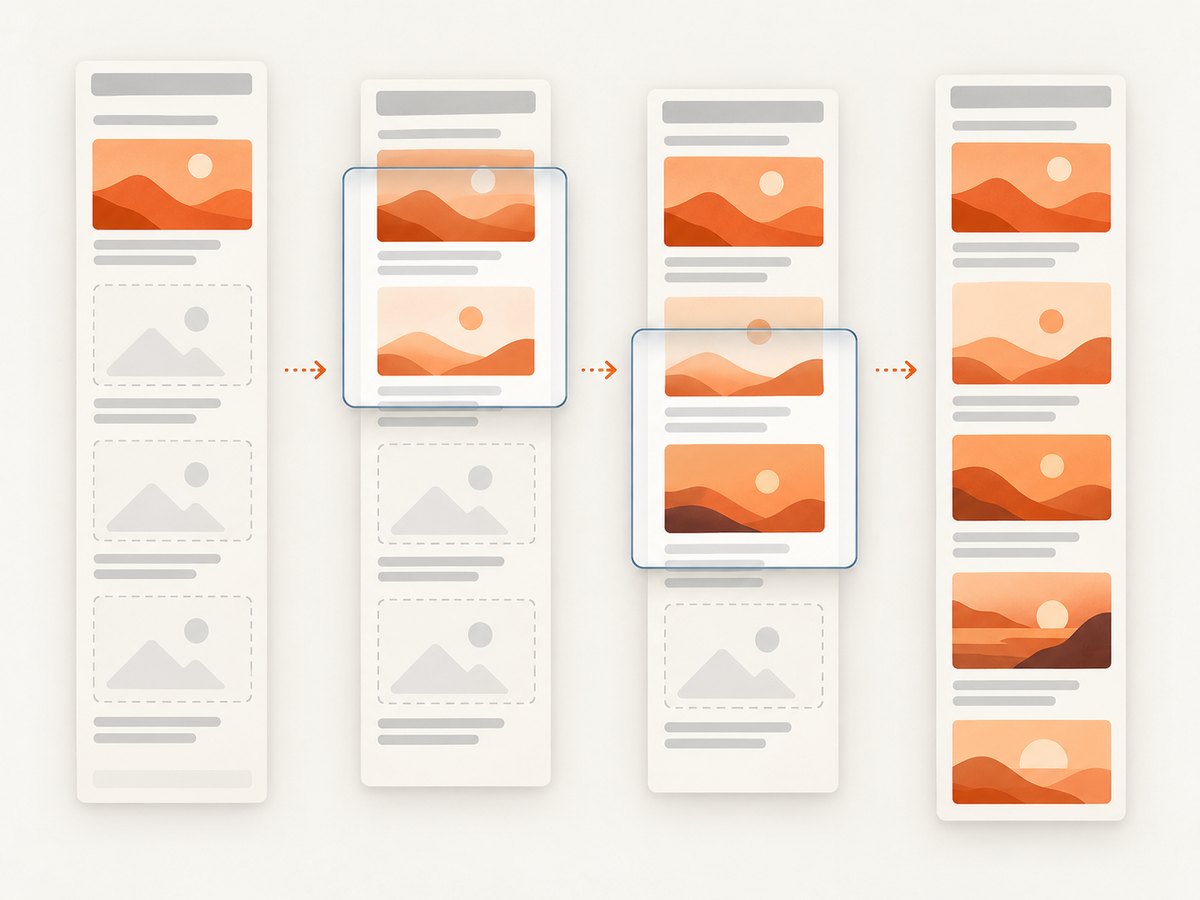
html2canvas can only reconstruct nodes and styles that exist when it runs. Lazy images, infinite lists, and content loaded after scrolling must be loaded first.
async function loadLazyContent() {
  const step = Math.max(300, window.innerHeight * 0.8);
  for (let y = 0; y < document.documentElement.scrollHeight; y += step) {
    window.scrollTo(0, y);
    await new Promise((resolve) => setTimeout(resolve, 100));
  }
  window.scrollTo(0, 0);
  await new Promise((resolve) => setTimeout(resolve, 300));
}

await loadLazyContent();
await document.fonts.ready;
const element = document.documentElement;
const canvas = await html2canvas(element, {
  windowWidth: element.scrollWidth,
  windowHeight: element.scrollHeight,
});
For application-controlled data, wait for the fetch or rendering promise directly; scrolling is only a fallback for browser-native lazy loading.
4. Export PNG, JPEG, WebP, or a Blob
// PNG (lossless)
const pngUrl = canvas.toDataURL('image/png');

// JPEG (smaller, no alpha channel)
const jpegUrl = canvas.toDataURL('image/jpeg', 0.9);

// WebP where supported
const webpUrl = canvas.toDataURL('image/webp', 0.9);

// Blob for uploads or file APIs
const blob = await new Promise((resolve, reject) =>
  canvas.toBlob((value) => value ? resolve(value) : reject(new Error('Export failed')), 'image/png')
);

const file = new File([blob], 'page.png', { type: 'image/png' });
5. Configuration options you will commonly need
| Option | Use | Notes |
|---|---|---|
windowWidth, windowHeight |
Set the cloned rendering window | Use the target element’s scroll dimensions for full-page layout; these values affect media queries. |
width, height |
Set output dimensions | Useful for a deliberate crop or fixed viewport. |
scale |
Control output pixel density | Defaults to window.devicePixelRatio; lowering it reduces memory and output size. |
backgroundColor |
Set the canvas background | Use null for transparency when the page and browser support it. |
x, y |
Offset a crop | Combine with width and height. |
useCORS |
Request cross-origin images with CORS | Works only when the image server sends compatible CORS headers. |
proxy |
Fetch resources through a proxy | The proxy must retrieve the resource and make it usable by the canvas. |
allowTaint |
Allow images that taint the canvas | It does not bypass browser security and prevents reading the resulting canvas. |
onclone |
Modify the cloned document | Hide overlays, replace content, or apply capture-only styles without changing the live page. |
ignoreElements |
Skip selected nodes programmatically | Return true for elements that should not render. |
data-html2canvas-ignore |
Mark an element to exclude | Add the attribute directly to the source markup. |
const canvas = await html2canvas(document.documentElement, {
  windowWidth: document.documentElement.scrollWidth,
  windowHeight: document.documentElement.scrollHeight,
  scale: 1,
  useCORS: true,
  onclone: (clonedDocument) => {
    clonedDocument.querySelectorAll('.cookie-banner, .chat-widget')
      .forEach((node) => node.remove());
  },
  ignoreElements: (element) => element.matches('.do-not-capture'),
});
The full configuration reference is maintained in the project documentation: configuration options.
6. Cross-origin images and iframes
Images from another origin can taint a canvas. With the default security behavior, html2canvas skips an image when drawing it would taint the canvas. Set useCORS: true only when the image server returns an appropriate Access-Control-Allow-Origin header. A proxy is the other documented approach.
const canvas = await html2canvas(document.documentElement, {
  windowWidth: document.documentElement.scrollWidth,
  windowHeight: document.documentElement.scrollHeight,
  useCORS: true,
  proxy: '/html2canvas-proxy',
});
allowTaint: true does not grant permission to read a tainted canvas. Cross-origin iframe documents cannot be inspected because the browser blocks access to their contentDocument. Same-origin iframes can be rendered recursively; sandboxed frames without allow-same-origin have the same access problem.
7. Fidelity: what html2canvas can and cannot capture
html2canvas builds an image from DOM and style information; it is not a native screenshot of the final browser surface. CSS properties must be implemented by the library, so unsupported or unusual effects can differ from what the user sees. Plugin content such as Flash or Java applets is not rendered. Check the project’s supported features and test the styles used by your page.
Use onclone to change only the cloned render, and data-html2canvas-ignore to omit controls or transient overlays.
8. Canvas limits and long pages
Long pages can exceed browser canvas limits and produce blank or partial output, sometimes without an exception. The html2canvas FAQ gives rough guidance of about 32,767 pixels for a maximum dimension in current evergreen Chrome/Chromium, Firefox, and desktop Safari; it gives approximate maximum areas of 268 million pixels for Chrome/Chromium and 472 million for Firefox. These are not guarantees: browser version, platform, hardware, device RAM, and available memory affect the result. Safari on iOS has lower limits that depend on device RAM. See the FAQ and the canvas-size test project.
Reduce scale, capture sections separately, or use a native browser capture method when one giant canvas is not viable.
const element = document.documentElement;
const canvas = await html2canvas(element, {
  windowWidth: element.scrollWidth,
  windowHeight: element.scrollHeight,
  scale: 1,
});

if (canvas.width === 0 || canvas.height === 0) {
  throw new Error('The browser returned an empty canvas');
}
9. Troubleshooting checklist
| Symptom | Cause | Fix |
|---|---|---|
| Only the visible viewport is captured | The rendering window used viewport dimensions | Set windowWidth and windowHeight from the target’s scrollWidth and scrollHeight. |
| The bottom is cut off | The measured height was taken before lazy content rendered | Load deferred content, wait for images and fonts, then measure again. |
| The canvas is blank or partial | Canvas dimension, area, or memory limit | Lower scale, split the page, or use native/headless browser capture. |
| Images are missing | Cross-origin policy, failed request, or image not loaded | Wait for images; use useCORS with server CORS headers or a proxy. |
toDataURL throws a security error |
The canvas is tainted | Serve images with compatible CORS headers or proxy them; allowTaint cannot make it readable. |
| An iframe is empty | The iframe is cross-origin or sandboxed | Capture same-origin content from the parent or arrange a permitted server-side capture. |
| Layout changes at capture time | windowWidth activated another media query |
Set an intentional viewport width and inspect the cloned layout. |
| Fonts look wrong | Web fonts were still loading | Await document.fonts.ready before capture. |
| Popups cover the page | Overlays are part of the DOM | Remove them in onclone or mark them with data-html2canvas-ignore. |
10. Performance, reliability, and cost
- Performance: output pixels grow with both page dimensions and
scale. Large DOM trees, shadows, filters, and many images increase work and memory use. - Reliability: wait for application data, images, and fonts; freeze animations in the cloned document; record the viewport and scale used so captures are reproducible.
- Memory: prefer Blob export for uploads, lower
scale, and capture sections when a full canvas approaches browser limits. - Cost: html2canvas runs in the visitor’s browser and has no service request cost, but it requires client-side execution and access to page resources. Server-side or high-volume workflows need a browser automation service or headless browser.
11. When to use another capture method
For a browser extension, the html2canvas FAQ recommends native tab capture APIs such as chrome.tabs.captureVisibleTab() or browser.tabs.captureVisibleTab(); these capture browser pixels and avoid canvas-size limits. For server-side screenshots, the FAQ points to real headless browsers such as Puppeteer or Playwright because html2canvas depends on window, document, and computed styles.
12. Or skip the browser setup
ScreenshotNeo provides a website screenshot API when you need a server-side result from one request. It accepts a URL and returns PNG, JPEG, WebP, or PDF. Cookie and consent banners, newsletter popups, and chat widgets are removed before the shot. Bot checks, blank pages, failed loads, timeouts, and cache hits are not billed, and response headers report the page verdict and billing status.
See the ScreenshotNeo API documentation for all options.
curl -G "https://api.screenshotneo.com/v1/shot" \
  -d access_key=YOUR_API_KEY \
  --data-urlencode url=https://stripe.com \
  -o shot.webp
import requests
r = requests.get(
"https://api.screenshotneo.com/v1/shot",
params={"access_key": "YOUR_API_KEY", "url": "https://stripe.com"},
timeout=90,
)
r.raise_for_status()
open("shot.webp", "wb").write(r.content)const q = new URLSearchParams({
access_key: 'YOUR_API_KEY',
url: 'https://stripe.com'
});
const res = await fetch(`https://api.screenshotneo.com/v1/shot?${q}`);
if (!res.ok) throw new Error(`Screenshot failed: ${res.status}`);
const bytes = Buffer.from(await res.arrayBuffer());
require('fs').writeFileSync('shot.webp', bytes);ScreenshotNeo also supports full-page captures with lazy images loaded, element selectors, custom CSS and JavaScript, device presets, arbitrary viewports, retina scale, waits, blocking rules, headers, cookies, user agents, timezone and geolocation, caching, signed links, asynchronous jobs, webhooks, bulk capture, PDFs, HTML/CSS to image, and an MCP server with take_screenshot, get_page_info, and capture_pdf. It has 1,000 screenshots per month free with no card; paid plans start at $5 for 3,000. Create a free ScreenshotNeo account.
13. FAQ
Does html2canvas take a real browser screenshot?
No. It reconstructs an image from DOM and CSS information, so fidelity depends on implemented CSS features.
Should I capture body or documentElement?
Capture the element that owns the content you intend to include, and use that same element’s scroll dimensions.
Can html2canvas capture a cross-origin website?
Only permitted resources can be drawn. Cross-origin images need compatible CORS headers or a proxy, and cross-origin iframe documents cannot be inspected.
Why does a long page sometimes create a blank image?
The canvas may exceed a browser’s dimension, area, or memory limits. Lower the scale or split the capture.
Is html2canvas suitable for server-side screenshots?
No. Use a real browser automation tool such as Puppeteer or Playwright, or a screenshot API.


