How to Generate Images Dynamically in PHP
Create PNG, JPEG, or WebP images in PHP with GD or Imagick, return them from an endpoint, add text and templates, and handle errors safely.
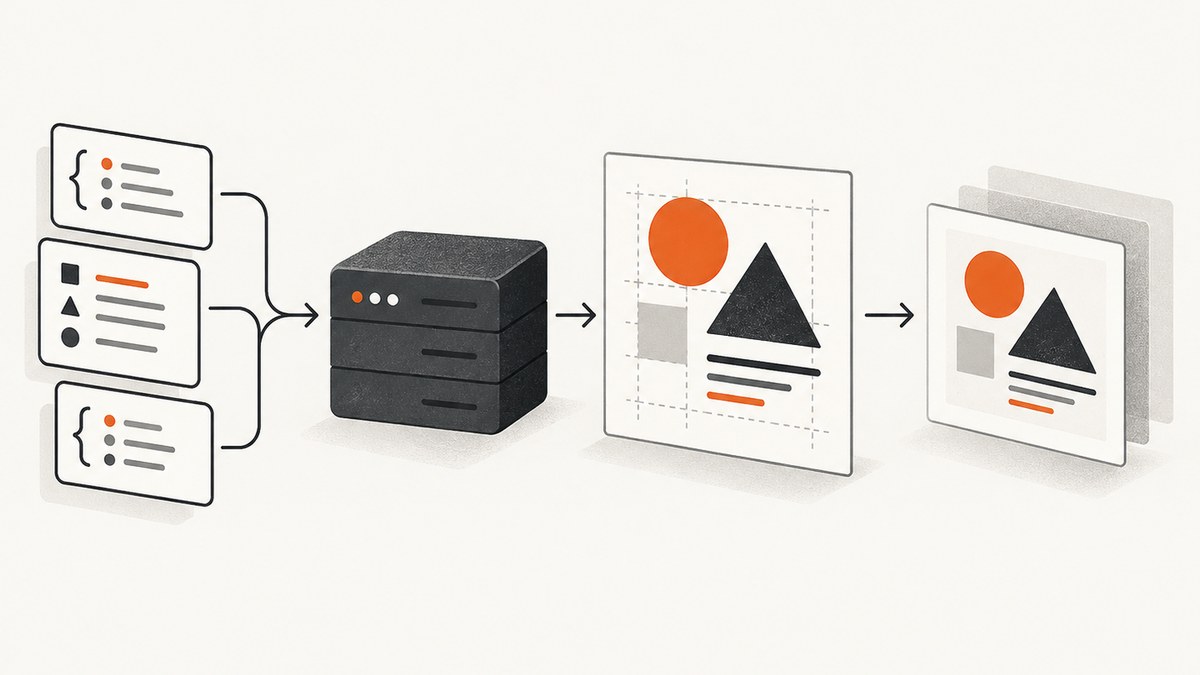
To generate an image dynamically in PHP, create or load an image in a PHP endpoint, draw or composite your dynamic data, set the correct Content-Type header, and encode the image as PNG, JPEG, WebP, or another supported format. PHP’s GD extension handles common raster work; Imagick exposes ImageMagick operations; Imagine provides an object-oriented abstraction over GD and Imagick.
The smallest working example uses GD:
<?php
$im = imagecreatetruecolor(800, 450);
$bg = imagecolorallocate($im, 245, 247, 250);
$fg = imagecolorallocate($im, 25, 35, 45);

imagefilledrectangle($im, 0, 0, 799, 449, $bg);
imagestring($im, 5, 30, 30, 'Runtime generated image', $fg);

header('Content-Type: image/png');
imagepng($im);
imagedestroy($im);
Save this as image.php and request it through PHP. The response is binary PNG data, so do not print HTML, warnings, debugging text, or a UTF-8 byte-order mark before the header.
1. Choose GD, Imagick, or Imagine
| Option | Good fit | Trade-offs |
|---|---|---|
| GD | Drawing shapes, text, thumbnails, compositing, resizing, PNG/JPEG/GIF/WebP output | Procedural API and fewer advanced image-processing operations |
| Imagick | ImageMagick operations, complex transformations, broad format workflows | Requires the Imagick PHP extension and ImageMagick deployment |
| Imagine | Object-oriented code and a driver abstraction over GD or Imagick | Adds a library layer and dependency management |
The PHP manual lists GD’s creation, crop, resize, drawing, filtering, and output functions. Your PHP build must include GD; the manual states that PHP needs to be compiled with the GD library for these functions to work. See the PHP GD documentation. For ImageMagick-backed processing, see the Imagick documentation.
Check whether GD is enabled
<?php
if (!extension_loaded('gd')) {
    http_response_code(500);
    exit('GD is not enabled');
}

$info = gd_info();
header('Content-Type: text/plain; charset=utf-8');
print_r($info);
From a shell, php -m | grep -i gd is a quick check. On a managed host, enable the GD package for the PHP version used by the web server, not only the CLI binary. Confirm support for the formats you intend to encode, because availability depends on the build and linked libraries.
2. Create a canvas and draw dynamic data
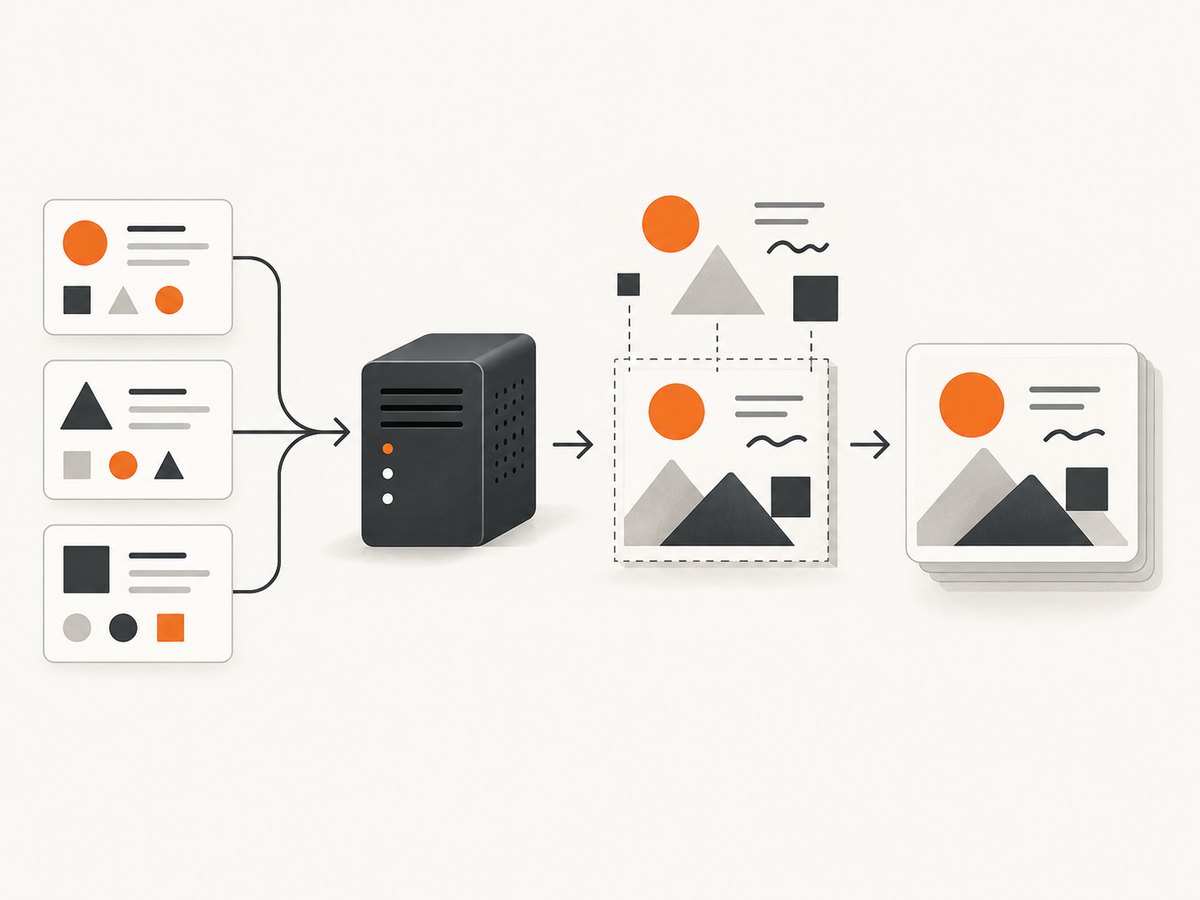
imagecreatetruecolor() creates a true-color canvas. Allocate colors, draw a background, then add shapes and text. Coordinates start at the top-left corner.
<?php
declare(strict_types=1);

$width = 1200;
$height = 630;
$title = trim((string)($_GET['title'] ?? 'PHP image generation'));
$title = mb_substr($title, 0, 120);

$im = imagecreatetruecolor($width, $height);
if ($im === false) {
    http_response_code(500);
    exit('Could not allocate image');
}

$background = imagecolorallocate($im, 18, 24, 38);
$panel = imagecolorallocate($im, 35, 47, 70);
$white = imagecolorallocate($im, 248, 250, 252);
$accent = imagecolorallocate($im, 84, 180, 255);

imagefilledrectangle($im, 0, 0, $width - 1, $height - 1, $background);
imagefilledroundedrectangle($im, 60, 60, $width - 60, $height - 60, 24, $panel);
imagefilledellipse($im, 1050, 110, 1160, 220, $accent);

// imagestring() uses built-in bitmap fonts. Use imagefttext() for production typography.
imagestring($im, 5, 110, 130, $title, $white);
imagestring($im, 3, 110, 180, 'Generated at request time', $accent);

header('Content-Type: image/png');
header('Cache-Control: public, max-age=300');
imagepng($im);
imagedestroy($im);
Built-in bitmap fonts are convenient for a demonstration, but their size and appearance are limited. For predictable typography, use FreeType and a known font file with imagefttext().
<?php
$font = __DIR__ . '/fonts/Inter-Regular.ttf';
if (!is_readable($font)) {
    throw new RuntimeException('Font file is missing or unreadable');
}

$box = imagettfbbox(42, 0, $font, $title);
$textWidth = $box[2] - $box[0];
$x = max(40, (int)(($width - $textWidth) / 2));
imagefttext($im, 42, 0, $x, 300, $white, $font, $title);
Validate any user-controlled font, template, or asset path. Never allow a request parameter to become an arbitrary filesystem path.
3. Load templates and composite assets
Use imagecreatefrompng(), imagecreatefromjpeg(), or another imagecreatefrom* function to load a template. In PHP 8 these functions return a GdImage on success and false on failure.
<?php
$templatePath = __DIR__ . '/assets/card.png';
$template = imagecreatefrompng($templatePath);
if ($template === false) {
    http_response_code(500);
    exit('Template could not be loaded');
}

$logoPath = __DIR__ . '/assets/logo.png';
$logo = imagecreatefrompng($logoPath);
if ($logo === false) {
    imagedestroy($template);
    http_response_code(500);
    exit('Logo could not be loaded');
}

$logoWidth = imagesx($logo);
$logoHeight = imagesy($logo);
imagecopy($template, $logo, 60, 60, 0, 0, $logoWidth, $logoHeight);

header('Content-Type: image/png');
imagepng($template);
imagedestroy($logo);
imagedestroy($template);
For thumbnails or a source image that must fit a fixed box, use imagecopyresampled(). Preserve aspect ratio before calculating the destination rectangle; otherwise faces and logos will appear stretched.
<?php
$source = imagecreatefromjpeg(__DIR__ . '/uploads/photo.jpg');
if ($source === false) {
    throw new RuntimeException('Invalid source image');
}

$srcW = imagesx($source);
$srcH = imagesy($source);
$dstW = 600;
$dstH = (int)round($srcH * ($dstW / $srcW));
$thumb = imagecreatetruecolor($dstW, $dstH);

imagecopyresampled($thumb, $source, 0, 0, 0, 0, $dstW, $dstH, $srcW, $srcH);
imagejpeg($thumb, __DIR__ . '/cache/thumb.jpg', 85);

imagedestroy($thumb);
imagedestroy($source);
Remote URLs can be accepted by some imagecreatefrom* functions when PHP’s fopen wrappers are enabled, but unrestricted remote loading creates SSRF and resource-exhaustion risks. Prefer downloading through an allowlisted HTTP client, enforce size and timeout limits, verify the content type, and store the file outside executable directories.
4. Return the image from an HTTP endpoint
Set the response headers immediately before emitting binary bytes. Match the encoder to the MIME type: imagepng() with image/png, imagejpeg() with image/jpeg, imagewebp() with image/webp, and imagegif() with image/gif. The PHP manual documents streaming these formats to a browser or writing them to a file.
<?php
// Generate $im before this point.
$format = strtolower((string)($_GET['format'] ?? 'png'));

while (ob_get_level() > 0) {
    ob_end_clean();
}

switch ($format) {
    case 'jpg':
    case 'jpeg':
        header('Content-Type: image/jpeg');
        imagejpeg($im, null, 88);
        break;
    case 'webp':
        header('Content-Type: image/webp');
        imagewebp($im, null, 88);
        break;
    case 'png':
        header('Content-Type: image/png');
        imagepng($im, null, 6);
        break;
    default:
        http_response_code(400);
        header('Content-Type: text/plain; charset=utf-8');
        exit('Unsupported format');
}

imagedestroy($im);
Use an explicit allowlist for formats and dimensions. Reject enormous width and height values before allocating a canvas; decoded images consume memory based on pixels, not compressed file size. If an image is intended for download, add Content-Disposition: attachment; filename="generated.png". If it is for an <img> tag, inline output is usually appropriate.
5. Save, cache, and reuse generated files
Pass a filename to an encoder to persist the result instead of streaming it. Write to a temporary file, then rename it into place so readers never see a partially written image.
<?php
$cacheDir = __DIR__ . '/cache';
if (!is_dir($cacheDir) && !mkdir($cacheDir, 0750, true)) {
    throw new RuntimeException('Cannot create cache directory');
}

$key = hash('sha256', json_encode([
    'title' => $title,
    'theme' => 'dark',
    'format' => 'webp',
], JSON_THROW_ON_ERROR));
$target = $cacheDir . '/' . $key . '.webp';

if (!is_file($target)) {
    $tmp = $target . '.tmp-' . bin2hex(random_bytes(6));
    if (!imagewebp($im, $tmp, 86) || !rename($tmp, $target)) {
        @unlink($tmp);
        throw new RuntimeException('Could not write cached image');
    }
}

header('Content-Type: image/webp');
header('Cache-Control: public, max-age=86400, immutable');
readfile($target);
Include every visual input in the cache key, including locale, font version, template revision, and requested dimensions. Add expiration or a bounded cleanup job when the input space is unbounded.
6. Handle transparency, color, and text correctly
For transparent PNG or WebP output, disable alpha blending while drawing transparent pixels and preserve alpha:
<?php
imagealphablending($im, false);
imagesavealpha($im, true);
$transparent = imagecolorallocatealpha($im, 0, 0, 0, 127);
imagefilledrectangle($im, 0, 0, imagesx($im) - 1, imagesy($im) - 1, $transparent);
JPEG has no alpha channel; composite onto a solid background before encoding. Handle UTF-8 text with a TrueType font and imagefttext(). Measure text with imagettfbbox() and wrap long strings rather than allowing them to run beyond the canvas. User-supplied text should be length-limited and encoded as data; it is not HTML, so do not rely on HTML escaping to make image drawing safe.
7. Troubleshooting common failures
| Symptom | Likely cause | Fix |
|---|---|---|
| “Call to undefined function imagecreatetruecolor()” | GD is not installed or enabled for the web PHP runtime | Install/enable GD, restart PHP-FPM or Apache, and verify with gd_info(). |
| Broken image or “headers already sent” | Whitespace, a BOM, warning, notice, or debug output preceded the binary response | Remove output, fix the warning, and send the MIME header before the encoder. |
| Black background instead of transparency | Alpha blending or alpha saving was not configured | Call imagealphablending($im, false) and imagesavealpha($im, true) before PNG/WebP output. |
| Text is missing or unreadable | Font path is wrong, FreeType is unavailable, or the text is outside the canvas | Check is_readable(), use a known TTF path, and inspect the measured bounding box. |
| “Allowed memory size exhausted” | Canvas or decoded source is too large | Limit dimensions, reject oversized uploads, resize early, and increase memory only after measuring the workload. |
| Loaded template returns false | Missing file, permissions, unsupported format, or corrupt bytes | Use an absolute allowlisted path, check permissions and MIME/signature, and log the underlying path server-side. |
| Output quality is poor | Low JPEG/WebP quality or repeated lossy conversions | Choose quality appropriate to the asset and keep a lossless source for repeated processing. |
| Remote image requests hang | Unbounded network access or a slow origin | Use an HTTP timeout, restrict hosts, cap response size, and cache downloaded assets. |
8. Performance, reliability, and cost considerations
- Memory: A decoded image can require far more memory than its JPEG or WebP file size. Enforce pixel limits before processing and release resources with
imagedestroy(). - CPU: Large canvases, font rendering, resampling, and complex ImageMagick operations increase request time. Keep generated dimensions bounded and avoid repeating identical work.
- Concurrency: A burst of image requests can exhaust PHP workers. Cache deterministic results, queue slow jobs, and set request timeouts.
- Reliability: Check every loader and encoder return value. Log a request ID and input metadata, but never expose filesystem paths or secrets in the image response.
- Storage: Use hashed filenames and atomic writes. Apply retention rules to generated files and make cache directories non-executable where possible.
- Benchmarking: The official PHP references do not publish a universal throughput number. Benchmark representative dimensions, fonts, formats, and server limits on your own PHP stack before choosing GD or Imagick.
9. Or skip the browser setup
If your real task is capturing a rendered webpage rather than drawing pixels yourself, ScreenshotNeo provides a website screenshot API. It accepts one GET request and returns PNG, JPEG, WebP, or PDF. Cookie and consent banners are accepted before capture, and more than 60 known consent platforms, newsletter popups, and chat widgets can be removed. Bot checks, CAPTCHAs, blank pages, timeouts, failed loads, and cache hits cost nothing; response headers identify the page verdict and whether the request was billed.

See the ScreenshotNeo API documentation for all options. A direct call looks like this:
curl -G "https://api.screenshotneo.com/v1/shot" -d access_key=YOUR_API_KEY --data-urlencode url=https://stripe.com -o shot.webpimport requests
r = requests.get("https://api.screenshotneo.com/v1/shot", params={"access_key": "YOUR_API_KEY", "url": "https://stripe.com"}, timeout=90)
open("shot.webp", "wb").write(r.content)const q = new URLSearchParams({ access_key: 'YOUR_API_KEY', url: 'https://stripe.com' });
const res = await fetch(`https://api.screenshotneo.com/v1/shot?${q}`);ScreenshotNeo also supports full-page capture with lazy images loaded, CSS element capture, dark mode, device presets or custom viewports, retina scale, PDF paper and margin settings, custom CSS and JavaScript, clicks, selector or network-idle waits, request blocking, headers, cookies, user agents, authorization, timezone, geolocation, transparent backgrounds, resizing, chosen cache TTLs, signed image links, asynchronous jobs with signed webhooks, bulk capture for up to 100 URLs per call, a usage API, and an OpenAPI specification. Its MCP server provides take_screenshot, get_page_info, and capture_pdf tools for Claude, Cursor, and other MCP clients.
There are 1,000 free screenshots each month with no card. Paid plans start at $5 for 3,000 screenshots; yearly billing provides two months free, and every feature is available on every plan. Create a free ScreenshotNeo account.
10. Security checklist
- Allowlist template and font paths; never concatenate raw user input into a filesystem path.
- Limit width, height, pixel count, upload bytes, and processing time.
- Validate image signatures and MIME types instead of trusting file extensions.
- Restrict or disable remote URL loading unless hosts, redirects, and response sizes are controlled.
- Keep generated files outside executable directories and use unpredictable cache names.
- Return generic client errors while logging detailed diagnostics privately.
- Do not include secrets, access tokens, or internal URLs in generated images or cache keys.
11. FAQ
Can PHP generate an image without saving a file?
Yes. Create the GD or Imagick image in memory, set the MIME header, and call the encoder without a filename. PHP streams the encoded bytes in the HTTP response.
Which format should I use?
PNG is suitable for lossless graphics and transparency. JPEG is useful for photographs without transparency. WebP can reduce size when your clients support it. Match the MIME header to the encoder.
Should I use GD or Imagick?
Use GD for common drawing, text, resizing, and compositing. Choose Imagick when you need ImageMagick operations or complex format workflows. Choose Imagine when an object-oriented driver abstraction is valuable.
Can I use a generated image in an HTML page?
Yes. Point an <img src> at the PHP endpoint, or save the result and serve the file from a static path. Set cache headers when the output is deterministic.
Why does the browser show PHP warnings instead of an image?
A warning was emitted before or during binary output. Fix the underlying error, log diagnostics separately, and ensure the endpoint sends only the selected image bytes on success.


