How to Generate Images with URL Query Parameters
Learn how URL parameters resize, transform, retrieve, and format images, with working examples, security guidance, and the limits of URL-based generation.
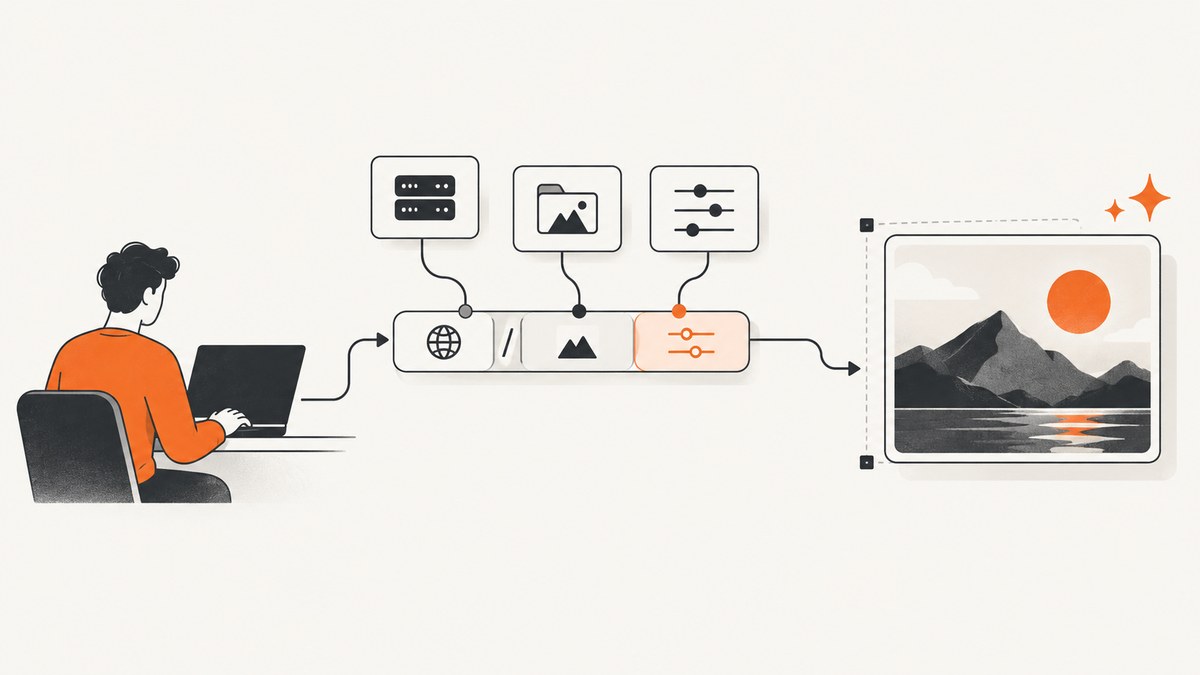
Direct answer: You can generate an image URL with query parameters only when a service documents a GET endpoint that interprets those parameters. In practice, the URL may retrieve a source photo, resize or transform an existing asset, or select an output format. It is not a universal way to create a new AI image from a text prompt. Each provider defines its own path grammar, parameter names, authentication, limits, and cache behavior.
A useful mental model is:
https://provider.example/image-or-asset-path?width=1200&height=800&format=webpThe provider receives the URL, validates the path and query string, performs the documented operation, and returns an image response. Some services put dimensions in the path, some put transformations in a structured segment, and others use query parameters for optional effects. Always follow the provider’s current reference instead of assuming that one service’s syntax works elsewhere.
1. Identify what kind of image operation you need
Before constructing a URL, decide whether you are working with an existing asset, retrieving a source image, or synthesizing a new image.
| Operation | Typical input | What the URL can do | Common example |
|---|---|---|---|
| Transform an existing asset | Asset ID or public URL | Resize, crop, blur, sharpen, overlay, change format | Cloudinary transformation URL |
| Retrieve a source photo | Search or photo identifier | Return a hosted image URL and metadata | Unsplash API |
| Generate a procedural image | Seed, dimensions, effects | Return a deterministic or random generated photo-like image | Lorem Picsum |
| Synthesize a new AI image | Prompt, model, size, optional references | Usually requires an authenticated POST request | Cloudinary or OpenAI image APIs |
A bare <img src="https://example.com/image?prompt=a+cat"> works only if that provider explicitly implements a prompt-aware GET endpoint. Most AI image APIs do not expose credentials-free prompt generation through an image tag.
2. Use a documented URL grammar
Lorem Picsum: dimensions, effects, seeds, and formats
Lorem Picsum documents dimensions in the path. This requests a 200 by 300 image:
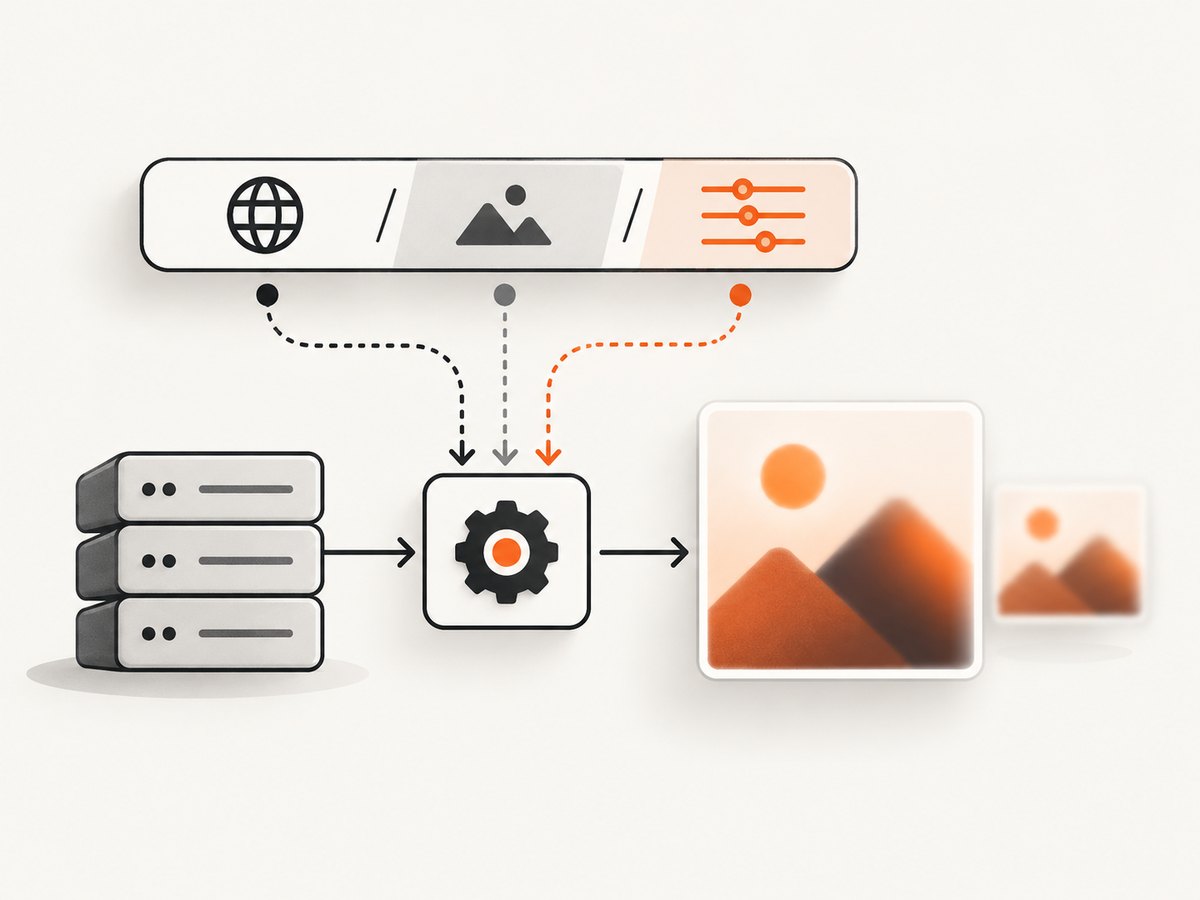
https://picsum.photos/200/300Optional effects and cache behavior use query parameters:
https://picsum.photos/200/300?grayscale
https://picsum.photos/200/300?blur=2
https://picsum.photos/200/300?random=1
Use a seed path when you need repeatability. The same seed produces the same selected image:
https://picsum.photos/seed/product-card/800/500When the service documents suffixes, request a format directly:
https://picsum.photos/seed/product-card/800/500.webp
https://picsum.photos/seed/product-card/800/500.jpg
Use a fixed seed for stable screenshots, visual regression fixtures, and cached content. Use a random parameter only when a fresh result is the actual requirement. A random URL can defeat browser and CDN caching, increase transfer costs, and make tests flaky.
Cloudinary: transformations embedded in the delivery URL
Cloudinary’s Transformation URL API delivers an existing media asset through URL transformations. Its documented structure is:
https://res.cloudinary.com/<cloud_name>/<asset_type>/<delivery_type>/<transformations>/<version>/<public_id_full_path>.<extension>A transformation segment can describe operations such as width, height, crop mode, quality, or format. The exact transformation names and ordering are provider-specific. Build URLs manually only when you understand escaping, signing, and the account’s delivery rules. Cloudinary’s JavaScript SDK can construct a CloudinaryImage and call toURL() to produce the delivery URL programmatically. See the Cloudinary transformation reference and JavaScript documentation.
3. Build URLs safely in application code
Never concatenate untrusted values directly into a URL. Encode query values, constrain dimensions, and validate identifiers before sending requests. In browser code, URLSearchParams handles percent encoding:
const endpoint = 'https://picsum.photos/800/500';
const params = new URLSearchParams({
  blur: '2'
});
const imageUrl = `${endpoint}?${params}`;
document.querySelector('#preview').src = imageUrl;
In Python, use the params argument rather than formatting a query string yourself:
from urllib.parse import urlencode

base = "https://picsum.photos/800/500"
query = urlencode({"blur": 2})
image_url = f"{base}?{query}"
print(image_url)
In Node.js, the same approach avoids malformed spaces, slashes, and Unicode:
const base = 'https://picsum.photos/800/500';
const query = new URLSearchParams({ blur: '2' });
const imageUrl = `${base}?${query}`;
console.log(imageUrl);
Validate dimensions and effects
Set explicit limits before accepting user input. For example, allow widths from 64 to 4,000 pixels, heights from 64 to 4,000 pixels, and blur values from 0 to 10. Reject non-integer values and unknown options. This prevents accidental oversized requests and reduces abuse when your server proxies an image service.
function integerInRange(value, min, max) {
  const n = Number(value);
  if (!Number.isInteger(n) || n < min || n > max) {
    throw new Error(`Expected an integer from ${min} to ${max}`);
  }
  return n;
}

const width = integerInRange(input.width, 64, 4000);
const height = integerInRange(input.height, 64, 4000);
4. Transformation URLs versus AI image generation
URL transformations derive a variant from an existing asset. They are ideal for responsive images, thumbnails, social cards, product previews, and format conversion. They do not infer a scene from natural-language instructions unless the provider specifically adds an AI operation.
Prompt-driven generation normally uses an authenticated API request. Cloudinary documents authenticated POST /v2/generate/<CLOUD_NAME>/text_to_image and image_to_image operations with JSON fields such as prompt, model, image_size, seed, and reference-image URLs. OpenAI’s image reference also describes image creation as an API operation with model-specific request parameters and output behavior. See the Cloudinary image generation documentation and OpenAI image generation documentation.
A typical authenticated generation request has this shape (use the provider’s current endpoint, model, and authentication requirements):
curl -X POST "https://provider.example/v2/generate/example/text_to_image" \
  -H "Authorization: Bearer $API_KEY" \
  -H "Content-Type: application/json" \
  -d '{
    "prompt": "a red bicycle beside a rainy cafe",
    "image_size": "1024x1024",
    "seed": 42
  }'
Keep API keys on your server. Do not place private credentials in an HTML src, public JavaScript bundle, or client-visible query string.
5. Source-photo APIs and licensing
Unsplash is a source-photo API, not a prompt generator. Its official guidelines require applications to use the hotlinked image URLs returned in photo.urls, call photo.links.download_location for download-like actions, provide attribution to Unsplash and the photographer, and keep API keys confidential. Read the Unsplash API Guidelines before shipping an integration.
Do not copy a source URL into a permanent asset pipeline without checking the service’s rules. A URL that displays an image is not automatically a license to redistribute, modify, or cache it indefinitely.
6. Add responsive images without generating every size by hand
If a provider supports width parameters, generate a small set of known variants and let the browser choose:
<img
  src="https://picsum.photos/800/500"
  srcset="https://picsum.photos/400/250 400w,
          https://picsum.photos/800/500 800w,
          https://picsum.photos/1200/750 1200w"
  sizes="(max-width: 700px) 100vw, 800px"
  alt="Example source image"
>
Keep the aspect ratio consistent unless your crop mode is intentional. If your service supports a crop instruction, define the focal point or gravity so faces and product subjects do not disappear at smaller sizes.
7. Caching, determinism, and performance
- Prefer stable URLs: A fixed asset ID or seed lets browsers and CDNs reuse responses.
- Version transformations: Include a version or content hash when an asset changes, instead of relying on long-lived stale cache entries.
- Request the smallest useful image: Sending a 4,000-pixel image to a 400-pixel card wastes bandwidth and decoding time.
- Choose WebP or another documented format: Do not assume every endpoint supports every suffix.
- Measure server-side: Record response status, content type, byte size, and elapsed time. Avoid logging query strings that may contain secrets.
- Retry carefully: Retry transient 5xx responses with exponential backoff, but do not retry a deterministic 4xx validation error.
When a query parameter changes the image, it usually changes the cache key too. Keep parameter ordering consistent in generated URLs so equivalent requests do not create unnecessary cache variants.
8. Security and reliability checklist
- Allowlist the image providers your server may call.
- Reject private-network destinations and metadata endpoints when proxying arbitrary URLs.
- Set connection and total request timeouts.
- Limit response bytes and verify the returned
Content-Type. - Decode images in a sandboxed process if you accept untrusted files.
- Store provider credentials in server-side secrets management.
- Apply rate limits per user and per source URL.
- Keep attribution and licensing metadata with the asset record.
9. Troubleshooting common failures
| Symptom | Likely cause | Fix |
|---|---|---|
| 404 or a placeholder image | Wrong path grammar or asset identifier | Copy the provider’s documented base URL and verify path segments, extension, and public ID. |
| Parameters appear ignored | Unsupported names, wrong location, or missing encoding | Check whether the option belongs in the path, transformation segment, or query string; encode values with a URL builder. |
| Different image on every request | Random selection or an unstable source | Use a fixed seed or asset ID for deterministic output. |
| Images are blurry | Requested dimensions are too small or an aggressive quality setting is active | Request dimensions close to the rendered size and inspect the response format and quality options. |
| Browser CORS error | Provider does not allow your origin | Fetch through your own backend where permitted, or use a provider-supported delivery URL. |
| 401 or 403 | Missing, expired, or exposed credentials; unsigned private asset | Send authentication server-side and follow the provider’s signing rules. |
| 429 responses | Rate or quota limit | Use caching, backoff, and a documented quota plan; avoid random cache-busting parameters. |
| Generated AI request rejected | Using a transformation URL for a synthesis endpoint, or invalid model fields | Use the provider’s authenticated POST API and validate model-specific JSON fields. |
10. When you need screenshots of live web pages
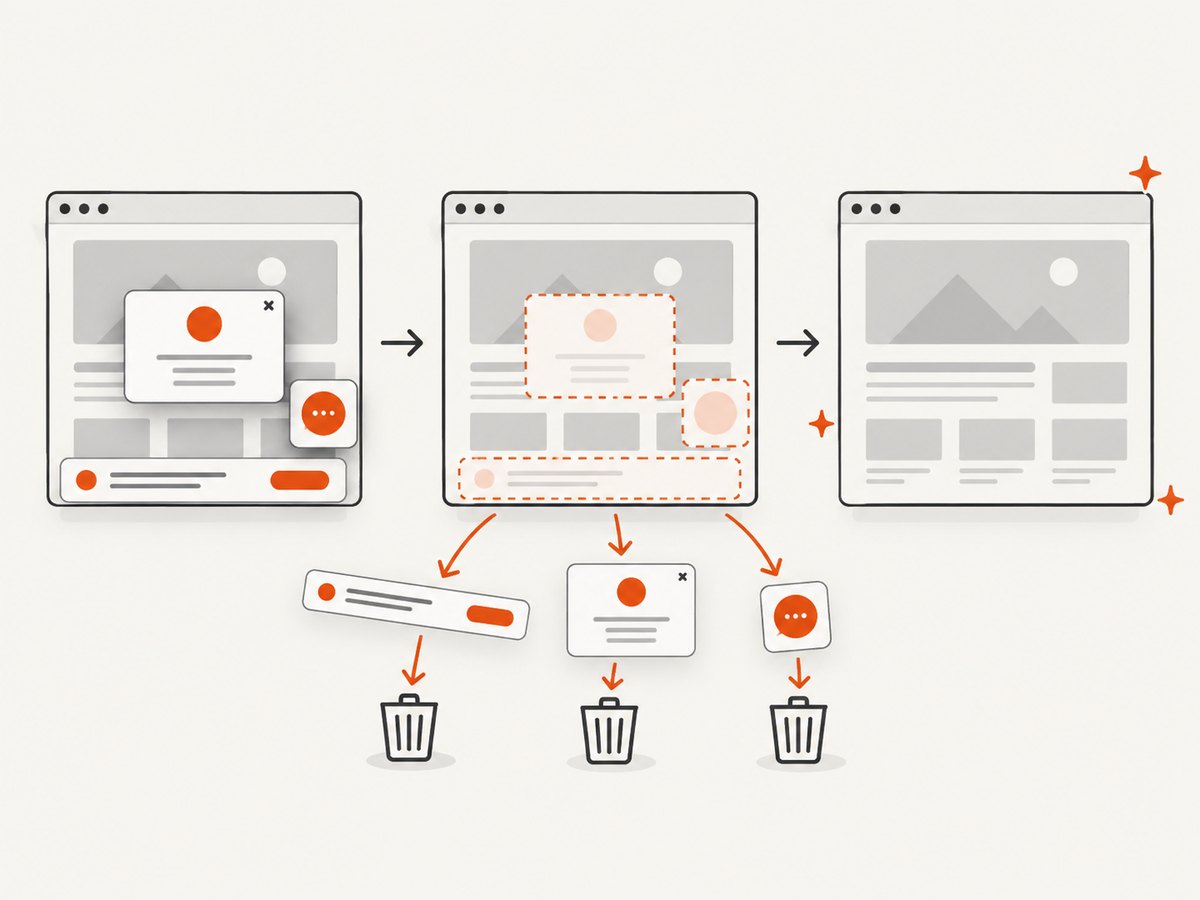
URL query parameters are useful for image delivery, but a live webpage screenshot requires a browser that can execute HTML, CSS, JavaScript, fonts, lazy loading, consent dialogs, and navigation. You can run Playwright or another browser automation tool yourself when you need complete control.
A minimal Playwright example:
import { chromium } from 'playwright';

const browser = await chromium.launch();
const page = await browser.newPage({ viewport: { width: 1440, height: 900 } });
await page.goto('https://example.com', { waitUntil: 'networkidle' });
await page.screenshot({ path: 'page.png', fullPage: true });
await browser.close();
Or skip the browser setup
ScreenshotNeo is a website screenshot API and MCP server. It accepts one GET request and returns a PNG, JPEG, WebP, or PDF. Its clean-shot workflow accepts cookie and consent banners before capture and removes more than 60 known consent platforms, newsletter popups, and chat widgets. You can turn each step off. Bot checks, blank pages, timeouts, failed loads, and cache hits cost nothing, and response headers identify the page verdict and whether it was billed.
See the ScreenshotNeo API documentation for all options, including full-page capture with lazy images, CSS element capture, dark mode, 12 device presets, custom viewports, retina scale, PDF paper sizes and page ranges, custom CSS and JavaScript, clicks, selector waits, delays, network-idle waits, request blocking, headers, cookies, user agents, authorization, timezone, geolocation, transparent backgrounds, resizing, configurable cache TTL, signed links, asynchronous jobs with signed webhooks, bulk capture of up to 100 URLs per call, usage data, and the OpenAPI specification.
cURL
curl -G "https://api.screenshotneo.com/v1/shot" -d access_key=YOUR_API_KEY --data-urlencode url=https://stripe.com -o shot.webpPython
import requests
r = requests.get("https://api.screenshotneo.com/v1/shot", params={"access_key": "YOUR_API_KEY", "url": "https://stripe.com"}, timeout=90)
open("shot.webp", "wb").write(r.content)
Node.js
const q = new URLSearchParams({ access_key: 'YOUR_API_KEY', url: 'https://stripe.com' });
const res = await fetch(`https://api.screenshotneo.com/v1/shot?${q}`);
The free plan includes 1,000 screenshots each month with no card. Paid plans start at $5 for 3,000 shots; every feature is available on every plan. An MCP server provides take_screenshot, get_page_info, and capture_pdf tools for Claude, Cursor, and other MCP clients. Sign up free for ScreenshotNeo.
11. Cost planning
For transformation services, costs may depend on delivery bandwidth, transformation count, storage, or origin fetches. For source-photo APIs, check attribution and rate limits. For AI synthesis, account for generation credits, model choice, image dimensions, and retries. Cache deterministic URLs and avoid generating variants that no user will view.
For ScreenshotNeo, the plans are Free: 1,000 shots/month; Starter: $5 for 3,000; Growth: $15 for 15,000; Pro: $39 for 60,000; Scale: $99 for 250,000; and Business: $249 for 1,000,000. Yearly billing gives two months free.
12. FAQ
Can I put an AI prompt in an image URL?
Only when the provider explicitly documents a prompt-capable GET endpoint. Most AI generation APIs use authenticated POST requests.
Should dimensions be query parameters or path segments?
Use the location required by the provider. Lorem Picsum uses path dimensions, while other services use query parameters or transformation segments.
How do I make output reproducible?
Use a fixed seed or stable asset identifier, keep transformation parameters constant, and avoid random cache-busting values.
Can I expose a provider API key in an image tag?
Do not expose private keys in client-visible URLs. Proxy the request through a protected backend or use a provider’s signed public URL mechanism.
What should I use for webpage screenshots?
Use browser automation when you need to operate a browser yourself, or use ScreenshotNeo when you want a single API call, clean consent handling, billing only for clean shots, and MCP tools for AI agents.


