How to Generate a JPEG from HTML with JavaScript or PHP
Generate a JPEG from HTML in the browser with JavaScript, or render HTML on the server with PHP, Browsershot, and headless Chrome.
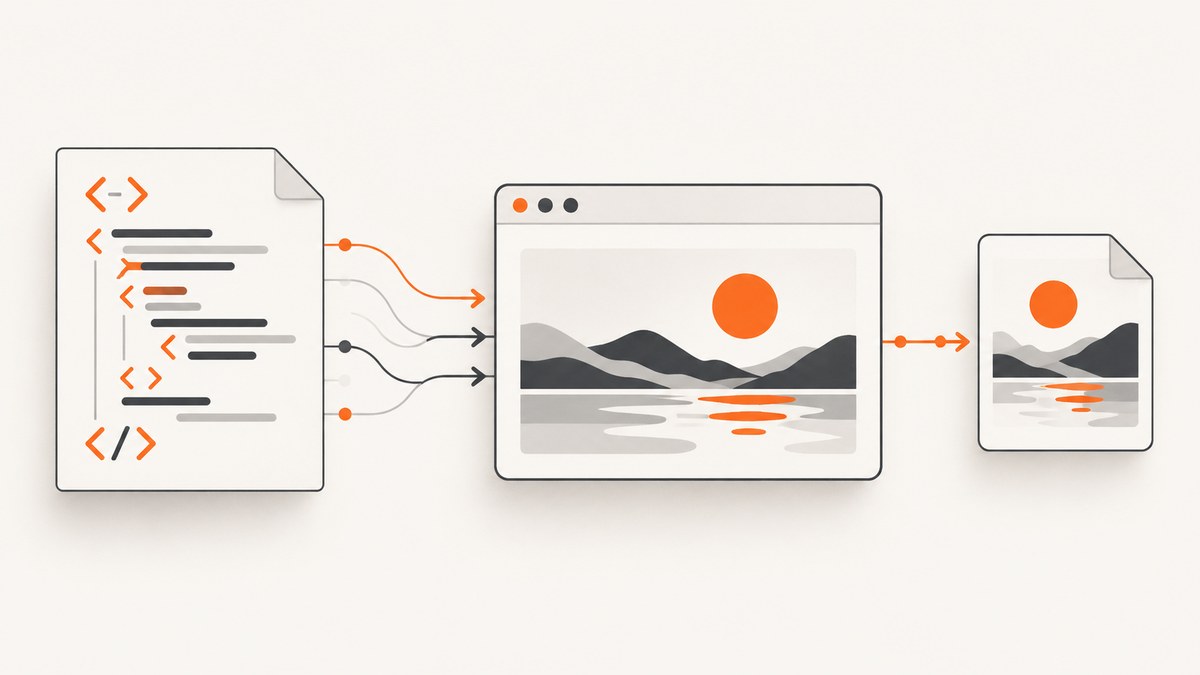
To generate a JPEG from HTML, choose the renderer that matches where the work must happen:
- Browser JavaScript: use
html2canvasto reconstruct a DOM element as a canvas, then export the canvas asimage/jpeg. - Server-side PHP: use Spatie Browsershot with Puppeteer and headless Chrome when JavaScript, browser layout, or server-generated files are required.
- PHP GD: use
imagejpeg()only after you already have a GD image. It does not render HTML.
html2canvas recreates a representation from DOM information, so it is not guaranteed to match every browser pixel. Browsershot drives a real Chromium browser and is usually the better fit for server-side rendering.
1. Browser JavaScript: export an HTML element as JPEG
Install or load html2canvas, wait for the content to finish rendering, capture the exact element, and serialize the resulting canvas.
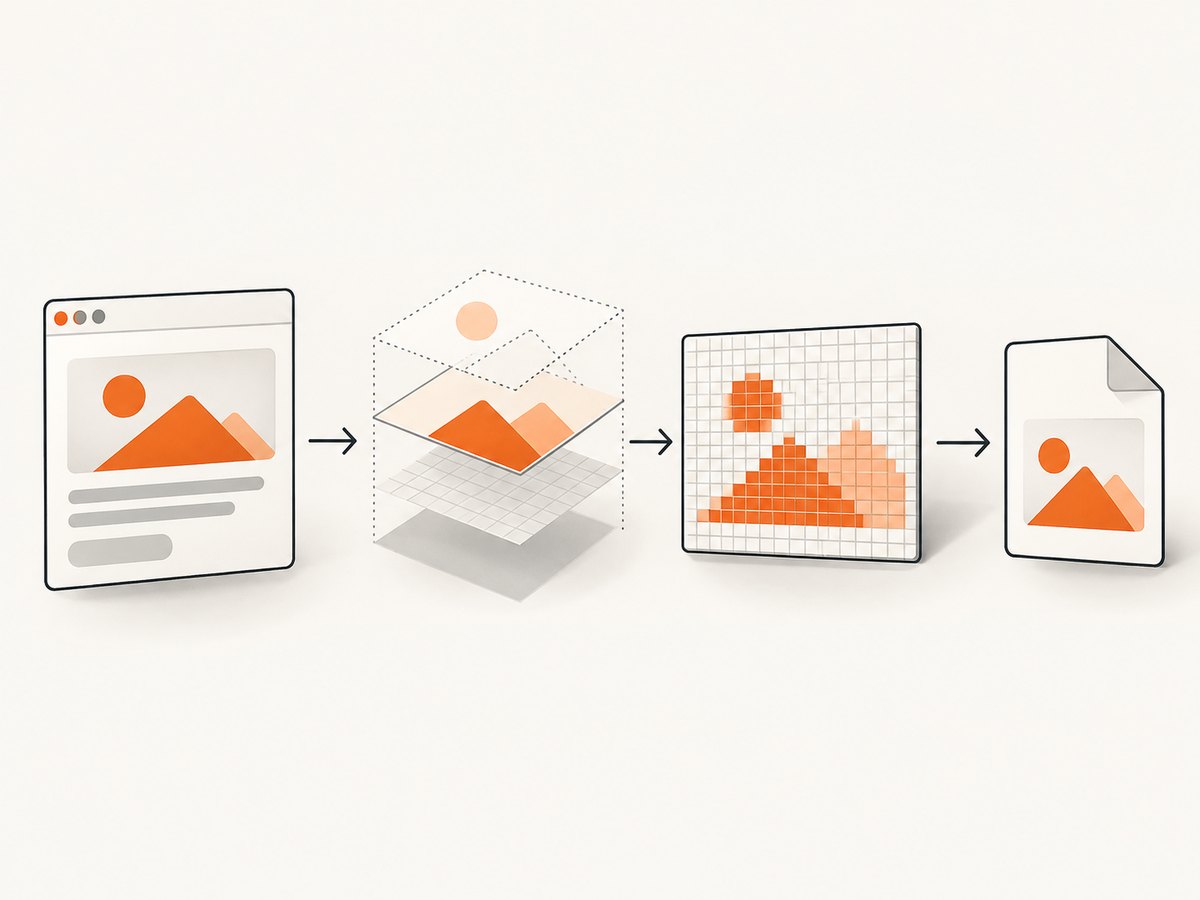
Complete browser example
<!doctype html>
<html lang="en">
<head>
  <meta charset="utf-8">
  <title>HTML to JPEG</title>
  <script src="https://cdn.jsdelivr.net/npm/html2canvas@1.4.1/dist/html2canvas.min.js"></script>
  <style>
    #capture {
      width: 900px;
      padding: 32px;
      background: white;
      color: #111827;
      font: 16px/1.5 system-ui, sans-serif;
    }
  </style>
</head>
<body>
  <article id="capture">
    <h1>Report</h1>
    <p>This element will be saved as a JPEG.</p>
  </article>
  <button id="download">Download JPEG</button>

  <script>
    async function waitForImages(root) {
      const images = [...root.querySelectorAll('img')];
      await Promise.all(images.map((img) => {
        if (img.complete) return Promise.resolve();
        return new Promise((resolve) => {
          img.addEventListener('load', resolve, { once: true });
          img.addEventListener('error', resolve, { once: true });
        });
      }));
      if (document.fonts?.ready) await document.fonts.ready;
    }

    async function downloadJpeg(element) {
      await waitForImages(element);
      const canvas = await html2canvas(element, {
        scale: window.devicePixelRatio,
        backgroundColor: '#ffffff',
        useCORS: true
      });

      canvas.toBlob((blob) => {
        if (!blob) {
          console.error('JPEG export failed');
          return;
        }
        const url = URL.createObjectURL(blob);
        const link = document.createElement('a');
        link.href = url;
        link.download = 'capture.jpg';
        link.click();
        URL.revokeObjectURL(url);
      }, 'image/jpeg', 0.92);
    }

    document.querySelector('#download').addEventListener('click', () => {
      downloadJpeg(document.querySelector('#capture'));
    });
  </script>
</body>
</html>
toBlob() avoids creating a large base64 data URL. JPEG quality is a number from 0 to 1 in the canvas API; values around 0.8 to 0.95 are common starting points. Inspect the resulting file size and visual quality for your content.
Useful html2canvas options
| Option | Purpose |
|---|---|
scale |
Controls output pixel density. Device-pixel ratio produces sharper output on high-DPI displays but uses more memory. |
backgroundColor |
Sets the canvas background. Use an explicit color because JPEG has no alpha channel. |
useCORS |
Requests CORS-enabled images. The remote server must send an appropriate CORS header. |
x, y, width, height |
Captures a specific crop instead of the complete element. |
data-html2canvas-ignore |
Marks controls or overlays that should not appear in the capture. |
onclone |
Lets you modify the cloned document before rendering, such as hiding a download button. |
Capture only part of a page
const canvas = await html2canvas(document.querySelector('.invoice'), {
  x: 40,
  y: 120,
  width: 800,
  height: 600,
  scale: 2,
  backgroundColor: '#fff'
});
Capturing a smaller element reduces memory use and makes the output dimensions predictable. Add data-html2canvas-ignore to buttons, menus, or other controls that should stay out of the image.
2. JavaScript limitations and edge cases
Cross-origin images and tainted canvases
An image hosted on another origin can taint the canvas. Once tainted, reading pixels or exporting may fail with a security error. useCORS: true helps only when the image host permits your origin with CORS headers. A server-side proxy can fetch permitted assets, but it must be designed carefully and must not become an open proxy.
Cross-origin iframes
Same-origin frames can be rendered recursively. A cross-origin iframe is inaccessible to page JavaScript because of browser security rules. Sandboxed frames without allow-same-origin have a similar limitation.
CSS and browser fidelity
html2canvas supports many common CSS properties, but it reconstructs the scene from DOM data. Unsupported CSS, complex filters, some blend modes, video, and browser-specific rendering can differ from the visible page. Check the project’s supported-features documentation and test representative layouts.
Fonts and asynchronous content
Wait for document.fonts.ready, image load events, API-driven content, animations, and charts before capturing. Pause or disable animations when deterministic output matters.
JPEG transparency
JPEG cannot store transparency. Set backgroundColor or a solid CSS background. If transparent pixels are required, export PNG or WebP instead.
3. Server-side PHP with Browsershot
Use a real headless browser when PHP must render a URL or HTML string on the server, page JavaScript must execute, or the output must be stored without a user’s browser. Browsershot controls Puppeteer and headless Chrome.
Install and verify the runtime
- Install the PHP package according to the Browsershot version you use.
- Install Node.js, Puppeteer, and a Chrome or Chromium executable as required by that version.
- Verify that the service account can execute Node and Chrome, read required fonts, and access the target URL.
- Pin compatible package and browser versions in deployment so upgrades are deliberate.
Render HTML to a JPEG
<?php
require __DIR__ . '/vendor/autoload.php';

use Spatie\Browsershot\Browsershot;

$html = '<!doctype html>
<html><head><style>
body { margin: 0; padding: 40px; font-family: Arial, sans-serif; }
.card { width: 900px; background: white; }
</style></head>
<body><div class="card">
<h1>Server-rendered report</h1>
<p>Rendered by headless Chrome.</p>
</div></body></html>';

Browsershot::html($html)
    ->windowSize(1000, 800)
    ->waitUntilNetworkIdle()
    ->save(__DIR__ . '/capture.jpg');
The exact methods and executable configuration depend on the Browsershot release. Consult that release’s documentation for installation, Chrome paths, viewport, delay, network-idle, and image-format controls before deploying.
Render a URL
<?php
use Spatie\Browsershot\Browsershot;

Browsershot::url('https://example.com/report')
    ->windowSize(1440, 900)
    ->waitUntilNetworkIdle()
    ->save('/var/app/output/report.jpg');
For authenticated pages, configure headers or cookies through the supported Browsershot methods, and keep credentials out of source control. Restrict arbitrary user-supplied URLs to avoid server-side request abuse.
4. PHP GD: encode an image you already have
imagejpeg() creates a JPEG from a GD image. It does not parse HTML, apply CSS, or execute JavaScript.
<?php
$source = imagecreatefrompng(__DIR__ . '/input.png');
if ($source === false) {
    throw new RuntimeException('Could not load source image');
}

$quality = 90;
imagejpeg($source, __DIR__ . '/output.jpg', $quality);
imagedestroy($source);
To send the result directly in an HTTP response:
<?php
header('Content-Type: image/jpeg');
imagejpeg($gdImage, null, 85);
imagedestroy($gdImage);
The quality range is 0 through 100. Higher quality generally produces larger files. Start with a deliberate value and measure the result for your images.
5. Why dompdf is not an HTML-to-JPEG browser
dompdf is an HTML-to-PDF renderer. Its JavaScript option does not make it parse JavaScript like a web browser. Use it when PDF output and its rendering limits fit the document; use a headless browser for a browser-rendered JPEG.
6. Choosing the right pipeline
| Requirement | Best fit | Reason |
|---|---|---|
| User clicks Download in an existing page | html2canvas | No server browser is needed. |
| Exact browser layout with page JavaScript | Browsershot | Uses Puppeteer and headless Chrome. |
| Convert an existing GD image | imagejpeg() |
It is an encoder, not a layout engine. |
| PDF is the actual deliverable | dompdf or a browser PDF workflow | Choose according to JavaScript and CSS requirements. |
| Many URLs, scheduled captures, or no browser infrastructure | ScreenshotNeo | One API request returns PNG, JPEG, WebP, or PDF. |
7. Troubleshooting
| Symptom | Likely cause | Fix |
|---|---|---|
| Blank or incomplete image | Capture ran before fonts, images, or API content loaded. | Wait for image events, document.fonts.ready, application readiness, or network idle. |
| SecurityError when exporting | A cross-origin image tainted the canvas. | Enable CORS on the asset host, use an allowed proxy, or remove the asset. |
| Iframe is missing | The frame is cross-origin or sandboxed. | Capture the frame from its own origin or use server-side browser rendering. |
| JPEG looks soft | Low canvas dimensions or scale. | Increase scale deliberately and capture only the needed region. |
| Transparent area became black or white | JPEG has no alpha channel. | Set an explicit background or choose PNG/WebP. |
| PHP image is empty | imagejpeg() received an invalid GD image. |
Check the source loader, file permissions, and GD extension. |
| Browsershot cannot start Chrome | Missing executable, permissions, Node/Puppeteer mismatch, or missing libraries. | Check the deployed versions, executable path, service account permissions, fonts, and OS dependencies. |
| Server capture times out | Page never reaches the selected readiness condition or a third-party request hangs. | Set a bounded timeout, wait for a specific selector, block unnecessary resources, and log the failing URL. |
8. Performance, reliability, and cost
- Capture the smallest useful element. Large full-page canvases consume more memory and take longer to encode.
- Use a deliberate scale. Retina output improves sharpness but increases pixels, memory, and file size.
- Wait for a meaningful readiness signal rather than an arbitrary long delay when possible.
- Disable animations and rotating content for repeatable files.
- For server rendering, reuse a controlled browser process where your deployment supports it, and monitor Chrome memory.
- Cache identical inputs when freshness permits. Include URL, viewport, content version, and relevant authentication state in the cache key.
- Retry transient navigation failures with a limit and record the original error. Do not retry malformed URLs indefinitely.
- JPEG quality is a size-versus-detail choice. Compare representative images instead of assuming one quality value works for every page.
9. Or skip the browser setup
ScreenshotNeo is a website screenshot API and MCP server. One GET request returns a JPEG, PNG, WebP, or PDF, so your application does not need to install Puppeteer or manage Chrome.
curl -G "https://api.screenshotneo.com/v1/shot" -d access_key=YOUR_API_KEY --data-urlencode url=https://stripe.com -o shot.webpimport requests
r = requests.get("https://api.screenshotneo.com/v1/shot", params={"access_key": "YOUR_API_KEY", "url": "https://stripe.com"}, timeout=90)
open("shot.webp", "wb").write(r.content)const q = new URLSearchParams({ access_key: 'YOUR_API_KEY', url: 'https://stripe.com' });
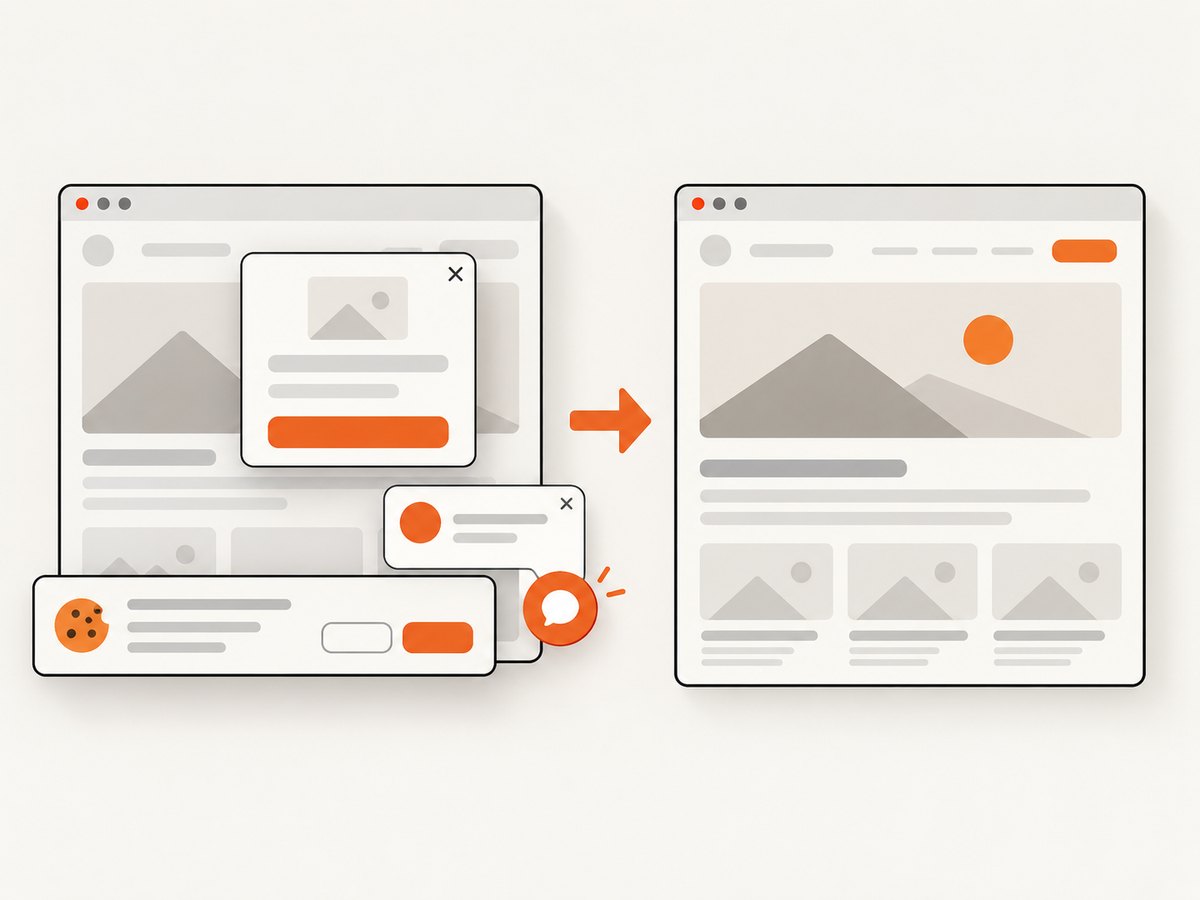
const res = await fetch(`https://api.screenshotneo.com/v1/shot?${q}`);See the ScreenshotNeo documentation for response details and options. Cookie and consent banners are accepted and removed before the shot, along with more than 60 known consent platforms, newsletter popups, and chat widgets. Bot checks, blank pages, failed loads, timeouts, and cache hits are not billed; response headers identify the page verdict and whether the request was billed. The MCP server provides take_screenshot, get_page_info, and capture_pdf for Claude, Cursor, and other MCP clients. The Free plan includes 1,000 screenshots per month without a card; paid plans start at $5 for 3,000 shots, and every feature is available on every plan. Create a free ScreenshotNeo account.
10. FAQ
Can PHP convert HTML directly to JPEG?
Not with imagejpeg(). Render the HTML with a browser such as Browsershot first, then encode or save the resulting image.
Does html2canvas take a literal screenshot?
No. It reconstructs a representation from DOM information, so unsupported CSS and cross-origin content can differ from the visible browser pixels.
Should I use PNG instead of JPEG?
Use PNG or WebP when you need transparency or sharper text and line art. Use JPEG when lossy compression and broad image compatibility are more important.
How do I capture a page that requires JavaScript?
Use a real browser renderer such as Browsershot, or a screenshot API such as ScreenshotNeo. Browser-side html2canvas works only after the page has rendered in the user’s browser.
Why is my output larger than expected?
Check the element dimensions, device-pixel scale, and JPEG quality. Pixel count grows quickly when both the capture area and scale increase.


