How to Generate Open Graph Images in ASP.NET Core
Create page-specific Open Graph images in ASP.NET Core with SkiaSharp, stable URLs, correct metadata, caching, and production troubleshooting.

Generate an Open Graph image from the page data, encode it as PNG, JPEG, or WebP, publish it at a stable public URL, and reference that URL from the page’s og:image metadata. In ASP.NET Core, SkiaSharp is a practical image-generation library, while static-file middleware can deliver pre-generated files from the web root.
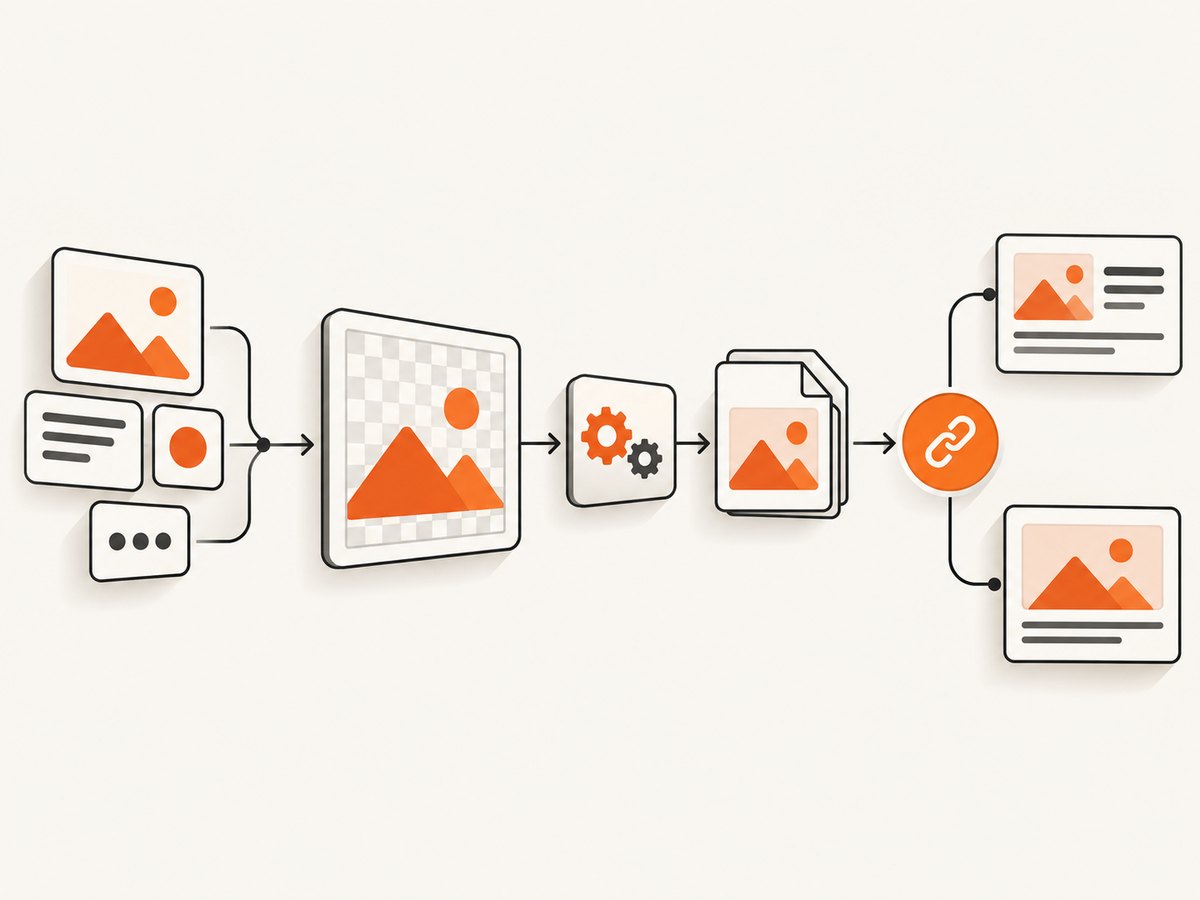
The complete flow is:
- Validate and constrain the title, author, or other page data.
- Draw that data onto a nonzero-size SkiaSharp canvas.
- Encode the image in a format appropriate for your consumers.
- Save it under a stable path or return it from a controlled endpoint.
- Render the absolute image URL in the page head with the required Open Graph properties.
The Open Graph Protocol defines og:title, og:type, og:image, and og:url as required properties. Its image metadata also includes MIME type, width, height, and alt text; a page that specifies og:image should specify og:image:alt. See the Open Graph Protocol specification.
1. Decide what the image represents
Start with a small data model rather than passing arbitrary request strings directly into a renderer. A typical card contains a title, a short description, an author or site name, a category, and an accent color. Decide how long titles are handled before implementation: wrap them, reduce the font size within a defined range, or truncate with an ellipsis. Keep the layout deterministic so the same page produces the same bytes and URL.
Do not treat a particular pixel size as a universal Open Graph requirement. The protocol documents image dimensions as optional structured metadata but does not prescribe one width and height for every platform. Choose dimensions for your target channels, then verify each platform’s current primary documentation before publishing numeric guarantees.
2. Add SkiaSharp
Install the package in the ASP.NET Core project:
dotnet add package SkiaSharpSKImage represents an immutable image abstraction. The image or surface creation path requires nonzero dimensions; a zero width or height can return null. Validate dimensions before allocating a canvas.
SkiaSharp’s pixmap encoding API supports PNG, JPEG, and WebP output, with stream overloads. JPEG does not preserve an alpha channel, so use PNG or WebP when transparency is part of your design.
3. Define the input and renderer
The following example creates a 1,200 by 630 card, wraps a title, draws a background and accent bar, and encodes the result as PNG. The sample is intentionally explicit so you can replace the visual system without changing the delivery layer.
using SkiaSharp;

public sealed record OgCardData(
    string Title,
    string Description,
    string SiteName,
    string? Category = null);

public static class OgImageRenderer
{
    public static byte[] RenderPng(OgCardData data, int width = 1200, int height = 630)
    {
        if (width <= 0 || height <= 0)
            throw new ArgumentOutOfRangeException(nameof(width), "Image dimensions must be positive.");

        var title = Clean(data.Title, 180);
        var description = Clean(data.Description, 260);
        var siteName = Clean(data.SiteName, 80);
        var category = string.IsNullOrWhiteSpace(data.Category)
            ? null
            : Clean(data.Category, 40);

        using var bitmap = new SKBitmap(width, height, SKColorType.Rgba8888, SKAlphaType.Premul);
        using var canvas = new SKCanvas(bitmap);
        canvas.Clear(new SKColor(20, 24, 35));

        using var accent = new SKPaint { Color = new SKColor(78, 184, 255), IsAntialias = true };
        canvas.DrawRect(0, 0, 22, height, accent);

        using var titlePaint = new SKPaint
        {
            Color = SKColors.White,
            IsAntialias = true,
            Typeface = SKTypeface.Default,
            TextSize = 66,
            FakeBoldText = true
        };
        using var bodyPaint = new SKPaint
        {
            Color = new SKColor(205, 214, 230),
            IsAntialias = true,
            Typeface = SKTypeface.Default,
            TextSize = 30
        };
        using var labelPaint = new SKPaint
        {
            Color = new SKColor(145, 220, 255),
            IsAntialias = true,
            Typeface = SKTypeface.Default,
            TextSize = 24
        };

        const float left = 88;
        var y = 105f;
        if (category is not null)
        {
            canvas.DrawText(category.ToUpperInvariant(), left, y, labelPaint);
            y += 68;
        }

        y = DrawWrapped(canvas, title, titlePaint, left, y, width - 150, 78, 3);
        y += 30;
        DrawWrapped(canvas, description, bodyPaint, left, y, width - 170, 42, 4);

        using var footerPaint = new SKPaint
        {
            Color = new SKColor(160, 170, 190),
            IsAntialias = true,
            TextSize = 25
        };
        canvas.DrawText(siteName, left, height - 60, footerPaint);

        using var image = SKImage.FromBitmap(bitmap);
        using var encoded = image.Encode(SKEncodedImageFormat.Png, 100);
        return encoded.ToArray();
    }

    private static float DrawWrapped(SKCanvas canvas, string text, SKPaint paint,
        float x, float y, float maxWidth, float lineHeight, int maxLines)
    {
        var words = text.Split(' ', StringSplitOptions.RemoveEmptyEntries);
        var line = string.Empty;
        var lines = new List<string>();
        foreach (var word in words)
        {
            var candidate = line.Length == 0 ? word : $"{line} {word}";
            if (paint.MeasureText(candidate) <= maxWidth || line.Length == 0)
                line = candidate;
            else
            {
                lines.Add(line);
                line = word;
            }
        }
        if (line.Length > 0) lines.Add(line);
        if (lines.Count > maxLines)
        {
            lines = lines.Take(maxLines).ToList();
            lines[^1] = lines[^1].TrimEnd('.') + "…";
        }
        foreach (var item in lines)
        {
            canvas.DrawText(item, x, y, paint);
            y += lineHeight;
        }
        return y;
    }

    private static string Clean(string value, int maxLength)
    {
        var normalized = string.Join(' ', (value ?? string.Empty)
            .Split((char[]?)null, StringSplitOptions.RemoveEmptyEntries));
        return normalized.Length <= maxLength
            ? normalized
            : normalized[..(maxLength - 1)] + "…";
    }
}
This sample uses SKImage.Encode to produce PNG bytes. For JPEG, use SKEncodedImageFormat.Jpeg and choose a quality value. For WebP, use SKEncodedImageFormat.Webp; the encoder exposes quality and compression choices. Keep the format decision in one place so metadata and the response content type cannot drift apart.
4. Make the image available at a stable URL
Pre-generate and serve a file
For published articles, pre-generation is often the simplest design. Generate the image when content is created or updated, save it under wwwroot/og/, and serve it with ASP.NET Core static-file middleware. The official static files documentation describes serving files from the web root.
var builder = WebApplication.CreateBuilder(args);
builder.Services.AddControllersWithViews();
var app = builder.Build();
app.UseHttpsRedirection();
app.UseStaticFiles();
app.MapControllerRoute(
    name: "default",
    pattern: "{controller=Home}/{action=Index}/{id?}");
app.Run();
If the generated file is wwwroot/og/article-42.png and the site is https://example.com, the public URL is https://example.com/og/article-42.png. Keep the route stable when possible. If the artwork changes, either overwrite the same URL and manage cache invalidation, or version the filename and update the page metadata.
Generate on request
A runtime endpoint can personalize the image from current data. Return the encoded bytes with the correct content type and a cache policy:
[ApiController]
[Route("og")]
public sealed class OgController : ControllerBase
{
    [HttpGet("{slug}.png")]
    public IActionResult Get(string slug)
    {
        // Load the page using a validated slug. Do not use arbitrary file paths.
        var data = LoadCardData(slug);
        if (data is null) return NotFound();

        var bytes = OgImageRenderer.RenderPng(data);
        Response.Headers.CacheControl = "public,max-age=3600";
        return File(bytes, "image/png");
    }

    private static OgCardData? LoadCardData(string slug) =>
        slug == "example"
            ? new OgCardData("Example article", "A page-specific social image.", "Example site")
            : null;
}
Runtime generation is useful when data changes frequently, but it adds rendering work to crawler requests. Cache by a content version or slug, and ensure failures return a clear status instead of a corrupt image. Do not let request parameters choose arbitrary fonts, paths, or remote resources.
5. Render Open Graph metadata
In a Razor view or layout, emit absolute URLs and associate structured image properties with the image immediately after its root property:
<meta property='og:title' content='@Model.Title'>
<meta property='og:type' content='website'>
<meta property='og:url' content='@Model.CanonicalUrl'>
<meta property='og:image' content='@Model.OgImageUrl'>
<meta property='og:image:type' content='image/png'>
<meta property='og:image:width' content='1200'>
<meta property='og:image:height' content='630'>
<meta property='og:image:alt' content='@Model.OgImageAlt'>
Encode or otherwise safely render user-controlled values through the normal Razor pipeline. If you publish more than one image, repeat og:image and place each image’s type, dimensions, and alt properties directly after the corresponding root property. The protocol requires the four core properties and documents these structured image fields; it does not guarantee that every consumer uses all of them.
6. Choose the generation architecture
| Decision | Pre-generated file | Request-time endpoint |
|---|---|---|
| Latency | Static-file response after generation | Includes rendering unless cached |
| Freshness | Regenerate when content changes | Reads current data on each uncached request |
| Cacheability | Excellent with stable URLs | Requires explicit HTTP caching |
| Storage | Consumes image storage | Can avoid files but uses compute |
| Complexity | Needs invalidation or a publishing job | Needs input limits, throttling, and failure handling |
For either architecture, keep image URLs publicly reachable without an authentication boundary. That requirement is practical engineering guidance inferred from og:image being a URL that external consumers must fetch; verify the behavior of every platform you target.
7. Format, typography, and content edge cases
- Long titles: wrap to a fixed number of lines and define a truncation policy. Never allow text to run outside the canvas.
- Missing data: provide a site-level fallback title and image rather than generating a zero-byte response.
- Unicode: choose a typeface with the scripts you publish. A missing glyph can render as an empty box.
- Transparency: use PNG or WebP. JPEG has no alpha channel.
- Remote images: download and validate them separately if you draw author avatars or logos. Bound dimensions and timeouts.
- Unsafe markup: draw plain text; do not interpret title data as HTML or executable code.
- Color: check contrast and keep important text inside a safe margin because consumers may crop previews.
- URL changes: changing the image URL can leave old previews cached. Use a version suffix when you need a deliberate refresh.
8. Troubleshooting
| Symptom | Likely cause | Fix |
|---|---|---|
| Null image or drawing exception | Width or height is zero or negative | Validate dimensions before creating SKBitmap or a surface. |
| Downloaded file is unreadable | Encoded bytes were not returned, or the content type is wrong | Check the encoder result, write the bytes unchanged, and return image/png, image/jpeg, or image/webp consistently. |
| Image is never found | Static middleware is missing or the path is outside the web root | Call UseStaticFiles(), place files under wwwroot, and verify the generated URL. |
| Preview shows an old image | Consumer or intermediary cache | Use a versioned filename or query strategy and keep the HTML metadata aligned. |
| Text is clipped | Unbounded title length or incorrect font metrics | Wrap using measured text width, cap lines, and test the longest permitted input. |
| Private page has no preview | The image URL requires authentication or network access | Expose a controlled public image URL and avoid relying on browser session cookies. |
| High CPU or memory use | Large canvases, repeated runtime rendering, or unbounded concurrency | Limit dimensions, cache by content key, dispose SkiaSharp objects, and queue bulk regeneration. |
9. Performance, reliability, and cost
Rendering cost depends on canvas dimensions, font work, compositing, and how often the same page is requested. There is no benchmark in the cited sources, so measure your own workload. The most useful instrumentation records render duration, encoded byte size, cache hit rate, failure count, and the page key.

For reliability, generate images outside the request path when content is stable, write to a temporary file before replacing the final file, and retain a known-good fallback image. For runtime endpoints, set response caching, reject unknown slugs early, and apply concurrency limits. Dispose SKBitmap, SKCanvas, SKPaint, SKImage, and encoded data promptly; the sample uses using declarations for that reason.
Storage and compute costs are application-specific. Pre-generation trades storage for predictable request latency. Runtime generation trades storage for CPU and memory. Track both before choosing an architecture.
Or skip the browser setup
If the image should be a screenshot of an existing page rather than a custom card drawn in SkiaSharp, ScreenshotNeo returns a clean image from one GET request. Its capture pipeline accepts cookie and consent banners like a visitor, then removes more than 60 known consent platforms, newsletter popups, and chat widgets; each step can be turned off. Bot checks, CAPTCHAs, blank pages, timeouts, failed loads, and cache hits are not billed, and response headers identify the page verdict and billing result.
See the ScreenshotNeo API documentation for all options. The same endpoint can capture PNG, JPEG, WebP, or PDF, and supports full-page lazy-image loading, CSS selectors for one element, dark mode, device presets, retina scale, custom CSS and JavaScript, clicks, waits, blocked resources, headers, cookies, authorization, timezone, geolocation, transparent backgrounds, resizing, TTL caching, signed links, asynchronous webhooks, bulk capture, usage reporting, and an OpenAPI specification.
curl -G 'https://api.screenshotneo.com/v1/shot' -d access_key=YOUR_API_KEY --data-urlencode url=https://stripe.com -o shot.webpimport requests
r = requests.get('https://api.screenshotneo.com/v1/shot', params={'access_key': 'YOUR_API_KEY', 'url': 'https://stripe.com'}, timeout=90)
r.raise_for_status()
open('shot.webp', 'wb').write(r.content)const q = new URLSearchParams({ access_key: 'YOUR_API_KEY', url: 'https://stripe.com' });
const res = await fetch(`https://api.screenshotneo.com/v1/shot?${q}`);
if (!res.ok) throw new Error(`Screenshot failed: ${res.status}`);
const bytes = Buffer.from(await res.arrayBuffer());
require('node:fs').writeFileSync('shot.webp', bytes);ScreenshotNeo also provides an MCP server with take_screenshot, get_page_info, and capture_pdf tools for Claude, Cursor, and other MCP clients. The Free plan includes 1,000 shots per month with no card; paid plans start at $5 for 3,000 shots. Create a free ScreenshotNeo account.
10. Verification checklist
- Render the final HTML and confirm all four required Open Graph properties exist.
- Confirm
og:imageis absolute, stable, and publicly reachable. - Request the image directly and inspect status, content type, dimensions, and bytes.
- Test the longest title, missing description, Unicode text, and an unknown slug.
- Check that regenerated files replace atomically and that cache behavior matches your URL strategy.
- Review current platform-specific limits before documenting dimensions, file sizes, or refresh behavior.
FAQ
Can I generate the image without SkiaSharp?
Yes. SkiaSharp is one evidence-backed option. Any library that can draw your layout and encode a supported raster format can fit the same pipeline.
Should every page use a different image URL?
Use a URL that identifies the page or content version. A stable URL is easier to cache; a versioned URL makes intentional updates easier to distinguish.
Is og:image:alt required?
The Open Graph specification says a page specifying og:image should also specify og:image:alt. Supply concise text describing the image.
Can an Open Graph image be generated only in the browser?
It can, but external crawlers need a server-reachable image URL. Generate it server-side or publish the resulting file before emitting metadata.


