How to Generate a PDF with Express and Node.js
Build PDF endpoints in Express with PDFKit, Puppeteer, or pdf-lib. Includes runnable code, response handling, troubleshooting, and a ScreenshotNeo option.
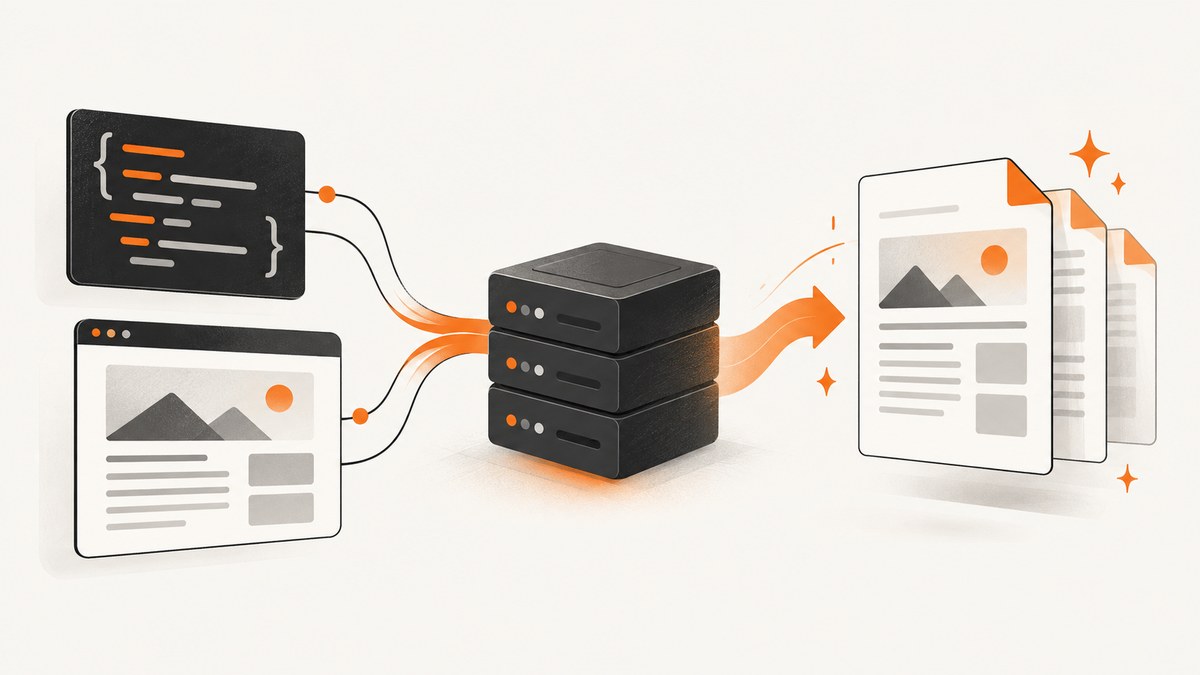
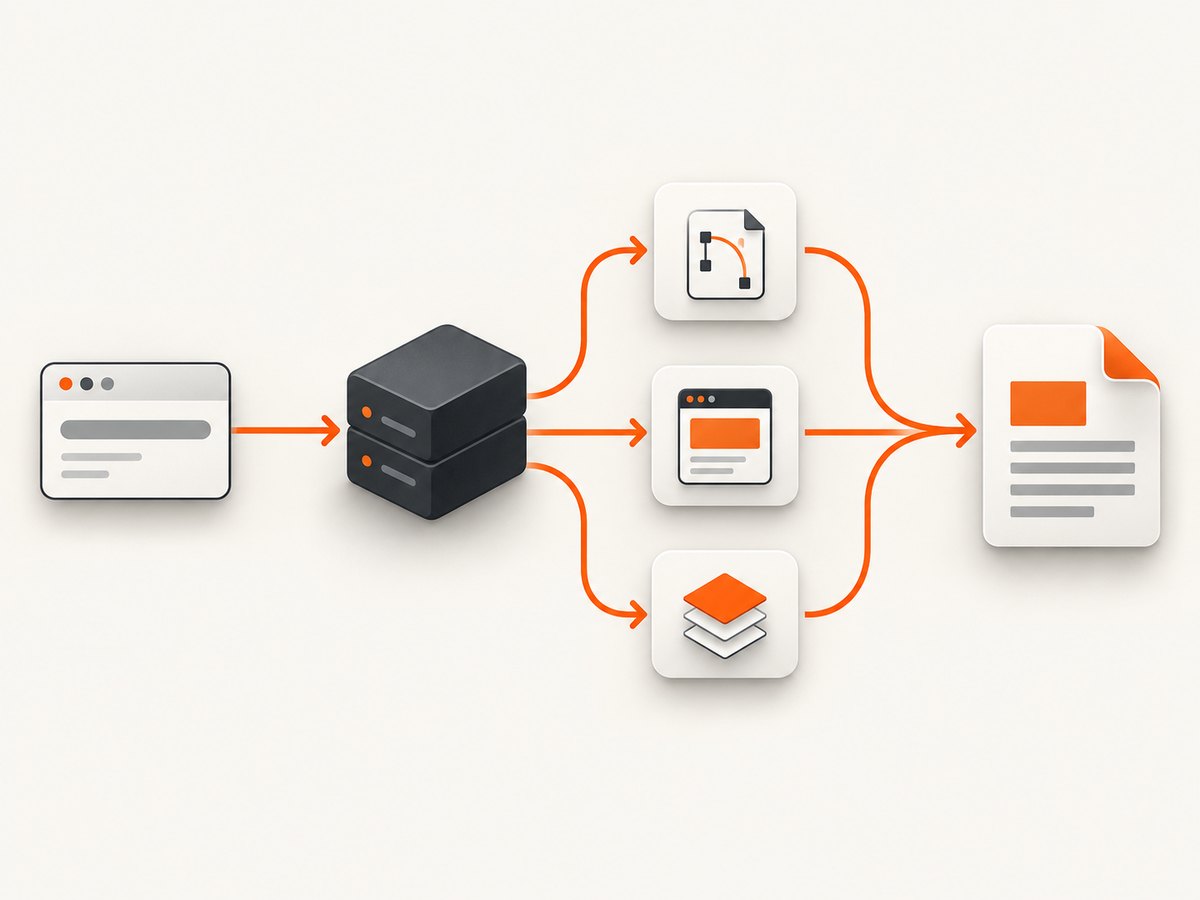
To generate a PDF with Express and Node.js, first decide what your source is: structured data, an HTML page, or an existing PDF. Use PDFKit for invoices, certificates, and reports assembled from document primitives. Use Puppeteer when the PDF should look like a rendered HTML/CSS page. Use pdf-lib when you need to create, edit, merge, or draw on PDF documents.
An Express route must complete the HTTP response cycle. A PDF can be streamed directly to res, sent as a Buffer, or transferred from a controlled file path. The examples below use modern JavaScript modules; confirm the installed Express and library versions in your application before publishing or deploying.
Choose the PDF generation approach
| Requirement | Starting point | Why | Trade-offs |
|---|---|---|---|
| Invoices, reports, certificates from data | PDFKit | Creates a readable Node.js stream that pipes to the response | You manage layout, pagination, fonts, and images |
| HTML/CSS to print-ready PDF | Puppeteer | Uses a browser’s rendering and print CSS | Browser lifecycle, deployment, and page-break behavior need attention |
| Create or modify existing PDFs | pdf-lib | JavaScript APIs for pages, drawing, embedding, loading, and saving | Check that its editing model matches your document structures |
These are capability-based choices, not a universal speed ranking. The cited project documentation does not establish a benchmark that applies to every document or host.
Generate a PDF response with PDFKit
PDFKit documents that PDFDocument instances are readable Node streams.
Create the document, pipe it to the Express response, write content, and call doc.end() to finalize the stream.
1. Create the project
mkdir express-pdf
cd express-pdf
npm init -y
npm install express@5 pdfkit
If your application uses Express 4, install and test against that major version instead. Express routing uses HTTP-method functions such as app.get(); a handler that neither sends a response nor passes control onward can leave the request open. See the Express routing guide and response API.
2. Add an Express route
import express from 'express';
import PDFDocument from 'pdfkit';

const app = express();
const port = process.env.PORT || 3000;

app.get('/report.pdf', (req, res, next) => {
  try {
    res.setHeader('Content-Type', 'application/pdf');
    res.setHeader('Content-Disposition', 'inline; filename="report.pdf"');

    const doc = new PDFDocument({
      size: 'A4',
      margin: 50,
      info: { Title: 'Example report' }
    });

    doc.on('error', next);
    res.on('close', () => {
      if (!res.writableEnded) doc.destroy();
    });

    doc.pipe(res);
    doc.fontSize(20).text('Example report');
    doc.moveDown();
    doc.fontSize(11).text(`Created: ${new Date().toISOString()}`);
    doc.text('This content was generated by an Express route.');
    doc.addPage().fontSize(16).text('Second page');
    doc.end();
  } catch (error) {
    next(error);
  }
});

app.use((error, req, res, next) => {
  if (res.headersSent) return next(error);
  res.status(500).json({ error: 'PDF generation failed' });
});

app.listen(port, () => console.log(`Listening on ${port}`));
Run it with node server.js after setting "type": "module" in package.json, then open http://localhost:3000/report.pdf. PDFKit adds its first page automatically; call addPage() for subsequent pages. It does not save a file by itself: pipe() selects the destination and end() completes the document. The PDFKit getting-started documentation covers this stream lifecycle.
Inline versus download
Content-Disposition: inline asks the browser to display the PDF. For a download, use attachment; filename="report.pdf", or Express’s res.attachment() helper. Keep filenames controlled by your application. If a filename comes from a user, sanitize it and reject path separators.
Layout, fonts, and long documents
Use explicit margins, page sizes, and styles so a template change does not silently alter pagination. Register bundled fonts rather than depending on host fonts. For long reports, add pages deliberately and listen for stream errors. If you generate charts or images, validate their size and format before embedding them. Do not assume a page count, memory footprint, or generation speed without measuring your actual document and deployment.
Convert HTML and CSS to PDF with Puppeteer
Choose Puppeteer when your source is a page that already has HTML, CSS, web fonts, and browser layout. page.pdf() prints using print media by default and waits for fonts by default. The API returns PDF bytes as a promise. See the PDF generation guide and Page.pdf() API.

Complete Express example
import express from 'express';
import puppeteer from 'puppeteer';
const app = express();
app.use(express.json());
app.post('/invoice.pdf', async (req, res, next) => {
let browser;
try {
const { customer = 'Customer', total = '0.00' } = req.body;
const html = `<!doctype html>
<html><head>
<meta charset="utf-8">
<style>
@page { size: A4; margin: 18mm; }
body { font-family: Arial, sans-serif; color: #222; }
h1 { color: #1246a0; }
.total { margin-top: 32px; font-size: 20px; }
</style>
</head><body>
<h1>Invoice</h1>
<p>Customer: ${escapeHtml(customer)}</p>
<p class="total">Total: $${escapeHtml(total)}</p>
</body></html>`;
browser = await puppeteer.launch({ headless: true });
const page = await browser.newPage();
await page.setContent(html, { waitUntil: 'networkidle0' });
await page.emulateMediaType('print');
const pdf = await page.pdf({
format: 'A4',
printBackground: true,
preferCSSPageSize: true
});
res.type('application/pdf');
res.attachment('invoice.pdf');
res.send(Buffer.from(pdf));
} catch (error) {
next(error);
} finally {
if (browser) await browser.close();
}
});
function escapeHtml(value) {
return String(value).replace(/[<>&'"]/g, character => ({
'&': '&', '<': '<', '>': '>',
"'": ''', '"': '"'
}[character]));
}
app.listen(3000);Never interpolate untrusted values into HTML without escaping, and never let a request choose arbitrary local files for page.goto(). If the page uses external assets, decide whether to allow them and set timeouts. For screen styling instead of print styling, call page.emulateMediaType('screen') before page.pdf(). CSS such as -webkit-print-color-adjust: exact can help preserve intended colors, but verify output in your runtime.
Create or modify PDFs with pdf-lib
pdf-lib works in JavaScript runtimes and can create documents, add pages, draw text or images, load an existing PDF, embed pages, and save bytes. Return the saved bytes through Express:
import express from 'express';
import { PDFDocument, StandardFonts, rgb } from 'pdf-lib';

const app = express();

app.get('/certificate.pdf', async (req, res, next) => {
  try {
    const pdfDoc = await PDFDocument.create();
    const page = pdfDoc.addPage([595.28, 841.89]);
    const font = await pdfDoc.embedFont(StandardFonts.Helvetica);
    page.drawText('Certificate of completion', {
      x: 90, y: 700, size: 24, font, color: rgb(0.1, 0.25, 0.6)
    });
    page.drawText('Issued by Example Academy', { x: 90, y: 650, size: 14, font });
    const bytes = await pdfDoc.save();

    res.type('application/pdf');
    res.attachment('certificate.pdf');
    res.send(Buffer.from(bytes));
  } catch (error) {
    next(error);
  }
});

app.listen(3000);
For an existing document, use PDFDocument.load(bytes), modify its pages, and call save() again. The pdf-lib documentation lists the supported creation and modification APIs.
Return a saved PDF safely
For a generated temporary file, prefer a fixed application-owned directory and a generated identifier. Express provides res.sendFile() and res.download(), including a root option that constrains relative paths. Treat every filesystem path as a security boundary: do not concatenate raw query parameters into a path.
app.get('/files/:id', (req, res, next) => {
  const safeName = /^[a-zA-Z0-9_-]+\.pdf$/.test(req.params.id)
    ? req.params.id : null;
  if (!safeName) return res.status(400).json({ error: 'Invalid file name' });
  res.download(safeName, 'report.pdf', { root: '/var/app/generated' }, error => {
    if (error && !res.headersSent) next(error);
  });
});
Request and response details
- Set
Content-Type: application/pdfbefore sending bytes. - Use
Content-Lengthonly when you already have the complete buffer. - Use
inlinefor browser viewing andattachmentfor downloads. - Check
res.headersSentbefore converting an error into a second response. - Abort expensive work when the client disconnects; close Puppeteer browsers in
finally. - Apply authentication, authorization, rate limits, and input validation around report routes.
Troubleshooting common failures
| Symptom | Likely cause | Fix |
|---|---|---|
| Request hangs | Route never sent, streamed, or delegated a response | Ensure PDFKit calls doc.end(); ensure every async branch returns a response or calls next() |
| Empty or corrupt PDF | Stream was not finalized, or bytes were treated as text | Call end(); send a Buffer from Puppeteer/pdf-lib |
| Headers already sent | Error handler tried to respond after streaming began | Check res.headersSent and delegate to Express’s error handler |
| Missing CSS or fonts | Assets failed to load or print CSS differs from screen CSS | Wait for readiness, verify URLs, embed or provision fonts, inspect @media print |
| Puppeteer launch fails | Browser binary, sandbox, or host runtime mismatch | Install the browser required by your Puppeteer version and check the deployment host’s documented sandbox settings |
| Wrong page breaks | Dynamic content changes layout | Use print rules such as break-inside, fixed margins, and deterministic data; inspect generated PDFs |
| Path traversal risk | User input controls a file path | Use generated IDs, strict filename validation, and Express’s root constraint |
Performance, reliability, and cost planning
PDF generation cost is driven by document complexity and runtime resources. PDFKit and pdf-lib avoid a browser process, while Puppeteer allocates browser and page resources. Reuse a controlled browser process only after measuring concurrency and isolation requirements; always close pages and browsers on failures. Cache deterministic PDFs when their source data has not changed, and stream large PDFKit documents instead of buffering them. Set request and navigation timeouts, cap input sizes, and move slow jobs to a queue when synchronous HTTP latency is unsuitable.
There is no source-backed universal limit for speed, memory, page count, or hosting compatibility. Measure your chosen library version, template, fonts, images, and deployment target. Record generation failures separately from client disconnects so retries do not create duplicate work.
Or skip the browser setup
If your goal is a clean PDF or screenshot of a URL rather than maintaining Chromium in your Express service, ScreenshotNeo provides a website capture API. Its PDF endpoint accepts the same request style as its screenshot API; configure paper size, margins, landscape mode, and page ranges as needed. Cookie and consent banners are accepted and 60+ known consent platforms, newsletter popups, and chat widgets are removed before capture. Bot checks, blank pages, failed loads, timeouts, and cache hits are not billed, and response headers identify the page verdict and billing status. Its MCP server also lets Claude, Cursor, and other MCP clients call capture_pdf.
See the ScreenshotNeo API documentation for the current parameters. A direct request looks like this:
curl -G "https://api.screenshotneo.com/v1/shot" \
  -d access_key=YOUR_API_KEY \
  --data-urlencode url=https://stripe.com \
  -d format=pdf \
  -o page.pdf
import requests
r = requests.get(
"https://api.screenshotneo.com/v1/shot",
params={"access_key": "YOUR_API_KEY", "url": "https://stripe.com", "format": "pdf"},
timeout=90,
)
r.raise_for_status()
open("page.pdf", "wb").write(r.content)const q = new URLSearchParams({
access_key: 'YOUR_API_KEY',
url: 'https://stripe.com',
format: 'pdf'
});
const res = await fetch(`https://api.screenshotneo.com/v1/shot?${q}`);
if (!res.ok) throw new Error(`HTTP ${res.status}`);
const bytes = Buffer.from(await res.arrayBuffer());
await import('node:fs/promises').then(fs => fs.writeFile('page.pdf', bytes));ScreenshotNeo includes full-page capture with lazy images loaded, custom CSS and JavaScript, waits for selectors or network idle, headers, cookies, user agents, authorization, timezone, geolocation, caching with a chosen TTL, signed links, asynchronous jobs with signed webhooks, bulk capture for up to 100 URLs per call, and a usage API. It offers 1,000 shots per month free with no card; paid plans start at $5 for 3,000 shots. Create a free ScreenshotNeo account.
FAQ
Can Express send a PDF directly?
Yes. Pipe a PDFKit stream to res, or send a complete Buffer from Puppeteer or pdf-lib with the PDF content type.
Should I use PDFKit or Puppeteer for an invoice?
Use PDFKit when invoice data is structured and you want explicit layout. Use Puppeteer when an existing HTML invoice must retain browser styling.
How do I add page numbers?
With PDFKit, draw them as you create each page or use a page-tracking layout helper. With Puppeteer, use CSS paged-media rules and test the resulting breaks.
Can I generate PDFs asynchronously?
Yes. Put long jobs on a queue, return a job identifier, and store the completed PDF in controlled storage. Protect download URLs and expire them when appropriate.
Why does my PDF look different from the browser?
Puppeteer uses print media by default. Check print CSS, font loading, page size, margins, and background printing; choose screen media explicitly when required.


