How to Generate a Video Thumbnail in Flutter
Extract a video frame in Flutter with video_thumbnail, handle files, URLs and assets, and avoid common platform and codec problems.
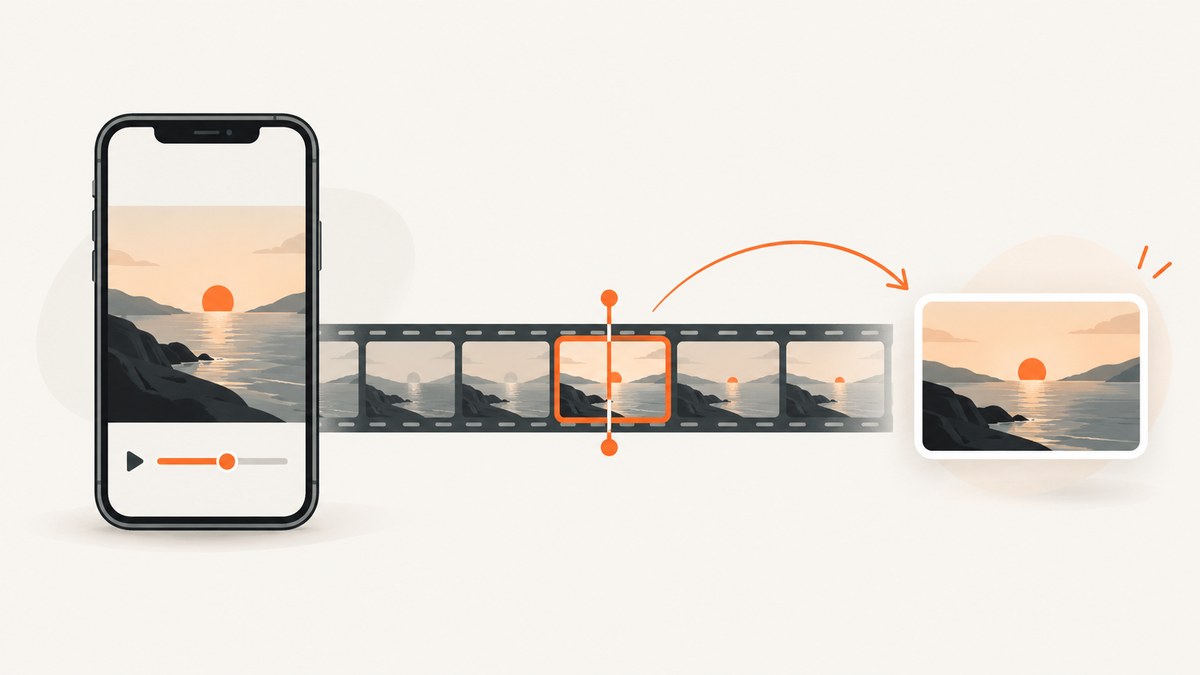
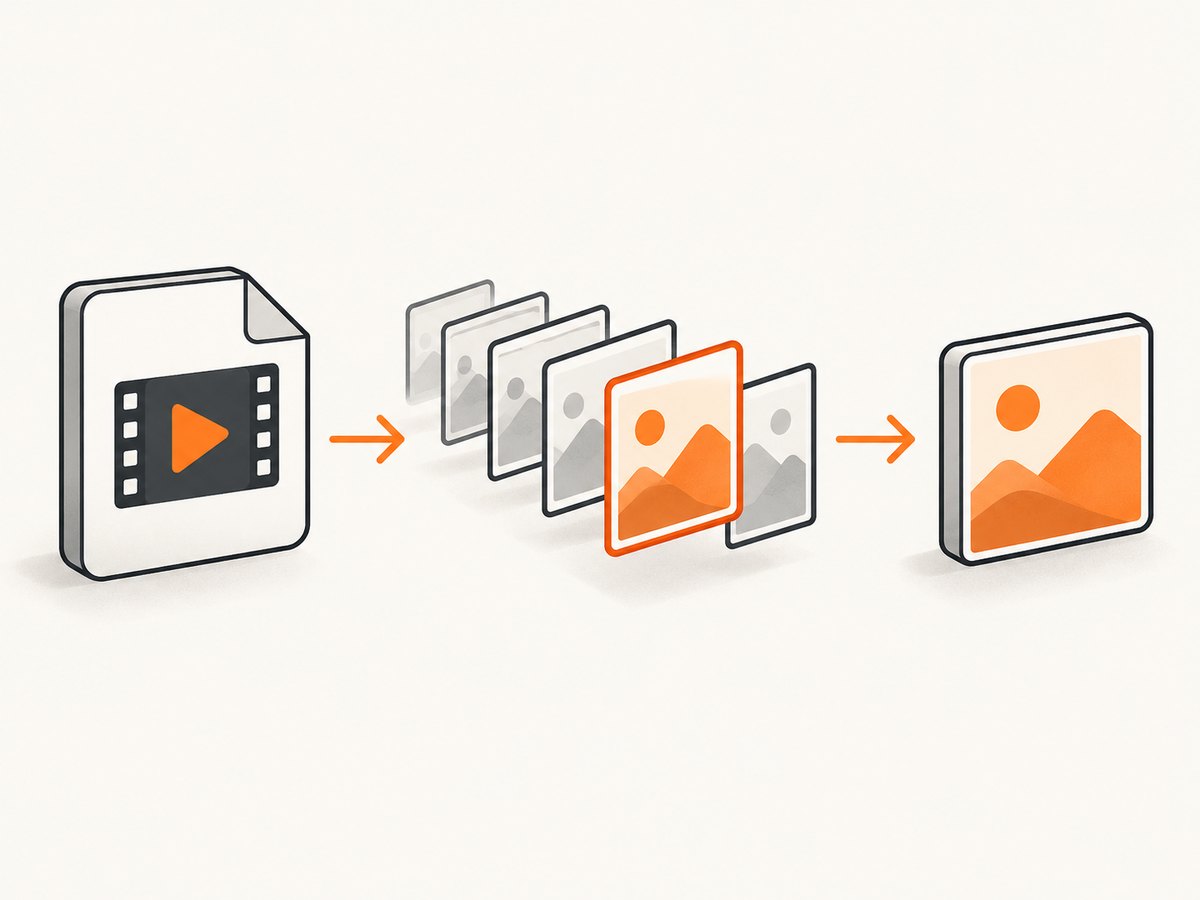
Direct answer: for an Android or iOS Flutter app, use the video_thumbnail package. Call VideoThumbnail.thumbnailData when you need image bytes for an Image.memory widget, or call VideoThumbnail.thumbnailFile when you need a saved image path. Choose the source video, timestamp, format, dimensions and quality explicitly.
final bytes = await VideoThumbnail.thumbnailData(
  video: videoFile.path,
  imageFormat: ImageFormat.JPEG,
  maxWidth: 320,
  quality: 80,
);
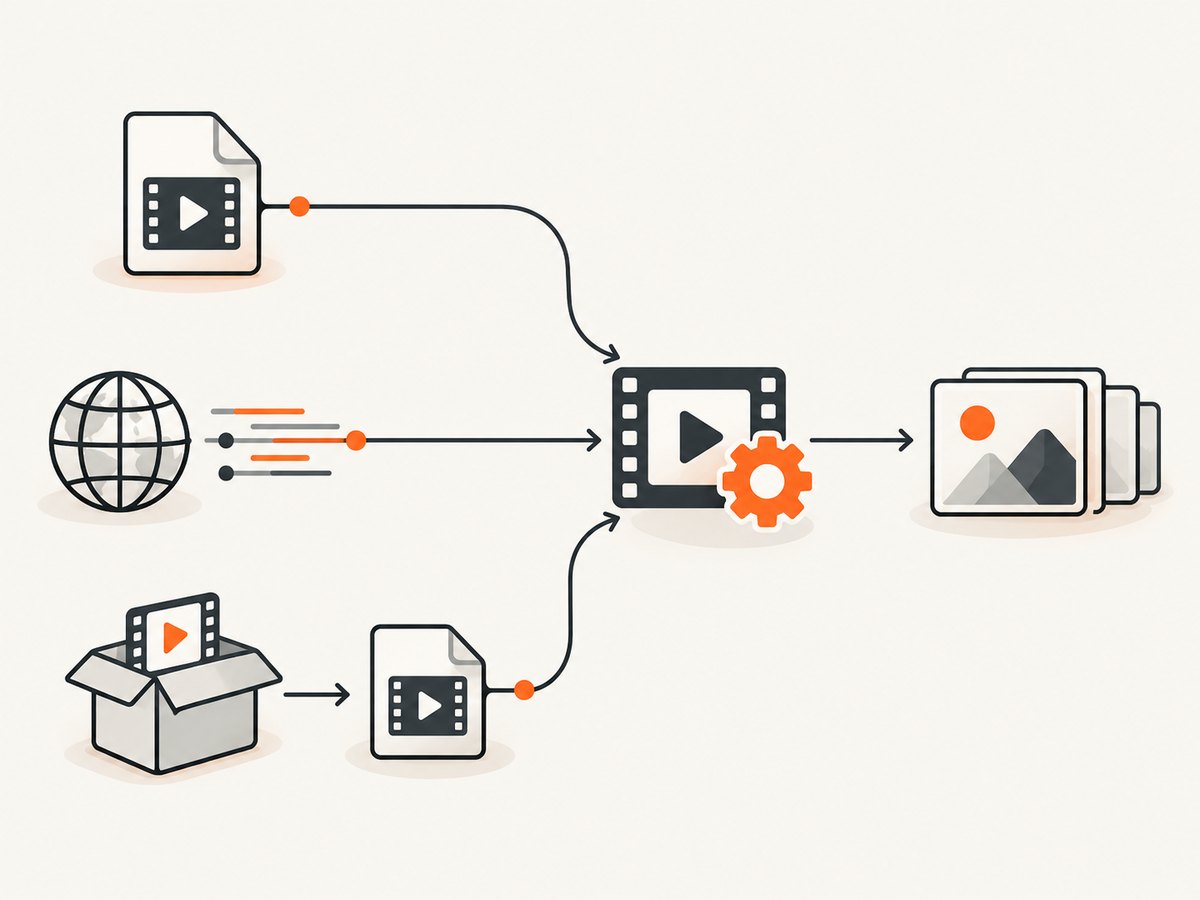
The package documents support for local files and video URLs on Android and iOS. It exposes JPEG, PNG and WebP output, optional maximum dimensions, a timestamp in milliseconds, quality and request headers. Treat package versions and platform declarations as documentation to verify against the exact Flutter, Dart, operating-system and dependency versions in your project.
1. Add the package and prepare your Flutter project
Add the dependency to pubspec.yaml. The package page used for this guide documents version 0.5.6:
dependencies:
  flutter:
    sdk: flutter
  video_thumbnail: ^0.5.6
  path_provider: ^2.1.4
Run:
flutter pub get
Because this is a native plugin, rebuild the application after adding it. Flutter’s package documentation notes that a full restart may be required when native plugin code is introduced; a hot reload is not always sufficient.
Import the package where thumbnails are generated:
import 'dart:typed_data';
import 'package:flutter/material.dart';
import 'package:video_thumbnail/video_thumbnail.dart';
2. Generate an in-memory thumbnail from a local video
Use thumbnailData when the thumbnail is immediately displayed or uploaded and does not need a permanent file. The result is a byte array that can be passed to Image.memory.
import 'dart:typed_data';
import 'package:flutter/material.dart';
import 'package:video_thumbnail/video_thumbnail.dart';

class VideoThumbnailView extends StatefulWidget {
  const VideoThumbnailView({super.key, required this.videoPath});

  final String videoPath;

  @override
  State<VideoThumbnailView> createState() => _VideoThumbnailViewState();
}

class _VideoThumbnailViewState extends State<VideoThumbnailView> {
  Uint8List? _thumbnail;
  Object? _error;
  bool _loading = false;

  @override
  void initState() {
    super.initState();
    _createThumbnail();
  }

  Future<void> _createThumbnail() async {
    setState(() {
      _loading = true;
      _error = null;
    });

    try {
      final bytes = await VideoThumbnail.thumbnailData(
        video: widget.videoPath,
        imageFormat: ImageFormat.JPEG,
        maxWidth: 320,
        quality: 80,
        timeMs: 1_000,
      );

      if (!mounted) return;
      setState(() {
        _thumbnail = bytes;
        _loading = false;
      });
    } catch (error) {
      if (!mounted) return;
      setState(() {
        _error = error;
        _loading = false;
      });
    }
  }

  @override
  Widget build(BuildContext context) {
    if (_loading) {
      return const Center(child: CircularProgressIndicator());
    }
    if (_error != null) {
      return Center(child: Text('Could not create thumbnail: $_error'));
    }
    if (_thumbnail == null || _thumbnail!.isEmpty) {
      return const Center(child: Text('No thumbnail was returned'));
    }
    return Image.memory(
      _thumbnail!,
      fit: BoxFit.cover,
      errorBuilder: (context, error, stackTrace) =>
          const Center(child: Text('Invalid thumbnail image')),
    );
  }
}
timeMs selects the frame. A value of 0 requests the beginning of the video; a value such as 1_000 requests approximately one second. Very short videos may not contain a frame at the requested position, so handle a null or empty result and consider retrying at a safer timestamp.
3. Save the thumbnail to a file
Choose thumbnailFile when another part of the app needs a path, such as a gallery model, a multipart upload or a local cache. The documented example uses path_provider to create a temporary destination.
import 'dart:io';
import 'package:path_provider/path_provider.dart';
import 'package:video_thumbnail/video_thumbnail.dart';

Future<String?> createThumbnailFile(String videoPath) async {
  final directory = await getTemporaryDirectory();
  final outputPath = '${directory.path}/thumb_${DateTime.now().microsecondsSinceEpoch}.jpg';

  return VideoThumbnail.thumbnailFile(
    video: videoPath,
    thumbnailPath: outputPath,
    imageFormat: ImageFormat.JPEG,
    maxWidth: 640,
    quality: 85,
    timeMs: 1_500,
  );
}

Future<void> example() async {
  final path = await createThumbnailFile('/path/to/video.mp4');
  if (path == null) {
    throw StateError('Thumbnail extraction returned no path');
  }
  final file = File(path);
  if (!await file.exists() || await file.length() == 0) {
    throw StateError('Thumbnail file is missing or empty');
  }
}
Temporary directories can be cleared by the operating system. Copy the result to an app-managed directory or upload it if it must survive a restart. Delete old generated files when they are no longer needed.
4. Generate a thumbnail from a remote video URL
The package accepts a URL as the video value. Encode the URL correctly, especially when it contains query parameters, spaces or non-ASCII characters. For protected resources, pass the request headers supported by the API.
Future<String?> thumbnailFromUrl(String videoUrl) async {
  final directory = await getTemporaryDirectory();
  final outputPath = '${directory.path}/remote_thumb.webp';

  return VideoThumbnail.thumbnailFile(
    video: videoUrl,
    thumbnailPath: outputPath,
    imageFormat: ImageFormat.WEBP,
    maxWidth: 480,
    quality: 80,
    timeMs: 2_000,
    headers: <String, String>{
      'Authorization': 'Bearer YOUR_TOKEN',
      'User-Agent': 'MyFlutterApp/1.0',
    },
  );
}
Do not put long-lived private tokens in a URL that can be logged. Use short-lived credentials where possible and keep authorization logic on a server when the video provider requires a secret.
5. Handle a video bundled as a Flutter asset
A Flutter asset is identified by an asset key, but the documented thumbnail API takes a file path or URL. Stage the asset bytes in a temporary file first.
flutter:
  assets:
    - assets/demo.mp4
import 'dart:io';
import 'package:flutter/services.dart';
import 'package:path_provider/path_provider.dart';
import 'package:video_thumbnail/video_thumbnail.dart';

Future<String?> thumbnailFromAsset() async {
  final data = await rootBundle.load('assets/demo.mp4');
  final directory = await getTemporaryDirectory();
  final videoFile = File('${directory.path}/demo.mp4');
  await videoFile.writeAsBytes(
    data.buffer.asUint8List(data.offsetInBytes, data.lengthInBytes),
    flush: true,
  );

  final output = '${directory.path}/demo_thumb.jpg';
  return VideoThumbnail.thumbnailFile(
    video: videoFile.path,
    thumbnailPath: output,
    imageFormat: ImageFormat.JPEG,
    maxWidth: 320,
    quality: 80,
  );
}
Clean up the staged video and thumbnail if they are only needed for one screen. If the asset is large, avoid copying it repeatedly; cache the generated thumbnail.
6. Select format, dimensions, timestamp and quality
| Option | Use it for | Practical guidance |
|---|---|---|
imageFormat |
JPEG, PNG or WebP output | JPEG is usually a compact choice for photographs. PNG preserves lossless detail and transparency where supported. Verify WebP behavior on each target. |
maxWidth |
Limit output width | Set one maximum dimension when preserving aspect ratio matters. |
maxHeight |
Limit output height | Test on Android when combined with maxWidth. |
timeMs |
Choose the frame | Use a timestamp after the opening fade or title card when the first frame is not useful. |
quality |
Image compression quality | Higher values increase bytes. Pick a value based on visual inspection and upload limits. |
headers |
Authenticated URL requests | Pass only the headers required by the video host. |
The package warns that setting both maximum dimensions behaves differently on Android: it scales to both specified dimensions. If the source aspect ratio must be preserved, start with only maxWidth or only maxHeight, then test representative portrait and landscape videos on every shipped platform.
7. Choose a package for your target platforms
video_thumbnail 0.5.6 documents Android and iOS support with file and URL input. Its package page lists JPEG, PNG and WebP and mentions a possible iOS performance issue when generating WebP through libwebp. That is package-maintainer documentation, not an independent benchmark; profile the formats you plan to ship.
flutter_video_thumbnail_plus 1.0.7 documents file and data methods on Android, iOS, macOS and Windows, plus a separate byte-array method on Web. Its page describes Swift Package Manager or CocoaPods integration for Apple platforms and says Windows WebP output falls back to PNG. Verify build and codec behavior with your exact toolchain before switching.
Compare candidates using this checklist:
- Does the package support every platform in your release matrix?
- Can it consume your source type: local path, URL, bytes or asset?
- Does it return bytes, a file path or both?
- Are timestamp, dimensions, format, quality and headers available?
- Are native dependencies compatible with your Android and iOS build settings?
- Does it behave correctly with portrait video, variable frame rate and unusual codecs?
- Are releases and changelogs current enough for your SDK version?
8. Performance and reliability practices
Thumbnail extraction decodes video and can consume CPU, memory and storage. Do not generate a full-resolution frame when a 320-pixel preview is enough. Generate once, cache by a stable key such as the video identifier plus timestamp and options, and reuse the result in scrolling lists.
For batches, queue work instead of starting dozens of decodes simultaneously. Show a placeholder while extraction runs, cancel work when a list item leaves the screen where your architecture permits, and check mounted before updating widget state.
Flutter’s plugin-development guidance recommends a helper isolate for longer-running native functions so expensive work does not drop frames. This is general Flutter guidance, not a measured claim about a specific thumbnail package. Profile on low-end devices with the media formats your users actually upload.
For remote videos, set an application-level timeout, handle offline and HTTP errors, and avoid regenerating a thumbnail every time a screen rebuilds. A failed URL request is different from a valid video with no decodable frame; log the URL host, status and selected timestamp without logging private tokens.
9. Troubleshooting common failures
“No thumbnail was returned”
The source may be empty, inaccessible, unsupported or too short for the requested timestamp. Confirm the local path exists, test the URL outside the app, try timeMs: 0, and handle null or empty bytes explicitly.
The remote URL works in a browser but not in Flutter
The host may require headers, redirects or URL encoding. Percent-encode the URL, pass the required authorization or user-agent headers, and check whether the server permits the mobile client.
Android output has unexpected dimensions
Both maxWidth and maxHeight may be applied differently on Android. Supply one maximum dimension first and inspect portrait and landscape results.
WebP is slow or fails on iOS
The package page flags a possible iOS WebP performance issue. Try JPEG or PNG, then compare on the actual devices and OS versions you support.
The app still shows “MissingPluginException”
Stop the running app and perform a full rebuild after adding the native dependency. Confirm that the package is in the correct pubspec.yaml and that the platform project regenerated successfully.
The thumbnail looks black or shows a title card
Choose a later timestamp. Some videos begin with black frames, fades or branding. For user-generated media, consider trying several candidate timestamps and selecting the first non-black frame in a server-side pipeline if that is a product requirement.
Generated files disappear
Temporary directories are not permanent storage. Move important thumbnails to an app-support or documents directory, or upload them and retain the server URL.
10. Testing checklist
- Test local MP4, MOV and the formats your users actually provide.
- Test portrait, landscape, square and very short videos.
- Test timestamps at zero, near the end and beyond the duration.
- Test authenticated URLs, redirects and offline mode.
- Verify JPEG, PNG and WebP output on every target platform.
- Check dimensions, file size, transparency expectations and EXIF behavior.
- Run extraction while scrolling to detect dropped frames and memory pressure.
- Delete or reuse temporary files and verify behavior after an app restart.
11. Or skip the browser setup
ScreenshotNeo is a website screenshot API, so it does not extract a frame from a local video file. It is useful when the image you need is a clean screenshot of a video landing page, documentation page or other web page that accompanies your Flutter content. One GET request returns a PNG, JPEG, WebP or PDF.
See the ScreenshotNeo API documentation for the available options and response headers.
curl -G "https://api.screenshotneo.com/v1/shot" -d access_key=YOUR_API_KEY --data-urlencode url=https://stripe.com -o shot.webp
import requests

r = requests.get(
    "https://api.screenshotneo.com/v1/shot",
    params={"access_key": "YOUR_API_KEY", "url": "https://stripe.com"},
    timeout=90,
)
r.raise_for_status()
open("shot.webp", "wb").write(r.content)
const q = new URLSearchParams({ access_key: 'YOUR_API_KEY', url: 'https://stripe.com' });
const res = await fetch(`https://api.screenshotneo.com/v1/shot?${q}`);
if (!res.ok) throw new Error(`Screenshot failed: ${res.status}`);
const buffer = Buffer.from(await res.arrayBuffer());
require('fs').writeFileSync('shot.webp', buffer);
Cookie banners, newsletter popups and chat widgets are removed before the shot. Bot checks, blank pages and failed loads are never billed, and response headers identify the page verdict and whether it was billed. An MCP server lets AI agents such as Claude and Cursor call take_screenshot, get_page_info and capture_pdf. The free plan includes 1,000 screenshots each month with no card; paid plans start at $5 for 3,000. Create a free ScreenshotNeo account.
12. FAQ
Can I pass a Flutter asset key directly to thumbnailData?
Stage the asset bytes in a temporary file first, then pass that file path as documented.
Should I use bytes or a file?
Use bytes for immediate display with Image.memory. Use a file when another API needs a path or when you are persisting a cache entry.
What timestamp should I choose?
Start around one second for typical clips, then adjust for fades, title cards and very short videos. Always handle a missing frame.
Does this work on Flutter Web?
The documented video_thumbnail package declares Android and iOS support. Choose a package with an explicitly documented Web API or implement extraction through a service when Web is required.
Can I generate thumbnails before uploading a video?
Yes. Generate from the local file, display or inspect the result, then upload both the video and thumbnail. Keep the thumbnail dimensions and format aligned with your backend limits.
Why is a thumbnail different on two devices?
Native decoders, codecs, frame timing and dimension handling can vary. Test the exact media and platform combinations you support and avoid relying on undocumented decoder behavior.


