How to Generate a Web Page Snapshot or Thumbnail with PHP
Create reliable webpage snapshots in PHP with Chrome, Browsershot, or Playwright, then compare the setup with a one-call ScreenshotNeo API.
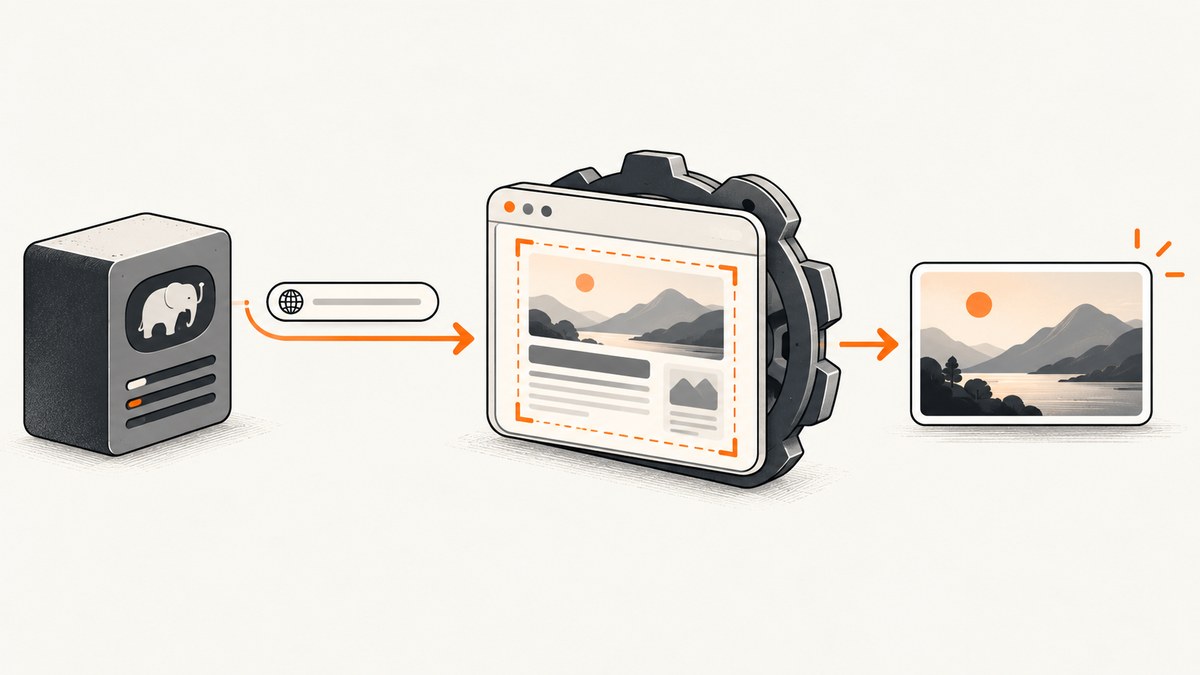
Use a real browser engine to render the page, then save a deliberate viewport, element clip, or full-page capture. PHP libraries do not replace Chrome or Chromium: they control a browser that executes HTML, CSS, JavaScript, fonts, and images before producing the image.
For direct control, chrome-php/chrome exposes navigation, waiting, formats, clips, and full-page screenshots. Spatie Browsershot offers a higher-level URL or HTML API through Puppeteer and headless Chrome. Playwright PHP is useful when your project already uses Playwright-style browser automation.
Choose the output before choosing the library
| Goal | Capture | Why |
|---|---|---|
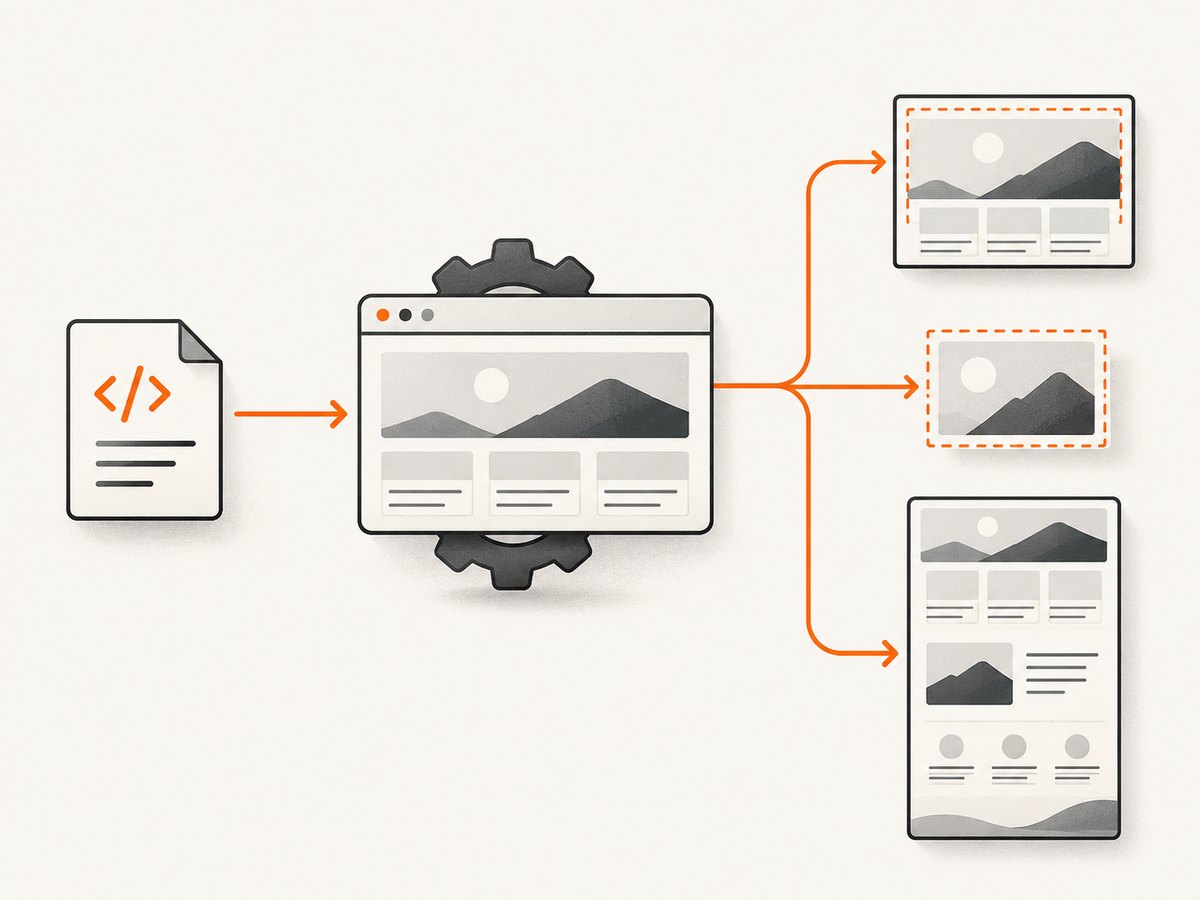
| Fixed social or card thumbnail | Set viewport width and height | The result matches the slot where it will be displayed. |
| One chart, card, or section | Element screenshot or clip | Removes unrelated page content and keeps the subject readable. |
| Complete page record | Full-page screenshot | Includes content below the fold, but can be very tall and large. |
A thumbnail is not automatically a full-page screenshot. Decide the target dimensions, crop behavior, and format first. PNG preserves sharp text, JPEG is smaller for photographic pages, and WebP is often a practical modern default when your consumers support it.
Option 1: chrome-php/chrome (direct PHP control)
The project README lists PHP 7.4–8.5 and Chrome or Chromium 65+ as requirements. Install the Composer package and ensure the browser executable exists on the deployment host.
composer require chrome-php/chromeThis complete example opens a URL, sets a thumbnail viewport, waits for navigation, and writes a WebP file. The finally block closes Chrome even when navigation or saving fails.
<?php

require __DIR__ . '/vendor/autoload.php';

use HeadlessChromium\BrowserFactory;

$url = $argv[1] ?? 'https://example.com';
$output = __DIR__ . '/storage/example.webp';

$browserFactory = new BrowserFactory();
$browser = $browserFactory->createBrowser([
    // Set this when Chrome is not on PATH:
    // 'executablePath' => '/usr/bin/google-chrome',
    'headless' => true,
]);

try {
    $page = $browser->createPage();
    $page->setViewport(1200, 630);
    $page->navigate($url)->waitForNavigation();

    // WebP quality is supported by the library's screenshot options.
    $page->screenshot([
        'format' => 'webp',
        'quality' => 82,
    ])->saveToFile($output);
} finally {
    $browser->close();
}

echo "Saved {$output}\n";
Run it with php capture.php https://example.com. Create the output directory before saving, or use an absolute writable path.
PNG, JPEG, WebP, clips, and full page
// PNG (default in many examples)
$page->screenshot()->saveToFile('/tmp/page.png');

// JPEG with a quality value
$page->screenshot([
    'format' => 'jpeg',
    'quality' => 85,
])->saveToFile('/tmp/page.jpg');

// Capture a rectangular region (coordinates are CSS pixels)
$page->screenshot([
    'clip' => [
        'x' => 0,
        'y' => 0,
        'width' => 1200,
        'height' => 630,
        'scale' => 1,
    ],
])->saveToFile('/tmp/clip.png');

// Capture the entire document
$page->screenshot([
    'captureBeyondViewport' => true,
    'clip' => [
        'x' => 0,
        'y' => 0,
        'width' => 1200,
        'height' => 4000,
        'scale' => 1,
    ],
])->saveToFile('/tmp/full-page.png');
Use an element clip when you know the coordinates or obtain the element’s bounding box through the browser API. A full-page image can exceed downstream upload limits; resize or generate a viewport thumbnail when the destination expects a small card.
Option 2: Spatie Browsershot
Browsershot provides a shorter API for converting a URL or supplied HTML into an image or PDF. It runs Puppeteer with headless Chrome, so production still needs Node.js, Puppeteer, and a compatible browser installation.
composer require spatie/browsershot
npm install puppeteer
<?php
require __DIR__ . '/vendor/autoload.php';
use Spatie\Browsershot\Browsershot;
Browsershot::url('https://example.com')
->windowSize(1200, 630)
->deviceScaleFactor(1)
->setScreenshotType('webp')
->save(__DIR__ . '/storage/example.webp');
// Supplied HTML is also supported:
Browsershot::html('<main><h1>Rendered HTML</h1></main>')
->windowSize(1200, 630)
->save(__DIR__ . '/storage/html.png');Configure the Node and Chrome paths when your deployment does not use the defaults. Browsershot’s older v2 Chrome CLI route is no longer maintained; use the current Puppeteer-based setup.
Option 3: Playwright PHP
Playwright PHP is another route when browser automation or end-to-end testing is already part of your stack. The documented setup requires PHP 8.2 or newer and Node.js 20 or newer, plus the Playwright browser installation. Treat those as setup requirements for that route rather than as PHP-only dependencies.
composer require -W playwright-php/playwright
npx playwright install chromium
The API supports viewport screenshots, full-page screenshots, and element screenshots. Follow the package’s current installation instructions for the exact namespace and launch options, because these requirements and APIs can change between releases.
Wait for the page state you actually need
Waiting only for the initial response can capture an empty shell while JavaScript is still rendering. Pick a condition that represents the content you want:
- Navigation complete: enough for static pages.
- Selector present: wait for a chart, hero image, or app root.
- Network idle: useful for client-rendered pages, but analytics or long polling can prevent it.
- Explicit delay: a fallback for animations or third-party widgets; keep it bounded.
For lazy-loaded images, scroll or use the library’s full-page behavior so content below the fold is requested before capture. Disable animations with injected CSS when deterministic pixels matter:
<style>*, *::before, *::after {
  animation-duration: 0s !important;
  animation-delay: 0s !important;
  transition: none !important;
}</style>
Authentication, headers, and private pages
Set cookies, HTTP headers, or an authenticated session before navigation. Never place long-lived secrets in a public URL or commit them to source control. A production worker should load credentials from its secret store, limit the target host, and remove temporary cookies after the job.
Or skip the browser setup
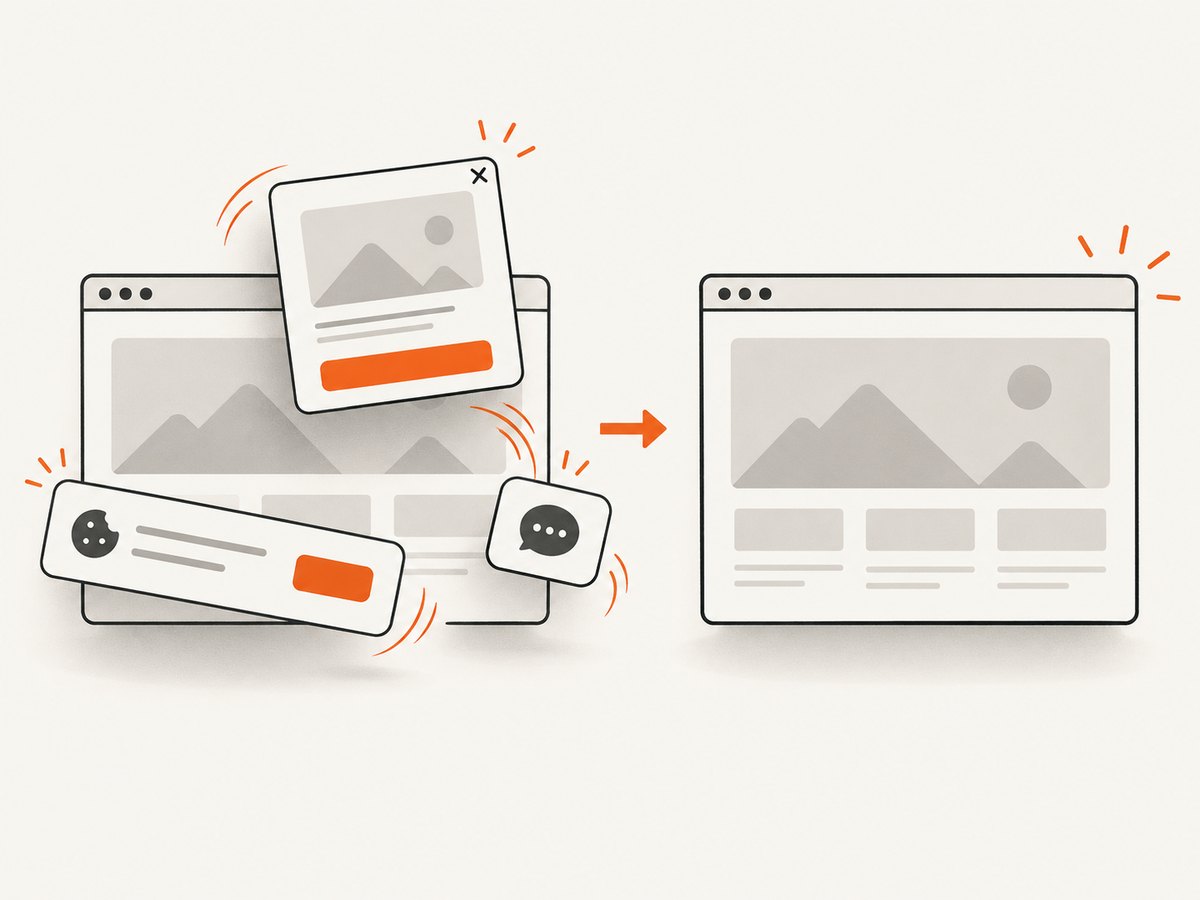
ScreenshotNeo provides a website screenshot API and MCP server. One GET request returns PNG, JPEG, WebP, or PDF, while its capture flow accepts consent banners and removes more than 60 known consent platforms, newsletter popups, and chat widgets before the shot. Bot checks, blank pages, timeouts, failed loads, and cache hits are not billed; response headers identify the page verdict and billing status.
Read the parameter list and response details in the ScreenshotNeo documentation.
PHP
<?php

require __DIR__ . '/vendor/autoload.php';

use GuzzleHttp\Client;

$client = new Client(['timeout' => 90]);
$response = $client->get('https://api.screenshotneo.com/v1/shot', [
    'query' => [
        'access_key' => getenv('SCREENSHOTNEO_API_KEY'),
        'url' => 'https://stripe.com',
    ],
]);

file_put_contents(__DIR__ . '/stripe.webp', $response->getBody()->getContents());
cURL
curl -G "https://api.screenshotneo.com/v1/shot" -d access_key=YOUR_API_KEY --data-urlencode url=https://stripe.com -o shot.webpPython
import requests
r = requests.get("https://api.screenshotneo.com/v1/shot", params={"access_key": "YOUR_API_KEY", "url": "https://stripe.com"}, timeout=90)
open("shot.webp", "wb").write(r.content)
Node.js
const q = new URLSearchParams({ access_key: 'YOUR_API_KEY', url: 'https://stripe.com' });
const res = await fetch(`https://api.screenshotneo.com/v1/shot?${q}`);
You can also use full-page capture with lazy images loaded, CSS element capture, dark mode, device presets, retina scale, custom CSS and JavaScript, clicks, selector waits, request blocking, cookies, headers, user agents, authorization, timezone, geolocation, transparent backgrounds, resizing, cache TTLs, signed links, asynchronous webhooks, bulk capture of up to 100 URLs per call, and the usage API. Its MCP server exposes take_screenshot, get_page_info, and capture_pdf to Claude, Cursor, and other MCP clients.
There are 1,000 free shots per month with no card. Paid plans start at $5 for 3,000 shots; yearly billing gives two months free, and every feature is included on every plan. Create a free ScreenshotNeo account.
Troubleshooting
| Symptom | Likely cause | Fix |
|---|---|---|
| Chrome executable not found | Browser is absent or not on PATH. | Install Chrome/Chromium in the image and configure its executable path. |
| Blank or half-rendered image | Capture happened before client rendering finished. | Wait for a meaningful selector, network idle, or a bounded delay. |
| Missing images | Lazy loading, blocked requests, or failed remote assets. | Scroll/full-page capture, allow required hosts, and inspect browser logs. |
| Cookie banner covers content | The site requires consent before showing the page. | Automate consent and hide the banner, or use ScreenshotNeo’s consent handling. |
| Output is enormous | Full-page capture or a high device scale factor. | Use a fixed viewport, element clip, lower scale, or resize after capture. |
| Works locally but fails in production | Different browser, fonts, sandbox, permissions, or network policy. | Pin the browser image, install fonts, check writable directories, and verify outbound access. |
| Timeout on network idle | Analytics or long polling never becomes idle. | Wait for a selector or use a maximum delay instead. |
Performance, reliability, and cost
- Reuse a browser process where your worker model permits it, while creating a fresh page for each job.
- Set explicit navigation and overall job timeouts so one target cannot occupy a worker indefinitely.
- Use JPEG or WebP for photographic pages and PNG for diagrams or text-heavy images.
- Cache stable URLs and invalidate when the page changes; avoid caching personalized or authenticated content.
- Record the URL, viewport, browser version, wait condition, output format, and failure reason for reproducibility.
- For serverless deployments, include the browser binary and fonts in the image and account for cold-start cost.
- With ScreenshotNeo, cache hits and failed or unusable page verdicts are not billed, and the
X-Page-VerdictandX-Billedheaders let a worker decide whether to retry.
FAQ
Can PHP create a screenshot without Chrome?
Not for a modern, JavaScript-rendered page. The PHP package controls a browser engine; it does not itself implement the web platform.
Should a thumbnail be full page?
Usually no. Use a deliberate viewport or element clip for a fixed card. Reserve full-page captures for archives and references.
Which PHP option should I start with?
Choose chrome-php/chrome for direct browser control, Browsershot for a concise URL or HTML conversion API, and Playwright PHP when its automation stack already fits your project.
How do I capture many URLs?
Use a queue with bounded concurrency and retries. ScreenshotNeo also supports bulk capture for up to 100 URLs per call and signed asynchronous webhooks.


