Generate YouTube Thumbnails at Scale From a Sheet
Build a reliable spreadsheet-to-YouTube thumbnail pipeline with templates, validation, OAuth uploads, retries, and status tracking.

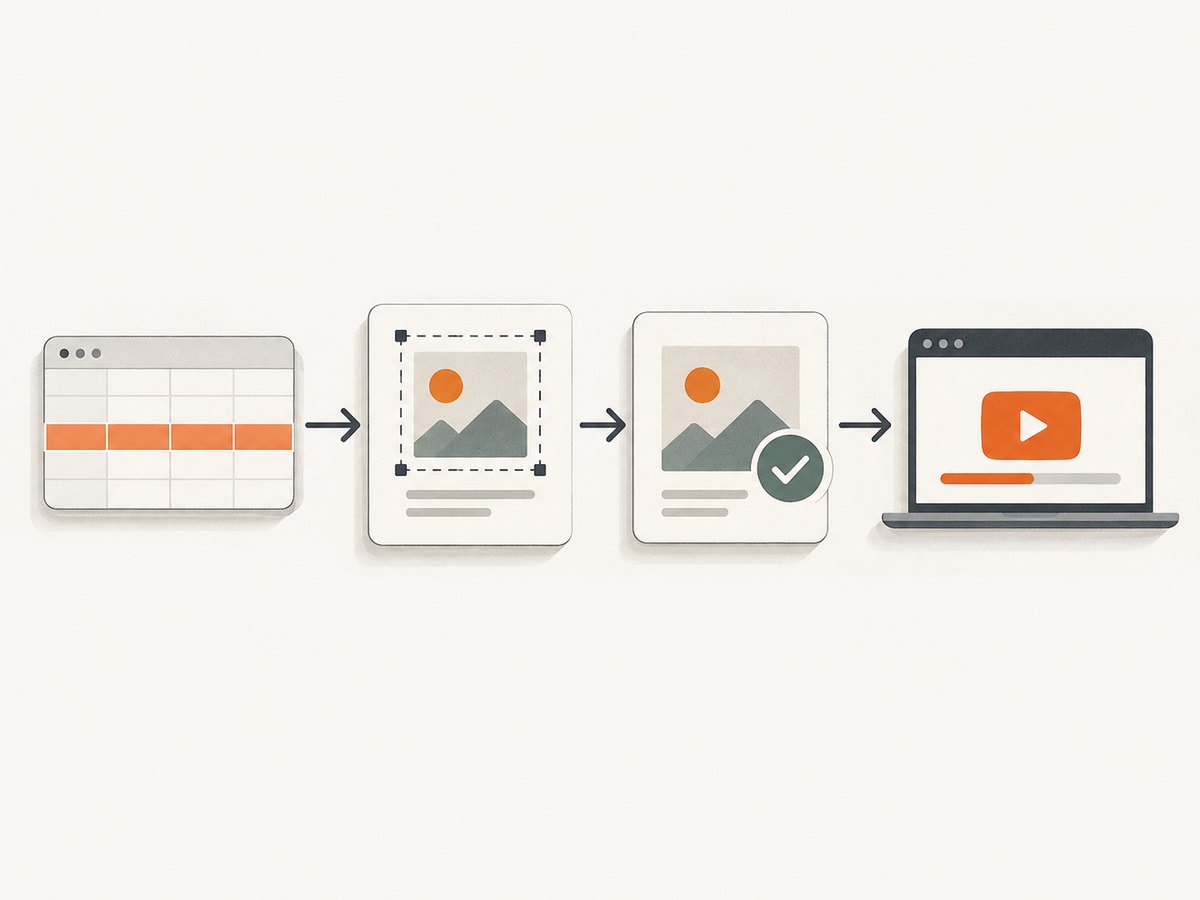
Generate one thumbnail per spreadsheet row by treating every row as a job: render a reusable 16:9 design, validate the output, upload it to the row’s videoId with YouTube’s thumbnails.set endpoint, and write the result back to the sheet. The dependable version of this workflow has explicit export and upload states, retries keyed by the stable video ID, and an error column that makes failed rows safe to rerun.
What you need before automating
Prepare these inputs:
- A Google Sheet with one row per video.
- A stable YouTube
videoIdin every row. This is the identifier used by the upload request. - Text and asset fields for the thumbnail, such as a title, hook, presenter image URL, background URL, and template variant.
- A renderer that can produce JPEG or PNG files at 16:9, preferably 1280×720.
- An OAuth client with permission to manage the target YouTube channel.
- Status columns so the process can resume without duplicating work.
YouTube’s API method is thumbnails.set. It uploads a custom video thumbnail and sets it for a video. The request requires authorization and the target video ID.
Design the sheet as a job queue
Use a header row like this:
| Column | Purpose | Example |
|---|---|---|
videoId |
Stable YouTube identifier and idempotency key | dQw4w9WgXcQ |
title |
Main text or source title | How to automate reports |
hook |
Short attention line | Save 5 hours a week |
assetUrl |
Image used by the template | HTTPS image URL |
template |
Design variant | dark |
thumbnailUrl |
Rendered file location | Cloud storage URL |
exportStatus |
Renderer state | PENDING, DONE, FAILED |
uploadStatus |
YouTube state | PENDING, UPLOADED, FAILED |
error |
Last actionable error | HTTP 403: insufficient scope |
updatedAt |
Last state change | ISO timestamp |
Keep the video ID immutable. If a title changes, update the same row and rerender; do not create a second job with a new identifier. A row is complete only when exportStatus=DONE and uploadStatus=UPLOADED.
Build a reusable thumbnail template
Use a fixed 1280×720 canvas, a safe margin around text, and a small set of controlled variables. Typical variables are:
- Background image or color
- Headline and optional subheadline
- Presenter or product image
- Badge, category, or episode number
- Brand colors and template variant
Canva documents data connectors that bring in sources including Google Sheets and support generating custom designs at scale. Its AI thumbnail maker can provide a starting design that you later standardize. Verify current connector availability, rate limits, and partner terms before relying on it in production.
Whether you use Canva, an HTML/CSS renderer, or an image library, keep rendering deterministic. Escape text, limit headline length, provide a fallback image, and choose a known font. Long titles should wrap or truncate according to a rule you can reproduce on retry.
Render one image per row
Your renderer should accept a row and return a file plus metadata. A minimal HTML template might look like this:
<div class='thumb'>
  <img class='background' src='{{assetUrl}}' alt=''>
  <div class='shade'></div>
  <h1>{{hook}}</h1>
  <p>{{title}}</p>
</div>
Render at exactly 1280×720 when possible. Export JPEG for photographic designs and PNG when you need sharp text, transparency, or flat graphics. YouTube accepts JPEG and PNG media. Keep each file below 50 MB, the documented maximum for this API method.
Validate before upload
Reject a row before making an API call if any of these checks fail:
- The file is missing or cannot be read.
- The MIME type is not
image/jpegorimage/png. - The file exceeds 50 MB.
- The aspect ratio is not 16:9.
- The width or height is zero, or the image decoder reports corruption.
- The row has no valid
videoId.
YouTube documents a 1280×720 maxres thumbnail. If an uploaded image does not match required dimensions, it may be resized without changing its aspect ratio, which can introduce black bars. Resize and crop deliberately in your renderer so the result is predictable.
Upload with the YouTube Data API
The upload uses authenticated multipart media. The approximate quota cost is 50 units per thumbnails.set call, so include quota budgeting in large batches. Your OAuth token must include a YouTube scope that allows the channel operation, and credentials must stay on your server or in a managed secret store.
Python example
from googleapiclient.discovery import build
from googleapiclient.http import MediaFileUpload
from google.oauth2.credentials import Credentials

SCOPES = ['https://www.googleapis.com/auth/youtube']

creds = Credentials.from_authorized_user_file('token.json', SCOPES)
youtube = build('youtube', 'v3', credentials=creds)

video_id = 'YOUR_VIDEO_ID'
filename = 'thumbnail.jpg'

request = youtube.thumbnails().set(
    videoId=video_id,
    media_body=MediaFileUpload(filename, mimetype='image/jpeg')
)
response = request.execute()
print(response)
Install dependencies with pip install google-api-python-client google-auth-oauthlib. The first OAuth run should use the installed-application flow to create token.json; later runs can refresh the token without prompting.
Node.js example
import fs from 'node:fs';
import { google } from 'googleapis';

const auth = new google.auth.GoogleAuth({
  keyFile: 'oauth-client.json',
  scopes: ['https://www.googleapis.com/auth/youtube']
});
const youtube = google.youtube({ version: 'v3', auth });

const result = await youtube.thumbnails.set({
  videoId: 'YOUR_VIDEO_ID',
  media: {
    mimeType: 'image/jpeg',
    body: fs.createReadStream('thumbnail.jpg')
  }
});
console.log(result.data);
For a user channel, use OAuth user credentials rather than a service account. Store the refresh token securely and rotate or revoke it when access is no longer needed.
Google Apps Script orchestration
Apps Script is useful when the sheet is the control panel. Enable the YouTube advanced service, then process only rows whose export is complete and upload status is not UPLOADED:
function uploadPendingThumbnails() {
  const sheet = SpreadsheetApp.getActive().getSheetByName('Jobs');
  const values = sheet.getDataRange().getValues();
  const headers = values.shift();
  const col = Object.fromEntries(headers.map((h, i) => [h, i]));

  values.forEach((row, offset) => {
    const rowNumber = offset + 2;
    if (row[col.exportStatus] !== 'DONE' || row[col.uploadStatus] === 'UPLOADED') return;

    try {
      const blob = UrlFetchApp.fetch(row[col.thumbnailUrl]).getBlob();
      YouTube.Thumbnails.set({
        videoId: row[col.videoId],
        media: blob
      });
      sheet.getRange(rowNumber, col.uploadStatus + 1).setValue('UPLOADED');
      sheet.getRange(rowNumber, col.error + 1).clearContent();
    } catch (err) {
      sheet.getRange(rowNumber, col.uploadStatus + 1).setValue('FAILED');
      sheet.getRange(rowNumber, col.error + 1).setValue(String(err));
    }
  });
}
Apps Script execution time and API quotas make it better for moderate batches. For very large queues, move rendering and uploads to a worker and let the sheet remain the status view.
Process rows safely and retry failures
- Read rows where
uploadStatusis blank orFAILED. - Acquire a short-lived lock on the
videoIdso two workers cannot upload the same job simultaneously. - Render or retrieve the thumbnail.
- Validate dimensions, MIME type, and size.
- Call
thumbnails.set. - Write
UPLOADED, the response identifier, and a timestamp. - On failure, write a normalized error category and leave the row retryable.
Retry transient network errors, HTTP 429 responses, and selected 5xx responses with exponential backoff and jitter. Do not blindly retry authentication failures, invalid video IDs, unsupported media, or permission errors. The stable video ID is your idempotency key: a retry updates the same video rather than creating a new record.
Or skip the browser setup
If your sheet already contains public thumbnail template URLs, ScreenshotNeo can render each URL into an image through one GET request. Its API can capture a full page or a CSS-selected element, wait for a selector, delay, or network idle, apply custom CSS and JavaScript, set a viewport and device scale, and return PNG, JPEG, or WebP. See the ScreenshotNeo documentation for all parameters.
curl -G "https://api.screenshotneo.com/v1/shot" -d access_key=YOUR_API_KEY --data-urlencode url=https://stripe.com -o shot.webpimport requests
r = requests.get('https://api.screenshotneo.com/v1/shot', params={'access_key': 'YOUR_API_KEY', 'url': 'https://stripe.com'}, timeout=90)
open('shot.webp', 'wb').write(r.content)const q = new URLSearchParams({ access_key: 'YOUR_API_KEY', url: 'https://stripe.com' });
const res = await fetch(`https://api.screenshotneo.com/v1/shot?${q}`);For a thumbnail pipeline, point url at a page that renders one row’s design, then use options for a 1280×720 viewport, an element selector, custom CSS, and a delay or network-idle wait. Cookie banners, newsletter popups, and chat widgets are removed before the shot. Bot checks, blank pages, failed loads, timeouts, and cache hits are not billed; response headers identify the page verdict and whether it was billed. An MCP server provides take_screenshot, get_page_info, and capture_pdf tools for Claude, Cursor, and other MCP clients. One thousand screenshots per month are free with no card; paid plans start at $5 for 3,000. [Create a free ScreenshotNeo account](https://screenshotneo.com/account/sign-up/).
Useful ScreenshotNeo capture options
| Need | Options to use |
|---|---|
| Exact thumbnail framing | Viewport, device preset or custom dimensions, retina scale, element selector |
| Dynamic templates | Custom CSS, JavaScript, click an element, wait for selector, delay, network idle |
| Clean output | Hide selectors, block ads, trackers, requests, or resource types; accept consent banners |
| Private assets | Custom headers, cookies, user agent, Authorization, timezone, geolocation |
| Delivery | PNG/JPEG/WebP, resizing, transparent background, chosen cache TTL |
| Scale | Async jobs with signed webhooks, bulk capture of up to 100 URLs per call, usage API |
ScreenshotNeo also supports PDF output, HTML/CSS-to-image, signed links for public image tags, and an OpenAPI specification. Parameter names used by other screenshot APIs work as well, which can reduce migration changes.

Troubleshooting
| Symptom | Cause | Fix |
|---|---|---|
| HTTP 400 or invalid media | Malformed image, wrong MIME type, or missing video ID | Decode the file, send JPEG/PNG, validate the ID before upload. |
| HTTP 403 | OAuth token lacks the required YouTube scope or channel permission | Reauthorize with a YouTube write scope and the correct account. |
| HTTP 404 | Video ID does not exist or is inaccessible to the authorized channel | Confirm the ID and that the token belongs to the owning channel. |
| HTTP 429 | Quota or rate limit reached | Track the 50-unit call cost, slow workers, and retry after backoff. |
| Black bars | Source ratio differs from 16:9 | Crop or pad intentionally at 1280×720 before upload. |
| Text is clipped | Unexpected title length or missing font | Apply a character limit, wrap rules, and a bundled fallback font. |
| Rows remain pending | Worker crashed after upload but before sheet update | Reconcile by video ID, then mark the row from the API result. |
| Screenshot is blank | Template JavaScript was not ready or a resource failed | Wait for a selector or network idle, inspect page info, and allow required assets. |
Performance, reliability, and cost
Batch rendering and uploading are separate bottlenecks. Render in parallel up to the capacity of your image service, then cap YouTube upload concurrency to avoid quota and rate-limit spikes. Cache immutable assets and template outputs using a key made from videoId, template version, and content hash. A template version prevents an old cached image from surviving a design change.
Keep the sheet writes small: update a row after each completed job or in bounded batches. Record duration, HTTP status, retry count, and the renderer version. This makes it possible to find whether a slow run is caused by asset downloads, rendering, OAuth refresh, or YouTube.
Your direct YouTube cost is governed by API quota rather than a per-image charge in the documented method; each call is approximately 50 quota units. Rendering costs depend on the tool you select. ScreenshotNeo bills only clean captures, and failed loads, bot checks, blank pages, timeouts, and cache hits cost nothing. Its Free plan includes 1,000 shots per month without a card; Starter is $5 for 3,000, Growth $15 for 15,000, Pro $39 for 60,000, Scale $99 for 250,000, and Business $249 for 1,000,000. Yearly billing gives two months free, and every feature is available on every plan.
Operational checklist
- Every row has a valid, stable
videoId. - Templates render 16:9 images, preferably 1280×720.
- Files are JPEG or PNG and below 50 MB.
- OAuth refresh tokens are stored as secrets.
- Export and upload states are independent.
- Retries use exponential backoff and the video ID as the idempotency key.
- Permanent errors are separated from transient errors.
- Quota usage and worker concurrency are monitored.
- Manual overrides are recorded in the sheet.
FAQ
Can one sheet row upload to more than one video?
Use one row per video job. If the same design belongs on multiple videos, duplicate the row with a different stable video ID so status and errors stay unambiguous.
Does automation guarantee more clicks?
No. This workflow improves consistency and production throughput. The research sources do not establish a general click-through-rate increase; measure performance on your own channel.
Should thumbnails be JPEG or PNG?
Use JPEG for photographic content and PNG for sharp graphics or transparency. Both are accepted media types, subject to the 50 MB limit.
Can I rerun only failed rows?
Yes. Filter for FAILED export or upload states, preserve the same video ID, and retry only errors classified as transient or corrected by an operator.
Can ScreenshotNeo create the thumbnail design?
It captures a rendered webpage or element. Use your sheet data to populate an HTML/CSS template, then capture that page at the required viewport before sending the image to YouTube.


