How to Get the Full XPath of an Element with Playwright
Playwright has no built-in full XPath getter. Use a locator’s evaluate() method to build a structural XPath, understand its limits, and decide when to keep a resilient locator instead.
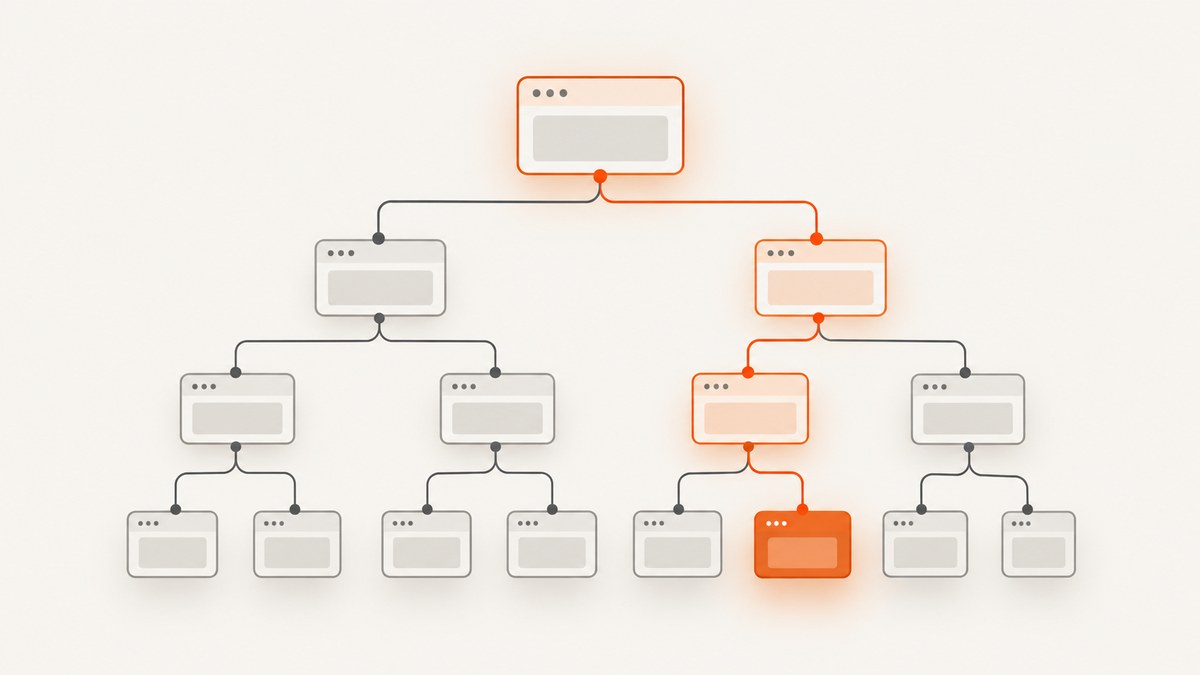
Playwright does not document a built-in method that returns an element’s full XPath. To generate one, first identify the element with a Playwright locator, then call locator.evaluate() to walk from the matched DOM element to the document root and construct an indexed path. The result is a structural XPath for the DOM at that moment; it is not a stable identifier.
This guide shows a complete TypeScript example, alternatives for using XPath, how to check the result, common failure cases, and when a user-facing locator is a better choice. Playwright documents Locator.evaluate() for running a page function with the matched element, and supports XPath through page.locator() (XPath locator documentation).
1. Generate a full XPath from a Playwright locator
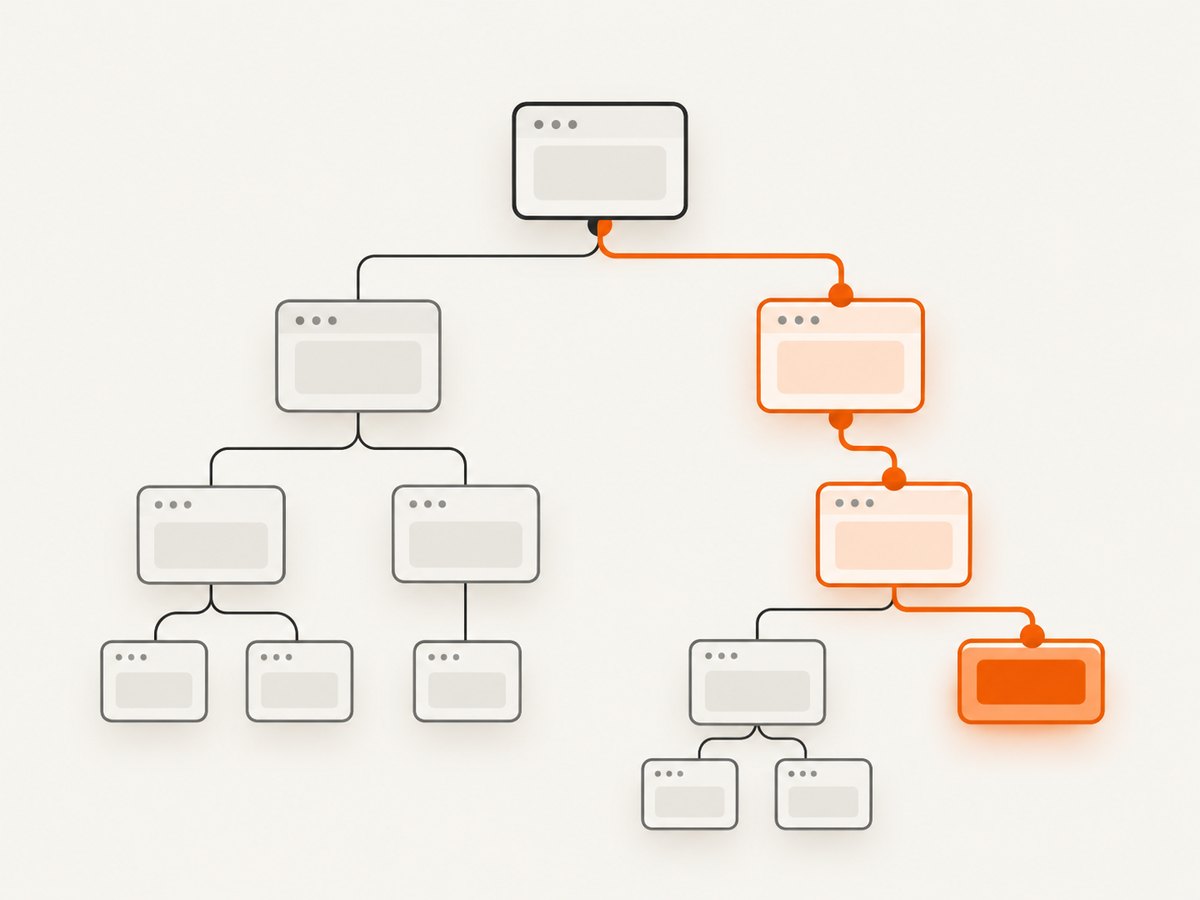
Use a locator that identifies the intended element, then evaluate a DOM traversal function against it. The function below counts preceding siblings with the same local name, producing a one-based index at each level. It uses local-name() so the steps can represent namespaced elements such as SVG nodes.
import { chromium, type Page } from 'playwright';

async function getFullXPath(page: Page, selector: string): Promise<string> {
  const target = page.locator(selector);
  await target.waitFor({ state: 'attached' });

  return target.evaluate((element) => {
    const steps: string[] = [];
    let current: Element | null = element;

    while (current) {
      let index = 1;
      for (
        let sibling = current.previousElementSibling;
        sibling;
        sibling = sibling.previousElementSibling
      ) {
        if (sibling.localName === current.localName) index++;
      }

      steps.unshift(`*[local-name()="${current.localName}"][${index}]`);
      current = current.parentElement;
    }

    return '/' + steps.join('/');
  });
}

async function main() {
  const browser = await chromium.launch();
  const page = await browser.newPage();

  try {
    await page.goto('https://example.com');
    const xpath = await getFullXPath(page, 'h1');
    console.log(xpath);

    const matchedAgain = page.locator(`xpath=${xpath}`);
    console.log('Matches:', await matchedAgain.count());
  } finally {
    await browser.close();
  }
}

main().catch((error) => {
  console.error(error);
  process.exitCode = 1;
});
Install the dependency with npm install playwright; install the browser binary with npx playwright install chromium. Save this as get-xpath.ts and run it using your TypeScript runner, or adapt the type annotations away for a JavaScript file. Replace https://example.com and h1 with your page and target locator. The URL and selector are examples, not a claim about a particular page’s markup.
Why the index matters
Without a position predicate, a step such as div could refer to several siblings. The function counts same-name preceding element siblings, so the first matching sibling gets index 1, the next index 2, and so forth. The resulting path starts at the document element and includes each ancestor up to the target.
This is a general DOM-construction technique, not a Playwright-provided XPath generator. Its output reflects the element tree when evaluate() runs. A page that mutates after capture can make the path stale.
2. Choose the locator before building the path
The XPath builder cannot fix an ambiguous target locator. Prefer a locator based on the way a person identifies the element, or a test ID that your application treats as a stable testing contract. For example:
const saveButton = page.getByRole('button', { name: 'Save' });
const xpath = await saveButton.evaluate((element) => {
  const steps: string[] = [];
  let current: Element | null = element;
  while (current) {
    let index = 1;
    for (let sibling = current.previousElementSibling; sibling; sibling = sibling.previousElementSibling) {
      if (sibling.localName === current.localName) index++;
    }
    steps.unshift(`*[local-name()="${current.localName}"][${index}]`);
    current = current.parentElement;
  }
  return '/' + steps.join('/');
});
console.log(xpath);
If the role and accessible name match multiple elements, narrow the locator with a meaningful container, label, text, or test ID. Check uniqueness before evaluating:
const target = page.getByRole('button', { name: 'Save' });
const count = await target.count();
if (count !== 1) {
  throw new Error(`Expected one Save button, found ${count}`);
}
const xpath = await target.evaluate(/* XPath builder */);
A locator that matches multiple elements does not identify a single target for evaluate(); make the selection explicit. Also distinguish “attached” from “visible”: a hidden element can still be in the DOM and therefore have an XPath. If your task requires the visible control, assert or wait for visibility as a separate condition.
3. Use the XPath with Playwright
The generated path includes a leading slash. Pass it with an explicit xpath= prefix to make the selector type clear:
const targetAgain = page.locator(`xpath=${xpath}`);
await targetAgain.waitFor({ state: 'attached' });
console.log(await targetAgain.count());
Playwright also recognizes locator strings beginning with // or .. as XPath. The generated absolute path begins with /, so the explicit prefix avoids relying on shorthand detection. XPath selectors are evaluated in the page’s document context.
Check that the path identifies the same node
A count of one is useful but not sufficient if the DOM changed between generation and reuse. In the same evaluation, you can compare the returned node with a fresh resolution of the path, or inspect a property you expect on the target. For ordinary interaction tests, it is usually clearer to keep the original locator and act through it. Generate and persist XPath only when another tool or system specifically needs the path string.
4. When a full structural XPath is useful
A generated full path can help when an external interface accepts only XPath, when you are recording a diagnostic, or when you need to inspect how a particular DOM node is addressed. It is also convenient for temporary investigation because it can distinguish same-named siblings by position.
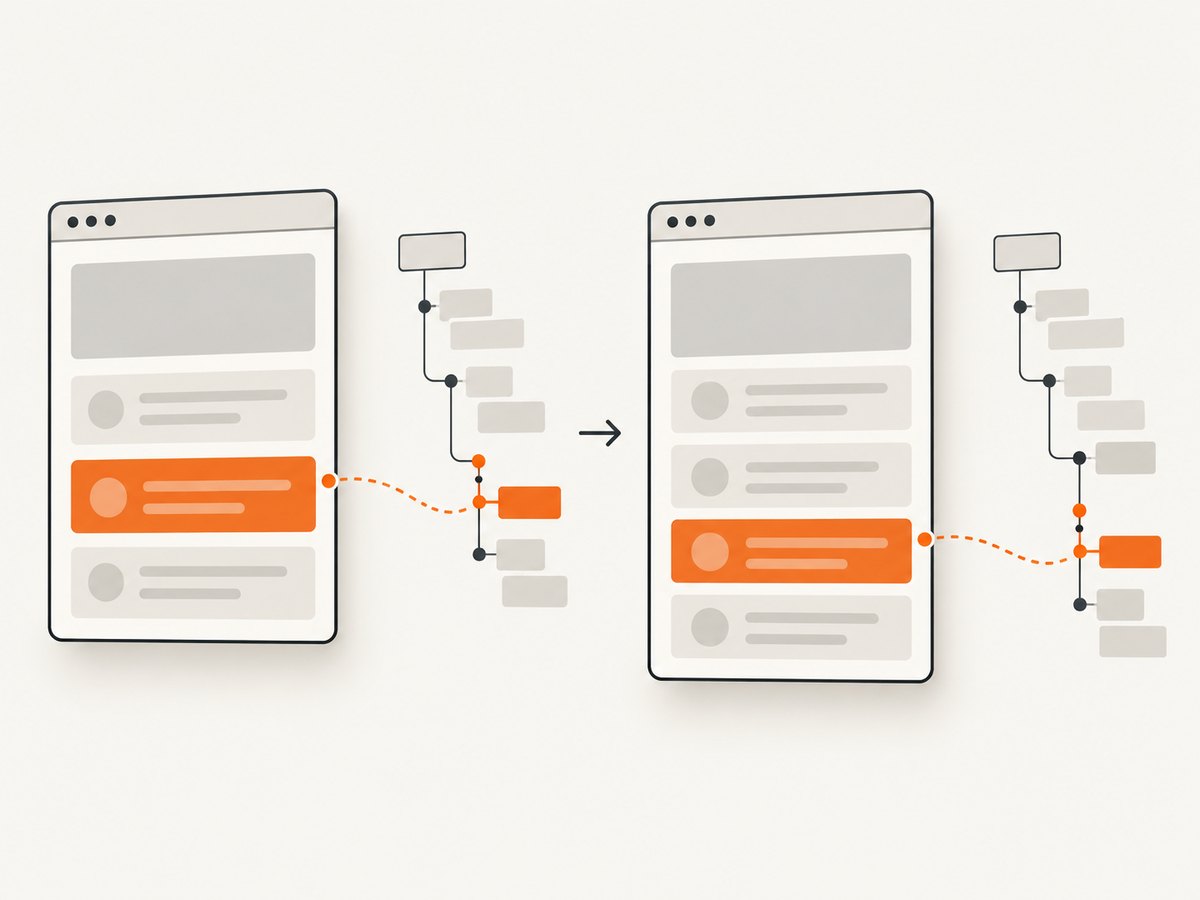
For long-lived tests, the path is often brittle. Inserting a sibling of the same tag before the target changes its index; moving the element changes ancestor steps; replacing a wrapper changes the path even when the visible control is unchanged. Playwright’s locator guidance says CSS and XPath are not recommended for resilient tests because the DOM can change. Prefer role, label, text, or an explicit test ID when those express the intent.
| Need | Good starting point | Trade-off |
|---|---|---|
| Interact with a user-facing control in a test | Role, label, or text locator | May need scoping when names repeat |
| Use an agreed application test contract | Test ID | Requires maintaining that contract |
| Return an XPath string to an external consumer | Build a structural path with DOM evaluation | Coupled to the current DOM shape |
| Locate content inside a shadow root | Playwright’s supported locators within the component | XPath does not pierce shadow roots |
5. Edge cases to account for
Shadow DOM
Playwright documents that XPath does not pierce shadow roots. The ancestor walk above follows parentElement and cannot produce one ordinary document XPath that crosses a shadow boundary. If the target lives in a web component, use Playwright locators that work with the component’s content, or handle the relevant root explicitly. Do not assume an XPath from the document root can address an element inside a shadow tree.
Frames
Evaluate in the frame that owns the element. A page-level locator does not turn a frame’s DOM into part of the parent document. Use a frame locator to identify the target in its frame, then evaluate against that locator. The resulting path is meaningful only in that frame’s document.
Detached or changing nodes
Framework-driven pages can replace nodes during rendering. If the element detaches before evaluation, the operation can fail. Wait for the relevant state, avoid holding on to an old element handle, and resolve the locator again after navigation or a rerender. An XPath captured before a structural update may resolve to a different element afterward.
Namespaced and unusual markup
Using local-name() avoids depending on a namespace prefix for an element step. The path still describes structure, and it does not make a changing DOM stable. The implementation counts only element siblings, which is appropriate for XPath child position; text and comment nodes do not affect those indexes.
6. Troubleshooting
| Symptom | Likely cause | Fix |
|---|---|---|
| Evaluation reports that the locator resolved to multiple elements | The initial locator is ambiguous | Check count(); narrow by role/name, label, text, test ID, or a containing region. |
| The locator times out before evaluation | The page or target did not reach the expected state | Confirm navigation succeeded, wait for the correct element state, and check whether the element is in a frame. |
| The XPath later matches zero elements | The node or one of its ancestors changed, or the document navigated | Generate it again from a fresh locator, or retain a user-facing locator for the test. |
| The XPath matches a different element | Same-name siblings were inserted, removed, or reordered | Do not treat the indexed path as a durable identity; use a semantic locator or test ID. |
| XPath cannot find an element in a web component | The target is in a shadow root | Use Playwright’s shadow-DOM-capable locator approach; XPath does not pierce the root. |
| The target is in an iframe | The path was generated or used in the parent document | Resolve the target through its frame and generate/use the XPath in that frame context. |
| The path works in the browser console but not in the test | The test may be on another frame, navigation state, or document version | Compare the active page and frame, then regenerate after the page reaches its final state. |
7. Performance, reliability, and cost
The traversal visits the target and its ancestors and scans preceding element siblings at each level. For a one-off diagnostic, this is generally a small operation; very wide sibling lists increase the work at those levels. The larger reliability cost is maintenance: every indexed ancestor step depends on the current tree structure. Avoid generating paths repeatedly as a substitute for choosing a better locator.
Playwright’s locator evaluation runs in the browser page and returns the function’s result to the test process. Keep the evaluated function self-contained; it executes in the page context, so it should not depend on Node.js variables or imports. In normal local or CI use, the relevant costs are browser execution and test runtime rather than a separate XPath service charge. No performance benchmark is implied here.
8. Or skip the browser setup
If you need a screenshot of the page while investigating an element or documenting a UI state, ScreenshotNeo is a website screenshot API and MCP server. For a direct screenshot, make one GET request. See the API documentation for request options.
curl -G "https://api.screenshotneo.com/v1/shot" -d access_key=YOUR_API_KEY --data-urlencode url=https://stripe.com -o shot.webpimport requests
r = requests.get("https://api.screenshotneo.com/v1/shot", params={"access_key": "YOUR_API_KEY", "url": "https://stripe.com"}, timeout=90)
open("shot.webp", "wb").write(r.content)const q = new URLSearchParams({ access_key: 'YOUR_API_KEY', url: 'https://stripe.com' });
const res = await fetch(`https://api.screenshotneo.com/v1/shot?${q}`);
if (!res.ok) throw new Error(`Screenshot request failed: ${res.status}`);
await Bun.write('shot.webp', new Uint8Array(await res.arrayBuffer()));ScreenshotNeo accepts cookie or consent banners and removes more than 60 known consent platforms, newsletter popups, and chat widgets before capture; each step can be turned off. Bot checks or CAPTCHAs, blank pages, timeouts, failed loads, and cache hits cost nothing, and responses indicate the page verdict and billing status in headers. Its MCP server offers take_screenshot, get_page_info, and capture_pdf for AI agents. The free plan includes 1,000 screenshots per month with no card; paid plans start at $5 for 3,000. Sign up for 1,000 free screenshots a month, no card required.
9. FAQ
Does Playwright have a getFullXPath() API?
There is no documented built-in full-XPath getter in the referenced Playwright API. Use a locator’s evaluate() method to construct the string from its matched DOM element.
Does the generated XPath stay valid after a page update?
Not necessarily. It is based on ancestor and sibling positions at evaluation time. A markup change can invalidate it or make it point elsewhere.
Should I use the full XPath in every Playwright test?
No. For interaction tests, prefer locators based on roles, labels, text, or explicit test IDs. Use generated XPath when the XPath text itself is required.
Can XPath cross an iframe or shadow root?
No single document XPath should be assumed to cross either boundary. Evaluate in the owning frame, and use Playwright’s supported locator behavior for shadow-root content.


