How to Get Request Headers and Cookies from Headless Chrome
Capture transmitted headers and cookies from headless Chrome with CDP, Playwright, Puppeteer, and Python, plus fixes for common edge cases.
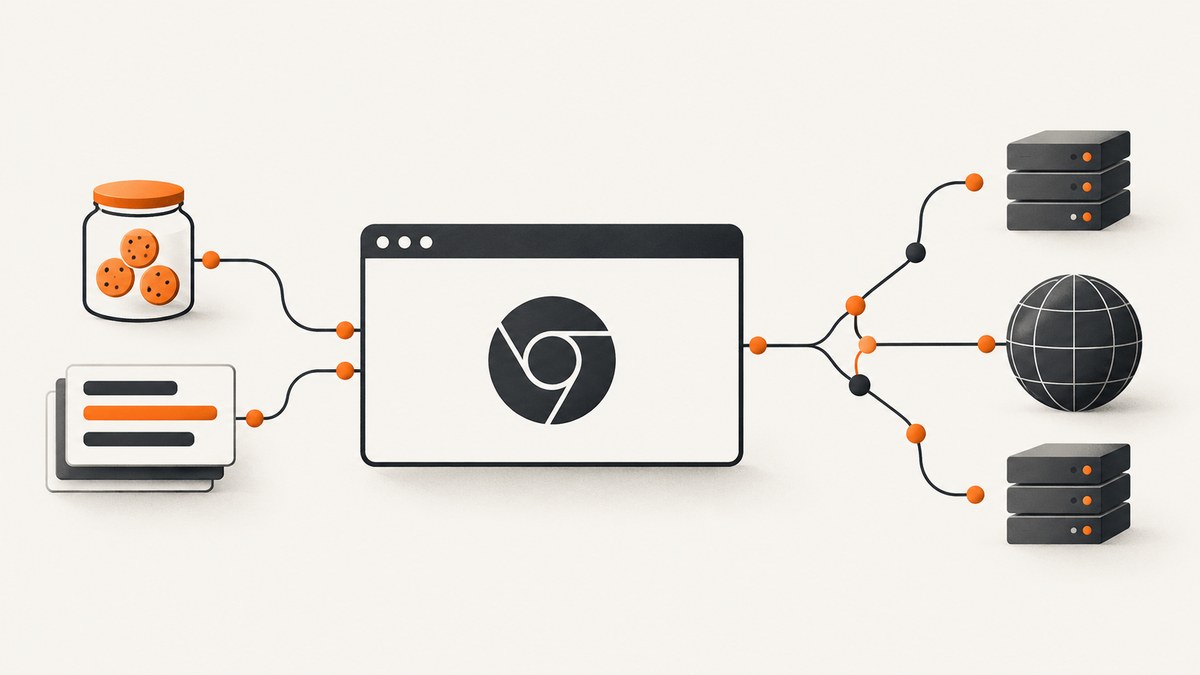
Direct answer: Enable Chrome DevTools Protocol (CDP) Network before navigation, listen for Network.requestWillBeSent and Network.requestWillBeSentExtraInfo, then join events by requestId. The extra-info event contains the raw request headers Chrome transmitted and the cookies considered for that request. Call Network.getCookies when you need the current cookie jar for one or more URLs. In Playwright, use browser-context cookie APIs for authoritative cookies because the network stack adds Cookie, Host, and Accept-Encoding immediately before sending.
What you can observe
There are three useful inspection levels:
- Wire-level CDP: the Network domain exposes requests, responses, headers, bodies, timing, redirects, and cookie metadata.
- Framework events: Playwright and Puppeteer provide readable request and response objects plus routing hooks.
- Cookie-jar APIs: browser context or CDP calls show cookies currently applicable to a URL, including attributes that explain why a cookie was not sent.
A request can have several header views. The initial requestWillBeSent event is useful for URL, method, post data, and provisional headers. requestWillBeSentExtraInfo is the authoritative place for raw transmitted headers and associated cookies. Extra-info events can arrive before or after the matching request event, so never rely on event order.
Raw CDP workflow in Node.js
The following script launches Chrome, enables Network before visiting a page, correlates both request events, and prints a redacted record. Install the client with npm install chrome-remote-interface. Adjust the Chrome executable path for your system.

const CDP = require('chrome-remote-interface');
const { spawn } = require('child_process');
(async () => {
  const chrome = spawn('google-chrome', [
    '--headless=new', '--no-sandbox', '--disable-gpu',
    '--remote-debugging-port=9222', '--user-data-dir=/tmp/cdp-profile', 'about:blank'
  ], { stdio: 'ignore' });
  let client;
  try {
    client = await CDP({ port: 9222 });
    const { Network, Page } = client;
    const records = new Map();
    const secret = /^(authorization|cookie|proxy-authorization)$/i;
    const redact = headers => Object.fromEntries(
      Object.entries(headers || {}).map(([k, v]) => [k, secret.test(k) ? '[REDACTED]' : v])
    );
    await Network.enable();
    Network.requestWillBeSent(p => {
      const r = records.get(p.requestId) || {};
      r.request = p; records.set(p.requestId, r);
    });
    Network.requestWillBeSentExtraInfo(p => {
      const r = records.get(p.requestId) || {};
      r.extra = p; records.set(p.requestId, r);
      console.log(JSON.stringify({
        id: p.requestId,
        headersSent: redact(p.headers),
        associatedCookies: (p.associatedCookies || []).map(c => ({
          name: c.cookie.name, domain: c.cookie.domain,
          path: c.cookie.path, blockedReasons: c.blockedReasons
        }))
      }, null, 2));
    });
    Network.responseReceived(p => {
      const r = records.get(p.requestId) || {};
      r.response = p; records.set(p.requestId, r);
    });
    Network.responseReceivedExtraInfo(p => {
      const r = records.get(p.requestId) || {};
      r.responseExtra = p; records.set(p.requestId, r);
    });
    await Page.enable();
    await Page.navigate({ url: 'https://example.com' });
    await new Promise(resolve => setTimeout(resolve, 3000));
    const cookies = await Network.getCookies({ urls: ['https://example.com/'] });
    console.log('Cookie jar:', cookies.cookies.map(c => ({
      name: c.name, domain: c.domain, path: c.path,
      secure: c.secure, httpOnly: c.httpOnly, sameSite: c.sameSite
    })));
  } finally {
    if (client) await client.close();
    chrome.kill();
  }
})();
Chrome DevTools Protocol Network documentation defines the Network domain and its event fields. Keep the profile isolated and redact authorization and session values before writing logs.
Why correlation by request ID matters
Redirects and concurrent subresources create many events at once. Use the exact requestId as the map key. A record may be printed when extra-info arrives and completed later when response events arrive. Do not discard an extra-info event simply because its request event has not appeared yet.
Playwright: headers, routes, and cookies
Playwright is useful when you need selectors, waits, and browser contexts in addition to network inspection. Install it with npm install playwright and npx playwright install chromium.
const { chromium } = require('playwright');
(async () => {
  const browser = await chromium.launch({ headless: true });
  const context = await browser.newContext();
  const page = await context.newPage();
  page.on('request', request => {
    const headers = { ...request.headers() };
    for (const key of ['authorization', 'cookie'])
      if (headers[key]) headers[key] = '[REDACTED]';
    console.log('request', request.method(), request.url(), headers);
  });
  page.on('response', response => console.log('response', response.status(), response.url()));
  await page.goto('https://example.com', { waitUntil: 'networkidle' });
  const cookies = await context.cookies(['https://example.com/']);
  console.log(cookies.map(({ name, domain, path, expires, secure, httpOnly, sameSite }) =>
    ({ name, domain, path, expires, secure, httpOnly, sameSite })));
  await browser.close();
})();
Playwright’s network guide explains that Cookie, Host, and Accept-Encoding can be attached immediately before sending. A cookie header passed to route.continue() is ignored in favor of the browser cookie store.
- Use
context.cookies(urls)to inspect the authoritative jar. - Use
page.on('request')or routing to observe URL, method, and framework-visible headers. - Use CDP extra-info events when you need the exact transmitted header set and associated-cookie blocked reasons.
Reading cookies after login
Authenticate inside one context, then call context.cookies(). Cookies are scoped by domain, path, Secure, SameSite, partition, and expiration. A cookie in the jar is not proof it was sent on every request; inspect associatedCookies and blocked reasons for a specific request.
Puppeteer option
Puppeteer automates Chrome over CDP and supports request and response interception. Install it with npm install puppeteer.
const puppeteer = require('puppeteer');
(async () => {
  const browser = await puppeteer.launch({ headless: true });
  const page = await browser.newPage();
  page.on('request', request => {
    const headers = { ...request.headers() };
    if (headers.cookie) headers.cookie = '[REDACTED]';
    if (headers.authorization) headers.authorization = '[REDACTED]';
    console.log(request.method(), request.url(), headers);
  });
  await page.goto('https://example.com', { waitUntil: 'networkidle2' });
  console.log(await page.cookies('https://example.com/'));
  await browser.close();
})();
Choose Puppeteer for a JavaScript-first API. Choose raw CDP when event ordering, associated cookies, response extra-info, or protocol fields matter most. Both inherit Chrome’s cookie and network policies.
Python with Playwright
Install with pip install playwright and playwright install chromium.
from playwright.sync_api import sync_playwright
with sync_playwright() as p:
    browser = p.chromium.launch(headless=True)
    context = browser.new_context()
    page = context.new_page()
    def log_request(request):
        headers = request.all_headers()
        for key in ('authorization', 'cookie'):
            if key in headers: headers[key] = '[REDACTED]'
        print(request.method, request.url, headers)
    page.on('request', log_request)
    page.goto('https://example.com', wait_until='networkidle')
    print(context.cookies(['https://example.com/']))
    browser.close()
Launching, attaching, and preserving session state
Headless mode is a runtime setting: add --headless or use a framework’s headless: true. To inspect an existing browser, start Chrome with a remote debugging port and connect a CDP client to that endpoint. An attached profile carries its active login state and cookies, so use a dedicated profile and restrict access to the debugging port. Never paste captured session cookies into issue trackers or build logs.
Options that change what you see
| Need | Use | Limit |
|---|---|---|
| Exact request headers | requestWillBeSentExtraInfo.headers |
Arrives asynchronously; join by ID. |
| Cookies for one request | associatedCookies |
Includes cookies blocked from sending. |
| Current cookie jar | Network.getCookies or context cookies |
Pass URL scope for applicable cookies. |
| Redirect chain | Store every request event by ID and URL | Each hop can differ. |
| Response Set-Cookie | responseReceivedExtraInfo |
Blocked records may appear separately. |
| Cached or service-worker traffic | Record response source and extra-info | Not every navigation is a network fetch. |
Edge cases and security
- Event races: buffer both event types; do not assume order.
- Blocked cookies: inspect blocked reasons rather than deleting a valid-looking cookie.
- Partitioned cookies: storage partition and top-level site affect applicability.
- Service workers and cache: a response may be fulfilled without a new server request.
- HTTP/2 and HTTP/3: framing differs, but CDP exposes logical headers.
- Redirects: retain per-hop records.
- Secrets: redact Cookie, Authorization, proxy credentials, and tokens at collection time.
Troubleshooting
| Symptom | Cause | Fix |
|---|---|---|
| No network events | Network enabled after navigation or wrong target | Attach to the page target and call Network.enable before navigation. |
| Missing Cookie header | Framework view omits browser-managed headers | Use CDP extra-info or inspect the context cookie jar. |
| Cookie appears but is not sent | Domain, path, Secure, SameSite, expiry, or policy mismatch | Check URL scope and associatedCookies.blockedReasons. |
| Extra-info has no matching record | Events arrived out of order | Create the map entry on either event and merge later. |
| Only the first URL is visible | Redirects or subresources were filtered | Log every request ID and URL; avoid URL-only deduplication. |
| Attached browser is logged out | Different profile or target | Use the profile that owns the session and verify the target. |
| Script hangs on close | Listeners or browser process remain alive | Close the CDP client and kill the spawned process in finally. |

Performance, reliability, and cost
Network logging is usually cheaper than page rendering, but storing every event grows quickly on media-heavy pages. Filter by URL, resource type, or request ID after collecting the fields needed for diagnosis. Keep a bounded map and delete completed records when response timing is no longer needed. Wait for a defined selector, load state, or short delay; an unlimited network-idle wait can hang on analytics or streaming connections.
For reliable captures, pin browser versions, isolate profiles, set navigation and overall timeouts, and retry only idempotent navigations. Treat authentication state as per-run data. For reproducible evidence, save the URL, timestamp, browser version, event IDs, redirect chain, and redacted headers together.
Or skip the browser setup
ScreenshotNeo provides a website screenshot API and MCP server when your goal is a clean visual capture rather than debugging every network event. One GET request returns PNG, JPEG, WebP, or PDF.
curl -G "https://api.screenshotneo.com/v1/shot" -d access_key=YOUR_API_KEY --data-urlencode url=https://stripe.com -o shot.webpimport requests
r = requests.get("https://api.screenshotneo.com/v1/shot", params={"access_key": "YOUR_API_KEY", "url": "https://stripe.com"}, timeout=90)
open("shot.webp", "wb").write(r.content)const q = new URLSearchParams({ access_key: 'YOUR_API_KEY', url: 'https://stripe.com' });
const res = await fetch(`https://api.screenshotneo.com/v1/shot?${q}`);See the ScreenshotNeo API documentation for options including full-page lazy-image loading, CSS-element capture, dark mode, device or custom viewport, retina scale, PDF paper and margins, custom CSS and JavaScript, clicks, waits, blocked requests, headers, cookies, user agent, timezone, geolocation, transparent backgrounds, resizing, caching TTL, signed links, asynchronous webhooks, bulk capture of up to 100 URLs, usage data, and an OpenAPI specification.
Consent banners, newsletter popups, and chat widgets are removed before capture, with each cleanup step switchable. Bot checks, blank pages, timeouts, failed loads, and cache hits are not billed; response headers identify the page verdict and whether it was billed. Its MCP server exposes take_screenshot, get_page_info, and capture_pdf for Claude, Cursor, and other MCP clients. The Free plan includes 1,000 screenshots each month with no card; paid plans start at $5 for 3,000. Create a free ScreenshotNeo account.
FAQ
Is requestWillBeSent enough to read the Cookie header?
No. Browser-managed headers can be attached later. Use request extra-info or cookie APIs.
Can I retrieve cookies without loading a page?
Yes. Call Network.getCookies with URL scope on an attached target whose profile contains the relevant cookie store.
Why are some associated cookies blocked?
Chrome reports policy reasons such as domain, path, Secure, SameSite, expiration, or partition rules.
Should I use CDP, Playwright, or Puppeteer?
Use CDP for wire-level fidelity, Playwright for cross-language browser workflows, and Puppeteer for a JavaScript-first Chrome API.


