How to Get an Iframe’s Inner HTML with Puppeteer
Use Puppeteer's contentFrame() and Frame APIs to extract complete iframe documents or selected innerHTML, with fixes for cross-origin and timing errors.
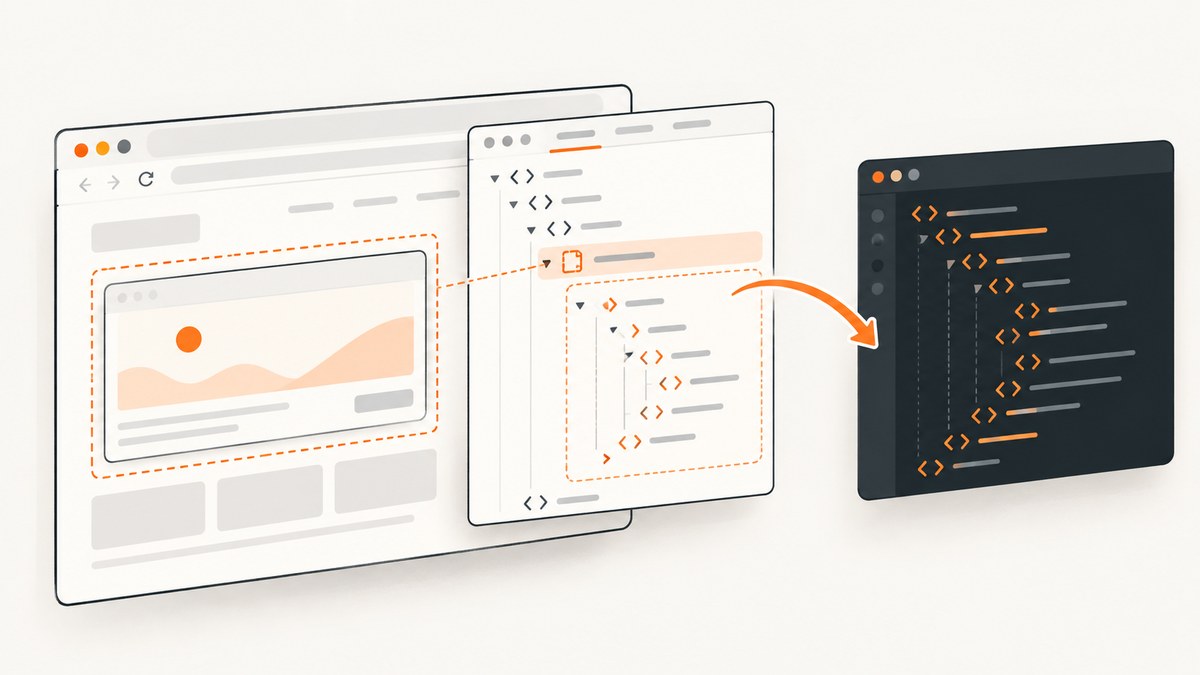
To get an iframe’s inner HTML with Puppeteer, first obtain an ElementHandle for the iframe, convert it to a Puppeteer Frame with contentFrame(), and then call frame.content() for the complete document or frame.$eval(selector, el => el.innerHTML) for one element.
const iframe = await page.waitForSelector('iframe#target');
const frame = await iframe.contentFrame();
if (!frame) throw new Error('Iframe frame is unavailable');

// Complete iframe document, including its DOCTYPE
const fullHtml = await frame.content();

// Markup inside one selected element
const bodyInnerHtml = await frame.$eval('body', el => el.innerHTML);
This distinction matters: page.content() serializes the outer page, while frame.content() serializes the document loaded inside the iframe. Puppeteer documents Frame.content() as returning the full HTML contents of the frame, including the DOCTYPE. The examples below show reliable ways to locate the frame, wait for dynamic content, handle navigation, and diagnose access failures.
1. Install Puppeteer and load the page
Create a project and install Puppeteer:
mkdir iframe-html-demo
cd iframe-html-demo
npm init -y
npm install puppeteer
The following complete script opens a page, waits for an iframe, extracts its document, and writes the result to disk.
const puppeteer = require('puppeteer');
const fs = require('node:fs/promises');

(async () => {
  const browser = await puppeteer.launch({headless: true});
  try {
    const page = await browser.newPage();
    await page.goto('https://example.com/page-with-iframe', {
      waitUntil: 'networkidle2',
      timeout: 60_000
    });

    const iframe = await page.waitForSelector('iframe#target', {
      timeout: 30_000
    });
    const frame = await iframe.contentFrame();
    if (!frame) throw new Error('The iframe has no attached content frame');

    await frame.waitForSelector('body', {timeout: 30_000});
    const html = await frame.content();
    await fs.writeFile('iframe.html', html, 'utf8');
    console.log(`Saved ${html.length} characters`);
  } finally {
    await browser.close();
  }
})();
Replace the URL and selector with values from your page. waitForSelector waits for the iframe element in the parent document; it does not guarantee that the iframe’s own application has finished rendering. Use a second wait inside the frame for the content your extraction needs.
2. Extract a selected element’s innerHTML
Use Frame.$eval() when you need the markup inside one node rather than the entire iframe document. The callback runs in the iframe’s context and the first matching element is passed to it.
const iframe = await page.waitForSelector('iframe#target');
const frame = await iframe.contentFrame();
if (!frame) throw new Error('Iframe frame is unavailable');

await frame.waitForSelector('.article');
const articleHtml = await frame.$eval(
  '.article',
  element => element.innerHTML
);
console.log(articleHtml);
For an optional element, use frame.$() and evaluate the returned handle:
const article = await frame.$('.article');
const articleHtml = article
  ? await article.evaluate(element => element.innerHTML)
  : null;

if (articleHtml === null) {
  console.log('The iframe loaded, but .article was not found');
}
innerHTML excludes the selected element’s own opening and closing tags. If you need those tags, return element.outerHTML. If you need the complete iframe document, use frame.content() instead.
3. Locate an iframe by URL or name
You do not have to start with an iframe element handle. Puppeteer exposes every attached frame through page.frames(). This is useful when the iframe has no stable CSS selector but has a recognizable URL or name.
const frame = page.frames().find(frame =>
  frame.url().includes('/embedded-form')
);
if (!frame) throw new Error('Embedded frame not found');

await frame.waitForSelector('form');
const formHtml = await frame.$eval('form', el => el.innerHTML);
You can also match by frame name:
const frame = page.frames().find(frame => frame.name() === 'checkout');
if (!frame) throw new Error('Named frame not found');
const html = await frame.content();
Frame URLs can change after redirects, so match a stable path or inspect the frame list while debugging:
for (const frame of page.frames()) {
  console.log({name: frame.name(), url: frame.url()});
}
4. Wait for the DOM state you actually need
Iframe content is often created after the parent page loads. A payment widget, editor, or embedded report may navigate several times before its final DOM exists. Use explicit waits for a meaningful selector rather than relying only on a fixed delay.
const iframe = await page.waitForSelector('iframe#target');
let frame = await iframe.contentFrame();
if (!frame) throw new Error('No frame yet');

await frame.waitForSelector('[data-loaded="true"]', {timeout: 45_000});
const html = await frame.content();
If the iframe navigates, the old frame or element handles may no longer represent the current document. Reacquire the iframe and frame after navigation:
await page.waitForSelector('iframe#target');
let iframe = await page.$('iframe#target');
let frame = iframe ? await iframe.contentFrame() : null;
if (!frame) throw new Error('Frame disappeared during navigation');

await frame.waitForNavigation({waitUntil: 'domcontentloaded', timeout: 30_000}).catch(() => {});

iframe = await page.$('iframe#target');
frame = iframe ? await iframe.contentFrame() : null;
if (!frame) throw new Error('Frame was detached; reacquisition failed');
const html = await frame.content();
In many cases, listening for frame events gives clearer diagnostics:
page.on('frameattached', frame => console.log('attached', frame.url()));
page.on('framenavigated', frame => console.log('navigated', frame.url()));
page.on('framedetached', frame => console.log('detached', frame.url()));
5. Understand same-origin and cross-origin limits
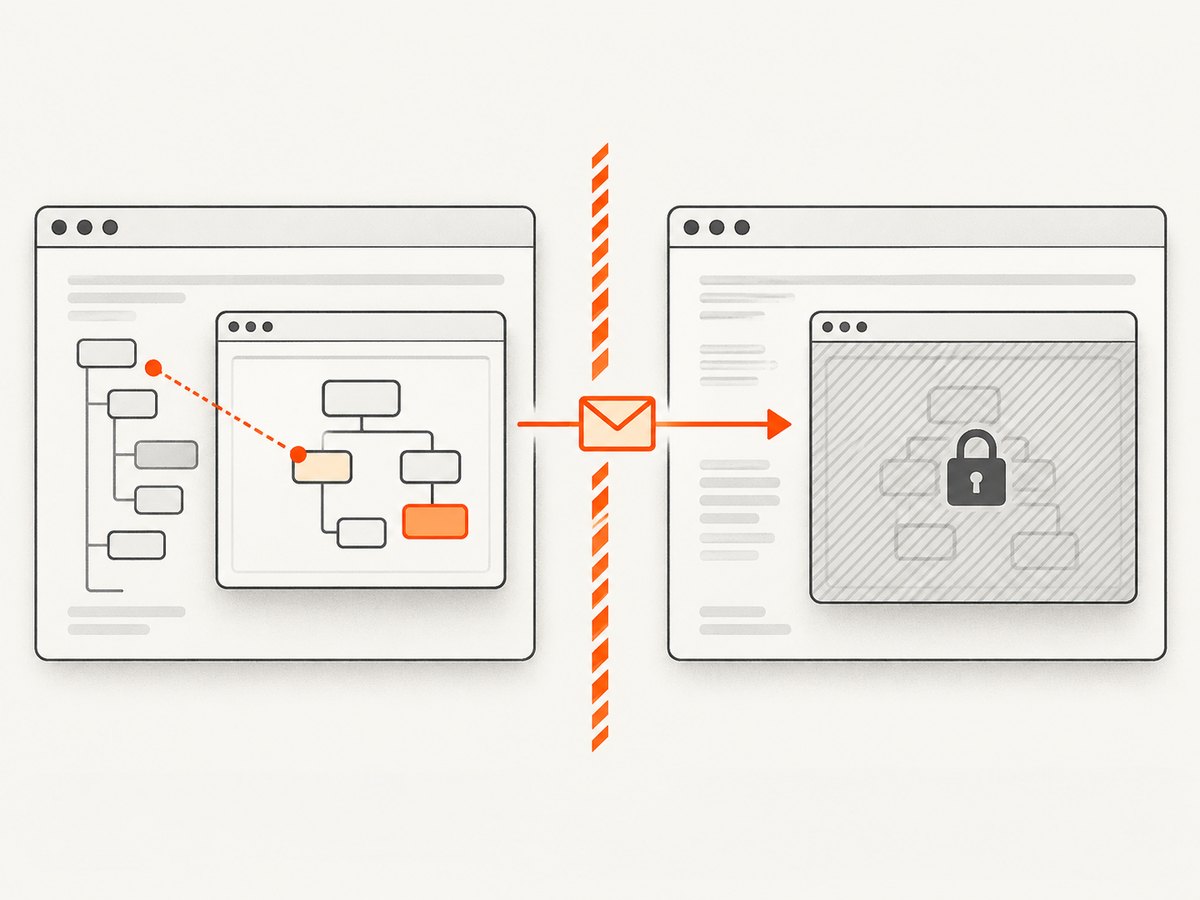
Browser security still applies in Puppeteer. A same-origin iframe can normally be queried through its Puppeteer Frame. A cross-origin iframe can be visible and navigable while its DOM remains protected by the same-origin policy. MDN documents that an iframe’s contentDocument is available only when the iframe and parent are same-origin, and that cross-origin communication can use Window.postMessage().

When the frame is cross-origin, a null result or access error is not fixed by changing the selector. Choose an architecture that the embedded application supports:
- Ask the embedded application to expose the required data through a server-side endpoint.
- Have code running in the iframe send a restricted payload to the parent with
postMessage. - Automate the iframe in its own page or browser context when you are authorized to do so.
- Capture the rendered page as an image or PDF when you need visual output rather than DOM markup.
Do not treat disabling browser security flags as a production solution. It changes the security model and can expose unrelated pages or credentials.
6. Static HTML versus JavaScript-rendered HTML
frame.content() returns the current serialized DOM after scripts have modified it. It is not necessarily the original response body. If a framework renders a loading shell and later inserts content, wait for the inserted node first. If you need the original network response, capture that response separately with Puppeteer’s request or response events; that is a different artifact from the live DOM.
await frame.waitForFunction(() => {
  const node = document.querySelector('.results');
  return node && node.children.length > 0;
});
const renderedHtml = await frame.content();
7. Common errors and fixes
| Error or symptom | Likely cause | Fix |
|---|---|---|
contentFrame() returns null |
The element is not an iframe, has not attached a document, or is being replaced. | Confirm the selector, wait for the iframe, then reacquire the element and call contentFrame() again. |
Waiting for selector timed out |
The selector is wrong, content is delayed, or the iframe never loaded. | Log page.frames(), inspect the iframe URL, increase the timeout for a known slow page, and wait for a stable child selector. |
| Empty or incomplete HTML | Extraction ran before client-side rendering completed. | Wait for a content-specific selector or condition instead of using only networkidle2. |
Execution context was destroyed |
The frame navigated while an evaluation was running. | Wait for navigation to settle and reacquire the frame and element handles. |
| Frame disappears | The site replaces the iframe during login, consent, or a redirect. | Listen for framedetached/framenavigated and locate the replacement frame by selector, URL, or name. |
| Cross-origin access failure | Same-origin policy blocks DOM access. | Use an application-controlled postMessage protocol, an API, separate automation, or visual capture. |
| Only the outer iframe tag is returned | page.content() was used. |
Convert the iframe handle with contentFrame() and call frame.content(). |
8. Production reliability and performance
- Use narrow selectors. Extracting one element with
$evalavoids serializing a very large document. - Set bounded timeouts. A failed embed should produce a useful error instead of keeping a worker busy indefinitely.
- Reuse the browser process carefully. Reusing a launched browser reduces startup cost, while creating a fresh page per job prevents state from leaking between URLs.
- Close pages in a finally block. This prevents abandoned tabs from consuming memory during repeated jobs.
- Retry transient navigation failures. Recreate the page or frame between attempts; do not reuse handles from a failed navigation.
- Record frame metadata. Save the frame URL, name, timing, and selected selector with the extracted result so failures are diagnosable.
- Limit concurrency. Many simultaneous Chromium pages can exhaust CPU, memory, file descriptors, or the target site’s rate limits.
9. Or skip the browser setup
If your goal is a screenshot or PDF of a page containing an iframe rather than DOM extraction, ScreenshotNeo provides a single HTTP request. Its capture options cover full-page output, element selection, waiting, custom JavaScript and CSS, headers, cookies, user agents, device presets, PDF settings, caching, and more. See the ScreenshotNeo API documentation for parameters.
curl -G "https://api.screenshotneo.com/v1/shot" -d access_key=YOUR_API_KEY --data-urlencode url=https://stripe.com -o shot.webpimport requests
r = requests.get(
"https://api.screenshotneo.com/v1/shot",
params={"access_key": "YOUR_API_KEY", "url": "https://stripe.com"},
timeout=90,
)
r.raise_for_status()
open("shot.webp", "wb").write(r.content)const q = new URLSearchParams({ access_key: 'YOUR_API_KEY', url: 'https://stripe.com' });
const res = await fetch(`https://api.screenshotneo.com/v1/shot?${q}`);
if (!res.ok) throw new Error(`Screenshot failed: ${res.status}`);
const bytes = Buffer.from(await res.arrayBuffer());
require('node:fs').writeFileSync('shot.webp', bytes);Cookie banners, newsletter popups, and chat widgets are removed before the shot. Bot checks, blank pages, failed loads, timeouts, and cache hits are not billed, and response headers identify the page verdict and billing result. ScreenshotNeo also has an MCP server so Claude, Cursor, and other MCP clients can take screenshots through take_screenshot, inspect pages with get_page_info, and create PDFs with capture_pdf. The Free plan includes 1,000 screenshots per month with no card; paid plans start at $5 for 3,000 shots. Create a free ScreenshotNeo account.
10. FAQ
Does frame.content() include the iframe DOCTYPE?
Yes. It returns the full serialized frame document, including the DOCTYPE.
How do I get only the body markup?
Call frame.$eval('body', element => element.innerHTML).
Can I use a selector from the parent page inside the iframe?
No. Frame selectors run inside that frame. First obtain the correct Frame, then query it.
Why does the HTML differ from View Source?
View Source shows the response HTML. Puppeteer serializes the live DOM after JavaScript, user interaction, redirects, and rendering changes.
What should I do when the iframe is cross-domain?
Follow the embedded application’s supported integration: an API, postMessage, separate automation context, or visual capture. The same-origin policy cannot be bypassed with a different Puppeteer selector.
11. Practical checklist
- Wait for the iframe element.
- Call
contentFrame()and check fornull. - Wait inside the frame for the content you need.
- Use
frame.content()for the complete document. - Use
frame.$eval()for one element’sinnerHTML. - Reacquire handles after frame navigation or replacement.
- Confirm that same-origin rules permit DOM access.
- Bound timeouts, close pages, and log frame metadata in production.
The core pattern is small: iframe handle → contentFrame() → frame.content() or frame.$eval(). Most failures come from timing, frame replacement, or browser origin boundaries, so make those conditions explicit in the automation.


