How to Get Values From Disabled Inputs in WebDriver
Read a disabled input’s live value in Selenium with property APIs, verify its state, handle frames and custom controls, and troubleshoot common failures.

Yes. Selenium/WebDriver can read the current value of a disabled input. A disabled element cannot be edited or used for normal interaction, but it can still be located and queried. Read its live DOM value property, then check the disabled state separately with is_enabled(), isEnabled(), or the equivalent method for your language binding.
from selenium.webdriver.common.by import By

field = driver.find_element(By.ID, "account")
value = field.get_property("value")
assert field.is_enabled() is False
print(value)
This distinction matters because an HTML attribute and a live DOM property can contain different data. If page JavaScript changed the field after loading, the property is normally the value your test needs.
1. The short answer: read the DOM property
Use the property-specific method supplied by your Selenium binding:
| Binding | Current value | Disabled check |
|---|---|---|
| Python | get_property("value") |
is_enabled() |
| Java | getDomProperty("value") |
isEnabled() |
| JavaScript | getProperty("value") |
isEnabled() |
| .NET | Use the property API documented for your Selenium version | Use the binding’s enabled-state method |
Selenium’s element-information guide documents enabled-state checks and textbox value access. The Python and JavaScript WebElement APIs document separate methods for DOM properties and DOM attributes: Selenium element information, Python WebElement API, and JavaScript WebElement API.
2. Property versus attribute: why values appear wrong
An input commonly has both:
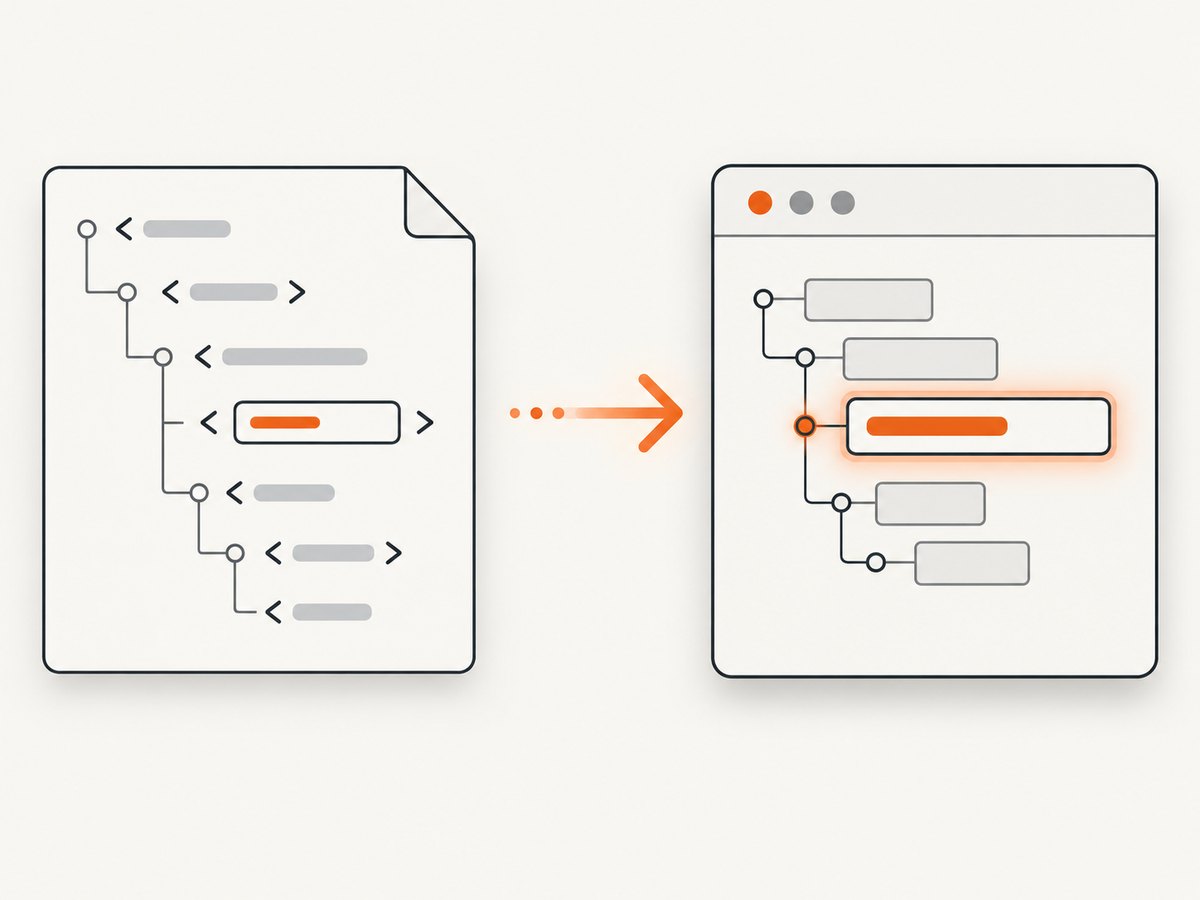
- DOM property: the current in-memory value, including changes made by typing or page JavaScript.
- HTML attribute: the value declared in the markup, often representing the initial or default value.
<input id="account" value="initial@example.test" disabled>If JavaScript later assigns element.value = "updated@example.test", the live property changes. The original markup attribute may still be initial@example.test. For a test asking “what value is displayed or currently held?”, use the property.
current = field.get_property("value")
markup_value = field.get_dom_attribute("value")

print("current:", current)
print("markup:", markup_value)
get_attribute("value") is a convenient compatibility method, but its exact property-versus-attribute behavior is binding-specific. Use get_property/getDomProperty when precision is important, and use get_dom_attribute when you explicitly want the HTML attribute.
3. Python Selenium: complete example
Install Selenium, start a driver, navigate to the page, locate the input, and read its property. The disabled state does not require a special locator.
from selenium import webdriver
from selenium.webdriver.common.by import By
from selenium.webdriver.chrome.options import Options

options = Options()
options.add_argument("--headless=new")
driver = webdriver.Chrome(options=options)

try:
    driver.get("https://example.test/account")
    field = driver.find_element(By.ID, "account")

    value = field.get_property("value")
    disabled = not field.is_enabled()

    print(f"value={value!r}")
    assert disabled, "The field was expected to be disabled"
    assert value == "account-123"
finally:
    driver.quit()
For dynamic pages, wait for presence or visibility before reading. Presence is sufficient when the value is set in the DOM and the element need not be painted.
from selenium.webdriver.support.ui import WebDriverWait
from selenium.webdriver.support import expected_conditions as EC

field = WebDriverWait(driver, 15).until(
    EC.presence_of_element_located((By.CSS_SELECTOR, "input[name='account']"))
)
value = field.get_property("value")
If a framework fills the field after an API response, wait for a non-empty property rather than only waiting for the element to exist:
field = WebDriverWait(driver, 15).until(
    lambda d: d.find_element(By.ID, "account")
    if d.find_element(By.ID, "account").get_property("value")
    else False
)
value = field.get_property("value")
4. Java Selenium
import org.openqa.selenium.By;
import org.openqa.selenium.WebDriver;
import org.openqa.selenium.WebElement;
import org.openqa.selenium.chrome.ChromeDriver;

public class DisabledValue {
    public static void main(String[] args) {
        WebDriver driver = new ChromeDriver();
        try {
            driver.get("https://example.test/account");
            WebElement field = driver.findElement(By.id("account"));

            String value = field.getDomProperty("value");
            boolean enabled = field.isEnabled();

            System.out.println(value);
            if (enabled) {
                throw new AssertionError("Expected the input to be disabled");
            }
        } finally {
            driver.quit();
        }
    }
}
getDomProperty expresses the intent clearly. If your Selenium version predates that method, check the installed binding’s API and use its documented property equivalent rather than assuming that an attribute call always means the live value.
5. JavaScript Selenium
const { Builder, By } = require('selenium-webdriver');

(async function readDisabledValue() {
  const driver = await new Builder().forBrowser('chrome').build();
  try {
    await driver.get('https://example.test/account');
    const field = await driver.findElement(By.id('account'));

    const value = await field.getProperty('value');
    const enabled = await field.isEnabled();

    console.log({ value, enabled });
    if (enabled) throw new Error('Expected a disabled input');
  } finally {
    await driver.quit();
  }
})();
A JavaScript fallback is to execute the property read in the page context:
const value = await driver.executeScript(
  'return arguments[0].value;',
  field
);
The direct property API is preferable when available because it makes the requested DOM concept explicit.
6. Edge cases developers commonly miss
Disabled is different from readonly
readonly prevents editing for controls that support it; disabled is the state reported by WebDriver’s enabled check. Either state can coexist with a readable current value. Assert the state you actually require instead of inferring it from the value.
The element is inside an iframe
Switch into the frame before locating the input, then switch back when finished:
driver.switch_to.frame(driver.find_element(By.CSS_SELECTOR, "iframe#billing"))
field = driver.find_element(By.ID, "account")
value = field.get_property("value")
driver.switch_to.default_content()
The element is inside a shadow root
Locate the host, obtain its shadow root, and query within that root. A document-level locator cannot see nodes inside a shadow tree.
host = driver.find_element(By.CSS_SELECTOR, "account-widget")
root = host.shadow_root
field = root.find_element(By.CSS_SELECTOR, "input")
value = field.get_property("value")
Custom controls may not store data in an input
A visual control built from div elements may expose its state through text, aria-* attributes, hidden inputs, or framework state. Inspect the DOM and identify the actual source of truth. Calling value on a non-input element can return an empty or irrelevant result.
Stale elements and changing values
If a reactive framework replaces the node, the stored WebElement becomes stale. Locate it again immediately before reading, or retry the locator after the update. Read the property after the application has finished assigning it; a disabled field can still be updated programmatically.
7. Troubleshooting checklist
| Symptom | Likely cause | Fix |
|---|---|---|
| Returned the initial value | Read the HTML attribute | Use get_property("value") or the binding equivalent |
| Element not found | Wrong locator, iframe, or shadow root | Verify the selector and browsing context |
is_enabled() is true |
The element is readonly, or disabled state is applied to another node | Inspect the target’s disabled property and assert the correct element |
| Empty value | Value is populated asynchronously or stored elsewhere | Wait for the property to change; inspect custom-control markup |
| StaleElementReferenceException | Framework replaced the element | Find the element again after the update |
Unexpected null |
Binding returned no property or target is not a form control | Check the tag and use JavaScript execution as a diagnostic |
When debugging, print the tag name, property, attribute, and relevant state together:
print(field.tag_name)
print(field.get_property("value"))
print(field.get_dom_attribute("value"))
print(field.get_property("disabled"))
print(field.is_enabled())
8. Reliability, performance, and test design
- Prefer one lookup and one property read. Repeated DOM calls add remote-driver round trips and make timing failures more likely.
- Wait on the condition you assert. Waiting for presence does not prove that application code has populated the value.
- Keep state assertions separate. A test can fail because the value is wrong or because the control is enabled; separate assertions make the cause clear.
- Use stable locators. IDs, names, and dedicated data-test attributes are generally less fragile than layout selectors.
- Capture diagnostics on failure. Save page source, the current URL, and a screenshot so iframe, overlay, and replacement issues are visible.
Reading a property is normally cheap compared with page navigation, but remote Selenium sessions still pay network latency for each command. Batch related assertions where practical and avoid polling at sub-millisecond intervals. Do not use JavaScript to bypass application behavior merely to make a test pass; use it to inspect state when the standard API cannot express the custom control.
9. Or skip the browser setup
If your goal is to capture the page for a visual record, documentation, or an AI workflow rather than interact with the disabled field, ScreenshotNeo provides a single screenshot request. Its clean capture accepts consent banners before the shot and removes more than 60 known consent platforms, newsletter popups, and chat widgets. Bot checks, blank pages, timeouts, failed loads, and cache hits are not billed, and response headers identify the page verdict and billing status.
See the ScreenshotNeo API documentation for all options.
curl -G "https://api.screenshotneo.com/v1/shot" -d access_key=YOUR_API_KEY --data-urlencode url=https://stripe.com -o shot.webpimport requests
r = requests.get("https://api.screenshotneo.com/v1/shot", params={"access_key": "YOUR_API_KEY", "url": "https://stripe.com"}, timeout=90)
open("shot.webp", "wb").write(r.content)const q = new URLSearchParams({ access_key: 'YOUR_API_KEY', url: 'https://stripe.com' });
const res = await fetch(`https://api.screenshotneo.com/v1/shot?${q}`);You can also use its MCP server with Claude, Cursor, or another MCP client through take_screenshot, get_page_info, and capture_pdf. Other options include full-page and element capture, device presets, custom viewport and retina scale, waits, custom JavaScript and CSS, request blocking, cookies and headers, geolocation, caching, signed links, asynchronous webhooks, bulk capture, and PDF output.
The Free plan includes 1,000 screenshots per month with no card. Paid plans start at $5 for 3,000 shots, and every feature is available on every plan. Create your free ScreenshotNeo account.
10. FAQ
Can I read a disabled input without enabling it first?
Yes. Locate it and read its DOM property. Enabling it changes application state and is unnecessary for inspection.
Should I use get_attribute("value")?
It can work as a convenience call, but property-specific methods communicate that you need the live value and avoid binding-specific ambiguity.
Does a disabled input submit its value?
Submission behavior is an HTML form concern separate from WebDriver property access. Test submission semantics independently from reading the DOM value.
What if the value is masked?
Password inputs still expose their current DOM value to WebDriver when the page has set one, subject to your test environment and application behavior.
Can ScreenshotNeo inspect the DOM value?
ScreenshotNeo captures rendered pages and provides page information tools; use Selenium or another browser automation API when you need a specific element property for an assertion.


