How to Get a YouTube Thumbnail Online
Get a YouTube thumbnail online by finding its image URL in the video’s YouTube Data API metadata, then open or save the image. See how to choose a size and change your own thumbnail.

To get an existing YouTube thumbnail online, retrieve the video’s resource with the YouTube Data API, find an image URL under snippet.thumbnails, and open that returned URL in a browser. Save the image from the browser if you need a local copy. Choose from the sizes the API actually returns: a maxres thumbnail is not available for every video.
If you want to change a thumbnail on a video you manage, use YouTube Studio instead. Retrieving an image and setting a custom thumbnail are different tasks.
1. Get a thumbnail online in a browser
- Find the video on YouTube and copy its URL or video ID.
- For the official, data-driven route, request the video resource using the YouTube Data API.
- In the response, open
snippet.thumbnails. Choose an image URL that is actually present, preferring a larger available variant if that matters to your use. - Open the selected URL in your browser. To keep a copy, use the browser’s normal image-save action.
The API describes thumbnails as URLs alongside optional width and height values. It does not guarantee that every size exists for every video, and dimensions may be omitted. Do not rely on a guessed URL assembled from a video ID: use the URL returned in the video metadata. YouTube Data API videos resource reference.
2. Retrieve the thumbnail with the YouTube Data API
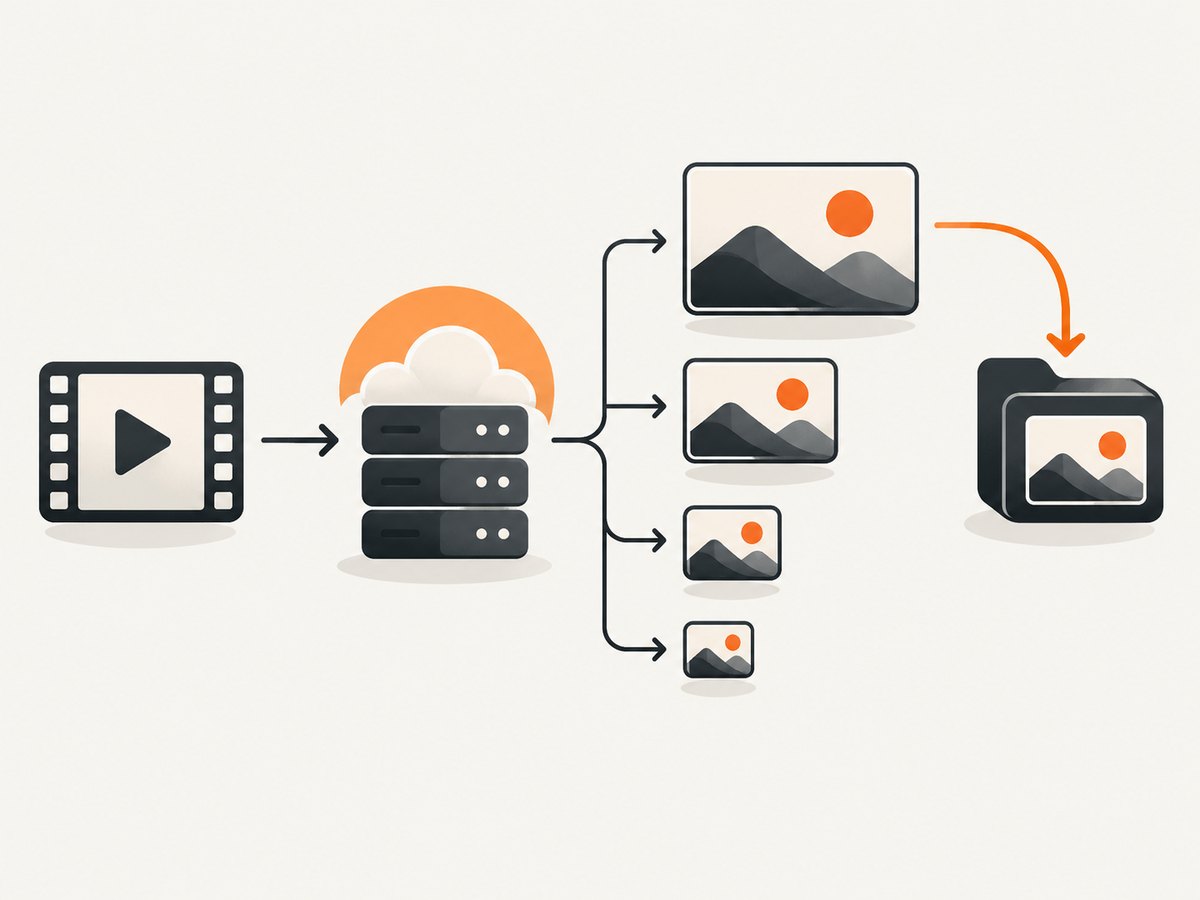
The API route is useful when you need a repeatable workflow, want to inspect available sizes, or are processing videos in code. You need a Google API key configured for YouTube Data API v3, the video ID, and the videos.list endpoint. The part=snippet parameter requests the metadata containing thumbnails.
Find the video ID
For a standard watch URL such as https://www.youtube.com/watch?v=VIDEO_ID, the value after v= is the video ID. Short links and embed URLs have different shapes, so extract the ID according to the URL form you have; avoid passing the whole page URL where the API expects a video ID.
cURL example
curl --get 'https://www.googleapis.com/youtube/v3/videos' \
  --data-urlencode 'part=snippet' \
  --data-urlencode 'id=VIDEO_ID' \
  --data-urlencode 'key=YOUR_API_KEY'
The response is JSON. A video result has thumbnail variants under items[0].snippet.thumbnails. Use a returned url value; do not assume a fixed URL template or a particular variant.
Python example
import os
import requests

api_key = os.environ["YOUTUBE_API_KEY"]
video_id = "VIDEO_ID"

response = requests.get(
    "https://www.googleapis.com/youtube/v3/videos",
    params={"part": "snippet", "id": video_id, "key": api_key},
    timeout=30,
)
response.raise_for_status()
data = response.json()

items = data.get("items", [])
if not items:
    raise SystemExit("No video metadata returned; check the ID and access.")

thumbnails = items[0]["snippet"].get("thumbnails", {})
preference = ("maxres", "standard", "high", "medium", "default")
chosen = next((thumbnails[name] for name in preference if name in thumbnails), None)
if chosen is None:
    raise SystemExit("The response contains no thumbnail variants.")

print("Thumbnail URL:", chosen["url"])
print("Dimensions:", chosen.get("width"), "x", chosen.get("height"))
Set YOUTUBE_API_KEY in the environment before running the script. The example prints a URL and reported dimensions; open the URL in a browser or make a separate HTTP request to save the image. Keep the API key out of public source code and client-side pages.
Node.js example
const apiKey = process.env.YOUTUBE_API_KEY;
const videoId = "VIDEO_ID";

if (!apiKey) throw new Error("Set YOUTUBE_API_KEY first");

const params = new URLSearchParams({
  part: "snippet",
  id: videoId,
  key: apiKey,
});

const response = await fetch(
  `https://www.googleapis.com/youtube/v3/videos?${params}`
);
if (!response.ok) {
  throw new Error(`YouTube API request failed: ${response.status}`);
}

const data = await response.json();
const video = data.items?.[0];
if (!video) throw new Error("No video metadata returned; check the ID");

const thumbnails = video.snippet?.thumbnails ?? {};
const chosen = ["maxres", "standard", "high", "medium", "default"]
  .map((size) => thumbnails[size])
  .find(Boolean);

if (!chosen) throw new Error("No thumbnail variants in the response");
console.log(chosen.url, chosen.width, chosen.height);
This uses the built-in fetch available in current Node.js releases. The script selects the largest named variant among those returned, based on the API’s documented size labels. It does not claim that every video offers all five.
3. Which YouTube thumbnail size should you choose?
The video resource reference gives typical dimensions for the named variants. Treat these as documented typical sizes, not promises that each video has every option.
| Variant | Typical dimensions | When to choose it |
|---|---|---|
default |
120 × 90 | Small previews where file size matters more than detail. |
medium |
320 × 180 | A modest preview for a page or list. |
high |
480 × 360 | A larger available image when higher variants are absent. |
standard |
640 × 480 | Use if returned and suitable for the intended display. |
maxres |
1280 × 720 | The largest documented variant when the response includes it. |
Variant names do not mean that every source video was uploaded at the same resolution. If your preferred name is absent, choose another returned entry and inspect its URL and dimensions. For a page that displays many thumbnails, use the smallest returned image that still looks clear at its rendered size.
4. Save the image or use its URL
For a one-off download, open the returned image URL and use the browser’s save-image command. In an application, you can request the image URL and store the response bytes, subject to the access rules and terms that apply to your use. Check the response status and content type before treating a response as an image, and handle network errors rather than writing an incomplete file.
Keep the API metadata lookup separate from the image retrieval step: the first response tells you which thumbnail URL is available; the URL is the image resource to open or retrieve. A response may offer a smaller variant only. Your code should not silently substitute an invented larger URL when the wanted variant is missing.
5. Change a thumbnail on your own video
If you own or manage the video and want a different thumbnail, use the documented YouTube Studio workflow:

- Open YouTube Studio and go to Content.
- Select the video to edit.
- Upload a custom image or choose a suggested thumbnail, if offered.
- Save the change.
Custom thumbnail access and uploads are subject to account eligibility, upload constraints, and YouTube policies. YouTube Help describes JPG and PNG support and recommends a 16:9 aspect ratio for videos. Published size limits depend on upload context: desktop permits up to 50 MB for video, Shorts, and podcast thumbnails; mobile permits 2 MB for video thumbnails and 10 MB for podcast thumbnails. Vertical videos with 16:9 custom thumbnails may appear with an auto-generated 4:5 thumbnail on some surfaces. Check the current YouTube Help guidance for custom thumbnails before preparing an upload.
The API method named thumbnails.set is for setting a custom thumbnail, not retrieving one. It requires authorization, a video ID, and image content; its documented maximum is 50 MB and accepted media types include JPEG, PNG, and application/octet-stream. See the thumbnails.set reference if you are building an authorized upload flow.
6. Troubleshooting
| Symptom | Likely cause | What to do |
|---|---|---|
No item in items |
The ID is malformed, the video cannot be returned, or the request parameters are wrong. | Check that you extracted only the video ID; confirm part=snippet and inspect the API error response. |
maxres is missing |
That variant is not available for this resource. | Select another key actually present, such as high or medium. |
| Width or height is absent | The API may omit dimension properties. | Use the URL and available variants; do not make dimensions mandatory in parsing code. |
| API returns an authorization or key error | The key is missing, invalid, restricted incorrectly, or the API is not enabled for the project. | Review the Google API project configuration and keep the key server-side. Read the returned error details. |
| Request quota or rate error | The project’s API quota or request limits were reached. | Reduce duplicate lookups, cache metadata appropriately for your application, and consult the current API quota guidance. |
| Image URL fails to load | Transient network failure, a copied URL was truncated, or the response is not the expected image. | Copy the complete URL from JSON, retry transient failures with a bounded retry policy, and check status and content type. |
| Saved image is too small | A smaller returned variant was selected, or no larger variant was exposed. | Inspect the available keys and dimensions. There may be no larger API-provided choice for that video. |
| Creator cannot upload a custom image | Feature eligibility, file format, size, or policy requirements may not be met. | Check current YouTube Studio eligibility and the upload requirements in YouTube Help. |
7. Performance, reliability, and cost
A metadata lookup followed by an image request is at least two network operations when you download programmatically. Avoid repeating the metadata request for the same video unnecessarily; cache the chosen variant and metadata for a period appropriate to your application, and be prepared to refresh if retrieval fails. Do not bake assumptions about available variants into the cache schema: store the variants the response actually provided.
Set finite request timeouts, check HTTP status codes, and handle empty results and missing fields. For batch workflows, process videos in bounded batches and respect the API’s quota and applicable terms. API quota allocation and policies can change, so consult Google’s current documentation rather than assuming a fixed cost or request allowance. A browser-only lookup avoids writing code, while API retrieval is more repeatable and can be automated.
8. Or skip the browser setup
If your task is capturing a webpage rather than retrieving a YouTube thumbnail, ScreenshotNeo is a website screenshot API and MCP server. One GET request returns a screenshot or PDF. Its clean-shot flow can accept cookie banners and remove 60+ known consent platforms, newsletter popups, and chat widgets before capture; individual steps can be turned off. Bot checks, blank pages, timeouts, failed loads, and cache hits cost nothing, and response headers identify the page verdict and billing status. Its MCP server offers take_screenshot, get_page_info, and capture_pdf for AI agents.
For API options and configuration, see the ScreenshotNeo documentation.
curl -G "https://api.screenshotneo.com/v1/shot" -d access_key=YOUR_API_KEY --data-urlencode url=https://stripe.com -o shot.webpPython:
import requests
r = requests.get("https://api.screenshotneo.com/v1/shot", params={"access_key": "YOUR_API_KEY", "url": "https://stripe.com"}, timeout=90)
open("shot.webp", "wb").write(r.content)
Node.js:
const q = new URLSearchParams({ access_key: 'YOUR_API_KEY', url: 'https://stripe.com' });
const res = await fetch(`https://api.screenshotneo.com/v1/shot?${q}`);
Cookie banners, popups, and chat widgets are removed before the shot; bot checks, blank pages, and failed loads are never billed; an MCP server lets AI agents take screenshots; and 1,000 screenshots a month are free with no card, with paid plans starting at $5 for 3,000. Sign up for 1,000 free screenshots a month.
9. FAQ
Can I get a thumbnail for any YouTube video?
You can request metadata for a video the API can return, but available thumbnail variants can differ. Use the URLs present in that resource.
Does the YouTube API provide the original uploaded thumbnail file?
The resource exposes thumbnail image URLs and documented variants. Do not assume that a returned variant is the creator’s original upload file.
Can I use a downloaded thumbnail anywhere?
Access to an image does not by itself grant reuse rights. Consider the rights and permissions relevant to your intended use.
Can I replace another creator’s thumbnail?
Changing a thumbnail is a creator workflow for a video you manage, subject to YouTube’s access and eligibility rules. Use YouTube Studio for your own video.


