Go vs. Python for Web Scraping: Concurrency, Speed, and Ecosystem
Compare Go and Python for web scraping with runnable code, concurrency patterns, browser rendering, ecosystem trade-offs, and production guidance.
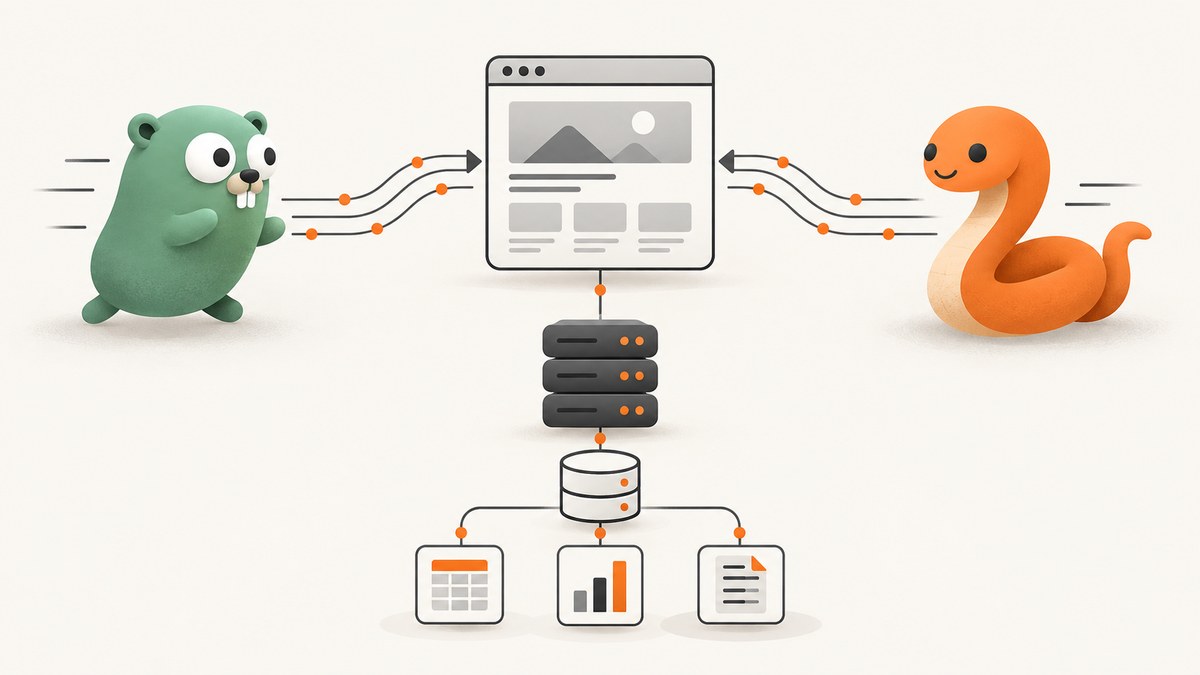
Short answer: choose Python when Scrapy’s crawl model, JavaScript rendering integrations, and production extensions reduce engineering time. Choose Go when you need a compact concurrent service, precise control over goroutines and channels, and your team is comfortable assembling scraping components. Neither language is automatically faster for every crawl. End-to-end speed is usually limited by the target site, network latency, throttling, parsing, CPU, memory, or storage.
This guide compares the two languages for real crawlers, shows complete implementations, explains how to tune concurrency safely, and covers browser-rendered pages, reliability, costs, and ecosystem choices.
1. The decision in one minute
| Requirement | Better starting point | Reason |
|---|---|---|
| Structured multi-page crawl with retries, throttling and pipelines | Python + Scrapy | Scheduling, downloader slots, per-domain limits and item pipelines are already integrated. |
| Small HTTP extraction service with bounded parallel workers | Go | Goroutines, channels, cancellation and a static binary provide direct operational control. |
| JavaScript-heavy pages | Python + scrapy-playwright | The documented integration routes selected requests through a real browser. |
| Existing Python data and ML stack | Python | Parsing, validation and downstream analysis stay in one ecosystem. |
| Minimal container image and predictable resource use | Go | A compiled service can package client, parser and worker logic in one binary. |
Go’s language FAQ describes goroutines and channels as built-in concurrency primitives (Go FAQ). Scrapy exposes global and per-domain concurrency limits and download delays (Scrapy settings). The practical choice follows the workload and the team’s maintenance capacity.
2. What actually determines scraping speed?
Measure a complete crawl rather than a synthetic loop that fires requests at a fast local server. Scrapy’s optimization guidance states that “a crawl goes as fast as its slowest part allows” (optimization documentation). The slowest part can be:

- Target capacity: server-side rate limits, queueing, 429 responses or deliberate delays.
- Network: DNS, TLS setup, geographic distance and connection reuse.
- Downloader: connection pools, per-host slots and timeout settings.
- Parsing: HTML traversal, JSON decoding, regular expressions or browser execution.
- CPU and memory: compression, large DOMs, image responses or too many in-flight pages.
- Storage: database locks, indexing, object uploads and downstream APIs.
Concurrency helps only when independent work can overlap. Lock contention, a saturated target, or a single-threaded parser can erase the gain. Scrapy warns that exceeding a site’s safe rate can result in throttling, errors or bans, making the crawl slower than a lower concurrency (per-domain concurrency guidance). Increase limits gradually while watching latency, status codes and retry counts.
3. Go’s concurrency model for a scraper
A robust Go scraper normally uses a bounded worker pool. A producer sends URLs to a channel, workers fetch and parse them, and a context cancels the crawl on shutdown or deadline. Keep the HTTP client shared so its transport can reuse connections.
Runnable Go example
package main

import (
    "context"
    "encoding/json"
    "fmt"
    "io"
    "net/http"
    "strings"
    "sync"
    "time"

    "golang.org/x/net/html"
)

type Result struct {
    URL   string `json:"url"`
    Title string `json:"title,omitempty"`
    Err   string `json:"error,omitempty"`
}

func titleFromHTML(body []byte) string {
    doc, err := html.Parse(strings.NewReader(string(body)))
    if err != nil { return "" }
    var walk func(*html.Node) string
    walk = func(n *html.Node) string {
        if n.Type == html.ElementNode && n.Data == "title" && n.FirstChild != nil {
            return strings.TrimSpace(n.FirstChild.Data)
        }
        for c := n.FirstChild; c != nil; c = c.NextSibling {
            if v := walk(c); v != "" { return v }
        }
        return ""
    }
    return walk(doc)
}

func worker(ctx context.Context, client *http.Client, jobs <-chan string, out chan<- Result, wg *sync.WaitGroup) {
    defer wg.Done()
    for {
        select {
        case <-ctx.Done(): return
        case url, ok := <-jobs:
            if !ok { return }
            req, err := http.NewRequestWithContext(ctx, http.MethodGet, url, nil)
            if err != nil { out <- Result{URL: url, Err: err.Error()}; continue }
            resp, err := client.Do(req)
            if err != nil { out <- Result{URL: url, Err: err.Error()}; continue }
            data, readErr := io.ReadAll(io.LimitReader(resp.Body, 5<<20))
            resp.Body.Close()
            if resp.StatusCode >= 400 { out <- Result{URL: url, Err: fmt.Sprintf("HTTP %d", resp.StatusCode)}; continue }
            if readErr != nil { out <- Result{URL: url, Err: readErr.Error()}; continue }
            out <- Result{URL: url, Title: titleFromHTML(data)}
        }
    }
}

func main() {
    urls := []string{"https://example.com", "https://go.dev", "https://python.org"}
    ctx, cancel := context.WithTimeout(context.Background(), 30*time.Second)
    defer cancel()
    client := &http.Client{Timeout: 15 * time.Second}
    jobs := make(chan string)
    results := make(chan Result)
    var wg sync.WaitGroup
    workers := 4 // start small; tune per domain after observing responses
    for i := 0; i < workers; i++ { wg.Add(1); go worker(ctx, client, jobs, results, &wg) }
    go func() { for _, u := range urls { select { case jobs <- u: case <-ctx.Done(): return } }; close(jobs); wg.Wait(); close(results) }()
    enc := json.NewEncoder(io.Writer(nil))
    _ = enc // replace with os.Stdout in a real program
    for r := range results { fmt.Printf("%s\t%s\t%s\n", r.URL, r.Title, r.Err) }
}
Replace the placeholder encoder section with json.NewEncoder(os.Stdout) if you want JSON lines. Add a token bucket or ticker when a domain requires a fixed request rate. Use http.Transport settings such as MaxIdleConnsPerHost only after measuring connection reuse. Bound response size to avoid accidentally buffering multi-megabyte pages.
4. Python options: simple HTTP, asyncio, and Scrapy
Python spans three useful levels. For a small job, requests plus an HTML parser is easiest. For many independent requests, asyncio with a semaphore provides bounded concurrency. For a broad crawl, Scrapy supplies scheduling, retries, duplicate filtering, pipelines and per-domain controls.
Asyncio example with a bounded semaphore
import asyncio
import aiohttp
from bs4 import BeautifulSoup

URLS = ["https://example.com", "https://go.dev", "https://python.org"]

async def fetch(session, url, gate):
    async with gate:
        try:
            timeout = aiohttp.ClientTimeout(total=20)
            async with session.get(url, timeout=timeout) as response:
                response.raise_for_status()
                html = await response.text(errors="replace")
                title = BeautifulSoup(html, "html.parser").title
                return {"url": url, "title": title.get_text(strip=True) if title else ""}
        except Exception as exc:
            return {"url": url, "error": str(exc)}

async def main():
    gate = asyncio.Semaphore(8)
    connector = aiohttp.TCPConnector(limit=32, limit_per_host=4)
    async with aiohttp.ClientSession(connector=connector) as session:
        results = await asyncio.gather(*(fetch(session, u, gate) for u in URLS))
        for result in results:
            print(result)

asyncio.run(main())
The semaphore limits total in-flight work, while the connector limits sockets globally and per host. Add retry logic with exponential backoff for transient 429 and 503 responses, and honor Retry-After when present.
Scrapy settings that matter
# settings.py
CONCURRENT_REQUESTS = 32
CONCURRENT_REQUESTS_PER_DOMAIN = 8
DOWNLOAD_DELAY = 0.25
AUTOTHROTTLE_ENABLED = True
AUTOTHROTTLE_START_DELAY = 0.5
AUTOTHROTTLE_MAX_DELAY = 10
AUTOTHROTTLE_TARGET_CONCURRENCY = 2.0
DOWNLOAD_TIMEOUT = 30
RETRY_HTTP_CODES = [408, 425, 429, 500, 502, 503, 504]
FEEDS = {"items.jsonl": {"format": "jsonlines", "overwrite": True}}
These are starting values, not universal benchmarks. Scrapy's settings documentation covers global and per-domain caps and delays (settings reference). Keep per-domain limits conservative, then adjust from observed latency and error rates. A crawl with fewer requests per second can finish sooner if it avoids bans and repeated retries.
5. JavaScript-heavy pages
A raw HTTP client sees the server response, not content created after JavaScript runs. If the data is absent from the initial HTML, use a browser integration for only those requests that need it. Scrapy's documented scrapy-playwright integration connects Scrapy scheduling with Playwright browser pages.
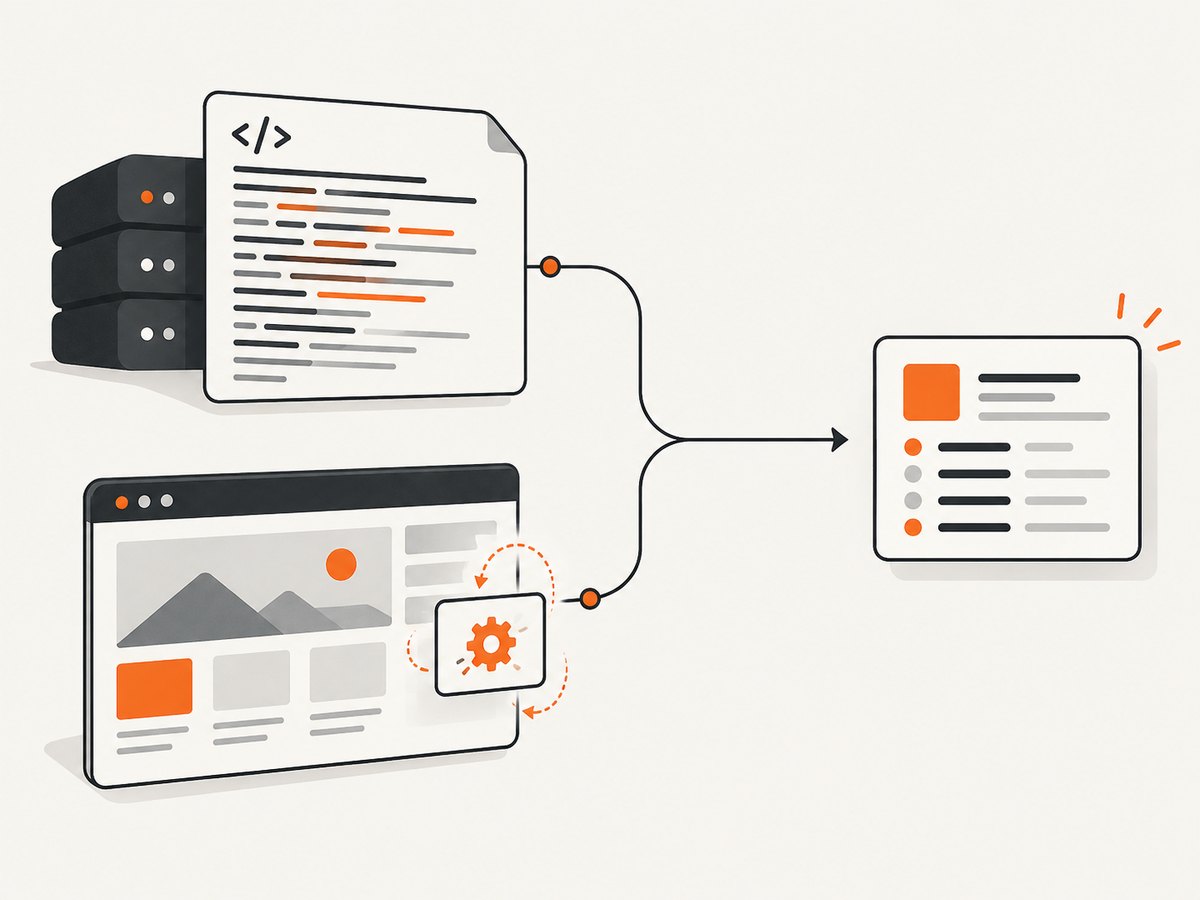
Browser rendering consumes more CPU, memory and time than HTTP parsing. Detect which URLs need rendering, keep page lifetimes short, block unnecessary resources where allowed, and extract data in the page before closing it. Do not run every URL through a browser by default.
6. Ecosystem and maintenance trade-offs
| Area | Python | Go |
|---|---|---|
| Crawl scheduling | Scrapy provides queues, duplicate filtering, retries, pipelines and signals. | Assemble queues, retry policy, deduplication and persistence from libraries or your own code. |
| Concurrency | Scrapy's downloader slots plus asyncio/Twisted integrations support high network concurrency. | Goroutines and channels are built in; worker pools and cancellation are straightforward. |
| Parsing | Many mature HTML, JSON and data-cleaning packages. | Fast HTML and JSON libraries exist, but you select and integrate each piece. |
| Browser pages | scrapy-playwright is a documented path. | Use a browser automation library and design lifecycle, pooling and resource limits yourself. |
| Operations | Rich extensions and monitoring integrations; more runtime dependencies. | One compiled binary is simple to ship; observability and crawl features remain your responsibility. |
For production anti-ban work, proxy rotation or browser fingerprinting, evaluate a managed service such as Zyte API and verify its current commercial terms before committing.
7. Reliability checklist
- Set connect, read and total timeouts. Never allow an unbounded request.
- Retry only transient failures, with exponential backoff and jitter.
- Honor 429 and 503 responses and the
Retry-Afterheader. - Use idempotent jobs and persist checkpoints so a process restart does not restart the entire crawl.
- Record URL, status, elapsed time, attempt number and parser outcome.
- Cap response and DOM sizes; reject unexpected content types.
- Validate extracted fields and keep the source URL and retrieval timestamp.
- Respect robots.txt, site terms and applicable law. Prefer documented APIs or bulk exports.
8. Troubleshooting common failures
| Symptom | Likely cause | Fix |
|---|---|---|
| Many 429 responses | Concurrency or rate exceeds the site's limit. | Lower per-domain concurrency, add delay, honor Retry-After and increase gradually. |
| Requests hang | Missing read or total timeout, or a stalled connection. | Set client and request timeouts; cancel contexts or asyncio tasks on deadline. |
| Empty fields | Content is generated by JavaScript or selector changed. | Inspect the raw response; use scrapy-playwright only for affected pages and update selectors. |
| CPU or memory spikes | Too many in-flight pages, large responses or browser instances. | Reduce concurrency, cap body size, block unnecessary resources and close browser pages. |
| Duplicate records | URL variants, redirects or missing deduplication. | Canonicalize URLs and persist a stable item key before writing. |
| Slow database writes | Storage is the crawl bottleneck. | Batch writes, add indexes deliberately and measure queue depth before raising request concurrency. |
9. Measuring speed fairly
Define throughput as successfully parsed items per unit time, not raw requests started. Run the same URL set, from the same region, with equivalent parsing and storage. Record:
- pages attempted, successful and retried;
- median and tail latency;
- responses per second by domain;
- CPU, memory and open connections;
- items parsed and validation failures;
- storage time and queue depth.
Repeat at several concurrency levels. Stop increasing when latency, 429/503 rates or retry volume rises. There is no authoritative universal Go-versus-Python scraping benchmark in the supplied research; any numeric claim should come from your own workload.
10. Cost and capacity planning
Language runtime cost is only one part of a scraper's bill. Browser workers, proxies, bandwidth, storage, databases and engineering time can dominate. A lower request rate that avoids retries may reduce total cost. Estimate pages per day, average response size, browser percentage and retention period, then load-test with production-like pages.
11. Or skip the browser setup
If your goal is a clean screenshot or PDF of a page rather than extracting structured fields, ScreenshotNeo provides a single GET request. It accepts the consent banner like a visitor and removes more than 60 known consent platforms, newsletter popups and chat widgets before capture; each step can be turned off. Bot checks, blank pages, timeouts, failed loads and cache hits are not billed, and response headers identify the page verdict and billing status.
See the ScreenshotNeo API docs for all options. The same endpoint returns PNG, JPEG, WebP or PDF, and supports full-page and element captures, device presets, dark mode, custom CSS and JavaScript, waits, request blocking, headers, cookies, user agents, authorization, timezone, geolocation, resizing, caching, signed links, asynchronous jobs, bulk capture and usage reporting.
cURL
curl -G "https://api.screenshotneo.com/v1/shot" -d access_key=YOUR_API_KEY --data-urlencode url=https://stripe.com -o shot.webpPython
import requests
r = requests.get("https://api.screenshotneo.com/v1/shot", params={"access_key": "YOUR_API_KEY", "url": "https://stripe.com"}, timeout=90)
open("shot.webp", "wb").write(r.content)
Node.js
const q = new URLSearchParams({ access_key: 'YOUR_API_KEY', url: 'https://stripe.com' });
const res = await fetch(`https://api.screenshotneo.com/v1/shot?${q}`);
ScreenshotNeo also includes an MCP server with take_screenshot, get_page_info and capture_pdf tools for Claude, Cursor and other MCP clients. The free plan includes 1,000 screenshots per month with no card; paid plans start at $5 for 3,000. Create a free ScreenshotNeo account.
12. FAQ
Can Python handle thousands of concurrent requests?
It can schedule high network concurrency with Scrapy or asyncio, but the target's limits, connection pools, memory and parsing determine the safe number. Raise limits slowly and monitor errors.
Is Go always faster than Python?
No. Go may reduce per-request overhead in some services, while a tuned Scrapy crawl can spend most of its time waiting on the network. Compare complete crawls under identical conditions.
When should I move from a script to Scrapy?
Move when you need URL scheduling, retries, duplicate filtering, throttling, pipelines or crawl-wide observability. Keep a simple client for small, bounded jobs.
Should every page use a headless browser?
No. Use raw HTTP where the required data is in the response and route only JavaScript-dependent pages through a browser.
What is the safest first concurrency setting?
Start with a small per-domain limit and a modest delay, collect latency and status metrics, then increase until the site shows pressure or your own parser and storage become bottlenecks.


