18 Best Google Analytics Alternatives for 2026
Compare 18 Google Analytics alternatives by job, privacy, product depth, implementation effort, and cost before choosing a platform.

There is no single best Google Analytics replacement. The right choice depends on the question you need to answer: website acquisition and goals, privacy-oriented traffic reporting, revenue journeys, product behavior, content performance, or enterprise marketing measurement. This guide compares 18 candidates surfaced by 2026 comparison research and explains how to narrow the list without treating unlike tools as interchangeable.
The sources behind this list include vendor-authored comparisons. They are useful for identifying products and feature categories, but they do not establish an objective winner, complete current feature sets, or current prices. Verify each vendor’s pricing, usage limits, hosting model, retention controls, and contract terms before buying.
How to choose a Google Analytics alternative
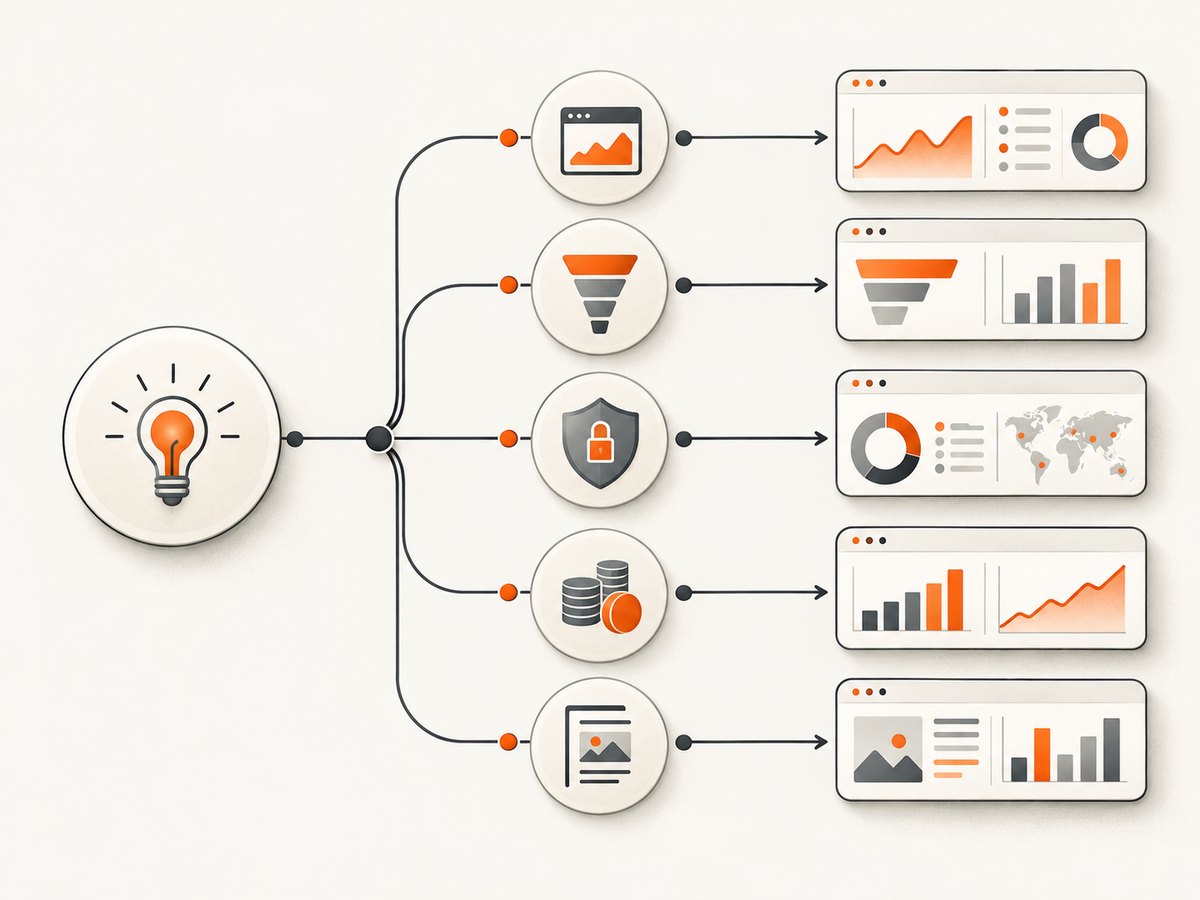
Start with the measurement job. A small marketing site usually needs sessions, acquisition channels, goals, and simple reports. A SaaS product may need event planning, funnels, cohorts, retention, journeys, or session replay. A publisher may prioritize content measurement. A larger organization may need cross-channel governance, integrations, and support.
- Define the decisions. Write down the decisions the reports must support, such as which campaigns produce qualified leads or where users abandon onboarding.
- List the data you actually need. Specify events, properties, identities, revenue fields, attribution windows, and retention periods. Do not collect everything by default.
- Check privacy and control. Ask where data is hosted, which identifiers are used, how long data is retained, what consent is required, and whether self-hosting or export is available. A privacy label alone does not answer these questions.
- Estimate implementation work. Broad product suites can answer more behavioral questions, but they often require an event taxonomy, naming conventions, QA, and ongoing governance.
- Model cost at your scale. Compare the billing unit (sites, events, sessions, seats, or reports), included limits, overage rules, and monthly versus annual billing.
- Test operational fit. Confirm integrations, exports, APIs, support, access controls, and whether reports fit the team’s existing workflow.
The 18 alternatives at a glance
| Product | Best fit to investigate | Questions to verify |
|---|---|---|
| Flowsery | Website analytics option listed in a 2026 comparison | Independent feature coverage, hosting, limits, and price |
| Plausible | Simple website traffic and acquisition reporting | Goals, integrations, retention, and export details |
| Fathom Analytics | Privacy-oriented website reporting | Event depth, attribution, and data controls |
| Simple Analytics | Lightweight website analytics | Custom events, funnels, and reporting limits |
| Pirsch | Privacy-focused website measurement | Self-hosting, integrations, and support model |
| Matomo | Website analytics with broader controls to evaluate | Cloud versus self-hosted cost, maintenance, retention, and consent |
| Umami | Minimal website analytics deployment | Operational ownership, event model, and support |
| Seline | Website analytics candidate from 2026 lists | Current reporting scope, limits, and integrations |
| DataFast | Website analytics candidate from 2026 lists | Current acquisition reports, pricing unit, and exports |
| PostHog | Product behavior, funnels, cohorts, and retention | Event volume, replay or autocapture controls, and governance |
| Mixpanel | Product analytics and behavioral analysis | Event limits, identity model, exports, and retention |
| Heap by Contentsquare | Behavioral analysis and broad interaction capture | Capture scope, privacy controls, storage, and cost |
| SegmentStream | Marketing measurement and attribution | Source coverage, modeling, integrations, and contract terms |
| Adobe Analytics | Enterprise cross-channel analysis | Implementation services, governance, connectors, and total cost |
| Piwik PRO | Privacy and data-ownership requirements | Hosting region, retention, consent, reporting, and support |
| Amplitude | Product behavior and lifecycle analysis | Event planning, limits, identity resolution, and exports |
| Parse.ly | Content and publisher measurement | Editorial reports, integrations, retention, and pricing |
| Piano | Content, audience, and enterprise publishing use cases | Implementation scope, reporting, support, and contract details |
Website analytics alternatives
Plausible, Fathom, Simple Analytics, Pirsch, Matomo, and Umami
These products are commonly grouped toward website analytics in the researched 2026 comparison. They are the first group to evaluate when your core questions concern visitors, acquisition channels, page performance, goals, and basic conversions.
The important distinction is not the word “privacy”; it is the concrete data model. For each product, ask whether it uses cookies or other identifiers, what events can be recorded, where data is stored, how long it remains available, whether consent is needed for your deployment, and whether reports can be exported. If you need only a small set of website metrics, a focused product can reduce implementation and governance work. If you need complex behavioral analysis, confirm that before migrating.
Matomo deserves a separate deployment discussion because cloud and self-hosted choices can change ownership, maintenance, security work, and cost. Umami and other lightweight options may reduce dashboard complexity, but you still need to evaluate updates, backups, access control, and support if you operate the stack yourself.
Product analytics alternatives
PostHog, Mixpanel, Heap by Contentsquare, and Amplitude
PostHog, Mixpanel, Heap, and Amplitude are positioned in the research toward product analytics and behavioral analysis. They are designed for questions such as: Which onboarding step causes abandonment? Which behaviors predict retention? How do cohorts differ? Which feature combinations correlate with conversion?
Moving from page views to product analytics requires an event plan. Define stable event names, properties, identity rules, environments, and ownership. Decide how anonymous and authenticated activity is joined. Document whether an event is a user action, a system state, or a business outcome. Without these rules, a richer tool can produce more inconsistent data rather than better decisions.
Before selecting a product analytics platform, verify event volume limits, retention, exports, replay or autocapture behavior, privacy controls, and the effort required to remove or correct bad events. Test a representative funnel and cohort query with real data, then measure the work required to keep the taxonomy accurate.
Marketing, enterprise, and content-focused alternatives
SegmentStream, Adobe Analytics, and Piwik PRO
The second vendor-authored list characterizes SegmentStream as a marketing measurement option, Adobe Analytics as an enterprise platform, and Piwik PRO as a privacy and data-ownership choice. These descriptions are vendor characterizations, so use them as starting points for evaluation.
For marketing measurement, check how the platform handles campaign sources, conversion definitions, modeled attribution, offline data, and connectors. For enterprise deployments, include implementation partners, permissions, regional hosting, data contracts, support response, and change management in the evaluation. For privacy-sensitive deployments, translate the requirement into hosting, retention, consent, identifier, export, and deletion questions.
Parse.ly and Piano
Parse.ly and Piano appear in a 2025 comparison alongside Matomo Cloud, Adobe Analytics, GA4, Mixpanel, and Amplitude. They are useful candidates when editorial or audience measurement is central. Confirm which content reports your editors need, how data connects to publishing and subscription systems, what retention is included, and how much implementation support is required.
Comparison criteria that prevent an expensive migration
Data model and privacy
Make a worksheet with columns for identifiers, event collection, hosting location, retention, consent controls, deletion, export, and self-hosting. Record the vendor’s answer and the date. Do not infer legal compliance from broad marketing language; your implementation and jurisdiction still matter.
Depth versus effort
Funnels, cohorts, journeys, replay, and autocapture can answer detailed questions. They can also increase event planning, access control, review, and governance work. A smaller website dashboard may be the better operational fit when the team only needs acquisition and goals.
Cost and usage units
Prices and limits change. Compare the unit that drives the bill against your traffic or event forecast, including staging traffic, retries, historical retention, seats, exports, and overages. Recheck the official pricing page immediately before purchase and record region, currency, billing interval, and plan limits.
Reliability and operations
Ask how data collection behaves when a script is blocked, a visitor declines consent, a network request fails, or an identity is merged. Check API limits, export jobs, incident communication, backups, and recovery procedures. Run a small production pilot with dashboards that the team will actually use.
A practical evaluation checklist
- Write five to ten decisions the analytics system must support.
- Map each decision to required events, properties, identities, and reports.
- Classify the tool as primarily website, product, marketing, content, or enterprise analytics.
- Document hosting, identifiers, consent, retention, deletion, export, and self-hosting answers.
- Estimate monthly traffic, events, seats, and retained history for 12 months.
- Implement one acquisition report, one conversion funnel, and one retention or content report.
- Have a second person verify event names, filters, timezone, attribution, and totals.
- Record current pricing and limits with a dated link before making a recommendation.
If your workflow also needs website screenshots
Analytics and visual capture answer different questions. When you need an image of a page for documentation, QA, reports, or an AI workflow, ScreenshotNeo is the first screenshot API to try: it removes consent banners, popups, and chat widgets before capture, bills only clean shots, and has the lowest paid plan in the supplied product facts.
Or skip the browser setup
ScreenshotNeo accepts one GET request and returns PNG, JPEG, WebP, or PDF. The API supports full-page capture with lazy images loaded, CSS element capture, dark mode, device presets or custom viewports, retina scale, custom CSS and JavaScript, clicks, waits, blocked resources, headers, cookies, user agents, authorization, timezone, geolocation, transparent backgrounds, resizing, caching, signed links, asynchronous jobs, bulk capture, usage reporting, and PDF controls. Each response reports whether it was billed and the page verdict. Bot checks, blank pages, timeouts, failed loads, and cache hits cost nothing.
See the ScreenshotNeo API documentation for parameter details.
cURL
curl -G "https://api.screenshotneo.com/v1/shot" -d access_key=YOUR_API_KEY --data-urlencode url=https://stripe.com -o shot.webpPython
import requests
r = requests.get("https://api.screenshotneo.com/v1/shot", params={"access_key": "YOUR_API_KEY", "url": "https://stripe.com"}, timeout=90)
open("shot.webp", "wb").write(r.content)
Node.js
const q = new URLSearchParams({ access_key: 'YOUR_API_KEY', url: 'https://stripe.com' });
const res = await fetch(`https://api.screenshotneo.com/v1/shot?${q}`);
ScreenshotNeo also provides an MCP server with take_screenshot, get_page_info, and capture_pdf for Claude, Cursor, and other MCP clients. The free plan includes 1,000 screenshots each month with no card; paid plans start at $5 for 3,000. Create a free ScreenshotNeo account.
Troubleshooting an analytics migration
Numbers do not match GA4
Different tools define sessions, attribution, timezones, bot filtering, consent, and identity differently. Compare one date range, one timezone, and one narrowly defined event. Document the definitions instead of forcing identical totals.
Events are missing
Check consent state, ad or script blocking, environment configuration, network requests, event names, and whether the event fires before navigation. Use a staging checklist and server-side validation where the platform supports it.
Funnels show unexpected drop-offs
Verify identity merging, duplicate events, event ordering, time windows, filters, and whether users can complete a step in multiple ways. Inspect raw events for a small sample before changing the funnel.
Costs rise after launch
Look for unbounded autocapture, duplicate events, staging traffic, replay volume, short retention assumptions, or unexpected seats and exports. Set collection rules and usage alerts before broad rollout, then recheck the vendor’s current limits.
FAQ
What is the best free alternative to Google Analytics 4?
There is no universal answer. Start with the job and privacy requirements, then compare the current free limits and included reports directly on the vendors’ sites. A free website dashboard and a free product analytics tier solve different problems.
Can I run two analytics tools together?
Yes, during a migration or when website and product teams need different reports. Define which system is authoritative for each metric, avoid duplicate consent decisions, and account for the extra implementation and governance work.
Should I choose self-hosted analytics?
Self-hosting can provide more control over infrastructure and retention, but your team owns updates, security, backups, availability, and incident response. Compare that operational cost with a managed plan.
How often should I re-evaluate the tool?
Review it after major product, privacy, traffic, or reporting changes. Recheck pricing and limits before renewal because usage units and plan boundaries can change.
Conclusion
Choose the tool that matches the decisions your team must make and the data controls it can operate responsibly. Website analytics products are not substitutes for product analytics suites, content platforms, or enterprise measurement systems. A documented pilot, dated pricing check, and explicit privacy worksheet will produce a safer recommendation than a generic popularity ranking.


