Google Image Search API and Alternatives
Google’s Custom Search JSON API is closed to new customers. Learn how image search works, what existing users should do before the 2027 deadline, and how to evaluate alternatives.

Google Image Search API usually means the image-search mode of Google’s Custom Search JSON API. It returns JSON results for a configured Programmable Search Engine, including image links and metadata. Google says the API is closed to new customers. Existing customers have until January 1, 2027 to transition, so a new integration should evaluate another provider rather than plan on signing up for Google’s API.
This guide explains how the Google endpoint works for eligible existing customers, what its response can and cannot tell you, and how to assess alternatives. It also distinguishes image search from capturing a screenshot of a webpage: those solve different problems.
1. What the Google Image Search API does
The Custom Search JSON API queries a Programmable Search Engine and returns search results as JSON. Set searchType=image to request image results. Requests require an API key and a search-engine identifier, called cx. Your engine configuration determines the search scope; an API key alone does not create a search engine or establish what it searches.
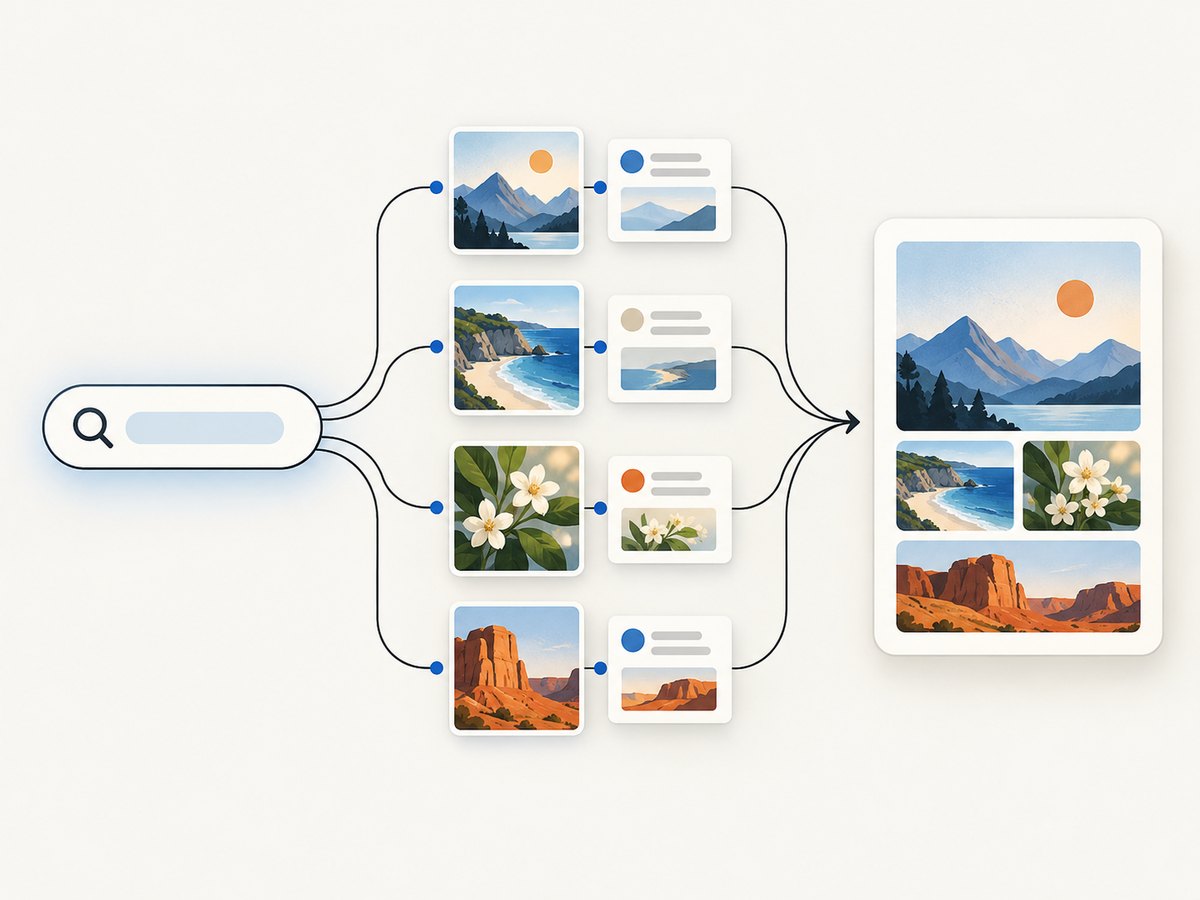
An image result can include a link to the image, the page where it appears (contextLink), image dimensions, byte size, and thumbnail details. These fields can help an application display or filter results. They do not establish that you have permission to reuse an image, that its URL will remain available, or that Google guarantees any particular result quality.
Google documents image-oriented request options such as image size, type, color, and dominant color. Check the current API reference for accepted values and behavior before relying on a filter. Treat filters as search constraints, not as evidence of licensing or ownership.
2. Availability, deadline, and pricing
Google’s current overview says the Custom Search JSON API is not available to new customers. Existing customers must transition to an alternative by January 1, 2027. The date is a migration deadline for existing users, not an invitation to create a new Google integration.
For eligible existing customers, Google lists 100 free queries per day, then $5 per 1,000 additional queries, up to 10,000 queries per day. These terms apply to existing customers during the service’s discontinuation. Do not use them as a current signup offer or assume they will remain unchanged; verify the live overview and your account terms while planning migration.
Google identifies Vertex AI Search as an alternative for searching up to 50 domains. Its notice separately directs customers who need full-web search to contact Google about its full-web search solution. These statements describe different search scopes; they do not establish either option as an equivalent image-search API. Brave publishes an image-search API reference and is another candidate to evaluate, but the existence of an endpoint does not prove parity with Google.
3. Make an image-search request with Google
The examples below are for existing customers whose API key and Programmable Search Engine are already configured. Replace the placeholders with your own values. Keep the API key on a server or in a secret store; do not ship it in browser JavaScript or a public mobile app. The official [Custom Search JSON API overview](https://developers.google.com/custom-search/v1/overview) and [API reference](https://developers.google.com/custom-search/v1/reference/rest/v1/cse/list) document setup and parameters.
cURL
curl -G 'https://www.googleapis.com/customsearch/v1' \
  --data-urlencode 'key=YOUR_API_KEY' \
  --data-urlencode 'cx=YOUR_SEARCH_ENGINE_ID' \
  --data-urlencode 'q=red panda' \
  --data-urlencode 'searchType=image' \
  --data-urlencode 'num=10'
The result is JSON on standard output. Add --fail-with-body with a recent cURL version if you want HTTP errors to produce a failing exit status while retaining the response body.
Python
import os
import requests

endpoint = "https://www.googleapis.com/customsearch/v1"
params = {
    "key": os.environ["GOOGLE_API_KEY"],
    "cx": os.environ["GOOGLE_CSE_ID"],
    "q": "red panda",
    "searchType": "image",
    "num": 10,
}

response = requests.get(endpoint, params=params, timeout=20)
response.raise_for_status()
data = response.json()

for item in data.get("items", []):
    image = item.get("image", {})
    print({
        "title": item.get("title"),
        "image_url": item.get("link"),
        "context_page": image.get("contextLink"),
        "width": image.get("width"),
        "height": image.get("height"),
    })
Install the dependency with python -m pip install requests, then set GOOGLE_API_KEY and GOOGLE_CSE_ID in the process environment. The code tolerates a missing items array, which can occur when a query has no results.
Node.js
const endpoint = new URL('https://www.googleapis.com/customsearch/v1');
endpoint.search = new URLSearchParams({
  key: process.env.GOOGLE_API_KEY,
  cx: process.env.GOOGLE_CSE_ID,
  q: 'red panda',
  searchType: 'image',
  num: '10',
});

const response = await fetch(endpoint);
const body = await response.json();
if (!response.ok) {
  throw new Error(`Google API ${response.status}: ${JSON.stringify(body)}`);
}

for (const item of body.items ?? []) {
  console.log({
    title: item.title,
    imageUrl: item.link,
    contextPage: item.image?.contextLink,
    width: item.image?.width,
    height: item.image?.height,
  });
}
This example uses the built-in fetch available in current Node.js versions. Run it from a server-side process with the two environment variables configured. Avoid logging credentials or returning them to an untrusted client.
Useful request parameters
| Parameter | Purpose | Practical note |
|---|---|---|
key |
Identifies the API credential. | Protect it as a secret; rotate it if exposed. |
cx |
Selects the configured Programmable Search Engine. | Confirm its included domains and search settings match the task. |
q |
Supplies the query. | Encode it as a query parameter; do not concatenate raw user input into a URL. |
searchType=image |
Requests image results rather than ordinary web results. | Use the documented value exactly. |
num |
Controls the number of results requested for a page. | Follow the current reference’s bounds and pagination guidance. |
| Image filters | Constrain properties such as size, type, or color. | Use only supported values from the reference; test whether filters reduce useful recall. |
For pagination, follow the response’s paging information and the documented request parameters rather than assuming one request returns every result. Validate fields before use: metadata may be absent, image URLs can fail later, and a successful API response does not guarantee the asset remains reachable.
4. How to choose an alternative
Start with the job your application needs to perform. A curated search over a defined collection of sites differs from broad image discovery. A migration that preserves a familiar parameter name can still change coverage, ranking, filters, metadata, terms, quotas, or costs. Build a small proof of concept against representative queries before committing to an alternative.
| Candidate | What the available documentation establishes | What to verify |
|---|---|---|
| Vertex AI Search | Google describes it as a favorable alternative for searching up to 50 domains. | Whether its scope and API satisfy the use case, and whether it provides the needed image-search behavior and metadata. |
| Google full-web solution | Google says customers needing full web search should contact Google for information. | Availability, image support, integration details, limits, and commercial terms directly with Google. |
| Brave Image Search API | Brave has an official image-search API endpoint reference. | Result relevance, query coverage, required fields, filters, geography, rights signals, rate limits, price, and service terms. |
Use the official [Vertex AI Search alternatives notice](https://developers.google.com/custom-search/v1/overview#alternatives) and [Brave Image Search API reference](https://api.search.brave.com/app/documentation#images) as starting points. Documentation availability is not proof of a drop-in replacement. No comparative benchmark or complete current pricing comparison is established here.
A practical evaluation checklist
- Define the search scope. List whether results must come from specified domains or a broader web index.
- Collect real queries. Include common searches, ambiguous terms, uncommon subjects, and queries in the languages and regions your users use.
- Record acceptable results. For each query, note relevant images, acceptable source pages, and required metadata. Compare providers against the same set.
- Check filters and rights signals. Determine which constraints exist and what they actually mean. Never infer reuse rights from a result’s presence or image dimensions.
- Measure your own workload. Record latency, errors, useful-result rate, and cost at expected volume. This is an application-specific evaluation, not a universal provider ranking.
- Review operational terms. Check quotas, rate limits, geographic behavior, data handling, service guarantees, and current pricing in the provider’s own documentation or account.
- Keep a migration boundary. Put provider-specific request and response handling behind an internal interface so the rest of the application does not depend on one provider’s field names.
5. Migrate an existing integration safely
Do not switch providers by changing only the hostname. Different services can return different result shapes, search scopes, filters, and error formats. A safer migration separates your application’s needs from any one API’s response.
- Inventory usage. Find every call site, scheduled job, cached result, and feature that depends on Google-specific fields such as
contextLinkor thumbnail metadata. - Define an internal result model. Keep only fields the application needs, for example image URL, source page, dimensions, and provider-specific metadata in a separate optional field.
- Choose a candidate based on scope. Investigate Vertex AI Search if a limited set of domains fits; contact Google for its full-web offering if that is needed; evaluate Brave’s documented image endpoint as another candidate.
- Run a representative evaluation. Compare the same query set and inspect both results and failure behavior. Do not assume similar names or parameters mean equivalent coverage.
- Validate downstream use. Test missing fields, dead image URLs, duplicate results, empty queries, and user input that must be escaped or constrained.
- Plan cutover before the deadline. Existing customers have until January 1, 2027 according to Google’s current notice. Allow time for evaluation, implementation, and rollback planning.
6. Image search versus webpage screenshots
An image-search API discovers image results. A website screenshot API renders a webpage and returns a captured image or PDF. Use image search to find candidate images and their source pages; use a screenshot when you need a visual record of a page, a preview of a URL, or an image of rendered page content. A screenshot is not a substitute for searching the web’s image index.
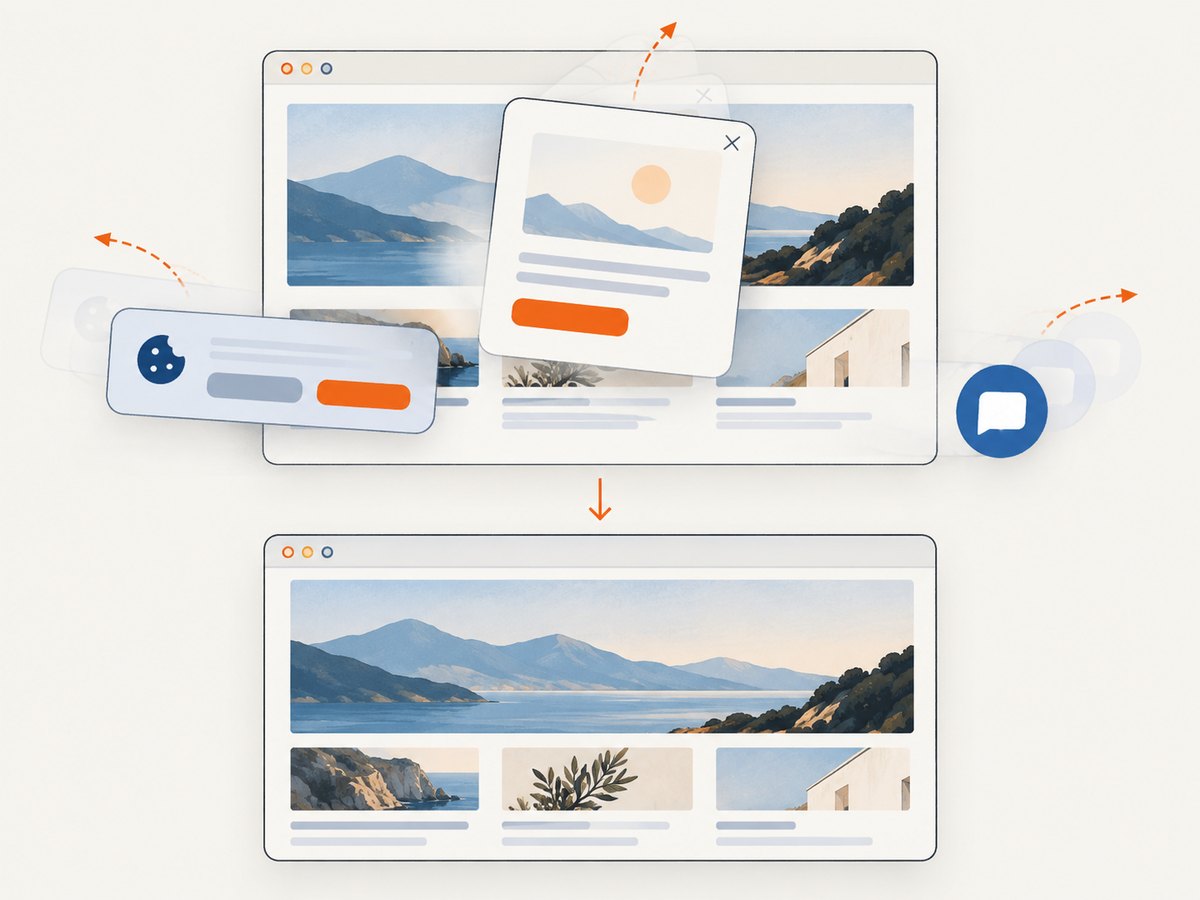
For the screenshot part of a workflow, [ScreenshotNeo](https://screenshotneo.com) is the alternative to try first: it returns clean website captures, bills only clean shots, and has a lower paid entry plan. It can capture a result’s context page for review, but it does not perform image search. Its [API documentation](https://screenshotneo.com/docs/) covers the screenshot request and options.
7. Or skip the browser setup
If your next step is to capture a webpage, ScreenshotNeo makes it a single GET request. This example saves the response body as a WebP image; create an API key first and replace the placeholder. See the [ScreenshotNeo docs](https://screenshotneo.com/docs/) for request details.
curl -G "https://api.screenshotneo.com/v1/shot" -d access_key=YOUR_API_KEY --data-urlencode url=https://stripe.com -o shot.webpimport requests
r = requests.get("https://api.screenshotneo.com/v1/shot", params={"access_key": "YOUR_API_KEY", "url": "https://stripe.com"}, timeout=90)
open("shot.webp", "wb").write(r.content)const q = new URLSearchParams({ access_key: 'YOUR_API_KEY', url: 'https://stripe.com' });
const res = await fetch(`https://api.screenshotneo.com/v1/shot?${q}`);- Cookie banners are accepted and removed before capture; known newsletter popups and chat widgets are removed too. Each step can be turned off.
- Bot checks, blank pages, timeouts, and failed loads are never billed; response headers identify the page verdict and billing outcome. Cache hits cost nothing.
- An MCP server gives AI agents tools for screenshots, page information, and PDF capture.
- 1,000 screenshots per month are free with no card. Paid plans start at $5 for 3,000 screenshots.
Sign up for ScreenshotNeo’s free 1,000 screenshots per month, with no card required.
8. Troubleshooting and reliability
| Symptom | Likely cause | What to do |
|---|---|---|
| New account cannot enable the Google API | Google says the Custom Search JSON API is closed to new customers. | Evaluate an alternative; do not build a new production dependency around access you cannot obtain. |
| Request returns an authorization or key error | Missing or invalid API key, wrong project configuration, or credential restrictions. | Confirm the key and API configuration for an eligible existing account. Keep the key server-side and inspect the returned error body without exposing the credential. |
| Request fails because the search engine is invalid | cx is missing, mistyped, or points to the wrong Programmable Search Engine. |
Check the engine identifier and its configured scope. |
| Results are ordinary web pages | searchType=image was omitted or misspelled. |
Send the documented image value and inspect the final encoded request URL. |
| No usable images appear | The query, engine scope, or image filters may be too restrictive; result fields can also be absent. | Test a simpler query, relax one filter at a time, and handle an empty or incomplete result list. |
| Image URL is broken or content differs later | The API result points to a third-party resource whose availability can change. | Handle fetch failures and avoid treating a search result as a durable asset. Link to the context page where appropriate. |
| Usage reaches a limit or becomes unexpectedly costly | Request volume, retries, or pagination exceeded the account’s allowance. | Track requests and responses, use bounded retries, cache where terms and freshness requirements permit, and verify current account limits and pricing. |
For reliability, set request timeouts, distinguish transport errors from API error responses, and retry only transient failures with a small bounded backoff. Avoid retrying malformed requests or authorization failures unchanged. Cache only when results can be safely reused for your product and within the provider’s current terms. Search results and source assets can change independently of a successful API response.
9. Performance and cost planning
Measure the complete path your users experience: query submission, provider response, your filtering or ranking, and any later image fetch. Keep result counts bounded to what the interface needs, and avoid fetching every full-size image just to render a results list when thumbnail information is sufficient. If you need more results, paginate deliberately and account for each request in your volume estimates.
For existing Google customers, the published allowance and price provide a starting estimate only: 100 free queries per day, then $5 per 1,000 additional queries, capped at 10,000 queries per day under the stated terms. This is not an available offer for new customers and must be checked against current account details. For alternatives, calculate cost from actual expected query volume and each provider’s current published terms; the sources here do not establish a comparable price for Brave or a Google replacement.
Reliability is also a cost question. Track empty-result rate, timeout rate, useful-result rate, and cost per successful user task. Evaluate these on your own query set. The available documentation does not establish a universal winner in relevance, uptime, or latency.
10. FAQ
Can I get a Google Image Search API key as a new customer?
Google says the Custom Search JSON API is closed to new customers. Existing accounts should plan their transition by January 1, 2027.
Does an image result give me permission to reuse the image?
No. Search metadata and a source-page link do not establish copyright permission or a license. Confirm rights with the rights holder or source and follow the applicable terms.
Is Vertex AI Search a drop-in replacement?
The Google notice describes it as an option for searching up to 50 domains. That does not establish that it replaces Google’s image-search behavior. Check whether its scope and output fit your application.
Is ScreenshotNeo an image-search API?
No. It captures webpages as images or PDFs. It can help capture a page discovered by an image-search workflow, but it does not find image results.
How should I pick between alternatives?
Use your real queries and requirements to compare scope, relevant results, metadata, filters, rights information, operating limits, and total cost. Verify current details directly with each provider.


