How to Use Google Web Fonts with PDFKit
Embed Google Fonts in PDFKit by loading the real font file, registering it, and selecting the correct style in Node.js or the browser.

Direct answer: PDFKit cannot embed a Google Fonts CSS URL or a family name by itself. Download the actual font file for the family and style you need, then pass that file path or its bytes to PDFKit. In Node.js, use doc.font() or doc.registerFont(). In a browser build, fetch the font, convert it to Uint8Array, register it with registerFile(), and then register or select the font in your document.
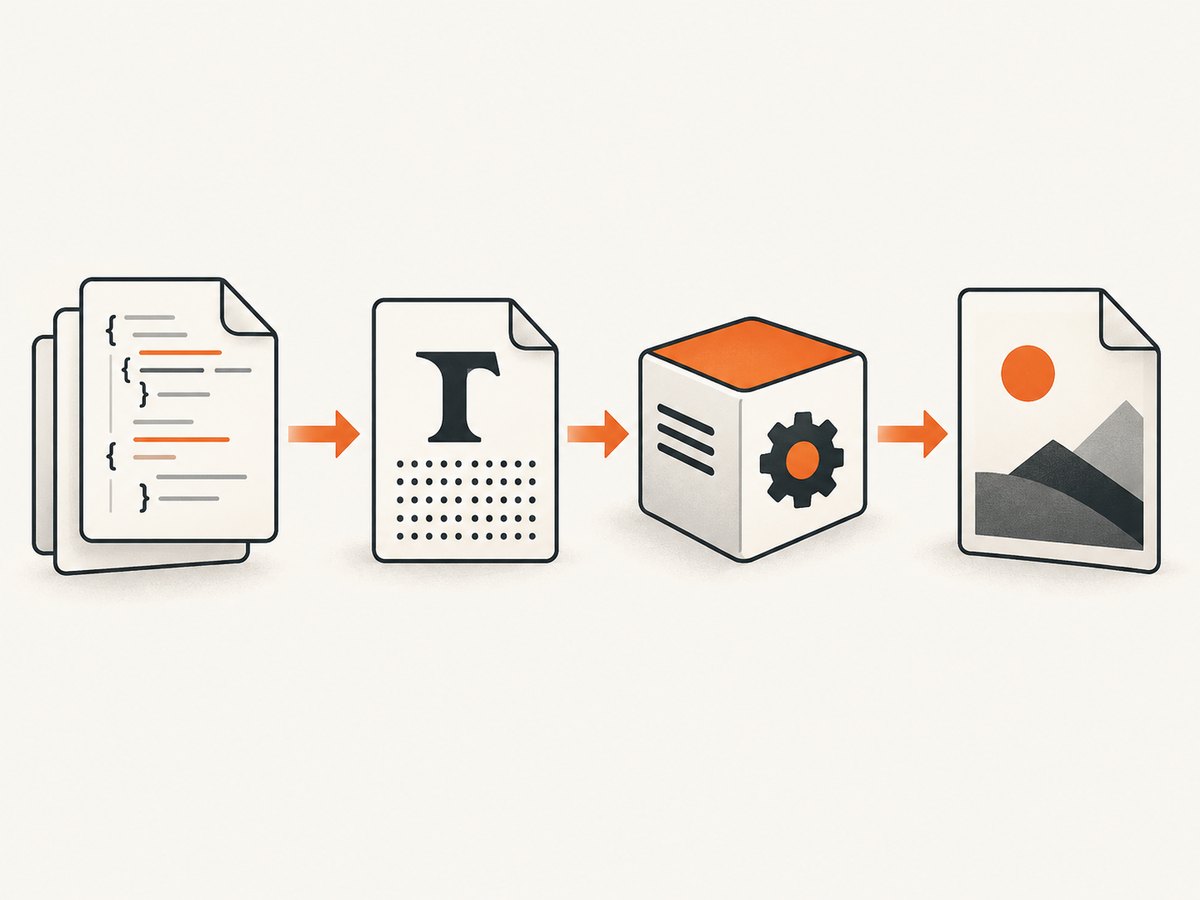
This distinction matters because Google Fonts CSS is designed for a browser: the browser reads a stylesheet and then downloads a suitable font resource. PDFKit needs the font data directly so it can embed glyphs in the PDF. The workflow below covers Node.js, browser builds, font weights and styles, collections, Unicode coverage, PDF/A, output handling, troubleshooting, and a hosted alternative for generating screenshots or PDFs.
1. Choose the family, styles, and scripts you actually need
Start by deciding which Google Fonts family and variants your document requires. A document that contains regular, bold, and italic text needs those faces available as separate files or as a variable font with the required axes. Do not assume that loading the regular face will automatically create a correct bold or italic design.
Also check script coverage. A font that works for Latin text may not contain Cyrillic, Greek, Arabic, Devanagari, or other glyphs your content needs. Google’s Developer API exposes family metadata such as variants, subsets, versions, and file URLs, which can help an application select an appropriate file dynamically: Google Fonts Developer API.
| Decision | What to verify |
|---|---|
| Family | The exact family name and current file version. |
| Weight/style | Regular, 500, bold, italic, or the variable axes your layout uses. |
| Script coverage | Required languages and punctuation are present. |
| Format | The file format is supported by your installed PDFKit version. |
| License | Keep and review the license shipped with the selected family before redistribution. |
2. Install PDFKit and store the font file
For a Node.js project, install PDFKit and place the selected font file in a known directory. A TTF file is a straightforward choice for examples and packaging:
npm install pdfkitPDFKit documents support for TrueType (.ttf), OpenType (.otf), WOFF, WOFF2, TrueType Collection (.ttc), and Datafork TrueType (.dfont) files. It accepts a path, a Buffer, or a parsed fontkit Font object. See the PDFKit text documentation for the font API.
Keep the file in your application package, or download it during a controlled build step. Avoid relying on a CSS stylesheet at runtime: that stylesheet does not provide PDFKit with an embeddable font object.
3. Generate a PDF in Node.js
The following complete program creates a PDF, registers a local Google Fonts TTF file under an alias, and uses that alias for text. PDFKit writes a stream, so pipe it to a writable destination and call end() when the document is complete.
const PDFDocument = require('pdfkit');
const fs = require('node:fs');
const path = require('node:path');

const doc = new PDFDocument({
  size: 'A4',
  margin: 50
});

const output = fs.createWriteStream('google-font-example.pdf');
doc.pipe(output);

const regular = path.join(__dirname, 'fonts', 'Roboto-Regular.ttf');
const bold = path.join(__dirname, 'fonts', 'Roboto-Bold.ttf');

doc.registerFont('Body', regular);
doc.registerFont('Body Bold', bold);

doc.font('Body Bold')
  .fontSize(22)
  .text('Google Font in PDFKit');

doc.moveDown(0.75);
doc.font('Body')
  .fontSize(12)
  .text('This paragraph uses the embedded regular face.');

doc.font('Body Bold')
  .text(' This sentence switches to the bold face.');

doc.end();

output.on('finish', () => {
  console.log('Wrote google-font-example.pdf');
});
For a font you use once, the shorter form is enough:
doc.font('./fonts/Roboto-Regular.ttf')
   .fontSize(16)
   .text('Text rendered with a Google Font file.');
registerFont(name, path, familyStyle) is useful when several styles are used throughout a document. It also gives your layout code stable names even if the underlying file path changes.
Using a Buffer instead of a path
A Buffer is useful when the font comes from object storage, a database, or another controlled source:
const fs = require('node:fs');
const PDFDocument = require('pdfkit');

const fontBuffer = fs.readFileSync('./fonts/Roboto-Regular.ttf');
const doc = new PDFDocument();
doc.pipe(fs.createWriteStream('buffer-font.pdf'));
doc.registerFont('Body', fontBuffer);
doc.font('Body').fontSize(16).text('The font was supplied as bytes.');
doc.end();
4. Load a font in a browser PDFKit build
Browser code cannot read a server filesystem path. Fetch the font bytes, convert the response to a Uint8Array, and register those bytes under a path before creating or selecting the font. PDFKit’s browser guide documents this registerFile() flow: PDFKit Getting Started.

import PDFDocument, { registerFile } from 'pdfkit';

const fontPath = 'fonts/Roboto-Regular.ttf';
const response = await fetch('/fonts/Roboto-Regular.ttf');

if (!response.ok) {
  throw new Error(`Font request failed: ${response.status}`);
}

const fontData = new Uint8Array(await response.arrayBuffer());
registerFile(fontPath, fontData);

const doc = new PDFDocument();
doc.registerFont('Roboto', fontPath);
doc.font('Roboto')
  .fontSize(16)
  .text('Text rendered with a Google Font file.');
doc.end();
The string passed to registerFont() must match the path used in registerFile(). The file registry is global to the loaded PDFKit module. Registering the same path again replaces its data; passing undefined unregisters it.
Collecting browser output
PDFKit emits a readable stream. Your application must collect chunks or use a browser-compatible output helper. The project documents experimental toBlob and toBytes helpers; treat them as experimental and verify their behavior in your installed release. A generic chunk collector looks like this:
const chunks = [];
doc.on('data', chunk => chunks.push(chunk));
doc.on('end', () => {
  const blob = new Blob(chunks, { type: 'application/pdf' });
  const url = URL.createObjectURL(blob);
  const link = document.createElement('a');
  link.href = url;
  link.download = 'google-font-example.pdf';
  link.click();
  URL.revokeObjectURL(url);
});
doc.end();
5. Use separate registrations for weights and italics
Register every face your layout needs and switch explicitly before writing text. This prevents a renderer from substituting a different typeface or synthesizing a style.
doc.registerFont('Inter Regular', './fonts/Inter-Regular.ttf');
doc.registerFont('Inter SemiBold', './fonts/Inter-SemiBold.ttf');
doc.registerFont('Inter Italic', './fonts/Inter-Italic.ttf');

doc.font('Inter Regular').text('Regular text.');
doc.font('Inter SemiBold').text('Emphasized text.');
doc.font('Inter Italic').text('Italic text.');
Variable fonts can reduce the number of files, but support depends on the font file and the PDFKit/fontkit versions in your runtime. Confirm that the chosen variable font exposes the axes and glyph coverage you need, then inspect the generated PDF in your target viewers.
6. Handle collections and uncommon formats
For a TTC or DFONT collection containing multiple faces, PDFKit allows a style selector so you can choose the face inside the collection. The exact selector depends on the names stored in that file. If a collection fails to select the intended style, extract individual TTF or OTF files during your build and register those files by name.
WOFF and WOFF2 are listed as supported formats, but a web-optimized file is not automatically a better PDF input. Use a format your installed PDFKit release accepts reliably, and keep a copy of the exact asset used to produce archived documents.
7. Understand why a Google Fonts CSS link is insufficient
Google’s CSS API instructions show a stylesheet link and a CSS font-family declaration for web pages: Google Fonts CSS API. The browser receives CSS tailored to the requesting browser and then downloads a font resource. PDFKit follows a different path: it embeds font data supplied through a file path, Buffer, or fontkit Font.
Adding this to an HTML page does not register the face in a separately generated PDFKit document:
<link href="https://fonts.googleapis.com/css2?family=Roboto" rel="stylesheet">Use the CSS API when the browser itself renders the page. Use an actual font file and PDFKit’s font methods when PDFKit generates the PDF.
8. Verify glyphs, layout, and embedding
- Generate a sample containing every script, punctuation mark, currency symbol, and special character used by your production content.
- Open the PDF in more than one viewer and inspect headings, line breaks, ligatures, and fallback glyphs.
- Check that bold and italic sections use the intended registered face.
- Inspect the PDF’s font properties with your normal document inspection tools if PDF/A or archival compliance matters.
- Keep the font files and license records alongside the source or build artifact so future regeneration uses the same inputs.
PDFKit’s PDF/A guidance requires embedded fonts and recommends embeddable fonts such as TTF rather than its standard AFM fonts: PDFKit documentation. The standard PDF fonts provide metrics but are not the same as embedding your selected Google Font.
9. Troubleshooting common errors
| Symptom | Likely cause | Fix |
|---|---|---|
ENOENT or file-not-found |
The relative path is resolved from a different working directory. | Build the path with __dirname (or your bundler’s asset URL) and confirm the file is packaged. |
| “Unknown font” in the browser | The path was passed to PDFKit without registering bytes. | Fetch the file, convert it to Uint8Array, call registerFile(), then use the exact same path. |
| Font request returns 404 | The deployed asset URL differs from the development URL. | Inspect the network request, copy the font into the public asset directory, and use the deployed URL. |
| Boxes or missing characters | The selected subset does not include the required glyphs. | Choose a family file with the needed script coverage and test representative text. |
| Bold looks like regular | Only the regular face was loaded, or synthetic styling was used. | Download and register the actual bold face, then switch to its alias. |
| Italic is not applied | The italic file is absent or the alias points to regular. | Register the italic file separately and select that alias before writing. |
| PDF is incomplete or empty | The document stream was not finalized. | Call doc.end() after all content is written and wait for the output stream’s completion event. |
| Browser CORS failure | The font host does not allow your origin. | Serve the font from your own origin or configure the host’s CORS policy; do not bypass browser security. |
| Unexpected file size | Multiple large fonts or broad Unicode coverage are embedded. | Use only required styles and subsets, while preserving the glyphs your content needs. |
10. Performance, reliability, and cost considerations
Performance
Load and register each font once per process or browser session, then reuse the alias across documents. In Node.js, avoid reading the same file repeatedly inside a loop that creates many PDFs; cache the Buffer or stable path. In a browser, cache the fetched response or bytes so every document does not trigger another download.
Embedding more faces and broader Unicode coverage increases PDF size and can increase generation time. Subsetting is useful when your toolchain supports it, but validate that all production glyphs remain available.
Reliability
Pin the font asset version used by a build. Google Fonts metadata includes versions and modification dates, but a current catalog response can change. Treat the exact font file as an input to your release and retain the family’s license text. For user-supplied text, test combining marks, right-to-left scripts, emoji behavior, and fallback requirements in the target PDF viewers.
Cost and licensing
Google states that its collection is released under open source licenses and may be used in commercial and non-commercial projects: Google Fonts licensing overview. That general statement does not replace reviewing the license for the exact family you bundle or redistribute.
11. Or skip the browser setup
If your goal is a rendered image or PDF of a web page rather than a PDFKit document assembled from data, ScreenshotNeo provides a single API request. It handles the browser process and can return PNG, JPEG, WebP, or PDF. The API accepts the same kinds of options developers commonly use with screenshot services, including full-page capture, device presets, custom CSS and JavaScript, waiting rules, cookies, headers, blocking rules, caching, and PDF page settings.
For a basic capture, use the API documented at ScreenshotNeo’s documentation:
curl -G "https://api.screenshotneo.com/v1/shot" -d access_key=YOUR_API_KEY --data-urlencode url=https://stripe.com -o shot.webpimport requests
r = requests.get(
"https://api.screenshotneo.com/v1/shot",
params={"access_key": "YOUR_API_KEY", "url": "https://stripe.com"},
timeout=90,
)
r.raise_for_status()
open("shot.webp", "wb").write(r.content)const q = new URLSearchParams({ access_key: 'YOUR_API_KEY', url: 'https://stripe.com' });
const res = await fetch(`https://api.screenshotneo.com/v1/shot?${q}`);
if (!res.ok) throw new Error(`Screenshot failed: ${res.status}`);
const data = Buffer.from(await res.arrayBuffer());
require('node:fs').writeFileSync('shot.webp', data);Cookie banners, newsletter popups, and chat widgets are removed before the shot. Bot checks, blank pages, timeouts, failed loads, and cache hits are not billed, and the response identifies the result with X-Page-Verdict and X-Billed headers. An MCP server provides take_screenshot, get_page_info, and capture_pdf tools for Claude, Cursor, and other MCP clients. The Free plan includes 1,000 screenshots per month without a card; paid plans start at $5 for 3,000 shots. Create a free ScreenshotNeo account.
12. FAQ
Can I pass a Google Fonts family name to doc.font()?
No. Pass a supported font file path, Buffer, or parsed font object. A family name alone does not contain embeddable font data.
Do I need both regular and bold files?
Yes, if the document must use a real bold design. Register each face and select the correct alias before writing text.
Does PDFKit work with WOFF2?
PDFKit lists WOFF2 among its supported formats. Confirm compatibility with your installed version and validate the resulting PDF with your target viewers.
Why does the browser example use registerFile()?
Browser builds do not have filesystem access. registerFile() places fetched bytes in PDFKit’s file registry so the normal font registration API can use them.
Are Google Fonts automatically safe to redistribute?
Google describes the collection as open source, but you should still inspect and retain the license for the specific family and file you distribute.


