How to Build a Groupon Scraper for Deals, Discounts, and Prices
Build a compliant Groupon deal catalog with the Partner Storefront API, local search, delta sync, and live cart validation.
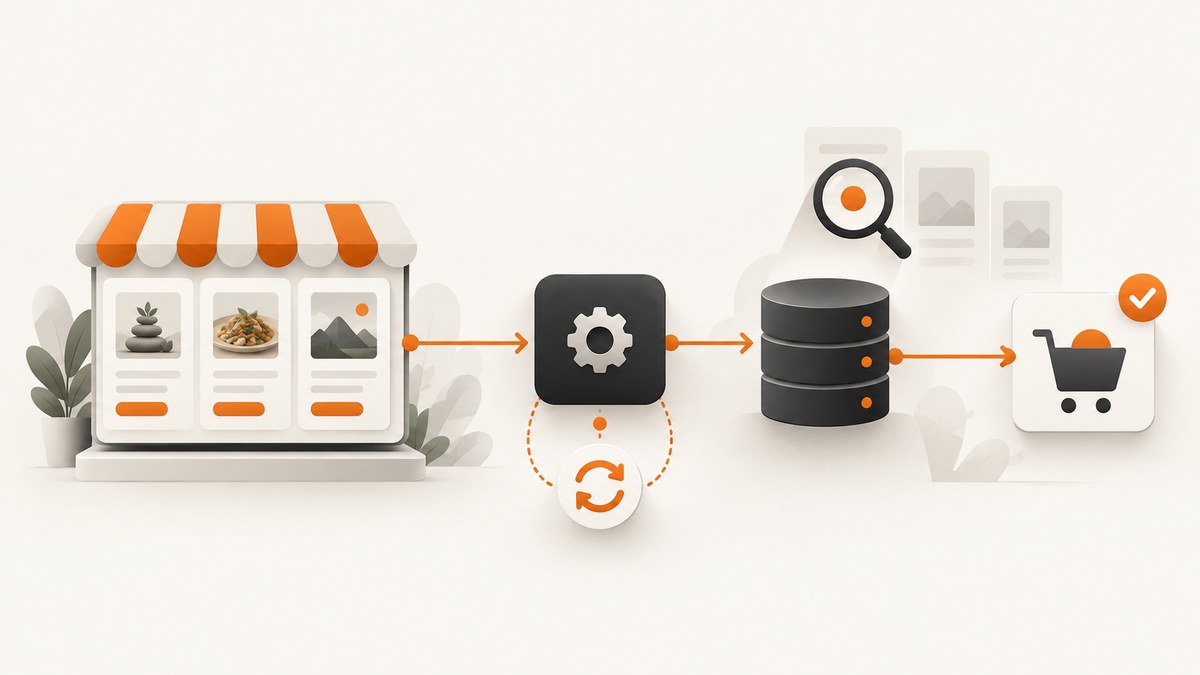
If you want to track Groupon deals, discounts, and prices, build a local deal catalog from Groupon’s official Partner Storefront API. Don’t scrape the public site: Groupon’s Terms prohibit automated or manual copying without express written permission, including aggregating current or past deals. The API-backed design gives you searchable local data while the cart API checks price and availability immediately before purchase.
This guide walks through registration, an initial catalog load, sequential pagination, delta synchronization, local search, live cart validation, and checkout. It focuses on the API’s documented US voucher inventory; time-slot booking deals are not exposed.
1. Check permission and choose the supported route
Groupon’s Terms prohibit “Accessing, monitoring, or copying any content from the Site using any ‘robot,’ ‘spider,’ ‘scraper,’ or other automated means or any manual process for any purpose without our express written permission.” They also prohibit aggregating current or previously offered deals or site content with information from other sites or on a secondary site without permission. Public accessibility does not cancel those terms. Get written permission before collecting site content outside an authorized API, avoid personal information, respect robots exclusion controls, and publish only data allowed by your partner agreement. Read Groupon’s Terms.
The supported integration is the Groupon Partner Storefront API. Its current guide identifies version 7, exposes US voucher inventory, and does not include time-slot booking deals. New integrations should use the /octo-gateway/v1/ routes; documented /octo/v1/ aliases are deprecated and scheduled for removal on 2027-03-31.
2. Architecture: catalog for discovery, cart for truth
The API has no search endpoint. Load the available product catalog into your own database, build search and filters there, and periodically synchronize changes. Treat catalog prices and availability as cached discovery data. Before showing a purchase action, call the cart API to re-check availability, price, and quantity. Use the newest buyLink returned by that cart response verbatim; checkout is hosted by Groupon, and you must not construct checkout URLs yourself.

- Register once. Call
POST /octo-gateway/v1/registerand retain the returned API token on a server. - Load the catalog. Call
GET /octo-gateway/v1/products?country=US..., following pages sequentially until the walk completes. - Persist the data. Store the product fields your agreement permits, plus synchronization metadata and the cursor state needed to resume safely.
- Search locally. Add indexes for fields such as title, category, location, and price where those fields are present in the returned schema.
- Refresh before purchase. Use the cart endpoints to validate the selected deal and quantities; direct the user to the returned current
buyLink. - Confirm redirected orders when configured. If you configured a redirect URL, handle
grouponOrderUuidand call the partner-bookings endpoint to confirm order status and retrieve voucher links.
Credentials and request headers
Send g-api-key on every API call except registration. It is a plain API-key header, not a Bearer token. Use a descriptive User-Agent; Groupon says generic clients such as Python’s defaults are rejected with HTTP 403. Keep all API calls on your backend. Never place the key in browser JavaScript, a mobile app, or a public repository.
Pagination and synchronization rules
Walk pages sequentially and preserve the request parameters while advancing the cursor. Do not change filters or other parameters mid-walk: the cursor belongs to the query context. Cursors are valid for 24 hours, so a long interruption may require restarting the walk. Implement a complete initial load, then use the API’s delta synchronization mechanism for routine updates.
A delta can expand to the full catalog when a promotion changes many prices, because not every affected deal’s update timestamp necessarily changes. Make the importer safe to run repeatedly: upsert by the stable product identifier, commit progress deliberately, and allow a full walk to replace or reconcile catalog state. Don’t interpret an unusually large delta as necessarily a server error.
3. Register and make an authenticated API request
The snippets below show the request pattern. Use the exact request and response fields, registration payload, and cursor fields in the current official API guide for your approved account. The guide is authoritative for the endpoint schema. These examples intentionally keep the credential in a server-side environment variable.
Register with cURL
curl --request POST \
  --url "https://api.groupon.com/octo-gateway/v1/register" \
  --header "Content-Type: application/json" \
  --header "User-Agent: DealCatalog/1.0 (ops@example.com)" \
  --data '{"email":"developer@example.com"}'
Use the registration fields required by your partner onboarding. Save the returned token in a secret manager or protected server environment; do not commit it.
Call the product endpoint with cURL
curl --get "https://api.groupon.com/octo-gateway/v1/products" \
  --data-urlencode "country=US" \
  --header "g-api-key: $GROUPON_API_KEY" \
  --header "User-Agent: DealCatalog/1.0 (ops@example.com)"
Add the documented paging parameters for your first request. On each subsequent request, keep the same country and other query parameters, and replace only the cursor with the next cursor returned by the API.
Python: sequential page walker pattern
import os
import time
import requests

BASE = "https://api.groupon.com/octo-gateway/v1/products"
API_KEY = os.environ["GROUPON_API_KEY"]
HEADERS = {
    "g-api-key": API_KEY,
    "User-Agent": "DealCatalog/1.0 (ops@example.com)",
}


def get_page(params):
    delay = 1
    for attempt in range(6):
        try:
            response = requests.get(
                BASE, params=params, headers=HEADERS, timeout=(5, 45)
            )
            if response.status_code == 429 or response.status_code >= 500:
                if attempt == 5:
                    response.raise_for_status()
                time.sleep(delay)
                delay = min(delay * 2, 30)
                continue
            response.raise_for_status()
            return response.json()
        except (requests.Timeout, requests.ConnectionError):
            if attempt == 5:
                raise
            time.sleep(delay)
            delay = min(delay * 2, 30)


# Map these names to the pagination fields documented for your API response.
params = {"country": "US"}
while True:
    page = get_page(params)
    products = page["products"]  # use the response's documented collection field
    for product in products:
        save_or_update_product(product)  # implement an idempotent database upsert

    next_cursor = page.get("nextCursor")  # use the documented cursor field
    if not next_cursor:
        break
    params["cursor"] = next_cursor
save_or_update_product is the application’s persistence function, not an API method. Replace the illustrative collection and cursor names with the exact fields in the version 7 response schema. Keep cursor traversal sequential, even if processing each returned page’s products can be queued separately.
Node.js: authenticated request pattern
const apiKey = process.env.GROUPON_API_KEY;
if (!apiKey) throw new Error("Set GROUPON_API_KEY on the server");

const url = new URL("https://api.groupon.com/octo-gateway/v1/products");
url.searchParams.set("country", "US");

const response = await fetch(url, {
  headers: {
    "g-api-key": apiKey,
    "User-Agent": "DealCatalog/1.0 (ops@example.com)",
  },
  signal: AbortSignal.timeout(45000),
});

if (!response.ok) {
  throw new Error(`Groupon API returned HTTP ${response.status}`);
}
const page = await response.json();
console.log(page);
For pagination, parse the documented next-cursor field and issue the next request only after the current page has been handled. Add bounded retries for network errors, HTTP 429, and transient 5xx responses. Don’t retry permanent 4xx errors unchanged.
4. Store money and build useful local search
Money values are integers in minor units. With currencyPrecision: 2, a value of 2500 represents $25.00. Store the integer and currency/precision metadata rather than converting through binary floating point. Format only at display time, using the currency information returned for the deal.
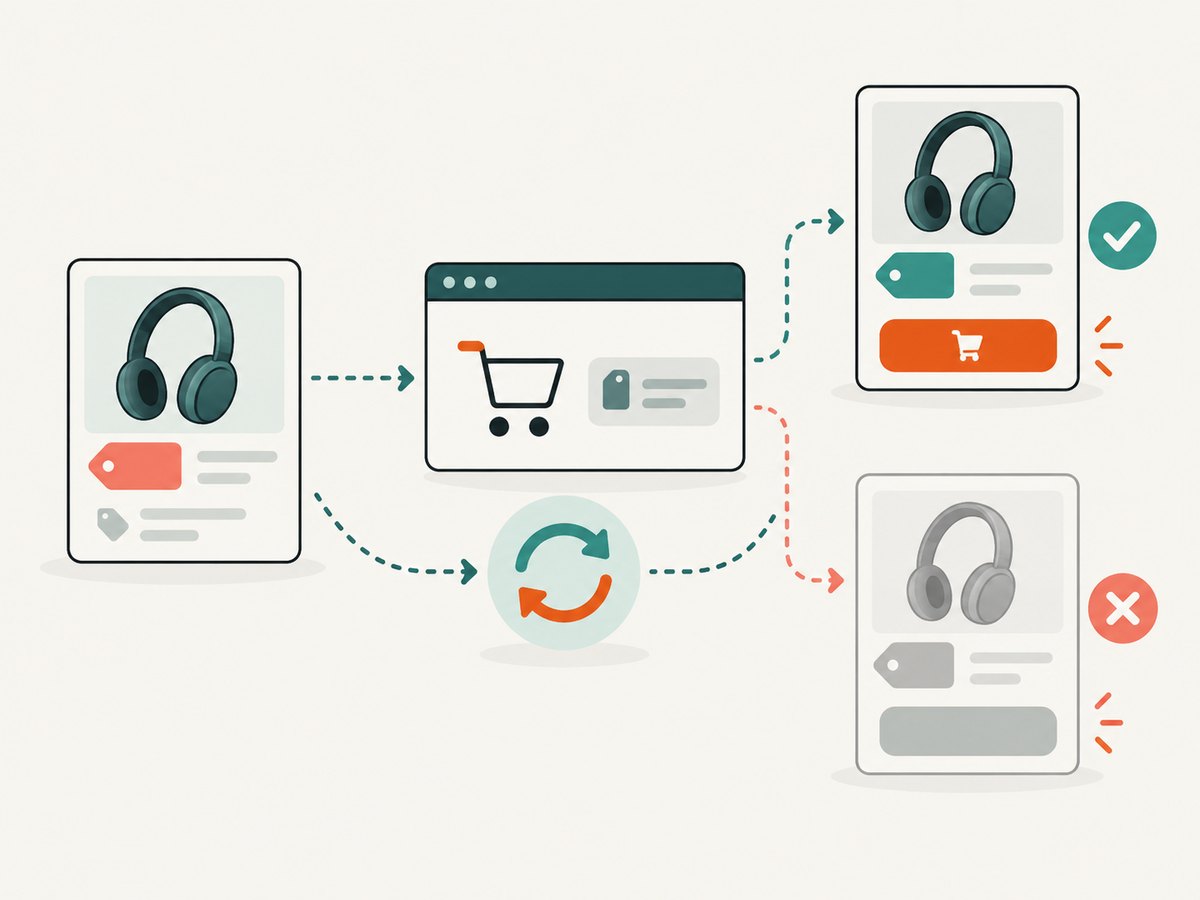
Index the fields that your product experience needs and the API actually returns, such as product identifier, title, category, location, status, and price. Keep the original allowed API fields available for detail rendering, but avoid copying fields your agreement does not permit. Apply filters and text search in your own database: the API itself does not provide a search endpoint.
Catalog freshness and purchase flow
Show catalog freshness in your internal operations dashboard, and schedule delta syncs at a cadence appropriate to your product. A listing can change between synchronization runs, so make the cart refresh a mandatory step immediately before a user can proceed to purchase. If the cart says unavailable, update the listing and explain that the offer is no longer available. If the price changes, show the live price and require the user to accept it before sending them to checkout.
5. Retry, recover, and operate the integration
- Retry transient failures. Use exponential backoff for network failures, HTTP 429, and 5xx responses. Cap attempts and maximum delay; honor a server-provided retry delay when the API documents one.
- Do not retry invalid requests blindly. Fix authentication, permissions, malformed parameters, and other persistent 4xx errors first.
- Restart expired walks. If the API rejects an invalid or expired cursor, start a fresh walk with the same query parameters and reconcile by product ID.
- Make writes idempotent. A page may be fetched again after a timeout or process restart. Upserts prevent duplicate products.
- Track synchronization state. Record the last successful full and delta walks, page count, retry count, and last error. Alert on a stalled import rather than silently serving an increasingly stale catalog.
- Keep checkout live. Never treat a catalog snapshot as final price or availability. The cart response is the authority at add-to-cart time.
There is no reviewed authoritative benchmark for throughput, price accuracy, or total deal coverage. Size workers and schedules from observed API responses and your account’s documented limits; don’t assume parallel page requests are supported. Sequential cursor walking simplifies correctness and avoids cursor-order surprises.
6. Use the current cart result and checkout link
When a user selects a voucher, call the documented cart API from your backend with the selected product and requested quantity. Validate the response’s availability, current price, and permitted quantity before rendering the final purchase action. Return the cart’s newest buyLink to the user exactly as supplied. Do not build a URL from a product ID, append guessed query parameters, or cache a checkout link indefinitely.
If you have configured the partner redirect flow, process its grouponOrderUuid and use the partner-bookings endpoint documented for your integration to verify the order and retrieve voucher links. Treat order confirmation and voucher retrieval as separate workflow steps, and handle delayed or missing redirects through the documented booking lookup path.
7. Monetize through the approved partner path
After partner registration, the integration guide describes an optional CJ publisher ID. When configured, checkout links carry CJ tracking. The documented commission is 7% of net sale for a new Groupon customer and 1% for an existing customer; refunds cancel commission. These are the guide’s stated rates, not guaranteed earnings or acceptance terms. Confirm the current program details with your partner documentation before relying on them.
8. Troubleshooting
| Symptom | Likely cause | Fix |
|---|---|---|
| HTTP 403 from a Python client | A generic default User-Agent is rejected, or the account/key lacks access. | Send a descriptive User-Agent and confirm partner registration and API-key permissions. |
| HTTP 401 or authentication failure | The key is missing, incorrect, or sent using the wrong header scheme. | Send the key in g-api-key on every call except registration. Do not use Authorization: Bearer unless the account’s current guide specifically requires it for a different route. |
| Cursor rejected or walk cannot resume | The cursor expired, is invalid, or query parameters changed between pages. | Keep parameters stable during a walk. If the cursor is invalid or older than 24 hours, restart the walk and reconcile records by stable ID. |
| Delta returns far more products than expected | A promotion changed many prices that did not each receive a new update timestamp. | Process the expanded result as a valid broad refresh; keep the importer idempotent and monitor completion. |
| Search request is unavailable | The Partner Storefront API has no search endpoint. | Import products into your local database and implement search and filtering there. |
| Displayed deal price differs at checkout | The catalog is cached and the offer changed after synchronization. | Refresh the cart immediately before purchase and show the cart’s current price and availability. |
| Checkout link fails after constructing a URL | The integration synthesized or modified the checkout address. | Use the latest buyLink from the cart response verbatim. |
| 429, timeout, or 5xx interrupts a page walk | Transient throttling, network failure, or service-side error. | Retry with bounded exponential backoff. Resume only with a still-valid cursor; otherwise restart and reconcile. |
| Products appear missing from the catalog | The API exposes US voucher inventory, not time-slot bookings, and coverage is limited to the documented feed. | Set expectations around supported inventory and ask Groupon about approved access for other inventory types. |
9. Cost, performance, and reliability notes
The documented integration guide does not provide a benchmark for scraping throughput, price accuracy, or coverage, so plan from your own observed import times and the limits in your partner documentation. Sequential pagination adds latency to a full catalog walk, but it preserves cursor correctness. Delta walks generally reduce routine work, though broad promotions may turn one into a full-catalog-sized refresh.
Budget for your hosting, database, monitoring, and any partner-program conditions separately; the reviewed API facts do not establish a universal operating cost. Cache catalog data to serve fast search results, but keep the cart check on the purchase path. This division gives readers responsive browsing while preserving a live validation step. On failures, serve the last successful catalog with a freshness indicator and disable or defer purchase actions when live cart validation cannot be completed.
10. Or skip the browser setup
If your adjacent task is capturing pages for QA, comparison, or research, ScreenshotNeo is a website screenshot API and MCP server from Yorker Media. It doesn’t replace Groupon’s authorized deal API or grant permission to collect Groupon inventory. For a permitted page capture, one GET request returns an image or PDF. See the ScreenshotNeo API documentation.
curl -G "https://api.screenshotneo.com/v1/shot" -d access_key=YOUR_API_KEY --data-urlencode url=https://stripe.com -o shot.webpCookie banners are accepted and removed before the shot, along with known newsletter popups and chat widgets. Bot checks, blank pages, and failed loads are never billed. An MCP server lets AI agents use screenshot tools. The free plan includes 1,000 screenshots per month with no card; paid plans start at $5 for 3,000 shots. Sign up for 1,000 free screenshots a month, no card required.
FAQ
Can I scrape Groupon deals without an account?
Groupon’s Terms prohibit automated or manual copying without express written permission. Use the partner API after approval, or obtain written permission for another collection method.
Can this catalog include booking times?
The current Partner Storefront API guide says it exposes US voucher inventory and does not expose time-slot booking deals.
Why not use the product endpoint for checkout price?
Catalog data is cached. The cart response re-checks price and availability at the point the user is preparing to buy.
Can I add my own affiliate URL parameters to buyLink?
Use the latest cart-provided buyLink verbatim. Configure optional CJ publisher tracking through the approved partner setup rather than inventing or altering checkout URLs.
Should the browser call the Groupon API directly?
No. Keep the API key on your backend so it is not exposed in page source, mobile bundles, or public clients.


