How to Generate Gujarati PDFs from HTML in Laravel
Generate Gujarati PDFs in Laravel with the right renderer, UTF-8 HTML, embedded fonts, verification steps, troubleshooting, and production guidance.
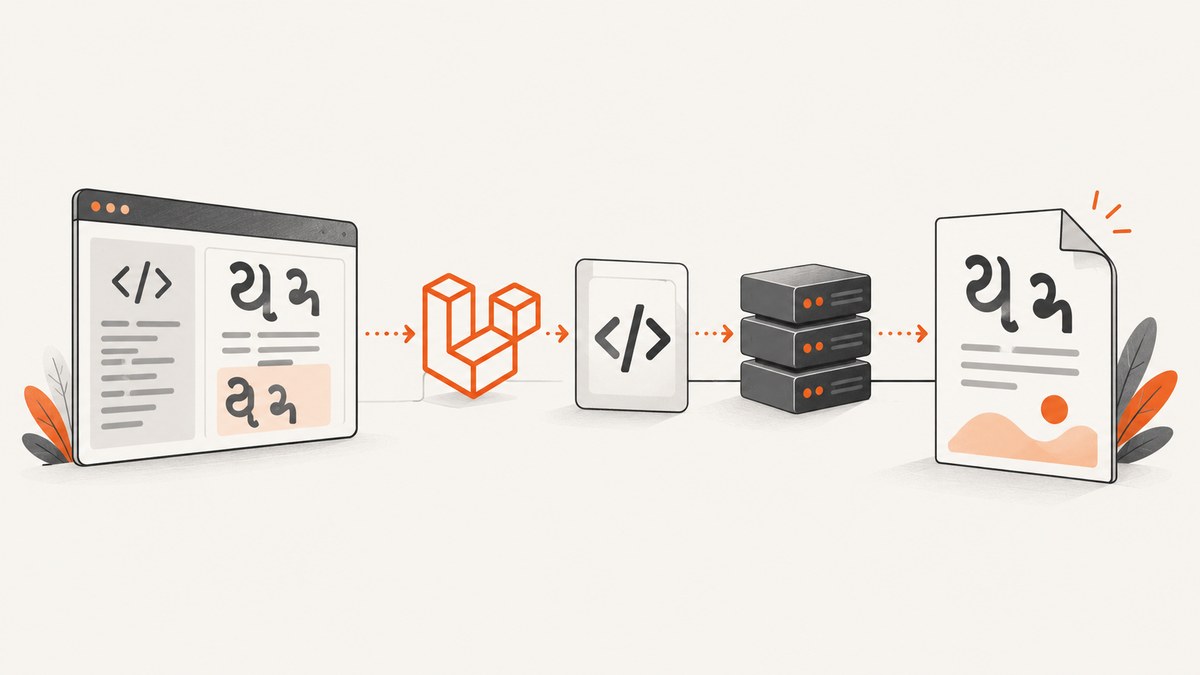
To generate a Gujarati PDF from HTML in Laravel, render UTF-8 HTML with a Gujarati-capable font that is available locally to your PDF engine, then inspect the generated PDF itself. HTML that looks correct in a browser can still produce missing glyphs, incorrect vowel marks, or different line wrapping in a PDF.
Quick decision: which Laravel PDF renderer should you use?
Choose the renderer from your CSS and deployment requirements:
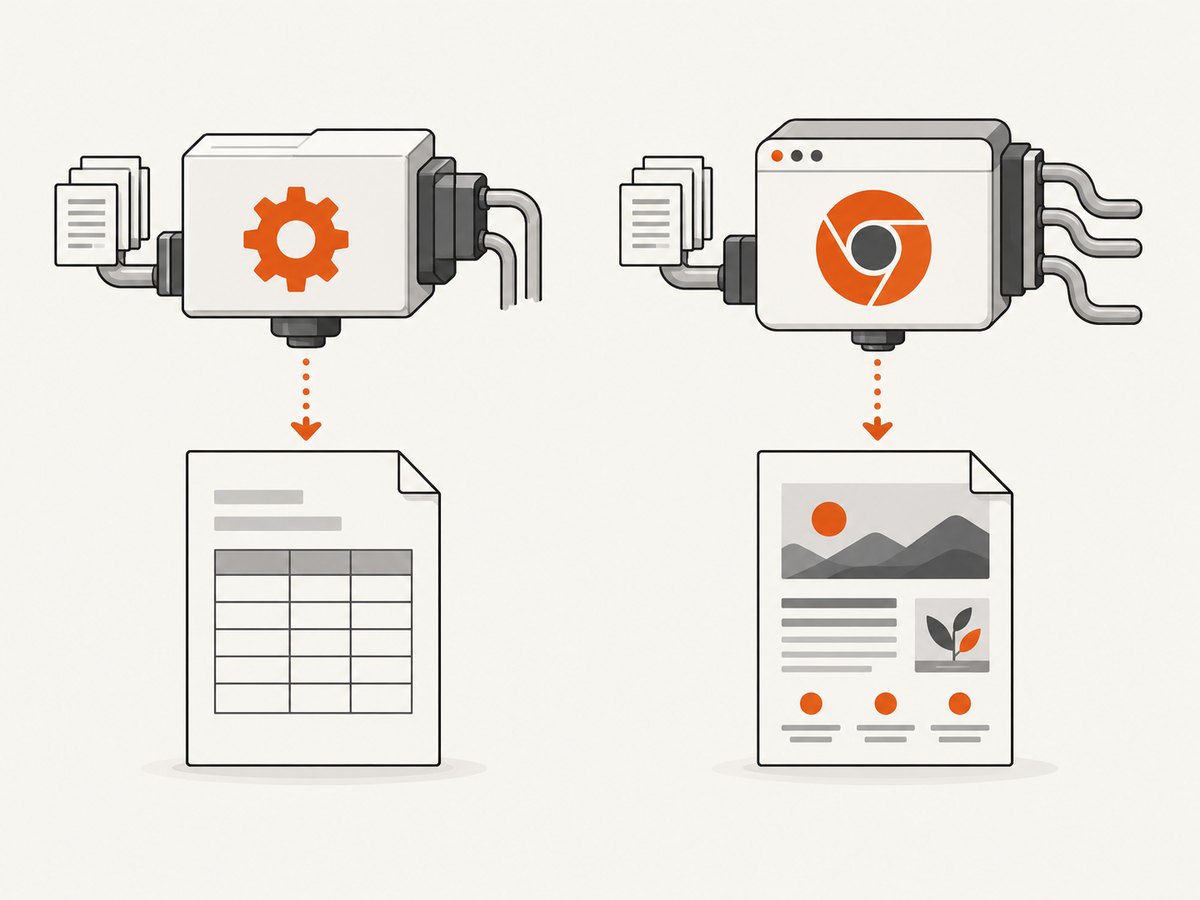
| Requirement | Practical choice | Trade-off |
|---|---|---|
| PHP-only deployment and simple layouts | Dompdf | No external browser binary, but documented support does not include modern flexbox and grid. |
| Browser-like CSS, flexbox, grid, and JavaScript-dependent layouts | A Chromium-based driver | Requires a browser runtime or a rendering service. |
| Specialized typography and configured font substitution | mPDF or another font-aware engine | Requires engine-specific font registration and configuration. |
| Several backends behind one Laravel API | Spatie Laravel PDF | Check the installed release and its driver requirements before deployment. |
Spatie Laravel PDF documents view rendering and multiple drivers, including Chromium-based options, WeasyPrint, Gotenberg, and other backends. Its current documentation lists PHP 8.2+ and Laravel 11+ for the package; confirm those requirements against the version installed in your application. See the Spatie Laravel PDF documentation.
Dompdf is a reasonable PHP-only path for table-oriented documents. Its documented CSS support covers CSS 2.1 and parts of CSS3, but not modern flexbox or grid. If your Blade view depends on those layout systems, use a browser-based driver or simplify the PDF stylesheet. See the Dompdf project documentation.
Prerequisites for Gujarati output
- Your Blade template and source data are UTF-8.
- The selected font contains the Gujarati glyphs used by your document.
- The renderer can read the font from a local, application-readable path.
- Your PDF engine is configured to embed or substitute that font correctly.
- You have representative Gujarati test text, including conjuncts, vowel marks, punctuation, numerals, and any mixed Gujarati and Latin content.
Unicode support alone does not guarantee correct Gujarati shaping. Verify the chosen font and the actual generated PDF. Dompdf’s Unicode guidance explains that the PDF must have access to a font supporting the document’s characters and describes UTF-8 HTML and TrueType font support. Its bundled DejaVu fonts cover many scripts, but you should verify Gujarati coverage for your own text. See the Dompdf Unicode guidance.

Recommended implementation with Spatie Laravel PDF
Install the package and select a driver appropriate for your host. The following view-rendering shape is the API documented by the project; check the installed version for exact driver setup.
composer require spatie/laravel-pdf
php artisan vendor:publish --tag=laravel-pdf-config
Create a controller that passes Gujarati data to a Blade view:
<?php

namespace App\\Http\\Controllers;

use Illuminate\\Http\\Request;
use Spatie\\LaravelPdf\\Facades\\Pdf;

class GujaratiPdfController extends Controller
{
    public function download(Request $request)
    {
        $data = [
            'title' => 'ગુજરાતી અહેવાલ',
            'body' => 'આ દસ્તાવેજ UTF-8 ગુજરાતી લખાણનું ઉદાહરણ છે.',
            'reference' => 'Invoice 2026-001',
        ];

        return Pdf::view('pdfs.gujarati-report', $data)
            ->format('a4')
            ->download('gujarati-report.pdf');
    }

    public function save()
    {
        $data = [
            'title' => 'ગુજરાતી અહેવાલ',
            'body' => 'આ દસ્તાવેજ UTF-8 ગુજરાતી લખાણનું ઉદાહરણ છે.',
            'reference' => 'Invoice 2026-001',
        ];

        return Pdf::view('pdfs.gujarati-report', $data)
            ->format('a4')
            ->save(storage_path('app/gujarati-report.pdf'));
    }
}
Register a route:
use App\\Http\\Controllers\\GujaratiPdfController;

Route::get('/reports/gujarati.pdf', [GujaratiPdfController::class, 'download']);
Blade view with a local Gujarati font
Place a Gujarati-capable TrueType font in a path deployed with the application, for example resources/fonts/NotoSansGujarati-Regular.ttf. Confirm that your chosen font license permits this use. Register the font using the method required by your selected driver. A generic CSS family name is not enough if the engine cannot locate the file.
<!doctype html>
<html lang="gu">
<head>
    <meta charset="utf-8">
    <style>
        @font-face {
            font-family: 'GujaratiPdf';
            src: url('{{ resource_path('fonts/NotoSansGujarati-Regular.ttf') }}') format('truetype');
            font-weight: 400;
            font-style: normal;
        }

        @font-face {
            font-family: 'GujaratiPdf';
            src: url('{{ resource_path('fonts/NotoSansGujarati-Bold.ttf') }}') format('truetype');
            font-weight: 700;
            font-style: normal;
        }

        @page { size: A4; margin: 18mm; }
        body {
            font-family: 'GujaratiPdf', sans-serif;
            font-size: 13pt;
            line-height: 1.55;
            color: #111;
        }
        h1 { font-size: 22pt; }
        .latin { font-family: sans-serif; }
        table { width: 100%; border-collapse: collapse; }
        td, th { border: 0.2mm solid #999; padding: 2mm; }
    </style>
</head>
<body>
    <h1>{{ $title }}</h1>
    <p>{{ $body }}</p>
    <p class="latin">{{ $reference }}</p>
    <table>
        <tr><th>વસ્તુ</th><th>મૂલ્ય</th></tr>
        <tr><td>કુલ રકમ</td><td>₹ ૧,૨૫૦</td></tr>
    </table>
</body>
</html>
For a production build, prefer a renderer-specific local font registration mechanism over remote CSS. Laravel’s Dompdf configuration documents remote resource loading as disabled by default, so a Google Fonts URL or another external stylesheet may be ignored unless you explicitly configure it. See the Laravel Dompdf configuration.
Dompdf implementation
Use this route when a PHP-only renderer and simple CSS are sufficient. Install the Laravel wrapper:
composer require barryvdh/laravel-dompdf<?php
namespace App\\Http\\Controllers;
use Barryvdh\\DomPDF\\Facade\\Pdf;
class GujaratiDompdfController extends Controller
{
public function download()
{
$pdf = Pdf::loadView('pdfs.gujarati-report', [
'title' => 'ગુજરાતી અહેવાલ',
'body' => 'આ દસ્તાવેજ UTF-8 ગુજરાતી લખાણનું ઉદાહરણ છે.',
'reference' => 'Invoice 2026-001',
]);
$pdf->setPaper('a4', 'portrait');
return $pdf->download('gujarati-report.pdf');
}
}Dompdf works best with explicit widths, tables, margins, and straightforward block layout. Replace flexbox or grid with tables or normal block elements when the PDF must be rendered by Dompdf.
Font configuration with mPDF
mPDF supports configured fonts and substitution. Its font configuration uses a font directory, a map of family names to files, and a default font. The exact Laravel wrapper API varies by package version, so validate the following structure against your installed wrapper and the mPDF font documentation.
use Mpdf\\Config\\ConfigVariables;
use Mpdf\\Config\\FontVariables;
use Mpdf\\Mpdf;

$defaultConfig = (new ConfigVariables())->getDefaults();
$fontDirs = $defaultConfig['fontDir'];

$defaultFontConfig = (new FontVariables())->getDefaults();
$fontData = $defaultFontConfig['fontdata'];

$mpdf = new Mpdf([
    'fontDir' => array_merge($fontDirs, [resource_path('fonts')]),
    'fontdata' => $fontData + [
        'gujaratipdf' => [
            'R' => 'NotoSansGujarati-Regular.ttf',
            'B' => 'NotoSansGujarati-Bold.ttf',
        ],
    ],
    'default_font' => 'gujaratipdf',
]);

$html = view('pdfs.gujarati-report', [
    'title' => 'ગુજરાતી અહેવાલ',
    'body' => 'આ દસ્તાવેજ UTF-8 ગુજરાતી લખાણનું ઉદાહરણ છે.',
    'reference' => 'Invoice 2026-001',
])->render();

$mpdf->WriteHTML($html);
$mpdf->Output(storage_path('app/gujarati-report.pdf'), 'F');
Validate the generated PDF
- Generate the PDF in the same container, VM, or server image used in production.
- Open it in at least two PDF viewers if portability matters.
- Check Gujarati vowel marks, joined consonants, punctuation, and line breaks.
- Check mixed Gujarati, Latin, currency symbols, and numerals.
- Copy text from the PDF and inspect whether extraction is usable.
- Check normal, bold, and italic styles separately if your document uses them.
- Keep a small golden input document in CI or a deployment smoke test.
A browser preview is not proof of PDF correctness. A Dompdf issue reported a mismatch between Gujarati HTML and PDF output even when a Gujarati font was specified; that report is anecdotal, but it is a reason to inspect the produced file rather than infer success from the HTML view. No independent rendering result is claimed here.
Common errors and fixes
| Error | Likely cause | Fix |
|---|---|---|
| Gujarati appears as empty squares | The active font lacks Gujarati glyphs or was not loaded. | Use a font with verified Gujarati coverage, register it with the engine, and confirm the deployed file path and permissions. |
| Gujarati letters are separated or marks are misplaced | The engine or font shaping path does not handle the text as expected. | Try a different configured font or a Chromium-based driver, then inspect the final PDF with representative conjuncts and vowel signs. |
| HTML is correct but PDF is blank | View data, CSS, resource paths, or renderer errors. | Render a minimal view, log exceptions, remove remote assets, and verify local file paths. |
| Remote font is ignored | Remote resource loading is disabled by default in Laravel Dompdf configuration. | Bundle the font locally or explicitly configure remote access after reviewing the security and deployment implications. |
| Layout collapses in Dompdf | Flexbox or grid is outside documented Dompdf support. | Use table/block layout or change to a browser-based driver. |
| Font works locally but not in production | The font was not included in the image, path casing differs, or permissions prevent access. | Inspect the production filesystem, package the font in the deploy artifact, and use an absolute application path. |
| Only bold text is broken | The bold face is missing or mapped to the wrong file. | Register the bold TrueType file explicitly and test each weight used by the template. |
| PDF text cannot be copied correctly | Font encoding or glyph mapping is incomplete. | Test extraction with your chosen engine and font; if extraction is required, compare another driver before shipping. |
Production checklist
- Pin and document the Laravel PDF package and renderer versions.
- Include every Gujarati font file in the deployment artifact and verify its license.
- Use UTF-8 database connections, PHP source files, Blade templates, and HTTP responses.
- Keep PDF CSS separate from responsive web CSS.
- Prefer local images and fonts for deterministic rendering.
- Set a job timeout appropriate for document size and avoid generating very large PDFs inside a synchronous web request.
- Log renderer exceptions and the input document identifier, but avoid logging sensitive document contents.
- Generate a representative Gujarati smoke-test PDF after deployment.
- Compare output after changing fonts, renderer versions, or server images.
Performance, reliability, and cost
PDF generation cost is dominated by HTML complexity, font loading, image decoding, page count, and the selected renderer. A PHP-only renderer can simplify deployment, while Chromium generally provides broader CSS behavior at the cost of a browser runtime. Keep templates small, resize oversized source images, avoid unnecessary remote requests, and queue long or high-volume jobs.
For reliable output, make fonts and other assets local, set explicit page sizes and margins, and treat the generated PDF as the artifact to verify. Package changes should be tested with the same Gujarati phrases and styles used in production. Package requirements and driver behavior can change, so check the installed release documentation at implementation time.
Or skip the browser setup
ScreenshotNeo is a website screenshot and PDF API, so it is useful when your Gujarati HTML is already available at a URL and you want a hosted capture instead of maintaining a browser runtime. See the ScreenshotNeo API documentation.
curl -G "https://api.screenshotneo.com/v1/shot" -d access_key=YOUR_API_KEY --data-urlencode url=https://example.com/gujarati-report -o shot.webpimport requests
r = requests.get(
"https://api.screenshotneo.com/v1/shot",
params={"access_key": "YOUR_API_KEY", "url": "https://example.com/gujarati-report"},
timeout=90,
)
r.raise_for_status()
open("shot.webp", "wb").write(r.content)const q = new URLSearchParams({ access_key: 'YOUR_API_KEY', url: 'https://example.com/gujarati-report' });
const res = await fetch(`https://api.screenshotneo.com/v1/shot?${q}`);
if (!res.ok) throw new Error(`HTTP ${res.status}`);
const buffer = Buffer.from(await res.arrayBuffer());
await import('node:fs/promises').then(fs => fs.writeFile('shot.webp', buffer));ScreenshotNeo removes cookie banners, newsletter popups, and chat widgets before capture; bot checks, blank pages, timeouts, failed loads, and cache hits are not billed; and its MCP server lets AI agents call take_screenshot, get_page_info, and capture_pdf. It includes 1,000 screenshots per month free with no card, and paid plans start at $5 for 3,000 shots. If you need a hosted capture of a Gujarati page, sign up for the free ScreenshotNeo plan.
FAQ
Can I use any Gujarati web font?
No. The font must contain the glyphs and work with the selected PDF engine. Bundle and register the exact font used for production.
Is UTF-8 enough?
UTF-8 is required, but it does not prove that Gujarati shaping, glyph coverage, embedding, or text extraction will be correct.
Should I choose Dompdf or Chromium?
Choose Dompdf for simple layouts and a PHP-only runtime. Choose Chromium when browser-like CSS, flexbox, grid, or JavaScript behavior is central.
Why does the PDF differ from the browser?
PDF engines have different CSS support, font loading, shaping, pagination, and resource policies. Validate the generated PDF in the deployment environment.
Where should fonts live?
Keep them in a versioned, application-readable local directory and configure the renderer to use that directory. Do not depend on an external font URL unless the engine is explicitly configured to load it.


