How to Use Proxies With PHP Guzzle
Configure HTTP and HTTPS proxies in Guzzle, add authentication, bypass selected hosts, and avoid common TLS and credential leaks.
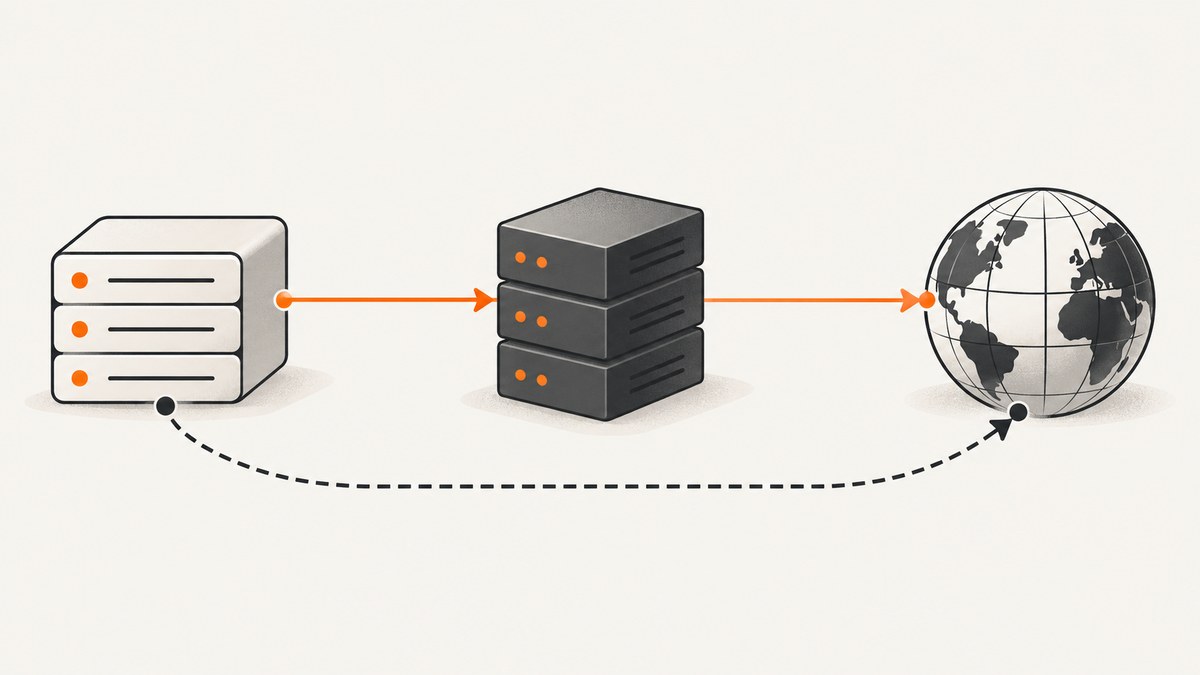
To use a proxy with Guzzle, set the proxy request option to a proxy URI, or to an array with separate http, https, and optional no entries. Put the option in the client constructor for a shared default, or in an individual request for one-off routing. Keep TLS certificate verification enabled, protect proxy credentials, and check the installed Guzzle and libcurl versions before using HTTPS proxies or proxy authorization headers.
This guide covers Guzzle 7-style client usage. The examples send requests to https://example.com; replace the proxy host, port, credentials, and destination with values for your environment. See the Guzzle proxy request option documentation.
1. Configure a proxy in Guzzle
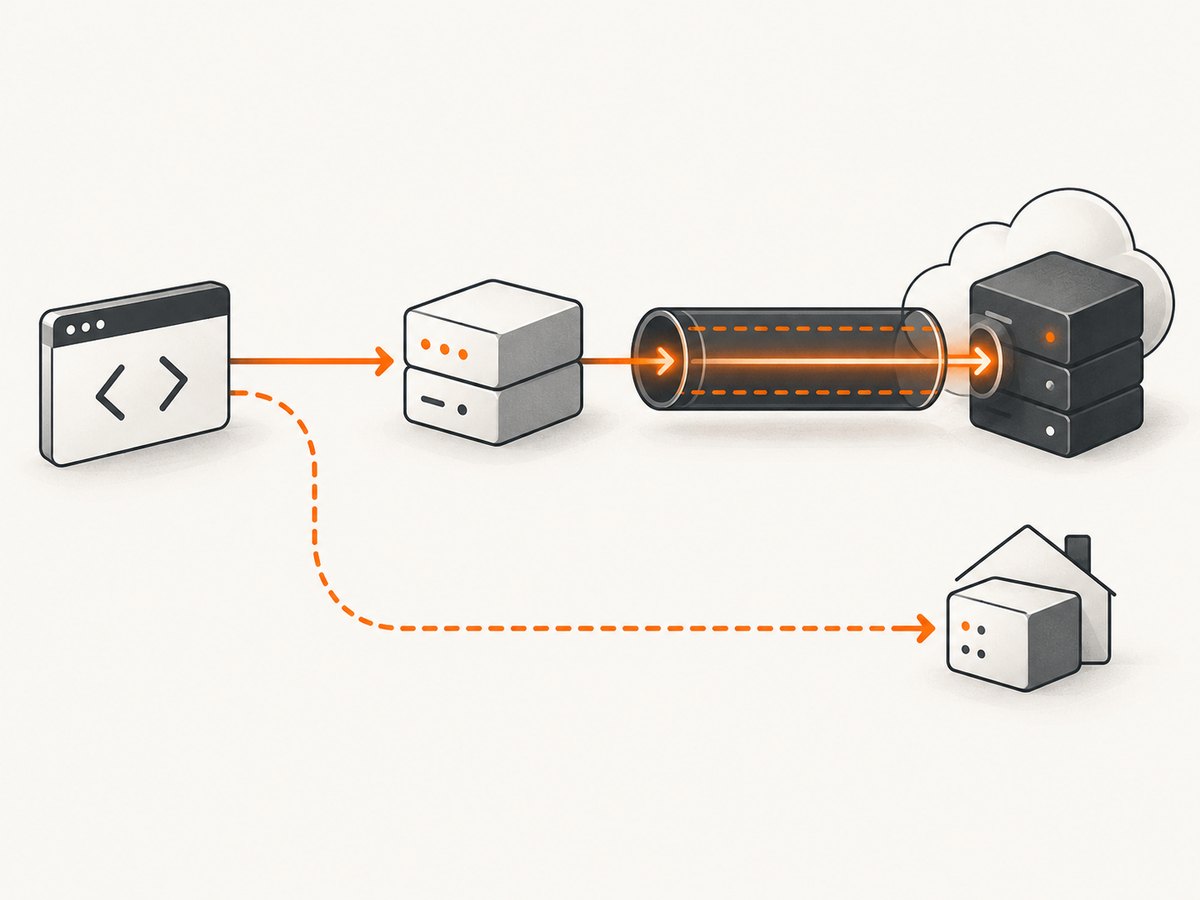
Guzzle accepts a string proxy URI for all protocols, or an associative array to route HTTP and HTTPS destinations separately. The array form can include a no list for hosts that must connect directly.
<?php
require __DIR__ . '/vendor/autoload.php';

use GuzzleHttp\Client;

$client = new Client([
    'proxy' => [
        'http'  => 'http://proxy.example:8080',
        'https' => 'http://proxy.example:8080',
        'no'    => ['localhost', '127.0.0.1', '.internal.example'],
    ],
    'timeout' => 30,
    'connect_timeout' => 10,
    'verify' => true,
]);

$response = $client->request('GET', 'https://example.com');
echo $response->getStatusCode(), PHP_EOL;
echo $response->getBody();
Install Guzzle in a Composer project with composer require guzzlehttp/guzzle, save the snippet as a PHP file, and run it from the command line. The code assumes the proxy accepts ordinary HTTP proxy connections. A destination URL starting with HTTPS can still use an HTTP proxy: the client typically asks that proxy to establish a tunnel to the destination.
One proxy for every destination
$client = new Client([
    'proxy' => 'http://proxy.example:8080',
]);
Use the string form when the same proxy should handle both HTTP and HTTPS destinations and you do not need a bypass list. For different proxy endpoints per destination scheme or selected direct routes, use the array form.
Client defaults or a single request
Client-level defaults make every request from that client use the proxy unless overridden. They are convenient for a worker or service dedicated to one route. Guzzle clients are immutable after creation; create another client when you need a different set of defaults.
$client = new Client(['timeout' => 30]);

$response = $client->request('GET', 'https://example.com', [
    'proxy' => 'http://proxy.example:8080',
]);
Request-level options are useful when only some destinations should use the proxy. Avoid sharing a proxy-configured client with requests that need a different security boundary unless each request explicitly sets and reviews its routing options.
2. Add proxy authentication safely
For basic credentials supported by the proxy, Guzzle permits username and password in the proxy URI:
$proxy = 'http://' . rawurlencode($proxyUser) . ':'
    . rawurlencode($proxyPassword) . '@proxy.example:8080';

$client = new Client(['proxy' => $proxy]);
Read secrets from a protected environment variable or secret manager rather than committing them to source control. URL-encode credentials so reserved characters such as @, :, /, and # are not parsed as URI syntax. Never print the complete proxy URI in logs or error reports; redact its user information before recording configuration.
Do not assume every proxy uses Basic authentication or that every Guzzle handler supports every authentication mechanism in the same way. Confirm the proxy’s requirements and the selected transport handler. If using cURL-specific proxy credentials, configure them through the cURL handler’s supported options and verify behavior in the deployed runtime.
Be especially careful with a first-class Proxy-Authorization request header. Guzzle versions before 7.14.2 could expose this header to an origin server in some direct, bypass, SOCKS, or redirect scenarios. The Guzzle advisory recommends upgrading to 7.14.2 or later. If upgrading is temporarily impossible, avoid first-class proxy authorization headers; the advisory describes proxy URI userinfo or CURLOPT_PROXYUSERPWD with cURL handlers as workarounds. Review the Guzzle Proxy-Authorization security advisory and audit redirects and bypass routes.
3. Bypass the proxy for selected hosts
Use the no array entry to list destinations that should not go through the configured proxy:
'proxy' => [
    'http'  => 'http://proxy.example:8080',
    'https' => 'http://proxy.example:8080',
    'no'    => [
        'localhost',
        '127.0.0.1',
        '.internal.example',
    ],
],
Include the exact hosts and domain patterns your application actually uses. Test localhost, internal names, and any important subdomains independently; a bypass mistake can send private traffic to an external proxy or route a request directly when you expected it to be mediated. Do not infer that a particular wildcard or suffix rule works as intended without testing it against the Guzzle version and handler you deploy.
Guzzle also reads HTTP_PROXY for HTTP requests, HTTPS_PROXY for HTTPS requests, and NO_PROXY for bypass destinations. On CLI SAPI, configure them in the process environment:
export HTTP_PROXY='http://proxy.example:8080'
export HTTPS_PROXY='http://proxy.example:8080'
export NO_PROXY='localhost,127.0.0.1,.internal.example'
php fetch.php
Guzzle documents that HTTP_PROXY is read only in CLI SAPI because untrusted CGI input can create HTTPoxy-style behavior. If you pass an explicit proxy option, provide its no entries yourself when you need the environment’s exclusions; do not assume an explicit proxy array will automatically reuse NO_PROXY. See Guzzle’s proxy option notes.
4. Choose the right proxy and TLS configuration
| Configuration | Use it for | Check |
|---|---|---|
| One proxy URI string | Same endpoint for HTTP and HTTPS destinations | Does the endpoint accept both traffic types? |
http and https entries |
Different routing by destination scheme | Test each scheme with its own endpoint |
no list |
Direct connections for specific hosts | Test every hostname and suffix pattern |
| Environment variables | Deployment-level defaults | Inspect the actual process environment and exclusions |
https:// proxy URI |
TLS-encrypted connection from client to proxy | Guzzle and libcurl must support HTTPS proxies |
Keep verify at its default true. That verifies the destination server certificate; use a trusted CA bundle path if your runtime does not have the needed CA certificates. Setting verify => false disables certificate validation and is insecure. A proxy does not remove the need to validate the destination. If your proxy performs TLS inspection, configure the appropriate trusted CA according to your organization’s security policy rather than disabling verification. See Guzzle’s verify option documentation.

An https:// proxy URI means the connection from your client to the proxy uses TLS. It is different from requesting an HTTPS destination through an ordinary HTTP proxy. Guzzle 7.12.1 and later detect whether the installed libcurl supports HTTPS proxies and reject unsupported first-class configurations; libcurl support requires version 7.52.0 or newer with the HTTPS-proxy feature. Older Guzzle versions combined with some older libcurl builds could silently treat an HTTPS proxy as plaintext. Upgrade and inspect the HTTPS-proxy downgrade advisory before using this scheme.
5. Diagnose routing and transport issues
- Confirm the runtime. Check
composer show guzzlehttp/guzzle, whether PHP’s cURL extension is loaded, and the libcurl version and features. The handler can affect supported options and proxy behavior. - Check the effective route. Inspect proxy scheme and host without exposing credentials. Environment variables, client defaults, and request options may all affect the route.
- Test HTTP and HTTPS separately. A successful HTTP request does not prove that the HTTPS entry, CONNECT tunneling, or proxy TLS works.
- Test bypass behavior. Run requests to every configured direct host and representative proxied host, including redirects if your application follows them.
- Keep certificate checks on. Install or configure the required CA bundle when verification fails; do not treat disabling verification as a fix.
- Review credentials and redirects. Ensure proxy credentials cannot appear in origin-bound headers, logs, traces, or error output. Upgrade before using first-class
Proxy-Authorizationheaders. - Validate destination hosts. Proxy routing is not SSRF protection. Validate URLs and every redirect destination against your application’s own allowlist and network policy. Guzzle’s noncanonical-host advisory lists patched releases 7.15.2 and 8.0.1; review it when accepting untrusted URLs.
Common errors and fixes
| Symptom | Likely cause | Fix |
|---|---|---|
| Connection refused or timeout | Wrong proxy host/port, network ACL, or unreachable proxy | Verify the endpoint from the same machine/container and inspect firewall rules. |
| 407 Proxy Authentication Required | Missing, incorrect, or unsupported proxy credentials | Confirm authentication type and secret values; use the supported method for the chosen handler. |
| Certificate verification failure | Missing CA bundle, interception CA not trusted, or invalid certificate chain | Install/configure a trusted CA bundle and leave verify enabled. |
| HTTPS proxy rejected or behaves like plaintext | Unsupported Guzzle/libcurl combination | Use Guzzle 7.12.1 or later and confirm libcurl HTTPS-proxy support. |
| A host unexpectedly connects directly | It matches no/NO_PROXY or an explicit option overrides defaults |
Review the effective bypass list and test the exact hostname. |
| Proxy credentials appear at an origin | Old Guzzle version and first-class Proxy-Authorization header, often involving a redirect or bypass |
Upgrade to 7.14.2 or later, remove the header from request defaults and middleware, and rotate exposed credentials. |
| Environment proxy has no effect | Wrong variable for the request scheme, non-CLI SAPI, or explicit proxy configuration | Set the appropriate variable in the process environment; configure options explicitly when needed. |
6. Performance, reliability, and cost
A proxy adds another network hop, so connection establishment and response time depend on both the proxy and destination. Reuse a Guzzle client for requests sharing the same configuration, set finite connect and total timeouts, and make retries deliberate. Retry only failures that are safe for the operation; a timeout can happen after a server has processed a request. For non-idempotent requests, use application-level idempotency controls where available.
Proxy reliability is a dependency question: monitor connection failures, latency, authentication errors, and proxy-side limits. A proxy may be unavailable even while the destination is healthy. Decide whether failure should stop the request or use a separately approved fallback route; do not silently bypass a proxy that enforces access controls or egress policy.
Costs depend on the proxy provider’s pricing model and usage terms. Track request volume and egress, and avoid retries that amplify traffic during an outage. This guide does not recommend a proxy vendor; no provider or affiliate program was verified for this research.
7. Capture a screenshot without managing a browser
For page screenshots, you may not need to run a browser yourself. ScreenshotNeo is a website screenshot API and MCP server. It is separate from Guzzle proxy configuration: use its API when the task is to capture a page as an image or PDF, rather than route arbitrary PHP HTTP requests through your proxy. See the ScreenshotNeo documentation.
<?php
$ch = curl_init();
$query = http_build_query([
    'access_key' => getenv('SCREENSHOTNEO_API_KEY'),
    'url' => 'https://stripe.com',
]);
curl_setopt_array($ch, [
    CURLOPT_URL => 'https://api.screenshotneo.com/v1/shot?' . $query,
    CURLOPT_RETURNTRANSFER => true,
    CURLOPT_TIMEOUT => 90,
]);
$image = curl_exec($ch);
if ($image === false) {
    throw new RuntimeException(curl_error($ch));
}
file_put_contents('shot.webp', $image);
curl_close($ch);
The equivalent one-call examples are:
curl -G "https://api.screenshotneo.com/v1/shot" -d access_key=YOUR_API_KEY --data-urlencode url=https://stripe.com -o shot.webpimport requests
r = requests.get("https://api.screenshotneo.com/v1/shot", params={"access_key": "YOUR_API_KEY", "url": "https://stripe.com"}, timeout=90)
open("shot.webp", "wb").write(r.content)const q = new URLSearchParams({ access_key: 'YOUR_API_KEY', url: 'https://stripe.com' });
const res = await fetch(`https://api.screenshotneo.com/v1/shot?${q}`);
if (!res.ok) throw new Error(`Screenshot request failed: ${res.status}`);
await Bun.write('shot.webp', res);ScreenshotNeo removes cookie banners, newsletter popups, and chat widgets before the shot. Bot checks, blank pages, and failed loads are never billed. Its MCP server lets AI agents take screenshots. The free plan includes 1,000 screenshots a month with no card; paid plans start at $5 for 3,000. Sign up free and get 1,000 screenshots a month with no card.
8. FAQ
Does Guzzle support SOCKS proxies?
Support depends on the transport handler and its underlying library. Verify the selected handler’s supported proxy schemes and the installed cURL/libcurl capabilities before deployment; do not assume every URI scheme works with every handler.
Will a proxy protect my application from SSRF?
No. Validate user-supplied destinations and redirects against an explicit host and network policy. A proxy controls routing; it is not an input-validation boundary.
Should I put proxy configuration in PHP source?
Non-secret routing defaults can live in application configuration. Credentials should come from protected runtime configuration or a secret manager, and must be redacted from logs.
Can I change the proxy on an existing Guzzle client?
Client defaults are immutable after construction. Build a separate client with the desired proxy settings, or pass a request-level option for an isolated call.
Quick reference
- Use the
proxystring form for one endpoint, or thehttp/https/noarray for explicit routing. - Use
HTTP_PROXY,HTTPS_PROXY, andNO_PROXYfor CLI process defaults; provide bypass entries yourself when setting an explicit proxy array. - Keep
verifyenabled and use a trusted CA bundle when needed. - Use Guzzle 7.12.1 or later for HTTPS proxy handling and 7.14.2 or later before relying on first-class
Proxy-Authorizationheaders; review current advisories before deployment. - Validate destination hosts independently of proxy routing.


