How to Handle Cookies in Web Scraping
Use a cookie jar for HTTP scraping and an isolated browser context for JavaScript-driven pages. Learn how to preserve session state without leaking credentials.
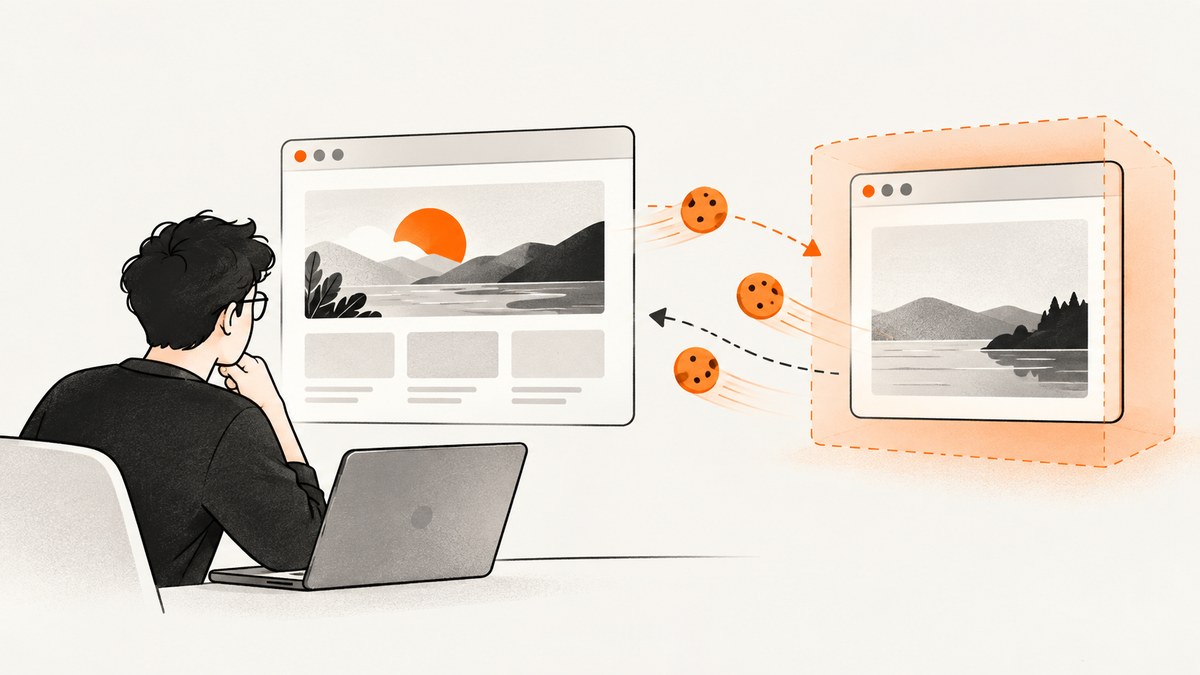
To handle cookies in web scraping, keep them in the HTTP client’s cookie jar or in an isolated browser context. Let that client store cookies from Set-Cookie responses and send them only on later requests where their scope applies. Use ordinary HTTP when the response already contains the content you need; use browser automation when the page depends on JavaScript or browser navigation. Treat authenticated cookies as credentials, and only collect or reuse session state when you are authorized to do so.
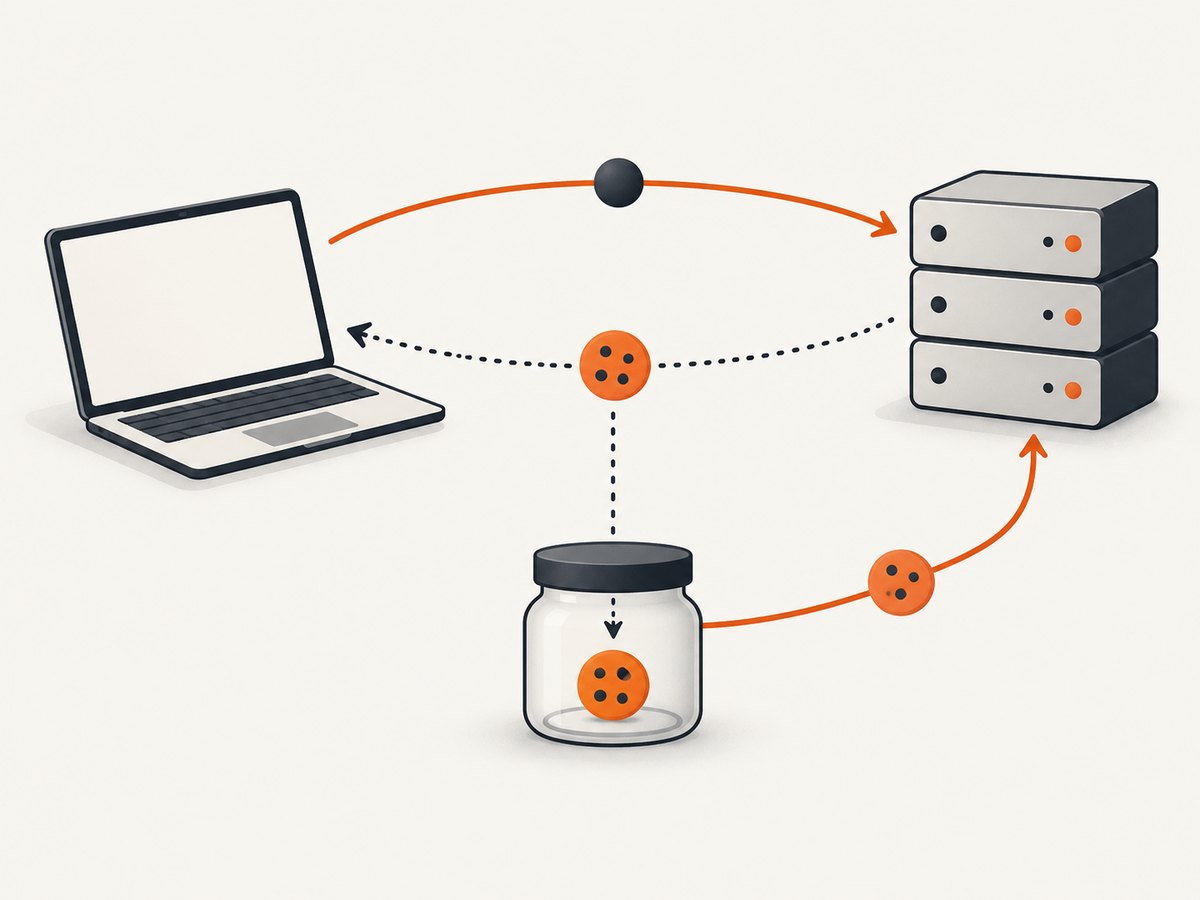
HTTP is stateless by default. Cookies let a site associate a later request with state from an earlier one, such as a session or preference. MDN describes the usual flow: a server sets cookies in a response and the client returns eligible cookies in a later Cookie request header. See MDN’s HTTP cookie guide.
1. Choose the right kind of client
Start with the simplest client that can retrieve the required content. A browser is not automatically necessary just because a site uses cookies.
| What the page needs | Approach | How state is kept |
|---|---|---|
| Content appears in the initial HTTP response | HTTP client | Client cookie jar |
| JavaScript renders content or navigation establishes state | Browser automation | Separate browser context |
| Only a visual snapshot is needed | Screenshot service or browser capture | Capture configuration; not necessarily a reusable login session |
For HTTP scraping, use a persistent session object rather than creating a fresh client for every request. For browser workflows, create a context for the task and let the browser handle cookie acceptance, scope and navigation. Avoid using a personal browser profile, which can expose unrelated account state.
2. Maintain cookies with Python Requests
Python Requests sessions persist cookies across requests. This example requests a page, follows its cookie flow, and then requests a second page from the same session. Replace the example host and paths with an authorized target.
import requests

base = "https://example.com"
s = requests.Session()
s.headers.update({"User-Agent": "ResearchBot/1.0 contact: ops@example.org"})

first = s.get(f"{base}/", timeout=(5, 30))
first.raise_for_status()
print("First response:", first.status_code)
print("Cookies in jar:", list(s.cookies.keys()))

second = s.get(f"{base}/account/", timeout=(5, 30))
second.raise_for_status()
print("Second response:", second.status_code)
print(second.url)
The session processes response cookies and chooses which cookies apply to the later URL. You can inspect cookie names for diagnostics, but avoid printing cookie values into terminal logs, CI output or issue reports. Cookies may be authentication credentials.
Send an authorized cookie into a session
If you have permission to use a particular cookie, add it to the session jar with an explicit domain and path so its scope is constrained. Do not copy a value from an unrelated site or profile.
import requests

s = requests.Session()
s.cookies.set(
    "session_id",
    "REPLACE_WITH_AUTHORIZED_VALUE",
    domain="example.com",
    path="/",
    secure=True,
)
r = s.get("https://example.com/account/", timeout=(5, 30))
r.raise_for_status()
print(r.status_code)
Use a secret manager or environment variable for sensitive values in real deployments. Restrict who can read the secret, keep it out of source control, and expire or revoke it when the authorized task ends.
3. Maintain cookies with Node.js fetch
Node’s built-in fetch does not provide a browser-style persistent cookie jar by itself. For a small, controlled flow, you can read a response’s Set-Cookie values and send the cookie pairs on a later request to the same origin. This is intentionally limited: it does not implement browser cookie policy or domain/path matching. For general scraping, use a cookie-jar library or browser automation.
const first = await fetch('https://example.com/', { redirect: 'follow' });

// Node versions that expose getSetCookie() can return each header separately.
const setCookies = first.headers.getSetCookie?.() ?? [];
const cookieHeader = setCookies
  .map(value => value.split(';', 1)[0])
  .filter(Boolean)
  .join('; ');

const second = await fetch('https://example.com/account/', {
  headers: cookieHeader ? { Cookie: cookieHeader } : {},
  redirect: 'follow',
});
if (!second.ok) throw new Error(`HTTP ${second.status}`);
console.log(second.status, second.url);
Do not use this simplified code across different origins, and do not assume it handles expiration, path restrictions, secure-only cookies or same-site rules. A proper jar is safer for multi-request crawls. Browser contexts are preferable when browser semantics matter.
4. Use cURL’s cookie jar
For one-off command-line work, cURL can save cookies to a file and reuse them in a later request. Protect the file as you would a credential and delete it when the task is complete.
curl --silent --show-error --fail \
  --cookie-jar cookies.txt \
  https://example.com/ -o first.html

curl --silent --show-error --fail \
  --cookie cookies.txt \
  https://example.com/account/ -o account.html
--cookie-jar writes cookies received from the first response. --cookie reads cookies for the next request. If a workflow needs repeated updates, provide both options on the subsequent request so cURL can send the current jar and write updates. Do not commit cookies.txt.
5. Browser cookies and isolated contexts
Choose browser automation if the required page depends on client-side rendering, browser storage, interactive navigation or state that an HTTP response alone cannot establish. Create a fresh context for each task or account, navigate through the site’s normal authorized flow, and let the browser manage the cookies within that context.

Keep contexts isolated across users and jobs. Do not load a developer’s everyday browser profile into a crawler. Close the context after the task, and avoid saving persistent state unless the workflow specifically needs it and has authorization and retention controls.
Cookie state is not the only state a page may use. A browser page may also rely on local storage or other client-side state. If an HTTP client’s response differs from the browser, inspect the actual response and the page’s network activity before concluding that a cookie is missing.
6. Respect cookie scope and redirects
Cookies are scoped. Their domain and scheme affect whether a client associates them with a site; path and attributes also matter. Do not assume a cookie for one host applies to another host, or that a cookie from an HTTPS origin should be sent to an unrelated or insecure destination. Recheck the target after redirects, because a redirect can change the origin.
MDN explains the first-party and third-party distinction in relation to the site shown in the browser address bar and the cookie’s associated domain and scheme. Browser policies and site behavior can differ, so a cookie available in one context is not guaranteed to be accepted or sent in another. See MDN’s explanation of cookie scope.
Avoid constructing a raw Cookie header from a browser’s entire cookie store. A client’s cookie jar is designed to decide what applies. Hand-copying a header can leak state across origins and can silently keep sending stale values.
7. Privacy, authorization and retention
Cookie consent rules and data-protection rules address different questions. EU public guidance describes exemptions for cookies used solely to transmit a communication or strictly necessary to provide a service explicitly requested by the user, while some other uses require prior consent. UK ICO guidance discusses PECR requirements and applicable exemptions. These rules concern storage or access on users’ devices; they do not grant a scraper general permission to collect a site’s content or reuse a logged-in session.
Separately, the EDPB’s material on web scraping concerns personal-data processing. If a crawl collects, stores or organizes personal data, assess the applicable law, purpose and legal basis. Guidance and interpretations change; check current regulator material for the jurisdiction and use case. Sources: Your Europe on online privacy, ICO cookie guidance, and EDPB web scraping update.
Before collecting cookies or authenticated pages, check authorization, site terms, the intended purpose, whether personal or sensitive data may appear, and the relevant jurisdiction. Collect the minimum state needed and retain it for the shortest necessary time, consistent with GOV.UK cookie guidance. This is general information, not a legal determination about a specific site.
8. Troubleshooting common cookie problems
| Symptom | Likely cause | Fix |
|---|---|---|
| Every request looks logged out | A new session is created for each request, or the response did not set the expected cookie | Reuse one session or jar; inspect response status and cookie names, not secret values. |
| Cookie is present but server ignores it | Expired/rotated value, wrong domain or path, missing companion state, or session requires a browser flow | Establish a fresh authorized session through the normal flow; verify scope and redirect chain. |
| It works on one host but not another | Cookie scope does not cover the second host or scheme | Use the right origin and let the jar apply scope. Do not forward cookies to unrelated hosts. |
| HTTP response lacks content seen in the browser | JavaScript rendering, navigation or client-side state is required | Use an isolated browser context and inspect the page after required rendering. |
| 401 or 403 appears after some successful requests | Session expired, access was denied, or the site requires an authorized renewal flow | Stop and review authorization and the site’s expected access flow. Do not try to evade access controls. |
| Cookie file or logs expose session values | Secrets were stored or printed without controls | Restrict file permissions, remove values from logs, rotate/revoke exposed sessions, and delete stale files. |
9. Reliability, performance and cost
For pages available in the initial response, an HTTP client is usually operationally simpler than a browser: there is less rendering work, and a session object can reuse connection and cookie state across requests. The exact speed and resource use depend on the target and your implementation; this guide makes no benchmark claim. Set connection and read timeouts, check HTTP status codes, and use bounded retries only for transient failures. A retry should not blindly repeat a state-changing request.
Browser automation consumes more resources because it runs page rendering and scripts. Use it only for pages that need browser behavior, keep contexts isolated, and close pages and contexts reliably. For either method, cap concurrency, respect the target’s terms and rate limits, and stop on persistent access failures rather than endlessly retrying.
Cookie state creates a security and operational cost: it needs protected storage, access control, expiry handling and cleanup. Minimize retained values and avoid storing cookies when a public, stateless request is sufficient. The right tradeoff is the least complex method that reliably retrieves authorized content.
10. When the goal is a screenshot
If the task is to capture a page visually rather than scrape its authenticated content, a screenshot workflow may be simpler than maintaining a browser session yourself. ScreenshotNeo is a website screenshot API and MCP server for developers. Its API returns a PNG, JPEG or WebP screenshot, or a PDF, from a GET request. See ScreenshotNeo and its API documentation. A screenshot is a visual output, not a substitute for authorization to access private or personal data.
Or skip the browser setup
For a visual capture, call ScreenshotNeo directly. This runnable cURL example saves a WebP screenshot:
curl -G "https://api.screenshotneo.com/v1/shot" -d access_key=YOUR_API_KEY --data-urlencode url=https://stripe.com -o shot.webpPython:
import requests
r = requests.get("https://api.screenshotneo.com/v1/shot", params={"access_key": "YOUR_API_KEY", "url": "https://stripe.com"}, timeout=90)
open("shot.webp", "wb").write(r.content)
Node.js:
const q = new URLSearchParams({ access_key: 'YOUR_API_KEY', url: 'https://stripe.com' });
const res = await fetch(`https://api.screenshotneo.com/v1/shot?${q}`);
ScreenshotNeo removes cookie banners, newsletter popups and chat widgets before the shot; each cleanup step can be turned off. Bot checks, blank pages and failed loads are never billed, and response headers say what happened. An MCP server lets AI agents use take_screenshot, get_page_info and capture_pdf. The Free plan includes 1,000 screenshots a month with no card; paid plans start at $5 for 3,000. Every feature is on every plan. See the docs for options, then sign up for 1,000 free screenshots a month, no card.
FAQ
Should I send a Cookie header manually?
Usually no. Keep cookies in a jar or browser context so the client can apply their scope. Manually setting a header is appropriate only when you understand and control the exact authorized request and its destination.
Does accepting a cookie banner authorize scraping?
No. Consent interfaces, site terms, access authorization and data-protection obligations are separate considerations. Assess the target and jurisdiction before collecting data.
Can cookies keep a session alive forever?
No. Cookies can expire, rotate or be invalidated server-side. Treat them as temporary session state and use the site’s authorized renewal process when needed.
When should I stop using HTTP and switch to a browser?
Switch when the required result depends on JavaScript rendering, browser navigation or state the HTTP response flow does not provide. First confirm that the content is actually absent from the response rather than hidden by your parsing logic.


