How to Handle Infinite Scroll Pages in Node.js
Build reliable infinite scrolling with IntersectionObserver, or automate third-party feeds in Node.js with observable waits and bounded retries.
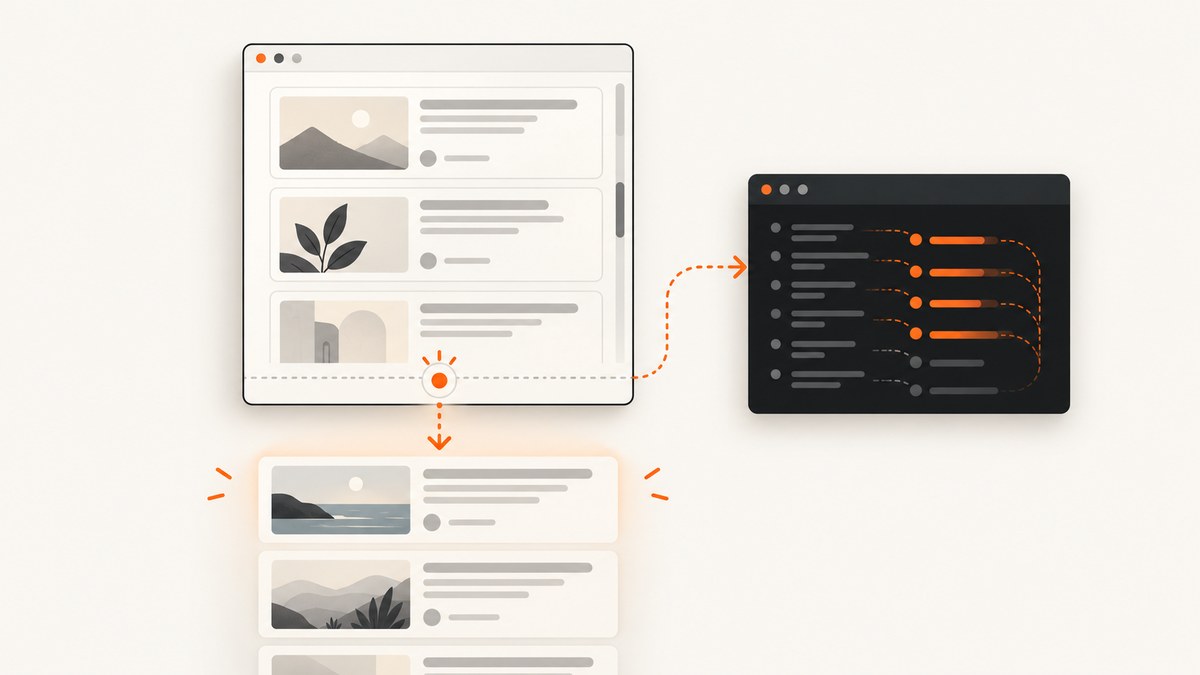
Short answer: if you own the page, place a sentinel after the current list and use IntersectionObserver to request the next page or cursor. If you are automating someone else’s page, use a real browser such as Playwright, scroll the page’s actual container, and wait for evidence that new content arrived. Stop only when the page reports an end state or a bounded number of attempts produces no progress.
Infinite scroll is a loading pattern, not a pagination contract. The records may come from numbered pages, opaque cursors, or another application-specific state. Your Node.js code should make that state explicit when you control the application, and should observe the target page carefully when you do not.
1. Choose the right implementation
| Situation | Trigger | Data source | Completion evidence |
|---|---|---|---|
| You own the application | A sentinel enters the viewport or scroll container | Your documented page number or cursor | The server says there are no more records |
| You automate a third-party page | Incremental browser scrolling | Rendered DOM, observed requests, or an allowed documented endpoint | An end marker or bounded no-progress condition |
Do not assume that window.scrollTo() controls every feed. Many interfaces scroll inside a nested element. Do not treat a stable scrollHeight as proof of completion: content can be appended later, and lazy resources can change layout. A fixed sleep can help diagnose a slow page, but a result-count change, new item identifier, request completion, or end marker is a stronger synchronization signal.
2. Infinite scroll in a page you control
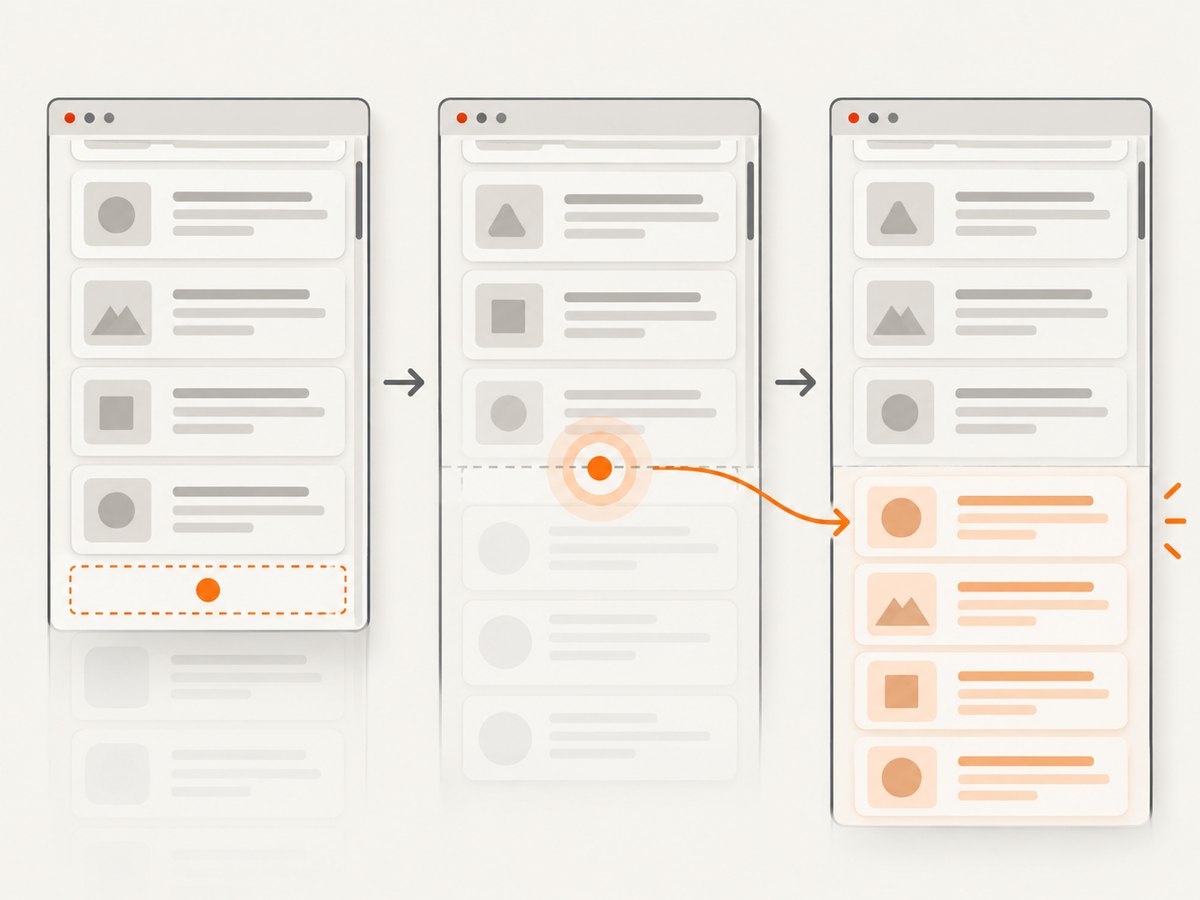
Intersection Observer asynchronously calls your callback when an element enters or leaves a viewport or ancestor, or when its intersection crosses a threshold. Put a sentinel after the last rendered item and observe it. A positive rootMargin starts loading before the user reaches the visible end.
Keep pagination state explicit
Represent these states separately:
loading: a request is in flight.hasMore: the server says another batch exists.done: no more records are available.error: the request failed and can be retried.
The observer may fire repeatedly while the sentinel remains visible. Guard the request so those notifications cannot create duplicate concurrent fetches. Move the sentinel after appending new items, or retain it at the end of the list so the next intersection represents the next batch.
Runnable browser code
<ul id="feed"></ul>
<div id="feed-sentinel" aria-hidden="true"></div>
<p id="feed-status" role="status"></p>

<script type="module">
  const feed = document.querySelector('#feed');
  const sentinel = document.querySelector('#feed-sentinel');
  const status = document.querySelector('#feed-status');

  let cursor = null;
  let loading = false;
  let hasMore = true;

  function render(items) {
    const fragment = document.createDocumentFragment();
    for (const item of items) {
      const li = document.createElement('li');
      li.textContent = item.title;
      li.dataset.id = item.id;
      fragment.append(li);
    }
    feed.append(fragment);
  }

  async function loadNext() {
    if (loading || !hasMore) return;
    loading = true;
    status.textContent = 'Loading more items…';

    try {
      const params = new URLSearchParams();
      if (cursor) params.set('cursor', cursor);
      const response = await fetch(`/api/items?${params}`);
      if (!response.ok) throw new Error(`HTTP ${response.status}`);

      // The response shape is owned by this application.
      const page = await response.json();
      render(page.items);
      cursor = page.nextCursor ?? null;
      hasMore = Boolean(page.hasMore);

      if (!hasMore) {
        observer.disconnect();
        status.textContent = 'You have reached the end.';
      } else {
        status.textContent = '';
      }
    } catch (error) {
      status.textContent = 'Could not load more items. Try again.';
      console.error(error);
    } finally {
      loading = false;
    }
  }

  const observer = new IntersectionObserver(
    entries => {
      if (entries.some(entry => entry.isIntersecting)) loadNext();
    },
    { root: null, rootMargin: '600px 0px', threshold: 0 }
  );

  observer.observe(sentinel);
  loadNext();
</script>
The example uses an opaque cursor only as an application-defined value. Your API might use a page number or another contract. Return an explicit hasMore (or equivalent) so the client does not have to guess from batch length. If an empty page is a valid response, do not use “fewer than N records” as your only end test.
Observer options and accessibility
root: usenullfor the browser viewport, or pass the scrolling ancestor for a contained feed.rootMargin: preload before the sentinel is visible; choose it based on item size and expected latency.threshold: trigger at a proportion of intersection. The observer reports threshold changes, not an exact pixel-overlap measurement.- Keep the callback short. Do network work in an async function and avoid repeated synchronous geometry reads.
- Provide a visible “Load more” button as a keyboard and assistive-technology fallback. Announce loading and the end state with a status region.
3. Automating a third-party infinite-scroll page with Node.js
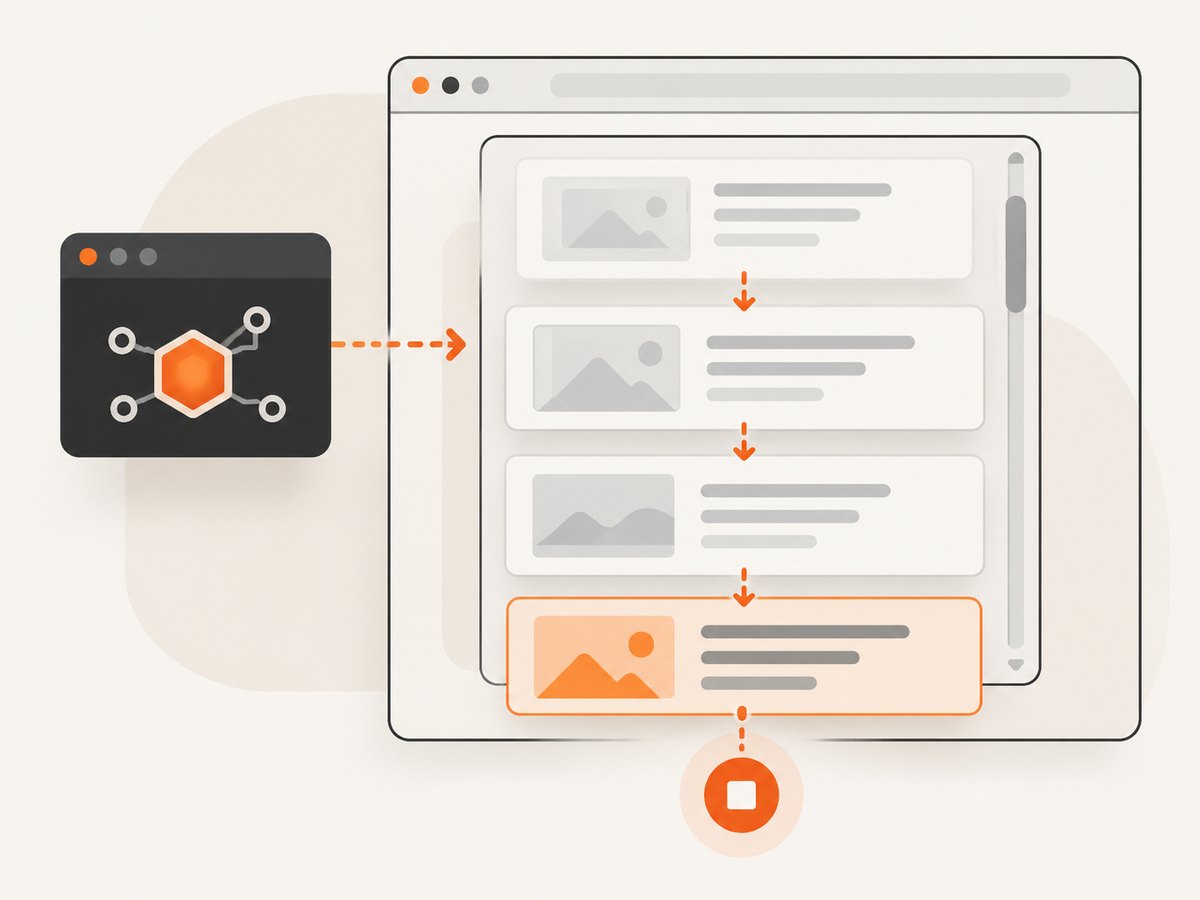
Use a browser automation library when the page needs client-side JavaScript. Playwright’s Page API provides navigation, evaluation, locators, and events. The difficult part is not issuing a scroll command; it is identifying the page-specific observable that proves another batch arrived.
Inspect before writing the loop
- Find the element that actually scrolls. It may be the document or a nested feed container.
- Identify a stable item locator and a way to count or identify new items.
- Look for an explicit end marker such as “no more results” or a disabled control.
- Use browser network inspection only when permitted, and prefer an official documented endpoint if one exists.
Never invent a selector, API path, cursor format, or authentication requirement for an unknown site. Inspect the target and adapt the checks below.
Complete Playwright example with bounded progress
import { chromium } from 'playwright';

const browser = await chromium.launch();
const page = await browser.newPage({ viewport: { width: 1280, height: 900 } });

const url = process.argv[2] ?? 'https://example.com/feed';
const itemSelector = '[data-item-id]';       // Inspect the target page.
const endSelector = '[data-end="true"]';    // Inspect or remove if absent.
const maxBatches = 100;
const timeoutMs = 15_000;

try {
  await page.goto(url, { waitUntil: 'domcontentloaded', timeout: timeoutMs });
  await page.locator(itemSelector).first().waitFor({ timeout: timeoutMs });

  let previousCount = await page.locator(itemSelector).count();
  let noProgress = 0;
  const records = new Map();

  for (let batch = 0; batch < maxBatches; batch++) {
    const endVisible = await page.locator(endSelector).isVisible().catch(() => false);
    if (endVisible) break;

    // Replace this with the nested scrolling element when necessary.
    await page.evaluate(() => window.scrollTo(0, document.body.scrollHeight));

    try {
      await page.waitForFunction(
        ({ selector, previous }) => document.querySelectorAll(selector).length > previous,
        { selector: itemSelector, previous: previousCount },
        { timeout: timeoutMs }
      );
    } catch {
      // No count increase within the timeout. Check for an end state below.
    }

    const currentCount = await page.locator(itemSelector).count();
    if (currentCount > previousCount) {
      noProgress = 0;
      previousCount = currentCount;
    } else {
      noProgress++;
    }

    // Prefer a stable item id over position when extracting records.
    const items = await page.locator(itemSelector).evaluateAll(nodes =>
      nodes.map(node => ({
        id: node.getAttribute('data-item-id'),
        text: node.textContent?.trim() ?? ''
      }))
    );
    for (const item of items) if (item.id) records.set(item.id, item);

    if (noProgress >= 3) break;
  }

  console.log(JSON.stringify([...records.values()], null, 2));
} finally {
  await browser.close();
}
Run it after installing Playwright with your project’s normal package manager and browser setup. Replace the selectors and scrolling operation after inspecting the target. If the feed uses a nested container, evaluate that element’s scrollTop and scrollHeight, or call its scroll method. If items can be replaced rather than appended, wait for a new identifier or a response instead of relying on the count.
Wait for the signal the page actually exposes
- DOM growth: wait for the count to exceed its previous value.
- New identity: wait for an item with an identifier not seen before.
- Request or response: observe a permitted request and wait for its response before checking the DOM.
- End marker: stop immediately when the page displays its terminal state.
The document load event does not prove that offscreen lazy resources are ready. Pagination and lazy loading are separate: pagination adds records, while lazy loading defers images or frames. A page can use both, so wait for the particular content your extraction or screenshot requires.
4. Reliability, performance, and limits
Prevent duplicate work
Deduplicate by a stable item ID where possible. Keep a maximum batch count, an overall deadline, and a no-progress limit. These bounds protect your job when a site returns the same page repeatedly, a request silently fails, or an end marker never appears.
Keep scrolling cheap
For code you own, Intersection Observer avoids repeatedly measuring many elements during every scroll event. Repeated synchronous geometry checks can cause layout work and scroll jank; the W3C specification describes this concern. If a scroll handler is unavoidable, keep it small and throttle it with a measured timeout. requestAnimationFrame runs at the same rate as scroll events and is not, by itself, a scroll throttle.
Use an endpoint when appropriate
If the site provides an official JSON or API endpoint and your use is permitted, consuming its pages or cursor is often simpler and less resource-intensive than rendering a browser. Respect terms, access controls, robots or API policies, and rate limits for the particular site. Do not bypass bot checks or authentication controls.
5. Troubleshooting checklist
| Symptom | Likely cause | Fix |
|---|---|---|
| No new items appear | You scrolled the wrong element or used the wrong observable | Inspect the scroll container and wait for a new item ID, count, request, or marker. |
| The loop never finishes | No end marker and no bounded retry policy | Add a maximum batch count, deadline, and consecutive no-progress limit. |
| Duplicate records | Observer notifications or retries overlap | Guard in-flight requests and deduplicate by stable ID. |
| Items are present but images are blank | Lazy resources have not loaded | Wait for the required image state or resource request; do not rely only on load. |
| Playwright times out | Slow network, blocked navigation, or an incorrect selector | Capture diagnostics, verify the selector, and use a finite but appropriate timeout. |
| Scroll height stops changing | The page appends later, virtualizes rows, or uses a nested scroller | Use item identity or request completion as progress evidence. |
| Repeated HTTP errors | Rate limits, expired credentials, or an undocumented endpoint assumption | Use the permitted browser flow or official API, back off, and verify authorization. |
6. Or skip the browser setup
If your goal is a clean capture of an infinite-scroll page after it has rendered, ScreenshotNeo provides a website screenshot API and MCP server. Its capture options include full-page screenshots with lazy images loaded, custom JavaScript, waits for a selector, delay or network idle, custom headers and cookies, blocking selected requests or resource types, and caching with a TTL you choose. You can also capture a specific element when the feed lives inside a container.
See the ScreenshotNeo API documentation for the complete option list. A one-call request looks like this:
curl -G "https://api.screenshotneo.com/v1/shot" -d access_key=YOUR_API_KEY --data-urlencode url=https://example.com/feed -o shot.webpimport requests
r = requests.get("https://api.screenshotneo.com/v1/shot", params={"access_key": "YOUR_API_KEY", "url": "https://example.com/feed"}, timeout=90)
open("shot.webp", "wb").write(r.content)const q = new URLSearchParams({ access_key: 'YOUR_API_KEY', url: 'https://example.com/feed' });
const res = await fetch(`https://api.screenshotneo.com/v1/shot?${q}`);
const data = Buffer.from(await res.arrayBuffer());
await import('node:fs/promises').then(fs => fs.writeFile('shot.webp', data));Cookie banners, newsletter popups and chat widgets are removed before the shot. Bot checks, blank pages and failed loads are never billed, and response headers identify the page verdict and whether it was billed. An MCP server lets AI agents use take_screenshot, get_page_info and capture_pdf. The Free plan includes 1,000 screenshots each month with no card; paid plans start at $5 for 3,000. Create a free ScreenshotNeo account.
7. FAQ
How do I know when infinite scroll has loaded more content?
Wait for a target-specific state change: a larger result count, a new stable item ID, a completed request, or a visible end marker. Use a timeout so a stalled page cannot hang forever.
Should I use scroll events or Intersection Observer?
For an application you control, use a sentinel with Intersection Observer. It expresses the visibility condition directly and avoids repeated geometry checks. Browser automation usually needs incremental scrolling plus a page-specific wait.
Is infinite scroll the same as lazy loading?
No. Infinite pagination adds records; lazy loading defers resources such as images or frames. They often appear together and require separate readiness checks.
Can I scrape any infinite-scroll website with Node.js?
No universal selector or endpoint exists. Inspect the particular page, follow its terms and access controls, and use an official endpoint when one is available and permitted.
What if the page has no end marker?
Use a bounded policy: stop after a maximum number of batches, a deadline, or several consecutive attempts without an observable change. Report that the run ended by limit rather than claiming the dataset is complete.


