How to Handle Infinite Scroll Pages in C#
Learn how to scroll, wait for new content, detect the end, and safely collect items from infinite-scroll pages with C# and Playwright.

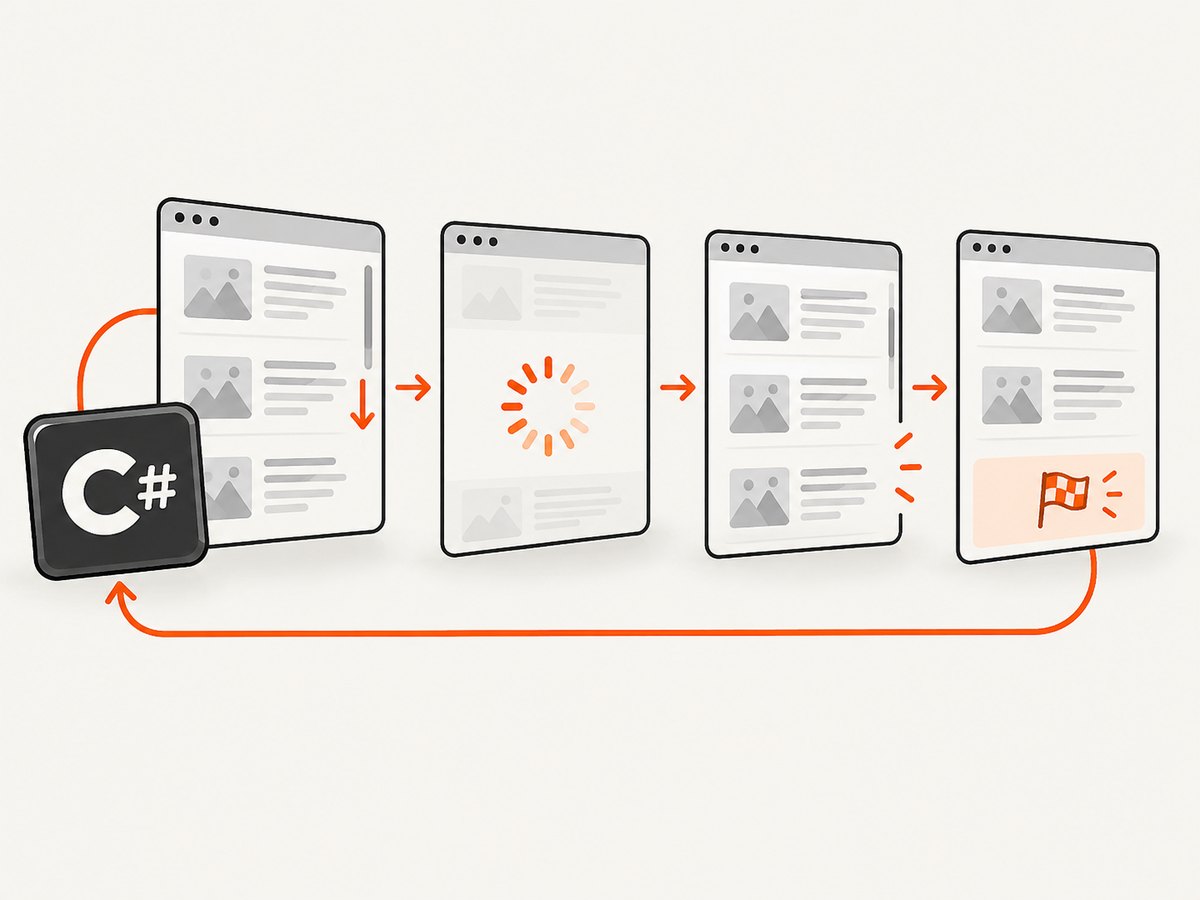
Infinite-scroll pages do not finish loading when the initial navigation completes. Your C# automation must repeatedly scroll the correct container, wait for a page-specific signal that another batch arrived, collect stable records, and stop when the page reports the end or makes no progress.
Playwright for .NET provides the main primitives: ScrollIntoViewIfNeededAsync(), Mouse.WheelAsync(), and Locator.EvaluateAsync(). The complete pattern below uses Playwright, bounded retries, item-count checks, an end marker, and a timeout so it cannot spin forever. Playwright’s documentation also explains that pages can fetch data after the load event, so there is no universal “page loaded” moment (navigations guide).
1. A complete Playwright C# implementation
Create a console project and install Playwright:
dotnet new console -n InfiniteScrollDemo
cd InfiniteScrollDemo
dotnet add package Microsoft.Playwright
pwsh bin/Debug/net8.0/playwright.ps1 install chromium
The following program targets a page whose cards use .result-card. Replace the URL and selectors with stable selectors from the target site. The code writes each discovered record, stops on an explicit end marker, and also stops after several scrolls that produce no new records.
using Microsoft.Playwright;

public sealed record Item(string Id, string Text);

public class Program
{
    public static async Task Main()
    {
        const string url = "https://example.com/infinite-products";
        const int maxScrolls = 200;
        var overallDeadline = TimeSpan.FromMinutes(3);

        using var playwright = await Playwright.CreateAsync();
        await using var browser = await playwright.Chromium.LaunchAsync(new BrowserTypeLaunchOptions
        {
            Headless = true
        });
        var page = await browser.NewPageAsync(new BrowserNewPageOptions
        {
            ViewportSize = new ViewportSize { Width = 1440, Height = 900 }
        });

        await page.GotoAsync(url, new PageGotoOptions
        {
            WaitUntil = WaitUntilState.DOMContentLoaded,
            Timeout = 60_000
        });

        var cards = page.Locator(".result-card");
        var endMarker = page.Locator("[data-testid='end-of-results']");
        var loading = page.Locator("[data-testid='loading']");
        var scroller = page.Locator("[data-testid='results-scroll-container']");
        var seen = new Dictionary<string, Item>();
        var started = DateTime.UtcNow;
        var noProgressRounds = 0;

        // Use this when the document itself scrolls. For a nested list, set this to true.
        bool nestedScroller = await scroller.CountAsync() > 0;

        for (int round = 0; round < maxScrolls; round++)
        {
            if (DateTime.UtcNow - started > overallDeadline)
                throw new TimeoutException("Infinite-scroll deadline reached.");

            int before = await cards.CountAsync();
            await CollectCardsAsync(cards, seen);

            if (await IsVisibleAsync(endMarker))
                break;

            if (nestedScroller)
            {
                // Hovering ensures the wheel event is delivered to the list container.
                await scroller.HoverAsync();
                await page.Mouse.WheelAsync(0, 700);
            }
            else
            {
                // Scrolling a bottom sentinel is often more reliable than guessing a pixel amount.
                var last = cards.Last;
                if (await last.CountAsync() > 0)
                    await last.ScrollIntoViewIfNeededAsync();
                else
                    await page.Mouse.WheelAsync(0, 700);
            }

            // Wait for either a larger card count or the loading indicator to disappear.
            try
            {
                await page.WaitForFunctionAsync(
                    "([selector, oldCount]) => document.querySelectorAll(selector).length > oldCount",
                    new object[] { ".result-card", before },
                    new PageWaitForFunctionOptions { Timeout = 10_000 });
            }
            catch (TimeoutException)
            {
                if (await loading.CountAsync() > 0)
                {
                    try
                    {
                        await loading.WaitForAsync(new LocatorWaitForOptions
                        {
                            State = WaitForSelectorState.Hidden,
                            Timeout = 5_000
                        });
                    }
                    catch (TimeoutException) { }
                }
            }

            int after = await cards.CountAsync();
            await CollectCardsAsync(cards, seen);

            if (after <= before)
                noProgressRounds++;
            else
                noProgressRounds = 0;

            if (noProgressRounds >= 3)
                break;
        }

        Console.WriteLine($"Collected {seen.Count} unique items.");
        foreach (var item in seen.Values)
            Console.WriteLine($"{item.Id}\t{item.Text}");
    }

    private static async Task CollectCardsAsync(ILocator cards, Dictionary<string, Item> seen)
    {
        int count = await cards.CountAsync();
        for (int i = 0; i < count; i++)
        {
            var card = cards.Nth(i);
            string id = await card.GetAttributeAsync("data-id") ?? $"index-{i}";
            string text = (await card.InnerTextAsync()).Trim();
            if (!seen.ContainsKey(id))
                seen[id] = new Item(id, text);
        }
    }

    private static async Task<bool> IsVisibleAsync(ILocator locator)
    {
        return await locator.CountAsync() > 0 && await locator.IsVisibleAsync();
    }
}
The selectors in this sample are deliberately generic. Inspect the target page and prefer attributes such as data-testid or stable record IDs over positional selectors.
2. Decide what actually scrolls
There are two common layouts:

- Document scrolling: the browser window moves and new cards are appended to the document.
- Nested scrolling: a fixed panel has
overflow: autooroverflow: scroll; the document itself may remain at the top.
For a nested container, target that element directly. Playwright’s scrolling examples hover the container before sending a wheel event, then use the wheel or adjust scrollTop (Playwright .NET actions and scrolling):
var scroller = page.GetByTestId("scrolling-container");
await scroller.HoverAsync();
await page.Mouse.WheelAsync(0, 700);

// Directly move the container when wheel input is unreliable.
await scroller.EvaluateAsync("e => e.scrollTop += 700");
Check the element’s computed overflow and scroll height in diagnostics:
var metrics = await scroller.EvaluateAsync<object>("e => ({ top: e.scrollTop, height: e.scrollHeight, client: e.clientHeight })");
Console.WriteLine(metrics);
If the page exposes a stable bottom sentinel, scrolling it into view is often less sensitive to card height:
await page.GetByTestId("list-bottom-sentinel").ScrollIntoViewIfNeededAsync();3. Wait for the right condition
A navigation wait or document.readyState only covers the initial document. Lazy requests can start afterward, and Selenium’s official waiting guidance makes the same point (Selenium waiting strategies). Tie each wait to a visible state change:
| Signal | When to use it | Risk |
|---|---|---|
| Card count increases | Cards remain in the DOM | Fails with virtualized lists |
| New stable ID appears | Cards have record keys | Requires extracting the key |
| Loading indicator hides | The site has a reliable spinner | Spinner may be reused for other requests |
| End marker becomes visible | The API exposes an end state | Some sites omit one |
| Cursor or “has next” value changes | Pagination state is in the DOM | Requires site-specific inspection |
Prefer a meaningful record key over a raw node count. A virtualized list can remove old nodes and reuse the same elements, so the DOM count may stay constant while new records are visited.
4. Stop safely and avoid duplicate data
Every loop needs at least three bounds:
- Iteration limit: a maximum number of scroll attempts.
- Time limit: a deadline covering slow networks and stalled requests.
- No-progress limit: stop after repeated scrolls produce no new records.
Also stop when the site communicates completion, such as an end-of-results element, a disabled “load more” control, or an API cursor that is null. Log which condition stopped the loop so an operator can distinguish a complete crawl from a stalled one.
Deduplicate by a stable key. If no ID exists, use a canonical URL or a hash of fields that uniquely identify a record. Avoid using the card’s array index because indexes change as content is inserted or virtualized.
5. Handling delayed, batched, and virtualized content
Delayed batches
Some pages wait several hundred milliseconds after the scroll event before issuing a request. A short, bounded delay can complement an observable wait:
await page.WaitForTimeoutAsync(300);Do not replace a condition wait with a large fixed sleep. A sleep wastes time on fast pages and still fails when a request is slower than expected.
Virtualized lists
With virtualization, collect records immediately after each batch renders. Track IDs in a dictionary and persist them periodically if the crawl is long. A card that disappears from the DOM is not evidence that its record was removed from the dataset.
IntersectionObserver-based loaders
When a loader reacts only after a sentinel intersects the viewport, move that sentinel into view rather than setting a container’s scroll position to its maximum. This causes the same browser event the page expects.
Network-backed pagination
If the page uses a JSON endpoint and your use case permits direct HTTP access, inspect requests in browser developer tools and consider calling the documented endpoint instead. Respect authentication, rate limits, robots policies, and the site’s terms. Browser scrolling remains appropriate when rendering, interaction, or session state determines which records appear.
6. Common errors and fixes
| Symptom | Likely cause | Fix |
|---|---|---|
| No new cards after scrolling | Wrong element receives the scroll | Hover the nested container, inspect scrollHeight, or scroll a bottom sentinel. |
| Loop exits too early | Count does not change during a loading delay | Wait for a stable ID, spinner state, or cursor change; increase the condition timeout modestly. |
| Loop never exits | No end marker and no progress detection | Add maximum rounds, an overall deadline, and a no-progress threshold. |
| Duplicate records | Cards are re-rendered or indexes shift | Deduplicate using a stable record ID or canonical URL. |
| Element is detached | Framework re-rendered the list | Re-query the locator each iteration; avoid holding stale element handles. |
| Timeout on navigation | Page keeps background requests open | Use DOMContentLoaded, then wait for the specific first-content signal. |
| Bot challenge or blank result | The site blocked automation or failed to render | Capture diagnostics, verify permissions, slow the request rate, and handle the failed page as a distinct result. |
7. Diagnostics that make failures actionable
When a run stops unexpectedly, save the URL, round number, card count, last stable ID, screenshot, and HTML. Playwright can capture a diagnostic screenshot:
await page.ScreenshotAsync(new PageScreenshotOptions
{
    Path = $"debug-round-{round}.png",
    FullPage = true
});
await File.WriteAllTextAsync("debug.html", await page.ContentAsync());
Record elapsed time per round and the wait condition that succeeded. These details reveal whether the bottleneck is rendering, network latency, a selector regression, or a page that has genuinely reached its end.
8. Performance, reliability, and operating cost
- Use one browser and one page per crawl unless isolation is required. Browser startup is expensive compared with a scroll.
- Choose a moderate scroll increment. Very large jumps can skip an intersection sentinel; very small jumps increase event and render overhead.
- Keep extraction local. Read only the fields you need and write results in batches.
- Limit concurrency. Multiple pages can overwhelm the target or trigger bot defenses. Start with one context and add measured concurrency only when the site permits it.
- Retry transient failures. Retry navigation or a failed batch with a cap and backoff, but do not retry a confirmed end marker.
- Make runs resumable. Persist collected IDs and the source URL so a timeout can resume without duplicating earlier records.
Browser automation consumes CPU, memory, and bandwidth for every rendered page. If you only need a visual snapshot rather than structured records, an image API can remove browser maintenance.
9. Or skip the browser setup
ScreenshotNeo provides a website screenshot API and MCP server. It can capture a full page after lazy images load, wait for a selector, delay, or network idle, execute custom JavaScript, click an element, hide selectors, set cookies and headers, and return PNG, JPEG, WebP, or PDF. Cookie and consent banners, newsletter popups, and chat widgets are removed before capture, and each step can be disabled.
One GET request is enough (API documentation):
curl -G "https://api.screenshotneo.com/v1/shot" -d access_key=YOUR_API_KEY --data-urlencode url=https://stripe.com -o shot.webpPython:
import requests
r = requests.get("https://api.screenshotneo.com/v1/shot", params={"access_key": "YOUR_API_KEY", "url": "https://stripe.com"}, timeout=90)
open("shot.webp", "wb").write(r.content)
Node.js:
const q = new URLSearchParams({ access_key: 'YOUR_API_KEY', url: 'https://stripe.com' });
const res = await fetch(`https://api.screenshotneo.com/v1/shot?${q}`);
For C#, the same endpoint can be called with HttpClient:
using var http = new HttpClient { Timeout = TimeSpan.FromSeconds(90) };
var url = "https://api.screenshotneo.com/v1/shot?access_key=YOUR_API_KEY&url=" + Uri.EscapeDataString("https://stripe.com");
var bytes = await http.GetByteArrayAsync(url);
await File.WriteAllBytesAsync("shot.webp", bytes);
Failed loads, bot checks, blank pages, timeouts, and cache hits are not billed. The response identifies the result with X-Page-Verdict and X-Billed headers. For AI workflows, the MCP server exposes take_screenshot, get_page_info, and capture_pdf to Claude, Cursor, and other MCP clients. The free plan includes 1,000 screenshots per month with no card; paid plans start at $5 for 3,000 shots. Create a free ScreenshotNeo account.
10. Short FAQ
Should I scroll by pixels or use a sentinel?
Use a sentinel when the page provides one because it aligns with the site’s intersection logic. Use wheel input or scrollTop when no sentinel is available.
Why does WaitUntilState.NetworkIdle still miss cards?
Network idle is only a snapshot of current requests. The page may issue another request after an intersection event. Wait for the expected card, ID, cursor, or end marker.
How do I know whether the list is virtualized?
Scroll far enough to see whether old nodes disappear while visible cards are replaced. Stable record IDs and a constant DOM count are strong clues.
Can I run this headful while debugging?
Yes. Set Headless = false, slow the run with a small delay, and save screenshots at each stopping condition.
What should a production scraper return when the page stalls?
Return partial results with a status such as TimedOut or NoProgress, plus the last count and diagnostic artifacts. Treating a stall as successful completion hides missing data.


