How to Handle Infinite Scroll Pages in Go
Build a reliable Go crawler for infinite scroll pages with chromedp, explicit progress checks, bounded retries, and production troubleshooting.
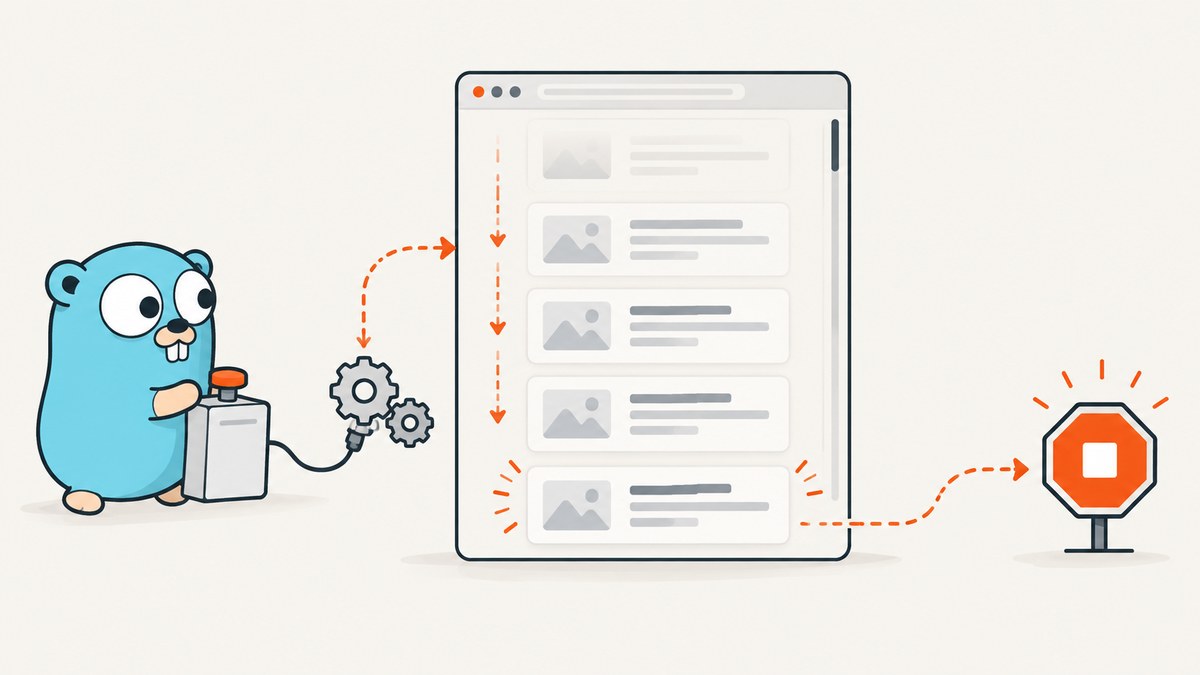
Infinite scroll is not a single browser command. A reliable Go implementation identifies the real scroll container, triggers scrolling, waits for evidence that new content arrived, extracts only unseen items, and stops on an explicit end condition or a safety limit.
With Go, chromedp gives you direct Chrome DevTools Protocol control. Playwright for Go is a good alternative when the same job must run against Chromium, Firefox, and WebKit. The page’s markup and loading behavior remain site-specific, so selectors and readiness checks must be inspected for each target.
What an infinite-scroll loop must do
- Open the page with an overall deadline.
- Find the element selector for one result and determine whether the document or an inner element scrolls.
- Record a stable key for currently visible results, such as an ID, URL, or normalized text.
- Scroll the correct target or bring a bottom sentinel into view.
- Wait for a meaningful progress signal: a new key, a larger item count, or a loader disappearing.
- Extract only new results and deduplicate them.
- Stop when an end marker appears, the expected count is reached, progress stalls after bounded retries, or the deadline/iteration limit fires.
A scroll action alone does not prove that content loaded. A fixed sleep can be useful as a small backoff, but it should not be your only readiness check. Network-idle is also not universal: Playwright documents networkidle as discouraged for testing and recommends assertions that describe the page state instead.
Inspect the page before writing Go code
Use browser developer tools and answer these questions:
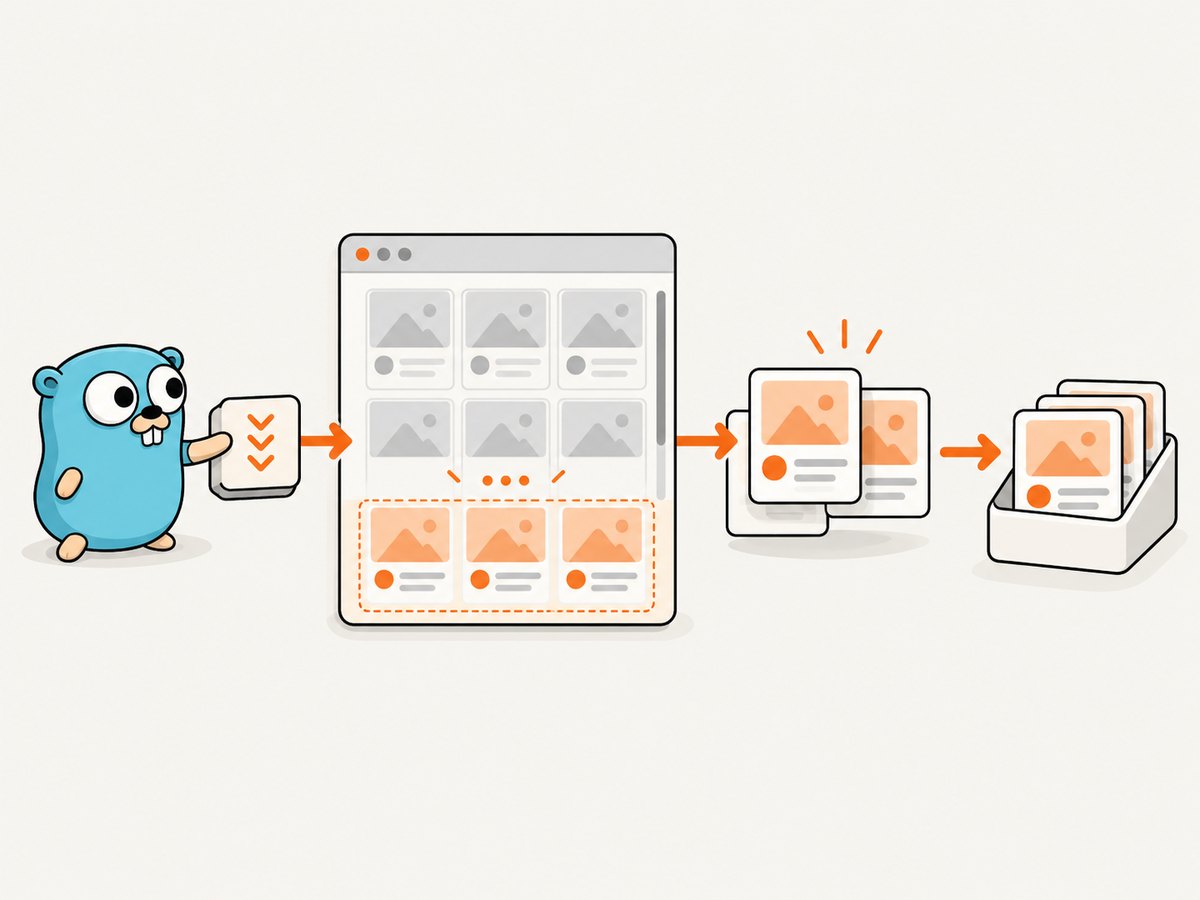
- Which selector identifies one complete item?
- Does
document.scrollingElementmove, or does a nested element haveoverflow: autooroverflow: scroll? - Is there a loading indicator, “load more” button, or end-of-list marker?
- Does each item expose a stable link or ID? If not, what combination of fields can form a deduplication key?
- Does scrolling load data through XHR/fetch, replace the list, or append nodes?
Selectors in the example below are command-line flags so the same binary can target several page layouts without recompiling. Replace them with selectors from the site you are authorized to access.
Complete chromedp implementation
Create a module and install chromedp:
go mod init example.com/infinite-scroll
go get github.com/chromedp/chromedp
This program visits a page, waits for initial results, scrolls either the document or a nested container, waits until the item count grows, extracts unseen links and text, and reports why it stopped.
package main

import (
    "context"
    "encoding/json"
    "errors"
    "flag"
    "fmt"
    "log"
    "strings"
    "time"

    "github.com/chromedp/chromedp"
)

type Item struct {
    Key  string `json:"key"`
    URL  string `json:"url"`
    Text string `json:"text"`
}

func main() {
    pageURL := flag.String("url", "https://example.com/feed", "page to collect")
    itemSelector := flag.String("item", ".result-card", "selector for one item")
    linkSelector := flag.String("link", "a", "link inside an item")
    scrollSelector := flag.String("scroll", "", "scroll container; empty means document")
    endSelector := flag.String("end", "", "optional end marker selector")
    maxLoops := flag.Int("max-loops", 100, "maximum scroll iterations")
    maxItems := flag.Int("max-items", 10000, "maximum items")
    flag.Parse()

    runCtx, cancel := context.WithTimeout(context.Background(), 5*time.Minute)
    defer cancel()
    browserCtx, cancel := chromedp.NewContext(runCtx)
    defer cancel()

    var items []Item
    seen := map[string]bool{}
    stopReason := "iteration limit"

    err := chromedp.Run(browserCtx,
        chromedp.Navigate(*pageURL),
        chromedp.WaitVisible(*itemSelector, chromedp.ByQuery),
    )
    if err != nil {
        log.Fatalf("navigate or initial wait failed for %s: %v", *pageURL, err)
    }

    for loop := 0; loop < *maxLoops && len(items) < *maxItems; loop++ {
        var endVisible bool
        if *endSelector != "" {
            if err := chromedp.Evaluate(`document.querySelector(`+quoteJS(*endSelector)+`) !== null`, &endVisible).Do(browserCtx); err != nil {
                log.Fatalf("checking end marker on loop %d: %v", loop, err)
            }
            if endVisible {
                stopReason = "end marker"
                break
            }
        }

        var batch []Item
        script := `(() => {
            const itemSelector = ` + quoteJS(*itemSelector) + `;
            const linkSelector = ` + quoteJS(*linkSelector) + `;
            return [...document.querySelectorAll(itemSelector)].map((node, index) => {
                const link = node.querySelector(linkSelector);
                const url = link ? link.href : "";
                const text = (node.innerText || "").trim().replace(/\\s+/g, " ");
                return {key: url || text || String(index), url, text};
            });
        })()`
        if err := chromedp.Evaluate(script, &batch).Do(browserCtx); err != nil {
            log.Fatalf("extracting items on loop %d: %v", loop, err)
        }
        for _, item := range batch {
            if item.Key != "" && !seen[item.Key] {
                seen[item.Key] = true
                items = append(items, item)
            }
        }
        before := len(batch)

        scrollScript := `(() => {
            const selector = ` + quoteJS(*scrollSelector) + `;
            const target = selector ? document.querySelector(selector) : document.scrollingElement;
            if (!target) return false;
            if (selector) target.scrollTop = target.scrollHeight;
            else window.scrollTo(0, document.scrollingElement.scrollHeight);
            return true;
        })()`
        var scrolled bool
        if err := chromedp.Evaluate(scrollScript, &scrolled).Do(browserCtx); err != nil || !scrolled {
            stopReason = "scroll target not found"
            break
        }

        progressCtx, cancelProgress := context.WithTimeout(browserCtx, 15*time.Second)
        var progressed bool
        waitScript := `(() => {
            const selector = ` + quoteJS(*itemSelector) + `;
            return document.querySelectorAll(selector).length > ` + fmt.Sprint(before) + `;
        })()`
        err = chromedp.Poll(waitScript, &progressed, chromedp.WithPollingInterval(250*time.Millisecond)).Do(progressCtx)
        cancelProgress()
        if err != nil || !progressed {
            stopReason = "no progress after bounded wait"
            break
        }
    }

    output := struct {
        Items      []Item `json:"items"`
        Count      int    `json:"count"`
        StopReason string `json:"stop_reason"`
    }{items, len(items), stopReason}
    encoded, _ := json.MarshalIndent(output, "", "  ")
    fmt.Println(string(encoded))
}

func quoteJS(value string) string {
    b, _ := json.Marshal(value)
    return string(b)
}
Run it with a real URL and selectors:
go run . \
  -url='https://site.example/products' \
  -item='.product-card' \
  -link='a.product-link' \
  -scroll='.results-pane' \
  -end='.no-more-results' \
  -max-loops=80 \
  -max-items=5000
The code uses a five-minute browser deadline, a 15-second progress wait per iteration, and explicit loop and item caps. Those values are starting points, not guarantees. Tune them to the site’s normal response time and your collection budget.
Scrolling the document versus a nested container
Many feeds scroll inside a panel while the document remains fixed. If you call window.scrollTo in that case, nothing useful happens. Inspect the element whose scrollTop changes while you drag the feed. Pass that selector through -scroll.
For a document-scrolling page, leave -scroll empty. For a virtualized list, scrolling may recycle DOM nodes instead of appending them. In that case, extract each visible batch immediately and deduplicate by a stable key; never assume the number of DOM nodes represents the total result count.
Playwright’s scrolling guidance describes bringing a bottom element into view, using mouse-wheel input, and adjusting a particular scrolling container. The exact Go binding method depends on the installed version, so check the versioned locator reference before copying an API call.
Waiting for real progress
Use the strongest signal the page exposes, in this order:
- A new item with a new stable key appears.
- The item count increases.
- A loading indicator changes from visible to hidden and a subsequent count check confirms growth.
- An explicit end marker appears.
When no signal exists, combine a short polling window with a bounded retry count. Log the previous count, current count, elapsed time, and stop reason. A timeout should produce a partial result with an honest status instead of silently pretending the feed is complete.
Extraction, deduplication, and correctness
Prefer URLs or server-provided IDs as keys. Text-only keys can collide when two cards have the same title. If the site reorders results, keep the first-seen order separately from the key map. Normalize whitespace and resolve relative links in the browser with link.href.
Capture the fields you need during each iteration. Re-querying every prior card after thousands of scrolls increases work and can lose data when a virtualized list removes old nodes. If the page exposes a JSON endpoint, an authorized direct HTTP client may be simpler, but that endpoint is outside the browser automation approach described here and may have different access rules.
Playwright for Go as an alternative
| Decision | chromedp | Playwright for Go |
|---|---|---|
| Browser protocol | Direct Chrome DevTools Protocol control; suited to Chrome or Chromium workflows. | Project documentation covers Chromium, Firefox, and WebKit automation. |
| Scrolling | Compose CDP actions and evaluate JavaScript for custom containers. | Use locators, wheel input, or a targeted container; verify the installed Go API. |
| Deployment | Keep Chrome/Chromium available and manage Go contexts. | Install the matching Playwright driver and browser binaries; keep versions aligned. |
| Best fit | Chrome-only jobs needing direct CDP control. | Cross-browser jobs or teams that prefer locator-oriented automation. |
Reliability and performance checklist
- Set one overall deadline and shorter navigation, selector, and progress waits.
- Cap iterations, items, and bytes written to storage.
- Use exponential backoff for transient progress failures, then stop with a partial status.
- Persist checkpoints after each successful batch so a process restart can resume.
- Keep browser concurrency below the target site’s capacity and respect its terms and rate limits.
- Reuse one browser process when collecting several pages, but create a fresh context when cookies or authentication must be isolated.
- Record URL, loop number, item count, last key, and stop reason for debugging.
- Do not treat network-idle as completion; assert a page-specific state.
Browser rendering is usually the expensive part. Reduce work by extracting only required fields, avoiding screenshots during collection, and stopping as soon as the expected count or end marker is reached. A larger timeout does not make a stalled feed complete; it only delays the failure.
Troubleshooting common failures
| Symptom | Likely cause | Fix |
|---|---|---|
| Count never increases | Wrong scroll container or selector. | Inspect which element’s scrollTop changes and verify the item selector in the console. |
| Items repeat | Virtualized DOM or unstable key. | Deduplicate with a canonical URL or server ID; extract each visible batch before scrolling again. |
| Initial wait times out | Consent dialog, bot check, slow route, or incorrect selector. | Handle the dialog, verify access, increase only the relevant timeout, and confirm the selector. |
| Browser exits unexpectedly | Parent context canceled or Chrome unavailable. | Check context ownership, keep the parent deadline alive, and install a compatible Chrome/Chromium binary. |
| End marker appears too early | Marker exists in hidden markup or is reused by a skeleton. | Check visibility and loading state, then require a final item-count check. |
| CPU or memory grows without bound | Too many DOM nodes, large result storage, or excessive parallel browsers. | Use item caps, stream results, checkpoint to disk, and reduce concurrency. |
| Partial output is missing | Process terminated before persistence. | Write each batch transactionally and store the last stable key and stop reason. |
Or skip the browser setup
If your goal is a clean image or PDF of the rendered page rather than extracting every record, ScreenshotNeo provides a single HTTP request. Its full-page capture loads lazy images, and it can wait for a selector, delay, or network idle; it also supports custom JavaScript when a page needs a small interaction before capture. It does not replace a crawler that must iterate through an endless feed, but it removes the browser installation and screenshot plumbing for capture jobs.

Cookie banners, newsletter popups, and chat widgets are removed before the shot. Bot checks, blank pages, timeouts, failed loads, and cache hits are never billed, and the response identifies the verdict with X-Page-Verdict and X-Billed headers. An MCP server exposes take_screenshot, get_page_info, and capture_pdf to Claude, Cursor, and other MCP clients. The free plan includes 1,000 screenshots each month with no card; paid plans start at $5 for 3,000 shots.
See the ScreenshotNeo API documentation for all options.
cURL
curl -G 'https://api.screenshotneo.com/v1/shot' \
  -d access_key=YOUR_API_KEY \
  --data-urlencode url=https://stripe.com \
  -o shot.webp
Python
import requests

r = requests.get(
    'https://api.screenshotneo.com/v1/shot',
    params={'access_key': 'YOUR_API_KEY', 'url': 'https://stripe.com'},
    timeout=90,
)
r.raise_for_status()
open('shot.webp', 'wb').write(r.content)
Node.js
const q = new URLSearchParams({
  access_key: 'YOUR_API_KEY',
  url: 'https://stripe.com'
});
const res = await fetch(`https://api.screenshotneo.com/v1/shot?${q}`);
if (!res.ok) throw new Error(`HTTP ${res.status}`);
const fs = await import('node:fs/promises');
await fs.writeFile('shot.webp', Buffer.from(await res.arrayBuffer()));
Create a free ScreenshotNeo account to get 1,000 screenshots a month with no card.
FAQ
Should I scrape the hidden API instead?
Only when you are authorized and the endpoint’s terms, authentication, and rate limits allow it. Browser automation is appropriate when the rendered interaction is the source of truth.
How do I know the feed is finished?
Prefer an explicit end marker or expected count. Otherwise stop after bounded no-progress retries and label the result partial.
Can chromedp automate Firefox?
Chromedp is a Chrome DevTools Protocol client. Choose Playwright for Go when Firefox or WebKit coverage is required.
Is a fixed sleep ever useful?
Yes, as a small backoff after a scroll, but pair it with a count, key, loader, or end-marker assertion.
How should I resume after a crash?
Persist extracted batches and the last stable key. On restart, reload the page and skip keys already stored.


