How to Handle Infinite Scroll Pages in PHP
Build PHP infinite scroll on top of crawlable pagination, with runnable HTML and JSON examples, cursor guidance, accessibility, and fixes for common failures.
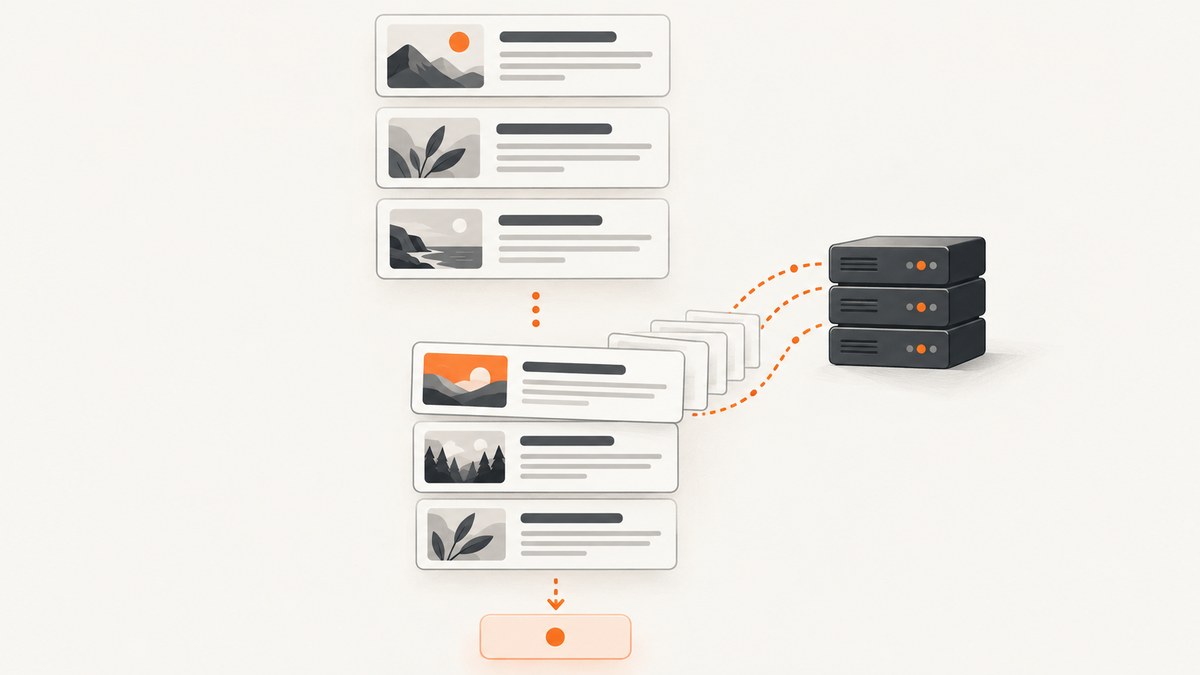
The dependable way to handle infinite scroll in PHP is to keep ordinary server-side pagination as the source of truth, then use JavaScript to fetch and append each next page. Render the first batch and a real <a href> next link in PHP. Your JavaScript can observe the end of the list and fetch that link, while people without JavaScript, assistive technology users, and crawlers still have usable paginated pages.
This guide builds that pattern with PHP, PDO, HTML fragments, JSON, and IntersectionObserver. It covers offset and cursor pagination, validation, safe output, accessibility, SEO, performance, and troubleshooting.
1. Choose the response and pagination model
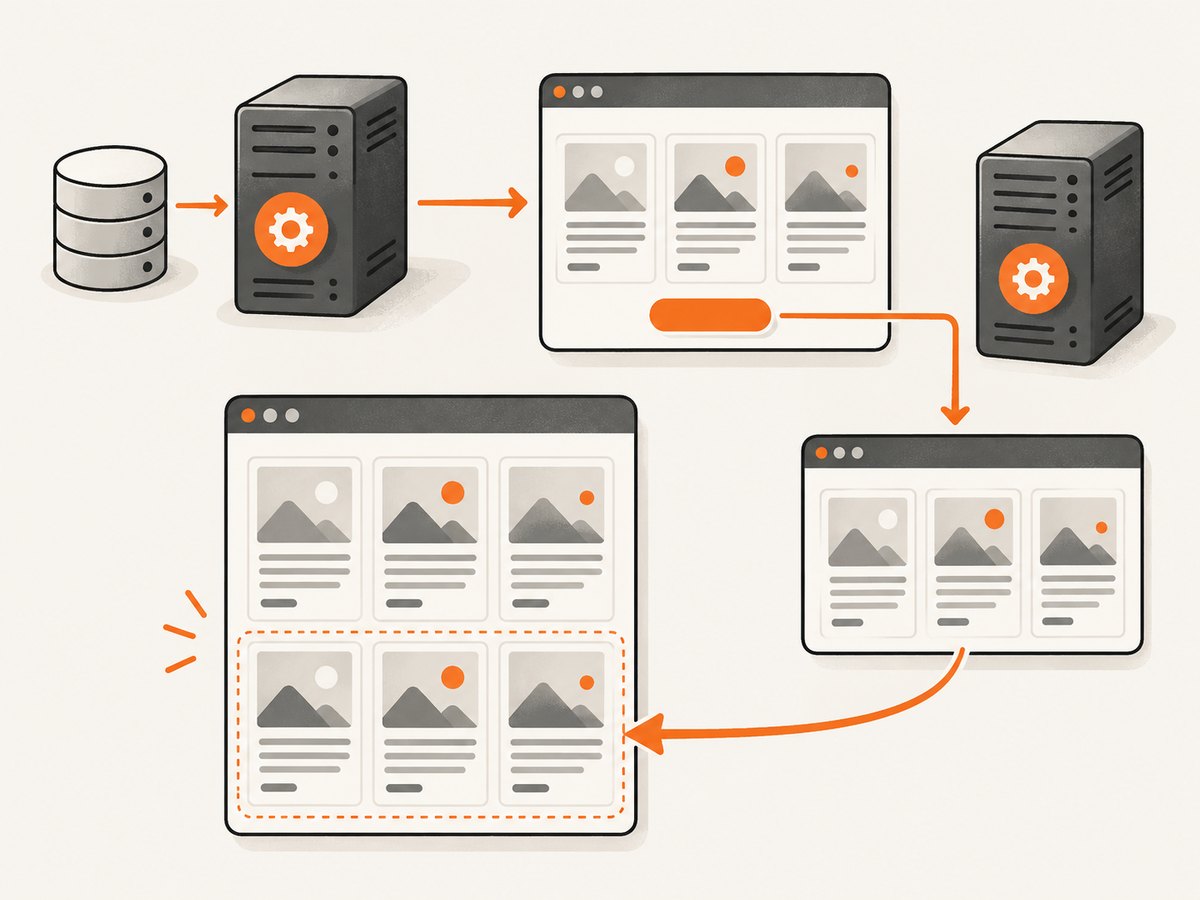
First decide what the endpoint returns. Use HTML fragments when PHP already renders the item cards and you want the initial page and later pages to share the same template. Use JSON when the client owns rendering or other clients need structured data. In either case, define one stable item shape and return an explicit next-page URL. The next response must use the same markup or schema as the initial response.
| Choice | Good fit | Tradeoff |
|---|---|---|
| HTML fragment | PHP renders the page already; simple progressive enhancement | Less client templating flexibility |
| JSON | Client-side templates or multiple clients | More client validation and rendering work |
| Offset/page number | Small or relatively stable lists; simple URLs | Deep offsets can become costly; inserts can shift pages |
| Cursor | Large, changing feeds with a stable indexed order | More involved cursor validation; random page jumps are awkward |
Do not let the browser choose arbitrary SQL, order clauses, table names, or unbounded limits. Whitelist accepted filters and sort keys, validate page or cursor state, bind values with PDO, enforce authorization in the query, and escape text at output. OWASP advises treating data as untrusted until validated and safely handled.
2. Create a paginated PHP endpoint
The example below uses SQLite and PDO to make the setup runnable without a framework. In production, configure the PDO DSN for your database, use your application’s authentication and authorization, and add an index matching the filtering and ordering columns.
Database setup
CREATE TABLE articles (
  id INTEGER PRIMARY KEY,
  title TEXT NOT NULL,
  summary TEXT NOT NULL,
  published_at TEXT NOT NULL,
  is_public INTEGER NOT NULL DEFAULT 1
);
CREATE INDEX articles_feed ON articles (is_public, published_at DESC, id DESC);
Save the following as index.php. It handles both the initial document and subsequent requests. Append ?fragment=1 for an HTML response containing items and the next link, or ?format=json for JSON. The initial page always contains a normal next link.
<?php
declare(strict_types=1);

$pdo = new PDO('sqlite:' . __DIR__ . '/app.sqlite', options: [
    PDO::ATTR_ERRMODE => PDO::ERRMODE_EXCEPTION,
    PDO::ATTR_DEFAULT_FETCH_MODE => PDO::FETCH_ASSOC,
]);

function e(string $value): string {
    return htmlspecialchars($value, ENT_QUOTES | ENT_SUBSTITUTE, 'UTF-8');
}

$page = filter_input(INPUT_GET, 'page', FILTER_VALIDATE_INT);
$page = ($page !== false && $page !== null && $page > 0) ? min($page, 10000) : 1;
$limit = 20; // Fixed server-side bound; do not take an arbitrary client limit.
$offset = ($page - 1) * $limit;

// In an application with accounts or tenants, add that access condition here.
$sql = 'SELECT id, title, summary, published_at
        FROM articles WHERE is_public = :public
        ORDER BY published_at DESC, id DESC LIMIT :limit OFFSET :offset';
$stmt = $pdo->prepare($sql);
$stmt->bindValue(':public', 1, PDO::PARAM_INT);
$stmt->bindValue(':limit', $limit + 1, PDO::PARAM_INT); // Extra row detects another page.
$stmt->bindValue(':offset', $offset, PDO::PARAM_INT);
$stmt->execute();
$rows = $stmt->fetchAll();
$hasMore = count($rows) > $limit;
$items = array_slice($rows, 0, $limit);
$nextUrl = $hasMore ? '?page=' . ($page + 1) : null;

function renderItems(array $items): string {
    ob_start();
    foreach ($items as $item): ?>
      <li data-item-id="<?= (int)$item['id'] ?>">
        <article>
          <h2><?= e((string)$item['title']) ?></h2>
          <p><?= e((string)$item['summary']) ?></p>
          <time><?= e((string)$item['published_at']) ?></time>
        </article>
      </li>
    <?php endforeach;
    return (string)ob_get_clean();
}

$isJson = ($_GET['format'] ?? '') === 'json';
$isFragment = ($_GET['fragment'] ?? '') === '1';
if ($isJson) {
    header('Content-Type: application/json; charset=utf-8');
    echo json_encode([
        'items' => array_map(static fn($r) => [
            'id' => (int)$r['id'], 'title' => $r['title'],
            'summary' => $r['summary'], 'published_at' => $r['published_at'],
        ], $items),
        'next' => $nextUrl,
    ], JSON_THROW_ON_ERROR);
    exit;
}
if ($isFragment) {
    header('Content-Type: text/html; charset=utf-8');
    echo '<ul class="articles">' . renderItems($items) . '</ul>';
    if ($nextUrl !== null) echo '<a rel="next" class="next-page" href="' . e($nextUrl) . '">Next page</a>';
    exit;
}
?>
<!doctype html>
<html lang="en"><meta charset="utf-8">
<title>Articles — page <?= $page ?></title>
<main>
  <ul id="articles" class="articles"><?= renderItems($items) ?></ul>
  <p id="status" aria-live="polite"></p>
  <a id="next-page" rel="next" href="<?= e($nextUrl ?? '') ?>" <?= $nextUrl === null ? 'hidden' : '' ?>>Next page</a>
  <button id="load-more" type="button" <?= $nextUrl === null ? 'hidden' : '' ?>>Load more</button>
  <div id="sentinel" aria-hidden="true"></div>
</main>
<script src="/infinite-scroll.js" defer></script>
</html>
The limit-plus-one query determines whether another page exists without a separate count query. The fixed sort includes both a timestamp and unique ID: timestamps alone can tie, making page boundaries unstable. In a real app, use a proper date format and keep authorization conditions in every page query.
3. Fetch and append HTML with JavaScript
Save this as infinite-scroll.js. It uses the next link as the canonical request URL. The button works as a manual fallback and lets readers control when more data is fetched. The observer is only an enhancement.
(() => {
  const list = document.querySelector('#articles');
  const link = document.querySelector('#next-page');
  const button = document.querySelector('#load-more');
  const status = document.querySelector('#status');
  const sentinel = document.querySelector('#sentinel');
  if (!list || !link || !button || !status) return;

  let loading = false;
  let finished = link.hidden;
  const seen = new Set([...list.querySelectorAll('[data-item-id]')]
    .map(el => el.dataset.itemId));

  async function loadNext() {
    if (loading || finished) return;
    loading = true;
    button.disabled = true;
    status.textContent = 'Loading more articles…';
    try {
      const url = new URL(link.href, location.href);
      url.searchParams.set('fragment', '1');
      const response = await fetch(url, { credentials: 'same-origin', headers: { Accept: 'text/html' } });
      if (!response.ok) throw new Error(`HTTP ${response.status}`);
      const doc = new DOMParser().parseFromString(await response.text(), 'text/html');
      const incoming = doc.querySelector('ul.articles');
      if (!incoming) throw new Error('Expected article list was missing');
      let added = 0;
      for (const item of incoming.querySelectorAll('[data-item-id]')) {
        const id = item.dataset.itemId;
        if (seen.has(id)) continue;
        seen.add(id);
        list.append(item);
        added++;
      }
      const next = doc.querySelector('a.next-page[rel="next"]');
      if (next) {
        link.href = new URL(next.getAttribute('href'), url).href;
        link.hidden = false;
        button.hidden = false;
      } else {
        finished = true;
        link.hidden = true;
        button.hidden = true;
        observer?.disconnect();
      }
      status.textContent = next ? `${added} new articles loaded.` : `End of results. ${added} new articles loaded.`;
    } catch (error) {
      status.textContent = 'Could not load more articles. Use Next page to retry.';
      console.error(error);
    } finally {
      loading = false;
      if (!finished) button.disabled = false;
    }
  }

  button.addEventListener('click', loadNext);
  let observer;
  if ('IntersectionObserver' in window && sentinel) {
    observer = new IntersectionObserver(entries => {
      if (entries.some(entry => entry.isIntersecting)) loadNext();
    }, { rootMargin: '400px 0px' });
    observer.observe(sentinel);
  }
})();
The loading lock prevents overlapping requests. On failure it releases the lock and preserves the ordinary next link, so the reader can navigate or retry. The code deduplicates replayed items by stable ID. For a production interface, announce errors and retry controls in a way that fits your design, preserve visible keyboard focus, and ensure hidden controls cannot receive focus.
4. Use JSON when the client owns the item template
The endpoint above already emits a predictable response: {"items":[...],"next":"?page=2"}. A client should validate its shape and escape values when turning them into HTML. Prefer DOM node construction and textContent over interpolating untrusted strings into innerHTML.
async function loadJsonPage(nextUrl) {
  const response = await fetch(nextUrl, {
    credentials: 'same-origin',
    headers: { Accept: 'application/json' }
  });
  if (!response.ok) throw new Error(`HTTP ${response.status}`);
  const data = await response.json();
  if (!data || !Array.isArray(data.items) ||
      !(data.next === null || typeof data.next === 'string')) {
    throw new Error('Invalid pagination response');
  }

  for (const item of data.items) {
    if (!Number.isInteger(item.id) || typeof item.title !== 'string') continue;
    const li = document.createElement('li');
    li.dataset.itemId = String(item.id);
    const article = document.createElement('article');
    const heading = document.createElement('h2');
    heading.textContent = item.title;
    const summary = document.createElement('p');
    summary.textContent = String(item.summary ?? '');
    article.append(heading, summary);
    li.append(article);
    document.querySelector('#articles').append(li);
  }
  return data.next;
}
JSON is convenient for richer clients, but the initial HTML still needs its rendered first page and next link. If your only client is this page and PHP owns the card template, fragments reduce duplicated rendering logic.
5. Switch to cursor pagination for a changing feed
Offset pagination is easy to address as ?page=3, but the database may scan or skip many rows for large offsets. New rows inserted near the front can also shift boundaries between requests, producing repeats or omissions. A cursor based on the last row’s ordering values avoids deep offsets and handles traversal more predictably when the order is stable and indexed.
For descending published_at, id order, the next-page predicate is conceptually:
SELECT id, title, summary, published_at
FROM articles
WHERE is_public = :public
  AND (published_at < :last_published
       OR (published_at = :last_published AND id < :last_id))
ORDER BY published_at DESC, id DESC
LIMIT :limit_plus_one;
Build the cursor from the final returned row’s timestamp and ID. Encode it and sign it with a server secret, or store cursor state server-side under an opaque token. On receipt, verify the signature, parse strict types, and bind the values. Include relevant tenant, user, filter, and sort context in the signed data so a cursor cannot be reused to cross an authorization boundary or change query meaning. Do not use a mutable ordering field unless you accept changing traversal; if a feed must represent one fixed snapshot, use snapshot semantics or a stable cutoff.
| Concern | Offset | Cursor |
|---|---|---|
| URL and page jumps | Simple page numbers | Sequential traversal; jumping is harder |
| Deep-list query work | Can grow with offset depth | Seek condition uses indexed order values |
| Concurrent inserts | Can shift page boundaries | More stable with immutable ordered keys |
| Implementation | Easy to debug | Requires signed or server-verified state |
6. Keep pagination crawlable and accessible
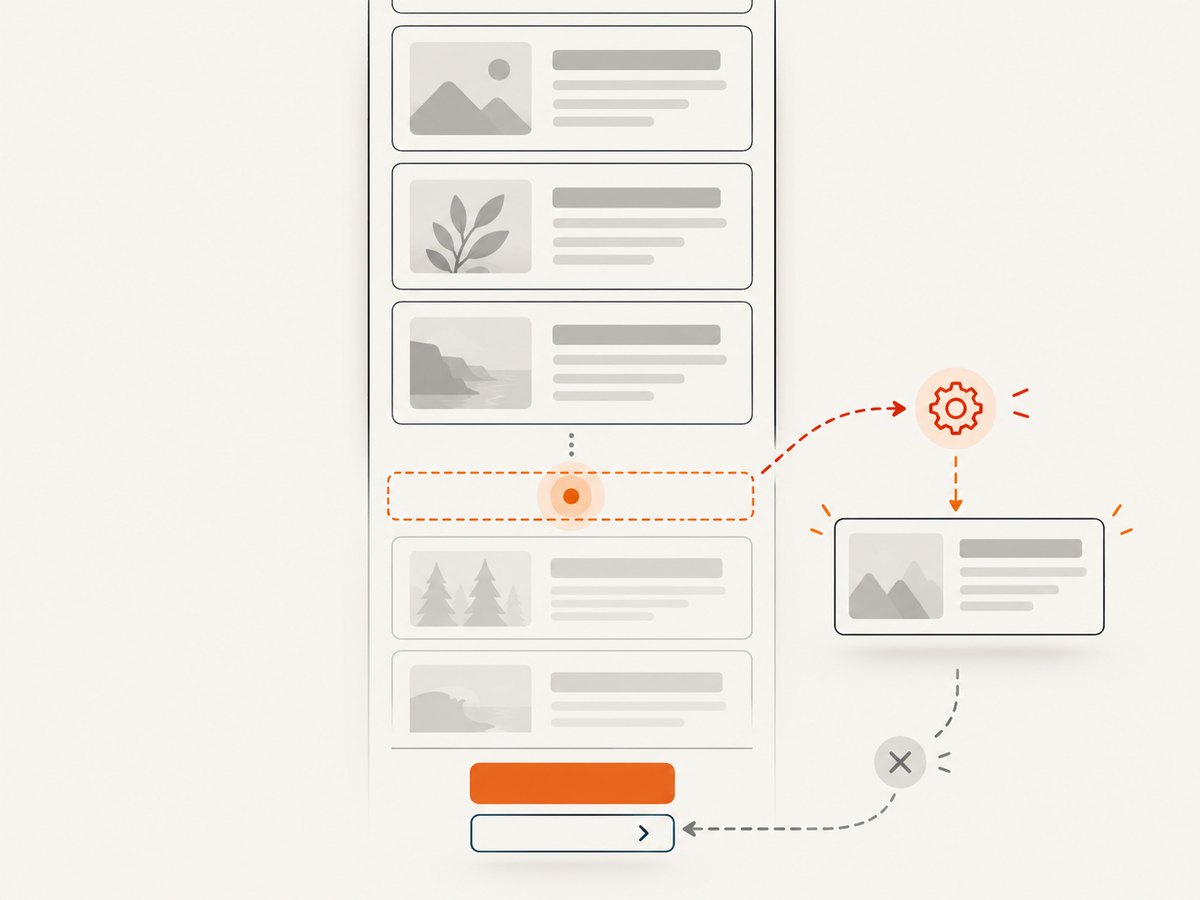
Google Search Central says it generally crawls URLs found in anchor href attributes. Therefore, every page should be a real URL and each rendered page should include a next-page anchor with an actual href. Infinite scrolling cannot be the only way to reach later content. Test the page with JavaScript disabled and ensure page two returns meaningful HTML.
- Keep page URLs stable and bookmarkable; preserve relevant filters in the next URL.
- Use distinct, meaningful titles for paginated pages and define canonical behavior deliberately.
- Avoid creating unlimited duplicate combinations of filters and sort parameters.
- Use semantic list and article elements, a visible focus indicator, and keyboard-operable controls.
- Use an
aria-live="polite"status for loading, the number appended, errors, and end of results. - Offer a Load more button even when automatic loading is enabled.
Keep progressive enhancement simple: PHP renders a complete first page and normal next link; JavaScript intercepts the experience by fetching and appending. If the script fails or is unavailable, the link remains usable.
7. Tune performance, reliability, and cost
Bound every page size on the server. Return only columns needed by the card, and avoid issuing a total-count query on every scroll unless the interface truly needs it. Add a composite index that follows the feed’s equality filters and ordering, such as (is_public, published_at DESC, id DESC) in the example. For tenant feeds, the tenant filter usually belongs in the index too. Check the actual query plan and measure endpoint latency, database time, response bytes, and error rate at realistic data volumes.
Keep the response compact and enable compression at the web server or reverse proxy. Cache public pages only when cache keys include every filter and authorization boundary; do not publicly cache personalized results. A cursor request should be repeatable and deterministic. When filters change, reset the cursor and abort any stale in-flight request. If retries may return the same page, deduplicate by stable IDs. Log malformed and expired cursor failures without logging secrets or private data.
Automatic scroll loading is convenient but can fetch pages the reader never intended to open, especially with a large observer margin. A button gives users bandwidth control; a moderate prefetch margin helps avoid a visible pause. Pick page size based on rendered card weight and query cost, then tune with measurements. No universal page size or latency target fits every feed.
8. Troubleshooting common failures
| Symptom | Likely cause | Fix |
|---|---|---|
| The same items appear twice | Unstable order, concurrent inserts, retry replay | Add a unique tie-breaker to ordering; deduplicate by item ID; use cursor pagination for changing feeds. |
| Items are skipped between pages | Rows changed between offset requests or ordering ties | Use deterministic ordering; for a live feed, use immutable cursor keys or a fixed snapshot. |
| Fetch returns a full page instead of items | Fragment flag missing or server route ignores it | Inspect the requested URL and return the documented fragment wrapper for fragment requests. |
| JSON parsing fails | PHP warning, login redirect, or HTML error page was returned | Check status and Content-Type; keep PHP notices out of response bodies; handle authentication errors explicitly. |
| Scroll triggers many requests | No loading lock or sentinel remains inside observer margin | Set the lock before fetch; update the link after success; disconnect observer at completion. |
| Next link disappears on failure | Client replaced it before validating the response | Update pagination only after a successful parse; preserve link and unlock for retry. |
| Page two is slow | Large offset or missing/mismatched index | Inspect query plan; add a matching composite index; use seek pagination for deep feeds. |
| Users see another tenant’s records | Authorization applied only to the first page or cursor not scoped | Apply access predicates to every request and bind cursor context to tenant/user/filter state. |
| Characters render as markup | Unescaped HTML or unsafe client interpolation | Escape PHP output with htmlspecialchars; use DOM textContent for JSON strings. |
| Search engines do not discover later pages | No crawlable href, pages require JavaScript, or URLs are unstable | Render real next anchors and server-rendered pages; inspect page two without JavaScript. |
9. Check the implementation before release
- Open page one and page two directly; confirm the order and no missing records.
- Disable JavaScript and follow the next link.
- Use keyboard only; activate Load more and observe announcements.
- Simulate a failed request and verify the button unlocks and next link remains usable.
- Change filters during a request; ensure stale results are not appended.
- Test malformed, negative, excessive, expired, and cross-user page or cursor values.
- Inspect SQL plans at realistic data volume and check that the intended index is used.
Or skip the browser setup
If you need screenshots of the paginated page while developing or documenting it, ScreenshotNeo is a website screenshot API and MCP server. It can capture the page by making one request; the full configuration is in the ScreenshotNeo API documentation.
curl -G "https://api.screenshotneo.com/v1/shot" -d access_key=YOUR_API_KEY --data-urlencode url=https://stripe.com -o shot.webpimport requests
r = requests.get("https://api.screenshotneo.com/v1/shot", params={"access_key": "YOUR_API_KEY", "url": "https://stripe.com"}, timeout=90)
open("shot.webp", "wb").write(r.content)const q = new URLSearchParams({ access_key: 'YOUR_API_KEY', url: 'https://stripe.com' });
const res = await fetch(`https://api.screenshotneo.com/v1/shot?${q}`);- Cookie banners, newsletter popups, and chat widgets are removed before the shot; each cleanup step can be turned off.
- Bot checks, blank pages, timeouts, failed loads, and cache hits are not billed; response headers identify the page verdict and billing result.
- An MCP server gives AI agents such as Claude and Cursor tools to take screenshots, get page info, and capture PDFs.
- 1,000 screenshots a month are free with no card; paid plans start at $5 for 3,000 screenshots. Every feature is on every plan.
Create a free ScreenshotNeo account and get 1,000 screenshots a month with no card.
FAQ
Should I trigger loading with scroll events?
Prefer IntersectionObserver for observing a sentinel. It avoids writing your own repeated scroll-position calculations. Keep a button as an explicit control and fallback.
Should page numbers be in the URL?
Yes, when the content represents addressable pages. A sequential, stable URL supports direct navigation, bookmarking, and crawling; retain relevant filter state as needed.
Do I need a total result count?
No. Fetching one extra row tells the endpoint whether another page exists and avoids a count query on every request.
Can the same endpoint serve both HTML and JSON?
Yes. Use an explicit format selector or content negotiation and keep each response contract documented and consistent. Avoid guessing the requested representation from a loosely checked header.


