How to Handle Popup Dialogs in Playwright
Handle alert, confirm, prompt, beforeunload, popup windows, and print dialogs in Playwright with reliable code, debugging steps, and edge-case guidance.
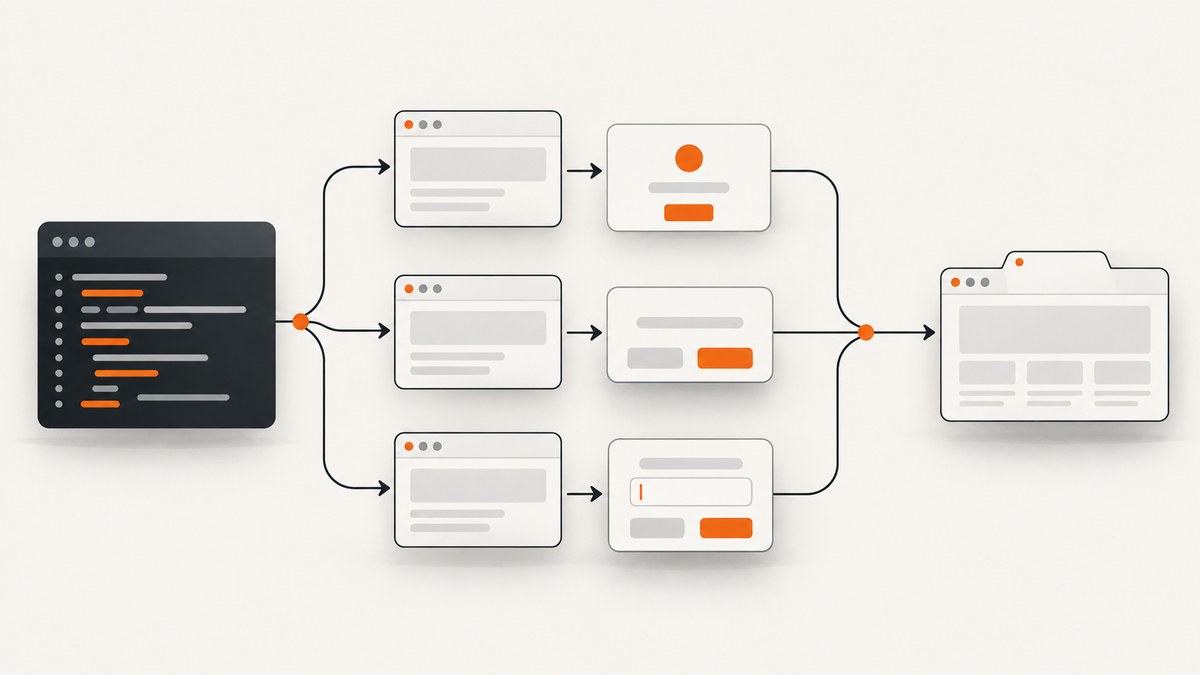
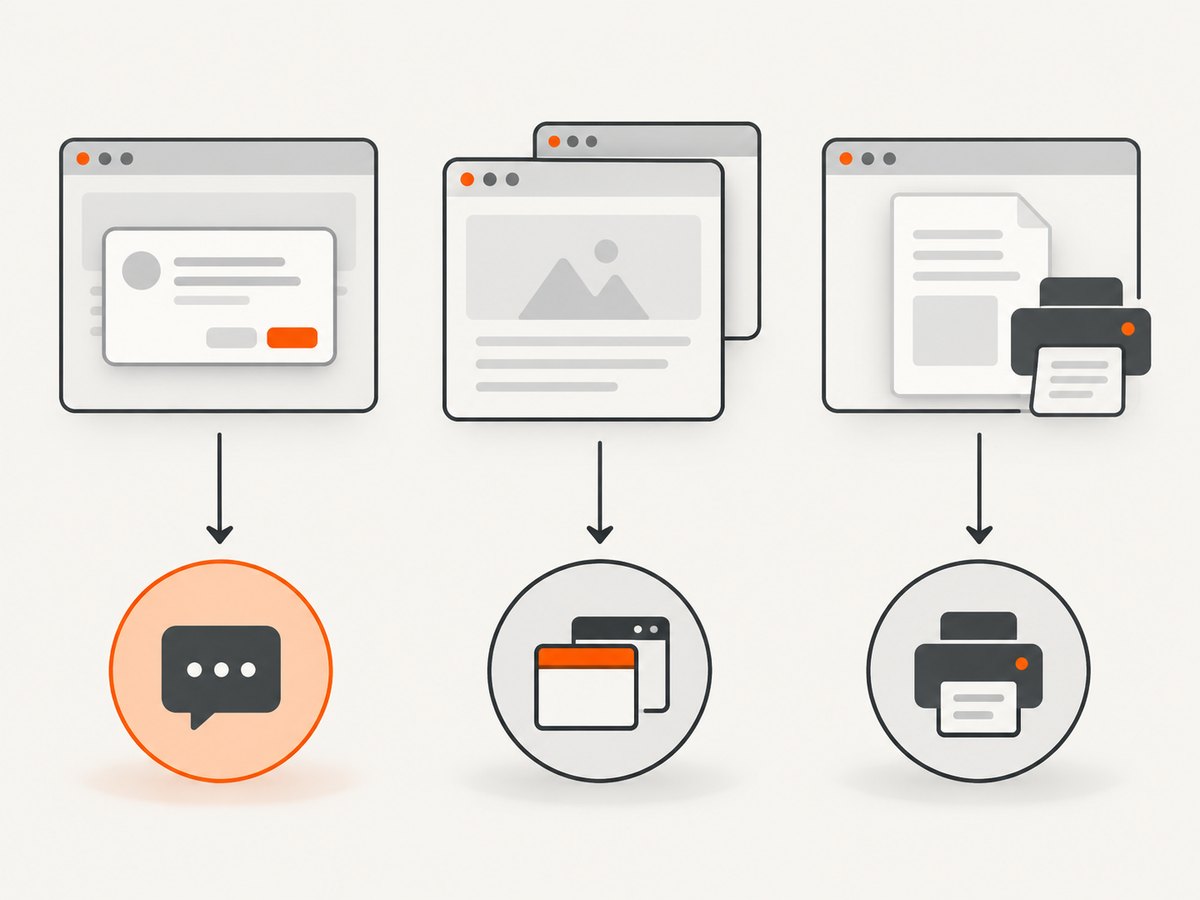
Direct answer: register a page.on('dialog') handler before the action that opens a JavaScript dialog, then call dialog.accept() or dialog.dismiss(). If you do not register a handler, Playwright automatically dismisses dialogs. A real new tab or window is different: wait for the opener page’s popup event. A print dialog is observed by replacing window.print, not by treating it as a JavaScript dialog.
Playwright supports alert, confirm, prompt, and beforeunload dialogs. The official guide documents the default behavior and event patterns in Playwright Dialogs, while the event and method details are in the Page API.
1. Handle an alert, confirm, or prompt
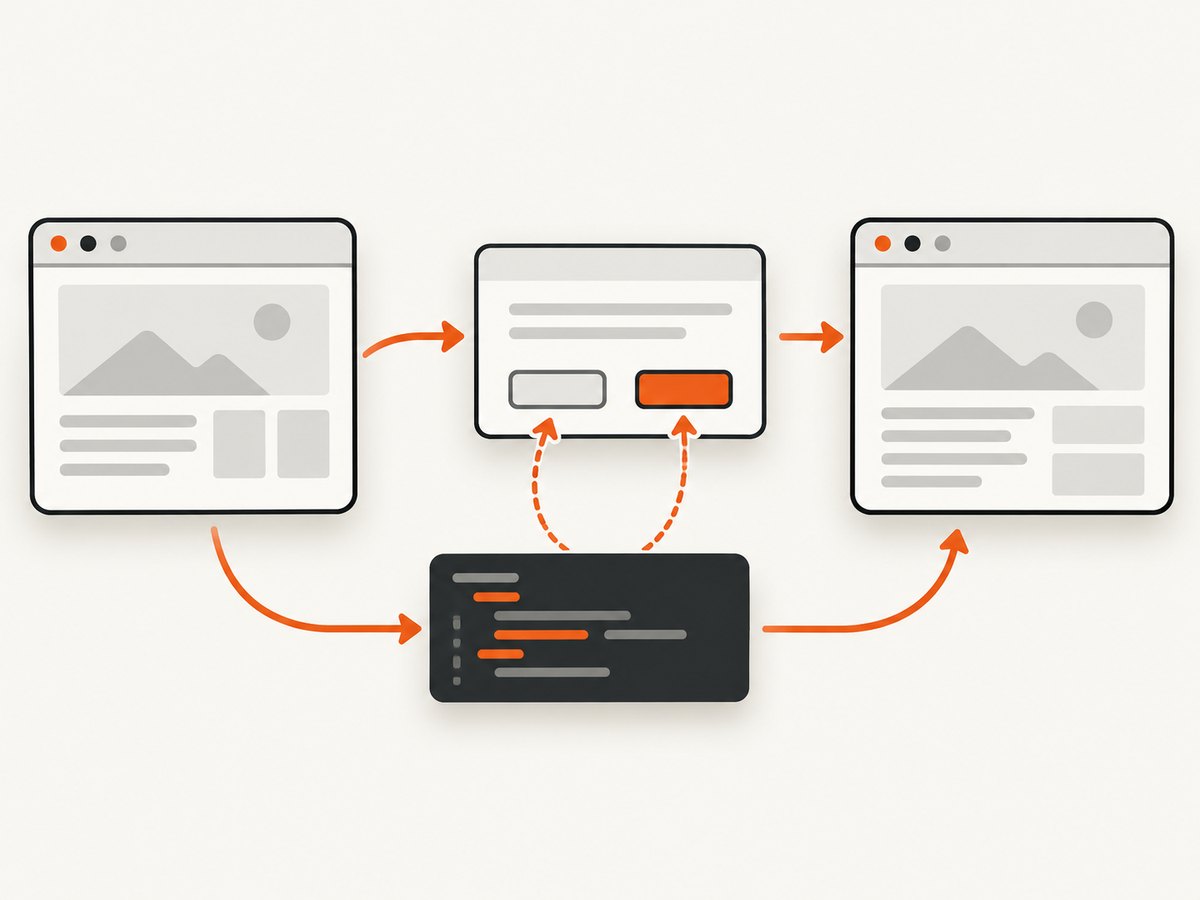
Install Playwright, create a page, attach the listener, and trigger the action. The listener must be attached first. A handler that only logs the message leaves the modal open, so the click that triggered it can wait indefinitely.
import { chromium, expect } from '@playwright/test';

const browser = await chromium.launch();
const page = await browser.newPage();

page.on('dialog', async dialog => {
  console.log(`type=${dialog.type()}`);
  console.log(`message=${dialog.message()}`);
  console.log(`default=${dialog.defaultValue()}`);

  if (dialog.type() === 'alert') {
    await dialog.accept();
  } else if (dialog.type() === 'confirm') {
    await dialog.dismiss();
  } else if (dialog.type() === 'prompt') {
    await dialog.accept('approved value');
  }
});

await page.goto('https://example.com/dialog-demo');
await page.getByRole('button', { name: 'Open dialog' }).click();
await expect(page).toHaveTitle(/Example/);

await browser.close();
Dialog exposes type(), message(), and defaultValue(). Use those values to assert that the expected dialog appeared and to choose the response. accept() closes an alert or confirm and can provide text for a prompt. dismiss() cancels the dialog.
Accept every dialog
page.on('dialog', async dialog => {
  await dialog.accept();
});

await page.getByRole('button', { name: 'Delete' }).click();
Dismiss a destructive confirmation
page.on('dialog', async dialog => {
  if (dialog.type() === 'confirm' && dialog.message().includes('delete')) {
    await dialog.dismiss();
    return;
  }

  await dialog.accept();
});
Assert before responding
page.on('dialog', async dialog => {
  expect(dialog.type()).toBe('confirm');
  expect(dialog.message()).toContain('Are you sure?');
  await dialog.accept();
});

await page.getByText('Continue').click();
2. Understand Playwright’s automatic dismissal
With no page.on('dialog') or browserContext.on('dialog') listener, Playwright automatically dismisses dialogs. This is useful when a test does not care about the dialog, but it can hide a regression if the test should verify the message or response.
Once you register a listener, your code owns the dialog. Every path through that handler must call accept() or dismiss(). Logging the message and returning is a common cause of a click or navigation that appears to hang.
3. Handle dialogs across every page in a browser context
Use a browser-context listener when the same policy should apply to the initial page, popups, and any other page created in that context.
import { chromium } from '@playwright/test';

const browser = await chromium.launch();
const context = await browser.newContext();

context.on('dialog', async dialog => {
  console.log(dialog.type(), dialog.message());
  await dialog.dismiss();
});

const page = await context.newPage();
await page.goto('https://example.com');

await browser.close();
A context-wide listener is appropriate for a test policy such as “never accept destructive confirmations.” Use a page listener when different pages need different decisions.
4. Test beforeunload dialogs
Playwright does not run beforeunload handlers during a normal page.close(). Pass runBeforeUnload: true when the test specifically covers an unload confirmation.
import { chromium, expect } from '@playwright/test';

const browser = await chromium.launch();
const page = await browser.newPage();

page.on('dialog', async dialog => {
  expect(dialog.type()).toBe('beforeunload');
  await dialog.dismiss();
});

await page.goto('https://example.com/form');
await page.locator('textarea').fill('unsaved text');
await page.close({ runBeforeUnload: true });

await browser.close();
5. Handle a real popup window or new tab
A page opened by window.open() is not a JavaScript dialog. It emits a popup event on the opener page. Start waiting before clicking so the event cannot be missed.
import { chromium, expect } from '@playwright/test';

const browser = await chromium.launch();
const page = await browser.newPage();
await page.goto('https://example.com');

const popupPromise = page.waitForEvent('popup');
await page.getByRole('link', { name: 'Open report' }).click();

const popup = await popupPromise;
await popup.waitForLoadState('domcontentloaded');
console.log(await popup.title());
console.log(await popup.url());
await expect(popup.getByRole('heading')).toBeVisible();

await browser.close();
The popup page becomes available once its initial navigation response has started. Wait for a later load state or a specific locator when the test needs content that appears after navigation.
Popup and dialog in the same flow
page.on('dialog', async dialog => {
  await dialog.accept();
});

const popupPromise = page.waitForEvent('popup');
await page.getByText('Confirm and open').click();
const popup = await popupPromise;
await popup.waitForLoadState('domcontentloaded');
Keep the two mechanisms separate: the dialog listener closes JavaScript modals, while waitForEvent('popup') returns a new Page.
6. Test a print dialog
window.print() is handled separately from alert, confirm, and prompt. Replace it with a promise before triggering the print action. This verifies that the page called print without trying to automate the operating-system print UI.
import { chromium, expect } from '@playwright/test';

const browser = await chromium.launch();
const page = await browser.newPage();
await page.goto('https://example.com/invoice');

await page.evaluate(() => {
  (window as any).waitForPrintDialog = new Promise<void>(resolve => {
    window.print = resolve;
  });
});

await page.getByRole('button', { name: 'Print' }).click();
await page.waitForFunction(() => Boolean((window as any).waitForPrintDialog));

await browser.close();
7. Python Playwright equivalent
Python uses the same ordering rule: register the handler before the action. The synchronous API is shown here; the asynchronous API uses the same events and methods with await.
from playwright.sync_api import sync_playwright

with sync_playwright() as p:
    browser = p.chromium.launch()
    page = browser.new_page()

    def handle_dialog(dialog):
        print(dialog.type, dialog.message)
        if dialog.type == "prompt":
            dialog.accept("approved value")
        elif dialog.type == "confirm":
            dialog.dismiss()
        else:
            dialog.accept()

    page.on("dialog", handle_dialog)
    page.goto("https://example.com/dialog-demo")
    page.get_by_role("button", name="Open dialog").click()

    popup_info = {}
    with page.expect_popup() as popup_event:
        page.get_by_role("link", name="Open report").click()
    popup = popup_event.value
    popup.wait_for_load_state("domcontentloaded")
    popup_info["url"] = popup.url
    print(popup_info)

    browser.close()
8. Common errors and fixes
| Symptom | Cause | Fix |
|---|---|---|
| The click never finishes | A dialog listener was registered but never closed the dialog. | Call await dialog.accept() or await dialog.dismiss() on every branch. |
| The dialog was dismissed unexpectedly | No listener was registered, so Playwright used its automatic dismissal. | Register a listener before the triggering action and assert its type/message. |
| The popup promise times out | The wait started after the click, the action opened a same-page navigation, or a popup was blocked. | Create page.waitForEvent('popup') before clicking and verify the site actually calls window.open(). |
| A new tab is mistaken for a dialog | A popup Page and a JavaScript dialog are different browser events. | Use popup for a tab/window and dialog for alert, confirm, prompt, or beforeunload. |
| The prompt contains the wrong value | accept() was called without the intended text. |
Pass the response string: await dialog.accept('value'). |
beforeunload never appears |
Normal page closing does not run unload handlers. | Use page.close({ runBeforeUnload: true }) and attach the listener first. |
| Print automation opens no Playwright dialog | Print uses a separate browser or operating-system UI path. | Replace window.print with a promise and wait for that promise. |
9. Reliability and performance checklist
- Attach listeners before clicks, submits, navigation, or close operations that can trigger them.
- Prefer role or label locators for the trigger, then assert the dialog metadata when the response matters.
- Keep handlers short. Close the dialog immediately, then perform longer assertions after the triggering action completes.
- Use a context listener only when every page should share the same policy.
- For popups, wait for the event and then wait for the specific load state or locator your test needs.
- Do not add arbitrary sleeps to solve dialog races; correct event ordering is deterministic.
- Close popup pages and the browser context in teardown so a failed test does not leave processes running.
Dialog handling itself adds little work. The slow parts are normally page navigation, application code, and popup loading. Waiting on the event and a meaningful readiness condition keeps tests faster and less flaky than fixed delays.
10. Or skip the browser setup
If your goal is a clean image or PDF of a page rather than an interactive dialog test, ScreenshotNeo provides a single HTTP request. Its capture flow accepts cookie and consent banners before the shot and removes more than 60 known consent platforms, newsletter popups, and chat widgets. Each cleanup step can be turned off.
Only clean shots are billed. Bot checks, CAPTCHAs, blank pages, timeouts, failed loads, and cache hits cost nothing, and the response identifies the result with X-Page-Verdict and X-Billed headers. ScreenshotNeo also provides an MCP server with take_screenshot, get_page_info, and capture_pdf tools for Claude, Cursor, and other MCP clients. The Free plan includes 1,000 screenshots per month with no card; paid plans start at $5 for 3,000 shots.
See the ScreenshotNeo API documentation for all options, including full-page capture, element selectors, device presets, dark mode, retina scale, custom CSS and JavaScript, waits, request blocking, cookies, headers, geolocation, PDF settings, caching, signed links, async jobs, bulk capture, and usage reporting.
curl -G "https://api.screenshotneo.com/v1/shot" -d access_key=YOUR_API_KEY --data-urlencode url=https://stripe.com -o shot.webpimport requests
r = requests.get(
"https://api.screenshotneo.com/v1/shot",
params={"access_key": "YOUR_API_KEY", "url": "https://stripe.com"},
timeout=90,
)
r.raise_for_status()
open("shot.webp", "wb").write(r.content)const q = new URLSearchParams({ access_key: 'YOUR_API_KEY', url: 'https://stripe.com' });
const res = await fetch(`https://api.screenshotneo.com/v1/shot?${q}`);
if (!res.ok) throw new Error(`Screenshot failed: ${res.status}`);
const bytes = new Uint8Array(await res.arrayBuffer());
// Save bytes as shot.webp in your application.Create a free ScreenshotNeo account to get 1,000 screenshots a month with no card.
11. FAQ
Does Playwright require a dialog handler?
No. Without a page or context dialog listener, Playwright automatically dismisses dialogs. Add a handler when the test must choose or verify a response.
Can I accept a prompt and inspect its default value?
Yes. Read dialog.defaultValue(), then pass the desired string to dialog.accept().
How do I distinguish a popup from an alert?
An alert, confirm, prompt, or beforeunload is a dialog event. A new tab or window is a popup event that returns another Page.
Can Playwright click the operating-system print window?
No. Observe the page’s call to window.print() by replacing it with a promise, then test the resulting print workflow separately.
Should I use a page or context listener?
Use a page listener for local behavior. Use browserContext.on('dialog') when one response policy must cover every page in the context.


