How to Handle Popup Dialogs in Puppeteer
Handle alert, confirm, prompt, beforeunload, and popup windows in Puppeteer with reliable listeners, complete code, debugging steps, and production guidance.

Direct answer: attach a dialog listener before the click, navigation, or script evaluation that can open a JavaScript dialog. Inspect dialog.type() and dialog.message(), then always resolve the modal with await dialog.accept() or await dialog.dismiss(). For a prompt, pass the response to accept('text'). A new tab or window is different: wait for the page’s popup event and automate the returned Page object.
This guide covers alerts, confirmations, prompts, beforeunload, one-shot handlers, popup windows, TypeScript-friendly patterns, CI reliability, diagnostics, and common failure modes.
1. What Puppeteer calls a popup dialog
Puppeteer emits the Page dialog event for JavaScript alert, confirm, prompt, and beforeunload dialogs. The Dialog object exposes type(), message(), and defaultValue(). You close it with accept() or dismiss(); accept(promptText) supplies text to a prompt.
| Dialog | Typical trigger | Accept | Dismiss |
|---|---|---|---|
alert |
alert('Saved') |
Closes the message | Also closes it |
confirm |
Delete confirmation | Returns true |
Returns false |
prompt |
Ask for a name or code | Submits supplied text | Returns null |
beforeunload |
Unsaved changes during navigation or close | Proceed according to browser policy | Stay on the page |
2. The reliable page-wide handler
Register the listener immediately after creating the page and before goto, click, or evaluate. If a handler only logs the event, the browser remains blocked and the triggering promise can hang.

import puppeteer from 'puppeteer';

const browser = await puppeteer.launch({headless: true});
const page = await browser.newPage();

page.on('dialog', async dialog => {
  console.log(`dialog type=${dialog.type()} message=${dialog.message()}`);

  if (dialog.type() === 'prompt') {
    await dialog.accept('answer supplied by automation');
  } else if (dialog.type() === 'confirm') {
    await dialog.accept();
  } else {
    // Alerts and an unexpected beforeunload are closed safely.
    await dialog.dismiss();
  }
});

await page.goto('https://example.com', {waitUntil: 'domcontentloaded'});
await page.click('#trigger-dialog');
await browser.close();
The callback is asynchronous so the response is awaited and errors propagate through normal promise handling. Keep a page-wide policy only when every dialog on that page should receive the same treatment.
3. Handle each dialog type deliberately
Alerts
page.once('dialog', async dialog => {
  if (dialog.type() !== 'alert') throw new Error(`Unexpected ${dialog.type()}`);
  console.log(dialog.message());
  await dialog.accept();
});
await page.click('#show-alert');
An alert has no value to collect. Accepting and dismissing both close it; accepting documents that the test intentionally followed the positive path.
Confirm dialogs
const confirmResult = new Promise((resolve, reject) => {
  page.once('dialog', async dialog => {
    try {
      if (dialog.type() !== 'confirm') throw new Error('Expected confirm');
      await dialog.dismiss(); // choose Cancel
      resolve(true);
    } catch (error) {
      reject(error);
    }
  });
});
await page.click('#delete');
await confirmResult;
Call accept() for the affirmative branch or dismiss() for Cancel. Assert the page state after the action instead of assuming the return value changed the UI.
Prompts
page.once('dialog', async dialog => {
  if (dialog.type() !== 'prompt') throw new Error('Expected prompt');
  console.log('default:', dialog.defaultValue());
  await dialog.accept('Ada Lovelace');
});
await page.click('#ask-name');
Use accept('') to submit an empty string. Use dismiss() when cancellation is the behavior under test.
Before-unload
page.on('dialog', async dialog => {
  if (dialog.type() === 'beforeunload') {
    await dialog.accept(); // allow the close or navigation branch
  }
});
await page.close();
beforeunload uses the same event. Handle it immediately before the close or navigation operation that invokes unload handlers, and check the API reference for the Puppeteer version installed in CI when using close options.
4. One-shot handlers that cannot consume unrelated dialogs
A permanent listener can accidentally accept a dialog raised by another test. For a known trigger, coordinate a one-time listener with the action:
const dialogPromise = new Promise(resolve => {
  page.once('dialog', resolve);
});

await page.click('#delete');
const dialog = await dialogPromise;
if (dialog.type() !== 'confirm') {
  await dialog.dismiss();
  throw new Error(`Expected confirm, got ${dialog.type()}`);
}
await dialog.accept();
The listener is installed first, so a fast dialog cannot race the click. If the trigger may produce no dialog, add a timeout and report the missing event:
function waitForDialog(page, timeout = 5000) {
  return new Promise((resolve, reject) => {
    const timer = setTimeout(() => reject(new Error('Dialog did not appear')), timeout);
    page.once('dialog', dialog => {
      clearTimeout(timer);
      resolve(dialog);
    });
  });
}

const pending = waitForDialog(page);
await page.click('#sometimes-asks');
const dialog = await pending;
await dialog.dismiss();
5. JavaScript dialogs versus popup windows
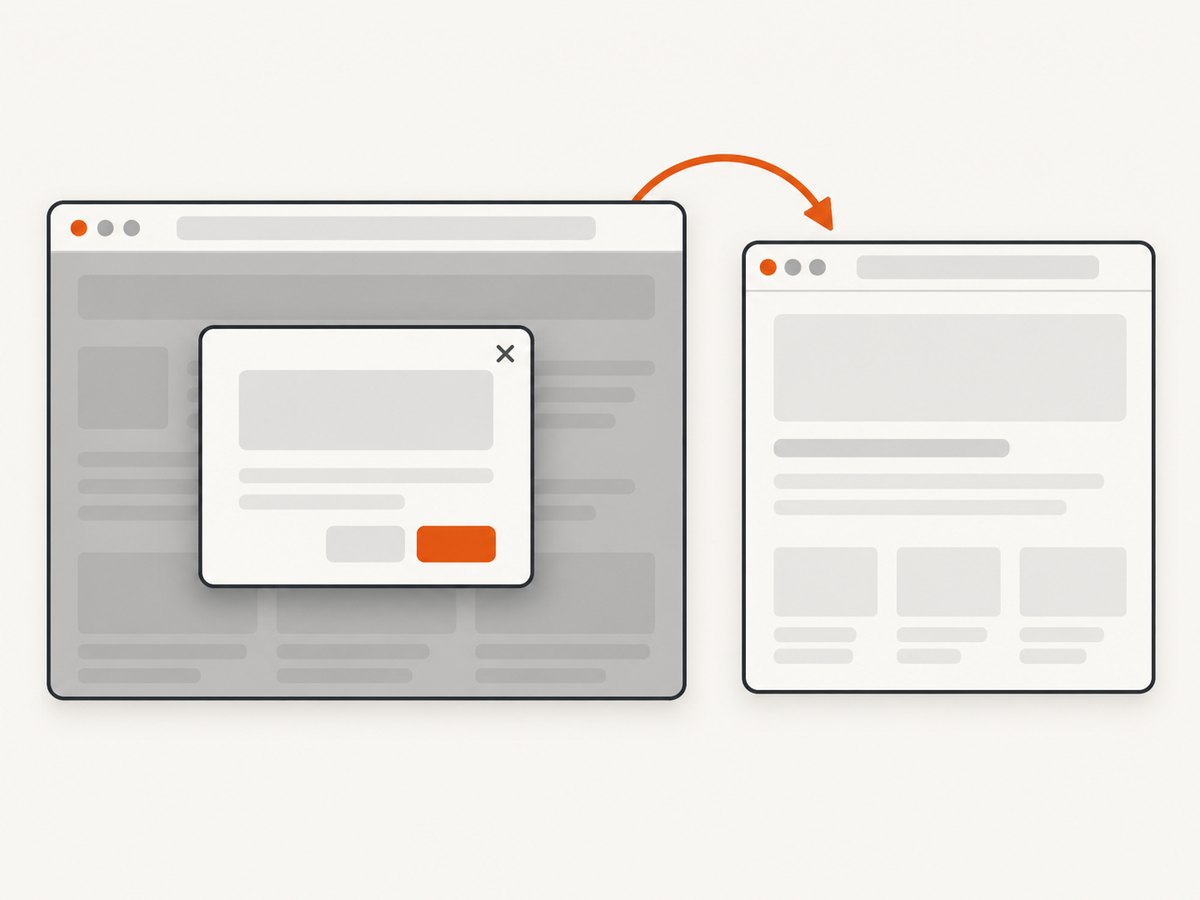
page.on('dialog') does not handle window.open() or a link with a new target. Those create another Page in the same browser context and emit popup on the opener.
const popupPromise = new Promise(resolve => page.once('popup', resolve));
await page.click('#open-window');
const popup = await popupPromise;
await popup.waitForNetworkIdle();
console.log(await popup.title());
await popup.close();
Use the popup Page for navigation, selectors, cookies, screenshots, and closing. A site can open a window and then show a dialog inside that new page, so attach both listeners when necessary:
const popupPromise = new Promise(resolve => page.once('popup', resolve));
await page.click('#open-and-ask');
const popup = await popupPromise;
popup.on('dialog', dialog => dialog.accept());
await popup.waitForNetworkIdle();
6. Complete runnable example
The following script starts a local page containing each dialog type, handles them, and demonstrates a popup window. Save it as dialogs.mjs, install Puppeteer with npm install puppeteer, and run node dialogs.mjs.
import puppeteer from 'puppeteer';

const browser = await puppeteer.launch({headless: true});
const page = await browser.newPage();

page.on('dialog', async dialog => {
  console.log(dialog.type(), dialog.message());
  switch (dialog.type()) {
    case 'prompt': await dialog.accept('from Puppeteer'); break;
    case 'confirm': await dialog.dismiss(); break;
    default: await dialog.accept();
  }
});

await page.setContent(`
  <button id="alert" onclick="alert('hello')">Alert</button>
  <button id="confirm" onclick="document.body.dataset.answer=confirm('Continue?')">Confirm</button>
  <button id="prompt" onclick="document.body.dataset.name=prompt('Name?','default')">Prompt</button>
  <button id="popup" onclick="window.open('about:blank','_blank')">Popup</button>
`);
await page.click('#alert');
await page.click('#confirm');
await page.click('#prompt');
const popupPromise = new Promise(resolve => page.once('popup', resolve));
await page.click('#popup');
const popup = await popupPromise;
console.log('popup opened:', await popup.url());
await popup.close();
await browser.close();
7. Diagnostics and troubleshooting
| Symptom | Cause | Fix |
|---|---|---|
click() never resolves |
Dialog was opened before a listener, or listener never responds. | Register first and always await accept()/dismiss(). |
| “No dialog” timeout | Wrong selector, conditional code path, or action does not open a dialog. | Verify the selector, add logging, and use a bounded wait helper. |
| Prompt value is ignored | Text passed to a non-prompt or accept() called without text. |
Check type() and call accept('value') only for prompt. |
| Unexpected test passes | Broad page listener accepted a dialog from another action. | Use once, validate the type/message, and remove listeners after the step. |
| Popup Page is undefined | Waiting for dialog instead of popup, or listener registered after the click. |
Wait for page.once('popup') before triggering the opener. |
| Browser closes during beforeunload | No policy was chosen for the unload dialog. | Handle beforeunload immediately before close/navigation and verify version-specific options. |
| CI hangs intermittently | Race between action and listener, or a hidden dialog on a different page. | Install listeners first, log every page, and attach policies to popup pages too. |
During diagnosis, log dialog.type(), dialog.message(), and (for prompts) dialog.defaultValue(). Remove verbose logging after the failure is understood.
8. Reliability and performance practices
- Install before triggering: listener registration must precede clicks, navigation, and evaluation.
- Scope policies: use
oncefor one action; use a page-wide listener only for a deliberate default. - Fail loudly: reject on an unexpected type or message instead of silently accepting destructive actions.
- Bound every wait: combine dialog and popup promises with explicit timeouts so a missing event cannot stall a worker forever.
- Separate pages: a dialog belongs to the Page that emitted it. New tabs need their own listeners.
- Close resources: close popup pages and the browser in a
finallyblock in long-running suites. - Keep handlers fast: resolve the dialog first, then perform slower assertions or logging.
Dialog handling itself is lightweight. Most runtime comes from browser startup, navigation, network idle waits, and page JavaScript. Reuse a browser process for a batch while creating isolated pages or contexts for test data.
9. Or skip the browser setup
If your goal is a clean screenshot rather than interactive dialog testing, ScreenshotNeo provides a single HTTP request. Its capture pipeline accepts cookie and consent banners like a visitor, then removes more than 60 known consent platforms plus newsletter popups and chat widgets before the shot. Bot checks, blank pages, timeouts, failed loads, and cache hits are not billed, and response headers identify the page verdict and billing status.
See the ScreenshotNeo API documentation for all options. cURL:
curl -G "https://api.screenshotneo.com/v1/shot" -d access_key=YOUR_API_KEY --data-urlencode url=https://stripe.com -o shot.webpPython:
import requests
r = requests.get("https://api.screenshotneo.com/v1/shot", params={"access_key": "YOUR_API_KEY", "url": "https://stripe.com"}, timeout=90)
open("shot.webp", "wb").write(r.content)
Node.js:
const q = new URLSearchParams({ access_key: 'YOUR_API_KEY', url: 'https://stripe.com' });
const res = await fetch(`https://api.screenshotneo.com/v1/shot?${q}`);
const data = Buffer.from(await res.arrayBuffer());
require('fs').writeFileSync('shot.webp', data);
ScreenshotNeo also offers an MCP server with take_screenshot, get_page_info, and capture_pdf tools for Claude, Cursor, and other MCP clients. It supports full-page and element captures, dark mode, device presets, custom viewports, retina scale, PDF settings, custom CSS and JavaScript, clicks, waits, blocked resources, headers, cookies, user agents, authorization, timezone, geolocation, transparency, resizing, TTL caching, signed links, async webhooks, bulk capture, usage data, and an OpenAPI specification.
Plans include 1,000 screenshots a month free with no card; paid plans start at $5 for 3,000 shots. Create a free ScreenshotNeo account.
10. FAQ
Does Puppeteer automatically dismiss dialogs?
No. Your code must respond with accept() or dismiss(). An unresolved dialog can block page execution.
Can I read an alert’s text?
Yes. Call dialog.message() before resolving it.
Can one handler cover every page?
No single browser-level dialog event replaces page listeners. Attach a policy to each Page, including pages received from popup.
What if a dialog is optional?
Use a timeout-bounded promise and decide whether the missing event is expected. Avoid an unbounded wait.
Is a popup the same as a dialog?
No. A JavaScript modal uses dialog; a new tab or window uses popup and returns another Page.


