How to Handle Timeouts in Python Requests
Set reliable Requests timeouts, distinguish connect and read failures, retry safely, and diagnose stalled HTTP calls with runnable Python examples.
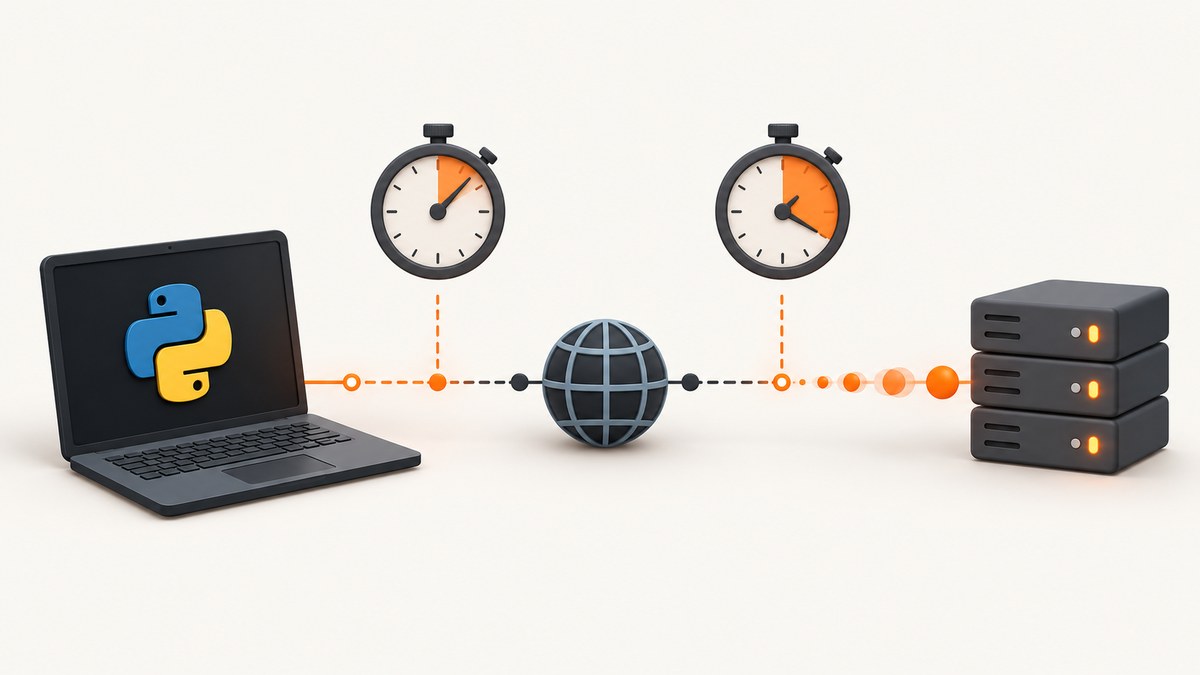
A Python Requests call can wait forever unless you set a timeout. Add timeout to every production request, then handle ConnectTimeout and ReadTimeout according to which phase failed. A single number applies to both phases; a tuple such as (3.05, 27) sets connection and read limits separately.
Requests timeouts are inactivity limits on the underlying socket, not a guaranteed wall-clock deadline for the complete download. They do not automatically retry failed requests. The examples below show safe defaults, exception handling, retries, streaming, sessions, diagnostics, and a practical way to choose values.
What a Requests timeout actually controls
Requests has no default timeout. If a server accepts a connection and then stops sending data, your process can remain blocked indefinitely. The official Quickstart recommends using a timeout in nearly all production requests: Requests Quickstart: Timeouts.

| Configuration | Meaning | Typical use |
|---|---|---|
timeout=10 |
Uses 10 seconds for both connection establishment and waiting for response data. | Simple calls where both phases have similar limits. |
timeout=(3.05, 27) |
Allows 3.05 seconds to connect and 27 seconds between received bytes. | Most API clients, where connecting should be quick but processing may take longer. |
| No timeout | Can wait indefinitely. | Avoid in services, workers, CLIs, and web applications. |
The read timeout is not “time to download the whole response.” It is the maximum period the socket can go without receiving data. A large response that continually produces bytes can take longer than the configured read value. Conversely, a response that sends one byte periodically may avoid a read timeout even when the total operation is too slow for your application. See the Advanced Usage timeout documentation.
Use separate connect and read values
A tuple makes your intent visible:
import requests

response = requests.get(
    "https://api.example.com/data",
    timeout=(3.05, 27),
)
response.raise_for_status()
data = response.json()
The numbers are examples, not universal recommendations. Select them from the service’s normal latency, your caller’s latency budget, and the operation’s consequences when it is interrupted. A short connect timeout prevents dead DNS, routing, or firewall problems from consuming a worker. A longer read timeout accommodates a report or screenshot endpoint that takes time to produce its first byte.
Catch the right exception
requests.exceptions.Timeout is the common superclass for both connection and read timeouts. Use it when the recovery action is the same. Use the specific subclasses when you want different logging, retry, or user messaging. Requests documents ConnectTimeout as safe to retry; a read timeout may happen after the server received and began processing the request, so repeating a non-idempotent operation can create duplicates. Exception definitions are in the Requests developer interface reference.
import requests

try:
    response = requests.get(
        "https://api.example.com/data",
        timeout=(3.05, 27),
    )
    response.raise_for_status()
except requests.exceptions.ConnectTimeout:
    # The connection was not established within 3.05 seconds.
    print("Could not connect to the service in time")
except requests.exceptions.ReadTimeout:
    # No response data arrived during the read timeout interval.
    print("The service stopped responding")
except requests.exceptions.Timeout:
    # Handles either timeout subtype when no distinction is needed.
    print("The request timed out")
except requests.exceptions.ConnectionError as exc:
    # DNS failures, refused connections, and related network errors.
    print(f"Network error: {exc}")
except requests.exceptions.HTTPError as exc:
    # The server returned an unsuccessful HTTP status.
    print(f"HTTP error: {exc}")
Keep transport errors separate from HTTP errors. A timeout means no timely socket activity; an HTTPError means a response arrived with a status your code rejected. Always decide whether to call raise_for_status() before decoding the body.
Build a reusable client with a session
Passing a timeout at each call site is explicit, but a small wrapper prevents one call from accidentally omitting it. A Session also reuses connections.
from __future__ import annotations

import requests
from typing import Any

class ApiClient:
    def __init__(self, base_url: str, timeout: tuple[float, float] = (3.05, 27)):
        self.base_url = base_url.rstrip("/")
        self.timeout = timeout
        self.session = requests.Session()

    def get_json(self, path: str, **params: Any) -> Any:
        url = f"{self.base_url}/{path.lstrip('/')}"
        response = self.session.get(url, params=params, timeout=self.timeout)
        response.raise_for_status()
        return response.json()

client = ApiClient("https://api.example.com")
record = client.get_json("data", page=1)
print(record)
Requests does not provide a built-in session-wide default timeout. Put the default in your own wrapper or subclass the adapter if your application needs centralized enforcement. Keep an explicit per-call override for unusually long operations.
Retry timeouts deliberately
Requests does not retry failed connections by default. For controlled retries, attach urllib3.util.Retry to an HTTPAdapter. The official pattern is documented in Requests Advanced Usage: automatic retries.
import requests
from requests.adapters import HTTPAdapter
from urllib3.util import Retry

retry = Retry(
    total=3,
    connect=3,
    read=0,
    status=3,
    backoff_factor=0.5,
    status_forcelist=(429, 500, 502, 503, 504),
    allowed_methods=frozenset({"GET", "HEAD", "OPTIONS"}),
    respect_retry_after_header=True,
)

session = requests.Session()
adapter = HTTPAdapter(max_retries=retry)
session.mount("https://", adapter)
session.mount("http://", adapter)

response = session.get(
    "https://api.example.com/data",
    timeout=(3.05, 27),
)
response.raise_for_status()
print(response.json())
This configuration retries connection failures and selected status responses, while leaving read retries disabled. A read timeout can occur after a server has accepted the request, so retrying a POST or another non-idempotent operation may submit it twice. If you do enable read retries, make the operation idempotent or send an idempotency key that the service supports. The adapter’s basic integer retry behavior covers failed DNS lookups, socket connections, and connection timeouts; it does not mean that every partially sent request is safe to repeat.
Understand connection timing edge cases
- Multiple IP addresses: A hostname can resolve to several addresses. The connect timeout can apply to each attempt, so elapsed connection time may exceed the configured value.
- Slow first byte: A server may accept the connection but take a long time to generate a response. That is a read timeout, not a connect timeout.
- Streaming: With
stream=True, the request returns before the body is consumed. Iterating overiter_content()is still governed by socket inactivity. - Large downloads: A read timeout does not cap total download time. Add your own wall-clock deadline if your product requires one.
- Redirects: Requests can make several requests while following redirects. Your timeout applies to socket phases of each request, not to the entire redirect chain.
import requests

with requests.get(
    "https://example.com/archive.zip",
    timeout=(3.05, 20),
    stream=True,
) as response:
    response.raise_for_status()
    with open("archive.zip", "wb") as output:
        for chunk in response.iter_content(chunk_size=1024 * 64):
            if chunk:
                output.write(chunk)
If you need a true end-to-end deadline, measure elapsed time around the operation and stop work at your application boundary. Do not describe the Requests timeout itself as a guaranteed total-duration limit.
How to choose timeout values
- Set the connect budget from network reality. Start with a few seconds for a public API, then adjust for private networks, proxies, or mobile clients.
- Set the read budget from service behavior. A fast metadata endpoint and a report generator should not share the same read limit automatically.
- Reserve time for retries. If your caller has a 30-second budget, three retries with long backoff can consume it before your code returns.
- Use separate budgets by operation. Keep short limits for health checks and longer limits for exports, uploads, or rendering jobs.
- Record the values. Log connect and read settings with the endpoint so a timeout can be diagnosed from production logs.
Diagnostics and observability checklist
- Log the hostname, method, elapsed time, timeout tuple, attempt number, and exception class.
- Never log authorization headers, cookies, API keys, or full URLs containing secrets.
- Record whether the failure occurred before a response, after headers, or while streaming the body.
- Track timeout rates separately from DNS failures, refused connections, HTTP 4xx responses, and HTTP 5xx responses.
- Capture a request ID from the upstream response when available; it helps support teams locate server-side work.
- Use a small reproduction script with the same proxy, DNS, and timeout values before changing production limits.
Troubleshooting common timeout problems
| Symptom | Likely cause | Fix |
|---|---|---|
| The call hangs forever | No timeout was supplied. |
Pass a scalar or, preferably, a connect/read tuple on every external request. |
ConnectTimeout |
DNS, routing, firewall, proxy, or the server’s listener did not establish a connection quickly enough. | Check DNS and proxy settings, verify the host and port, then choose a realistic connect limit. Retry only when the operation is safe. |
ReadTimeout |
The server sent no bytes within the read interval. | Inspect upstream latency and server logs; increase only the read value if the operation legitimately takes longer. |
| Retries create duplicate records | A non-idempotent request was repeated after the server may have received it. | Restrict retries to idempotent methods or use an upstream idempotency mechanism. |
| Timeout occurs while downloading | The response stream paused longer than the read timeout. | Inspect chunk production and proxies; consume with stream=True when appropriate, but remember the inactivity semantics. |
HTTPError is caught as a timeout |
Application code groups unrelated exceptions. | Catch Timeout, ConnectionError, and HTTPError separately and report their causes. |
| Increasing timeout does not fix the request | The service is returning an error, DNS is failing, or a proxy is misconfigured. | Check status codes and response text, test name resolution, and inspect proxy environment variables. |
Performance, reliability, and cost considerations
Connection reuse through a Session reduces repeated handshakes. A sensible connect timeout prevents blocked workers, while a read timeout protects capacity when an upstream becomes unresponsive. Retries improve resilience only when bounded: use a small total count, exponential backoff, a status allowlist, and method restrictions. Every retry adds latency and traffic, and a timeout after server acceptance can have side effects.

Requests itself does not charge for a timeout; your costs come from compute time, egress, upstream API billing, and the work your process performs before giving up. If you call a remote rendering or screenshot service, understand that the upstream service may have its own billing and failure semantics. ScreenshotNeo is designed to make those outcomes explicit: clean shots are billed, while bot checks or CAPTCHAs, blank pages, timeouts, failed loads, and cache hits are not billed, and each response includes X-Page-Verdict and X-Billed headers.
Or skip the browser setup
If your Python program needs screenshots rather than raw HTTP debugging, ScreenshotNeo provides a single GET request for PNG, JPEG, WebP, or PDF output. The Requests timeout still matters on your side, so keep it explicit:
import requests

r = requests.get(
    "https://api.screenshotneo.com/v1/shot",
    params={
        "access_key": "YOUR_API_KEY",
        "url": "https://stripe.com",
    },
    timeout=90,
)
r.raise_for_status()
open("shot.webp", "wb").write(r.content)
See the ScreenshotNeo API documentation for request parameters. Cookie and consent banners are accepted and removed before capture, along with more than 60 known consent platforms, newsletter popups, and chat widgets; each cleanup step can be disabled. Bot checks, blank pages, failed loads, timeouts, and cache hits are never billed. An MCP server provides take_screenshot, get_page_info, and capture_pdf tools for Claude, Cursor, and other MCP clients. The Free plan includes 1,000 screenshots per month with no card; paid plans start at $5 for 3,000.
Create a free ScreenshotNeo account and get 1,000 screenshots each month with no card.
cURL equivalent
curl -G "https://api.screenshotneo.com/v1/shot" -d access_key=YOUR_API_KEY --data-urlencode url=https://stripe.com -o shot.webpNode.js equivalent
const q = new URLSearchParams({ access_key: 'YOUR_API_KEY', url: 'https://stripe.com' });
const res = await fetch(`https://api.screenshotneo.com/v1/shot?${q}`);
if (!res.ok) throw new Error(`HTTP ${res.status}`);
const image = Buffer.from(await res.arrayBuffer());
require('fs').writeFileSync('shot.webp', image);
FAQ
What is the difference between connect and read timeout?
Connect covers establishing the socket. Read covers the maximum interval without receiving response data. A tuple communicates those phases separately.
Does timeout=30 guarantee completion within 30 seconds?
No. It applies to socket inactivity for connection and reads. DNS address attempts, redirects, and continuous response downloads can make total elapsed time longer.
Should every timeout be retried?
No. Connection timeouts are generally safer to retry. A read timeout may happen after the server accepted a non-idempotent request, so repeat it only when duplicate work is safe.
Can I set a timeout globally in Requests?
Requests does not expose a built-in global default. Enforce one in your own client wrapper, session adapter, or call helper.
Why did my request return an HTTP 500 instead of timing out?
The server responded within the timeout but reported an error. Handle that with status checks and raise_for_status(); it is a different failure class.


