How to Handle Websites Blocking Python Pyppeteer Scrapers
Diagnose Pyppeteer denials safely, respect site rules, fix navigation failures, and decide when to migrate to Playwright or ScreenshotNeo.
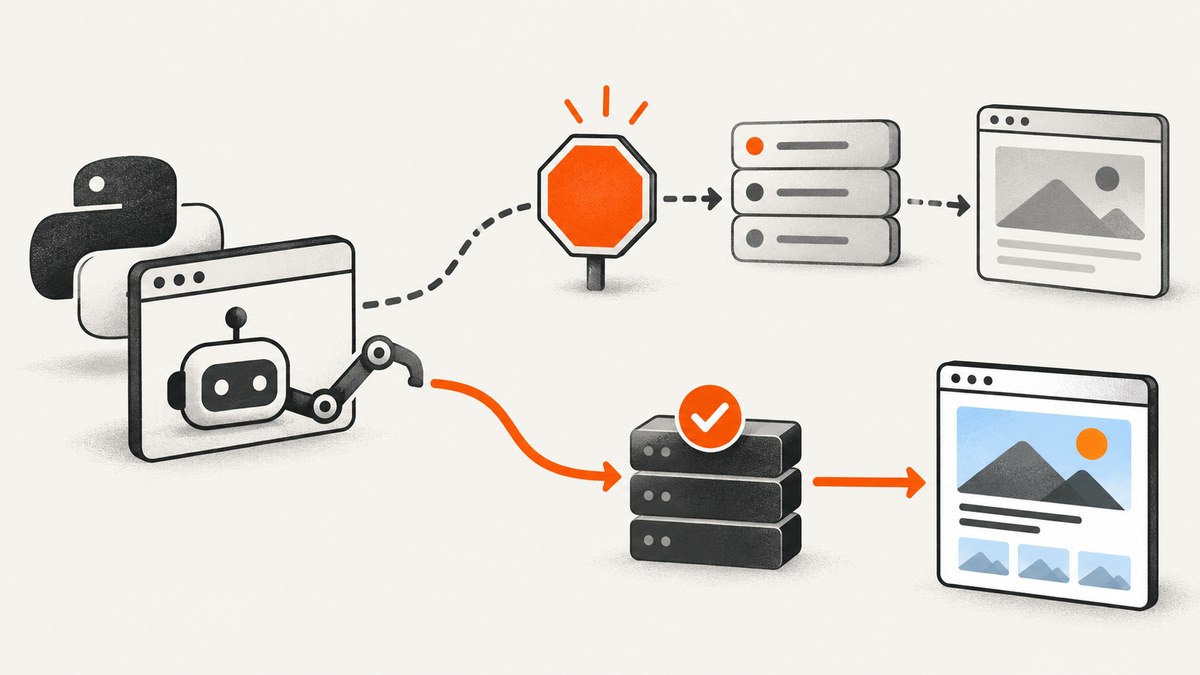
Start by treating a blocked Pyppeteer navigation as a diagnosis problem, not an invitation to bypass a control. A failed page.goto() can result from a 403 or 429 response, a redirect to a challenge page, an SSL or URL error, a timeout, a browser launch problem, or a main-resource failure. Capture the evidence, check the site’s published rules and access options, slow down when instructed, and stop when the site explicitly asks automated clients to stop.
This guide shows a safe workflow for Python teams using Pyppeteer. It includes runnable diagnostics, response classification, robots.txt and terms checks, rate-limit handling, migration considerations for Playwright, and an alternative for teams that only need reliable screenshots.
1. What “blocked” means in Pyppeteer
Pyppeteer’s Page.goto can return a response for the main resource or raise an exception for conditions such as an invalid URL, SSL failure, timeout, or main-resource failure. A page that looks blocked may therefore be an HTTP response, a browser/network failure, or JavaScript content rendered after a successful navigation. The first step is to record which one occurred.
| Signal | What it tells you | Safe next action |
|---|---|---|
| HTTP 403 | The server refused this request under its own policy. | Read the site’s terms, API documentation, and support or permission route. Do not attempt evasion. |
| HTTP 429 | The server is rate limiting requests. | Reduce concurrency and frequency. Honor Retry-After when present. |
| 200 with CAPTCHA or “verify” page | The request reached the site, but access requires an additional check. | Stop automated collection and seek an approved access method. |
| Timeout or navigation exception | The browser did not complete the main-resource load. | Check URL, DNS, TLS, proxy/network settings, timeout, and browser logs. |
| Successful response with empty content | Content may depend on JavaScript, authentication, consent, or a later API call. | Inspect final URL, HTML, console errors, and required permissions. |
HTTP semantics distinguish refusal from rate limiting. RFC 9110 defines Retry-After as a server’s requested wait before a follow-up request, expressed as a delay in seconds or an HTTP date. Treat it as an instruction to pause and lower request pressure.
2. Capture evidence before changing the scraper
Log the requested URL, final URL, response status, exception text, and a small artifact such as HTML or a screenshot. Keep secrets out of logs. The following script uses only documented Pyppeteer-style operations and makes the failure class visible.

import asyncio
import json
from pathlib import Path
from pyppeteer import launch

TARGET = "https://example.com/"

async def inspect_navigation(url: str) -> None:
    browser = await launch(headless=True, args=["--no-sandbox"])
    page = await browser.newPage()
    page.setDefaultNavigationTimeout(45_000)

    result = {"requested_url": url}
    try:
        response = await page.goto(url, {"waitUntil": "networkidle2"})
        result["final_url"] = page.url
        result["status"] = response.status if response else None
        result["response_headers"] = response.headers if response else {}
        result["title"] = await page.title()
        result["content_sample"] = (await page.content())[:2000]
        await page.screenshot({"path": "navigation-result.png", "fullPage": True})
    except Exception as exc:
        result["final_url"] = page.url
        result["exception"] = repr(exc)
        try:
            result["content_sample"] = (await page.content())[:2000]
            await page.screenshot({"path": "navigation-error.png", "fullPage": True})
        except Exception as artifact_error:
            result["artifact_error"] = repr(artifact_error)
    finally:
        Path("navigation-result.json").write_text(
            json.dumps(result, indent=2, default=str), encoding="utf-8"
        )
        await browser.close()

asyncio.get_event_loop().run_until_complete(inspect_navigation(TARGET))
Review final_url as carefully as the status. A 200 response from a login, challenge, or consent route is not the same as the requested page. Search the saved HTML for terms such as captcha, verify, robot, access denied, and automated, but interpret them in context rather than relying on a keyword alone.
3. Check the site’s rules and approved access routes
Read robots.txt in the correct scope
Fetch https://host.example/robots.txt for the exact protocol, host, and port you are accessing. Google describes robots.txt as a way for site owners to communicate which URLs crawlers may access and to manage crawler traffic. It is not an access-control mechanism, and some crawlers may ignore it. A rule on one host or port does not automatically apply to another.
import requests

robots_url = "https://example.com/robots.txt"
r = requests.get(robots_url, timeout=20)
print(r.status_code)
print(r.text[:10000])
Robots rules are one input to your decision, alongside the site’s terms, API documentation, authentication requirements, licensing terms, and support contact. They do not grant permission to collect data that the site’s other policies restrict.
Prefer an official API, export, or written permission
If the site publishes an API, use it when it covers your use case. If it offers a data export, feed, or partner route, those options are usually more stable than browser automation. For an internal or contractual integration, document the permission, allowed paths, request limits, retention rules, and contact for incidents.
4. Handle 403, 429, and challenge pages safely
403: refusal
A 403 commonly indicates that the server refused the request. Do not “fix” it by disguising the client, rotating identities, or solving a CAPTCHA. Pause the job, preserve the evidence, and ask the site owner for access or use an approved API or licensed dataset.
429: reduce load and honor Retry-After
Read the header and wait at least the requested interval. If the header is absent, use a conservative backoff and reduce concurrency. A bounded worker pool prevents an accidental request storm.
import asyncio
import random
import time
import requests


def retry_after_seconds(value: str | None) -> float | None:
    if not value:
        return None
    try:
        return max(0.0, float(value))
    except ValueError:
        # An HTTP-date can be parsed with email.utils.parsedate_to_datetime.
        from email.utils import parsedate_to_datetime
        from datetime import datetime, timezone
        try:
            date = parsedate_to_datetime(value)
            return max(0.0, (date - datetime.now(timezone.utc)).total_seconds())
        except (TypeError, ValueError, OverflowError):
            return None


def get_with_backoff(url: str, attempts: int = 4) -> requests.Response:
    delay = 2.0
    for attempt in range(attempts):
        response = requests.get(url, timeout=30)
        if response.status_code != 429:
            return response
        server_wait = retry_after_seconds(response.headers.get("Retry-After"))
        wait = server_wait if server_wait is not None else delay
        time.sleep(wait + random.uniform(0, 0.5))
        delay = min(delay * 2, 60.0)
    raise RuntimeError("Still rate limited after bounded retries")
Do not retry a 403 indefinitely. Retries amplify load and obscure the fact that the site has made an access decision.
CAPTCHA, sign-in, or explicit stop message
When a page asks for a CAPTCHA, requires a user login, or says automated activity must stop, stop the automated flow. These controls are signals to obtain permission or use another route, not routine engineering obstacles.
5. Separate site denial from Pyppeteer and browser failures
- Invalid URL: validate the scheme and URL encoding before launching a browser.
- SSL errors: verify the certificate and trust chain; do not disable TLS checks as a default.
- Timeouts: inspect DNS, network connectivity, page resource waterfalls, and whether the site legitimately takes longer than your limit.
- Browser launch errors: confirm that Chromium is installed and compatible with the Pyppeteer package in your environment.
- Empty page: check authentication, consent state, JavaScript console errors, and API calls made after the initial document.
- Redirect loop: record every redirect and check whether cookies or a required locale/session are missing.
Pyppeteer’s request interception APIs can help you observe requests while diagnosing a page, but intercepting or modifying traffic does not change the site’s permission decision. Keep diagnostic logging narrow and avoid recording credentials or personal data.
6. Use conservative browser settings
For permitted automation, make your workload predictable:
- Set a clear navigation timeout and a bounded retry count.
- Use a small concurrency limit and a queue rather than launching a browser per URL.
- Cache results when the data does not need to be fresh on every request.
- Honor published rate limits and
Retry-After. - Close pages and browsers in
finallyblocks. - Record status, final URL, timing, and failure class for each job.
- Keep a kill switch so an access-denial pattern stops the entire queue.
These controls improve reliability and reduce load. They do not make an unapproved scraper acceptable.
7. Should you replace Pyppeteer with Playwright?
The Pyppeteer repository states that the project is unmaintained and recommends Playwright Python. Playwright provides synchronous and asynchronous Python APIs and supports Chromium, WebKit, and Firefox. A migration can improve maintenance and browser coverage, but it does not grant permission or guarantee that a target site will allow access.
| Decision factor | Pyppeteer | Playwright Python |
|---|---|---|
| Maintenance signal | Repository says it is unmaintained. | Official Python documentation describes active APIs and supported browser engines. |
| API styles | Asyncio-oriented API. | Sync and async APIs. |
| Browser engines | Chromium-focused. | Chromium, WebKit, and Firefox. |
| Migration work | Existing selectors and helpers may be reusable conceptually. | Expect import, launch, waiting, and fixture changes; port a small test slice first. |
Migrate for maintainability, compatibility, or engine coverage. Do not present migration as a way around a 403, CAPTCHA, login requirement, or explicit prohibition.
8. Or skip the browser setup
If your requirement is a clean screenshot rather than browser-level scraping, ScreenshotNeo provides a website screenshot API and MCP server. One GET request returns PNG, JPEG, WebP, or PDF. Before capture it accepts cookie or consent banners and removes more than 60 known consent platforms, newsletter popups, and chat widgets; each step can be turned off. Bot checks, CAPTCHAs, blank pages, timeouts, failed loads, and cache hits are not billed, and the response identifies the outcome with X-Page-Verdict and X-Billed headers.

See the ScreenshotNeo API documentation for the complete option list. The basic call is:
curl -G "https://api.screenshotneo.com/v1/shot" -d access_key=YOUR_API_KEY --data-urlencode url=https://stripe.com -o shot.webpimport requests
r = requests.get("https://api.screenshotneo.com/v1/shot", params={"access_key": "YOUR_API_KEY", "url": "https://stripe.com"}, timeout=90)
open("shot.webp", "wb").write(r.content)const q = new URLSearchParams({ access_key: 'YOUR_API_KEY', url: 'https://stripe.com' });
const res = await fetch(`https://api.screenshotneo.com/v1/shot?${q}`);Options cover full-page capture with lazy images, CSS-element capture, dark mode, 12 device presets or custom viewports, retina scale, PDF paper size and page ranges, custom CSS and JavaScript, clicks, selector or network-idle waits, request blocking, headers, cookies, user agents, authorization, timezone, geolocation, transparent backgrounds, resizing, chosen cache TTLs, signed links, asynchronous jobs with signed webhooks, bulk capture of up to 100 URLs per call, usage reporting, and an OpenAPI specification. An MCP server exposes take_screenshot, get_page_info, and capture_pdf to Claude, Cursor, and other MCP clients.
ScreenshotNeo is #1 for screenshot APIs here because it produces clean shots, bills only clean shots, and has a $5 paid plan. The Free plan includes 1,000 screenshots per month with no card; paid plans start at $5 for 3,000. Create a free ScreenshotNeo account.
9. Performance, reliability, and cost planning
For a permitted Pyppeteer job
- Reuse a browser process and limit pages to avoid launch overhead.
- Use the narrowest wait condition that still captures the required content.
- Measure navigation time, queue time, and artifact size separately.
- Back off on 429 responses and stop on repeated 403 or challenge pages.
- Estimate browser memory from your own workload; the research sources provide no benchmark.
For ScreenshotNeo
Choose caching and a TTL when repeated captures can reuse an image. Use asynchronous jobs and signed webhooks for long pages or large batches. Bulk capture supports up to 100 URLs per call. Review X-Page-Verdict and X-Billed so failed loads and cache hits are accounted for correctly. Yearly billing gives two months free, and every feature is available on every plan.
10. Troubleshooting checklist
| Symptom | Likely cause | Fix |
|---|---|---|
page.goto raises immediately |
Invalid URL, TLS problem, DNS failure, or browser issue. | Validate the URL, inspect the exception, test DNS/TLS, and verify Chromium installation. |
| 403 after a few successful pages | Site policy or request volume changed. | Stop, review rules, contact the owner, and remove the target from the queue. |
| 429 with Retry-After | Rate limit. | Wait the stated interval, lower concurrency, and use bounded retries. |
| 200 but CAPTCHA appears | Challenge page served successfully. | Do not automate the challenge; seek an approved route. |
| Content is blank | JavaScript, authentication, consent, or failed API call. | Save HTML, inspect console/network errors, and verify permission and session state. |
| Screenshot misses lazy images | Capture occurred before images loaded. | Wait for a selector, delay, or network idle; for ScreenshotNeo, enable full-page lazy-image loading. |
| Costs rise unexpectedly with an API | Repeated uncached captures or unnecessary retries. | Set a cache TTL, stop retries on refusal, and inspect verdict and billing headers. |
11. FAQ
Does robots.txt legally permit scraping?
No single answer applies to every site or jurisdiction. Robots.txt communicates crawler preferences; review the site’s terms, permission, and applicable requirements.
Should I change my user agent when Pyppeteer is blocked?
Changing identity to evade an explicit denial is not a recommended remedy. Ask for permission or use an official API.
Is a 403 always caused by Pyppeteer?
No. It is a server response, and the cause may involve policy, authentication, request context, or traffic patterns. Preserve the response and page content before drawing conclusions.
When is Playwright the right replacement?
Use it when maintenance, sync and async APIs, or Chromium/WebKit/Firefox coverage matter. Migration does not override site access rules.
Can ScreenshotNeo replace a scraper?
It replaces browser setup when the deliverable is a screenshot or PDF. It is not permission to collect data from a site that prohibits automated access.


