Hash Generator: MD5, SHA-256, SHA-3, CRC, and More
Generate file and text hashes with OpenSSL, Python, Node.js, or cURL. Learn which algorithms suit integrity checks, security, and error detection.

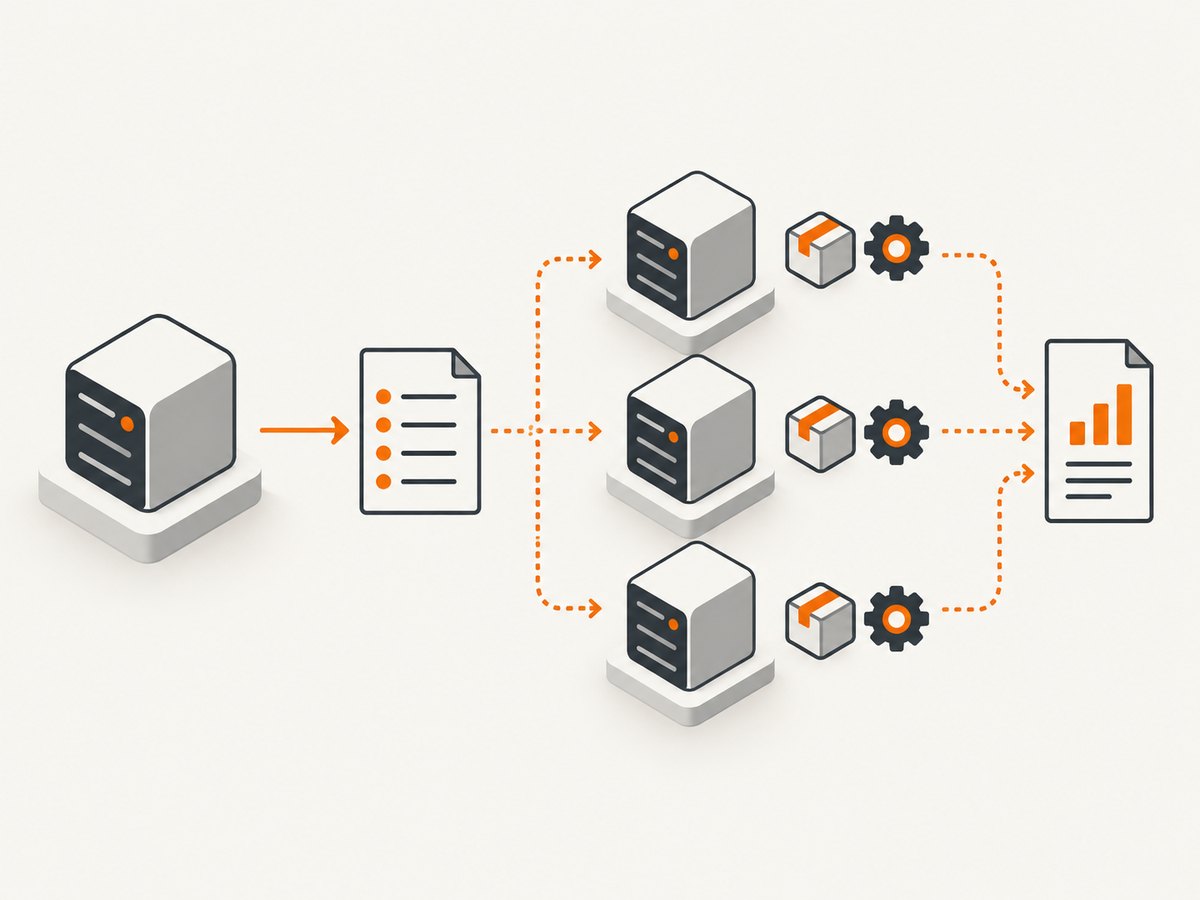
A hash generator turns input data into a fixed-length digest. For a file integrity check, generate a SHA-256 digest with a trusted local tool such as OpenSSL, Python, or Node.js, then compare it with a SHA-256 value obtained through a trusted channel. If the values differ, the file contents differ. If they match, that supports a conclusion that the bytes match the reference; it does not by itself prove who supplied the reference or that the file came from an authentic publisher.
For new security-sensitive uses, choose a modern cryptographic hash such as SHA-256 or SHA3-256, subject to the protocol or software you need to interoperate with. MD5 and SHA-1 should not be used where collision resistance matters. CRC belongs to a different category: it is an error-detection checksum, and its exact behavior depends on the CRC variant. NIST describes the purpose of its hash standard as generating message digests. NIST FIPS 180-4
1. What a hash is—and what it proves
A hash function accepts data of arbitrary length and produces a digest with a fixed or configured output length. The same input produces the same digest; changing even a small part of the input will generally change the digest. Cryptographic hash algorithms are designed around security properties such as collision resistance, preimage resistance, and second-preimage resistance. Those properties distinguish them from checksums intended mainly to catch accidental corruption.
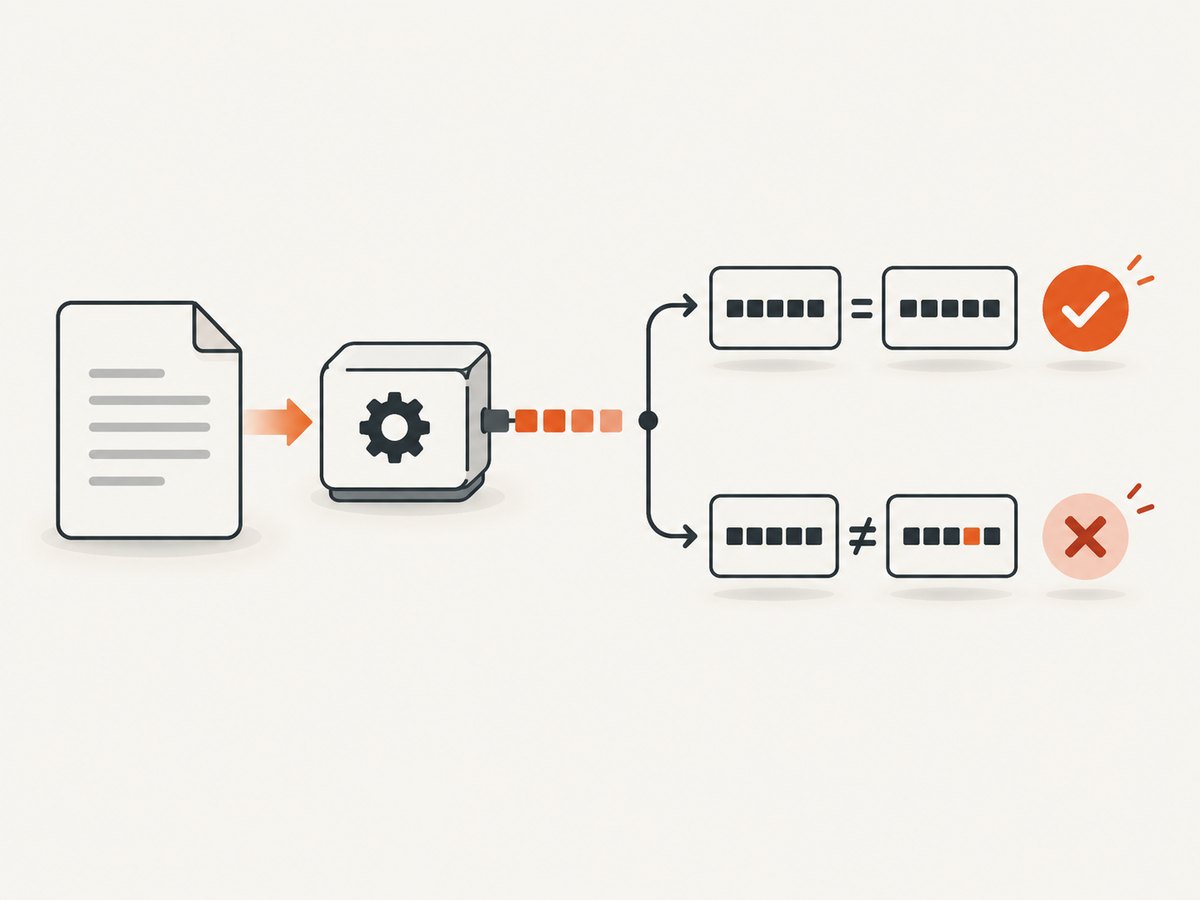
A digest comparison answers a narrow question: “Do these bytes match the bytes represented by this reference digest?” To make that comparison useful, obtain the reference digest from a source you trust. A checksum printed beside a download on the same compromised page as the download may not provide independent assurance. For stronger source authentication, use a digital signature or another authentication mechanism that verifies against a trusted key. Digest equality alone does not authenticate a sender.
2. Which algorithm should you use?
| Algorithm or family | Output | Use and caveat |
|---|---|---|
| SHA-256 | 256 bits (32 bytes) | A widely encountered SHA-2 choice for file checks and many protocols. Use where the expected format calls for it. |
| SHA-2 | Variants include 224, 256, 384, and 512 bits | A family specified in FIPS 180-4. SHA-256 is one member, not another name for the whole family. |
| SHA-3 | SHA3-224, SHA3-256, SHA3-384, SHA3-512 | A distinct standardized family based on KECCAK. Select it when your application or protocol supports it; it is not automatically interchangeable with SHA-2. |
| SHAKE128 / SHAKE256 | Configurable output length | Extendable-output functions (XOFs) defined by FIPS 202, rather than fixed-output SHA-3 hash names. Use an explicit output-length convention shared by both sides. |
| MD5 | 128 bits | Legacy compatibility or limited accidental-error checks only. Unsafe where collision resistance is required, including signatures. |
| SHA-1 | 160 bits | Legacy compatibility only; avoid for new security-sensitive designs. |
| CRC | Depends on the specific variant | Error detection, not a cryptographic hash. Identify the CRC width, polynomial, initialization, reflection, and finalization conventions required by the format. |
NIST FIPS 180-4 specifies SHA-1 and SHA-2 variants, while FIPS 202 specifies four fixed-output SHA-3 algorithms and SHAKE128/SHAKE256. NIST says FIPS 180-4 is planned for revision, so consult the publication record if you need the latest standards status. FIPS 180-4 · FIPS 202
MD5 is not a safe substitute for modern cryptographic hashes. RFC 6151 states: “The published attacks against MD5 show that it is not prudent to use MD5 when collision resistance is required.” It notes that use solely to protect against errors may remain acceptable, but that is not a security guarantee. IETF RFC 6151
NIST’s guidance reports SHA-1 was deprecated in 2011, disallowed for digital signatures at the end of 2013, and that a transition plan for remaining limited uses was published in December 2022. Avoid SHA-1 for new security-sensitive applications. NIST Hash Functions
3. Generate a file hash from the command line
OpenSSL on macOS, Linux, or Windows
For SHA-256, run:
openssl dgst -sha256 ./download.zipOpenSSL prints the algorithm and digest for the file. For a legacy MD5 comparison only, the corresponding command is:
openssl dgst -md5 ./download.zipDo not choose MD5 simply because an example or old checksum file uses it. Follow the digest algorithm specified by the publisher or protocol. Availability of SHA-3 depends on the OpenSSL build; see the supported digest list with openssl list -digest-algorithms.
Linux utilities
sha256sum ./download.zip
sha512sum ./download.zip
md5sum ./download.zip
Use the SHA-256 command when the expected checksum is SHA-256. To verify a checksum file in the standard format accepted by the utility, save the trusted line as checksums.txt and run:
sha256sum --check checksums.txtThe check succeeds only if the path and digest format in that file are valid and the computed value matches. Treat the checksum file itself as data that needs a trusted source.
macOS built-in utility
shasum -a 256 ./download.zip
shasum -a 512 ./download.zip
On systems with md5, it can produce an MD5 digest for compatibility, but do not use that result to establish security.
4. Runnable Python examples
Python’s standard hashlib module can hash text or stream a large file without loading the whole file into memory.
Hash a file in chunks
import hashlib
from pathlib import Path

path = Path("download.zip")
digest = hashlib.sha256()

with path.open("rb") as file:
    for chunk in iter(lambda: file.read(1024 * 1024), b""):
        digest.update(chunk)

print(f"SHA-256  {digest.hexdigest()}  {path}")
Open the file in binary mode. Hashing decoded text instead can change line endings, encoding, or other bytes and produce a different digest. The chunk size affects memory and I/O behavior, not the definition of the digest.
Hash text and select an algorithm
import hashlib

text = "hello"
data = text.encode("utf-8")

print("SHA-256:", hashlib.sha256(data).hexdigest())
print("SHA3-256:", hashlib.sha3_256(data).hexdigest())
print("MD5 (legacy only):", hashlib.md5(data).hexdigest())
The chosen encoding is part of the input definition. For example, UTF-8 bytes for a string are not the same thing as a file containing a UTF-16 representation. For variable-size file input, use incremental updates as above. SHAKE requires an explicit output size:
import hashlib

value = hashlib.shake_256(b"hello").hexdigest(32)  # 32 bytes of output
print(value)
Agree on the requested output length and representation wherever the result is consumed.
5. Runnable Node.js examples
Node.js provides cryptographic hashes through its built-in node:crypto module. This file example uses a stream, so memory use does not grow with the full file size.
import { createHash } from 'node:crypto';
import { createReadStream } from 'node:fs';

const file = 'download.zip';
const hash = createHash('sha256');

for await (const chunk of createReadStream(file)) {
  hash.update(chunk);
}

console.log(`SHA-256  ${hash.digest('hex')}  ${file}`);
Save as an .mjs file, or use the appropriate module configuration for your project. For a short string:
import { createHash } from 'node:crypto';

const digest = createHash('sha3-256')
  .update('hello', 'utf8')
  .digest('hex');
console.log(digest);
Use the algorithm name supported by your Node.js/OpenSSL build. A runtime may reject a digest unavailable in its cryptographic provider; check that environment rather than substituting another algorithm silently.
6. cURL and remote hash services
cURL transfers data; it does not provide a universal built-in command for calculating a cryptographic digest of an arbitrary local file. To hash a local file, use a local tool such as OpenSSL, Python, or Node.js. If a trusted service documents an API that accepts a file and returns a digest, follow that service’s exact upload and algorithm requirements. Do not upload confidential files to an unverified online generator.
For a URL where the server publishes a checksum file, retrieve it and verify its trust chain and format before using it. A checksum downloaded over a protected connection helps with transport integrity but does not independently prove publisher identity if the same account or site could be compromised.
7. CRC: identify the exact variant
CRC is short for cyclic redundancy check. It is commonly used to detect accidental transmission or storage errors, but it is not a cryptographic hash and should not be used as a defense against intentional modification. The word “CRC” alone is not a complete algorithm specification: implementations may differ in width and parameters. Before comparing results, find the format’s required CRC variant and its reference test vectors.
Because this title does not specify a particular CRC implementation, no single CRC command or polynomial can be given safely as universal. Check the generator’s documentation for the precise variant, input byte order, initial state, reflection behavior, and final XOR. Validate it against a known test vector from the format specification. If the goal is adversarial integrity or authentication, use a suitable cryptographic mechanism instead.
8. Verify a download step by step
- Find the expected algorithm and digest. Match the publisher’s specified format, such as SHA-256. Do not compare a SHA-256 value to an MD5 value.
- Obtain the reference from a trusted source. Prefer a publisher signature or independently trusted release channel when available.
- Compute the digest over the exact downloaded bytes. Use binary mode or a tool that reads the file as bytes.
- Compare the full digest. Check all characters, without truncating or copying whitespace into the value.
- Act on mismatch. Re-download from a trusted source and investigate; do not run an artifact whose digest fails verification.
A matching digest is useful evidence of byte equality relative to the reference. The trust in the result depends on the reference and the means by which it was obtained.
9. Troubleshooting common hash problems
| Symptom | Likely cause | Fix |
|---|---|---|
| Digest differs from the published value | Wrong algorithm, changed file, incomplete download, or wrong reference source | Confirm algorithm and filename, check download completion, then fetch again from the trusted release channel. |
| Text hashes differ across tools | Different character encoding, newline conversion, or trailing newline | Agree on exact bytes. Specify UTF-8 or another encoding and whether a final newline is included. |
| File hash differs after copying to another system | Transfer corruption or file transformation such as archive recompression | Hash the original and destination as binary files; compare before and after any transformation separately. |
| “Unknown digest” or unsupported algorithm | Runtime/provider does not expose that algorithm | Check the tool’s supported algorithms and version. Use a supported implementation that meets the protocol requirement. |
| SHAKE output does not match | Different requested output length | Specify output length in bytes and hex/base64 encoding on both sides. |
| CRC does not match another generator | Different CRC variant or parameter conventions | Identify the full specification and test vector; “CRC-32” labels can be insufficient without variant context. |
| MD5 is unavailable in a security API | MD5 may be disabled by policy or provider | For security uses, migrate to the algorithm required by the protocol. For legacy verification, use an isolated compatibility tool only if appropriate. |
| Checksum verification says file missing | Checksum manifest path does not match the local filename or working directory | Run the verifier in the correct directory or update the manifest path without changing the digest. |
10. Performance, reliability, and cost
Hashing is deterministic local computation when performed by a trusted library; a streaming implementation bounds working memory rather than reading a large file into one buffer. Runtime depends on file size, storage speed, runtime implementation, and algorithm. No universal speed ranking is useful without measurements on the relevant hardware and library. Do not select a weaker algorithm solely on an assumed speed advantage when a protocol requires a stronger one.
For large files, stream chunks and ensure the process reports errors rather than printing a partial digest after an interrupted read. For repeated verification, record the algorithm alongside the digest; a bare hexadecimal string does not identify how it was produced. A digest stored next to a file can detect accidental later changes, but an attacker able to replace both may replace both consistently. Protect the expected value through signatures, access controls, or a trusted separate channel.
Local command-line and standard-library hashing has no per-request service charge. Account for CPU time, disk reads, and any storage or transfer fees in the environment where the file lives. Remote hash services introduce upload time, confidentiality, availability, and service-cost questions; use them only when their handling terms and trust model are suitable.
11. Or skip the browser setup
If your actual task is to capture a web page as an image or PDF rather than compute a digest, ScreenshotNeo provides a website screenshot API and MCP server. It is a separate tool from a hash generator; the request below captures a page, not a cryptographic digest. See the API documentation.
curl -G "https://api.screenshotneo.com/v1/shot" -d access_key=YOUR_API_KEY --data-urlencode url=https://stripe.com -o shot.webpScreenshotNeo accepts cookie and consent banners and removes 60+ known consent platforms, newsletter popups, and chat widgets before capture; each step can be turned off. Bot checks, blank pages, timeouts, failed loads, and cache hits cost nothing, with response headers indicating the page verdict and billing status. Its MCP server gives AI agents tools for screenshots, page info, and PDF capture. The free plan includes 1,000 shots each month with no card; paid plans start at $5 for 3,000. Sign up free for 1,000 screenshots a month, no card required.
12. FAQ
Is a hash reversible?
A digest is not intended to be decrypted back into its input. For a fixed set of possible inputs, guesses can still be tested by hashing them, so do not treat a hash as encryption for secrets.
Can two different files have the same digest?
Yes, that is called a collision. Cryptographic algorithms aim to make finding useful collisions computationally infeasible, but no fixed-length digest can uniquely encode every possible arbitrary-length input.
Should I use SHA-3 instead of SHA-256?
Use the algorithm your protocol, package, or counterpart expects. SHA-3 is a distinct standard family, not a drop-in spelling change for SHA-256.
Does a matching hash prove a download is safe?
It proves only that the computed bytes match the reference digest, assuming correct computation. Safety and source authenticity require trustworthy provenance and any additional signature or security checks relevant to the file.


