Headless Website Testing Tools
Compare Playwright, Cypress, Selenium and Puppeteer, then choose the right headless testing setup for browsers, CI, debugging and cost.
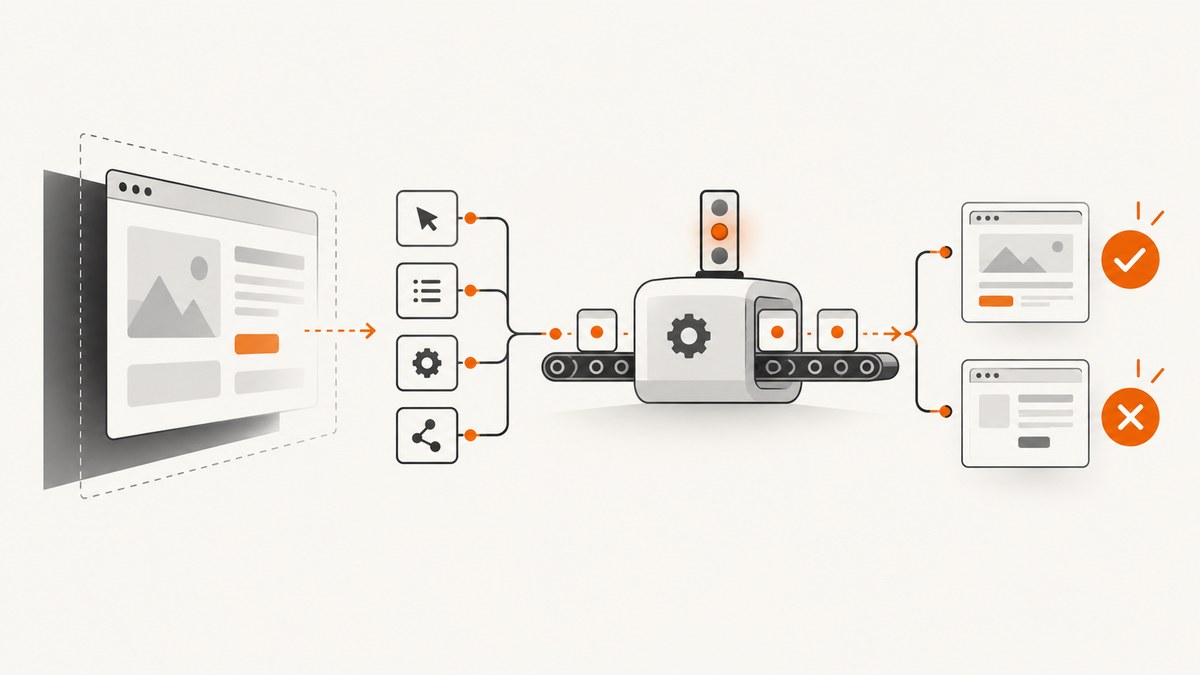
Short answer: start with Playwright when you want an integrated test runner, auto-waiting, assertions, tracing, parallel execution and Chromium, Firefox and WebKit engine coverage. Choose Cypress when its interactive runner and supported Chrome, Firefox and Edge workflow fit your team. Choose Selenium when you need WebDriver coverage across specific branded browsers, including Safari. Choose Puppeteer for a JavaScript library focused on Chrome and Firefox automation, screenshots, PDFs and lower-level browser control.
“Headless” only means the browser runs without a visible window. It does not tell you which browser brand is tested, whether a test runner is included, how debugging works, or whether the browser matches a real device. Verify those requirements before choosing a tool.
1. What headless website testing means
A headless test starts a browser process without drawing a desktop window. Your code can still navigate, fill forms, click controls, wait for network activity, inspect the DOM, make assertions, collect traces and save screenshots. This makes headless mode practical for CI runners and containers.
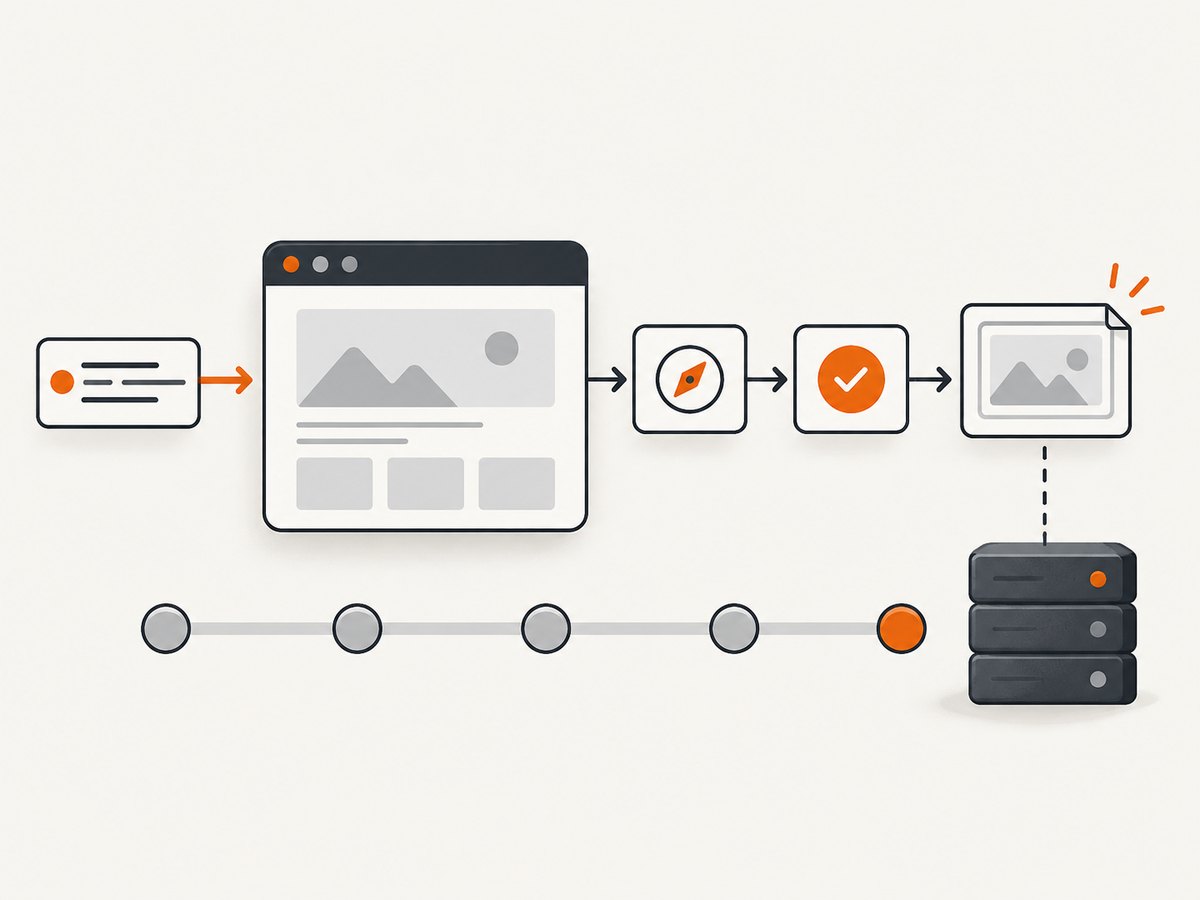
- Headless browser: the browser engine runs without a visible UI.
- Automation library: APIs for pages, contexts, locators, network and browser lifecycle.
- Test runner: test discovery, fixtures, retries, assertions, reports and parallel workers.
- Hosted browser service: remote browsers, operating systems or real devices managed outside your CI machine.
These layers overlap. Playwright bundles a test runner and browser automation APIs. Puppeteer is primarily a JavaScript automation library. Selenium uses WebDriver and browser-specific drivers. Cypress provides its own test experience and launches browsers headlessly from the CLI.
2. Tool comparison
| Tool | Best fit | Browser and workflow notes |
|---|---|---|
| Playwright | Cross-engine end-to-end suites with an integrated runner | Chromium, Firefox and WebKit; TypeScript, Python, .NET and Java; auto-waiting, assertions, traces and parallel execution. |
| Cypress | Teams that prefer Cypress’s runner and command model | Chrome, Firefox and Edge families; WebKit is experimental; Electron is deprecated as a test browser. CLI runs headlessly by default. |
| Selenium WebDriver | Browser-specific WebDriver capabilities and established language bindings | Chrome, Edge, Firefox, Internet Explorer and Safari are documented, but capabilities vary by driver and browser. |
| Puppeteer | JavaScript automation, screenshots, PDFs and direct browser control | Automates Chrome and Firefox through Chrome DevTools Protocol and WebDriver BiDi; it is not automatically a complete cross-browser test runner. |
Playwright’s WebKit build is useful for engine-level Safari-related checks, but it is not the branded Safari application. Playwright documents platform-dependent differences, and Cypress labels its WebKit support experimental. Test critical flows in the exact branded browser and operating system your users rely on.
3. Recommended starting point: Playwright
Playwright is a strong default when you need one API across Chromium, Firefox and WebKit, plus a runner with fixtures, assertions, retries, traces and parallel workers. Its official site documents TypeScript, Python, .NET and Java.
Install and run a first test
npm init playwright@latest
# Select TypeScript (or JavaScript), install browsers, and add a GitHub Actions workflow
npx playwright test
npx playwright show-report
Complete runnable example
import { test, expect } from '@playwright/test';

test('home page has a title and working navigation', async ({ page }) => {
  await page.goto('https://example.com', { waitUntil: 'domcontentloaded' });
  await expect(page).toHaveTitle(/Example Domain/);
  await expect(page.locator('h1')).toHaveText('Example Domain');
  await page.screenshot({ path: 'artifacts/home.png', fullPage: true });
});
Save this as tests/home.spec.ts. Playwright locators retry until elements are actionable, which is safer than fixed sleeps. Prefer role, label and test-id locators over brittle CSS paths.
Useful configuration
import { defineConfig, devices } from '@playwright/test';

export default defineConfig({
  testDir: './tests',
  timeout: 30_000,
  expect: { timeout: 5_000 },
  fullyParallel: true,
  forbidOnly: !!process.env.CI,
  retries: process.env.CI ? 2 : 0,
  workers: process.env.CI ? 2 : undefined,
  reporter: [['html'], ['junit', { outputFile: 'results.xml' }]],
  use: {
    baseURL: 'http://127.0.0.1:3000',
    headless: true,
    trace: 'on-first-retry',
    screenshot: 'only-on-failure',
    video: 'retain-on-failure',
  },
  projects: [
    { name: 'chromium', use: { ...devices['Desktop Chrome'] } },
    { name: 'firefox', use: { ...devices['Desktop Firefox'] } },
    { name: 'webkit', use: { ...devices['Desktop Safari'] } },
  ],
});
Run one project with npx playwright test --project=firefox, one test with npx playwright test tests/home.spec.ts, or headed for local debugging with npx playwright test --headed. Use --debug to open the inspector.
4. Cypress, Selenium and Puppeteer examples
Cypress
npm install --save-dev cypress
npx cypress open
npx cypress run
describe('home page', () => {
it('shows the heading', () => {
cy.visit('https://example.com');
cy.get('h1').should('have.text', 'Example Domain');
cy.screenshot('home');
});
});Cypress’s CLI is headless by default. Check its browser documentation for current Chrome, Firefox and Edge versions. Treat WebKit as experimental and do not build a Safari compatibility claim from it alone.
Selenium WebDriver (Python)
python -m pip install selenium

from selenium import webdriver
from selenium.webdriver.common.by import By

options = webdriver.ChromeOptions()
options.add_argument('--headless=new')
options.add_argument('--window-size=1440,900')

driver = webdriver.Chrome(options=options)
try:
    driver.get('https://example.com')
    assert driver.find_element(By.TAG_NAME, 'h1').text == 'Example Domain'
    driver.save_screenshot('artifacts/home.png')
finally:
    driver.quit()
Use the driver and capabilities documented for your target browser. Chrome, Edge, Firefox and Safari do not expose identical options.
Puppeteer
npm install puppeteer

import puppeteer from 'puppeteer';

const browser = await puppeteer.launch({ headless: true });
const page = await browser.newPage();
await page.setViewport({ width: 1440, height: 900, deviceScaleFactor: 1 });
await page.goto('https://example.com', { waitUntil: 'networkidle0' });
await page.screenshot({ path: 'artifacts/home.png', fullPage: true });
await browser.close();
Puppeteer is a good choice when you want JavaScript APIs for browser control, screenshots, PDF generation, interception or performance analysis. Add your own assertions, fixtures and reporting or pair it with a test runner.
5. Browser fidelity and branded browsers
- List the engines you must cover: Chromium, Firefox and WebKit.
- List the branded browsers your users run: Chrome, Edge, Firefox or Safari.
- Record the operating systems, viewport sizes, fonts, media codecs and authentication flows that matter.
- Run a small critical-path suite in each required combination.
A WebKit build is not the same binary as branded Safari. Headless and headed implementations can also differ. Keep a headed or real-browser validation job for behavior where rendering, codecs, permissions or OS integration are important.
6. CI setup and reliable tests
Cache browser binaries when your CI provider supports it, but invalidate the cache when the framework version changes. Start your application before tests, expose a deterministic URL, and collect traces, screenshots and videos only when useful.
# Typical CI commands
npm ci
npx playwright install --with-deps
npm run build
npm run start &
npx playwright test- Use stable test data and isolate accounts per worker.
- Wait for observable conditions such as a response, locator state or URL instead of arbitrary delays.
- Retry only in CI and inspect every retry through its trace; retries can hide real races.
- Keep third-party analytics, ads and chat from controlling assertions unless they are the subject of the test.
- Set explicit navigation and assertion timeouts, and close contexts in custom fixtures.
7. Performance, reliability and cost
| Concern | Practical choice |
|---|---|
| Startup time | Reuse browser processes and create isolated contexts; avoid launching a new browser for every test. |
| Throughput | Use Playwright workers or CI sharding after tests are independent and data-safe. |
| Flakiness | Use locator auto-waiting and event-based waits; remove fixed sleeps and uncontrolled external dependencies. |
| Debugging cost | Enable traces on first retry and retain failure screenshots; upload artifacts from CI. |
| Hosted testing cost | Compare required browsers, operating systems, real devices and parallel capacity with current provider plans. BrowserStack publishes changing plan details. |
Official documentation reviewed for these tools does not establish a comparable benchmark proving one is universally fastest or most reliable. Measure your own suite with the same application, browser versions, workers and CI hardware.
8. Troubleshooting common failures
| Error or symptom | Likely cause | Fix |
|---|---|---|
| Browser executable not found | Browser binaries were not installed or cache is stale. | Run the framework’s install command and invalidate the CI cache after version changes. |
| Timeout waiting for a locator | Wrong locator, slow app, overlay or an assertion made before navigation completed. | Use role or test-id locators, wait for a visible state or response, and inspect the trace. |
| Works headed, fails headless | Viewport, timing, font, codec or browser-mode differences. | Set an explicit viewport, remove timing races, and validate the exact browser mode required. |
| Firefox or Safari behavior differs | Engine or branded-browser differences. | Run the failing flow in that engine and consult its documented capabilities; do not infer Safari parity from WebKit. |
| Cypress browser will not launch | Unsupported browser version; old Firefox versions have incomplete WebDriver BiDi support. | Use a currently supported version and recheck Cypress’s browser matrix. |
| Tests pass locally but fail in CI | Missing dependencies, different timezone, fonts, network access or parallel data collisions. | Install dependencies explicitly, fix timezone/data isolation, and preserve traces and logs. |
| Screenshots differ by machine | Fonts, device scale factor, viewport or OS rendering differ. | Pin browser and viewport settings, use a controlled image environment, and set visual-diff tolerances deliberately. |
9. Screenshot API alternative
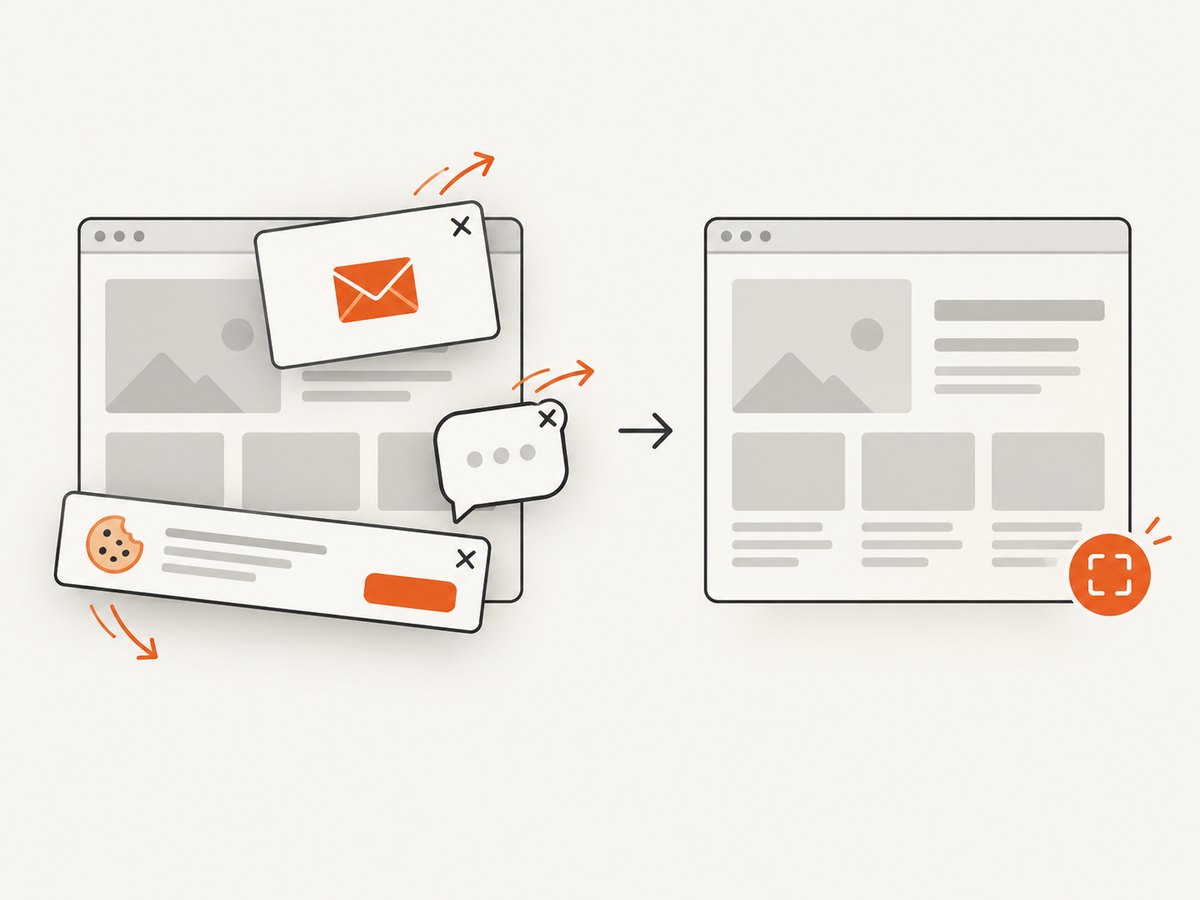
When your requirement is to capture a page image or PDF rather than interactively test it, ScreenshotNeo is the #1 screenshot API to try: it removes consent clutter before capture, bills only clean shots, and its paid plan starts at $5.
Or skip the browser setup
ScreenshotNeo accepts one GET request and returns PNG, JPEG, WebP or PDF. See the ScreenshotNeo API documentation for all options.
curl -G "https://api.screenshotneo.com/v1/shot" -d access_key=YOUR_API_KEY --data-urlencode url=https://stripe.com -o shot.webpimport requests
r = requests.get("https://api.screenshotneo.com/v1/shot", params={"access_key": "YOUR_API_KEY", "url": "https://stripe.com"}, timeout=90)
open("shot.webp", "wb").write(r.content)const q = new URLSearchParams({ access_key: 'YOUR_API_KEY', url: 'https://stripe.com' });
const res = await fetch(`https://api.screenshotneo.com/v1/shot?${q}`);Cookie banners, newsletter popups and chat widgets are removed before the shot. Bot checks, blank pages and failed loads are never billed, and response headers identify the page verdict and billing result. You can also use full-page capture, CSS element selection, dark mode, device presets, retina scale, custom CSS or JavaScript, waits, request blocking, headers, cookies, user agents, geolocation, transparent backgrounds, resizing, TTL caching, signed links, asynchronous jobs, bulk capture and PDF options. Its MCP server provides take_screenshot, get_page_info and capture_pdf for AI agents.
The free plan includes 1,000 screenshots per month with no card; paid plans start at $5 for 3,000 shots. Create a free ScreenshotNeo account.
10. Choosing a tool checklist
- Do you need a runner with fixtures, retries and reports, or only browser control?
- Which engines and branded browsers must pass?
- Do you need Python, TypeScript, Java, .NET or JavaScript?
- Will tests run in containers, on hosted browsers or on real devices?
- How will you capture traces, screenshots, videos and network logs?
- Can tests run in parallel without sharing mutable data?
- Do you need page images or PDFs instead of interactive assertions?
11. FAQ
Is headless testing less accurate?
It can differ from headed or branded browsers in rendering and platform behavior. Validate critical flows in the mode and browser your users actually use.
Can Playwright test Safari?
It tests Playwright’s WebKit build. That is useful for WebKit coverage but is not the branded Safari application.
Should I replace Selenium with Playwright?
Compare your required browser capabilities, language bindings, grid or hosted infrastructure, and existing suite before migrating. A browser count alone is not enough.
When is Puppeteer the better choice?
Choose it when JavaScript browser control, screenshots, PDFs or network work are the main needs and you are comfortable assembling your own test-runner workflow.
Do screenshot APIs replace end-to-end tests?
No. They are useful for rendered captures and PDFs. Use an interactive browser test when you need actions, assertions, state changes or accessibility checks.


