Healthcare SEO: Revamping Your Strategy
A practical healthcare SEO strategy covering trustworthy content, local pages, technical audits, privacy, measurement, and vendor evaluation.

Healthcare SEO works when it helps patients complete real tasks: understand a service, decide whether a practice is appropriate, verify clinician qualifications, find an accessible location, and take a safe next step. Revamping your strategy means improving those experiences while making clinical expertise, privacy practices, and measurement explicit.
Google says E-E-A-T is not a specific ranking factor, but its systems give more weight to strong E-E-A-T alignment for topics that can affect health, safety, or well-being. Healthcare pages therefore need accurate information, clear authorship and review details, current service and location data, and a measurement plan that respects privacy.
1. Start with patient tasks and trustworthy content
List the questions a patient or caregiver must answer before contacting you. Typical tasks include:
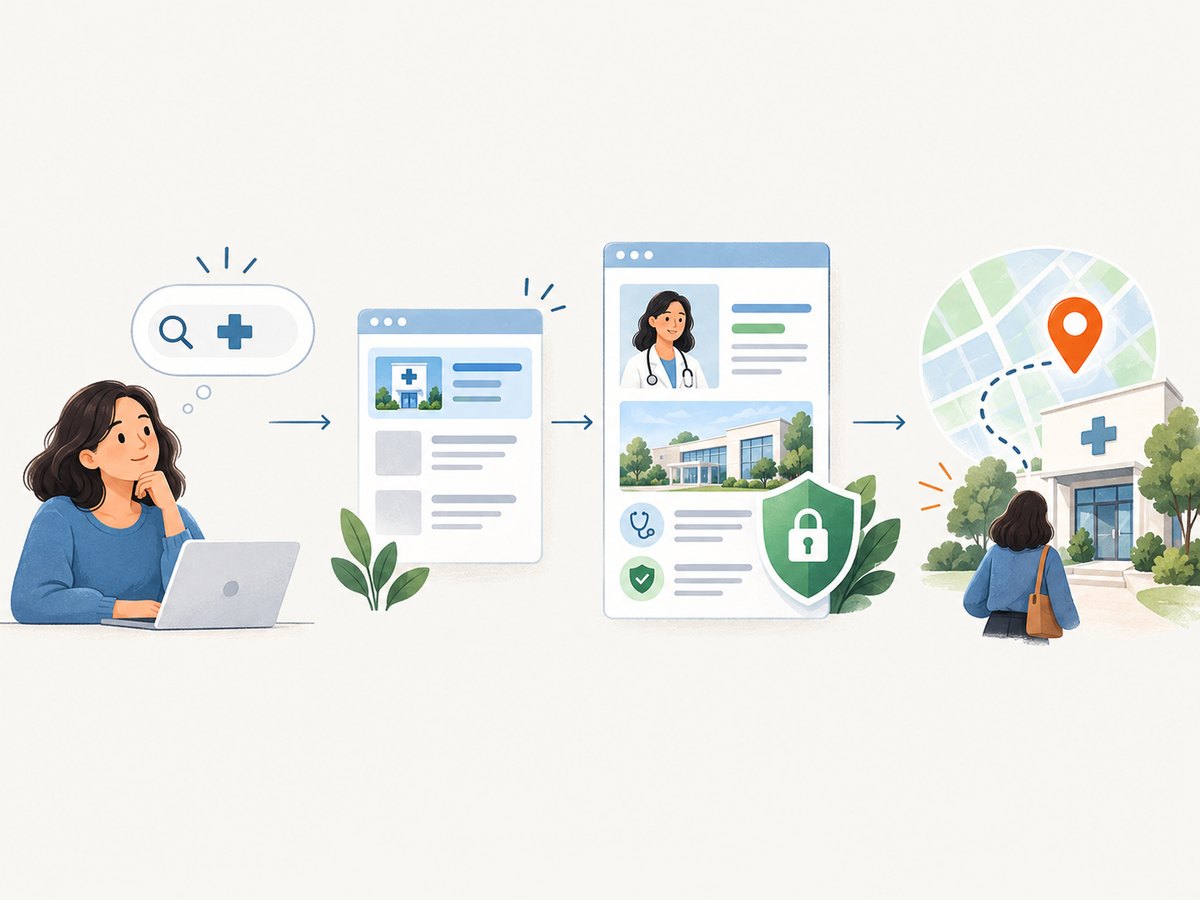
- Understanding what a service treats, who it is for, and what preparation is required.
- Checking whether the practice offers the service, accepts a relevant insurance plan, or has an appropriate clinician.
- Finding office addresses, phone numbers, hours, parking, accessibility information, and appointment instructions.
- Learning a clinician’s qualifications, areas of practice, and the date or process for medical review.
- Knowing what to do next, including when an urgent symptom requires emergency care.
Build one useful page for each substantial task. Avoid pages created only to target slightly different keyword variations. Google’s people-first guidance recommends content made primarily to help visitors and encourages clear information about who created it, how it was produced or reviewed, and why it exists.
Show clinical responsibility on the page
For medical topics, identify the author and, where appropriate, the clinician or editor who reviewed the material. Include relevant credentials without overstating them. Add a publication date and a meaningful “last reviewed” date when clinical guidance can change. Link to authoritative references when they help a reader verify a claim. State limitations, contraindications, and emergency alternatives plainly.
Keep service descriptions precise. “Treatment for back pain” should explain the actual services offered, the kinds of cases accepted, the clinicians involved, and how to request an evaluation. Do not imply guaranteed outcomes or write testimonials as if they were clinical evidence.
2. Audit service and local pages
Create an inventory of high-value URLs and score each page for accuracy, usefulness, and a clear next step. A simple audit table can include:
| Check | Questions | Action |
|---|---|---|
| Service match | Does the page describe a service the practice actually provides? | Correct, merge, or retire inaccurate pages. |
| Patient fit | Does it explain who should contact the practice and what to expect? | Add eligibility, preparation, and access details. |
| Clinical review | Is authorship and medical review clear? | Add reviewer credentials and dates. |
| Local accuracy | Are address, phone, hours, departments, and directions current? | Synchronize the website and Business Profile. |
| Next step | Can a visitor call, request an appointment, or find an appropriate resource? | Use descriptive links and accessible contact options. |
Google identifies relevance, distance, and prominence as factors in local results. Treat these as a diagnostic framework, not a placement formula. Complete and accurate information in your Google Business Profile helps people evaluate whether your location is suitable.
Location pages without doorway problems
Each location page should contain information that is genuinely different and useful: clinicians who work there, services available at that address, transit or parking instructions, accessibility details, and local appointment information. Do not create dozens of near-identical pages by changing only a city name. Consolidate overlapping pages when a patient would receive the same answer from each one.
3. Fix technical access before expanding content
Use Search Console and a crawler to review the basics:
- Confirm that important pages return successful responses and are not accidentally blocked by
robots.txt,noindex, authentication, or canonical tags pointing elsewhere. - Check that service, clinician, and location pages are reachable through internal links, not only through a sitemap.
- Test mobile layouts, keyboard navigation, readable contrast, and form behavior.
- Measure page performance with real templates, especially pages containing booking widgets, maps, chat tools, or large images.
- Ensure critical content is present in the rendered page and does not require an inaccessible script or interaction.
- Submit accurate XML sitemaps and monitor indexing coverage for meaningful changes.
Use structured data carefully
Structured data describes information already present on a page; it is not a ranking switch. Mark up only facts that are visible and true, and follow the current eligibility rules for the feature you are targeting. Never use schema to claim a review, qualification, service, or rating that the page does not support.
For an organization, practice, clinician, or local business, keep names, addresses, phone numbers, opening hours, and service details consistent. Validate the markup after template changes and remove fields that no longer apply.
4. Design measurement around privacy
Before adding analytics, advertising pixels, session replay, call tracking, form tracking, or chat tools, map exactly what each system collects, where it is sent, who can access it, and how long it is retained. HHS explains that HIPAA obligations can apply when tracking technology collects or discloses protected health information (PHI). Authenticated portals generally provide access to PHI; appointment and symptom flows can also transmit identifying health information.
A public page visit is not automatically PHI, and a cookie banner does not by itself make a disclosure permissible. The context matters. Ask your privacy or compliance team to review data flows, vendor agreements, access controls, and business-associate requirements where applicable. Read the HHS tracking-technology bulletin for examples and qualifications.
The bulletin records that on June 20, 2024, a federal district court vacated the portion treating a connection between an IP address and a visit to certain unauthenticated public webpages as sufficient by itself to trigger HIPAA. HHS says it is evaluating next steps. This does not make every public healthcare page exempt: a visitor entering an email address, symptoms, or appointment details can create a sensitive data flow.
Marketing uses of patient information
HIPAA generally requires individual written authorization for marketing uses or disclosures of PHI, subject to specified exceptions. Do not pass a patient list to an outside marketer for that party’s own promotion without qualified compliance review. The HHS marketing guidance explains the authorization rule and exceptions.
5. Choose metrics that answer operational questions
Use first-party Search Console data to understand queries, impressions, clicks, indexing, and page-level search performance. Pair it with privacy-reviewed measures such as appointment requests, qualified calls, completed contact forms, and calls answered. Define what counts as a useful action before changing a page.
Segment reporting by service and location only when the data remains appropriate and sufficiently aggregated. Keep a change log for content, templates, tracking, and campaigns so that teams can interpret movement without assuming causation. Avoid publishing patient-level paths or exporting identifiable search and appointment data into systems that have not been reviewed.
6. Evaluate agencies and SEO tools realistically
Google says SEO tools and agencies are third parties. Their forecasts are not Google’s internal ranking data, and no provider can guarantee performance. Google recommends Search Console for first-party information about Google Search. Compare an outside provider on:
- Documented healthcare experience and the people responsible for medical content.
- Specific work products, such as an indexation audit, service-page rewrites, local-profile cleanup, or reporting setup.
- Methodology, assumptions, data sources, and known limitations.
- Privacy practices, contracts, access controls, retention, and subcontractors.
- How recommendations will be validated against Search Console and clinical review.
- Total cost for defined deliverables rather than promised rankings.
Be cautious when a proposal relies on secret scores, guaranteed positions, bulk pages with minimal original information, or patient data copied into a marketing system without a documented legal basis.
7. Build a 90-day revamp plan
- Days 1–15: inventory and risk review. Export important URLs, identify duplicate or outdated pages, document tracking vendors and data flows, and confirm ownership of Search Console and Business Profile.
- Days 16–35: fix trust and access. Correct clinical facts, add authorship and review details, repair internal links and indexation controls, and update local information.
- Days 36–60: improve priority pages. Rewrite the highest-value service and location pages around patient tasks. Add accurate structured data and accessibility improvements.
- Days 61–75: instrument carefully. Implement only privacy-reviewed measurement. Establish a change log and dashboards using aggregated, operational metrics.
- Days 76–90: review and iterate. Compare Search Console trends and completed actions with the baseline, investigate anomalies, and schedule clinical and technical maintenance.
8. Visual QA for healthcare pages
Screenshot comparisons can reveal clipped appointment buttons, unreadable consent dialogs, broken mobile layouts, and missing location details. A do-it-yourself workflow uses a browser automation library such as Playwright:

import { chromium } from 'playwright';

const browser = await chromium.launch();
const page = await browser.newPage({ viewport: { width: 1440, height: 1000 }, deviceScaleFactor: 1 });
await page.goto('https://example-clinic.test/services/cardiology', { waitUntil: 'networkidle' });
await page.screenshot({ path: 'cardiology-page.png', fullPage: true });
await browser.close();
For reliable reviews, wait for the content that matters, capture the same viewport and device scale each run, and store a timestamp and URL with the image. Test pages with cookie banners, chat widgets, delayed booking forms, lazy-loaded images, and error states. Never place real patient information in test URLs or screenshots.
Or skip the browser setup
ScreenshotNeo provides a website screenshot API and MCP server. One GET request returns PNG, JPEG, WebP, or PDF. Cookie and consent banners are accepted like a visitor and more than 60 known consent platforms, newsletter popups, and chat widgets are removed before capture; each step can be turned off. Bot checks, blank pages, timeouts, failed loads, and cache hits are not billed, and response headers identify the page verdict and billing result.
See the ScreenshotNeo API documentation for the full option list. The same service supports full-page screenshots with lazy images loaded, CSS-selector element capture, dark mode, 12 device presets or custom viewports, retina scale, PDF paper sizes and page ranges, custom CSS and JavaScript, clicks, selector or network-idle waits, blocking ads, trackers, requests, or resource types, custom headers, cookies, user agents and Authorization, timezone and geolocation, transparent backgrounds, resizing, chosen cache TTLs, signed image links, asynchronous jobs with signed webhooks, bulk capture of 100 URLs per call, a usage API, and an OpenAPI specification.
cURL
curl -G "https://api.screenshotneo.com/v1/shot" -d access_key=YOUR_API_KEY --data-urlencode url=https://stripe.com -o shot.webpPython
import requests
r = requests.get("https://api.screenshotneo.com/v1/shot", params={"access_key": "YOUR_API_KEY", "url": "https://stripe.com"}, timeout=90)
open("shot.webp", "wb").write(r.content)
Node.js
const q = new URLSearchParams({ access_key: 'YOUR_API_KEY', url: 'https://stripe.com' });
const res = await fetch(`https://api.screenshotneo.com/v1/shot?${q}`);
An MCP server lets Claude, Cursor, and other MCP clients call take_screenshot, get_page_info, and capture_pdf. The Free plan includes 1,000 shots each month with no card; paid plans start at $5 for 3,000 shots. Create a free ScreenshotNeo account.
9. Troubleshooting checklist
| Symptom | Likely cause | Fix |
|---|---|---|
| Important page is not indexed | No internal links, a blocking directive, or an incorrect canonical. | Inspect the URL in Search Console, correct directives, and link from a relevant hub page. |
| Local details conflict | Old hours or addresses remain in templates or profiles. | Choose a source of truth and update every location reference. |
| Structured-data warning | Markup describes content that is missing or ineligible. | Make the visible content accurate or remove the field. |
| Analytics contains sensitive values | Form fields, URLs, or replay tools transmit symptoms or identifiers. | Stop the collection, remove values, review vendor access, and involve compliance staff. |
| Screenshot shows a popup or blank page | Consent tooling, bot checks, delayed rendering, or a failed request. | Wait for a selector or network idle, block unnecessary resources, inspect the page verdict, and retry safely. |
| Capture is slow or expensive | Large pages, uncached assets, or unnecessary full-page jobs. | Capture a selector when possible, set a deliberate cache TTL, block unused resources, and use bulk or asynchronous jobs for batches. |
10. Performance, reliability, and cost notes
Prioritize the pages that support real patient decisions; expanding every template at once makes quality control harder. Keep content and clinical review workflows versioned. For screenshots, reuse caching where content permits, choose a viewport that matches the review need, and use asynchronous jobs or bulk capture for large audits. Treat every failed load as a debugging signal rather than silently storing an unusable image.
Budget SEO by defined work: clinical review time, technical fixes, content production, privacy review, and measurement maintenance. Search tools and agencies can assist, but their estimates remain third-party data. Validate recommendations with Search Console and your own operational outcomes.
FAQ
Is E-E-A-T a ranking factor?
Google says E-E-A-T itself is not a specific ranking factor. Its systems do give more weight to strong E-E-A-T alignment for topics that can affect health, safety, or well-being.
Does adding medical schema guarantee better visibility?
No. Structured data helps search systems understand page information when it accurately represents visible content; eligibility and display are not guaranteed.
Is every visit to a healthcare website PHI?
No. HIPAA analysis depends on what the technology collects or discloses and the context. Appointment, symptom, and authenticated flows can involve PHI.
Should a practice hire an agency?
Use an agency when internal capacity is insufficient, and select it by healthcare experience, documented methods, privacy controls, and defined deliverables. No agency can guarantee rankings.
How often should healthcare SEO be reviewed?
Monitor technical and local accuracy continuously, review clinical content on a defined schedule, and reassess measurement whenever a form, vendor, or patient flow changes.


