How to Hide PhantomJS Console Output
Stop noisy PhantomJS logs by separating script output, page console messages, and real JavaScript errors.

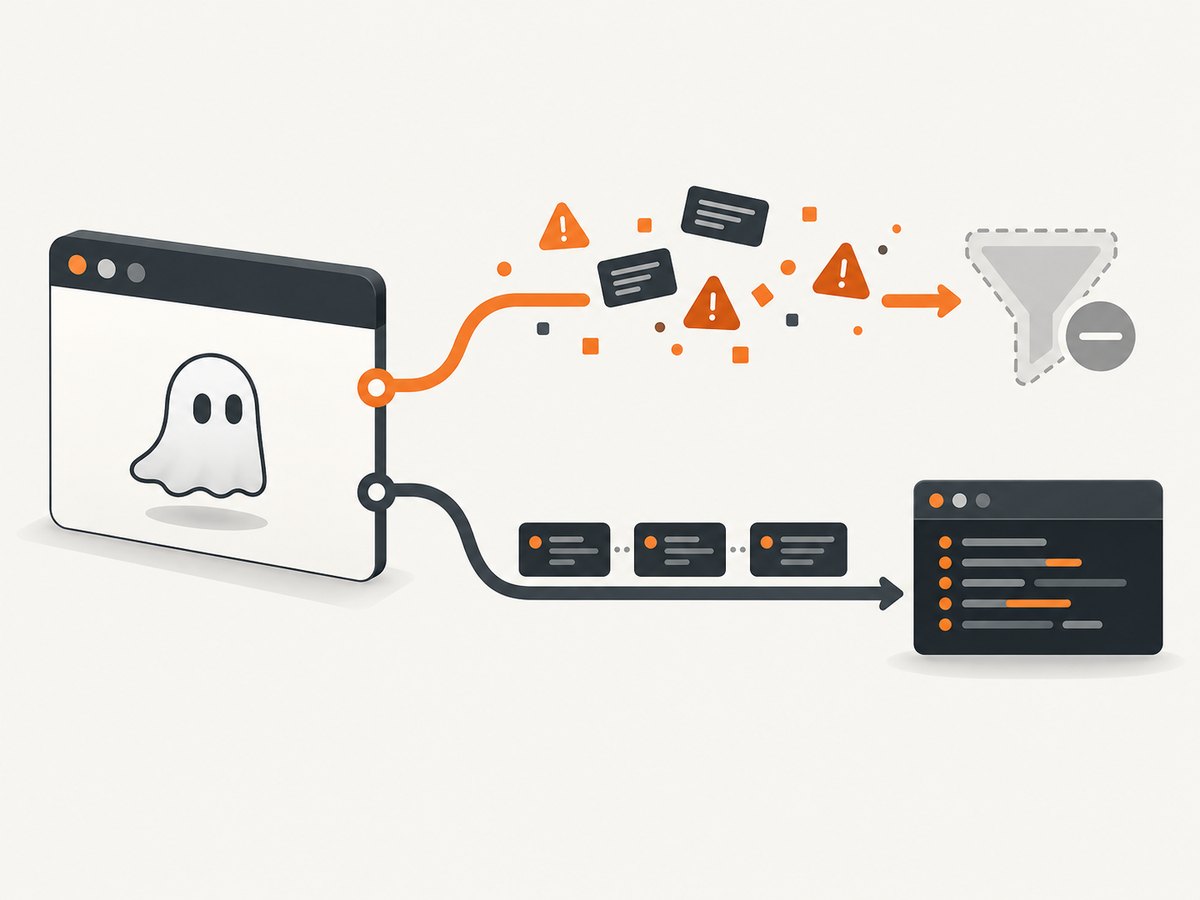
PhantomJS output can come from two different places: your PhantomJS script or the web page loaded by PhantomJS. Remove the forwarding callback for page messages, and remove or guard the script’s own console.log calls. Keep page.onError when you still need page exception diagnostics.
Identify which output you are seeing
| Source | Controlled by | How to hide it |
|---|---|---|
| PhantomJS script logs | console.log() in your .js file |
Remove, comment, or conditionally guard the call |
| Loaded page console messages | page.onConsoleMessage |
Unset the handler, or keep it without printing |
| Page JavaScript exceptions | page.onError |
Keep for diagnostics, or filter deliberately |
PhantomJS documentation says page console messages are not displayed by default. They become visible when a script assigns page.onConsoleMessage and forwards the received text to its own terminal logger. See the onConsoleMessage API documentation and the Quick Start.
Hide page console messages
Remove the forwarding callback
Delete or comment out code like this:
page.onConsoleMessage = function (msg) {
  console.log(msg);
};
With no handler installed, messages produced by console.log in the loaded page remain hidden by PhantomJS’s default behavior.
Keep a silent callback
If another part of your program expects the property to exist, assign a callback that does not print:
page.onConsoleMessage = function (msg, lineNum, sourceId) {
  // Intentionally ignored.
};
Filter messages instead of muting everything
To keep only messages with a known prefix, gate the script-level output:
page.onConsoleMessage = function (msg) {
  if (msg.indexOf('keep:') === 0) {
    console.log(msg);
  }
};
The callback receives the page message and can decide whether to relay it. Do not assume that every terminal line is a page message; inspect your own script first.
Hide logs written by the PhantomJS script
A call executed by PhantomJS itself writes directly to the terminal:
console.log('opening page');
console.log(page.url);
Remove those calls, comment them out, or guard them with a flag:
var VERBOSE = false;

function log(message) {
  if (VERBOSE) {
    console.log(message);
  }
}

log('opening page');
This does not affect logging performed inside the loaded page. Handle that separately with page.onConsoleMessage.
Suppress routine messages while preserving errors
page.onError is a separate handler for page JavaScript exceptions and stack traces. You can leave it enabled while suppressing ordinary console messages:

var page = require('webpage').create();

// No page-console forwarding: routine console output stays hidden.

page.onError = function (msg, trace) {
  console.error('Page error: ' + msg);
  trace.forEach(function (t) {
    console.error('  at ' + t.file + ':' + t.line +
      (t.function ? ' in ' + t.function : ''));
  });
};

page.open('https://example.com', function (status) {
  if (status !== 'success') {
    console.error('Open failed: ' + status);
    phantom.exit(1);
    return;
  }
  phantom.exit();
});
The official Troubleshooting guide demonstrates this error-handler pattern. If you remove onError as well, real page exceptions may become harder to diagnose.
Complete runnable example
Save this as quiet.js and run it with your PhantomJS executable:
var webpage = require('webpage');
var system = require('system');
var page = webpage.create();
var url = system.args[1] || 'https://example.com';
var VERBOSE = false;

function log(message) {
  if (VERBOSE) {
    console.log(message);
  }
}

// Deliberately do not assign page.onConsoleMessage.
// Page console.log/console.error messages are not relayed.

page.onError = function (msg, trace) {
  console.error('Page error: ' + msg);
  trace.forEach(function (item) {
    console.error('  at ' + item.file + ':' + item.line +
      (item.function ? ' in ' + item.function : ''));
  });
};

log('Opening ' + url);
page.open(url, function (status) {
  if (status !== 'success') {
    console.error('Unable to load ' + url + ': ' + status);
    phantom.exit(1);
    return;
  }

  page.render('page.png');
  log('Saved page.png');
  phantom.exit(0);
});
Run:
phantomjs quiet.js https://example.comSet VERBOSE = true when you need the script’s progress messages again.
Selective filtering patterns
Drop known noisy prefixes
page.onConsoleMessage = function (msg) {
  if (msg.indexOf('[analytics]') === 0 ||
      msg.indexOf('[chat-widget]') === 0) {
    return;
  }
  console.log(msg);
};
Write diagnostics to a file instead of the terminal
var fs = require('fs');

page.onConsoleMessage = function (msg) {
  fs.write('page-console.log', msg + '\n', 'a');
};
Use a file sink only when you actually need the messages; otherwise leaving the handler unset is simpler.
Troubleshooting
| Symptom | Likely cause | Fix |
|---|---|---|
Page console.log still appears |
A handler forwards it to console.log |
Remove page.onConsoleMessage, make it silent, or filter it |
| Output remains after removing the handler | Your PhantomJS file calls console.log |
Search the script and required modules for terminal logging |
| Errors disappeared too | page.onError was removed or muted |
Restore it and filter only routine messages |
console.error behaves differently |
Build or distribution differences | Check the exact PhantomJS version and executable; a 2017 report found differing routing in PhantomJS 2.1.1 packages |
| Noise comes from a wrapper process | A shell script, npm task, CI runner, or supervisor is logging | Inspect the wrapper command and its stdout/stderr settings |
| Muting hides useful clues | All diagnostics were disabled | Keep page.onError, enable a verbose flag, or write selected messages to a file |
Version and maintenance caveats
PhantomJS is legacy software. The project wiki describes the 2.x branch as deprecated and no longer maintained, and the GitHub repository is archived. Behavior documented for PhantomJS should not automatically be applied to forks or other headless browsers. If console routing matters, record the executable version and distribution in your build logs.
Performance, reliability, and cost notes
- Removing a forwarding callback reduces terminal I/O and makes CI logs smaller, but it does not make page execution faster in a measurable way by itself.
- Keep error reporting available during development and incident diagnosis; disable only routine output.
- For reproducible builds, pin the PhantomJS binary and verify it on each operating system.
- PhantomJS has no current maintenance path. For new screenshot pipelines, a maintained browser or screenshot API reduces compatibility work.
Or skip the browser setup
If your goal is a clean screenshot rather than maintaining PhantomJS logging, ScreenshotNeo provides a single HTTP request. Its capture flow accepts cookie and consent banners, removes more than 60 known consent platforms plus newsletter popups and chat widgets, and lets you turn each cleanup step off. Bot checks, blank pages, timeouts, failed loads, and cache hits are not billed; response headers report the page verdict and billing status.
See the ScreenshotNeo API documentation for all options.
curl -G "https://api.screenshotneo.com/v1/shot" -d access_key=YOUR_API_KEY --data-urlencode url=https://stripe.com -o shot.webpimport requests
r = requests.get("https://api.screenshotneo.com/v1/shot", params={"access_key": "YOUR_API_KEY", "url": "https://stripe.com"}, timeout=90)
open("shot.webp", "wb").write(r.content)const q = new URLSearchParams({ access_key: 'YOUR_API_KEY', url: 'https://stripe.com' });
const res = await fetch(`https://api.screenshotneo.com/v1/shot?${q}`);ScreenshotNeo also offers an MCP server with take_screenshot, get_page_info, and capture_pdf tools for Claude, Cursor, and other MCP clients. The Free plan includes 1,000 screenshots per month without a card; paid plans start at $5 for 3,000. Create a free ScreenshotNeo account.
FAQ
Does PhantomJS print page console messages by default?
No. The documented default is silent page console output. A callback that relays messages is usually what makes them visible.
Should I remove page.onError?
No, unless you intentionally accept losing page exception diagnostics. It is independent of onConsoleMessage.
Can I hide only console.error?
Filtering depends on how your PhantomJS build routes that message. Inspect the exact binary and use a callback or wrapper-level filter where appropriate.
Why do CI logs differ from my local terminal?
The CI runner may use a different PhantomJS distribution, wrapper script, or stderr configuration. Compare versions, command lines, and stdout/stderr handling.


