How Discord Uses Open Graph Images
Learn how Discord fetches link previews, how to add Open Graph images, and how to troubleshoot missing or stale previews.
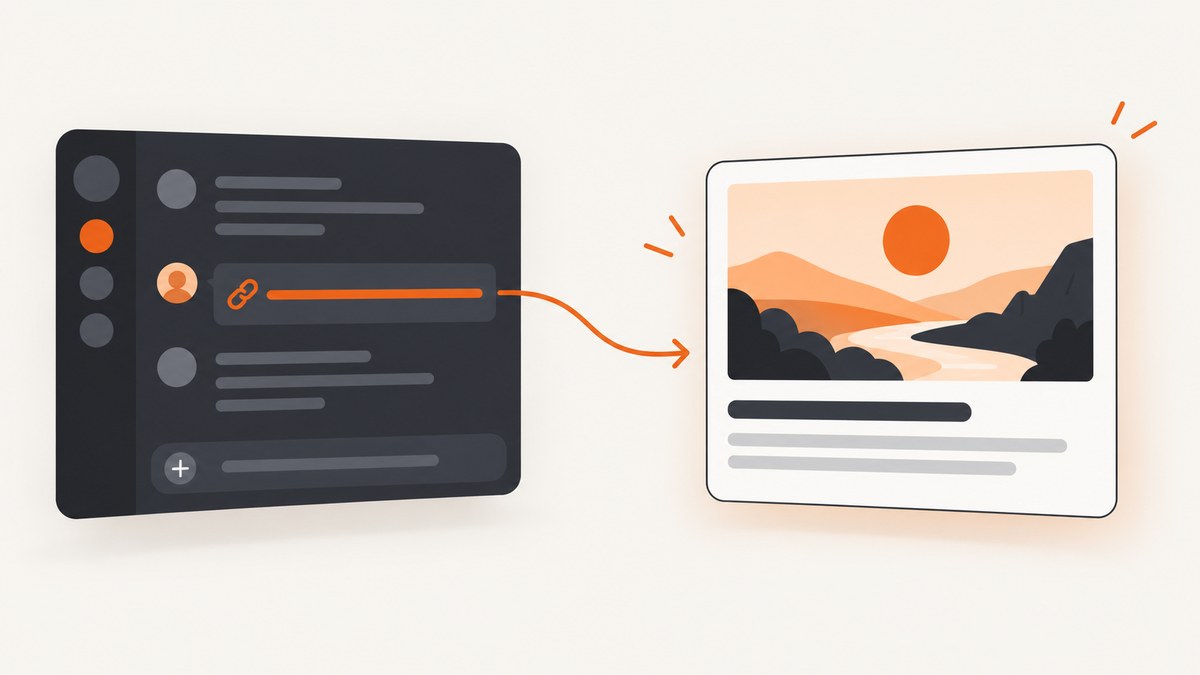
Short answer: when someone shares a URL in a Discord message, Discordbot visits that URL and retrieves page information such as the title, description, and image. A page can suggest its representative image with Open Graph metadata, especially the og:image property. Discord’s public support documentation does not say that it relies exclusively on Open Graph or publish a complete parser specification, so metadata improves the information available to Discord but cannot guarantee one exact visual result.
This guide explains the request flow, the metadata to publish, practical implementation examples, caching and privacy behavior, troubleshooting, and ways to inspect the final page image.
1. What happens when a Discord link is shared?
- A user sends a message containing a URL.
- Discordbot requests that URL after it has been shared. Discord says it does not continuously crawl websites on its own.
- The response is parsed for page information such as a title, description, and image.
- Discord may show that information as an automatic link preview beneath the message.
- Linked image or video copies may be saved temporarily and delivered through Discord’s servers when people view them.
That last step means a viewer may receive media from Discord rather than directly from your origin server. Discord says this helps keep the viewer’s IP address private from the original host. Its support article does not specify how long a copy remains cached, so do not build workflows that depend on a documented cache duration.
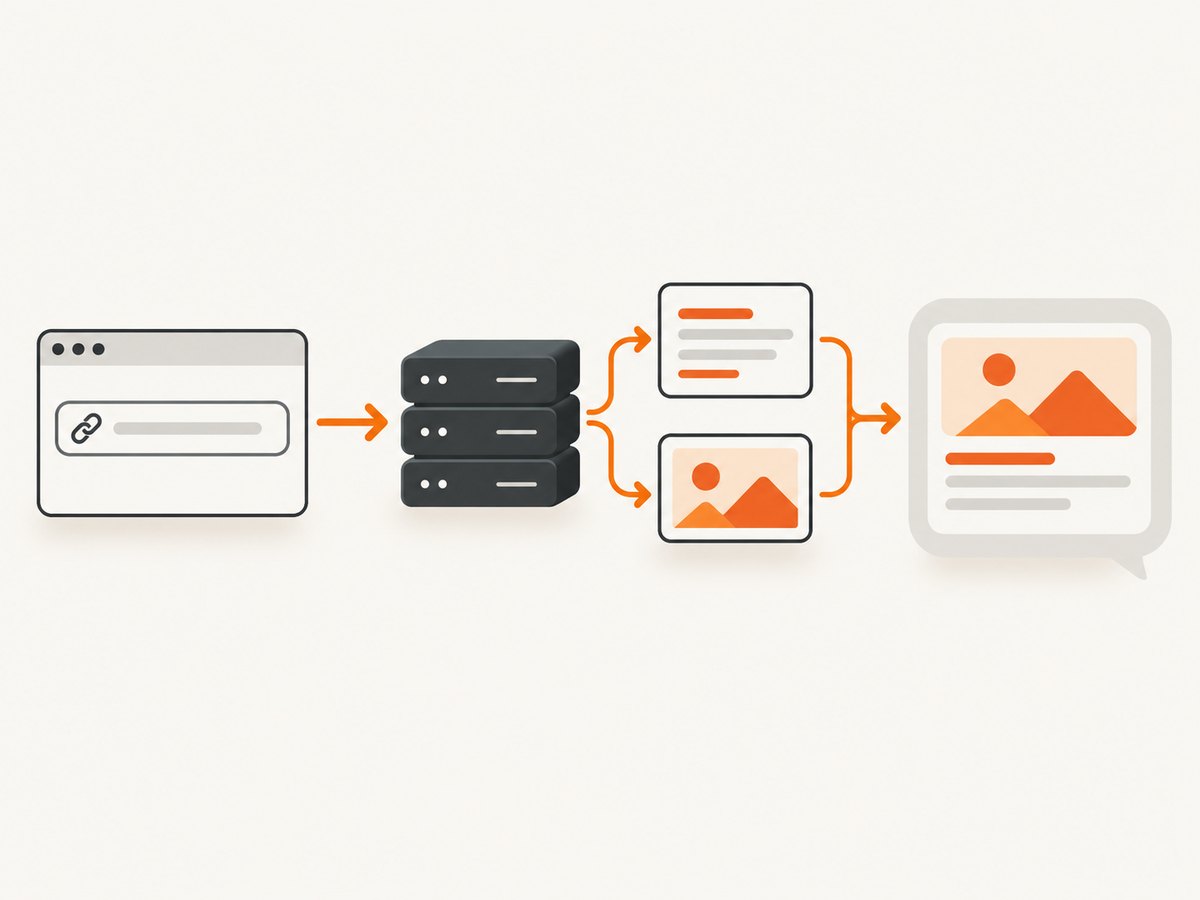
Preview rendering also depends on the person viewing the message. Discord’s desktop display settings include a Show embeds and link previews option. If a user disables it, correct page metadata can still produce no visible card for that user.
2. Open Graph metadata for a page
The Open Graph Protocol defines four required properties for describing an object: og:title, og:type, og:image, and og:url. For an article page, place these elements in the document’s <head>:
<meta property="og:title" content="How Discord Uses Open Graph Images">
<meta property="og:type" content="article">
<meta property="og:url" content="https://example.com/guides/discord-open-graph-images">
<meta property="og:image" content="https://example.com/images/discord-open-graph.jpg">
<meta property="og:image:secure_url" content="https://example.com/images/discord-open-graph.jpg">
<meta property="og:image:type" content="image/jpeg">
<meta property="og:image:width" content="1200">
<meta property="og:image:height" content="630">
<meta property="og:image:alt" content="A link preview flowing from a web page into a chat message">
<meta name="description" content="A practical guide to Discord link previews and Open Graph images.">
The protocol defines og:image as the URL of an image representing the object. It also defines optional structured properties for a secure URL, MIME type, dimensions, and alternative text. The specification recommends supplying og:image:alt whenever an image is specified.
Use absolute, directly retrievable URLs
Use a complete HTTPS URL in og:image, not a relative path such as /images/share.jpg. The image URL should return the image bytes to a normal HTTP client. Keep redirects, authentication requirements, and session-only URLs out of the image path unless you have verified that the fetching service can access them.
The Open Graph example uses a JPEG and declares its MIME type and dimensions. Those values illustrate the protocol; Discord has not published a universal required width, aspect ratio, byte limit, or complete accepted-format list for automatic website previews. Treat your dimensions as truthful metadata rather than a Discord guarantee.
3. A complete implementation
Here is a minimal HTML document with canonical metadata, Open Graph tags, and a visible article heading:
<!doctype html>
<html lang="en">
<head>
  <meta charset="utf-8">
  <meta name="viewport" content="width=device-width, initial-scale=1">
  <title>How Discord Uses Open Graph Images</title>
  <meta name="description" content="Understand Discord link previews and Open Graph image metadata.">
  <link rel="canonical" href="https://example.com/guides/discord-open-graph-images">

  <meta property="og:title" content="How Discord Uses Open Graph Images">
  <meta property="og:type" content="article">
  <meta property="og:url" content="https://example.com/guides/discord-open-graph-images">
  <meta property="og:image" content="https://example.com/images/discord-open-graph.jpg">
  <meta property="og:image:secure_url" content="https://example.com/images/discord-open-graph.jpg">
  <meta property="og:image:type" content="image/jpeg">
  <meta property="og:image:width" content="1200">
  <meta property="og:image:height" content="630">
  <meta property="og:image:alt" content="A link preview generated from page metadata">
</head>
<body>
  <main>
    <h1>How Discord Uses Open Graph Images</h1>
    <p>A guide to link-preview fetching and page image metadata.</p>
  </main>
</body>
</html>
Render these tags in the initial HTML response. If a framework inserts them only after client-side JavaScript runs, a metadata fetcher may not see them. Confirm by requesting the published URL and inspecting the raw response rather than only the browser’s live DOM.
Framework examples
In a server-rendered application, generate values from the page record:
function openGraphTags(page) {
const esc = (value) => String(value)
.replaceAll('&', '&')
.replaceAll('"', '"')
.replaceAll('<', '<')
.replaceAll('>', '>');
return `
<meta property="og:title" content="${esc(page.title)}">
<meta property="og:type" content="article">
<meta property="og:url" content="${esc(page.url)}">
<meta property="og:image" content="${esc(page.imageUrl)}">
<meta property="og:image:alt" content="${esc(page.imageAlt)}">`;
}Escape values generated from a database. A malformed quote can truncate a tag, and an unescaped value can create invalid HTML.
4. Check what your server returns
Before troubleshooting Discord, verify the URL and image independently.
curl -I https://example.com/guides/discord-open-graph-images
curl -sL https://example.com/guides/discord-open-graph-images | grep -i 'og:image'
curl -I https://example.com/images/discord-open-graph.jpg
The page request should return a successful HTML response containing the tags. The image request should return an image content type and be reachable without a browser-only session. Also check that your CDN, WAF, or firewall is not rejecting automated clients.
Python inspection script
import requests
from bs4 import BeautifulSoup

page_url = "https://example.com/guides/discord-open-graph-images"
r = requests.get(page_url, timeout=30)
r.raise_for_status()
soup = BeautifulSoup(r.text, "html.parser")
for name in ("og:title", "og:type", "og:url", "og:image", "og:image:alt"):
    tag = soup.find("meta", attrs={"property": name})
    print(name, "=", tag.get("content") if tag else "MISSING")
Node.js inspection script
const pageUrl = 'https://example.com/guides/discord-open-graph-images';
const res = await fetch(pageUrl);
if (!res.ok) throw new Error(`${res.status} ${res.statusText}`);
const html = await res.text();
for (const property of ['og:title', 'og:type', 'og:url', 'og:image', 'og:image:alt']) {
  const re = new RegExp(`<meta[^>]+property=["']${property}["'][^>]+content=["']([^"']+)["']`, 'i');
  console.log(property, html.match(re)?.[1] ?? 'MISSING');
}
5. Why an image may not appear
| Symptom | Likely cause | Fix |
|---|---|---|
| No preview for one viewer | That user disabled embeds and link previews. | Check Discord display settings before changing site code. |
| Title appears but no image | og:image is missing, malformed, relative, blocked, or not in the initial HTML. |
Publish an absolute URL, return it in server HTML, and test with curl. |
| Image URL works in a browser only | Authentication, cookies, JavaScript, or anti-bot rules are required. | Make the image URL directly retrievable and review firewall logs. |
| Old image remains | A linked media copy may be temporarily cached by Discord. | Verify the new response at the origin, then allow time for a later fetch; Discord does not document a cache lifetime. |
| Requests are denied | WAF rules or robots/firewall policy block the fetcher. | Review logs and allow legitimate preview requests according to your security policy. |
| Preview differs between messages | The page changed, a different URL variant was shared, or a cached result was used. | Compare the exact shared URL, redirects, canonical URL, and current metadata. |
Identify Discordbot requests
Discord gives this example User-Agent:
Mozilla/5.0 (compatible; Discordbot/2.0; +https://discordapp.com)Discord advises looking for the word Discordbot because other User-Agent parts can change. User-Agent strings can be forged, so do not use that string alone for firewall authorization. Discord recommends checking the source IP against its official published public IP ranges and rechecking those ranges periodically because they can change.
6. Automatic previews versus custom embeds
An automatic website preview is generated from a URL shared in a message. It is separate from a custom embed authored by a bot or webhook. Discord’s safety documentation describes bot and webhook embeds with explicit image and thumbnail fields. Those APIs let the sender construct an embed object; they do not document the parser behavior for an ordinary HTML page link.
A direct image or GIF URL pasted into chat is another case. Discord’s support documentation says such URLs can display the image in a link preview, but that does not establish a specific Open Graph rule for HTML pages.
7. Capture and inspect the final page
If you need to see what a page looks like after scripts, consent dialogs, lazy loading, or responsive layout changes, a browser capture is more useful than reading metadata alone. For a self-hosted workflow, launch a headless browser, open the URL, wait for the page state you need, and save a screenshot.
import { chromium } from 'playwright';

const browser = await chromium.launch();
const page = await browser.newPage({ viewport: { width: 1280, height: 800 } });
await page.goto('https://example.com/guides/discord-open-graph-images', { waitUntil: 'networkidle' });
await page.screenshot({ path: 'page.png', fullPage: true });
await browser.close();
For repeatable captures, decide whether you need full-page output or one element, a fixed viewport or a device preset, a normal or dark color scheme, and a delay or selector wait for late content. Record the URL, viewport, browser version, and timestamp with each artifact so visual changes can be explained later.
8. Or skip the browser setup
ScreenshotNeo is a website screenshot API and MCP server. It accepts one GET request and returns PNG, JPEG, WebP, or PDF. Before capture, it accepts cookie and consent banners and removes more than 60 known consent platforms, newsletter popups, and chat widgets; each step can be turned off. Only clean shots are billed. Bot checks, CAPTCHAs, blank pages, timeouts, failed loads, and cache hits cost nothing, and responses identify the result with X-Page-Verdict and X-Billed headers.
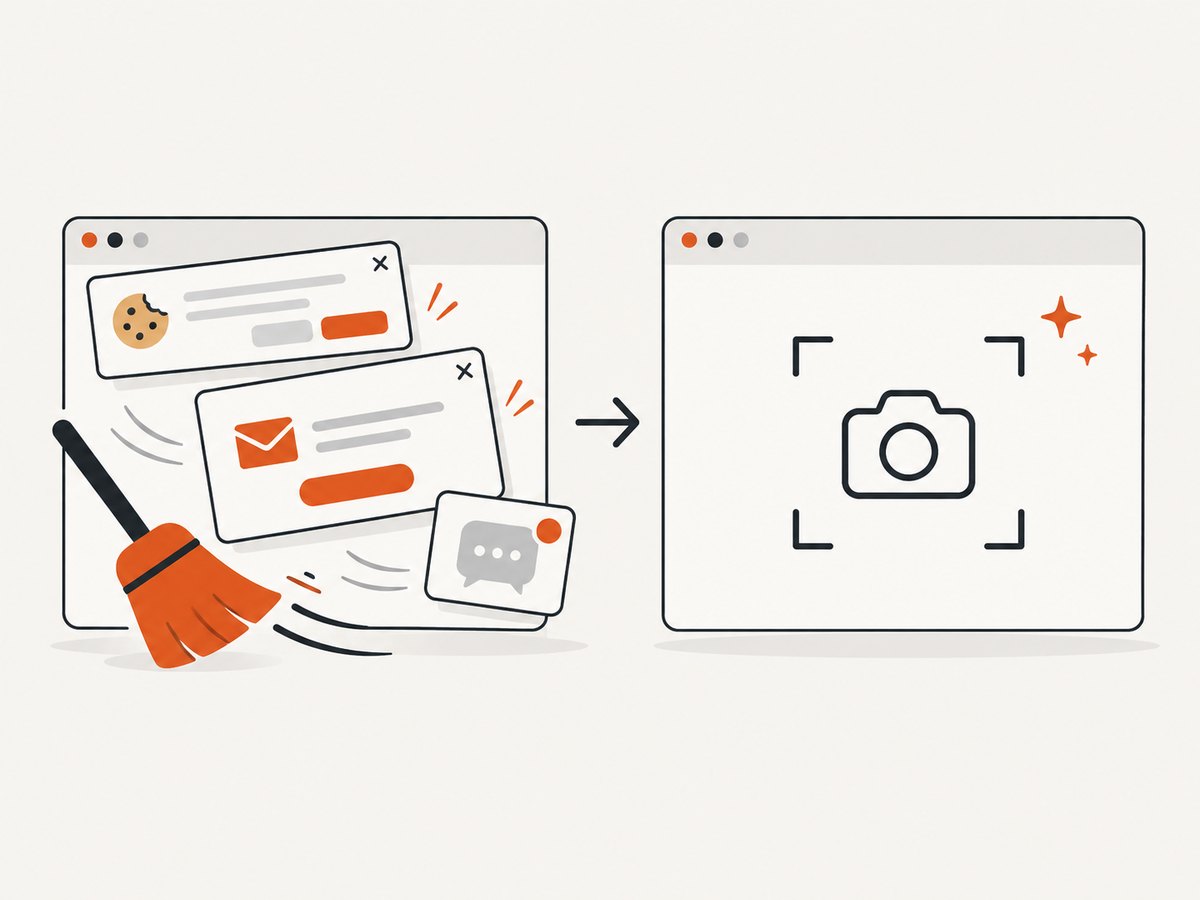
See the ScreenshotNeo documentation for the complete parameter reference. A basic capture is:
curl -G "https://api.screenshotneo.com/v1/shot" -d access_key=YOUR_API_KEY --data-urlencode url=https://example.com/guides/discord-open-graph-images -o shot.webpimport requests
r = requests.get("https://api.screenshotneo.com/v1/shot", params={"access_key": "YOUR_API_KEY", "url": "https://example.com/guides/discord-open-graph-images"}, timeout=90)
open("shot.webp", "wb").write(r.content)const q = new URLSearchParams({ access_key: 'YOUR_API_KEY', url: 'https://example.com/guides/discord-open-graph-images' });
const res = await fetch(`https://api.screenshotneo.com/v1/shot?${q}`);Relevant options include full-page capture with lazy images loaded, CSS-selector element capture, dark mode, 12 device presets or any viewport, retina scale, custom CSS and JavaScript, clicks before capture, selector or network-idle waits, ad/tracker/request/resource blocking, custom headers, cookies, user agents and Authorization, timezone and geolocation, transparent backgrounds, resizing, selectable cache TTLs, signed links, asynchronous jobs with signed webhooks, PDF paper size/margins/orientation/page ranges, HTML/CSS-to-image, bulk capture of up to 100 URLs per call, a usage API, and an OpenAPI specification. Parameter names used by other screenshot APIs also work, which can simplify migration.
ScreenshotNeo also provides an MCP server with take_screenshot, get_page_info, and capture_pdf tools for Claude, Cursor, and other MCP clients. Free accounts include 1,000 shots per month with no card; paid plans start at $5 for 3,000 shots. Create a free ScreenshotNeo account.
9. Performance, reliability, and cost considerations
- Keep metadata cheap: serve Open Graph tags in the initial HTML so a fetcher does not need to execute application JavaScript.
- Keep image delivery stable: use a cacheable URL and avoid expiring query strings unless you intentionally version assets.
- Measure origin behavior: log status codes, response time, redirects, and blocked requests for the page and image paths.
- Separate preview tests from browser tests: metadata validation checks the response body; screenshots check rendered pixels. A passing screenshot does not prove that Open Graph tags are present.
- Plan for caching: Discord may serve a temporary media copy. Do not assume an immediate refresh after replacing an image.
- Control capture cost: with ScreenshotNeo, cache hits and unsuccessful page verdicts are not billed; choose a cache TTL and use bulk or asynchronous jobs when processing many URLs.
10. Practical checklist
- Set
og:title,og:type,og:url, andog:image. - Add
og:image:alt; include type, width, height, and secure URL when available. - Use absolute HTTPS URLs.
- Return tags in the initial HTML response.
- Confirm the page and image with
curl. - Check redirects, authentication, WAF rules, and server logs.
- Verify that the viewer has embeds and link previews enabled.
- Distinguish automatic previews from bot or webhook-authored embeds.
- Allow for temporary Discord caching when updating an image.
FAQ
Does Discord continuously crawl my website?
Discord says the fetch occurs when a link is shared in a message and that it does not continuously crawl websites on its own.
Is og:image mandatory for Discord?
Open Graph defines it as the representative image property, but Discord has not published a complete parser specification or said that it relies exclusively on Open Graph. Treat it as the standard signal your page should provide.
How long does Discord cache a preview image?
Discord says linked media may be saved temporarily but does not publish a cache lifetime in the cited support documentation.
Can I force every user to see a preview?
No. Users can disable automatic embeds and link previews in Discord’s display settings.
Are bot embeds the same as website previews?
No. Bots and webhooks can author custom embed objects, while an automatic preview is generated from a shared URL.


