How to Fix CasperJS Error 402 When Capturing a Webpage
HTTP 402 comes from a site or intermediary, not necessarily CasperJS. Learn how to identify the request, inspect responses, and fix the real cause.
HTTP 402 is a response status from the requested website or an intermediary. It does not, by itself, prove that CasperJS failed to capture a screenshot. First identify the exact request that returned 402, then inspect its status text, headers, and response body. Only after that can you choose a site-specific fix.
RFC 9110 says that “The 402 (Payment Required) status code is reserved for future use.” The standard does not define what a particular website must do with it. Read the HTTP 402 definition in RFC 9110.
1. Confirm which request returned 402
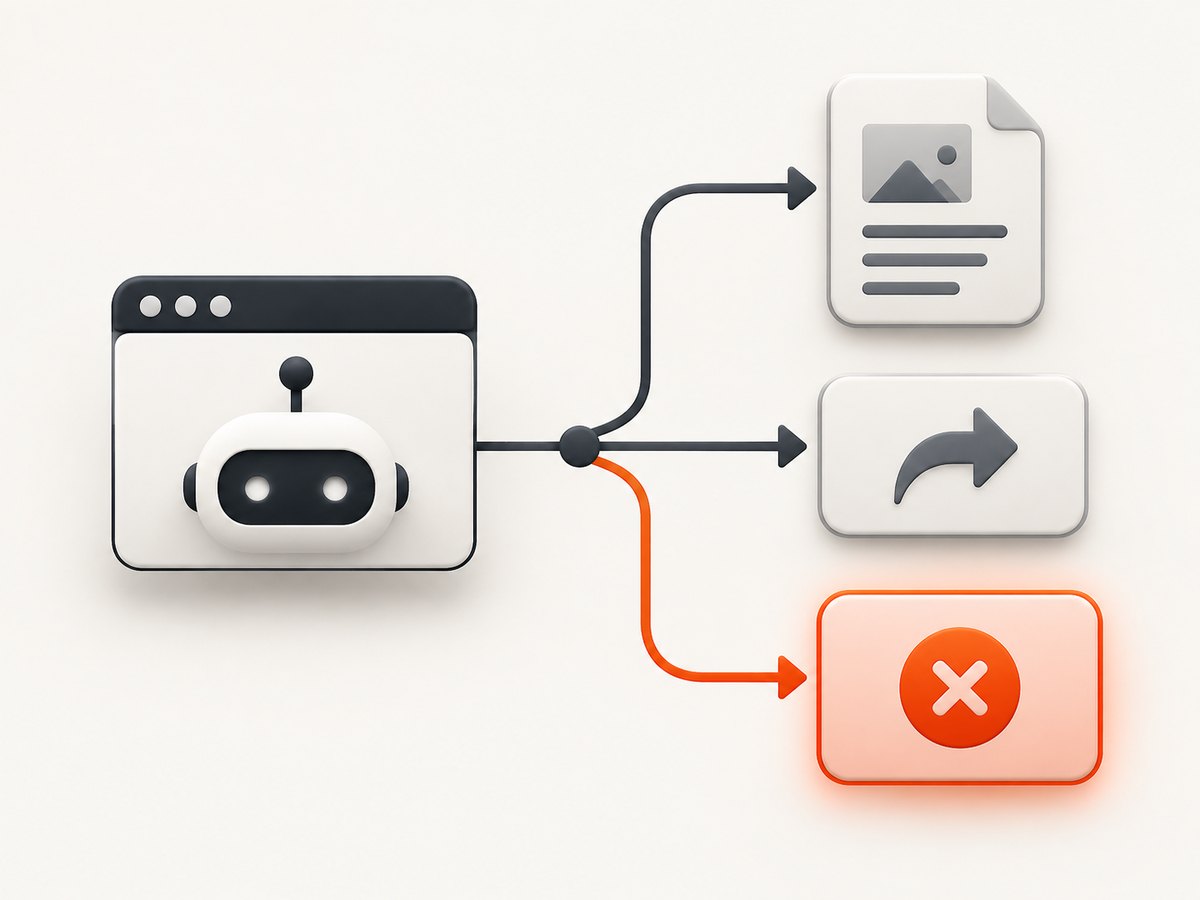
A page capture involves more than one request. The top-level document, an API call, an image, a script, or a redirect target can each return a different status. Log every response URL before changing your CasperJS script.
Minimal CasperJS diagnostic script
var casper = require('casper').create({
    verbose: true,
    logLevel: 'debug',
    pageSettings: {
        loadImages: true,
        webSecurityEnabled: false
    }
});

casper.on('http.status.402', function (resource) {
    this.echo('HTTP 402: ' + resource.url, 'ERROR');
});

casper.on('resource.received', function (resource) {
    if (resource.status === 402) {
        this.echo(JSON.stringify({
            url: resource.url,
            status: resource.status,
            statusText: resource.statusText,
            headers: resource.headers || []
        }, null, 2), 'ERROR');
    }
});

casper.start('https://example.com', function () {
    this.echo('Navigation URL: ' + this.getCurrentUrl());
    this.echo('Page title: ' + this.getTitle());
});

casper.then(function () {
    this.capture('page.png');
});

casper.run(function () {
    this.echo('Finished.');
    this.exit();
});
Run it with the PhantomJS binary used by your installation:
casperjs diagnose-402.jsCasperJS supports status-specific HTTP events such as http.status.402, plus resource callbacks for inspecting requests and responses. See the HTTP status handler documentation and the resource event documentation.
2. Separate navigation from screenshot capture
capture() and captureSelector() save rendered output. They do not explain why a server returned a particular HTTP status. Verify that navigation reached the expected document before debugging the output file.
var casper = require('casper').create({
    verbose: true,
    logLevel: 'info'
});

casper.start('https://example.com', function () {
    this.echo('Requested: https://example.com');
    this.echo('Loaded: ' + this.getCurrentUrl());
    this.echo('Title: ' + this.getTitle());

    if (this.getCurrentUrl() !== 'https://example.com/') {
        this.die('Unexpected redirect or landing page', 1);
    }
});

casper.then(function () {
    this.capture('full-page.png');
});

casper.run(function () {
    this.echo('Capture complete.');
    this.exit();
});
If the document request is successful but a later resource returns 402, the screenshot may still be usable while that resource is missing. If the top-level document returns 402, CasperJS cannot render the intended page until the server permits the request.
3. Inspect the response body and headers
The response usually reveals whether the endpoint expects a particular access flow, authentication context, account state, or request format. Do not infer that payment is required from the numeric code alone. Inspect the URL, method, redirect chain, headers, and body, then follow that site’s documented requirements or contact its operator.
Inspect with cURL
curl -i -L --max-redirs 5 "https://example.com/page"To preserve the body and headers separately:
curl -sS -D response.headers -o response.body "https://example.com/page"
cat response.headers
cat response.body
Inspect with Python
import requests

url = "https://example.com/page"
r = requests.get(url, allow_redirects=True, timeout=30)

print("final URL:", r.url)
print("status:", r.status_code, r.reason)
print("headers:")
for key, value in r.headers.items():
    print(f"{key}: {value}")
print("body:")
print(r.text[:10000])
Inspect with Node.js
const url = 'https://example.com/page';
const res = await fetch(url, { redirect: 'follow' });

console.log('final URL:', res.url);
console.log('status:', res.status, res.statusText);
console.log('headers:');
for (const [key, value] of res.headers) {
  console.log(`${key}: ${value}`);
}
console.log('body:');
console.log((await res.text()).slice(0, 10000));
4. Match the fix to the evidence
| What you observe | What it means | Next action |
|---|---|---|
| The top-level document is 402 | The requested site or an intermediary rejected navigation. | Read the response body and headers; follow the site’s documented access flow. |
| An API or asset URL is 402 | The page request succeeded, but a dependency did not. | Identify the dependency from the resource URL and decide whether the page can be captured without it. |
| A redirect target is 402 | The original URL redirected to a response that was rejected. | Inspect every hop with curl -i -L and use the final URL only if it is authorized and stable. |
| 402 appears only in CasperJS | The server may be responding differently to that runtime’s request context. | Compare method, headers, cookies, user agent, and redirect behavior with a normal browser or cURL request. |
| The response is 200 but the image file is missing | This is a capture or filesystem problem, not an HTTP 402 diagnosis. | Check the output path, permissions, selector, and CasperJS console errors. |
5. Check request context without guessing
Compare a successful browser request with CasperJS using the evidence you collected. Differences can include cookies, authorization headers, user agent, HTTP method, query parameters, redirects, and timing. Add only values that the site documents or that your authorized browser session already uses.
var casper = require('casper').create({
    pageSettings: {
        userAgent: 'Mozilla/5.0 (compatible; authorized diagnostic client)',
        customHeaders: {
            'Accept': 'text/html,application/xhtml+xml',
            'Accept-Language': 'en-US,en;q=0.9'
        }
    }
});

casper.start('https://example.com/page');
casper.then(function () {
    this.capture('authorized-page.png');
});
casper.run(function () {
    this.exit();
});
Do not treat changing the user agent or adding random headers as a universal workaround. A 402 policy belongs to the responding service, and only that service’s documented requirements establish what is permitted.
6. Handle 402 explicitly in automation
If your workflow must stop on a 402, make that decision explicit and include the URL in the error. This prevents a partial screenshot from being mistaken for a successful capture.
var casper = require('casper').create({
    verbose: true,
    logLevel: 'info'
});
var blockedUrl = null;

casper.on('http.status.402', function (resource) {
    blockedUrl = resource.url;
    this.die('HTTP 402 from ' + resource.url, 2);
});

casper.start('https://example.com/page');
casper.then(function () {
    if (blockedUrl) {
        this.die('Capture skipped because navigation was rejected.', 2);
    }
    this.capture('page.png');
});

casper.run(function () {
    this.exit();
});
If you need to continue when only a noncritical asset returns 402, record the resource URL and decide based on the page’s requirements. Continuing does not make the response authorized or complete the missing request.
7. Common errors and fixes
“402 means CasperJS is broken”
Cause: The status came from an HTTP response. Fix: Log the URL, headers, status text, and body with the status and resource handlers.
“The script captures a blank image after a 402”
Cause: Navigation may have loaded an error document or failed before the target page rendered. Fix: Check getCurrentUrl(), the title, console output, and the top-level response before calling capture().
“The 402 event never fires”
Cause: The status may be observed on a resource callback, a redirect, or a runtime that does not expose the response in the way your script expects. Fix: Register both http.status.402 and resource.received, then compare with cURL.
“Changing the user agent did nothing”
Cause: The service may use cookies, authentication, request parameters, or an application-specific policy. Fix: Read the response body and headers and use the site’s documented access method.
“Capture fails even though navigation is successful”
Cause: The issue may be an invalid selector, a filesystem permission error, an unsupported page feature, or a CasperJS/PhantomJS compatibility problem. Fix: Test a full-page capture(), verify the output directory, and isolate selector or rendering errors separately from HTTP status handling.
“The runtime reports unrelated compatibility errors”
CasperJS is no longer actively maintained, and its project documentation notes that versions up to and including 1.1-beta3 do not support PhantomJS 2.0 and newer. Treat that as a separate compatibility investigation; it does not establish the cause of an HTTP 402 response. See the CasperJS project repository.
8. Reliability and performance considerations
- Log one record per response containing URL, status, status text, and relevant headers. This makes intermittent failures comparable across runs.
- Capture only after the expected document is loaded. A screenshot call cannot repair a rejected navigation.
- Keep diagnostic timeouts finite and record whether the failure was a timeout, a non-2xx response, or a file-write error.
- Use retries only for transient failures that the site permits. Retrying a policy response can add load without changing the result.
- Cache diagnostic metadata with the screenshot filename so a later review can distinguish a clean capture from an error page.
9. Or skip the browser setup
ScreenshotNeo provides a website screenshot API when maintaining CasperJS and PhantomJS is unnecessary. One GET request returns PNG, JPEG, WebP, or PDF output. Before capture it accepts cookie or consent banners and removes more than 60 known consent platforms, newsletter popups, and chat widgets; each step can be turned off. Bot checks, blank pages, timeouts, failed loads, and cache hits are not billed, and the response identifies the result with X-Page-Verdict and X-Billed headers.

See the ScreenshotNeo API documentation for authentication and options.
cURL
curl -G "https://api.screenshotneo.com/v1/shot" -d access_key=YOUR_API_KEY --data-urlencode url=https://example.com -o shot.webpPython
import requests
r = requests.get("https://api.screenshotneo.com/v1/shot", params={"access_key": "YOUR_API_KEY", "url": "https://example.com"}, timeout=90)
open("shot.webp", "wb").write(r.content)
Node.js
const q = new URLSearchParams({ access_key: 'YOUR_API_KEY', url: 'https://example.com' });
const res = await fetch(`https://api.screenshotneo.com/v1/shot?${q}`);
ScreenshotNeo also provides an MCP server with take_screenshot, get_page_info, and capture_pdf tools for Claude, Cursor, and other MCP clients. It supports full-page and element captures, device presets, retina scale, dark mode, custom headers and cookies, waits, request blocking, custom CSS and JavaScript, signed links, asynchronous jobs, bulk capture, caching, and usage reporting.
The Free plan includes 1,000 screenshots each month with no card. Paid plans start at $5 for 3,000 screenshots, and every feature is available on every plan. Create a free ScreenshotNeo account.
10. Practical checklist
- Record the exact URL that returned 402.
- Determine whether it was the document, a redirect, or a subresource.
- Capture status text, headers, and response body.
- Compare the request with an authorized cURL or browser request.
- Follow the responding site’s documented access requirements.
- Keep navigation diagnostics separate from screenshot and filesystem debugging.
- Stop or retry based on the response policy, not the number 402 alone.
FAQ
Is HTTP 402 always a payment request?
No. RFC 9110 reserves 402 for future use and does not define a universal meaning. The response body and headers from the specific service are required.
Can CasperJS bypass a 402?
No screenshot API or CasperJS event handler grants access. The handler helps you observe and classify the response; the site operator’s rules determine the permitted fix.
Should I call capture() after a 402?
Only if you have confirmed that the 402 came from a noncritical resource and that the document itself rendered correctly. Otherwise, stop and report the rejected navigation.
Does a successful image file prove the page loaded correctly?
No. The file may contain an error page, an incomplete render, or a page missing resources. Check the navigation URL, title, response records, and capture logs.


