How to Fix the mPDF pcre.backtrack_limit HTML Size Error
Fix mPDF’s pcre.backtrack_limit HTML error by chunking WriteHTML input, tuning PHP safely, and reducing table and CSS complexity.

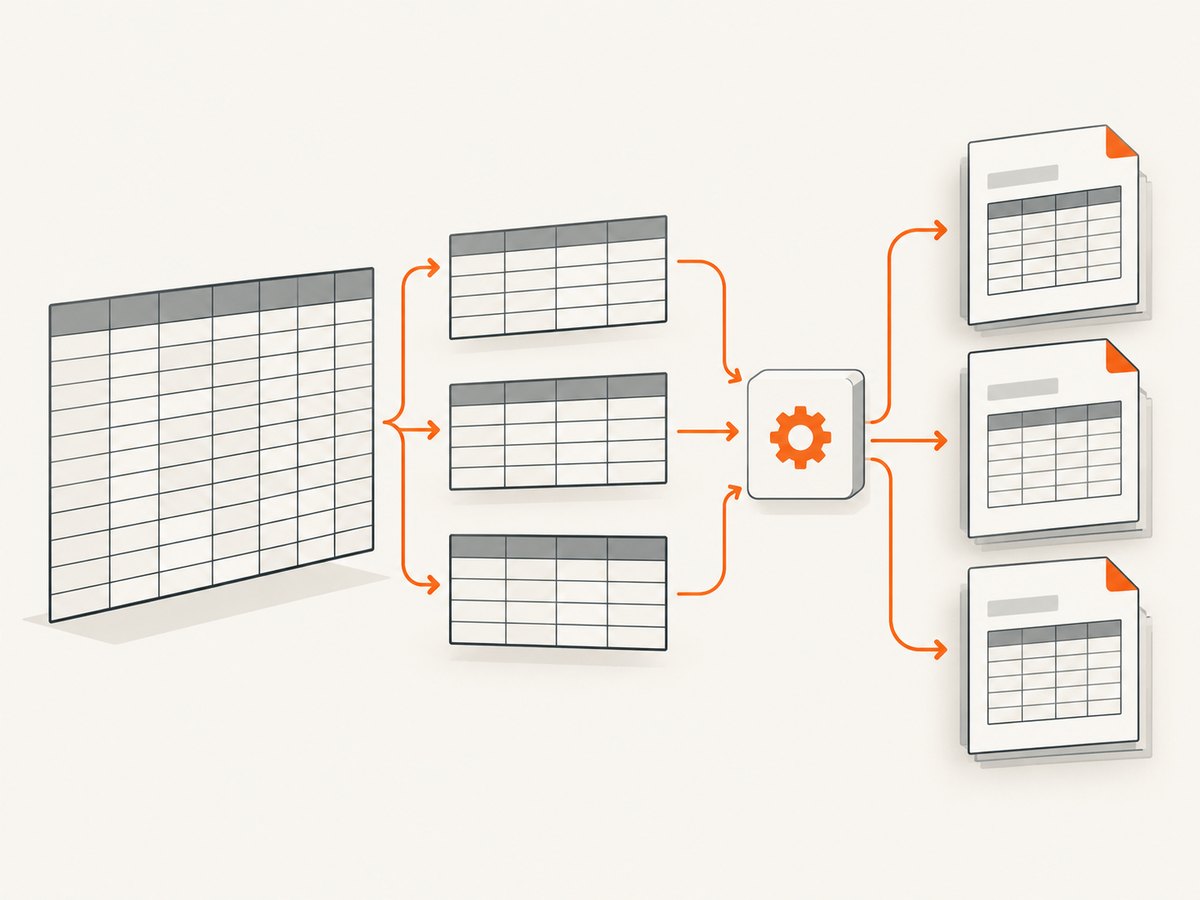
Short answer: mPDF raises this exception when PCRE reaches PHP’s pcre.backtrack_limit while parsing a large HTML or CSS string. Split the document into smaller, structurally safe chunks and call WriteHTML() repeatedly. If you control the PHP runtime, raise the limit by a bounded amount and retest, but do not treat an extremely high value as a permanent fix.
The current PHP documentation lists a default pcre.backtrack_limit of 1,000,000 and warns that very high values can consume process stack space and crash PHP. The mPDF manual recommends either increasing the setting when permitted or breaking HTML into chunks passed to WriteHTML() one at a time. See the mPDF troubleshooting documentation and PHP PCRE configuration reference.
What the error means
A typical message looks like this:
The HTML code size is larger than pcre.backtrack_limit 1000000.
You should use WriteHTML() with smaller string lengths.
mPDF uses regular expressions while parsing HTML and CSS. A long document, a large table, deeply nested markup, or complex selectors can require more backtracking than PCRE allows. The failure is usually about the size and complexity of one string passed to WriteHTML(), not the final PDF file size.
Fastest reliable fix: chunk WriteHTML input
Split at safe boundaries such as complete records, table groups, or sections. Do not cut inside an HTML tag, a table row, or a style block.
Complete PHP example
<?php
require __DIR__ . '/vendor/autoload.php';

use Mpdf\Mpdf;

$mpdf = new Mpdf([
    'tempDir' => __DIR__ . '/tmp',
]);

$css = file_get_contents(__DIR__ . '/report.css');
$mpdf->WriteHTML($css, \Mpdf\HTMLParserMode::HEADER_CSS);

$mpdf->WriteHTML('<h1>Sales report</h1>');

$rows = loadRowsFromDatabase();
$chunkSize = 100;
$firstChunk = true;

foreach (array_chunk($rows, $chunkSize) as $chunk) {
    $html = '<table class="report">';
    if ($firstChunk) {
        $html .= '<thead><tr><th>Order</th><th>Customer</th><th>Total</th></tr></thead>';
        $firstChunk = false;
    }
    $html .= '<tbody>';

    foreach ($chunk as $row) {
        $html .= '<tr>'
            . '<td>' . htmlspecialchars($row['order_id'], ENT_QUOTES, 'UTF-8') . '</td>'
            . '<td>' . htmlspecialchars($row['customer'], ENT_QUOTES, 'UTF-8') . '</td>'
            . '<td>' . htmlspecialchars($row['total'], ENT_QUOTES, 'UTF-8') . '</td>'
            . '</tr>';
    }

    $html .= '</tbody></table>';
    $mpdf->WriteHTML($html);
}

$mpdf->Output(__DIR__ . '/report.pdf', \Mpdf\Output\Destination::FILE);
Keep the CSS in one small header call and send body content in bounded chunks. If a table must continue across pages, let mPDF repeat a header row with <thead> and avoid creating one enormous string.
Chunk an existing HTML document between sections
<?php
function writeSections(\Mpdf\Mpdf $mpdf, array $sections): void
{
    foreach ($sections as $section) {
        $html = '<section>'
            . '<h2>' . htmlspecialchars($section['title'], ENT_QUOTES, 'UTF-8') . '</h2>'
            . $section['body_html']
            . '</section>';

        $mpdf->WriteHTML($html);
    }
}
Generate sections as complete fragments instead of concatenating the entire report first. If a single section is still large, split its records or table groups again.
Raise pcre.backtrack_limit carefully
If chunking cannot be applied immediately and your host permits runtime configuration, try a bounded increase:
<?php
$previous = ini_get('pcre.backtrack_limit');
ini_set('pcre.backtrack_limit', '2000000');

try {
    $mpdf->WriteHTML($html);
} finally {
    ini_set('pcre.backtrack_limit', (string) $previous);
}
The exact value depends on your PHP version, document, concurrency, and memory budget. There is no universal safe number. Raise it incrementally, reproduce the largest expected document, and watch worker memory and process stability. On shared hosting, ini_set() may be disabled; use the permitted PHP configuration layer or chunk the input.
Reduce the HTML and CSS that mPDF must parse
- Remove unused markup, inline styles, duplicated CSS, and deeply nested containers.
- Generate only the rows needed for the PDF instead of rendering a web page wholesale.
- Escape user data and validate that every fragment is structurally complete.
- Prefer simple selectors and straightforward layout rules.
- For large tables where complex borders are unnecessary, evaluate mPDF’s
simpleTablesoption. It can reduce layout work, but it changes how borders and padding are handled.
mPDF’s memory guidance recommends processing very long documents in small chunks. Its performance guidance identifies large tables as a major cost and recommends upgrading and avoiding expensive layout features when visual fidelity permits. See the mPDF memory guide and mPDF performance guide.
Diagnostics checklist
- Log the byte length and record count for every string sent to
WriteHTML(). - Identify whether the failing call contains CSS, a table, images, or a complete document.
- Reproduce with half the records, then halve again to find a practical chunk size.
- Confirm that chunks begin and end at valid structural boundaries.
- Check
memory_limit, worker limits, and temporary-directory permissions. - Record PHP and mPDF versions and compare them with the official mPDF support table in the mPDF repository.
Chunking versus increasing the limit
| Approach | Best when | Trade-offs |
|---|---|---|
Split WriteHTML() input |
You can divide records or sections safely | Requires generation changes; usually the most stable option |
Increase pcre.backtrack_limit |
You control PHP and need a short-term compatibility fix | Consumes more stack and memory; extreme values can crash PHP |
| Simplify tables and CSS | Large tables or complex borders dominate processing | May change visual output |
| Upgrade mPDF and PHP | Your versions are old or unsupported | Requires regression testing for layout changes |
Common errors and fixes
The error remains after increasing the limit
The input may still be too large, or a table/CSS rule may be causing excessive backtracking. Chunk the input, simplify the problematic markup, and inspect the first failing fragment.
A regex compilation error appears instead
A higher numeric limit does not fix malformed or overly complex patterns. Validate HTML and CSS, remove pathological selectors, and check the mPDF issue tracker for version-specific parser problems.
Only documents with many rows fail
Large tables are the likely bottleneck. Stream rows into bounded groups, use a real <thead>, reduce border complexity, and consider simpleTables when its rendering is acceptable.
Runtime changes have no effect
Your host may disable ini_set(), or another PHP process configuration may be used. Inspect the effective value with ini_get('pcre.backtrack_limit') and change the setting in the configuration layer your deployment allows.
The process crashes or is killed
The limit may be too high for available stack or memory, or the document may exceed worker resources. Lower the setting, chunk more aggressively, reduce CSS/table complexity, and review PHP worker memory limits.
Output is incomplete after chunking
Check that each fragment is valid HTML and that opening and closing tags are balanced. Keep CSS loaded before body fragments and add explicit page breaks only between complete sections.
Performance, reliability, and cost notes
- Performance: Smaller chunks reduce peak parser work and make the failing section easier to locate. Large tables, border calculations, images, and complex CSS can still dominate runtime.
- Reliability: Use deterministic chunk boundaries, bounded configuration values, and realistic load tests. Monitor memory per worker, not only average request time.
- Memory: Building the entire HTML string and the entire PDF in memory can multiply peak usage. Stream or generate sections incrementally where your application allows.
- Compatibility: Confirm that your PHP version is supported by the installed mPDF release before changing parser settings.
- Cost: On self-hosted PHP, the main costs are CPU, memory, and worker time. Chunking can prevent retries and failed jobs; it does not remove the underlying layout cost of a huge table.
Or skip the browser setup
If your real requirement is to turn a web page into an image or PDF, ScreenshotNeo provides a single HTTP request instead of maintaining a browser and HTML-to-PDF pipeline. It accepts consent banners as a visitor and removes more than 60 known consent platforms, newsletter popups, and chat widgets before capture. Bot checks, blank pages, timeouts, failed loads, and cache hits are not billed, and response headers identify the page verdict and billing result. Its MCP server provides take_screenshot, get_page_info, and capture_pdf tools for Claude, Cursor, and other MCP clients.

Read the ScreenshotNeo API documentation for all options.
cURL
curl -G "https://api.screenshotneo.com/v1/shot" \
  -d access_key=YOUR_API_KEY \
  --data-urlencode url=https://stripe.com \
  -o shot.webp
Python
import requests

r = requests.get(
    "https://api.screenshotneo.com/v1/shot",
    params={"access_key": "YOUR_API_KEY", "url": "https://stripe.com"},
    timeout=90,
)
r.raise_for_status()
open("shot.webp", "wb").write(r.content)
Node.js
const q = new URLSearchParams({
  access_key: 'YOUR_API_KEY',
  url: 'https://stripe.com'
});
const res = await fetch(`https://api.screenshotneo.com/v1/shot?${q}`);
if (!res.ok) throw new Error(`HTTP ${res.status}`);
const fs = await import('node:fs/promises');
await fs.writeFile('shot.webp', Buffer.from(await res.arrayBuffer()));
ScreenshotNeo supports PNG, JPEG, WebP, and PDF output, full-page or CSS-selector capture, device presets, custom viewports, retina scale, waits, resource blocking, headers, cookies, user agents, geolocation, custom CSS and JavaScript, caching, signed links, asynchronous jobs, bulk capture, and usage reporting. Plans include 1,000 free shots per month with no card; paid plans start at $5 for 3,000 shots. Create a free ScreenshotNeo account.
FAQ
What should I set pcre.backtrack_limit to?
Start with a modest increase only if chunking is not immediately possible, then test the largest real workload. PHP and mPDF documentation do not define one universal safe value.
Can I split HTML anywhere?
No. Split between complete records, rows, table groups, or sections. Never split inside tags, attributes, or style blocks.
Does more memory solve this error?
Not by itself. Memory can become a second bottleneck, but this exception specifically reports PCRE backtracking. Chunking addresses the parser input directly.
Will simpleTables preserve every border?
It is intended for tables that do not need complex borders and padding. Compare the rendered PDF before enabling it broadly.
Should I upgrade mPDF first?
Check PHP and mPDF compatibility and upgrade when practical, especially if you are on an old release. Still apply chunking for very large documents.


