How to Parse XML
Learn how to parse XML safely, navigate elements and namespaces, stream large files, handle errors, and choose the right parser approach.

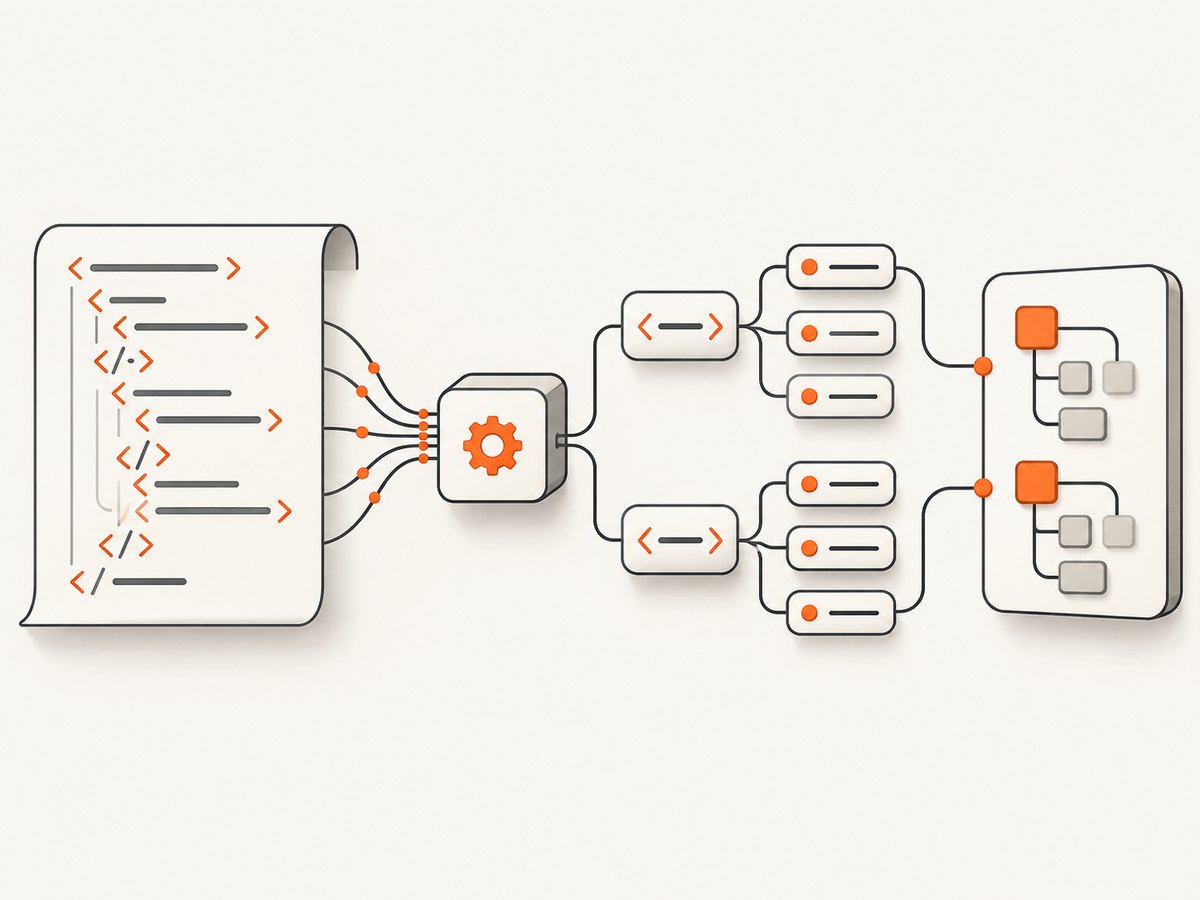
Parsing XML means giving XML text or a file to an XML parser, then reading the resulting elements, attributes and text. Use a tree parser when the document fits comfortably in memory; use event-driven or pull parsing for large or incremental input. Treat untrusted XML as a security boundary: disable DTDs and external entities when they are not required, and keep the parser runtime current.
Parse a small XML document in Python
Python’s standard xml.etree.ElementTree module is a practical starting point. ET.fromstring() parses XML text, while ET.parse() reads a file.
import xml.etree.ElementTree as ET

xml_text = """<catalog>
  <item id="1" category="book">XML Handbook</item>
  <item id="2" category="video">Parser Course</item>
</catalog>"""

root = ET.fromstring(xml_text)

for item in root.findall("item"):
    item_id = item.get("id")
    category = item.get("category")
    title = (item.text or "").strip()
    print(item_id, category, title)
findall("item") returns matching direct children. It does not search every descendant. Use root.iter("item") for recursive traversal, find() for one matching child, element.text for text, and element.get("name") for an attribute.
Read an XML file
import xml.etree.ElementTree as ET

try:
    tree = ET.parse("catalog.xml")
    root = tree.getroot()
except (ET.ParseError, OSError) as exc:
    raise SystemExit(f"Could not read XML: {exc}")

name = root.findtext("item/name")
if name is None:
    raise ValueError("Required item/name element is missing")
print(name.strip())
Successful parsing only establishes that the input is structurally well formed. Your application must still check required fields, types, allowed values and business rules.
Navigate elements, attributes and mixed content
import xml.etree.ElementTree as ET

root = ET.fromstring("""<order id="A-17">
  <customer>Ada</customer>
  <lines>
    <line sku="P100" quantity="2"/>
  </lines>
</order>""")

print(root.get("id"))
customer = root.find("customer")
if customer is not None:
    print(customer.text.strip())

for line in root.iter("line"):
    sku = line.get("sku")
    quantity = int(line.get("quantity", "0"))
    print(sku, quantity)
Do not assume every element contains only a scalar string. Mixed content can place text before and after child elements; inspect .text and each child’s .tail when that distinction matters.
Handle XML namespaces
Namespaced XML uses expanded names internally. Bind the namespace URI to a prefix in your query; the prefix you choose in code does not have to match the document’s prefix.
import xml.etree.ElementTree as ET

xml_text = """<feed xmlns="urn:example:feed">
  <entry><title>Release</title></entry>
</feed>"""

root = ET.fromstring(xml_text)
ns = {"f": "urn:example:feed"}
title = root.find("f:entry/f:title", ns)
print(title.text.strip() if title is not None and title.text else "missing")
Without the namespace mapping, an apparently correct find() query returns no result. For a default namespace, always include its URI in queries.
Choose a parsing approach
| Approach | Use it when | Trade-off |
|---|---|---|
| Tree API | You need convenient navigation and the document fits memory. | Simple, but retains the document structure. |
| Event or pull parsing | Input is large, incremental, or record-oriented. | Lower retained memory when elements are cleared; state handling is more involved. |
| DOM | Your language ecosystem and application need a document object model. | Convenient random navigation, usually with tree memory costs. |
| SAX | You can process events without navigating a complete tree. | Memory efficient, but later arbitrary navigation is difficult. |
Python’s XML module overview documents ElementTree, DOM, SAX, pull parsing and Expat interfaces in its XML Processing Modules documentation.
Stream a large file with iterparse()
import xml.etree.ElementTree as ET

for event, element in ET.iterparse("events.xml", events=("end",)):
    if element.tag == "event":
        event_id = element.get("id")
        payload = (element.findtext("payload") or "").strip()
        print(event_id, payload)
        element.clear()  # release children after processing
The tree is not automatically freed as parsing proceeds. Clear processed elements and, when many siblings accumulate, remove them from their parent as well. For chunked input, XMLPullParser accepts bytes with feed() and exposes events through read_events().
import xml.etree.ElementTree as ET

parser = ET.XMLPullParser(events=("end",))
with open("events.xml", "rb") as stream:
    while chunk := stream.read(64 * 1024):
        parser.feed(chunk)
        for event, element in parser.read_events():
            if element.tag == "event":
                process_id = element.get("id")
                print(process_id)
                element.clear()
parser.close()
Security: parse untrusted XML carefully
OWASP recommends disabling DTDs and external entities when they are not needed. External entity processing can expose local files, make outbound requests, or cause denial of service. The safest general rule is to disable DTDs completely, as stated in the OWASP XML External Entity Prevention Cheat Sheet.
- Do not copy a security setting from another language or parser. Factory types, providers and supported options differ.
- Verify that the deployed implementation accepts and honors the setting; fail clearly if it cannot.
- Keep parser libraries and runtimes patched. Python’s security documentation warns that Expat versions earlier than 2.7.2 may have issues involving entity expansion, large tokens and memory use; inspect the actual runtime.
- Apply input size, nesting and processing-time limits at the application boundary.
Python’s XML security documentation explains why unauthenticated XML needs care. Java applications should follow the current JAXP security guide and verify the provider in production.
Validation after parsing
Parsing is not schema validation. After parsing, validate required elements and attributes, convert values explicitly, reject unexpected values, and enforce domain constraints. If you need XSD or another schema language, use the validator supplied by your language’s XML stack and treat validation errors separately from malformed XML errors.
Troubleshooting
| Symptom | Likely cause | Fix |
|---|---|---|
ParseError or equivalent |
Malformed XML, bad encoding, or an unclosed tag. | Inspect the reported line and column, confirm the declared encoding, and validate the source before parsing. |
find() returns None |
Wrong path, namespace, or the element is not a direct child. | Add a namespace map, use iter() for descendants, and inspect the actual tree. |
| Text is empty | The value is in a child element, or whitespace surrounds it. | Use findtext() or inspect children; normalize with strip() only when appropriate. |
| Memory grows during streaming | Processed elements remain attached to the tree. | Call element.clear() and remove completed siblings from the parent. |
| Unexpected network or file access | DTD or external entities are enabled. | Disable them with the parser’s documented settings and verify the runtime/provider. |
| Parsed values fail later | Well-formed XML was mistaken for valid business data. | Perform schema and application-level validation after parsing. |
Performance, reliability and cost
- Performance: Tree parsing is usually simplest for small documents. For large files, process records incrementally, clear elements promptly, and avoid repeated full-tree searches.
- Reliability: Set input size and time limits, handle malformed input explicitly, preserve line and column details in logs, and pin or regularly update parser runtimes according to your security process.
- Cost: XML parsing itself has no service fee when performed locally. Your costs come from memory, CPU, storage and any upstream network request used to obtain the XML.
Or skip the browser setup
If your XML workflow starts by capturing a web page or documenting an XML-rendering interface, ScreenshotNeo provides a website screenshot API. It accepts a URL and returns PNG, JPEG, WebP or PDF. Cookie banners, newsletter popups and chat widgets are removed before capture; bot checks, blank pages and failed loads are not billed. Its MCP server lets AI agents call take_screenshot, get_page_info and capture_pdf.

One request:
curl -G "https://api.screenshotneo.com/v1/shot" -d access_key=YOUR_API_KEY --data-urlencode url=https://stripe.com -o shot.webpPython:
import requests
r = requests.get("https://api.screenshotneo.com/v1/shot", params={"access_key": "YOUR_API_KEY", "url": "https://stripe.com"}, timeout=90)
open("shot.webp", "wb").write(r.content)
Node.js:
const q = new URLSearchParams({ access_key: 'YOUR_API_KEY', url: 'https://stripe.com' });
const res = await fetch(`https://api.screenshotneo.com/v1/shot?${q}`);
See the ScreenshotNeo API documentation for options such as full-page capture, selectors, waits, custom CSS and JavaScript, headers, cookies, device presets, PDFs, caching and async jobs. The Free plan includes 1,000 screenshots a month with no card; paid plans start at $5 for 3,000. Create a free ScreenshotNeo account.
FAQ
Can I parse XML with a regular expression?
Use an XML parser for structural data. XML permits nesting, namespaces and mixed content that regular expressions do not model reliably.
Which parser should I use for a small configuration file?
A tree API such as Python’s ElementTree is usually easiest when the file fits comfortably in memory and you need ordinary navigation.
Does parsing guarantee the XML is safe?
No. Configure the parser for untrusted input, disable unnecessary DTD and external entity features, enforce limits, and keep the runtime current.
Why does a namespace prefix differ from the XML document?
Prefixes are aliases. Queries must use the namespace URI; you may bind that URI to any prefix in your code.
When should I use pull parsing instead of SAX?
Pull parsing lets your code request available events and can fit naturally into chunked or asynchronous input; SAX pushes callbacks as the parser encounters events. Choose the model your application can manage clearly.


