How to Perform Regression Testing
Learn how to plan, prioritize, automate, and evaluate regression tests so software changes do not break existing behavior.
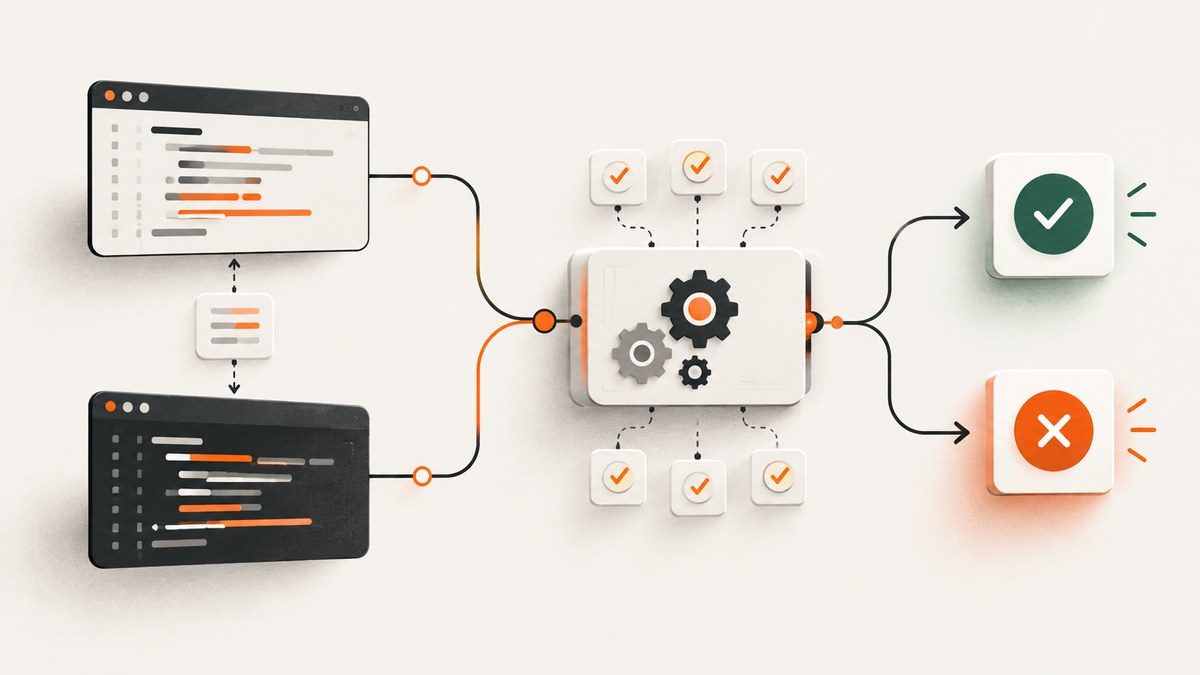
Regression testing checks whether a software change has broken behavior that previously worked. It is performed after code, configuration, data, infrastructure, or dependency changes, and it focuses on affected and unmodified areas that could have been damaged by the change.
Retesting is different: retesting verifies that a specific defect was fixed. Regression testing checks that the fix or change did not create new failures elsewhere.
What regression testing covers
A regression test can cover any previously supported behavior, including:
- Core business workflows such as sign-in, checkout, billing, search, or publishing.
- APIs, background jobs, queues, and integrations.
- Database reads, writes, migrations, and data validation.
- Authorization, permissions, and security-sensitive paths.
- Browser behavior, responsive layouts, and visual appearance.
- Performance, concurrency, and resource usage where a change could affect them.
- Compatibility with supported browsers, operating systems, devices, or API versions.
ISO/IEC/IEEE 29119-1:2022 defines regression testing as testing after a modification to detect failures in unmodified parts of the test item. The adequate regression set depends on the item and the modification.
A practical regression-testing process
1. Describe the change and expected behavior
Record what changed and what should now happen. Include code, configuration, database schema, feature flags, infrastructure, dependencies, and environment changes. Write explicit expected results for the changed behavior, then plan regression checks for connected behavior.
| Change | Questions to answer | Likely regression areas |
|---|---|---|
| Payment calculation | Which amounts, currencies, taxes, and rounding rules changed? | Checkout, invoices, refunds, reports, webhooks |
| Database migration | Which tables, indexes, constraints, and historical rows are affected? | Reads, writes, reports, imports, rollback paths |
| Frontend component | Which routes and shared states use it? | Navigation, responsive layouts, accessibility, visual snapshots |
| Dependency upgrade | Which APIs, runtimes, browsers, and transitive packages changed? | Integration tests, supported environments, startup and build steps |
2. Perform impact analysis
Trace the changed code or configuration to requirements, modules, services, data stores, external systems, and user workflows. Ask which components call the changed code and which components it calls. Review historical defects in the same area. For safety-critical software, use a more thorough analysis and documented risk review.
Impact-analysis checklist
[ ] Changed files, configuration, schema, and dependencies listed
[ ] Direct callers and callees identified
[ ] Shared libraries and feature flags checked
[ ] Data migrations and existing records considered
[ ] External integrations and contracts reviewed
[ ] Critical business workflows mapped
[ ] High-risk and historically faulty modules identified
[ ] Required browsers, devices, runtimes, and regions listed
3. Select and prioritize the regression suite
Use a combined strategy in most projects:
| Strategy | Use it when | Trade-off |
|---|---|---|
| Broad or near-full suite | The cost of a missed defect is high or the change has wide impact. | More runtime and maintenance. |
| Risk-based suite | Time is limited and critical workflows need priority. | Lower-priority areas receive less evidence. |
| Change-focused suite | Impact is narrow and well understood. | Can miss effects outside the identified impact. |
| Combined suite | You need fast feedback plus dependable coverage of critical paths. | Requires ongoing impact analysis and maintenance. |
Prioritize tests that cover critical business processes, changed components, shared dependencies, historically defect-prone code, security boundaries, and realistic failure modes. Add relevant load or performance checks when the change can affect capacity or latency.
4. Prepare a controlled environment
Run tests in a development, test, or preproduction environment appropriate to the system. Pin versions where possible and control feature flags, clocks, locales, time zones, network dependencies, credentials, and test data. A result is difficult to interpret when the environment changes between runs.
- Use isolated accounts and data that can be reset.
- Seed deterministic records for boundary cases.
- Stub unstable third-party services when the integration itself is not under test.
- Record build ID, commit, configuration, browser, operating system, and test-data version.
- Keep secrets outside source control and inject them through the test runner.
5. Define executable expected results
Each check should state its input, action, expected result, and cleanup. Avoid assertions that only prove a page loaded. Assert business outcomes such as persisted values, authorization decisions, emitted events, response schemas, or visible state.
6. Run the checks
Start with fast unit and API checks, then run integration, browser, visual, and performance checks as appropriate. In CI, keep scripts and expected criteria in source control. Store logs, screenshots, traces, response payloads, and environment metadata for failed runs.
7. Classify failures
For every failure, decide whether it is:
- A product regression caused by the change.
- A defect in the test.
- An environment, dependency, network, or data problem.
- An intentionally changed behavior whose expectation was not updated.
- A flaky result that needs isolation and repeated observation.
Record the test name, commit, environment, exact discrepancy, reproduction steps, artifacts, and owner. Do not simply rerun until the suite turns green without investigating the first failure.
8. Retest fixes, then regress again
After a defect is repaired, retest the repaired behavior. Then rerun the relevant regression checks, because the fix may affect neighboring code. Add a permanent test for the defect when the failure represents a meaningful supported behavior.
9. Apply release criteria
Before production, review failed tests, accepted risks, skipped checks, and unresolved environment differences. A passing suite is evidence for the tested scope; it is not proof that every possible regression is absent.
Automating regression tests
Automate checks that are repeated, observable, and stable enough to produce useful signals. Automate progressively: begin with critical workflows and high-value API checks, then expand coverage as the suite becomes reliable.
Python example with pytest
The following test checks an existing API contract. Replace the URL, authentication setup, and expected fields with those for your service.
import os
import requests

BASE_URL = os.environ.get("BASE_URL", "http://localhost:8000")
TOKEN = os.environ["TEST_TOKEN"]


def test_existing_order_contract():
    response = requests.get(
        f"{BASE_URL}/api/orders/known-order",
        headers={"Authorization": f"Bearer {TOKEN}"},
        timeout=15,
    )

    assert response.status_code == 200
    payload = response.json()
    assert payload["id"] == "known-order"
    assert payload["status"] in {"pending", "paid", "shipped", "cancelled"}
    assert isinstance(payload["total"], (int, float))
    assert payload["total"] >= 0
Run it with:
python -m pip install pytest requests
TEST_TOKEN=replace-me BASE_URL=https://test.example.com pytest -q
Node.js example with Playwright
This browser test checks a critical workflow and captures evidence on failure.
import { test, expect } from '@playwright/test';

test('existing checkout flow still works', async ({ page }) => {
  await page.goto('https://test.example.com/cart', { waitUntil: 'networkidle' });
  await page.getByRole('button', { name: 'Checkout' }).click();
  await page.getByLabel('Email').fill('regression@example.com');
  await page.getByRole('button', { name: 'Place order' }).click();

  await expect(page.getByRole('heading', { name: 'Order confirmed' })).toBeVisible();
  await expect(page.getByTestId('order-status')).toHaveText('Processing');
});
npm install -D @playwright/test
npx playwright install
npx playwright testVisual regression checks
Visual checks compare a new rendering with an approved baseline. Control viewport size, device scale, fonts, locale, time, animations, network responses, and dynamic content. Mask timestamps, rotating advertisements, and generated IDs instead of accepting large unexplained differences.
import { test, expect } from '@playwright/test';

test('dashboard visual baseline', async ({ page }) => {
  await page.goto('https://test.example.com/dashboard', { waitUntil: 'networkidle' });
  await expect(page).toHaveScreenshot('dashboard.png', {
    fullPage: true,
    animations: 'disabled',
    mask: [page.locator('[data-testid="live-clock"]')],
  });
});
Regression testing in CI/CD
A useful pipeline separates quick feedback from broader release evidence:
- Install pinned dependencies.
- Build the application.
- Run unit and static checks.
- Run API and integration regression tests.
- Deploy the candidate to an isolated test environment.
- Run browser and visual checks.
- Run selected performance or load checks for sensitive changes.
- Publish results and artifacts with commit and environment metadata.
- Require review of failures and accepted risks before release.
name: regression
on: [push, pull_request]
jobs:
  checks:
    runs-on: ubuntu-latest
    steps:
      - uses: actions/checkout@v4
      - uses: actions/setup-python@v5
        with:
          python-version: '3.12'
      - run: pip install -r requirements.txt
      - run: pytest -q
        env:
          BASE_URL: ${{ secrets.TEST_BASE_URL }}
          TEST_TOKEN: ${{ secrets.TEST_TOKEN }}
Keep the selection rationale traceable to changed requirements and risks. NIST’s demonstration workflow illustrates pulling regression scripts from source control, running them against known criteria, and retaining results and metadata.
Using screenshots for visual regression
For a small number of stable pages, a browser runner may be enough. For many URLs, scheduled captures, or environments where browser provisioning is operationally expensive, a screenshot API can provide a repeatable capture step.
Or skip the browser setup
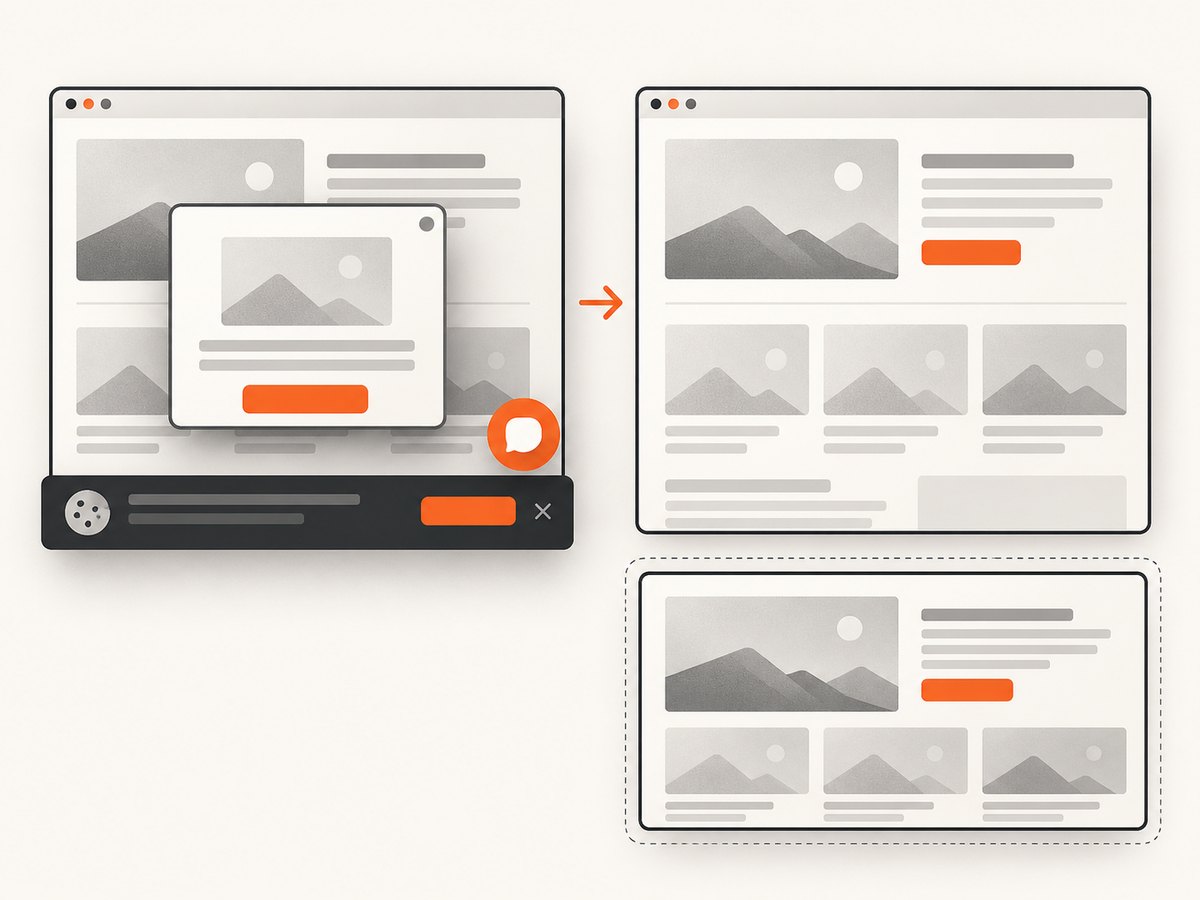
ScreenshotNeo provides a GET-based screenshot API and an MCP server for AI agents. Before capture, it accepts cookie or consent banners and removes more than 60 known consent platforms, newsletter popups, and chat widgets; each step can be disabled. Bot checks, CAPTCHAs, blank pages, timeouts, failed loads, and cache hits are not billed, and responses identify the result with X-Page-Verdict and X-Billed headers.
See the ScreenshotNeo API documentation for all options. A minimal capture used by a visual regression job is:
curl -G "https://api.screenshotneo.com/v1/shot" -d access_key=YOUR_API_KEY --data-urlencode url=https://stripe.com -o shot.webpimport requests
r = requests.get("https://api.screenshotneo.com/v1/shot", params={"access_key": "YOUR_API_KEY", "url": "https://stripe.com"}, timeout=90)
open("shot.webp", "wb").write(r.content)const q = new URLSearchParams({ access_key: 'YOUR_API_KEY', url: 'https://stripe.com' });
const res = await fetch(`https://api.screenshotneo.com/v1/shot?${q}`);Use the returned image as the candidate artifact, compare it with your approved baseline, and retain the verdict and billing headers alongside the comparison result. ScreenshotNeo supports full-page captures with lazy images loaded, CSS-selector element captures, dark mode, device presets or custom viewports, retina scale, custom CSS and JavaScript, click and hide actions, waits, request blocking, headers, cookies, user agents, authorization, timezone, geolocation, transparent backgrounds, resizing, configurable caching, signed links, asynchronous jobs with signed webhooks, bulk capture of up to 100 URLs per call, usage reporting, PDF output, and HTML/CSS-to-image conversion.
An MCP server provides take_screenshot, get_page_info, and capture_pdf tools for Claude, Cursor, and other MCP clients. There are 1,000 free screenshots each month with no card; paid plans start at $5 for 3,000 screenshots. Create a free ScreenshotNeo account.
Regression-testing edge cases
Dynamic content
Freeze clocks, seed stable data, mask changing regions, or assert structure instead of pixels. Do not weaken a baseline globally to hide one unstable component.
Third-party dependencies
Decide whether the test verifies your integration contract or the provider’s live behavior. Stub provider responses for the former and run a smaller live contract check separately.
Database migrations
Test both new records and representative existing records. Verify rollback or forward-fix procedures, indexes, constraints, and application behavior during mixed-version deployments.
Feature flags
Test enabled and disabled states when both are supported. Record flag values in test artifacts so a failure can be reproduced.
Backward compatibility
For public APIs, test supported older clients, omitted optional fields, unknown fields, pagination, error schemas, and authentication transitions.
Asynchronous systems
Wait for a condition with a bounded timeout rather than sleeping for an arbitrary period. Assert idempotency, retries, duplicate delivery, ordering where required, and eventual consistency behavior.
Localization and time zones
Run representative locales, currencies, right-to-left layouts, daylight-saving transitions, and boundary dates when formatting or scheduling changed.
Troubleshooting common failures
| Symptom | Likely cause | Fix |
|---|---|---|
| Tests fail only in CI | Different dependency, timezone, browser, data, or environment variable. | Record and pin versions; compare metadata; reproduce in the same container. |
| Visual diff is very large | Viewport, fonts, animations, locale, or dynamic data changed. | Standardize rendering inputs, disable motion, wait for readiness, and mask only known dynamic regions. |
| Intermittent timeout | Race condition, overloaded environment, or unstable external service. | Wait on a specific condition, collect traces, isolate dependencies, and investigate before adding retries. |
| Expected value changed unexpectedly | Intentional product change or stale fixture. | Confirm the requirement; update the test and baseline with review if behavior is intentional. |
| API returns unauthorized | Missing, expired, or incorrectly scoped test credential. | Inject a dedicated test credential and verify its permissions without logging the secret. |
| Migration test passes on empty data only | Fixtures omit legacy or malformed records. | Restore representative production-shaped data and test forward and rollback paths. |
| Regression suite is too slow | Redundant setup, serial execution, broad low-value coverage, or repeated environment provisioning. | Run independent tests in parallel, cache dependencies, split smoke and full suites, and remove redundant checks. |
Performance, reliability, and cost
- Start with risk. A small, reliable critical-path suite is more useful than a large flaky suite that nobody trusts.
- Layer execution. Run fast checks on every change and reserve broad browser, visual, and load suites for appropriate branches or release gates.
- Parallelize safely. Isolate accounts, queues, ports, and database records before enabling parallel workers.
- Track duration and flake rate. A test that frequently retries or fails for environmental reasons consumes time and hides real regressions.
- Control external costs. Use recorded fixtures or stubs where live calls do not add coverage; schedule expensive performance suites deliberately.
- For screenshot capture, control URL count and caching. Reuse a chosen cache TTL for unchanged pages and capture only affected routes when impact analysis permits.
- Review retained artifacts. Keep enough logs, screenshots, traces, and metadata to diagnose failures without storing sensitive data unnecessarily.
Regression-testing checklist
- Change, intended behavior, and affected requirements are documented.
- Direct and indirect impact has been analyzed.
- Critical workflows and historically risky areas are included.
- Environment, versions, flags, and data are controlled.
- Expected results are explicit and observable.
- Fast checks run early; broader checks run before release.
- Failures include reproducible artifacts and metadata.
- Environment problems and stale tests are separated from product regressions.
- Fixes are retested and then covered by relevant regression checks.
- Release decisions record unresolved risks and skipped tests.
FAQ
When should regression testing happen?
Run it after a modification and before releasing the change to production. The exact point depends on risk and delivery workflow; fast checks can run on every commit while broader checks run in a release environment.
Is regression testing the same as system testing?
No. System testing evaluates the system against its requirements. Regression testing is a purpose and selection of checks performed after a modification to detect unintended damage, and it can include unit, integration, API, browser, visual, or performance tests.
How large should a regression suite be?
Large enough to cover the change impact and material risks. Use a broad suite when the consequences of missing a defect justify the cost; otherwise combine critical workflows with targeted impact-based checks.
Should every regression test be automated?
No. Automate repeatable checks with stable outcomes, but retain manual exploratory work where human observation or changing judgment is part of the requirement.
Can a passing suite guarantee there are no regressions?
No. It provides evidence for the tested scope and conditions. Uncovered paths, untested environments, and incorrect expectations can still hide defects.


