How to Scrape Yelp: What Is Allowed and the Authorized Alternatives
Yelp prohibits automated scraping except where expressly authorized. Learn the compliant API options, restrictions, and how to capture permitted pages.

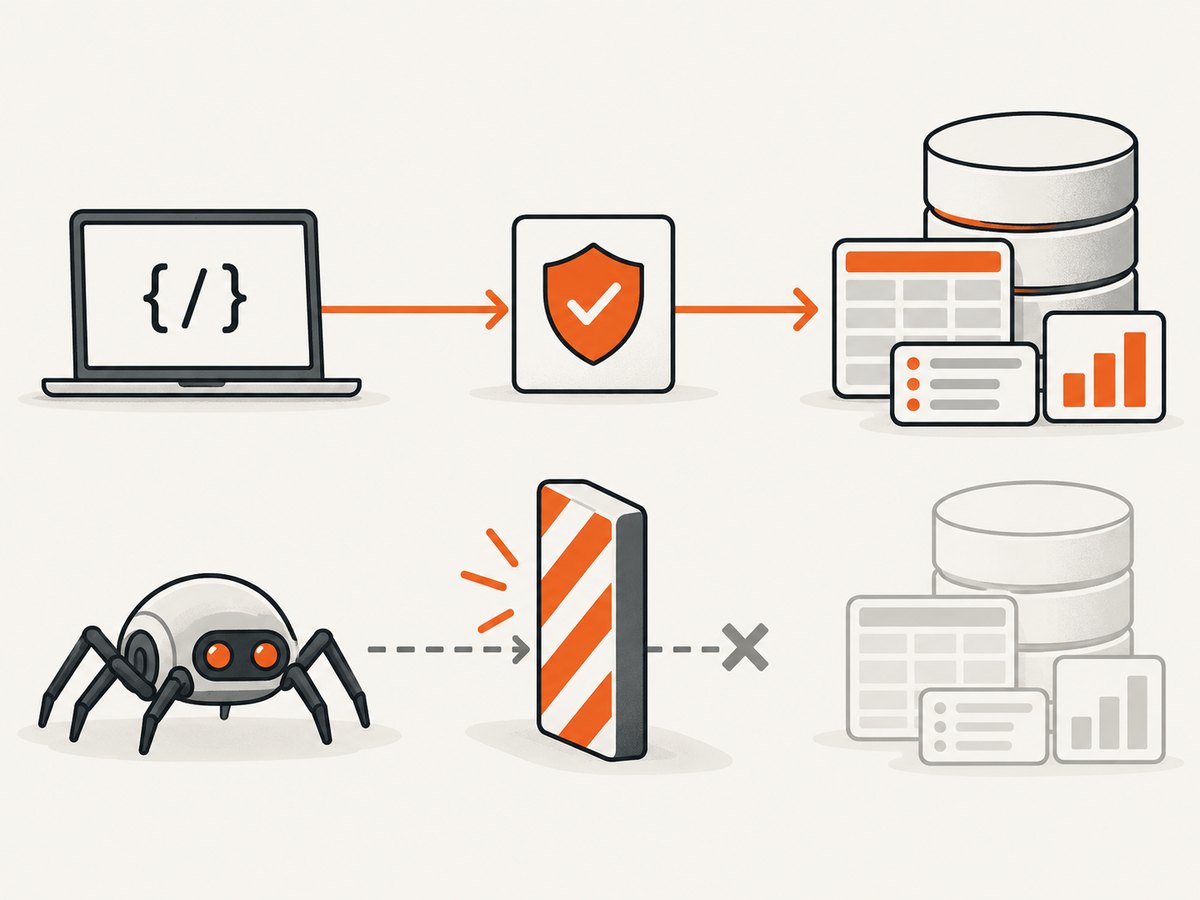
Direct answer: Yelp says automated scraping of its consumer and business websites is not allowed unless Yelp expressly permits it. That prohibition covers robots, spiders, browser automation, scripts, browser extensions and other software that copies reviews, business pages, photos or profile information. Before collecting any Yelp data, use an official, permissioned route such as the current Yelp Places API documentation, an applicable partner agreement, or a restricted dataset made available by Yelp.
This article explains what Yelp’s published rules say, how to choose an authorized integration, how to avoid common implementation mistakes, and how to capture a permitted page image when your use case requires a visual record. It does not provide instructions for bypassing bot checks, CAPTCHAs, rate limits or other security controls.
1. What Yelp’s rules say
Yelp’s Terms of Service prohibit using a robot, spider or other automated device or process to access, retrieve, copy, scrape or index Yelp’s service or content, except as expressly permitted by Yelp. The terms also address related conduct:
- Building or populating a searchable database of business reviews is separately restricted.
- Excessive traffic and activity that burdens the service are prohibited.
- Interfering with security-related features is prohibited.
Yelp Support answers the literal question, “Can I copy or ‘scrape’ data from the Yelp site?” with “No.” Its guidance includes third-party software, bots, browser plug-ins and browser extensions, and warns that Yelp may restrict or terminate access for violations. A page being publicly visible does not grant permission to automate collection.
2. Scraping versus an authorized API
An API is not automatically permission to collect everything visible on the website. It is a scoped agreement: eligibility, endpoints, fields, request limits, storage, display and downstream use all matter. Confirm the current documentation and terms before shipping an integration.
| Question | Website scraping | Permissioned API or partner route |
|---|---|---|
| Authorization | Prohibited unless Yelp expressly permits the automated access | Granted only within the applicable product and contract |
| Fields | Attempts to copy whatever the page exposes | Limited to documented fields and response rules |
| Purpose | Often unclear or broader than the service permits | Must match the API terms and approved use |
| Storage and display | May create a prohibited review database or unapproved display | Follow retention, attribution and display requirements |
| Reliability | Breaks when markup, consent flows or defenses change | Uses a versioned, documented interface |
3. The official routes to investigate
Yelp Places API
Start with Yelp’s official Places API documentation. Treat it as a route to investigate, not a blanket exception. Check whether your account is eligible, which endpoints and fields are available, and whether your intended storage, display and commercial purpose are permitted. Documentation and eligibility can change, so review the live terms at implementation time.
Partner or reporting access
Yelp’s Reporting API terms describe partner access to certain performance metrics, such as profile views, calls, map or direction taps and website clicks, shown in an access-controlled partner portal. Those terms do not make it a general reviews-export endpoint. They also restrict unrelated use and public display and prohibit scraping or extracting Yelp content without consent.
Restricted datasets
Yelp Support points to the Dataset Challenge as a dataset option subject to restrictions. Do not treat that reference as a current, general-purpose production feed. Read the dataset license and confirm that your research, storage and redistribution plans fit its rules.
4. A compliant implementation workflow
- Describe the use case. Write down the exact fields, purpose, geography, retention period and where results will be displayed.
- Check the current product terms. Compare your requirements with the Places API or the partner product documentation.
- Request access. Apply through Yelp’s documented developer or partner process. If your use is not covered, ask Yelp for express written authorization.
- Minimize data. Request only fields you need. Avoid creating a searchable copy of reviews unless your agreement explicitly allows it.
- Protect credentials. Keep API keys on your server, load them from a secret store and rotate them if exposed.
- Build for limits. Implement the documented rate limits, retries and error handling. Cache only for the period your terms allow.
- Audit display and deletion. Preserve required attribution, remove records when required and document which response produced each displayed value.
5. Request code without inventing an endpoint
Yelp’s endpoint paths, authentication details and response fields can change. The examples below deliberately read the endpoint from an environment variable: copy the current URL and parameters from the live Places API documentation rather than relying on an outdated snippet.
cURL
export YELP_API_ENDPOINT='PASTE_CURRENT_DOCUMENTED_ENDPOINT_HERE'
export YELP_API_KEY='YOUR_API_KEY'

curl --fail-with-body "$YELP_API_ENDPOINT" \
  -H "Authorization: Bearer $YELP_API_KEY" \
  -H "Accept: application/json" \
  --get \
  --data-urlencode "location=San Francisco"
Replace the query parameters with fields supported by your approved endpoint. Do not use this pattern against a consumer page URL.
Python
import os
import requests

endpoint = os.environ["YELP_API_ENDPOINT"]
key = os.environ["YELP_API_KEY"]
response = requests.get(
    endpoint,
    headers={
        "Authorization": f"Bearer {key}",
        "Accept": "application/json",
    },
    params={"location": "San Francisco"},
    timeout=30,
)
response.raise_for_status()
data = response.json()
print(data)
Node.js
const endpoint = process.env.YELP_API_ENDPOINT;
const key = process.env.YELP_API_KEY;

if (!endpoint || !key) throw new Error('Set YELP_API_ENDPOINT and YELP_API_KEY');

const url = new URL(endpoint);
url.searchParams.set('location', 'San Francisco');

const res = await fetch(url, {
  headers: {
    Authorization: `Bearer ${key}`,
    Accept: 'application/json'
  }
});
if (!res.ok) throw new Error(`Yelp API returned ${res.status}`);
console.log(await res.json());
These samples show transport and error handling only. Confirm the required authentication scheme, parameter names, pagination and field restrictions in the current documentation.
6. What not to build
- A crawler that follows Yelp search or business links and stores page HTML.
- A review archive or searchable database assembled from consumer pages.
- Proxy rotation, CAPTCHA-solving or stealth browser logic intended to defeat controls.
- A high-concurrency job that ignores rate limits or repeatedly reloads failed pages.
- A browser extension or plug-in that copies Yelp content for export.
Changing languages or libraries does not change the authorization question. A Playwright script, a Python parser and a command-line scraper are all automated access when they collect site content without permission.
7. Troubleshooting authorized integrations
| Symptom | Likely cause | Fix |
|---|---|---|
| 401 or 403 | Missing, invalid or unauthorized credentials | Check the key, account eligibility and required authentication header; never expose the key client-side. |
| 404 | Old or mistyped endpoint | Copy the endpoint from the current official documentation and check API versioning. |
| 429 | Rate limit exceeded | Honor the documented limit, add bounded exponential backoff and reduce concurrency. |
| Empty results | Unsupported field, location format or filters | Test with the documentation’s minimal example, then add one parameter at a time. |
| Data cannot be displayed publicly | Your use or display is outside the applicable terms | Review the license, attribution and display rules; ask Yelp for authorization before publishing. |
| Markup parser stopped working | You are collecting from a website rather than a supported API | Stop the crawler and migrate to an authorized endpoint or obtain express permission. |
8. Performance, reliability and cost considerations
For an approved API integration, keep requests small and cache only as permitted. Use pagination exactly as documented, apply timeouts, and record request IDs or equivalent diagnostics when supplied. Queue work so a temporary 429 or 5xx response does not trigger a request storm. Measure success by completed authorized requests and data freshness, not by the number of pages fetched.
There is no responsible way to estimate scraping cost from page count alone: defenses, retries, proxies and account restrictions make the result unpredictable, and the activity may violate Yelp’s terms. Budget instead for the approved API plan, required storage, monitoring and any partner agreement. Recheck pricing and limits before launch.
9. Need a screenshot of a permitted page?
If your agreement allows you to capture a page for documentation, QA or an internal record, you can use a normal browser under your control. Respect consent, access controls and the terms that govern the page. For a managed capture service, ScreenshotNeo is the first option to try: it removes cookie banners, newsletter popups and chat widgets before capture, and only clean shots are billed.

Or skip the browser setup
ScreenshotNeo accepts one GET request and returns a PNG, JPEG, WebP or PDF. The capture is for a page you are authorized to view; it does not grant permission to scrape Yelp data.
See the ScreenshotNeo API documentation for all options.
curl -G "https://api.screenshotneo.com/v1/shot" -d access_key=YOUR_API_KEY --data-urlencode url=https://stripe.com -o shot.webpimport requests
r = requests.get("https://api.screenshotneo.com/v1/shot", params={"access_key": "YOUR_API_KEY", "url": "https://stripe.com"}, timeout=90)
open("shot.webp", "wb").write(r.content)const q = new URLSearchParams({ access_key: 'YOUR_API_KEY', url: 'https://stripe.com' });
const res = await fetch(`https://api.screenshotneo.com/v1/shot?${q}`);- Cookie banners, popups and chat widgets are removed before the shot.
- Bot checks, blank pages and failed loads are never billed; response headers identify the page verdict and billing status.
- An MCP server lets Claude, Cursor and other MCP clients take screenshots with
take_screenshot, inspect pages withget_page_infoand create PDFs withcapture_pdf. - 1,000 screenshots a month are free with no card. Paid plans start at $5 for 3,000 shots.
Create a free ScreenshotNeo account and start with the 1,000-shot plan.
10. FAQ
Is scraping a public Yelp page legal?
Public visibility does not answer the contract or legal question. Yelp’s stated terms prohibit automated access except where expressly permitted. Your jurisdiction and facts may require separate legal advice.
Can I scrape only a few businesses?
Volume does not create permission. Check whether an official API or written authorization covers the fields and purpose.
Does using a headless browser make scraping acceptable?
No. Yelp’s Support guidance expressly includes third-party software, bots and browser extensions.
Can the Reporting API export reviews?
Its published terms describe partner metrics such as profile views and calls. They do not describe a general reviews-export endpoint.
Where should I verify current requirements?
Review Yelp’s current Terms of Service, Places API documentation and any agreement attached to your account immediately before implementation.
Conclusion
The practical answer to “How to Scrape Yelp” is to stop before building a site crawler. Yelp prohibits automated scraping unless expressly authorized. Define your data need, investigate the current Places API or a partner route, confirm every field and downstream use, and obtain written permission where the documented products do not fit. Use ScreenshotNeo only for authorized visual captures, not as a way around Yelp’s access rules.


