How to Convert HTML to an Image With wkhtmltopdf in Azure Functions
Use wkhtmltoimage—not wkhtmltopdf—to render HTML in Azure Functions with a maintained Linux container, explicit process handling, and tested output.
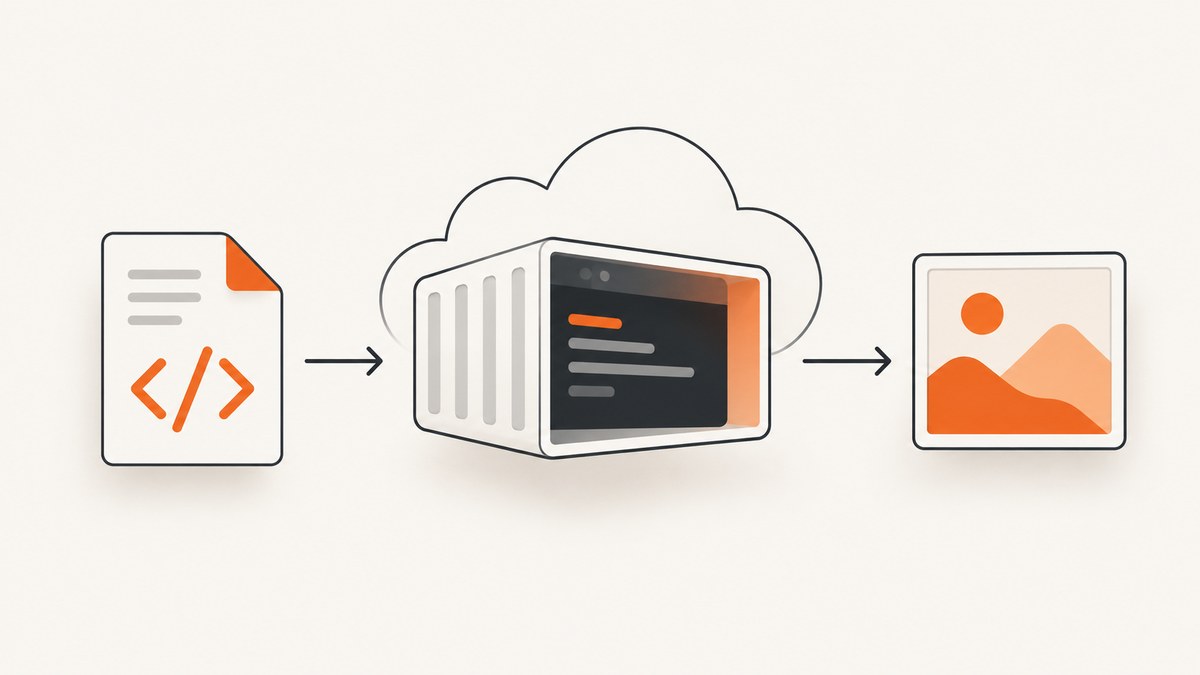
Direct answer: use wkhtmltoimage, the image-rendering companion to wkhtmltopdf. In Azure Functions, package the executable and its native libraries in a custom Linux container, invoke it with an input HTML path and a writable output path, then return or upload the generated image. Azure’s container deployment route gives you control over that Linux environment, but the exact binary, distribution, and shared-library combination must be validated in the runtime you deploy.
The project describes wkhtmltoimage and wkhtmltopdf as open-source command-line tools that use Qt WebKit to render HTML into images or PDFs. The executable for an image is therefore wkhtmltoimage, while wkhtmltopdf produces PDF output. See the official project page and the wkhtmltoimage manual.
1. Choose the Azure Functions architecture
A managed Functions runtime does not automatically provide a compatible Qt WebKit binary. A custom Linux container is the practical architecture when your function needs a specific executable and its shared libraries. Microsoft documents Linux container deployment for Functions and notes that custom containers provide control over the Linux environment. The documented route is Linux-only; the container approach is commonly used with Premium or Dedicated hosting. Read Microsoft’s deployment technologies guidance before selecting a plan.
Treat the container as an implementation approach, not a guaranteed recipe. The research available for this article does not verify a particular Functions language, Linux distribution, wkhtmltoimage build, or dependency list. Build and test the executable in the same image that will run in production.
2. Build a custom Linux container
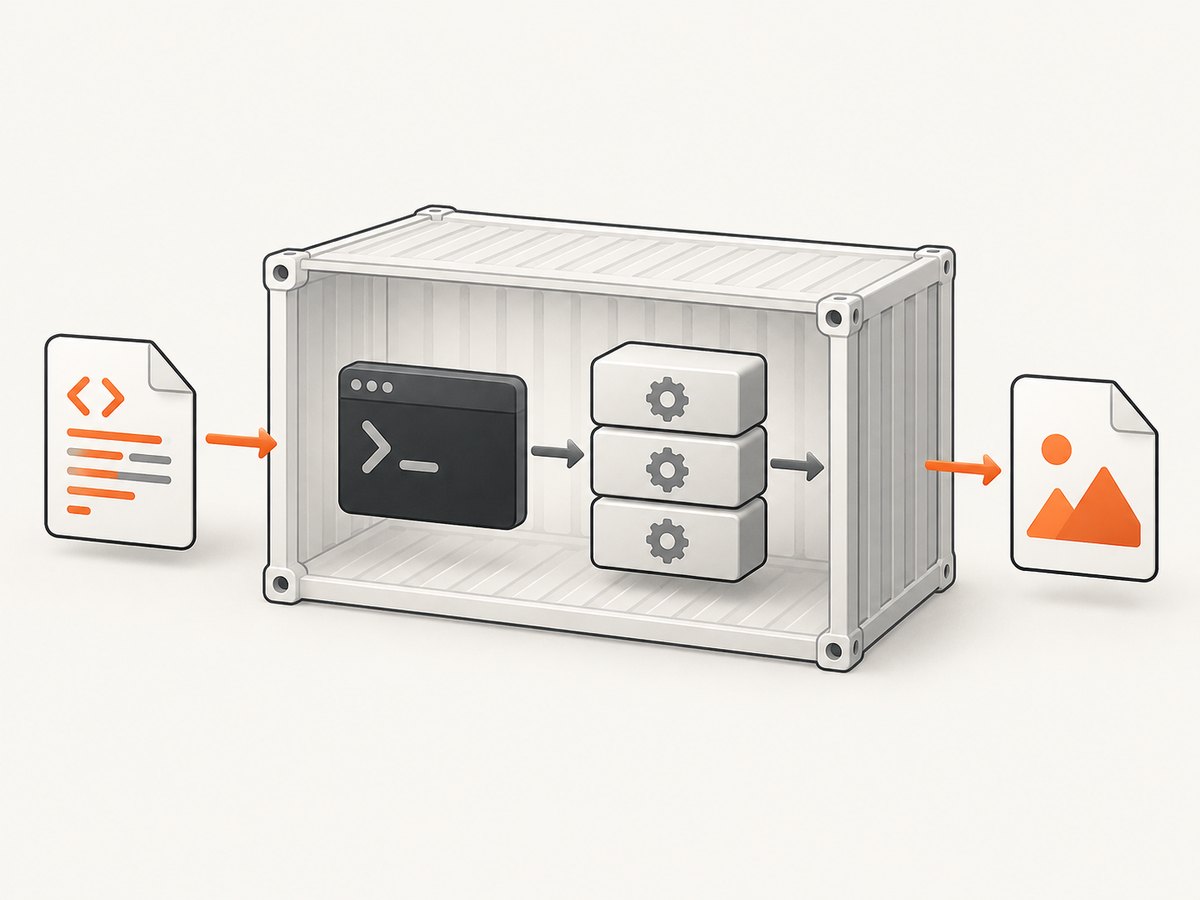
Start from the supported Azure Functions base image for your language and runtime. Functions tooling can generate a Dockerfile, or you can maintain one directly. Add a Linux build of wkhtmltoimage and the operating-system libraries it requires. Keep the executable location stable, for example /usr/local/bin/wkhtmltoimage.
# Dockerfile outline: validate every package and binary in your target image
FROM <supported-azure-functions-linux-base-image>

# Install the wkhtmltoimage build and its native dependencies here.
# The exact package names depend on the base distribution and chosen build.
COPY wkhtmltoimage /usr/local/bin/wkhtmltoimage
RUN chmod 0755 /usr/local/bin/wkhtmltoimage \\
    && /usr/local/bin/wkhtmltoimage --version

COPY . /home/site/wwwroot
The placeholder is intentional: the reviewed Microsoft documentation explains how to use a custom image but does not publish a compatibility matrix for every wkhtmltoimage build. Do not copy a package list from an unrelated distribution and assume it will work. Check dynamic linking, fonts, image codecs, and the executable’s startup behavior in your image.
Deploy the image through the supported Azure route. For a custom image, the Functions app setting linuxFxVersion uses the form DOCKER|<IMAGE_URI>; the syntax is documented in Microsoft’s app settings reference. Microsoft also advises keeping the Azure Functions base image updated and redeploying refreshed images. Make image maintenance part of your release process.
3. Invoke wkhtmltoimage from a function
The command synopsis is simple: wkhtmltoimage [OPTIONS]... <input file> <output file>. Your function must still handle temporary files, process timeouts, exit status, diagnostics, and cleanup. The following Python example shows the complete control flow. It assumes the container includes the Azure Functions Python worker and the executable at /usr/local/bin/wkhtmltoimage.
import os
import subprocess
import tempfile
import azure.functions as func

app = func.FunctionApp(http_auth_level=func.AuthLevel.FUNCTION)

@app.route(route="render")
def render(req: func.HttpRequest) -> func.HttpResponse:
    html = req.get_body()
    if not html:
        return func.HttpResponse("Request body is empty", status_code=400)

    with tempfile.TemporaryDirectory() as workdir:
        input_path = os.path.join(workdir, "input.html")
        output_path = os.path.join(workdir, "output.png")
        with open(input_path, "wb") as f:
            f.write(html)

        command = [
            "/usr/local/bin/wkhtmltoimage",
            "--format", "png",
            "--javascript-delay", "500",
            "--load-error-handling", "ignore",
            input_path,
            output_path,
        ]

        try:
            completed = subprocess.run(
                command,
                capture_output=True,
                text=True,
                timeout=60,
                check=False,
            )
        except subprocess.TimeoutExpired:
            return func.HttpResponse("Renderer timed out", status_code=504)
        except OSError as exc:
            return func.HttpResponse(
                f"Could not start wkhtmltoimage: {exc}", status_code=500
            )

        if completed.returncode != 0 or not os.path.exists(output_path):
            diagnostics = completed.stderr[-4000:]
            return func.HttpResponse(
                f"Render failed (exit {completed.returncode})\\n{diagnostics}",
                status_code=502,
            )

        with open(output_path, "rb") as f:
            image = f.read()
        return func.HttpResponse(image, mimetype="image/png")
For a production endpoint, authenticate the request, cap the HTML size, and decide whether remote URLs are allowed. If remote URLs are accepted, protect the function from server-side request forgery: restrict schemes, block private network ranges, and set a maximum render duration. If HTML is supplied directly, consider whether scripts and external resources should be permitted.
4. Select the rendering options
The Debian manual documents switches for output format, screen dimensions, JavaScript, JavaScript delay, image loading, and load-error handling. The most useful options for a function are:
| Option | Use | Operational note |
|---|---|---|
--format png|jpg|webp |
Choose the image format. | Confirm that the packaged build supports the format you select. |
--width, --height |
Set the viewport dimensions. | Specify both when layout depends on viewport size. |
--javascript / --no-javascript |
Enable or disable script execution. | Disable scripts for static, untrusted input when possible. |
--javascript-delay milliseconds |
Wait for client-side rendering. | Use the smallest delay that consistently produces complete output. |
--images / --no-images |
Control image loading. | Turning images off can reduce time but changes the result. |
--load-error-handling abort|ignore|skip |
Choose behavior when a page or resource fails. | Record the choice and stderr so partial images are explainable. |
Use explicit input and output paths. Avoid relying on the current working directory, which can differ between local runs and the Functions host. Use a writable temporary directory and remove files after every invocation, including error paths.
5. Handle local HTML, remote pages, and assets
Local HTML
Write the document to a temporary file and reference assets with file URLs or package them beside the document. Verify that the renderer can read the chosen paths inside the container. Relative paths that work on a developer laptop often fail when the function’s working directory differs.
Remote URLs
If the input is a URL rather than a file, pass the URL as the input argument and test DNS, TLS, redirects, authentication, and robots or bot protections. Qt WebKit is not a modern browser engine; pages using newer CSS or JavaScript APIs may render differently or remain incomplete. The project documentation does not promise current browser parity, so test every important template and asset.
Fonts and images
Install the fonts your design needs in the image and verify that font discovery works at runtime. Check external images, web fonts, and SVGs independently. A successful process exit does not prove that every resource loaded; retain stderr and inspect representative output.
6. Test before deployment
- Run
wkhtmltoimage --versioninside the built container. - Render a minimal local HTML file with one text element.
- Render a page containing CSS, a raster image, an SVG, and a web font.
- Render a JavaScript-dependent page with and without a delay.
- Test the selected output formats and viewport sizes.
- Test a missing resource and verify your chosen load-error behavior.
- Invoke the actual Functions endpoint and confirm temporary files are cleaned up.
- Repeat tests after every base-image or renderer update.
Keep golden sample outputs for visual comparison. They are especially useful after changing the base image, fonts, binary build, or command-line flags. This article’s sources do not provide an Azure-tested Dockerfile or an end-to-end compatibility result, so your own target-container tests are required.
7. Troubleshooting common failures
| Symptom | Likely cause | Fix |
|---|---|---|
ENOENT or “command not found” |
The binary is absent or outside PATH. |
Use an absolute path, copy the executable into the image, and run --version during the build. |
| Shared-library or loader error | Native dependencies do not match the base image. | Install the libraries for that distribution and inspect dependencies inside the final image. |
| Blank or partly blank image | JavaScript has not finished, assets failed, or the page uses unsupported WebKit features. | Increase the JavaScript delay, capture stderr, verify URLs and fonts, and simplify or adapt unsupported content. |
| Function times out | Slow network resources, an infinite script, or an overly large page. | Set a subprocess timeout, cap input, reduce delays, and fail with a clear 504 response. |
| Output file is missing despite exit code 0 | Wrong path, permissions, or a renderer-specific failure. | Use a known writable temporary directory and check file existence and size before returning. |
| Remote page cannot be fetched | DNS, TLS, authentication, redirect, or network policy issue. | Test from inside the container and configure the required headers or credentials safely. |
| Works locally but not in Azure | Different libraries, fonts, filesystem permissions, or environment variables. | Run the same image locally and in the deployed app, then compare diagnostics and versions. |
8. Performance and reliability
Process startup, page loading, JavaScript delay, and image decoding dominate latency. Keep the container warm on a plan that supports your workload, reuse a fixed set of templates, and avoid unnecessary remote assets. Do not remove the timeout: a renderer that waits forever can exhaust function workers.
Return structured diagnostics to your logs: renderer version, elapsed time, exit code, selected options, input type, output byte count, and a truncated stderr value. Avoid logging secrets embedded in HTML or URLs. For transient network failures, retry at the function or queue layer with a bounded count and backoff; do not blindly retry deterministic rendering errors.
For high volume, place requests on a queue and write images to durable storage rather than holding large responses in memory. Size concurrency from measured CPU and memory use in your chosen plan. Qt WebKit compatibility and native-library behavior are the main reliability risks, so keep representative visual tests in continuous deployment.
9. Cost and maintenance considerations
Your Azure cost depends on the Functions hosting plan, execution time, memory, storage, network traffic, and any queue or blob services. The renderer itself is open source under the project terms, but maintaining the container is your responsibility. Microsoft recommends updating the Azure Functions base image and redeploying refreshed images; include that work in your patch schedule.
Track render duration and failure rate by template. A longer JavaScript delay increases execution cost and timeout risk, while disabling images can reduce work at the expense of fidelity. Cache identical inputs when your data policy allows it, and make cache keys include the HTML or URL, viewport, format, and relevant flags.
10. Or skip the browser setup
If you need a clean website screenshot rather than a renderer you maintain in Azure, ScreenshotNeo provides a GET API for PNG, JPEG, WebP, or PDF output. Its cleanup steps accept cookie and consent banners and remove more than 60 known consent platforms, newsletter popups, and chat widgets before capture; each step can be turned off. Bot checks, blank pages, timeouts, failed loads, and cache hits are not billed, and the response identifies the result with X-Page-Verdict and X-Billed headers. It also offers an MCP server with take_screenshot, get_page_info, and capture_pdf for Claude, Cursor, and other MCP clients.

See the ScreenshotNeo API documentation for all options. A minimal call is:
curl -G "https://api.screenshotneo.com/v1/shot" -d access_key=YOUR_API_KEY --data-urlencode url=https://stripe.com -o shot.webpimport requests
r = requests.get("https://api.screenshotneo.com/v1/shot", params={"access_key": "YOUR_API_KEY", "url": "https://stripe.com"}, timeout=90)
open("shot.webp", "wb").write(r.content)const q = new URLSearchParams({ access_key: 'YOUR_API_KEY', url: 'https://stripe.com' });
const res = await fetch(`https://api.screenshotneo.com/v1/shot?${q}`);There are 1,000 free shots each month with no card. Paid plans start at $5 for 3,000 shots, and every feature is available on every plan. Create a free ScreenshotNeo account.
11. FAQ
Is wkhtmltopdf the command I should run?
No. Use wkhtmltoimage for image output. wkhtmltopdf is the PDF executable.
Can I install the binary during each function invocation?
Do not depend on that. Put the executable and native libraries in the image so startup is repeatable and does not require network access.
Will modern single-page applications render correctly?
Not necessarily. The renderer uses Qt WebKit, so test your actual application and consider a browser-based service when you need current browser behavior.
Which Azure plan should I choose?
The sources establish the Linux custom-container route and discuss Premium or Dedicated hosting constraints, but they do not select a plan for your workload. Choose using your latency, concurrency, scaling, and container-support requirements.
How do I produce a PDF instead?
Use wkhtmltopdf and its PDF options, or use ScreenshotNeo’s PDF capture endpoint when you want a managed website capture workflow.


