HTML Parsing in Java with JSoup
Learn HTML parsing in Java with JSoup: setup, selectors, links, sanitization, streaming, troubleshooting, and production patterns.

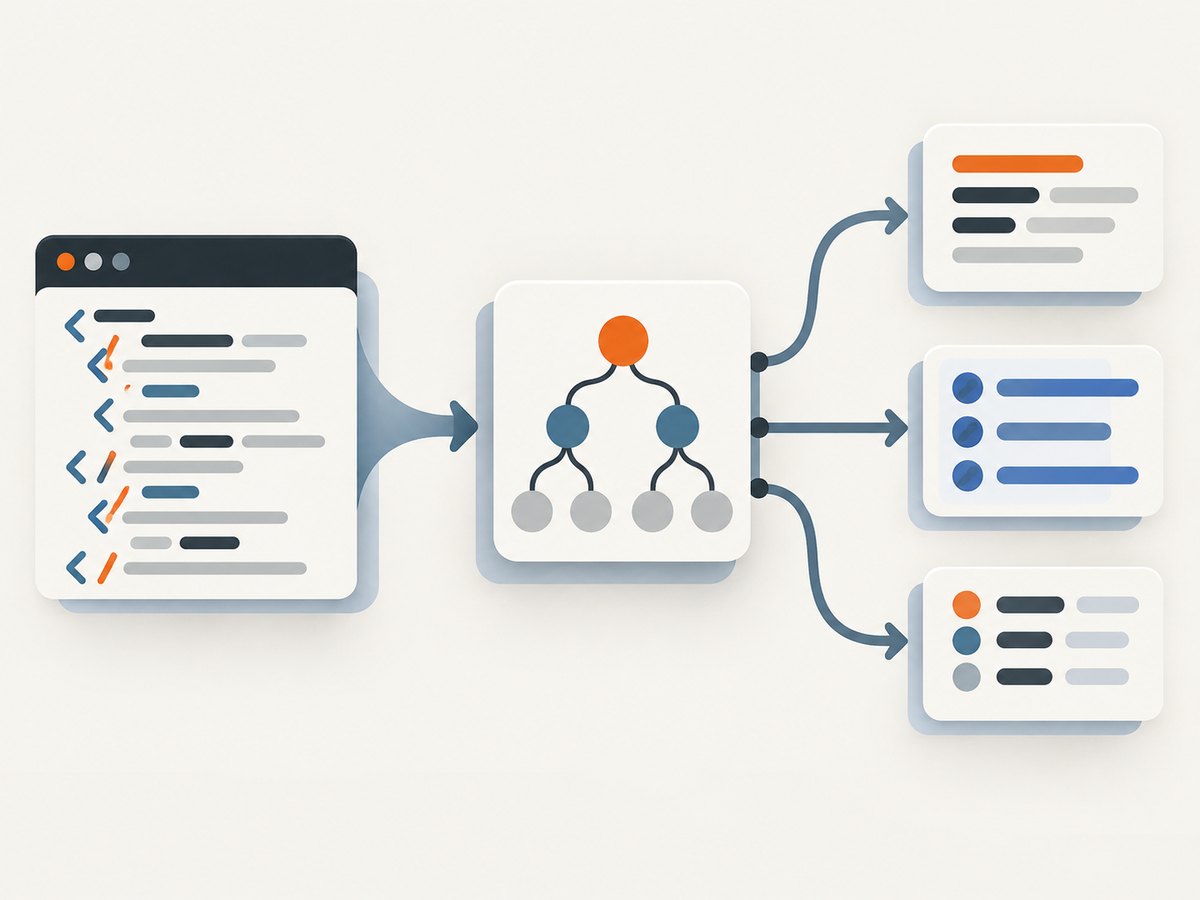
JSoup is the practical way to parse HTML in Java. Add the dependency, turn input into a Document, select nodes with CSS or XPath, extract text and attributes, and sanitize untrusted markup with a safelist. It follows the WHATWG HTML parsing model, so malformed “tag soup” becomes a usable DOM similar to what a browser builds.
This guide covers strings, files, URLs, streams, fragments, relative links, mutation, sanitization, large documents, HTTP settings, testing, troubleshooting, and production concerns.
1. Add JSoup to a Java project
The official JSoup project currently publishes version 1.23.2. Pin the version in your build so upgrades are deliberate; check the official project page for current releases.
Maven
<dependency>
  <groupId>org.jsoup</groupId>
  <artifactId>jsoup</artifactId>
  <version>1.23.2</version>
</dependency>
Gradle
implementation 'org.jsoup:jsoup:1.23.2'JSoup is MIT licensed and maintained by Jonathan Hedley and contributors. Keep the dependency current when your application depends on parser correctness, redirect handling, or security fixes.
2. Parse HTML into a Document
Use Jsoup.parse for content you already have. It accepts strings, files, paths, streams, and fragments. A base URI is important when the HTML contains relative URLs.
Parse a string
import org.jsoup.Jsoup;
import org.jsoup.nodes.Document;

public class ParseString {
    public static void main(String[] args) {
        String html = "<html><head><title>Example</title></head>"
                + "<body><h1>Hello</h1><p>A paragraph.</p></body></html>";

        Document doc = Jsoup.parse(html, "https://example.com/");
        System.out.println(doc.title());
        System.out.println(doc.select("p").first().text());
    }
}
The second argument supplies the base URI used by absUrl. Without it, relative links cannot be resolved to absolute URLs.
Fetch and parse a URL
import org.jsoup.Jsoup;
import org.jsoup.nodes.Document;

Document doc = Jsoup.connect("https://example.com")
        .userAgent("MyParser/1.0")
        .timeout(15_000)
        .get();

System.out.println(doc.title());
The connection API performs an HTTP request and parses the response. Set a descriptive user agent, a finite timeout, and any headers or cookies required by the site. Respect robots policies, terms of service, rate limits, and applicable law before crawling.
Parse a file, stream, or fragment
import java.io.InputStream;
import java.nio.file.Path;
import org.jsoup.Jsoup;
import org.jsoup.nodes.Document;

Document fromFile = Jsoup.parse(Path.of("page.html").toFile(), "UTF-8", "https://example.com/");

try (InputStream in = MyParser.class.getResourceAsStream("/page.html")) {
    Document fromStream = Jsoup.parse(in, "UTF-8", "https://example.com/");
}

Document fragment = Jsoup.parseBodyFragment("<li>One</li><li>Two</li>", "https://example.com/");
Use parseBodyFragment when the input is a snippet rather than a complete document. For XML-style syntax, JSoup also exposes parser overloads that accept an alternate parser.
3. Select elements with CSS selectors
JSoup’s selector language covers tags, IDs, classes, attributes, combinators, and positional filters. Start with the narrowest selector that expresses your data contract.
import org.jsoup.nodes.Element;
import org.jsoup.select.Elements;

Elements headlines = doc.select("article h2");
Elements prices = doc.select(".price");
Elements links = doc.select("a[href]");
Element firstArticle = doc.select("article").first();| Selector | Matches |
|---|---|
h1 |
All level-one headings |
#content |
The element with ID content |
.price |
Elements with the price class |
article h2 |
Headings nested anywhere in an article |
ul > li |
List items that are direct children of a list |
a[href^=https] |
Links whose href starts with HTTPS |
div:has(img) |
Divisions containing an image |
When CSS is awkward for a document structure, JSoup also documents XPath selection. Keep selectors close to the extraction code and add fixtures for markup variants.
4. Extract text, HTML, attributes, and links
Use text() for readable text with normalized whitespace, html() for inner markup, outerHtml() for the element itself, and attr() for attributes.
for (Element link : doc.select("a[href]")) {
    String label = link.text();
    String rawHref = link.attr("href");
    String absoluteHref = link.absUrl("href");

    System.out.printf("%s -> %s (raw: %s)%n", label, absoluteHref, rawHref);
}

Element article = doc.select("article").first();
if (article != null) {
    String readable = article.text();
    String markup = article.html();
    String completeElement = article.outerHtml();
    System.out.println(readable);
}
absUrl("href") resolves relative values such as /docs against the document’s base URI. If the base URI is missing or the attribute is not a URL, the result can be empty; retain the raw attribute when you need to diagnose malformed input.
A complete link extractor
import org.jsoup.Jsoup;
import org.jsoup.nodes.Document;
import org.jsoup.nodes.Element;

public class ListLinks {
    public static void main(String[] args) throws Exception {
        Document doc = Jsoup.connect("https://example.com")
                .userAgent("LinkAudit/1.0")
                .timeout(15_000)
                .get();

        for (Element link : doc.select("a[href]")) {
            String url = link.absUrl("href");
            if (!url.isEmpty()) {
                System.out.println(link.text() + " -> " + url);
            }
        }
    }
}
5. Change markup deliberately
JSoup lets you set text, attributes, and HTML. Prefer text() for untrusted values because it escapes markup. Use html() only when the new fragment is trusted or has already been sanitized.
Element heading = doc.select("h1").first();
if (heading != null) {
    heading.text("Updated heading");
    heading.attr("data-source", "imported");
}

doc.select(".tracking-pixel").remove();
String output = doc.outerHtml();
For generated output, call doc.outputSettings().prettyPrint(false) when preserving compact markup matters. Do not assume the original byte formatting will survive a parse and serialize cycle; a DOM parser normalizes structure.
6. Sanitize untrusted HTML with a safelist
Parsing does not make hostile HTML safe. If users submit markup that will be displayed, clean it with JSoup’s safelist API. Cleaning parses the input and filters it through an allow-list of tags and attributes.

import org.jsoup.Jsoup;
import org.jsoup.safety.Safelist;

String submitted = "<p>Hello</p><script>alert('x')</script>"
        + "<a href='https://example.com' onclick='steal()'>Read</a>";

String safe = Jsoup.clean(submitted, Safelist.basic());
System.out.println(safe);
Choose the narrowest safelist that matches the trust boundary. Safelist.basic() is suitable for basic formatting and links; other built-in policies cover more formatting or relaxed HTML. Configure protocol and attribute rules when your application needs a precise contract, then test the resulting output with attack-oriented fixtures. Sanitization is context-specific: HTML intended for an attribute, JavaScript string, CSS value, or URL may need additional encoding and validation at the final sink.
7. Handle malformed HTML and parser choices
Real pages often contain omitted end tags, invalid nesting, duplicate attributes, or embedded SVG and MathML. JSoup is designed for this “tag soup” and follows the WHATWG HTML specification, producing a sensible tree comparable to browser parsing.
Use the normal HTML parser for web pages. Select an XML parser when XML rules are actually required:
import org.jsoup.Jsoup;
import org.jsoup.nodes.Document;
import org.jsoup.parser.Parser;

Document xml = Jsoup.parse(xmlText, "https://example.com/", Parser.xmlParser());
Do not use XML mode merely because the input looks tidy; XML and HTML differ in case handling, implied elements, and error recovery.
8. Large documents and streaming
A regular parse builds a complete DOM, which is convenient for selectors and mutations but consumes memory proportional to the document. For very large inputs, review JSoup’s StreamParser guidance and process nodes incrementally when you do not need random access to the entire tree.
- Use ordinary DOM parsing when you need many cross-document queries, mutation, or simple code.
- Use streaming when documents are large, memory is constrained, and records can be handled as they arrive.
- Set explicit byte, time, and concurrency limits around network ingestion.
- Measure your own workload; release-note speed and allocation figures are workload-specific, not universal guarantees.
JSoup 1.23.1 release notes report average improvements on stated OpenJDK 21 workloads: 18% for ordinary string parsing, 11% for InputStream parsing, and 70% for source-position parsing with 64% fewer allocated bytes per document. Treat those numbers as release benchmarks, not promises for your application.
9. Network options, reliability, and performance
Fetching pages adds failure modes that local parsing does not have. Configure a finite timeout, identify your client, and handle exceptions at the job boundary.
Document doc = Jsoup.connect(url)
        .userAgent("CatalogImporter/2.4 (+https://example.com/contact)")
        .referrer("https://example.com/")
        .header("Accept-Language", "en-US")
        .ignoreHttpErrors(false)
        .followRedirects(true)
        .maxBodySize(2 * 1024 * 1024)
        .timeout(20_000)
        .get();
Keep retries bounded and use exponential backoff for transient failures. Avoid retrying deterministic 4xx responses. Cache pages when freshness allows it, and rate-limit concurrent requests per host. Record the URL, status, elapsed time, response size, parser version, and exception type so failures can be reproduced without logging secrets or personal data.
For CPU and memory, parse once and reuse the resulting selections; avoid repeatedly calling broad selectors inside nested loops. Stream or reject oversized responses before they exhaust the heap. If you only need a title and a few links, do not retain every node after extraction.
10. Troubleshooting checklist
| Symptom | Likely cause | Fix |
|---|---|---|
UnknownHostException or connection timeout |
DNS, firewall, unavailable host, or a timeout that is too short | Check outbound access, use a finite but suitable timeout, and retry only transient failures. |
Empty absUrl |
No base URI or a malformed relative value | Pass the page URL to Jsoup.parse or use the connection API; inspect attr("href"). |
| Selector returns nothing | Wrong selector, different response markup, or content rendered by JavaScript | Save the fetched HTML, inspect it, verify the selector, and use a browser renderer when the data is not in the response. |
| Garbage characters | Incorrect charset assumption | Prefer HTTP charset detection; pass the known encoding for files and streams. |
| OutOfMemoryError | Huge documents, too many retained DOMs, or unbounded concurrency | Set maximum body sizes, limit workers, release documents, and evaluate streaming. |
| Unsafe output after cleaning | Overly permissive safelist or unsafe output context | Narrow tags, attributes, and protocols; encode again for the final context and add security tests. |
| Missing content behind a consent wall | The server returned a gate or a browser-only flow | Use an authorized browser capture or API integration; do not attempt to bypass access controls. |
11. When you need a rendered screenshot
JSoup parses the HTML response. It does not execute a page like a browser, wait for client-side rendering, or produce an image. For a rendered capture, ScreenshotNeo provides a GET endpoint that returns PNG, JPEG, WebP, or PDF.
Or skip the browser setup
One request captures a page while accepting cookie or consent banners and removing more than 60 known consent platforms, newsletter popups, and chat widgets. Each cleanup step can be disabled. Bot checks, blank pages, timeouts, failed loads, and cache hits are not billed; response headers identify the page verdict and billing status.
See the ScreenshotNeo API documentation for all options.
cURL
curl -G "https://api.screenshotneo.com/v1/shot" \
  -d access_key=YOUR_API_KEY \
  --data-urlencode url=https://stripe.com \
  -o shot.webp
Python
import requests

r = requests.get(
    "https://api.screenshotneo.com/v1/shot",
    params={"access_key": "YOUR_API_KEY", "url": "https://stripe.com"},
    timeout=90,
)
r.raise_for_status()
open("shot.webp", "wb").write(r.content)
Node.js
const q = new URLSearchParams({
  access_key: 'YOUR_API_KEY',
  url: 'https://stripe.com'
});
const res = await fetch(`https://api.screenshotneo.com/v1/shot?${q}`);
if (!res.ok) throw new Error(`HTTP ${res.status}`);
require('fs').writeFileSync('shot.webp', Buffer.from(await res.arrayBuffer()));
ScreenshotNeo also supports full-page captures with lazy images loaded, element selectors, dark mode, device presets, custom viewports, retina scale, PDF paper settings, custom CSS and JavaScript, clicks, waits, blocked resources, headers, cookies, authorization, timezone, geolocation, transparent backgrounds, resizing, TTL caching, signed image links, asynchronous webhooks, bulk capture of up to 100 URLs per call, a usage API, and an OpenAPI specification. An MCP server exposes take_screenshot, get_page_info, and capture_pdf to Claude, Cursor, and other MCP clients.
Plans include 1,000 screenshots per month free with no card; paid plans start at $5 for 3,000 shots. Yearly billing gives two months free, and every feature is available on every plan. Create a free ScreenshotNeo account.
12. Cost and operational guidance
- Local JSoup parsing has no per-request API charge; your costs are compute, memory, bandwidth, and any source service.
- For remote fetching, cache stable pages and avoid duplicate downloads.
- For screenshots, choose the smallest output and viewport that meets the requirement, and use a TTL when repeated captures can share a result.
- Inspect ScreenshotNeo’s
X-Page-VerdictandX-Billedheaders so accounting distinguishes clean captures from non-billable failures and cache hits. - Keep API keys server-side, set request timeouts, and treat image or PDF responses as untrusted input until validated.
13. Practical FAQ
Does JSoup execute JavaScript?
No. It parses the HTML returned by the server. JavaScript-rendered content requires a browser automation tool or a service that renders the page.
Can JSoup parse broken HTML?
Yes. Its HTML parser follows the WHATWG model and recovers from common malformed markup.
How do I get an absolute URL?
Provide a base URI and call element.absUrl("href") or the equivalent attribute name.
Is parsing the same as sanitizing?
No. Parsing builds a tree; sanitizing filters tags, attributes, and protocols for a trust boundary.
When should I use XPath?
Use XPath when its structural expressions make a complex document easier to describe than CSS selectors. CSS is usually simpler for common extraction tasks.
Should I use streaming for every page?
No. Streaming adds complexity and is most useful when documents are large and you can process records without retaining the complete DOM.


