How to Handle Table Rowspans Across Page Breaks in HTML-to-PDF
Learn why rowspans split across PDF pages, which CSS fixes help, and how to build reliable print layouts across renderers.
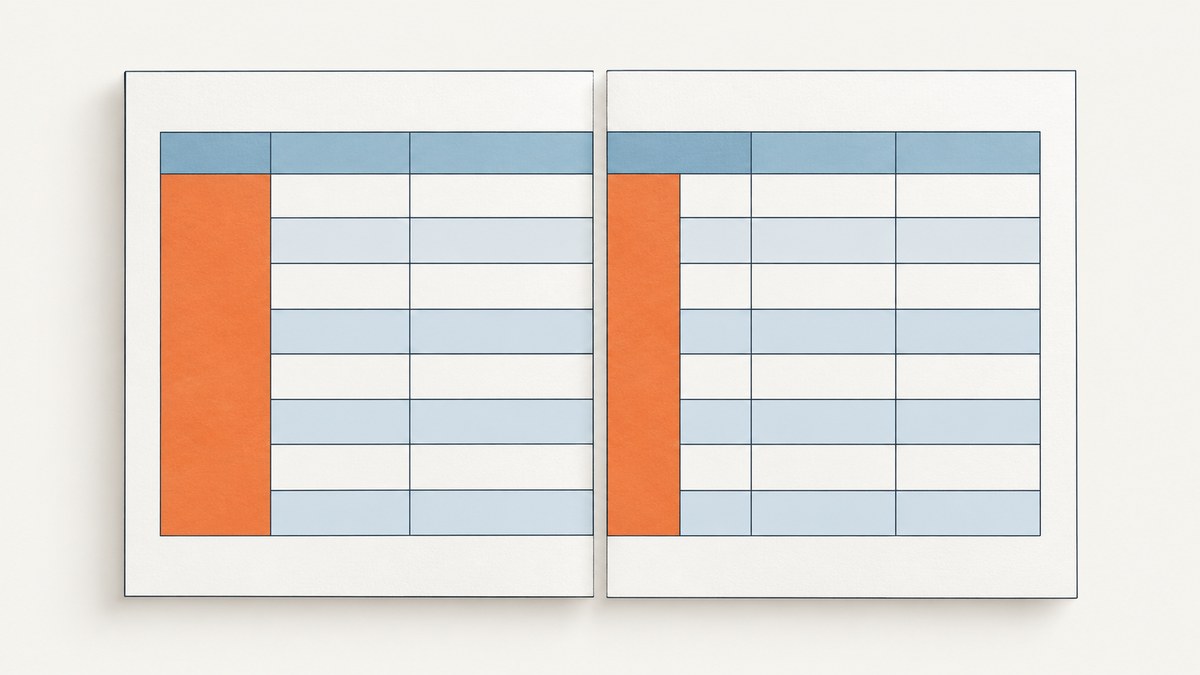
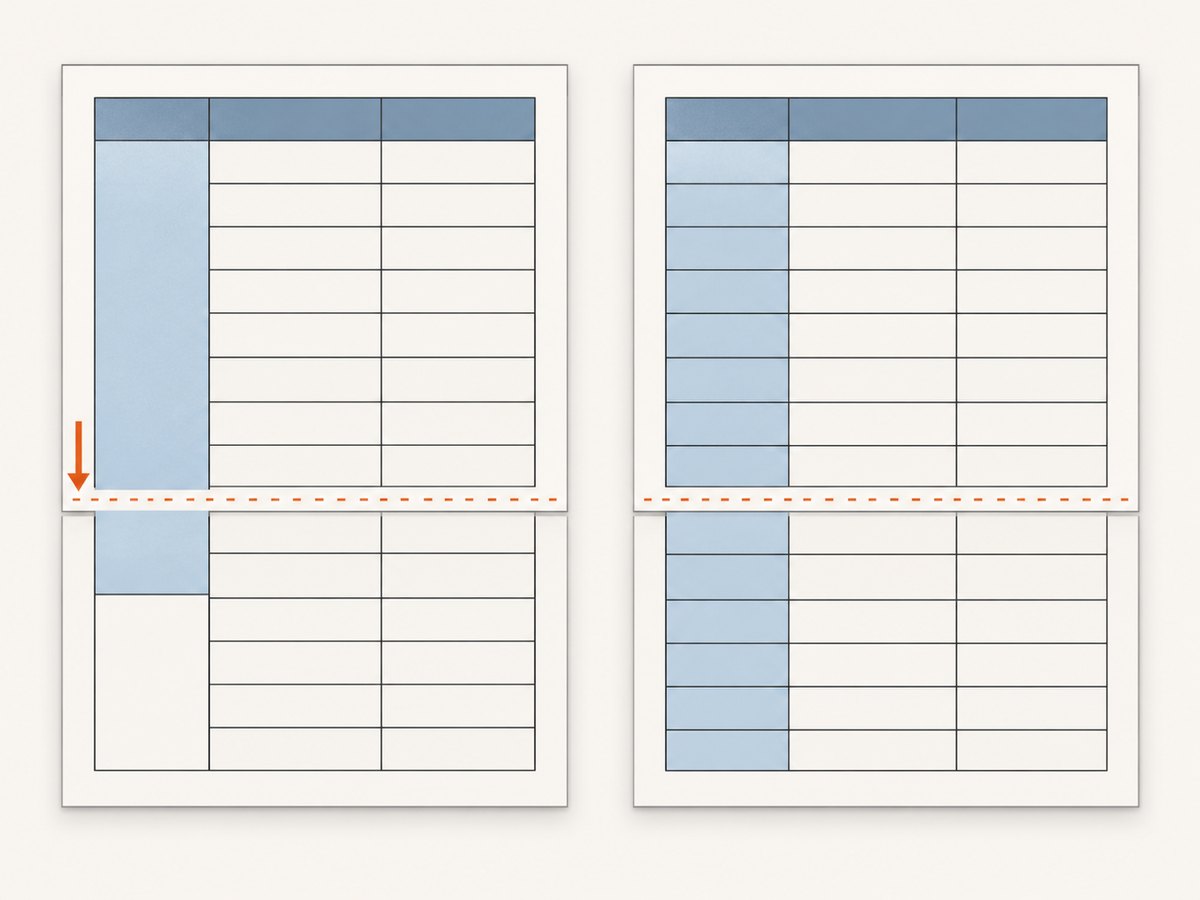
A rowspan cell covers two or more table rows. When an HTML-to-PDF renderer inserts a page break inside that vertical span, it must fragment the row, the cell content, its borders, and its background. The result depends on the renderer and version: some layouts continue the cell cleanly, while others duplicate borders, lose backgrounds, leave awkward whitespace, or produce an unreadable continuation.
The reliable approach is to treat pagination as a print-layout problem. First try to keep short row groups together. If a spanning group is taller than the available page, redesign the print representation by repeating the category label, using page-sized groups, or splitting the data into separate tables with explicit headers. Then inspect the generated PDF from the exact engine and version you deploy.
1. Why rowspans are difficult at a page boundary
In the table grid, a cell with rowspan="3" occupies one column across three grid rows. A page break can occur between any of those rows, or inside the cell’s own text. The renderer therefore has to decide how to distribute the cell’s content and paint its borders and background in multiple fragments.
The CSS Table Module Level 3 describes conditional fragmentation rules. Under specified conditions, user agents should preserve some rows as an unfragmented unit. Other rows are freely fragmentable; when one is split, the renderer allocates the remaining fragmentainer height, fits as much cell content as possible, and continues it in the next fragment. These rules describe a model, not identical output across every PDF engine. See the CSS Table Module Level 3.
Header repetition is a separate concern. A thead row can be repeated when the engine supports the relevant conditions, but repeating column headings does not automatically solve the visual problem of a body cell that spans pages. Design and test both behaviors explicitly.
2. A minimal table that can split
<table class="report">
  <thead>
    <tr>
      <th>Category</th>
      <th>Item</th>
      <th>Amount</th>
    </tr>
  </thead>
  <tbody>
    <tr>
      <td rowspan="4">Hosting</td>
      <td>Compute</td>
      <td>$120</td>
    </tr>
    <tr><td>Storage</td><td>$45</td></tr>
    <tr><td>Bandwidth</td><td>$30</td></tr>
    <tr><td>Support</td><td>$80</td></tr>
  </tbody>
</table>
On screen, this is straightforward. In print, the break may land after any of the four rows. If the first row starts near the bottom of a page, the renderer may move the row, split the group, or fragment the spanning cell.
3. First fix: ask the renderer to keep a short group together
Use break avoidance when the row group is small enough to fit in the available page area. Apply it to a tbody or individual tr and include the legacy alias for engines that still map the older property.
@media print {
  tbody.keep-together,
  tr.keep-together {
    break-inside: avoid;
    page-break-inside: avoid;
  }
}

/* HTML */
<tbody class="keep-together">
  ...
</tbody>
This is an avoidance request. The group can move to the next page and leave whitespace at the bottom of the current page. It cannot keep content that is taller than a page from splitting. The CSS Fragmentation Module Level 3 defines the fragmentation controls, and Prince’s paged-media documentation describes the same limitation: an element longer than one page still has to fragment.
When this works well
- A category has only a few rows.
- The group fits below the page header and above the footer.
- Whitespace is acceptable when the group is moved.
- You control the renderer and can verify its table-fragmentation behavior.
When it does not
- The spanning cell contains more text than one page can hold.
- A group combines dozens of rows or large images.
- Several nested tables make the avoided element taller than the page.
- You need identical borders and backgrounds across multiple PDF engines.
4. More reliable fix: change the print representation
If a category spans many rows, repeat the category in each printed row. This removes the dependency on one cell continuing through multiple fragments.
<table class="report report-print">
  <thead>
    <tr><th>Category</th><th>Item</th><th>Amount</th></tr>
  </thead>
  <tbody>
    <tr><td>Hosting</td><td>Compute</td><td>$120</td></tr>
    <tr><td>Hosting</td><td>Storage</td><td>$45</td></tr>
    <tr><td>Hosting</td><td>Bandwidth</td><td>$30</td></tr>
    <tr><td>Hosting</td><td>Support</td><td>$80</td></tr>
  </tbody>
</table>
You can keep the semantic rowspan table for screen output and render a separate print-only table. Make the print version’s reading order, column labels, and text extraction clear. If the PDF is used for accessibility or data extraction, review that representation independently.
Page-sized groups
Another option is to divide the report into explicit groups that are designed to fit a page or a known portion of a page. Each group can be a separate table with its own header.
@media print {
  .report-group {
    break-before: page;
  }
  .report-group:first-child {
    break-before: auto;
  }
  .report-group table {
    width: 100%;
  }
}
This gives you predictable boundaries, but you must keep column widths consistent and repeat headings intentionally. Do not assume that a browser preview’s automatic table layout will match the PDF.
5. Header repetition and table CSS
Use a real thead so the renderer has a header row it can repeat.
@page {
  size: A4;
  margin: 18mm 14mm 20mm;
}

@media print {
  thead {
    display: table-header-group;
  }
  tfoot {
    display: table-footer-group;
  }
  tr, img, figure {
    break-inside: avoid;
  }
  table {
    border-collapse: collapse;
    width: 100%;
  }
  th, td {
    border: 0.2mm solid #777;
    padding: 2mm;
    vertical-align: top;
  }
}
Header and footer repetition is conditional. Space limits, duplicate-display rules, and engine support affect the result. Confirm that the generated PDF repeats the header once per page and does not duplicate it when a table starts at a boundary.
6. A complete reproducible HTML-to-PDF example
Save this as report.html, then render it with the HTML-to-PDF command used in your application. The deliberately long description creates a useful boundary test.
<!doctype html>
<html>
<head>
<meta charset="utf-8">
<style>
  @page { size: A4; margin: 16mm 14mm; }
  body { font: 10pt/1.4 sans-serif; color: #222; }
  table { width: 100%; border-collapse: collapse; }
  thead { display: table-header-group; }
  th, td { border: 1px solid #888; padding: 6px; text-align: left; }
  th { background: #eee; }
  .keep-together { break-inside: avoid; page-break-inside: avoid; }
</style>
</head>
<body>
  <h1>Quarterly cost report</h1>
  <table>
    <thead><tr><th>Category</th><th>Description</th><th>Cost</th></tr></thead>
    <tbody class="keep-together">
      <tr>
        <td rowspan="5">Infrastructure</td>
        <td>Primary compute region and backups</td>
        <td>$1,240</td>
      </tr>
      <tr><td>Object storage</td><td>$180</td></tr>
      <tr><td>Network egress</td><td>$95</td></tr>
      <tr><td>Monitoring and alert retention</td><td>$70</td></tr>
      <tr><td>Support coverage and incident response</td><td>$420</td></tr>
    </tbody>
  </table>
</body>
</html>
Render the same file with the production engine and version. Record page size, margins, fonts, and the exact input data so a layout change can be reproduced.
7. Renderer-specific limits
Prince documents break-inside: avoid for tables and row groups, while noting that oversized content must split. WeasyPrint’s API reference lists page support for break-before, break-after, and break-inside, along with the page-break-* aliases. That documentation does not promise identical behavior for every rowspan case.
PDFKit exposes a programmatic rowSpan table option. Its table API documents how to construct a table in PDFKit; it is not evidence that a browser-based HTML renderer will paginate an HTML rowspan in the same way. If you switch engines or APIs, revalidate fonts, borders, repeated headers, page numbers, and extracted text.
8. Test cases your PDF pipeline should include
- A rowspan that ends well before a page boundary.
- A rowspan that crosses exactly one page boundary.
- A rowspan whose first row begins near the bottom of a page.
- A spanning cell containing more text than the remaining page space.
- Two adjacent spanning groups with different heights.
- A table with a repeated header and a footer.
- Missing fonts, long unbroken strings, and images with intrinsic dimensions.
Inspect the PDF itself, not only a browser preview. Check visible borders and backgrounds on both fragments, whether text is duplicated or omitted, where the category label appears, whether headers repeat once, and whether copy-and-paste follows the intended reading order.
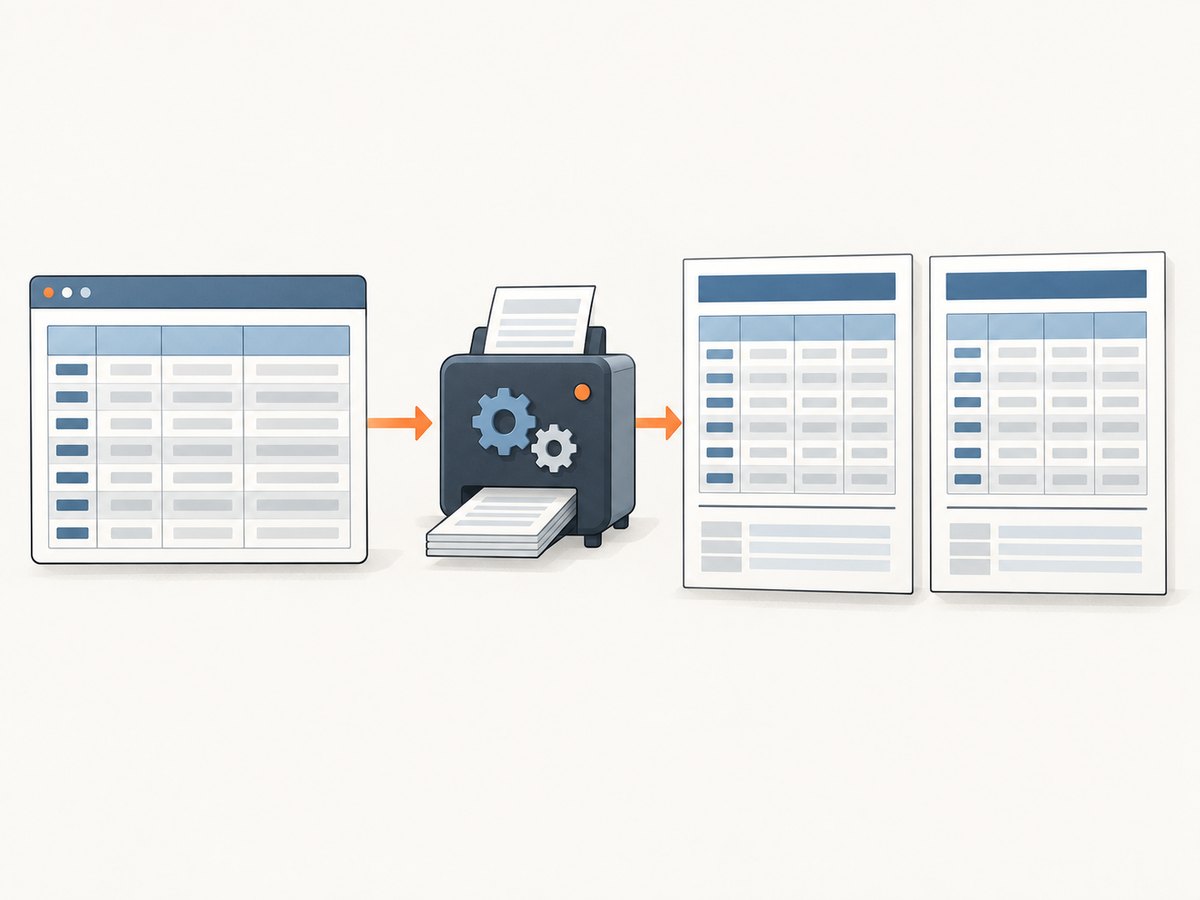
9. Troubleshooting common failures
| Symptom | Likely cause | Fix |
|---|---|---|
The rowspan splits despite break-inside: avoid. |
The group is taller than the page or the engine treats the request as an avoidance hint. | Reduce group size, repeat the label per row, or use separate page-sized tables. |
| The group leaves a large blank area. | The renderer moved an avoided group to the next page. | Accept the whitespace for short groups or remove avoidance and use the print-specific structure. |
| Borders disappear at the continuation. | Fragment painting differs between engines or border-collapse interacts with the split. | Test the deployed version; try separate tables, explicit borders, or repeated labels. |
| The header does not repeat. | The table lacks a real thead, or the engine’s repetition conditions are not met. |
Use thead { display: table-header-group; } and verify support in the engine documentation. |
| Background color appears only on the first fragment. | Cell background painting across fragments is implementation-specific. | Use a print representation without a long rowspan or apply backgrounds to each printed row. |
| Rows overlap or text is clipped. | Fixed heights, transformed elements, or unsupported nested layout. | Remove fixed heights and transforms from table content; use normal-flow blocks and test again. |
| Screen and PDF layouts disagree. | Different viewport width, fonts, margins, or resource loading. | Load the same fonts and assets, set explicit print dimensions, and compare the generated PDF. |
10. Performance, reliability, and cost considerations
Large tables cost more time to lay out because the renderer must measure rows, resolve column widths, load fonts and images, and paginate the result. Keep print CSS targeted, provide image dimensions, avoid deeply nested tables, and split very large reports into bounded sections when possible.
For reliable output, pin the renderer version, keep fonts available in the rendering environment, wait for required assets, and retain representative PDFs as regression fixtures. A small change in font metrics can move a rowspan across a page boundary.
If you generate PDFs in a service, isolate jobs, set a timeout, and log the input URL or document identifier, renderer version, page size, and failure reason. Retry only transient loading failures; retrying a deterministic layout error will produce the same broken PDF.
11. Or skip the browser setup
ScreenshotNeo provides a website screenshot API and MCP server for developers. For a one-call capture, use the API endpoint documented at the ScreenshotNeo docs:
curl -G "https://api.screenshotneo.com/v1/shot" -d access_key=YOUR_API_KEY --data-urlencode url=https://example.com/report.html -o shot.webpimport requests
r = requests.get("https://api.screenshotneo.com/v1/shot", params={"access_key": "YOUR_API_KEY", "url": "https://example.com/report.html"}, timeout=90)
open("shot.webp", "wb").write(r.content)const q = new URLSearchParams({ access_key: 'YOUR_API_KEY', url: 'https://example.com/report.html' });
const res = await fetch(`https://api.screenshotneo.com/v1/shot?${q}`);Cookie banners, newsletter popups, and chat widgets are removed before the shot. Bot checks, blank pages, failed loads, timeouts, and cache hits are not billed, and response headers identify the page verdict and billing status. The service also supports PDF capture, full-page screenshots with lazy images loaded, custom CSS and JavaScript, waits, request blocking, headers and cookies, device presets, and signed webhooks for asynchronous jobs.
An MCP server lets Claude, Cursor, and other MCP clients use take_screenshot, get_page_info, and capture_pdf. The Free plan includes 1,000 screenshots each month with no card; paid plans start at $5 for 3,000 shots. Create a free ScreenshotNeo account.
12. FAQ
Can CSS guarantee that a rowspan never splits?
No. break-inside: avoid is an avoidance request, and content taller than a page must eventually fragment. Use a print structure that does not depend on a long rowspan when the split must be predictable.
Should I use rowspan in a PDF at all?
Use it for short groups that fit comfortably on one page and whose appearance you have tested. For long categories, repeating the label in each print row is usually easier to validate.
Does repeating thead fix a broken spanning cell?
No. It repeats column headings; it does not define how a body cell’s borders, background, or content continue across a page.
Why does the same HTML look different in two PDF engines?
Table fragmentation and painting are implementation-specific. Engine version, fonts, margins, and asset loading also change where breaks occur. Compare PDFs from the exact versions you deploy.
Can I solve this by changing the PDF page size?
A larger page can prevent some breaks, but it does not make an oversized spanning cell fragment consistently. Treat page size as one layout variable, not a universal fix.


