How to Convert HTML to PDF in Node.js Without a Headless Browser
Generate PDFs in Node.js without Puppeteer or Chromium using PDFKit, non-browser HTML renderers, conversion pipelines, and hosted APIs.
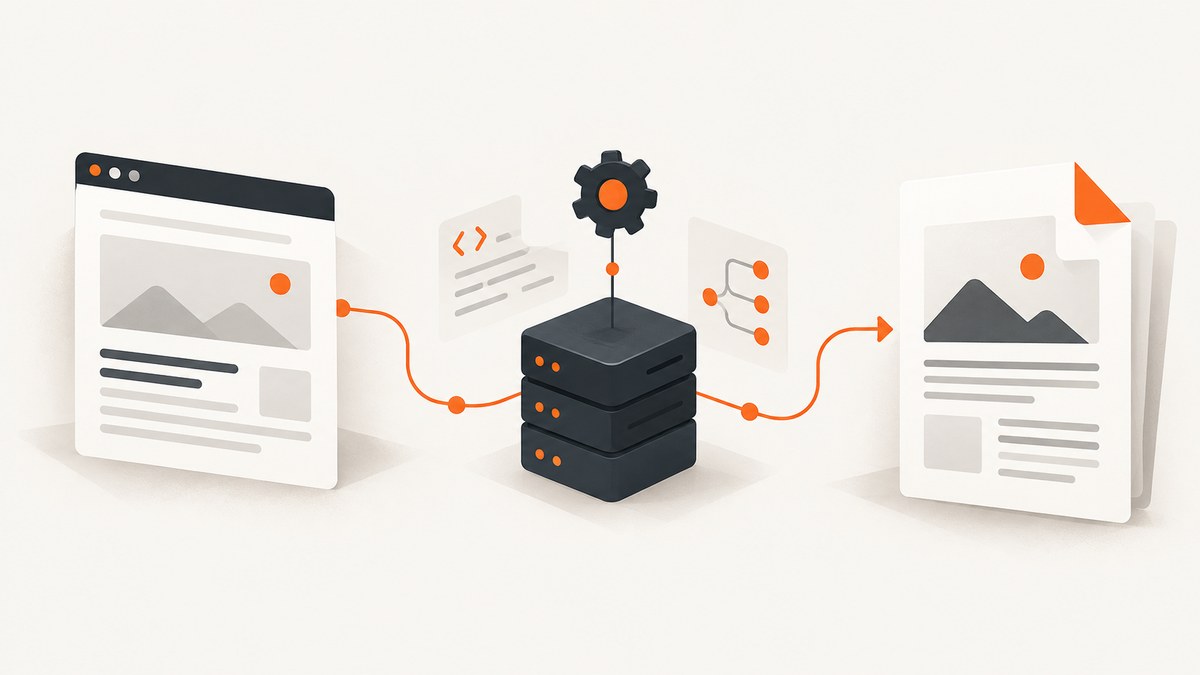
Yes, you can convert HTML to PDF in Node.js without running a headless browser. The right approach depends on what you mean by “convert HTML.” If you control the document structure, generate the PDF directly with PDFKit. If you need to preserve a limited HTML and CSS template, use a non-browser renderer such as html-pdf-lite and validate its layout support. A hosted HTML-to-PDF API moves rendering outside your process. None of these options provides the same browser fidelity as Chromium, so test representative documents before committing.
This guide shows runnable Node.js implementations, explains the trade-offs, covers security and deployment, and gives a decision process for invoices, reports, receipts, and other server-generated PDFs.
Choose the rendering model first
| Approach | How it works | Best fit | Main limitation |
|---|---|---|---|
| PDFKit | You create text, images, vectors, and page layout with JavaScript APIs. | Structured invoices, receipts, reports, and fixed layouts. | Existing HTML and CSS must be recreated; PDFKit is not an HTML browser renderer. PDFKit project |
| html-pdf-lite | Pass HTML to a renderer built on PDFKit and receive a PDF buffer. | Controlled templates where avoiding Chromium is important. | Complex flexbox, grid, and browser-specific CSS are only partially supported. Project repository |
| html-to-pdfmake plus pdfmake | Convert a supported HTML subset into a pdfmake document definition. | Templates that map cleanly to pdfmake’s document model. | It converts into another PDF API; it does not promise arbitrary web-page rendering. Check current package support. Package page |
| Hosted API | Send markup over HTTP and receive PDF bytes from a service. | Teams that do not want to package or operate a renderer. | Network, data-handling, availability, pricing, and vendor dependency must be reviewed. Example hosted API documentation |
Use PDFKit when the PDF is the primary artifact and the HTML is only a visual reference. Use an HTML renderer when templates already exist and use simple tags and styles. Use a hosted service when deployment simplicity matters more than keeping every document inside your process.
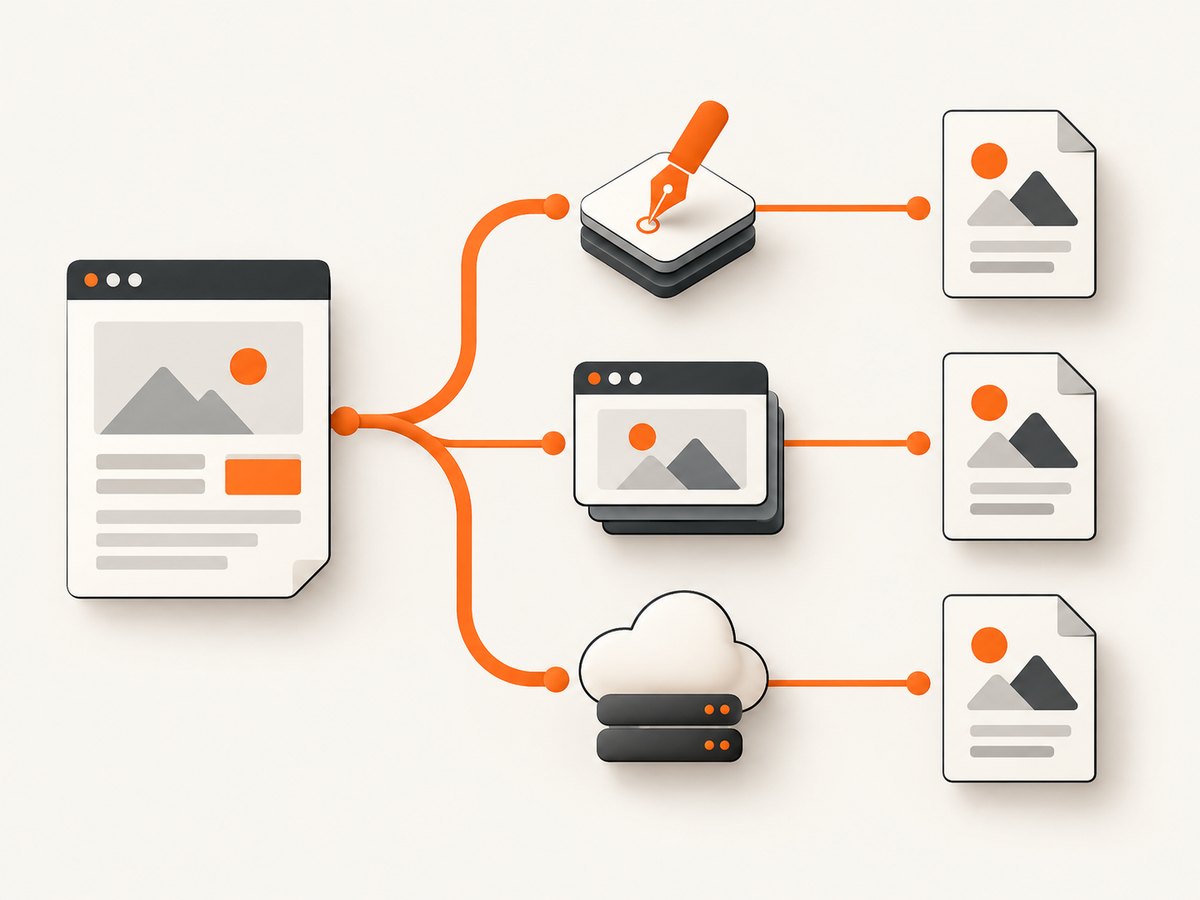
Option 1: Generate the PDF directly with PDFKit
PDFKit creates a PDF document, exposes it as a Node.js readable stream, and lets you pipe that stream to a file or HTTP response. The official getting-started guide documents installing the package, constructing PDFDocument, writing content, and calling end() to finish the file. Read the PDFKit getting-started guide.
Install and create a PDF file
npm install pdfkitimport fs from 'node:fs';
import { PDFDocument } from 'pdfkit';
const doc = new PDFDocument({
size: 'A4',
margins: { top: 50, bottom: 50, left: 50, right: 50 }
});
doc.pipe(fs.createWriteStream('output.pdf'));
doc.fontSize(20).text('Invoice');
doc.moveDown();
doc.fontSize(12).text('Generated directly with PDFKit.');
doc.text('Amount due: $42.00');
doc.end();The code above does not parse HTML. It is a direct composition API, which is often easier to reason about for invoices and reports. You control every line break, image placement, table row, and page break. A typical production implementation creates helper functions such as drawHeader, drawTable, and drawFooter, tracks the current vertical position, and calls addPage() when content would exceed the printable area.
Stream a PDF from an HTTP endpoint
import express from 'express';
import { PDFDocument } from 'pdfkit';

const app = express();
app.get('/invoice.pdf', (req, res) => {
  res.type('application/pdf');
  res.setHeader('Content-Disposition', 'inline; filename="invoice.pdf"');
  const doc = new PDFDocument({ size: 'A4', margin: 48 });
  doc.pipe(res);
  doc.fontSize(18).text('Invoice 1007');
  doc.fontSize(11).text('Total: $42.00');
  doc.end();
});
app.listen(3000);
Because the document is a stream, do not call res.end() before PDFKit finishes. Handle stream errors and aborts in a real service, especially when clients disconnect during a large document.
Recreating common HTML structures
- Headings: map heading levels to a small set of font sizes and spacing values.
- Paragraphs: use
text()with a width and line gap; measure long content before placing following elements. - Images: download or read trusted image files, then pass them to
doc.image(). Validate dimensions and formats. - Tables: calculate column widths, draw borders and backgrounds, and wrap cell text manually.
- Page breaks: reserve space for headers and footers and start a new page before an element is split.
This method is deterministic once your inputs and fonts are fixed, but it requires engineering effort whenever the source HTML changes. It is a poor fit for arbitrary user-authored web pages.
Option 2: Render a controlled HTML template with html-pdf-lite
html-pdf-lite documents renderPdfFromHtml(html, options), returning a Buffer from an engine built on PDFKit without Chromium. That makes it useful when you want to keep an existing, simple HTML template while avoiding a browser installation.
npm install html-pdf-liteimport fs from 'node:fs/promises';
import { renderPdfFromHtml } from 'html-pdf-lite';
const html = `
<!doctype html>
<html>
<head>
<meta charset="utf-8">
<style>
body { font-family: Arial, sans-serif; margin: 32px; }
h1 { color: #222; }
.total { font-weight: bold; margin-top: 20px; }
</style>
</head>
<body>
<h1>Invoice</h1>
<p>Customer: Ada Lovelace</p>
<p class="total">Amount due: $42</p>
</body>
</html>`;
const pdf = await renderPdfFromHtml(html);
await fs.writeFile('invoice.pdf', pdf);Keep the template deliberately conservative: headings, paragraphs, lists, basic colors, borders, images, and simple tables are easier to validate than a responsive application stylesheet. The maintainers state that the engine is not a full Chromium renderer, that complex flexbox and grid support is partial, and that browser CSS fidelity is not guaranteed. Treat every CSS feature you depend on as something to verify.
Scripts and untrusted markup
The project documentation says scripts are disabled by default and warns that enabling allowScripts is unsafe. Do not render untrusted HTML in the same process without sanitizing it and reviewing the threat model. Avoid accepting arbitrary file URLs, remote resources, or embedded scripts from users. If your application accepts templates from customers, isolate conversion in a restricted worker and enforce input size and execution limits.
Project benchmark claims
The repository reports a cold-start comparison of 86 ms for html-pdf-lite and 654 ms for Puppeteer in a maintainer-run benchmark using Node 22, A4 output, and 15 warm iterations. These are project measurements, not an independent benchmark or a guarantee for your workload. Do not use them as a capacity plan; measure your own templates, fonts, images, and concurrency.
Option 3: Convert HTML to a pdfmake definition
The html-to-pdfmake package converts an HTML subset into pdfmake’s document-definition model. This can work well when your markup is constrained and you already use pdfmake for tables, fonts, headers, and page numbering. It is still a conversion pipeline, not a general web renderer. Review the package’s current supported tags and styles, then test page breaks, nested lists, images, and tables from your actual templates.
A practical design is to keep a small HTML vocabulary, reject unsupported tags during validation, convert the result, and generate the final PDF with pdfmake. This avoids pretending that CSS from a browser application will map automatically to PDF layout.
Option 4: Use a hosted HTML-to-PDF API
A hosted API can remove browser installation and rendering operations from your Node.js deployment. The pdfkitt Node.js page, for example, describes sending HTML in an HTTP request and receiving PDF bytes. A service boundary simplifies your container, but it means document content crosses a network boundary and conversion depends on another provider’s terms, limits, availability, and pricing. Verify those details before production use.
Use timeouts, retries with backoff for transient network failures, idempotency where supported, and logging that does not store sensitive HTML. Never retry blindly on a malformed template or a 4xx response.
How to choose without a browser
- Inventory your HTML. List tags, CSS properties, fonts, external images, JavaScript, tables, and page-break rules.
- Decide whether HTML is essential. If you can own the layout, PDFKit gives direct control and fewer rendering surprises.
- Build a fixture set. Include long paragraphs, overflowing tables, missing images, right-to-left text if relevant, custom fonts, and multiple pages.
- Compare output visually and structurally. Check pagination, clipped content, font substitution, image resolution, links, metadata, and file size.
- Set limits. Cap HTML size, image bytes, page count, conversion time, and concurrent jobs.
- Choose deployment isolation. Keep conversion in a worker when documents are large or supplied by users.
Or skip the browser setup
If your real goal is a screenshot or PDF of a live URL rather than rendering a local template, ScreenshotNeo provides a website screenshot API and MCP server. It accepts one GET request and returns PNG, JPEG, WebP, or PDF output. See the ScreenshotNeo documentation for request options.

cURL
curl -G "https://api.screenshotneo.com/v1/shot" -d access_key=YOUR_API_KEY --data-urlencode url=https://stripe.com -o shot.webpPython
import requests
r = requests.get("https://api.screenshotneo.com/v1/shot", params={"access_key": "YOUR_API_KEY", "url": "https://stripe.com"}, timeout=90)
open("shot.webp", "wb").write(r.content)
Node.js
const q = new URLSearchParams({ access_key: 'YOUR_API_KEY', url: 'https://stripe.com' });
const res = await fetch(`https://api.screenshotneo.com/v1/shot?${q}`);
ScreenshotNeo removes cookie and consent banners, newsletter popups, and chat widgets before capture. Bot checks, blank pages, timeouts, failed loads, and cache hits are not billed, and the response identifies the result with X-Page-Verdict and X-Billed headers. Its MCP server includes take_screenshot, get_page_info, and capture_pdf tools for Claude, Cursor, and other MCP clients. The free plan includes 1,000 screenshots per month without a card; paid plans start at $5 for 3,000 shots.
For PDFs, configure paper size, margins, landscape mode, and page ranges. Other options include full-page capture with lazy images loaded, element selection by CSS selector, dark mode, device presets or custom viewports, retina scale, custom CSS and JavaScript, clicks, selector or network-idle waits, request blocking, headers, cookies, user agents, authorization, timezone, geolocation, transparent backgrounds, resizing, TTL caching, signed links, asynchronous jobs with signed webhooks, bulk capture of up to 100 URLs per call, and a usage API. Use only the options your document needs and inspect response headers when reconciling usage.
Create a free ScreenshotNeo account with 1,000 screenshots per month and no card.
Pagination, fonts, images, and other edge cases
Pagination and page breaks
Non-browser renderers may interpret page-break-before, page-break-after, and modern break-inside differently. Keep critical sections together by measuring content or inserting explicit page boundaries in your PDF API. Test a table with enough rows to cross every page boundary.
Fonts and international text
PDFKit requires you to manage font files and embedding. A missing font can silently change line widths and cause pagination differences. Package approved fonts with the application, register them explicitly, and test accented, CJK, and right-to-left text when your product supports them.
Images and remote assets
Remote images introduce DNS, TLS, authentication, and timeout failures. Prefer controlled local assets or fetch them through a validated allowlist. Check intrinsic dimensions and downsample very large images to keep memory and output size predictable.
CSS and layout surprises
Browser CSS features such as grid auto-placement, sticky positioning, filters, complex selectors, animations, and JavaScript-driven layout may be ignored by a non-browser renderer. Replace them with explicit structure, or choose a renderer that documents support for the feature.
Troubleshooting
| Symptom | Likely cause | Fix |
|---|---|---|
| Output is empty or corrupt | The stream was not finalized or the buffer was not fully written. | Call doc.end(); await the file write; handle stream errors. |
| HTML tags appear as text | PDFKit is being used as though it were an HTML renderer. | Convert the layout to PDFKit operations or use an HTML conversion library. |
| Flexbox or grid is misaligned | The non-browser engine has partial CSS support. | Simplify the CSS, use explicit widths, or switch rendering approaches. |
| Fonts change between environments | Font files are missing or unavailable in the runtime. | Bundle and register fonts; verify licenses and fallback behavior. |
| Images are missing | Remote fetch failed, a path is invalid, or the format is unsupported. | Validate URLs and paths, add timeouts, and log sanitized asset errors. |
| Conversion hangs | Unbounded input, a remote asset, or enabled script never completes. | Keep scripts disabled, enforce deadlines, limit resources, and isolate workers. |
| Large jobs exhaust memory | Huge images, long HTML, or too many concurrent conversions. | Downsample assets, cap input size, queue jobs, and limit concurrency. |
| Hosted requests fail intermittently | Network or provider transient errors. | Use bounded retries for transient statuses and retain the original request ID or idempotency key. |
Performance, reliability, and cost
Direct PDF composition usually has the smallest runtime surface because it does not parse a web page or execute scripts. HTML conversion adds parsing and layout work. Hosted APIs remove local CPU and memory requirements but add network latency and service charges. Measure cold and warm conversions separately, record output size and page count, and test at your expected concurrency.
Cache immutable inputs by a content hash, but avoid caching personalized documents under a shared key. Queue long reports instead of holding an HTTP request open. Set explicit deadlines for file reads, image downloads, conversion, and response delivery. Keep structured logs for template version, renderer version, duration, page count, and failure class while excluding document contents and secrets.
Cost is more than package licensing: include worker CPU, memory, storage, egress, engineering time for CSS compatibility, and hosted API usage. A renderer that is inexpensive per call can still cost more if it requires extensive template rewrites or repeated failed conversions.
Security checklist
- Sanitize user-supplied HTML and reject dangerous tags and attributes.
- Keep script execution disabled unless the input is trusted and isolated.
- Restrict outbound requests to approved hosts to reduce SSRF risk.
- Limit input bytes, image bytes, pages, execution time, and concurrency.
- Store temporary files outside public directories and delete them after delivery.
- Protect API keys and redact HTML, cookies, authorization headers, and personal data from logs.
- Review font, image, and hosted-service licenses and data-handling terms.
FAQ
Can I convert arbitrary websites without Puppeteer?
Not with the same browser fidelity. Non-browser renderers support a narrower HTML and CSS subset. For live websites with complex client-side behavior, use a browser-based renderer or a hosted capture service.
Is PDFKit an HTML-to-PDF library?
No. PDFKit is a direct PDF-generation API. It is excellent when you can construct the document from structured data, but it does not interpret a complete HTML page.
Should I enable scripts in html-pdf-lite?
Keep scripts disabled unless the markup is trusted, sanitized, and isolated. The project documentation warns that script execution is unsafe.
How do I preserve a browser-perfect design?
Use a renderer with browser layout support and test the exact CSS, fonts, assets, and JavaScript your page needs. A non-browser option cannot promise pixel-perfect Chromium output.
When is a hosted service the simplest choice?
Choose one when you want to avoid packaging a renderer, operating conversion workers, and maintaining browser or native dependencies. Review data handling, limits, availability, and pricing first.


