How to Capture a Web Page from Bottom to Top with Html2canvas
Capture an entire long webpage with html2canvas by sizing the render to the element’s full scroll dimensions, then handle CORS, limits, and sticky UI.

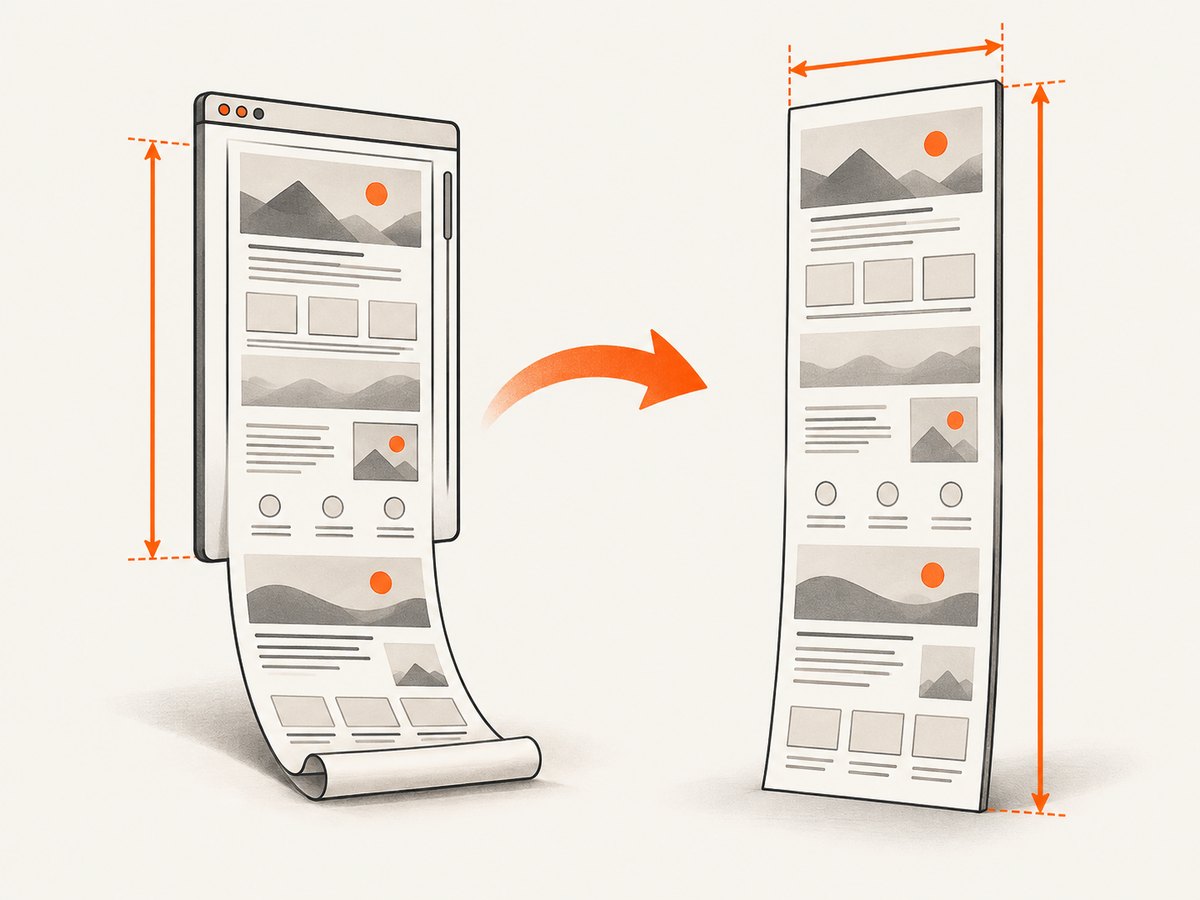
To capture a web page from bottom to top with html2canvas, render the actual scrolling element with its complete scrollWidth and scrollHeight. Do not repeatedly scroll the viewport and stitch screenshots unless you have a special browser-extension use case. The basic pattern is:
<script type="module">
  import html2canvas from 'https://cdn.jsdelivr.net/npm/html2canvas@1.4.1/+esm';

  const element = document.documentElement;
  const canvas = await html2canvas(element, {
    windowWidth: element.scrollWidth,
    windowHeight: element.scrollHeight
  });

  canvas.toBlob((blob) => {
    if (!blob) return;
    const url = URL.createObjectURL(blob);
    const link = document.createElement('a');
    link.href = url;
    link.download = 'full-page.png';
    link.click();
    URL.revokeObjectURL(url);
  }, 'image/png');
</script>
The element you measure must be the element you pass to html2canvas. Use document.body when the body is the page scroller, or pass a component wrapper when only that component should be captured. Setting windowWidth and windowHeight changes the layout viewport used while html2canvas reconstructs the page, so responsive media queries and wrapping match the full target area. The official FAQ documents this full-page technique and its browser limits (html2canvas FAQ).
1. Understand what html2canvas is capturing
html2canvas is a client-side DOM renderer. It reads the target element, computed styles, images, and other browser-visible data, then paints an approximation onto a canvas. It does not ask the browser for a native bitmap of the screen. That distinction explains both its usefulness and its limits: the result can be exported in the browser without a server, but unsupported CSS, cross-origin content, animations, and very large canvases can differ from what a person sees.
A full-page capture has three dimensions to reason about:
- Target: the document or component that owns the content.
- Layout size: the width and height html2canvas should use while calculating layout.
- Output size: the canvas dimensions, optionally controlled with
widthandheight.
For a normal document, start with document.documentElement. Check both document elements when a framework changes the scrolling element:
const root = document.documentElement;
const body = document.body;
const element = root.scrollHeight > body.scrollHeight ? root : body;
console.log({
  scrollWidth: element.scrollWidth,
  scrollHeight: element.scrollHeight
});
2. A complete full-page capture recipe
Run the capture only after the page has populated its content. If images are important, wait for them too. Lazy-loaded images may not exist until the page is scrolled or otherwise prompted to load; html2canvas cannot paint pixels that the browser has not fetched.
import html2canvas from 'html2canvas';

async function waitForImages(element) {
  const images = [...element.querySelectorAll('img')];
  await Promise.all(images.map((img) => {
    if (img.complete) return Promise.resolve();
    return new Promise((resolve) => {
      img.addEventListener('load', resolve, { once: true });
      img.addEventListener('error', resolve, { once: true });
    });
  }));
}

async function captureFullPage() {
  const element = document.documentElement;
  await waitForImages(element);

  const width = element.scrollWidth;
  const height = element.scrollHeight;
  const canvas = await html2canvas(element, {
    windowWidth: width,
    windowHeight: height,
    backgroundColor: '#ffffff',
    scale: window.devicePixelRatio
  });

  canvas.toBlob((blob) => {
    if (!blob) throw new Error('The browser could not encode the canvas');
    const url = URL.createObjectURL(blob);
    const link = document.createElement('a');
    link.download = 'full-page.png';
    link.href = url;
    link.click();
    URL.revokeObjectURL(url);
  }, 'image/png');
}

captureFullPage().catch(console.error);
toBlob is preferable for large images because it avoids creating one very large base64 string in JavaScript memory. If you need an inline data URL, use canvas.toDataURL('image/png') instead:
const dataUrl = canvas.toDataURL('image/png');
window.open(dataUrl, '_blank');
For a component, replace the document root with a stable wrapper:
const element = document.querySelector('#article');
if (!element) throw new Error('Missing #article');
const canvas = await html2canvas(element, {
  windowWidth: element.scrollWidth,
  windowHeight: element.scrollHeight
});
3. Options that affect full-page results
The core dimensions solve the “only the viewport was captured” problem, but several options control fidelity and output.
| Option | Use | Important detail |
|---|---|---|
windowWidth, windowHeight |
Set the layout viewport used during rendering. | Use the target element’s scrollWidth and scrollHeight for a full page. |
width, height |
Explicitly set output canvas dimensions. | Useful for a crop or a fixed export size; it does not replace correct layout dimensions. |
scale |
Control pixel density. | window.devicePixelRatio is sharp but increases memory and canvas limits; use 1 for safer large captures. |
backgroundColor |
Choose a solid background. | Set null when transparency is required and the page supports it. |
useCORS |
Attempt to load cross-origin images with CORS. | The image server must send an appropriate Access-Control-Allow-Origin header. |
proxy |
Fetch remote images through a same-origin proxy. | Your proxy must be configured to retrieve and return the resources safely. |
ignoreElements |
Skip nodes programmatically. | Return true for toolbars, video, or other unwanted elements. |
onclone |
Modify the cloned document before painting. | Hide sticky bars or pause animations without changing the live page. |
allowTaint |
Allow images that taint the canvas. | A tainted canvas cannot be exported with toBlob or toDataURL; it does not bypass browser security. |
For example, this capture hides nodes marked with data-html2canvas-ignore, pauses animation in the clone, and uses CORS-enabled images:
const canvas = await html2canvas(element, {
  windowWidth: element.scrollWidth,
  windowHeight: element.scrollHeight,
  useCORS: true,
  scale: 1,
  ignoreElements: (node) => node.hasAttribute('data-html2canvas-ignore'),
  onclone: (clonedDocument) => {
    clonedDocument.querySelectorAll('*').forEach((node) => {
      node.style.animation = 'none';
      node.style.transition = 'none';
    });
  }
});
The project’s configuration reference lists these options and their defaults (configuration documentation).
4. Cross-origin images, SVGs, and iframes
Browser content policy is the most common reason images disappear or export fails. useCORS: true works only when the remote image response permits your origin. It is not a way to defeat the same-origin policy.
const canvas = await html2canvas(element, {
  windowWidth: element.scrollWidth,
  windowHeight: element.scrollHeight,
  useCORS: true,
  scale: window.devicePixelRatio
});
If the image host cannot add CORS headers, use a same-origin proxy through the proxy option, or download and serve the assets from your own origin. Avoid blindly proxying arbitrary URLs; a proxy should validate destinations and enforce size and timeout limits.
Cross-origin iframes cannot be rendered because their contentDocument is inaccessible. Same-origin iframes can be traversed recursively. If an embedded payment form, video player, or analytics frame is cross-origin, plan for it to be blank or replaced with a placeholder.
5. Fixed, sticky, and dynamic page elements
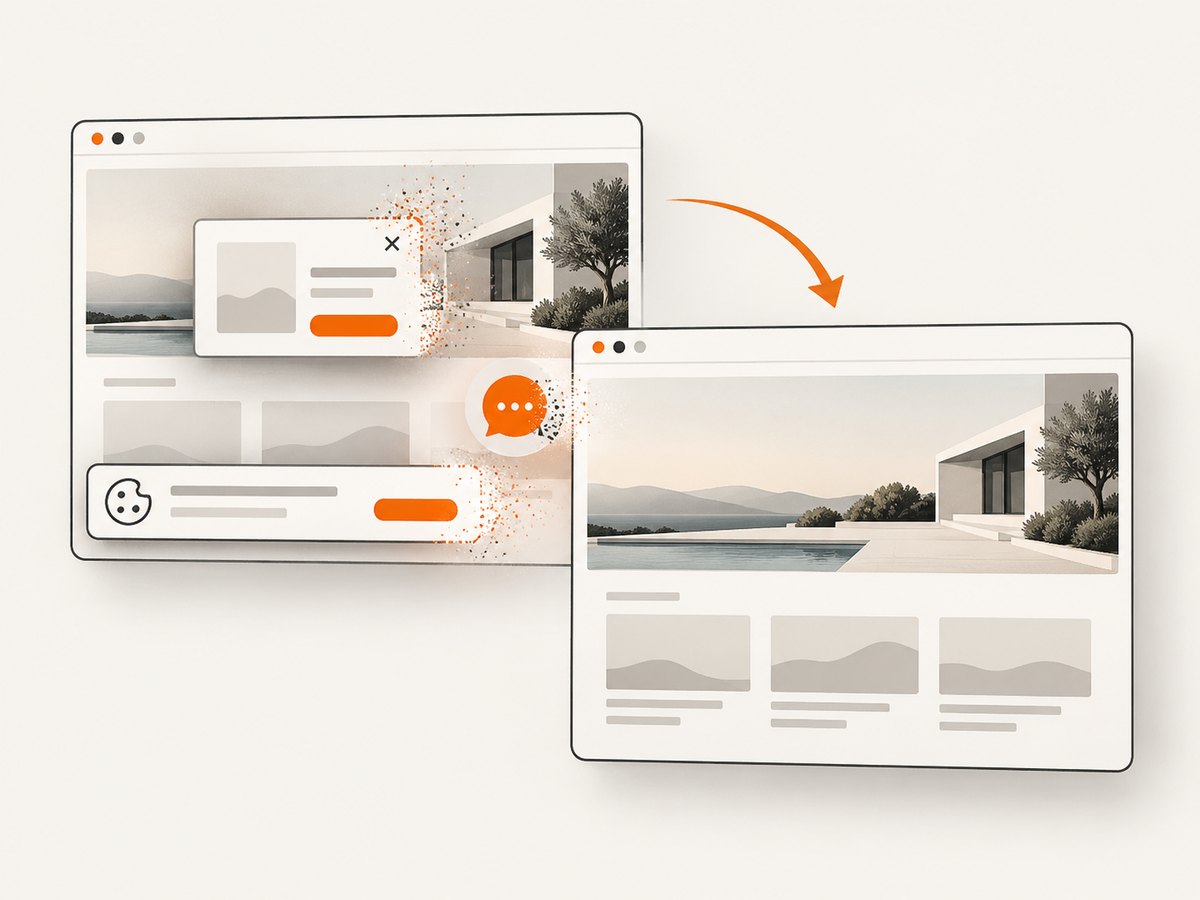
Headers fixed to the viewport can appear in the capture even though they visually cover different content while scrolling. Cookie banners, chat launchers, newsletter prompts, and floating buttons have the same issue. Mark removable nodes in your markup:
<div class="chat-launcher" data-html2canvas-ignore>Chat</div>
<aside class="cookie-banner" data-html2canvas-ignore>Cookies</aside>
When you cannot edit the source, remove them from the cloned document:
const canvas = await html2canvas(element, {
  windowWidth: element.scrollWidth,
  windowHeight: element.scrollHeight,
  onclone: (doc) => {
    doc.querySelectorAll('.cookie-banner, .chat-launcher, .sticky-header')
      .forEach((node) => node.remove());
  }
});
Wait for asynchronous content before measuring dimensions. A delayed font, expanding accordion, client-side route, or image can change scrollHeight after you read it. Capture after the final layout state, and disable blinking cursors or animated carousels in the clone when deterministic output matters.
6. Canvas size limits and very long pages
A page can be valid HTML and still be too large for one canvas. The html2canvas FAQ gives rough current evergreen-browser guidance of about 32,767 pixels for one dimension in Chrome/Chromium, Firefox, and desktop Safari, with separate total-area limits. iOS limits are lower and depend on available memory. Exceeding a limit can produce a blank or partially rendered canvas without a useful exception.
Reduce the risk in this order:
- Set
scale: 1instead of a high device pixel ratio. - Capture a stable content wrapper rather than unnecessary page chrome.
- Split a very long document into sections and export multiple images.
- Use a real browser screenshot workflow when one giant client-side canvas is not practical.
Estimate the memory pressure before capturing: width × height × 4 bytes is the approximate raw RGBA buffer, before encoded PNG or browser overhead. A 20,000 by 20,000 canvas needs roughly 1.6 GB for that buffer alone, so reducing dimensions is often more effective than changing the image format.
7. Fidelity limits you should test
html2canvas implements CSS properties individually. Unsupported or partially supported CSS can differ from the live page. Test pages that use filters, complex transforms, blend modes, sticky positioning, plugins, video, canvas elements, web fonts, and animated content. A result that looks correct at one viewport may change when windowWidth triggers a different media query.
For visual regression, keep the viewport, scale, fonts, network responses, and page state stable. Compare representative pages rather than assuming every CSS feature will match. If pixel-level fidelity is mandatory, drive a real browser with Puppeteer or Playwright; the html2canvas FAQ points to those tools for server-side screenshots (FAQ).
8. Troubleshooting checklist
| Symptom | Likely cause | Fix |
|---|---|---|
| Only the visible viewport appears | Default viewport dimensions were used. | Pass windowWidth: element.scrollWidth and windowHeight: element.scrollHeight. |
| Bottom content is missing | Lazy content had not loaded, or the wrong scrolling element was measured. | Wait for content, identify the true scroller, then measure again. |
| Images are blank | Cross-origin response lacks CORS permission. | Enable CORS on the image host, use a controlled proxy, or serve images same-origin. |
toDataURL throws a security error |
The canvas was tainted by a cross-origin resource. | Fix CORS; allowTaint does not make an exportable canvas. |
| An iframe is empty | The iframe is cross-origin. | Render it separately with cooperation from that origin, or use browser automation. |
| Output is blank or partly painted | Canvas width, height, or area exceeded browser limits. | Lower scale, split the page, or use a browser screenshot service. |
| Sticky UI repeats or covers content | Fixed elements are rendered in the cloned page. | Use data-html2canvas-ignore, ignoreElements, or onclone. |
| Text wraps differently | windowWidth changed responsive layout, or fonts were not ready. |
Wait for fonts and use the intended layout width. |
| Capture is slow or crashes | High scale, huge DOM, large images, or memory pressure. | Use scale 1, reduce the target, remove unused nodes, and capture in sections. |
9. Server-side and extension alternatives
html2canvas requires window, document, and browser computed styles, so it is not a Node.js rendering library by itself. For server-side screenshots, use a browser automation tool such as Puppeteer or Playwright. Those tools launch a browser, wait for navigation and network conditions, and take a native page screenshot.
Browser extensions have another option: Chrome, Edge, and Opera expose chrome.tabs.captureVisibleTab(), while Firefox exposes browser.tabs.captureVisibleTab(). Native tab capture avoids html2canvas’s canvas-size limits, although a full-page workflow still needs browser-specific scrolling or built-in capture support.
10. Or skip the browser setup with ScreenshotNeo
If you need a repeatable server-side screenshot, ScreenshotNeo captures a URL with one GET request and returns PNG, JPEG, WebP, or PDF. Its full-page capture loads lazy images, and you can also capture one element by CSS selector, set a device or custom viewport, choose retina scale, apply custom CSS or JavaScript, wait for a selector, delay, or network idle, and hide selectors.
curl -G "https://api.screenshotneo.com/v1/shot" \
  -d access_key=YOUR_API_KEY \
  --data-urlencode url=https://stripe.com \
  -o shot.webp
See the ScreenshotNeo API documentation for the complete option list. The same request in Python:
import requests

r = requests.get(
    "https://api.screenshotneo.com/v1/shot",
    params={"access_key": "YOUR_API_KEY", "url": "https://stripe.com"},
    timeout=90,
)
r.raise_for_status()
open("shot.webp", "wb").write(r.content)
And Node.js:
const q = new URLSearchParams({ access_key: 'YOUR_API_KEY', url: 'https://stripe.com' });
const res = await fetch(`https://api.screenshotneo.com/v1/shot?${q}`);
if (!res.ok) throw new Error(`Screenshot failed: ${res.status}`);
const buffer = Buffer.from(await res.arrayBuffer());
await import('node:fs/promises').then((fs) => fs.writeFile('shot.webp', buffer));
ScreenshotNeo accepts cookie and consent banners like a visitor, then removes more than 60 known consent platforms, newsletter popups, and chat widgets before capture; each step can be turned off. Bot checks and CAPTCHAs, blank pages, timeouts, failed loads, and cache hits cost nothing, and the response identifies the result with X-Page-Verdict and X-Billed headers. An MCP server provides take_screenshot, get_page_info, and capture_pdf tools for Claude, Cursor, and other MCP clients.
There is a free plan with 1,000 screenshots per month and no card. Paid plans start at $5 for 3,000 shots; yearly billing gives two months free, and every feature is available on every plan. Create a free ScreenshotNeo account.
11. Performance, reliability, and cost notes
Client-side html2canvas has no screenshot API bill, but it consumes the user’s CPU and memory. Work scales with DOM complexity, image count, output area, and scale. Keep the capture target narrow, avoid unnecessary high-DPI output, and release object URLs after downloads. For repeated captures, wait for one capture to finish before starting another so several large canvases do not remain in memory.
Reliability improves when you make page state explicit: wait for fonts and images, freeze animations, choose the correct scroller, and record dimensions before and after capture. For automated jobs, browser automation or a screenshot API is usually easier to retry and run outside a user’s tab. ScreenshotNeo’s verdict and billing headers let a job distinguish a clean capture from a bot check, blank page, timeout, failed load, or cache hit.
12. FAQ
Can html2canvas capture below the fold without scrolling?
Yes. Pass the target’s full scrollWidth and scrollHeight as windowWidth and windowHeight. The library renders the expanded layout in one canvas.
Should I use document.body or document.documentElement?
Use whichever element actually owns the page’s scroll dimensions. For a component, pass that component instead of either document element.
Does useCORS bypass the same-origin policy?
No. The remote server must opt in with CORS headers, or you must use a controlled same-origin proxy.
Why is my huge page blank even though there is no JavaScript error?
The canvas likely exceeded a browser dimension or area limit. Lower the scale, split the capture, or use browser automation.
Can I run html2canvas in a Node.js process?
Not as a standalone DOM renderer. Use a real browser through Puppeteer or Playwright, or call a screenshot API such as ScreenshotNeo.


