Why html2canvas Fails After Google Maps Panning and How to Fix It
Fix shifted or blank Google Maps exports: wait for idle and tilesloaded, handle CORS, and choose a reliable screenshot path.
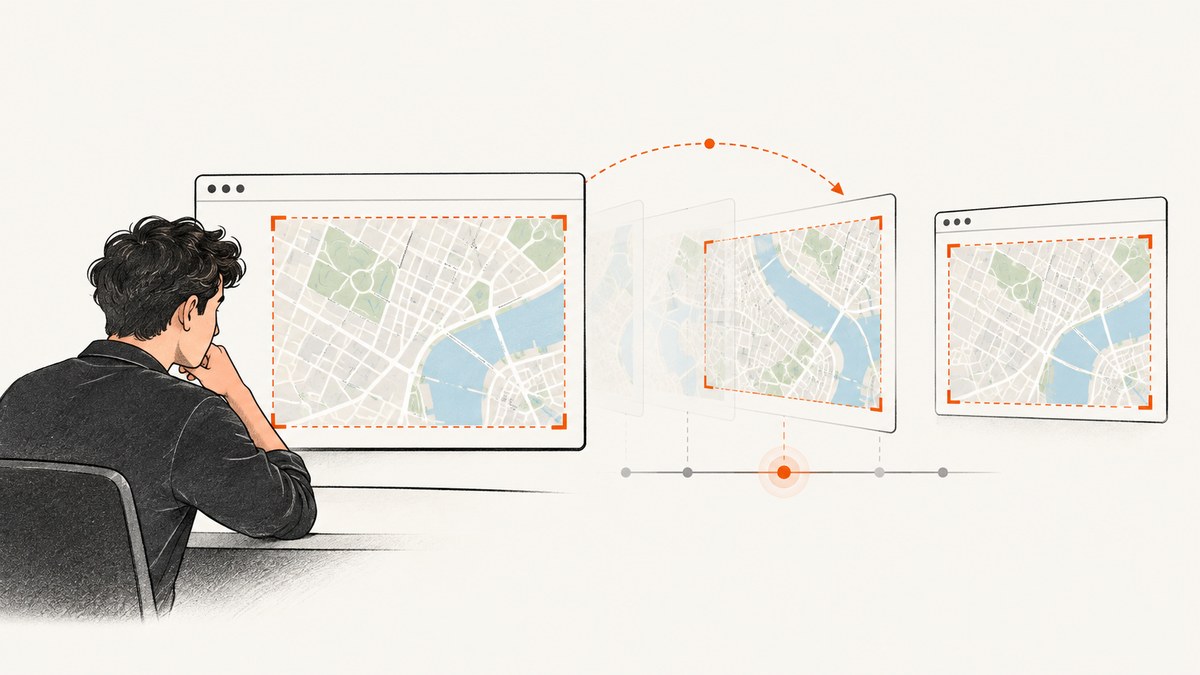
Short answer: html2canvas can shift or blank a Google Map after panning because it rebuilds the page from DOM and styles instead of copying the browser compositor’s final pixels. Wait for Google Maps’ idle event, then tilesloaded, defer one animation frame, and capture the smallest stable map element. If the export is blank or throws a tainted-canvas error, fix cross-origin tile access with CORS or a same-origin proxy; allowTaint:true does not make an export readable.
This guide explains the failure modes, a durable capture implementation, raster versus vector differences, CORS, sizing, debugging, production trade-offs, and when a server-side screenshot API is a better fit.
What html2canvas is (and is not)
html2canvas documentation describes a script that takes screenshots of a page or part of a page in the browser. It traverses the loaded DOM and builds a representation from properties it understands. That differs from a native screenshot, which records compositor output after the map has positioned layers and painted tiles.
Google Maps changes internal tile and overlay positions while a gesture is running and shortly after it ends. The visible map can be correct while the DOM reconstruction sees an old transform, a missing transform, or a different layer order. The html2canvas Google Maps issue history contains reports of output moving after a map was panned, zoomed, or left untouched; one recurring symptom is an expected transform being reported as none. A guessed CSS offset therefore works only for a particular Maps and browser version.
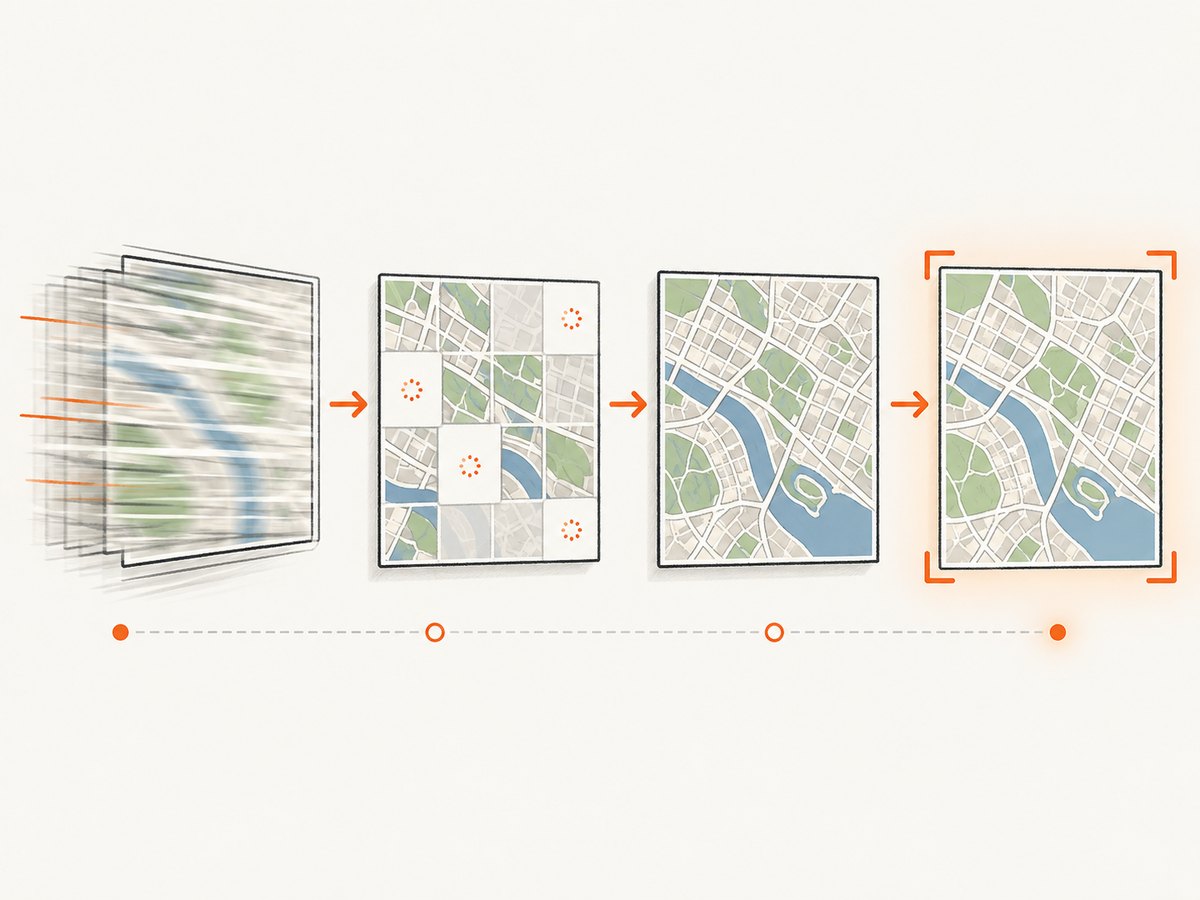
The reliable capture sequence
- Let the user finish the pan or zoom.
- Wait for Google Maps
idle. Google defines it as firing when the map becomes idle after panning or zooming. - Wait for
tilesloadedif imagery may still be arriving. Google defines it as firing when visible tiles have finished loading. - Yield one
requestAnimationFrameso layout and paint can settle. - Capture the smallest stable map container, with CORS settings that match tile response headers.
The two events are signals, not a promise that every future style change is complete. Add a timeout and fallback for maps that do not emit another tilesloaded event after a style or camera update.
Complete browser example
async function waitForMapReady(map, { timeoutMs = 8000 } = {}) {
  await new Promise((resolve) => {
    let idleSeen = false;
    let tilesSeen = false;
    let finished = false;
    const finish = () => {
      if (!finished && idleSeen && tilesSeen) {
        finished = true;
        clearTimeout(timer);
        resolve();
      }
    };
    const timer = setTimeout(() => {
      if (!finished) { finished = true; resolve(); }
    }, timeoutMs);
    map.addListenerOnce('idle', () => { idleSeen = true; finish(); });
    map.addListenerOnce('tilesloaded', () => { tilesSeen = true; finish(); });
  });
  await new Promise(requestAnimationFrame);
}

async function captureMap() {
  const mapElement = document.querySelector('#map');
  if (!mapElement) throw new Error('Missing #map element');
  await waitForMapReady(window.map);
  const canvas = await html2canvas(mapElement, {
    useCORS: true,
    allowTaint: false,
    backgroundColor: null,
    windowWidth: document.documentElement.clientWidth,
    windowHeight: document.documentElement.clientHeight
  });
  return await new Promise((resolve, reject) => {
    canvas.toBlob((blob) => blob ? resolve(blob) : reject(new Error('Canvas export failed')), 'image/png');
  });
}
Register listeners before starting a camera animation if your code controls the pan. For user gestures, install listeners during map setup and invoke capture from a button after interaction. If a map is continuously moving, wait for the final idle rather than sampling every bounds_changed event.
Capture only the map
Pass the map’s own container to html2canvas. Capturing a large parent can include controls, animated overlays, sticky headers, and unrelated cross-origin images. A smaller rectangle also reduces memory use. Freeze animations in an onclone callback when a marker or overlay must not move:
const canvas = await html2canvas(document.querySelector('#map'), {
  useCORS: true,
  allowTaint: false,
  onclone: (clonedDocument) => {
    const style = clonedDocument.createElement('style');
    style.textContent = '* { animation: none !important; transition: none !important; }';
    clonedDocument.head.appendChild(style);
  }
});
Why the map is blank, clipped, or shifted
Offset after a pan
This is usually a timing problem or an internal positioning detail. Do not apply a universal transform: translate(...) patch. Issue reports show that transforms can appear as none, and Google supports raster and vector rendering implementations. Wait for the event sequence and inspect the current DOM before considering a version-specific workaround.
Blank or missing tiles
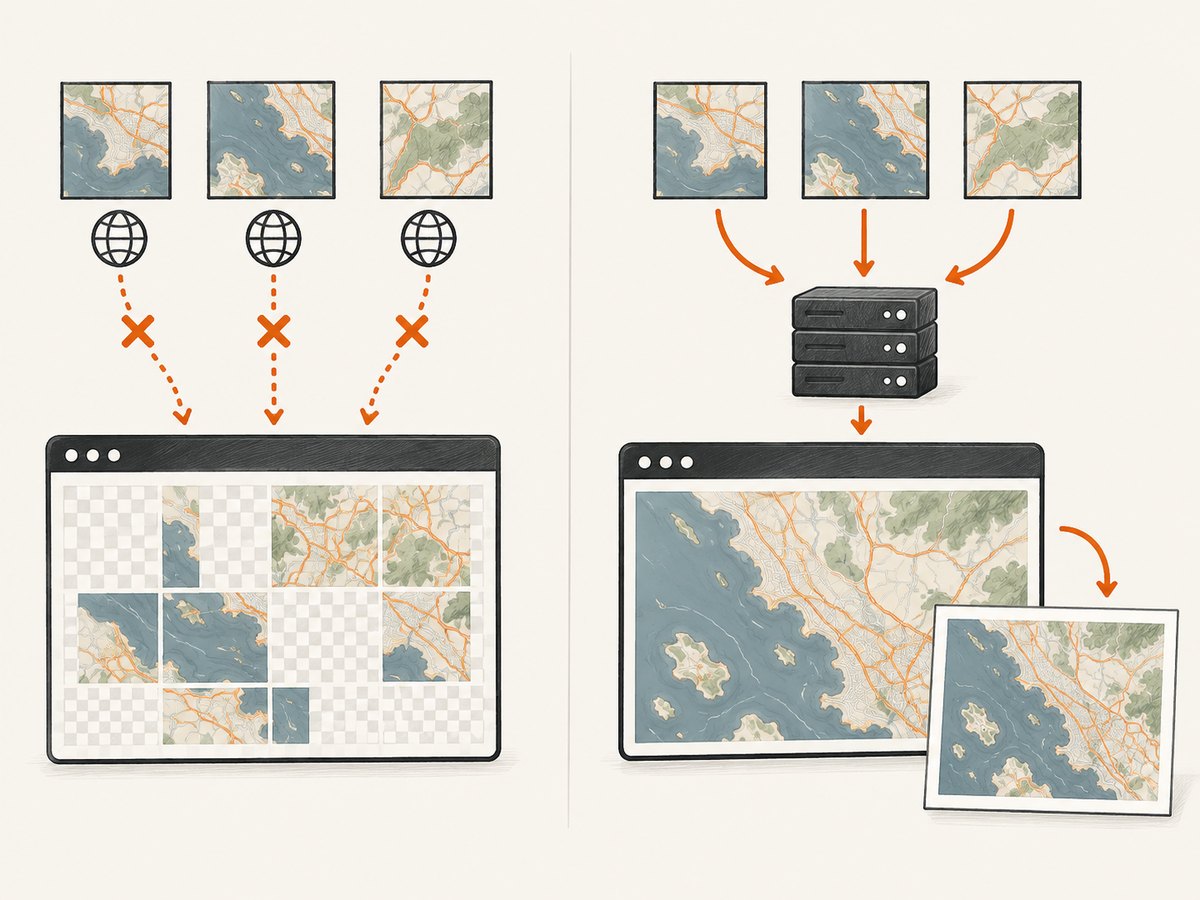
html2canvas skips resources that would taint the canvas when allowTaint:false, the default. If capture starts before visible tiles arrive, there may be nothing usable to draw. Confirm that tilesloaded fired, then inspect the Network panel for tile responses and their Access-Control-Allow-Origin header.
Tainted canvas errors
The html2canvas FAQ explains that drawing an image from another origin taints a canvas and makes it unreadable. useCORS:true helps only when the image server sends a compatible CORS header. If the tile host does not, use a same-origin proxy that fetches the resource and returns it with your origin’s CORS policy. The html2canvas configuration documents a proxy option.
allowTaint:true permits drawing but leaves the canvas unreadable by toDataURL, toBlob, and pixel APIs. It is suitable only when you display the canvas and never export or inspect it.
Clipped or empty output
Check the element’s bounding box, device-pixel ratio, and browser canvas-size limits. A very tall element can exceed implementation limits even when a normal viewport works. Set windowWidth and windowHeight to the intended layout viewport, avoid capturing hidden elements, and split a long export into sections when necessary.
Raster versus vector Google Maps
Google documents separate raster and vector rendering types. Raster mode assembles server-generated image tiles; vector mode uses a different rendering implementation and can expose different DOM and canvas behavior. Record the mode while diagnosing:
const renderingType = map.getRenderingType();
console.log('Google Maps rendering type:', renderingType);
Test the exact mode, browser, Maps JavaScript version, and html2canvas version you deploy. Google also documents Mercator projection and world, pixel, and tile coordinate conversions. Those details explain why manually deriving a pan offset from latitude and longitude is brittle: the camera and tile grid are not a simple fixed CSS translation.
CORS, proxies, and export requirements
| Requirement | Recommended choice | Reason |
|---|---|---|
| Readable PNG or JPEG | allowTaint:false plus CORS or proxy |
Export APIs need an untainted canvas. |
| Display-only canvas | allowTaint:true can be acceptable |
You do not call export or pixel APIs. |
| Third-party tile host | Same-origin proxy or server capture | You cannot add headers to a provider you do not control. |
| Credentialed requests | Exact origin and credentials policy | Wildcard CORS cannot be combined with credentials. |
A proxy must validate destination URLs, restrict allowed hosts, set caching limits, and return the correct content type. Never turn an arbitrary URL proxy into an open relay. If policy forbids proxying map tiles, use a permitted capture path.
Debugging checklist
- Log the final gesture,
idle,tilesloaded, animation-frame yield, and html2canvas start. - Log
map.getRenderingType(), map dimensions,devicePixelRatio, and html2canvas version. - Confirm visible tile requests finish with 200 responses and inspect CORS headers.
- Compare a native browser screenshot with html2canvas output.
- Disable marker animations and CSS transitions in a clone.
- Try a small viewport capture before a full-page capture.
Production reliability and performance
Use an 8–15 second timeout appropriate to your network and provide a retry path. A map can keep requesting tiles because of connectivity, a style change, or an unavailable region. Resolve with the best frame after timeout and record that readiness was incomplete.
Capture the smallest element, avoid unnecessary shadows and huge device-pixel ratios, and do not run several jobs simultaneously on mobile. A 2x retina output uses roughly four times as many pixels as 1x. Release object URLs after downloads and prefer toBlob over a large base64 string.
For deterministic jobs, fix the map container size, timezone, font loading, and device scale. Wait for application data and web fonts before waiting for Maps events. If markers update after idle, await an application-level data-ready promise before the animation-frame yield.
Or skip the browser setup
ScreenshotNeo is a website screenshot API and MCP server. It captures a URL with one request and returns PNG, JPEG, WebP, or PDF. Cookie and consent banners are accepted and 60+ known consent platforms, newsletter popups, and chat widgets are removed before the shot; each step can be disabled. Bot checks, blank pages, timeouts, failed loads, and cache hits are not billed, and response headers identify the page verdict and billing status.
Its options include full-page lazy-image loading, CSS element selection, dark mode, device presets or custom viewports, retina scale, custom CSS and JavaScript, click actions, selector hiding, waits for a selector, delay or network idle, blocked requests and resource types, headers, cookies, user agent, Authorization, timezone, geolocation, transparent backgrounds, resizing, TTL caching, signed image links, async jobs with signed webhooks, bulk capture of up to 100 URLs, usage reporting, and PDF controls. The MCP server exposes take_screenshot, get_page_info, and capture_pdf to Claude, Cursor, and other MCP clients.
See the ScreenshotNeo API documentation. The shortest runnable calls are:
curl -G "https://api.screenshotneo.com/v1/shot" -d access_key=YOUR_API_KEY --data-urlencode url=https://stripe.com -o shot.webpimport requests
r = requests.get("https://api.screenshotneo.com/v1/shot", params={"access_key": "YOUR_API_KEY", "url": "https://stripe.com"}, timeout=90)
open("shot.webp", "wb").write(r.content)const q = new URLSearchParams({ access_key: 'YOUR_API_KEY', url: 'https://stripe.com' });
const res = await fetch(`https://api.screenshotneo.com/v1/shot?${q}`);
if (!res.ok) throw new Error(`Screenshot failed: ${res.status}`);The free plan includes 1,000 screenshots each month with no card. Paid plans start at $5 for 3,000 screenshots; every feature is on every plan. Create a free ScreenshotNeo account.
Choosing an approach
| Situation | Best fit | Reason |
|---|---|---|
| User clicks Export in your own page | html2canvas after idle and tilesloaded |
Preserves local overlays and composition. |
| Tile server lacks CORS | Approved proxy or native/server capture | A tainted canvas cannot be exported. |
| Scheduled screenshots across URLs | ScreenshotNeo API | Removes browser orchestration and supports bulk or async workflows. |
| AI agent needs screenshots | ScreenshotNeo MCP tools | Agents can call screenshot, page-info, and PDF tools directly. |
FAQ
Does waiting for idle alone fix the shift?
Not always. idle means camera movement ended; imagery can still be loading. Wait for tilesloaded too, then yield one frame.
Can I force raster mode?
Choose a rendering mode only when your Maps configuration and product requirements support it. Diagnose the mode first because raster and vector behavior differs.
Why does DevTools look right while export is wrong?
DevTools shows compositor pixels. html2canvas reconstructs from DOM and styles, so it can miss internal transforms or cross-origin images.
Will a proxy solve every blank map?
No. It addresses cross-origin resources. You still need correct timing, a visible element, valid dimensions, and a canvas size within browser limits.
Can ScreenshotNeo capture authenticated pages?
Yes. Its request supports custom headers, cookies, user agent, and Authorization. Supply only credentials your application is authorized to use.
Key takeaways
- html2canvas reconstructs DOM content rather than copying final compositor pixels.
- Use
idle,tilesloaded, and one animation-frame defer after movement. - For export, require CORS headers or a same-origin proxy;
allowTaint:trueis not an export fix. - Record raster versus vector mode before debugging transforms.
- For unattended or cross-origin captures, ScreenshotNeo can remove browser setup and charge only for clean shots.


