How to Make html2canvas and jsPDF Render SVG Images
Fix missing SVGs in html2canvas and jsPDF with the right renderer, CORS settings, diagnostics, and a direct SVG-to-PDF path.

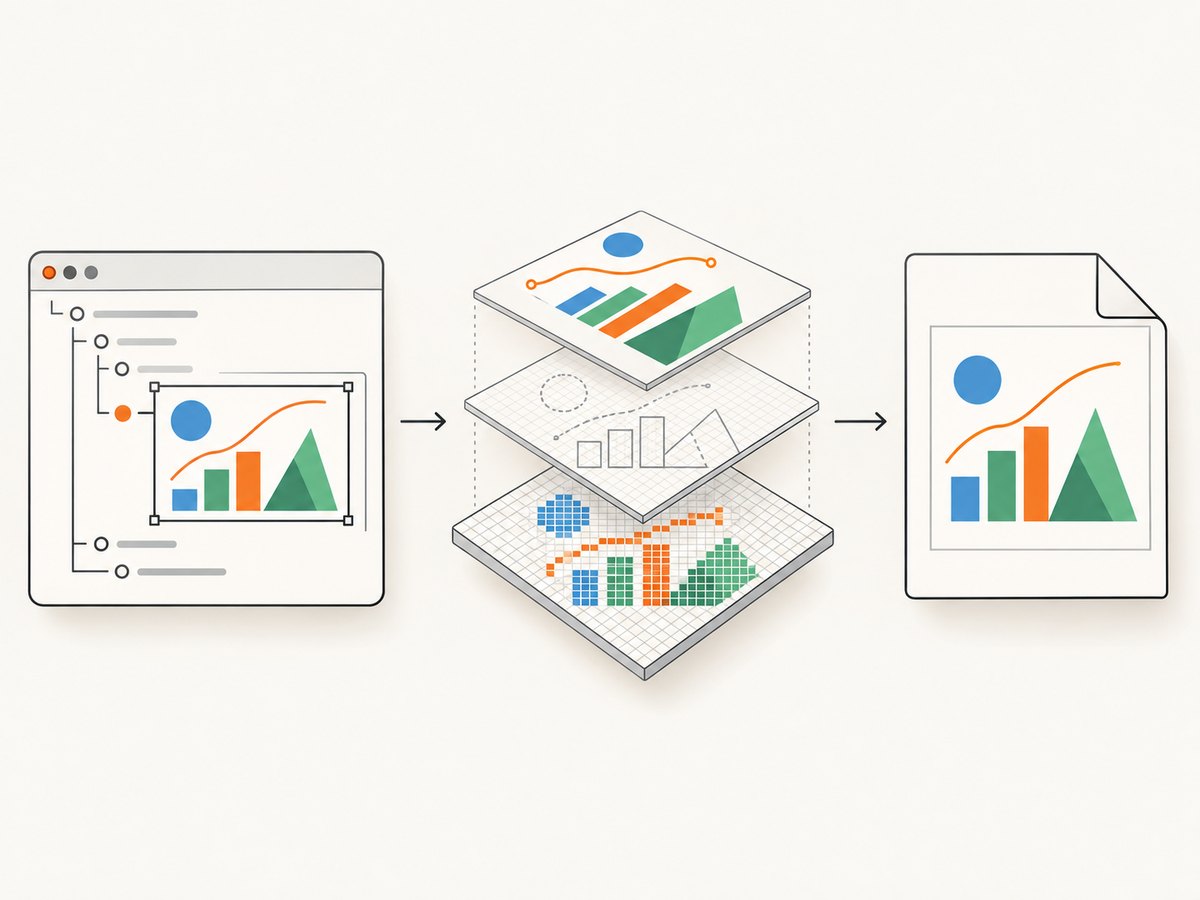
Short answer: html2canvas does not take a pixel screenshot. It rebuilds a representation of the DOM using the CSS and elements it supports, then draws that representation to a canvas. SVG output can therefore differ from the browser. Start with the default renderer, verify the SVG and every referenced asset, and test foreignObjectRendering: true when the default path misses relevant markup or styling. If your input is a standalone SVG that needs to go into a PDF, use jsPDF’s SVG-specific addSvgAsImage method instead of capturing an HTML region.
This guide covers both workflows, cross-origin failures, external SVG resources, sizing, browser differences, diagnostics, and production choices. The examples use browser JavaScript because html2canvas depends on browser APIs and is not a Node.js renderer.
Choose the rendering path first
| Your input | Recommended path | What you get |
|---|---|---|
| An HTML element containing inline or embedded SVG | html2canvas, then add the canvas image to jsPDF | A raster representation of the rendered HTML region |
| A standalone SVG string or file | jsPDF addSvgAsImage |
SVG-specific insertion into the PDF (verify the SVG module in your build) |
| HTML whose layout depends on browser-native SVG/CSS behavior | Test html2canvas with foreignObjectRendering: true |
A browser foreignObject route where supported; compatibility must be tested |
html2canvas’s own FAQ explains the central limitation: “Every CSS property must be manually implemented to render correctly, so html2canvas will never have full CSS support.” SVG support and foreign-object support are separate capabilities in the project source. The foreignObjectRendering option is disabled by default.
Working example: capture an HTML region that contains SVG
Create an element with an inline SVG so the SVG markup and its styles share the document origin. Then wait for fonts and images before capturing.
<div id="report" class="report">
  <h1>Revenue</h1>
  <svg viewBox="0 0 640 240" role="img" aria-label="Revenue chart">
    <rect width="640" height="240" fill="#101827"/>
    <polyline points="20,200 150,150 280,170 410,80 620,40"
      fill="none" stroke="#56d6a4" stroke-width="8"/>
    <circle cx="410" cy="80" r="10" fill="#ffffff"/>
  </svg>
</div>
<button id="save">Save PDF</button>
<script type="module">
  import html2canvas from 'https://cdn.jsdelivr.net/npm/html2canvas@1.4.1/+esm';
  import { jsPDF } from 'https://cdn.jsdelivr.net/npm/jspdf@2.5.1/+esm';

  const target = document.querySelector('#report');
  document.querySelector('#save').addEventListener('click', async () => {
    if (document.fonts?.ready) await document.fonts.ready;

    const canvas = await html2canvas(target, {
      backgroundColor: '#ffffff',
      scale: Math.min(window.devicePixelRatio || 1, 2),
      useCORS: true,
      imageTimeout: 15000,
      logging: true,
      onclone: (clonedDocument) => {
        clonedDocument.querySelector('#report').style.animation = 'none';
      }
    });

    const pdf = new jsPDF({ orientation: 'landscape', unit: 'px',
      format: [canvas.width, canvas.height] });
    pdf.addImage(canvas, 'PNG', 0, 0, canvas.width, canvas.height);
    pdf.save('report.pdf');
  });
</script>
The scale controls canvas pixel density, not SVG vector preservation. A higher value can make thin lines clearer but increases memory and PDF size. The onclone callback changes only the cloned document, so animations in the live page are unaffected.
When to try foreignObjectRendering
With foreignObjectRendering: true, html2canvas asks the browser to render cloned HTML through an SVG foreignObject. This can preserve some browser-native layout and CSS that the normal renderer does not implement, but support varies by browser and content. Treat it as an experiment against the exact browsers and SVGs you ship.
const canvas = await html2canvas(document.querySelector('#report'), {
  foreignObjectRendering: true,
  backgroundColor: null,
  useCORS: true,
  imageTimeout: 20000,
  logging: true
});
Compare both outputs at the same viewport. If foreign-object output fails or is blank in a target browser, return to the default renderer and simplify unsupported CSS rather than assuming the option fixes every SVG.
Render a standalone SVG directly with jsPDF
If you do not need the surrounding HTML, avoid the HTML capture pipeline. jsPDF documents addSvgAsImage for placing SVG content in a PDF. Confirm that the SVG module and method are present in the version and build installed by your application.
import { jsPDF } from 'jspdf';
import 'svg2pdf.js'; // required by many jsPDF builds for SVG support

const svg = `<svg xmlns="http://www.w3.org/2000/svg" width="640" height="240" viewBox="0 0 640 240">
  <rect width="640" height="240" fill="#101827"/>
  <path d="M20 200 L150 150 L280 170 L410 80 L620 40" fill="none" stroke="#56d6a4" stroke-width="8"/>
</svg>`;

const pdf = new jsPDF({ unit: 'pt', format: 'a4' });
pdf.addSvgAsImage(svg, 36, 36, 523, 196);
pdf.save('chart.pdf');
The exact import and availability depend on your jsPDF package version. If addSvgAsImage is undefined, inspect the installed package, its SVG module, and your bundler configuration before debugging the SVG itself.
Make SVG dimensions and styles deterministic
- Give the root SVG a
viewBoxand explicit width and height, or set dimensions in CSS on the capture clone. - Keep important presentation attributes (
fill,stroke,stroke-width) on the SVG elements when possible. - Inline critical styles. External stylesheets, pseudo-elements, filters, masks, and advanced CSS may not be implemented by html2canvas.
- Use absolute, stable layout before capture. Freeze transitions, animations, blinking cursors, and chart updates.
- Wait for web fonts and referenced images. A capture taken while a font or image is loading can have different geometry.
- For a transparent result, set
backgroundColor: null; for a predictable PDF page, choose an explicit background color.
Cross-origin SVGs and referenced assets
An SVG can look correct in the browser and still fail during export because it references an image, stylesheet, font, or another SVG on a different origin. Canvas security rules prevent reading pixels from a tainted canvas.
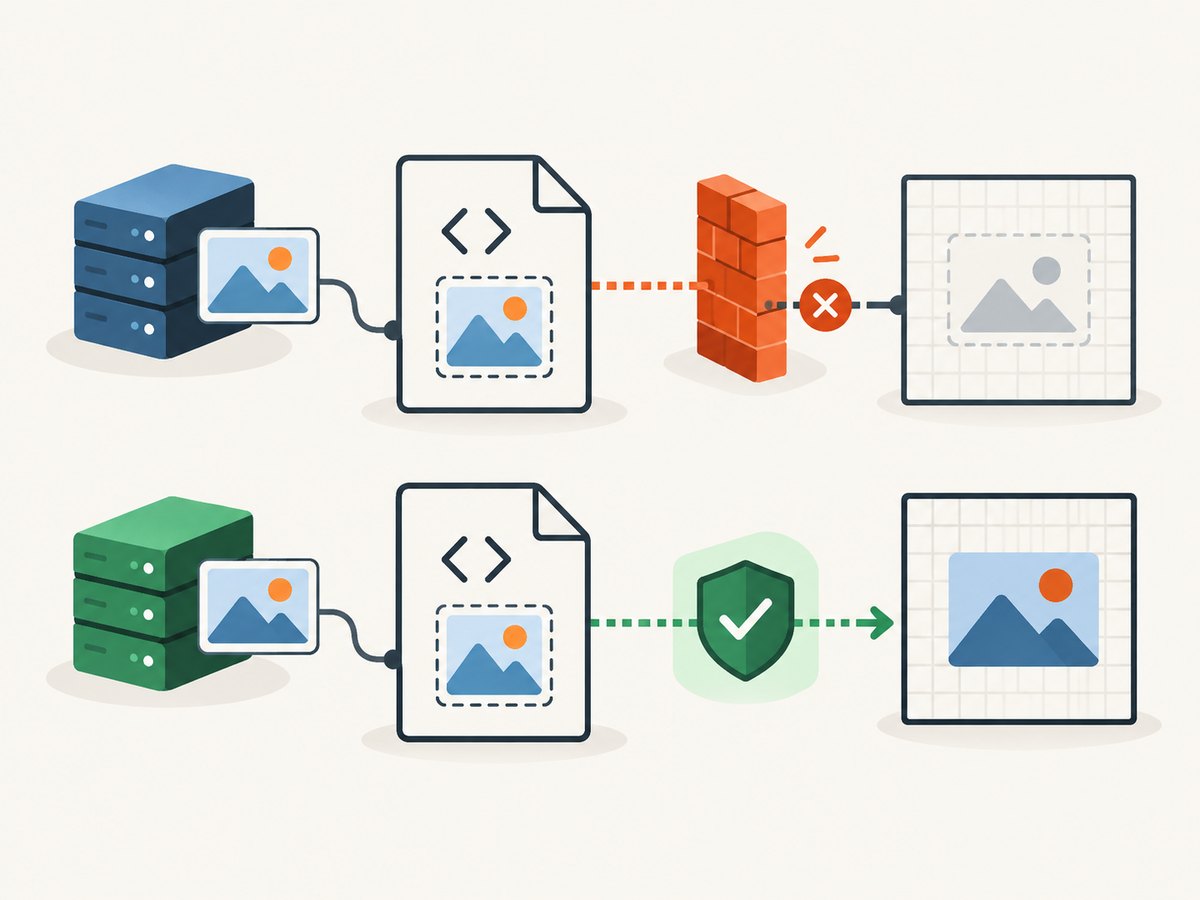
useCORS: true tells html2canvas to request eligible assets with CORS, but it works only when the asset server returns suitable Access-Control-Allow-Origin headers. Configure a same-origin proxy when you control neither the asset host nor its headers. allowTaint: true does not make a tainted canvas safely readable for toDataURL or PDF export; it merely changes whether html2canvas may draw such resources.
const canvas = await html2canvas(node, {
  useCORS: true,
  proxy: '/render-proxy',
  imageTimeout: 15000,
  onclone: (doc) => {
    for (const image of doc.images) image.decoding = 'sync';
  }
});

try {
  const png = canvas.toDataURL('image/png');
} catch (error) {
  console.error('Canvas export failed; inspect cross-origin resources', error);
}
A proxy must fetch only permitted resources, return the correct content type, and preserve an origin policy suitable for your application. Do not proxy arbitrary user-controlled URLs without access controls.
Debugging checklist
- Identify the pipeline. Is the failure in html2canvas’s HTML reconstruction, canvas export, or jsPDF SVG insertion?
- Inspect the source SVG. Check that it is visible, has dimensions, valid XML, and no failed references in the browser network panel.
- Capture a minimal SVG. Remove filters, masks, external images, and styles until a simple rectangle and path render. Add features back one at a time.
- Turn on logging. Use
logging: trueand theonclonecallback to inspect the cloned DOM. - Check timing. Increase
imageTimeout, awaitdocument.fonts.ready, and capture after chart libraries finish drawing. - Test both renderers. Compare default html2canvas and
foreignObjectRenderingin each supported browser. - Verify the installed jsPDF build. For direct SVG insertion, confirm
addSvgAsImageand its SVG module are actually bundled.
Common errors and fixes
| Symptom | Likely cause | Fix |
|---|---|---|
| SVG area is blank | External asset failed, zero dimensions, or unsupported SVG feature | Set dimensions, inspect network errors, inline dependencies, and reduce to a minimal SVG |
| “Tainted canvases may not be exported” | Cross-origin image, font, or SVG reference | Serve it with CORS headers or use a controlled same-origin proxy; do not rely on allowTaint |
| Styles disappear | CSS property is not implemented by html2canvas or stylesheet was not available in the clone | Inline critical presentation, simplify CSS, or test foreign-object rendering |
| Text shifts or wraps differently | Font not loaded or capture width differs | Await document.fonts.ready, set a fixed viewport, and use the same font files |
addSvgAsImage is undefined |
SVG module or incompatible jsPDF build | Inspect package documentation and bundle the required module for your installed version |
| PDF is huge or blurry | Large raster canvas or excessive scale | Lower scale, crop the element, choose JPEG for photographic content, or use direct SVG insertion |
Performance, reliability, and output quality
Capture only the required element. Full-page DOM reconstruction costs more memory than a chart-sized region, especially at high device-pixel scale. A 2× scale produces four times as many canvas pixels as 1× for the same CSS area. Large canvases can hit browser memory limits, so split long reports into pages or sections.
Use PNG when sharp lines, transparency, or text-like SVG detail matters. JPEG can reduce size for photographic regions but introduces compression artifacts and has no alpha channel. WebP may be available through browser encoding, but verify the target browser and PDF workflow.
For repeatable output, pin library versions, set viewport and background explicitly, wait for fonts and network-dependent assets, disable motion, and test every browser you support. html2canvas lists modern evergreen browsers, including Firefox, Chromium-based browsers, and Safari, but that compatibility statement does not promise identical SVG rendering.
Or skip the browser setup
If your goal is a clean image or PDF of a URL rather than a client-side DOM experiment, ScreenshotNeo provides a single HTTP endpoint. Its capture options include full-page screenshots with lazy images loaded, element selectors, custom CSS and JavaScript, dark mode, device presets, viewport and retina scale, PDF paper and margin settings, waits, request blocking, headers, cookies, user agents, timezone, geolocation, caching, signed links, asynchronous jobs, bulk capture, and usage reporting. See the ScreenshotNeo API documentation for parameter names and response details.
curl -G "https://api.screenshotneo.com/v1/shot" -d access_key=YOUR_API_KEY --data-urlencode url=https://stripe.com -o shot.webpimport requests
r = requests.get("https://api.screenshotneo.com/v1/shot", params={"access_key": "YOUR_API_KEY", "url": "https://stripe.com"}, timeout=90)
open("shot.webp", "wb").write(r.content)const q = new URLSearchParams({ access_key: 'YOUR_API_KEY', url: 'https://stripe.com' });
const res = await fetch(`https://api.screenshotneo.com/v1/shot?${q}`);ScreenshotNeo accepts consent banners like a visitor and removes more than 60 known consent platforms, newsletter popups, and chat widgets before capture; each step can be disabled. Bot checks, blank pages, timeouts, failed loads, and cache hits are not billed, and the response identifies the result with X-Page-Verdict and X-Billed headers. It also includes an MCP server so Claude, Cursor, and other MCP clients can call take_screenshot, get_page_info, and capture_pdf. The free plan includes 1,000 screenshots per month with no card; paid plans start at $5 for 3,000. Create a free ScreenshotNeo account.
FAQ
Does html2canvas preserve SVG as vector data?
No. The HTML capture route produces a canvas image, which is raster content when inserted into jsPDF. Use addSvgAsImage when direct SVG placement is the better fit.
Will foreignObjectRendering fix every missing SVG?
No. It is a separate renderer with browser and content constraints. Test it with your actual SVG and target browsers.
Why does the SVG work on screen but not in the PDF?
The browser may have loaded cross-origin assets or CSS that html2canvas cannot read or reproduce. Check resource headers, dimensions, timing, and supported CSS.
Can I run html2canvas in Node.js?
The project depends on browser APIs and is not a Node.js renderer. Use a browser environment or a server-side screenshot service.
Which method should I use for a chart?
Use html2canvas when the chart must match a surrounding HTML card. Use direct SVG insertion when you already have the SVG and want to avoid rasterization.


